
In this Article:
Try Kanbanchi now
Start your free trial

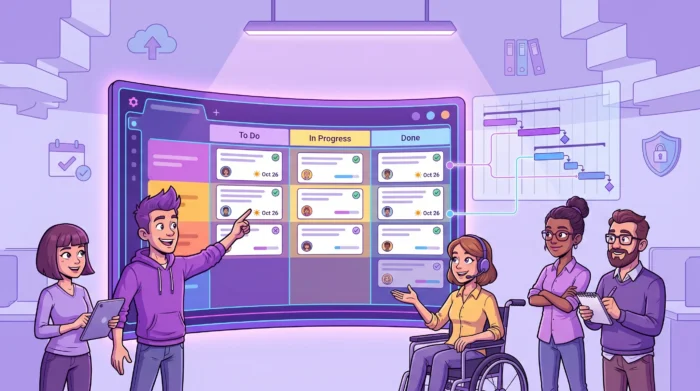
When your team is managing many projects at once, “project tracking” stops being a weekly status meeting and becomes an operating system: a way to see what’s moving, what’s blocked, who’s overloaded, and what’s at risk, across dozens (or hundreds) of workstreams.
The challenge is that most tools either work well for a single project, or they scale only by adding complexity. The goal is to find a tool that stays simple for contributors but still gives team leads and business owners portfolio-level visibility, especially if your organization runs on Google Workspace or Microsoft 365.
Multi-project teams need two views at the same time: a high-level picture to spot risk and prioritize, and a quick drill-down to see exactly which task is stuck and why. If the only way to answer “Are we on track?” is to open ten tabs (or ask ten people), the tool is not really tracking projects, it is storing them.
The best tracking setups standardize a few fields across every project: owner, priority, start date, due date, and status. Without this, every project becomes its own universe, and leadership reporting turns into manual spreadsheet work.
For many teams, a board is where work happens day to day, while a timeline is where risk becomes obvious. If your tool forces you to pick one, you end up maintaining two sources of truth (usually a board plus a spreadsheet timeline), which quickly diverge.
When multiple projects compete for the same people, time is a key signal. Even lightweight time tracking can help you validate estimates, understand where work is really going, and prevent silent overload.
If your team lives in Gmail, Google Drive, Google Calendar, or in Microsoft 365 apps, your project tracking software should connect to that reality. Otherwise, “keeping the tool updated” becomes a separate job, and adoption suffers.
Multi-project visibility typically requires cross-functional access. That only works safely when permissions are clear, sharing is controlled, and the tool supports enterprise-grade security and compliance expectations.
| Capability | Why it matters for many projects | How to evaluate fast |
|---|---|---|
| Multiple views (board + timeline + list) | Lets teams execute in a workflow view while leads spot scheduling risk on a timeline. | Create a sample project and switch views. Confirm the data stays synchronized. |
| Cross-project personal view (“My tasks”) | Reduces dropped balls when one person contributes to many projects. | Assign tasks on 3+ projects, then confirm each person sees one consolidated queue. |
| Easy sharing (internal and external) | Multi-project delivery often involves vendors, clients, or other departments. | Test guest access and permission boundaries. Confirm it matches your policy needs. |
| Time tracking at task level | Helps forecast capacity and identify where projects consume real effort. | Run a 1-week pilot and check if reporting is easy enough to sustain. |
| File integration with your suite | Prevents “where is the latest doc?” across dozens of active initiatives. | Attach a Drive or OneDrive file, then verify permissions and access behave as expected. |
| Export and reporting integration | Lets you build stakeholder dashboards without rebuilding the data model. | Confirm you can export key fields and connect to your preferred reporting tool. |
If meetings exist mainly to discover what happened, your tracking system is not producing reliable visibility. Meetings should be for decisions and unblocking, not for reconstructing reality.
When files, approvals, and context live outside the tasks themselves, teams lose time re-finding information and duplicating work. This gets exponentially worse with every additional project.
Inconsistent statuses, inconsistent columns, and inconsistent ownership rules create reporting chaos. It becomes impossible to compare projects or roll up meaningful metrics.
Overload usually shows up as missed deadlines, not as early warnings. Good project tracking makes capacity problems visible while you can still do something about them.
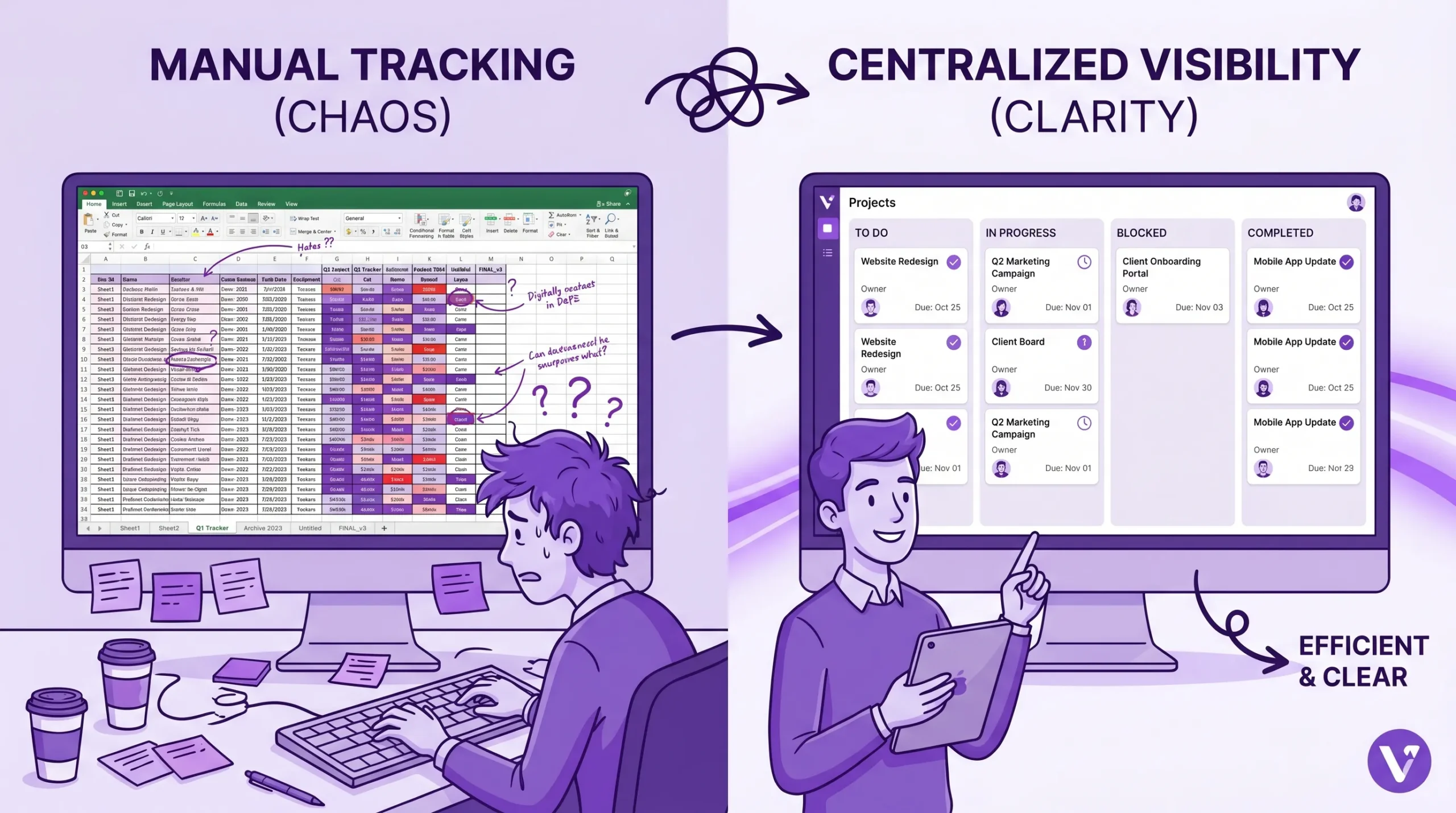
Figure 1. Manual spreadsheet tracking tends to fragment information, while a centralized board makes ownership, status, and deadlines visible at a glance.
Before you compare tools, define what “many projects” means for your team. Is it 10 long-running client projects, 50 internal initiatives, or 200 small requests flowing through the same delivery team? The answer drives what matters most: swimlanes and tags, portfolio dashboards, or workload and throughout reporting.
Most teams already have a file system that works, usually Google Drive/Shared Drives or OneDrive/SharePoint. Your tracking tool should connect directly to that system so tasks and documents stay linked, permissions remain consistent, and people do not create shadow copies.
The tool with the longest feature list is not always the best choice. For multi-project environments, the winning tool is often the one contributors will update daily without being chased. That is what keeps leadership views accurate.
Project tracking is only “best” if it produces decisions. During your trial, build one weekly portfolio view and ask stakeholders: “Would you act on this?” If not, the issue is usually missing standard fields, poor filtering, or a weak timeline view.
If your team uses AI to draft project updates, briefs, or stakeholder notes, align the workflow with your organization’s policies. Some teams even run sensitive text through AI detection checks to understand how it may be perceived externally. A resource like the AI detection and humanizer tools directory can help you explore what those checks look like, especially for client-facing deliverables.
Kanbanchi is designed to work naturally inside the ecosystems many organizations already run: Google Workspace and Microsoft 365. That matters because multi-project tracking is rarely just about tasks, it is about tasks plus the documents, specs, assets, and approvals that make delivery possible.
With Kanbanchi, teams can attach files from Google Drive and Shared Drives (and, for Microsoft environments, work with OneDrive/SharePoint). This reduces duplicate file versions and keeps collaboration anchored to the task that needs the artifact.
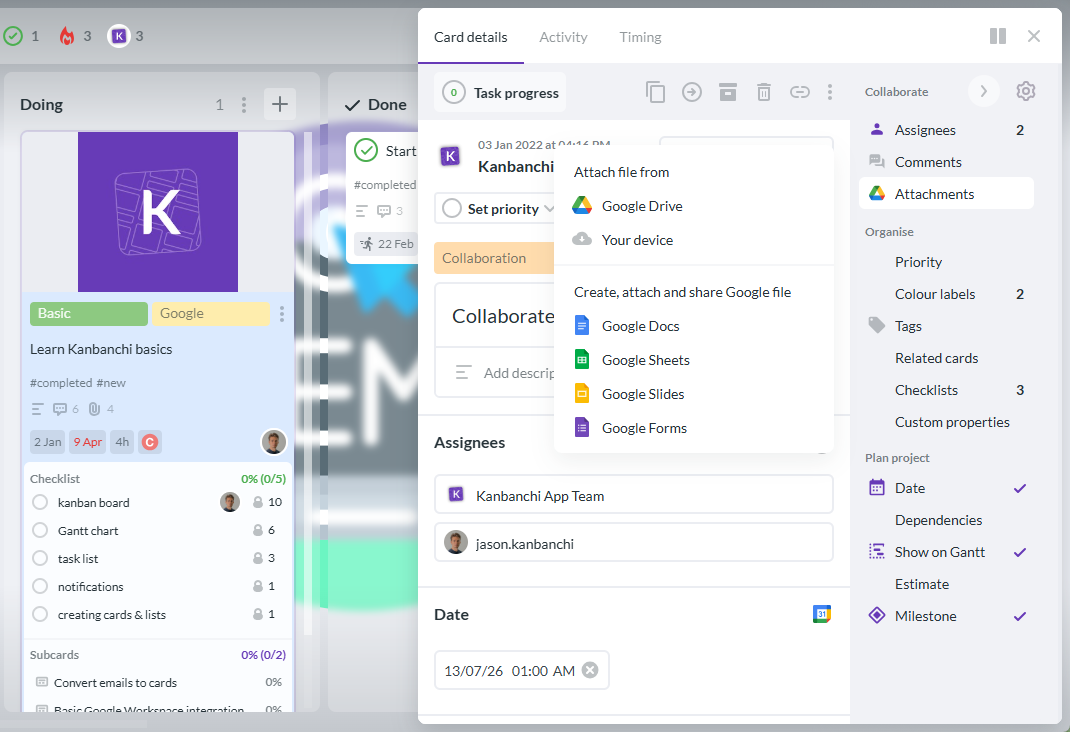
When you manage many projects, the board cannot be a single flat list of cards. Kanbanchi supports organizing and separating work visually, for example using swimlanes to represent different projects, teams, or phases on one board. That makes it easier to see cross-project flow while still working in a single environment.
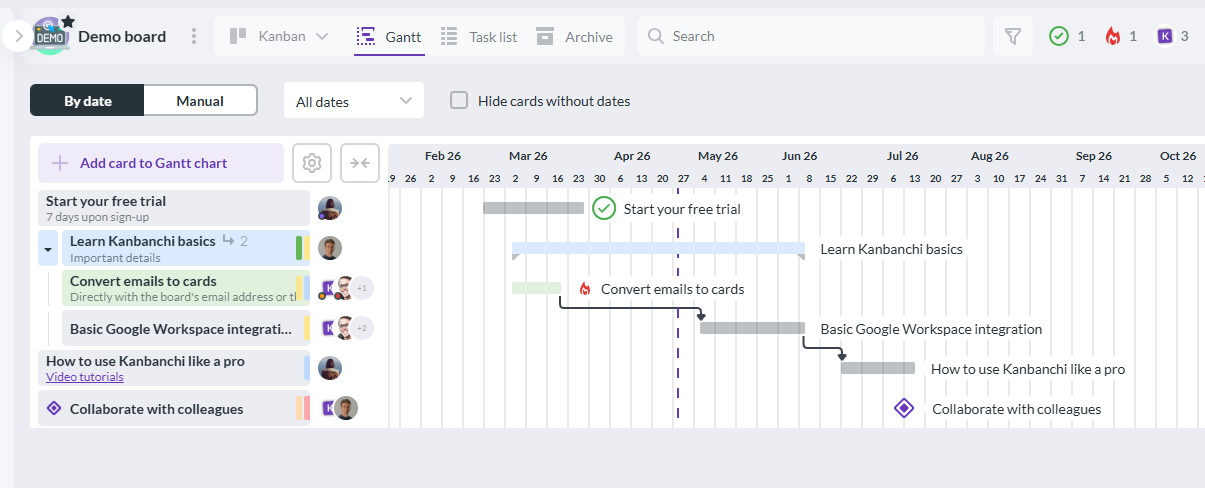
Kanbanchi includes a Gantt chart that can be opened from your board, letting you map tasks over time and manage schedules visually. For multi-project teams, this is often where risk becomes visible early: overlapping deadlines, dependency-like sequencing, and bottlenecks in key roles.
Start a free trial with Kanbanchi today
Kanbanchi includes a time tracker so teams can measure effort on tasks without switching tools. In multi-project environments, even simple timing data helps answer practical questions like: Which project is consuming the most effort this month? Are we underestimating certain request types? Where is capacity being absorbed?
Different stakeholders need different views. Kanbanchi supports visual boards for execution, timeline planning for schedule management, and list-style views when you need to scan and filter quickly. It also supports consolidated “My tasks” style views so individuals can keep up across boards.
When projects multiply, capturing work reliably becomes a bigger problem than organizing it. Kanbanchi supports creating tasks from Gmail and syncing relevant items to Google Calendar, which helps teams reduce context switching and ensures action items do not die in inboxes.
For larger organizations, project tracking must scale without turning into a compliance risk. Kanbanchi is built with enterprise security and compliance expectations in mind, and it supports sharing boards internally and externally in ways that align with company policies.
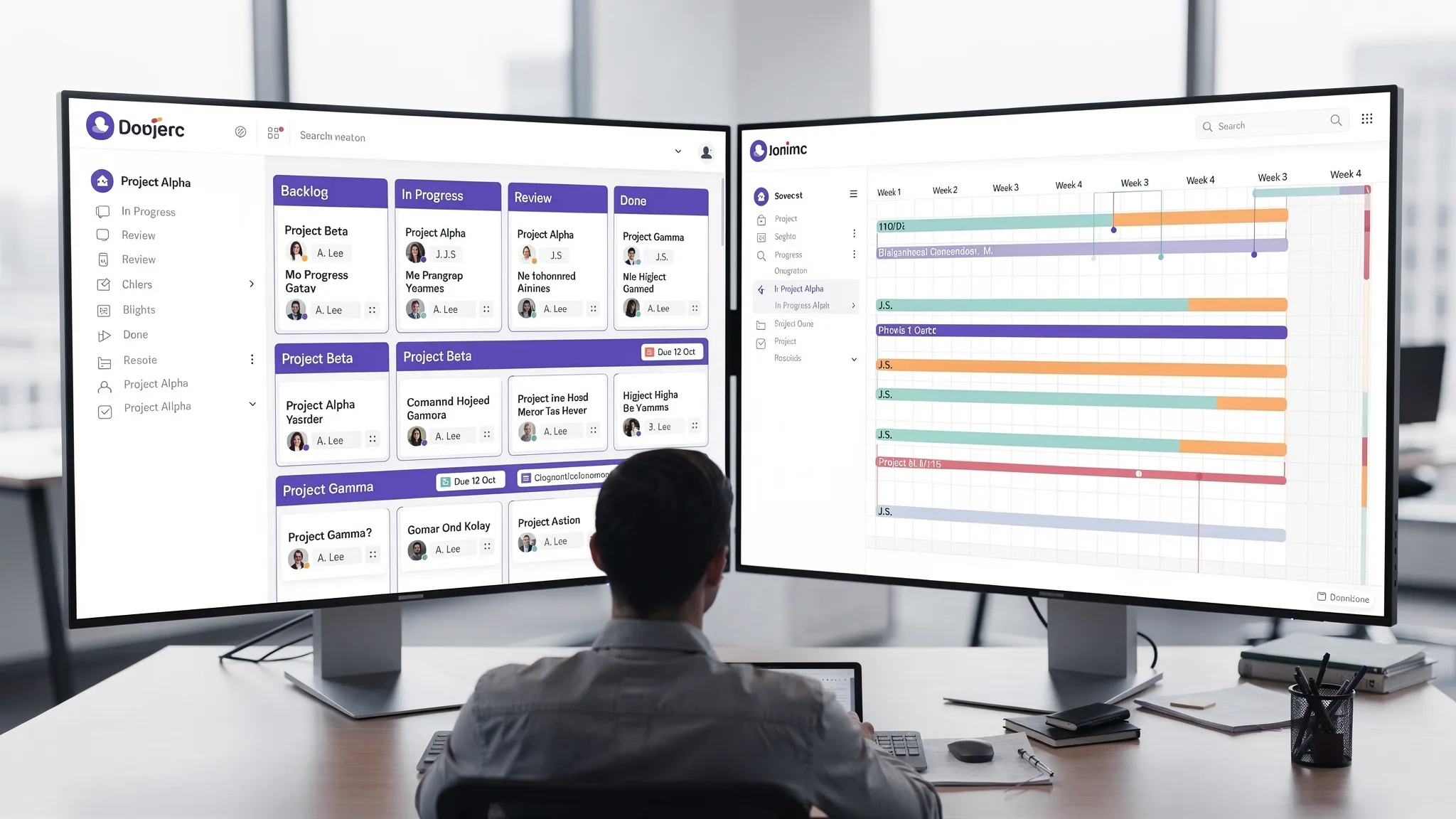
Figure 2. A swimlane-based board helps you track multiple projects in one place, while a linked timeline view helps you validate dates and spot schedule risk.
A practical structure for many teams is a portfolio board (for roll-up visibility) plus project boards (for delivery). The portfolio board is where leadership asks, “What is on track, what is at risk, what needs a decision?” Project boards are where teams actually execute the work.
Keep it minimal and consistent: owners, start and due dates, a priority signal, and a small set of tags for project, team, or work type. This gives you reliable filtering without turning work intake into bureaucracy.
Multi-project tracking improves fast when you pick a few signals and review them every week: overdue work, cards that have not moved, items stuck in review, and time spent versus expectations. This turns your tool into a system, not just a board.
If stakeholders want dashboards, start with what you can export consistently. Kanbanchi supports exporting data to Google Sheets, and teams can connect exported data to reporting tools such as Looker Studio for ongoing dashboards, without rebuilding project data every week.
| Workflow element | How to set it up | Result |
|---|---|---|
| Portfolio board | Create one board that tracks each project as a lane, tag group, or initiative card set. | One place to review progress and risk across all active work. |
| Project boards | Use a consistent board template (same columns, same required fields). | Teams execute faster and reporting stays comparable. |
| Standard task metadata | Require owner, due date, and a priority signal on all active work. | Fewer ambiguous tasks, better filtering, and cleaner handoffs. |
| Timeline validation | Review key work in a Gantt view weekly, focusing on overlaps and approaching deadlines. | Earlier detection of scheduling risk, fewer surprises. |
| Effort tracking | Use built-in time tracking for priority projects or high-volume work types. | Clearer capacity conversations and better estimation over time. |
Read more articles about Project Management here
What is the best way to track multiple projects without adding a lot of admin work? Use a small number of standardized fields (owner, due date, priority, status) and rely on visual views (board plus timeline) instead of custom reports for every project. The biggest admin burden usually comes from inconsistent structures and duplicate tracking tools.
Should multi-project teams use a Kanban board or a Gantt chart? Most multi-project teams need both: a Kanban-style workflow view for daily execution and a Gantt-style timeline for schedule validation. A tool that keeps these views synchronized reduces the risk of maintaining conflicting plans.
How do I keep tasks from getting lost when people work on many projects at once? A consolidated personal view (such as “My tasks”) is essential. It should pull assignments from every project board into one place, so individuals do not have to remember which board to check.
What integrations matter most for teams already on Google Workspace? Drive (and Shared Drives) for file attachments, Gmail-based task capture, and Calendar sync for milestones are high-impact. These reduce context switching and help ensure the project tool matches how the organization already works.
Can project tracking software work for both Google Workspace and Microsoft 365 teams? Yes, but you should confirm how the tool handles identity, permissions, and file storage in each ecosystem.
If your team is already on Google Workspace or Microsoft 365 and needs a practical way to track many projects without drowning in meetings and spreadsheets, Kanbanchi is built for that workflow: visual Kanban boards, one-click Gantt timelines, built-in time tracking, and deep file and communication integrations.
Start a free trial with Kanbanchi today


In this Article:
Start using Kanbanchi now
Start your free trial