
In this Article:
Try Kanbanchi now
Start your free trial

You know the feeling. You and your team start the week with a clear plan and loads of motivation. But by Tuesday afternoon, you are drowning in a sea of:
If all that’s given you second-hand anxiety, we feel you! Look, managing one project is a challenge. Managing five, ten, or twenty simultaneously? That isn’t just a challenge. It’s a ridiculous balancing act where a single dropped ball can cause unnecessary chaos across multiple departments!
The truth is, most teams aren’t failing because they lack talent. They are failing because they are using survival-mode tools to solve an ever-increasing list of problems.
If you’ve ever found yourself asking, “Who is actually working on the new product launch?” or “Wait, didn’t we already approve that budget in an email last month?”, then you have reached the limit of traditional task management. It is time to move toward multiple projects.
In this guide, Kanbanchi will strip away the fluff and focus on the best way to keep track of multiple projects.
We will explore why your team’s brain struggles with context switching, how to build a Command Center that actually works, and why Google Workspace users have a secret weapon they might not even be using yet.
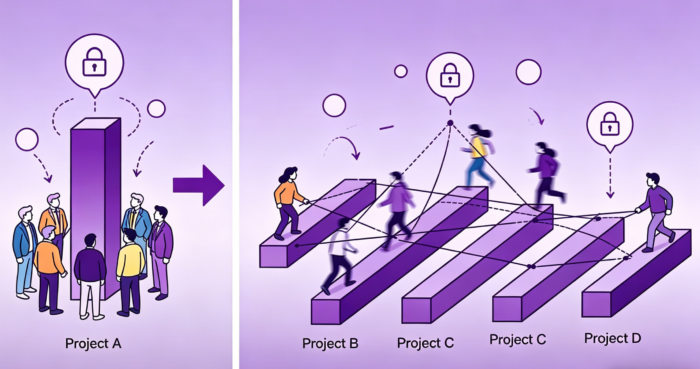
Let’s be honest: our brains were not designed for the 2026 workspace! When a PM manages a single project, the focus is vertical.
But the moment you add a second, third, or fourth project, your focus has to become horizontal, and that can create lots of issues if it’s not handled carefully. This shift creates three major psychological and operational hurdles:
Every time you jump from a Marketing board to a Product Development spreadsheet, your brain pays a switching tax. It takes an average of 23 minutes to return to a state of deep focus after an interruption.
If you’re toggling between five different projects all day, you aren’t actually working. You’re just spending your energy recalibrating.
In a single project, John is your lead designer. In a multi-project world, John is a shared resource being pulled in four different directions.
Without a proper bird’s-eye view, you cannot see that John is at 150% capacity until he burns out or a deadline is missed.
When projects live in isolation, information dies in isolation. A delay in the Infrastructure project might be the exact reason why the Software Launch project is stalled. However, if those two teams don’t share a common visual space, they’ll keep running in circles.
To survive this, you have to stop thinking about project management and start thinking about managing multiple projects.
Understanding this distinction is the first step toward regaining control. It isn’t about working harder. It is about changing the lens through which you view your work.
If you want more insights, check out our explanation of what a modern project management system should include.
Once you stop viewing projects as isolated islands, you can begin to build a framework that supports multiple workstreams. These five strategies are the industry standard for maintaining a clear view of your entire project portfolio.
In a multi-project environment, Done needs to mean the same thing for Marketing as it does for IT. Standardizing your terminology across all boards ensures that reports are accurate.
When an executive looks at a portfolio from the top down, they should see a uniform language that makes sense at a glance. They’ll instantly know the stage a project is at in seconds, without needing to follow up with anyone else.
This can also help reduce the need for long meetings or email chains that invariably get muddled or lost.
You cannot manage multiple projects if you do not know who is doing what. Resource leveling is the process of balancing the workload across your team. It prevents a single person from being assigned to three Priority 1 tasks across different project boards.
It ensures that your most valuable assets are focused on your most valuable goals and that no one suffers from burnout.
If everything is a priority, then nothing is a priority. Use a framework like the Eisenhower Matrix to categorize projects. This helps you decide which projects get the most resources and which ones can be delayed if a conflict arises.
When everyone is clear about their goals, what needs to be done, and when, it makes tracking the work (and getting it completed) much simpler.
Manual reporting is a productivity killer. If you are spending your Friday afternoon compiling data from different sources into a slide deck, you are already behind.
The best way to keep track of multiple projects is to use a system that takes live data and generates reports. This ensures that you are always looking at real-time data, not a snapshot from three days ago.
It’ll not only make sure your team members are up to date and in the loop, but also ensure your clients and stakeholders get regular, informed updates so they don’t need to contact you every few days to “just check in and find out where we are…”.
In the world of project management, there is a long-standing debate. Should you use a Kanban board or a Gantt chart? When you are managing multiple projects, the answer is simple. You need both. There are a few reasons, and we’ll explain them below.
The Kanban view is perfect for your team’s day-to-day operations. It shows the flow of work from left to right. It is visual, interactive, and excellent for identifying bottlenecks in a specific project. However, it does not always show you how projects overlap in time.
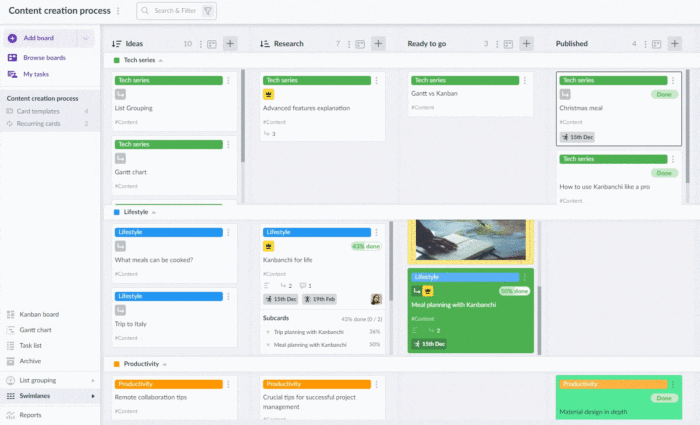
The Gantt chart is your strategic map. It shows you the start dates, due dates, and dependencies across all your projects. It shows how a delay in Project A will push back the start of Project B. In a multi-project setup, the Gantt view lets you plan for the next quarter with confidence. There’s real value in using a single data source. If you use one board, you can use swimlanes to distinguish projects.
The secret to success is not choosing one view over the other. It is using a system where the data is synchronized. If you change a date on a Kanban card, that change should automatically be reflected in your Gantt timeline. This One Data Model approach ensures that everyone works from the same information, regardless of their preferred view.
Every multi-project setup comes down to one choice, and most teams make it by accident.
Each project gets its own board, lists, and workflow. Best when the projects are genuinely different processes, when different people work on each, or when clients need access to their own project and nothing else. On Google Workspace, this is also the cleanest permissions model, because each board is a separate file in Drive and sharing follows the folder it lives in.
The cost: nobody sees across them without opening each one.
Lists stay as workflow stages, and each project becomes a horizontal lane. Best when the projects share a process, and the same people move between them. Everything is visible in one screen, and you can still filter down to one lane when you need to.
The cost: it stops working somewhere around six or seven projects, and every project is visible to everyone with board access.
Each project is an epic card, with subcards as its tasks. Subcards are full cards with their own dates, assignees, and comments, so nothing is lost by nesting them. Best when projects are small and numerous.
The cost: the board shows progress, not process. You lose the stage-by-stage flow.
| Projects | People | Structure |
|---|---|---|
| 2 to 4 | Same team throughout | One board, swimlane per project |
| 2 to 4 | Different teams per project | One board per project |
| 5 to 10 | Same team | One board per project, plus filters |
| 5 to 10 | Different teams | One board per project |
| 10+ | Any | One board per project, grouped in Drive folders |
| Many small projects | Any | One board, epics as projects |
The honest rule: swimlanes are for one team running parallel work; separate boards are for separate teams. If you can’t say which of those you are, you probably have separate teams and haven’t admitted it.
Most of us started our careers using spreadsheets to track tasks. They are free, flexible, and easy for everyone to use. For a long time, they served a purpose and worked well. These days, they’re just not capable or powerful enough.
But when you are managing multiple projects at an enterprise level, spreadsheets become a major liability for everyone using them.
Spreadsheets are static. They do not update themselves. Every time a task is completed, someone has to manually change a cell.
This leads to human error and data that is almost always out of date. In a fast-moving company, stale data is just as dangerous as no data at all.
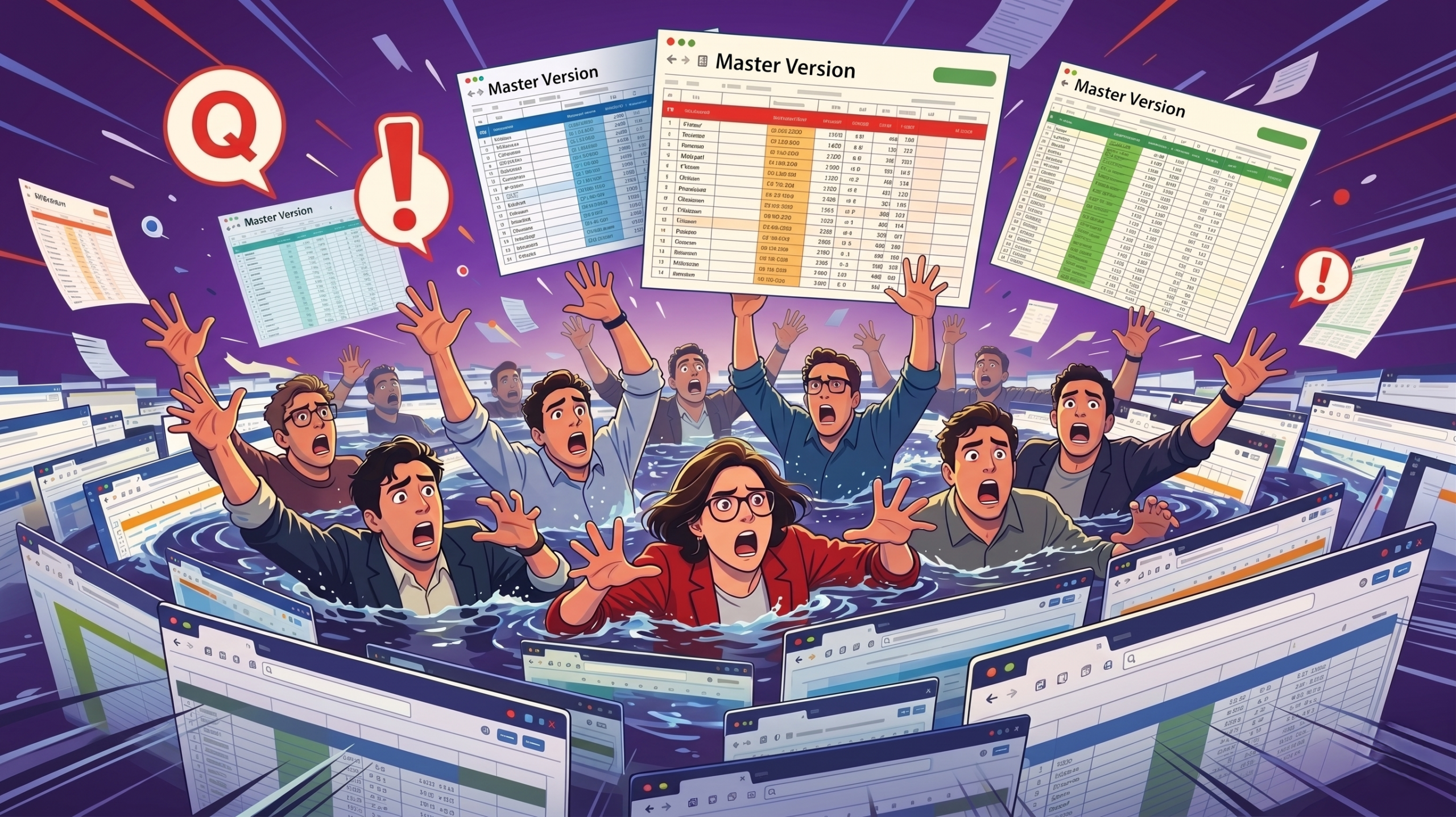
Have you ever seen the Conflict Copy error on a shared drive? This often occurs when a file-syncing service (like Google Drive, Dropbox, or OneDrive) detects that the same file has been modified in two different places at the same time, or while a user was offline.
Or worse, have you ever worked on “Project_Tracker_v2_FINAL_FINAL.xlsx” only to realize your colleague was editing version 3 (and you didn’t know?) There sometimes isn’t enough coffee in the world.
Spreadsheets were not built for real-time, multi-user project coordination. They lack the activity feeds and notification systems required to keep a modern team aligned.
A spreadsheet is a wall of text. It does not show you the workflow as a Kanban board does. It does not show dependencies as a Gantt chart does.
You cannot see at a glance whether a project is blocked or a resource is overallocated. You have to read every line to understand the status, which is a massive waste of mental energy.
CHOOSE YOUR PLAN AND START A FREE KANBANCHI TRIAL TODAY
If your organization is already built on Google Workspace, you’re familiar with what it can offer. You do not need to force your team to learn a completely new way of working, which might cause even more confusion. Kanbanchi is the best way to keep track of multiple projects because it lives where you already work.
Because Kanbanchi is built for Google Workspace, your project data is tightly integrated with your tools.
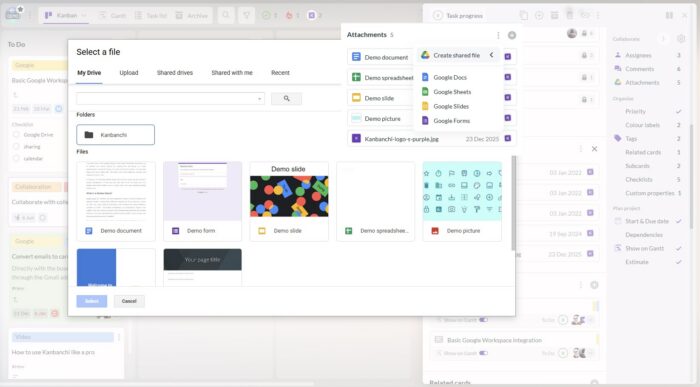
As we discussed earlier, you need different views for different tasks. In Kanbanchi, the card is the source of truth. You can view that card in a Kanban View to manage the daily flow, switch to the Gantt Chart to plan the timeline, or use the Team Workload view to check capacity. The data stays the same. Only the perspective changes.
Two of these work across every board you have access to, and two don’t, which matters more than any feature list.
My Work is the cross-board view. It gathers the cards you’re assigned to, watching or involved in, regardless of which project they belong to. For anyone working on four projects at once, this is the screen that replaces four browser tabs.
Team Workload, Gantt, and Kanban are board-scoped. They answer questions about one project deeply rather than all projects shallowly. That’s a deliberate trade: a workload view that spans twenty boards tells you a number, and a workload view that spans one board tells you what to do about it.
To see across boards at portfolio level, most teams export each board to Google Sheets and combine them there. That’s a manual step, and it’s the honest answer rather than a feature claim.
Some projects are too big for a single list. Kanbanchi uses an Epic and Subcard system to manage complex hierarchies. You can have a parent Epic card that represents a major milestone, with multiple Subcards representing the individual tasks. This allows you to track high-level progress without losing sight of the granular details.
The best way to keep track of multiple projects is to stop treating them as separate chores. When you unify your boards, your team, and your tools, you eliminate the friction that stalls projects. You move from a reactive state to a proactive, strategic growth state.
By adopting a portfolio mindset and using a tool like Kanbanchi that integrates with your existing Google Workspace, you gain back hours of productive time every week. You no longer need to hunt for status updates or worry about resource overlaps. The data is there, visual, and real-time. It is time to close the spreadsheets and turn off the notification chaos.
Managing one project can be stressful, but not insurmountable. Managing more than one can lead you into confusion and a sense of not being in control. No one wants that, whether they’re a PM or a team member doing their level best.
Try Kanbanchi with Google Workspace today
Don’t see your particular query addressed here? No problem at all! If you have any other questions or general queries about what Kanbanchi can offer, get in touch via our contact form, and we’d be happy to chat.
Yes, and it’s the right answer up to about six projects if the same team works on all of them. Use swimlanes so each project gets a horizontal lane while the lists stay as workflow stages. Past six or seven lanes the board stops being readable, and past that point separate boards plus a cross-board personal view works better.
Keep the lists identical across boards so “In Review” means the same thing everywhere, then use a personal cross-board view to see your own work in one place. Standard stage names are what make multi-board setups reportable; boards with bespoke workflows can’t be compared to each other.
Not all at once. Move one project first, keep the spreadsheet running alongside it for a fortnight, and let people compare. Teams that migrate everything in a weekend end up maintaining both for months, because the spreadsheet is where the history lives and nobody trusts the new system until it has some.
Use a Team Workload view to visualize capacity. By seeing exactly how many tasks are assigned to each person across every project, you can redistribute work before anyone reaches a breaking point.
Use a standardized scoring system or a prioritization matrix. Compare each project against your company’s core business goals for the quarter. If a task does not directly contribute to a key objective, it should be moved down the list.


In this Article:
Start using Kanbanchi now
Start your free trial