
In this Article:
Try Kanbanchi now
Start your free trial

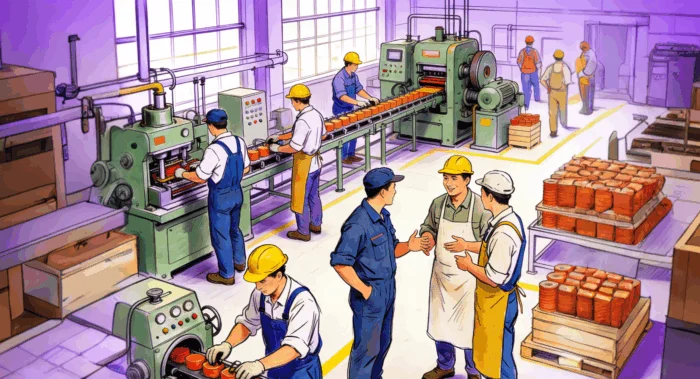
The modern approach to manufacturing project management is increasingly complex. Areas like production, maintenance, and quality control have to be coordinated perfectly. This is a high-stakes situation where you need the right tools to stay on track. Any mistakes or oversights can prove to be disastrous in terms of the money and time lost. Cost overruns and missed schedules are among the areas that could go wrong with poor project management software in place.
At best, you simply won’t have visibility of the processes and could be left in the dark. You need to ensure that there’s a system in place that gives you control and visibility of the processes. This removes the risk of unexpected issues causing problems. There are many ways of doing this, so it’s important that you choose the most suitable option before proceeding. To stay in control of the production workflow, you need to use the right tools. This is where finding an approach that works for your factory is essential.
Handling the workflow has to be a priority, but you don’t want it to turn into a huge, complicated task in its own right. Kanbanchi is a solution for visual, real-time coordination. It gives the visibility across production lines and cross-departmental projects that you need. This lets you take control of the manufacturing projects and processes as part of your daily routine without a steep learning curve, because it can be used within a Google or Microsoft environment. Find out how to use it as a manufacturing project management software to improve your workflow. We’ll be looking at the key points that help you make the right decisions to manage your manufacturing process wisely.
The manufacturing sector faces unique challenges that distinguish it from other industries. Production timelines are often compressed, quality standards are stringent, and compliance requirements are extensive. A single miscommunication between the production floor and management can cascade into significant operational delays. Modern manufacturing project management software addresses these challenges by centralizing information, automating routine tasks, and providing real-time visibility into all production activities. The integration of such tools with existing business ecosystems (especially Google Workspace) reduces the adoption friction that often derails digital transformation initiatives in manufacturing environments.
Managing the tasks on the production floor is one of the major challenges in the manufacturing industry.
Some companies decide to do this using spreadsheets or generic tools. While these solutions sometimes work, they aren’t designed for an industrial setting. You might have difficulty tracking work orders or handling more complex tasks, such as shift handoffs. It could also lead to a lack of real status updates on equipment maintenance and insufficient quality control tracking.
Using the wrong tools can also put too much emphasis on the individuals. Let’s say that someone in the team creates a spreadsheet to track part of the manufacturing process. Any errors or oversights in the document could lead to costly mistakes or delays. Putting the process in the hands of individual team members in this way is risky for another reason. What will you do when they’re not at work or leave the company?
These tools should be available for sharing and collaborating as a team, meaning that there is also complete transparency. It’s not a good idea to have a manufacturing workflow process that only one person can see. This is one of the major challenges with using non-specific project management tools. Even if they do the basic job well, they may not meet the requirements in terms of areas like collaboration and transparency.

The chaos and inefficiency of managing manufacturing operations with papers or generic tools instead of specialized project management software
These are all challenges that can be faced more easily when you use specialised tools. These tools are designed for use with the factory workflow and allow a greater level of industrial project coordination.
Every new tool incorporated in your company should make a specific task or role. The addition of anything new also has to include a reasonable learning curve, rather than forcing team members to spend a lot of time getting to grips with it. These requirements make finding the right tools vital.
If you use tools that weren’t designed for project management and workflow in a factory setting, it becomes extremely difficult to manage them effectively. This is why your choice of the right, bespoke tool is so important.
Manufacturing organizations using inadequate project management tools often report productivity losses of 20-30%. Beyond direct operational costs, poor coordination creates secondary expenses: expedited shipping to compensate for delays, rework due to quality oversights, and overtime to meet compressed timelines. Equipment downtime, often due to unclear maintenance scheduling, can cost manufacturers thousands per hour.
When combined with compliance risks related to quality control documentation, the financial impact becomes substantial. Organizations that transition to specialized manufacturing project management software typically recover their investment within the first six months through improved efficiency and reduced downtime.
Effective software for manufacturing project management needs to comply with a variety of functions. This means that you should look for the following key features to make life easier for your team.
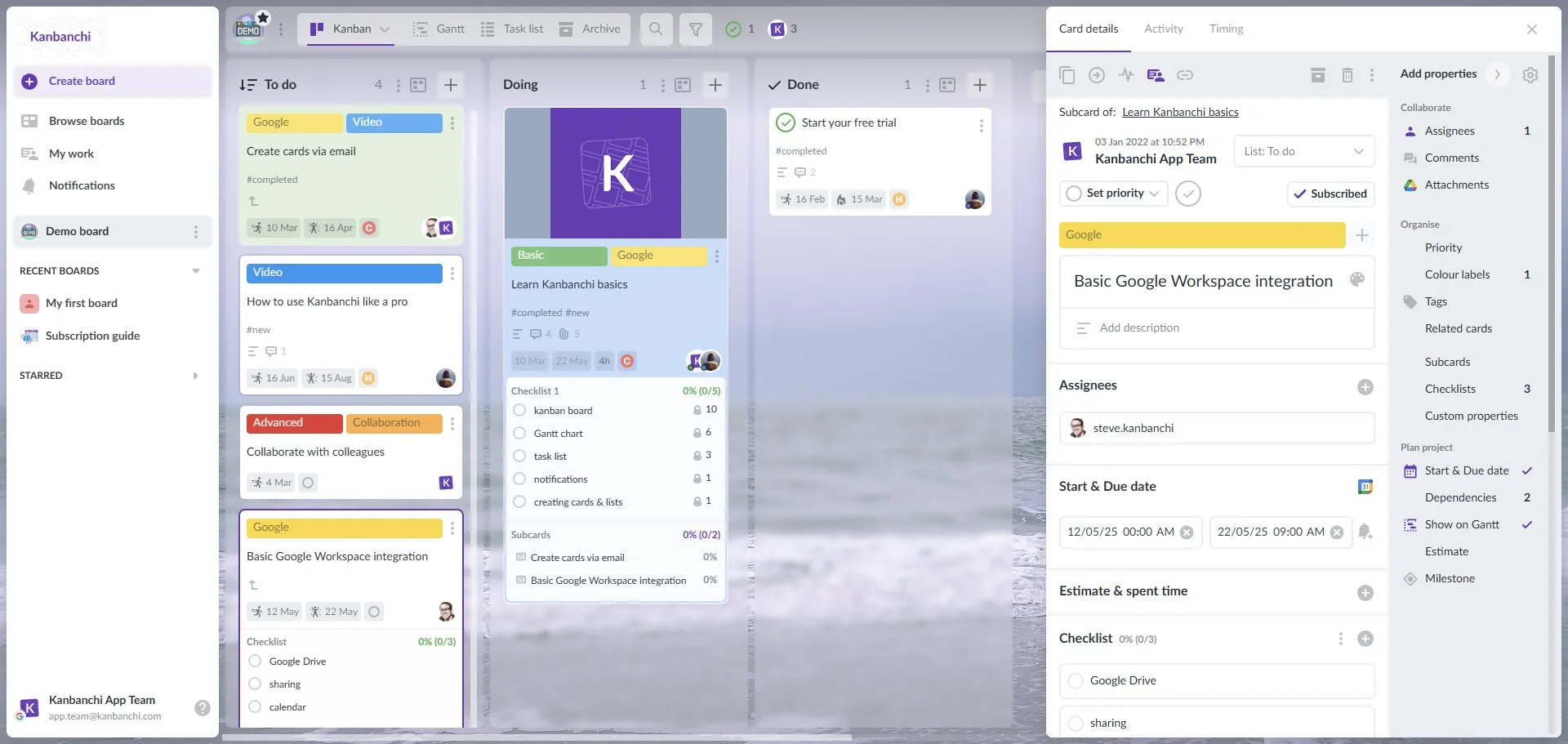
Kanbanchi interface showcasing the Kanban board: lists (columns) and cards (tasks)
Visual project boards are designed to help you track work in progress using the Kanban system. This type of board shows your workflow and lets you track the work as it goes through your processes.
On this board, you will have columns or lists that show the stages the task needs to follow. Typically, they are To Do, In Progress, and Done. You can change these titles to meet your specific needs on each project.
Cards are then used to represent the tasks that need to be carried out. They move across the board as they go through the different stages of the process. This gives a clear and visual representation of the progress.
This approach provides a simple and transparent way of tracking tasks. It means that everyone in the team can see exactly what has been done and what is still outstanding at any given time. Using Kanbanchi gives you access to online Kanban boards that can be adapted to your needs.
The use of Gantt charts on Kanbanchi means that it’s easy to carry out detailed scheduling for lead times. These charts work by showing the different elements involved in the production lead time.
The horizontal axis shows you the time lapse. The vertical axis is where tasks and subtasks relating to the project are shown. It’s another simple way of visualising the project from start to finish.
This allows tasks to be scheduled and clearly shown. Each bar tells you how long it has been allocated for it to be completed, together with the start and end dates.
Sensible resource management is an important part of the manufacturing process. Effective staff allocation is part of this, allowing you to plan well.
The right project management tools for manufacturing teams allow you to put the right people onto the most appropriate tasks. This approach means that you don’t have some team members on idle while others are overworked.
Kanbanchi gives you the flexibility you need in your line management software to allocate resources and monitor the workload. Use the team workload view to see how each team member is progressing with their tasks.
This highly organised approach to task management provides ample scope for quality checks and approvals. By adding quality control steps to the process, you can customise it to ensure that each stage is clearly marked.
This is a major benefit in production line task management, where putting suitable checks in place can be extremely time-consuming without the right tools.
The Gantt chart view in Kanbanchi has been added to let you control production sequencing and define project dependencies. It does this by providing a dynamic timeline where you can clearly see all the task dependencies listed.
You can order the tasks in a way that fits your team and add timelines to them. This means that you can ensure that the initial checks are completed successfully before moving on to the production stage.
It’s easy to carry out a visual check that confirms what stage the process is at. Dragging and dropping tasks is a simple way to update the timeline when changes are needed.
The task of calculating lead times is made easier since you can see individual task times and also the overall project duration.
Work orders are tracked through all their different stages by using kanban boards. This means that you can follow each order as it goes through steps such as machining, quality checks, packaging, and shipping.
Swimlanes are the horizontal lines going across the Kanban board. They can be used to effectively categorise the cards that have similar characteristics, meaning that their workflow and priority are likely to be affected by the same factors.
By focusing on swimlanes, you can dedicate attention to specific tasks and types of work without interfering with anything else. This is a sensible way to set priority levels and ensure that the tasks are given the attention they need.
WIP limits can be set for areas like the number of tasks estimated. A clear, visual warning will be shown if any of the limits set are exceeded, making sure that you stay in control of the process and can react to any changes.
You may also be interested in other Kanbanchi blog articles for business.
Check them out!
Many companies use Kanbanchi to control their factory workflow. To better show how this works, we can look at a Hindred Ltd. case study where it’s implemented to make a factory expansion proceed more smoothly. Based on their usage, we can define three core stages of adopting Kanbanchi and one advanced technique. Usage may vary from company to company.

Kanbanchi’s kanban board tracks jobs through every production stage (Order Received → Materials Ready → Manufacturing → Quality Check → Ready to Ship) with color labels for categorization and checklist for quality check
The first step in this hypothetical situation is setting up the project and adding tasks to different workstreams. There are sure to be interdependencies between workstreams. Setting up a new Kanban board with the project name allows you to start adding cards and dependencies for the tasks.
The main board has columns where we see the high-level tasks. We can then drill down to more detail by looking at each card’s details. Every one of these cards has information relating to a specific task. This could be securing permits, ordering materials, and carrying out an inspection.
The task of tracking the different parts of the project is made easier through the use of swimlanes. One of these swimlanes could cover the construction work, while another looks at permits and another at machinery. Another swimlane would cover recruitment and training.
The cards in each swimlane run in parallel to one another, with interdependencies between them. Recurring tasks like equipment maintenance can be scheduled. Card details and comments are then used for coordinating areas like shift handoffs.
This type of industrial project coordination allows each team member to update the cards as they progress, dragging and dropping them as each stage is completed. The project manager or other authorised person receives updates as each task is completed.
The use of a Gantt chart view allows team members to get a clear, uncluttered view of the critical path and timelines. Filtering this view allows the project team to spot potential delays or bottlenecks. This is also where the capacity of each team member can be seen. This allows project managers to spot whether the project is in danger due to someone having too many tasks, or if anyone has additional capacity to take on more tasks.
Exporting board data to CSV or Google Spreadsheets gives companies flexibility in creating various types of dashboards for reporting purposes. For example, using their familiar tools like Google Looker or Power BI, depending on whether they are in a Google or a Microsoft environment.
Beyond basic tracking, modern manufacturing operations benefit from advanced coordination strategies enabled by platforms like Kanbanchi. Cross-departmental dependencies, such as synchronizing production schedules with procurement timelines or aligning quality control sign-offs with shipment preparation, require visibility across functional boundaries. Kanbanchi’s swimlane feature or related cards feature enables manufacturing operations to run parallel workstreams while maintaining clear accountability. Organizations leveraging these advanced features typically reduce project timelines by 15-25% and improve cross-team communication efficiency.
A few steps are needed to set up Kanbanchi to cover a manufacturing team’s tasks and needs. The following are key stages to bear in mind.
The first step is to set up a master Kanban board that includes all the high-level goals and initiatives. It should have an appropriate title and be shared with the stakeholders and team members.
The default fields are generally suitable for most projects. You can then use this data to filter, review, and report. However, projects like a factory expansion, for example, require adding more details to the default information. This is often done on Google Sheets or Excel documents. With the option of direct attachments from Google Drive or OneDrive/SharePoint, you can make this seamless.
You can easily add milestones and see them on the Gantt Chart view. This is where you can see a full overview of a project like the factory expansion we looked at earlier. Here, you can see the key dates and task dependencies that need to be taken into account for a smooth project to be completed.

Production scheduling with Kanbanchi’s Gantt chart: the interface showing production sequence tasks with dependencies and progress on a visual timeline
Switch the view to Gantt, and you’ll see that the factory project is laid out into horizontal bars over a timeline. Milestones are generally task cards that include the completion of a task or event. Therefore, you should ensure that the cards you want to be added as milestones have a clear title and completion date that tie in with your production line task management.
Add unique labels to your milestone if you want to be able to filter them easily. You can then link milestones and cards to create dependencies that make it clear what needs to be completed before you can move on to the next phase.
Yes, Kanbachi’s features, such as document linking and scheduling, make it ideal for this task. It can be set up easily to treat the equipment maintenance schedule as recurring tasks. They can also be prioritised on the Kanban board to show their importance.
This element of manufacturing project management gets integrated into the workflow. This ensures that it has to be marked as completing all of the relevant standards before it’s completed and closed. The checklist feature on task cards is used as a way of building in quality control checks. For more complex cases, a combination of subcards and checklists can be used.
Project managers in many factories and other manufacturing settings have found that Kanbanchi is an invaluable tool in organising their workflow. The deep integration with Google Workspace is one of the key elements that ensures a low learning curve for most users.
You can also use Kanbanchi within the Microsoft environment with the same seamless attachment of OneDrive/SharePoint files.
As manufacturing operations scale and evolve, the demands on project management systems intensify. The transition from manual or spreadsheet-based workflows to specialized manufacturing project management software represents a fundamental shift in operational capability. Organizations that adopt platforms like Kanbanchi early position themselves to handle increased complexity, maintain quality standards under pressure, and respond quickly to market changes.
The investment in proper project management infrastructure becomes more valuable as business growth accelerates, making the selection of a robust, scalable solution critical for long-term success. With features specifically designed for manufacturing environments, especially combined with seamless Google Workspace integration, Kanbanchi provides a foundation for sustainable operational excellence.
Manufacturing project management requires specialized tools designed for industrial environments. Generic solutions create coordination challenges, increase operational costs, and compromise quality control. Kanbanchi’s combination of visual Kanban boards, detailed Gantt chart scheduling, resource allocation features, Google Workspace integration, and seamless OneDrive/SharePoint attachments addresses the specific needs of manufacturing operations. By implementing Kanbanchi’s structured approach to production line task management, organizations can improve efficiency, reduce lead times, and maintain quality standards while keeping teams coordinated and informed.



In this Article:
Start using Kanbanchi now
Start your free trial