
In this Article:
Try Kanbanchi now
Start your free trial

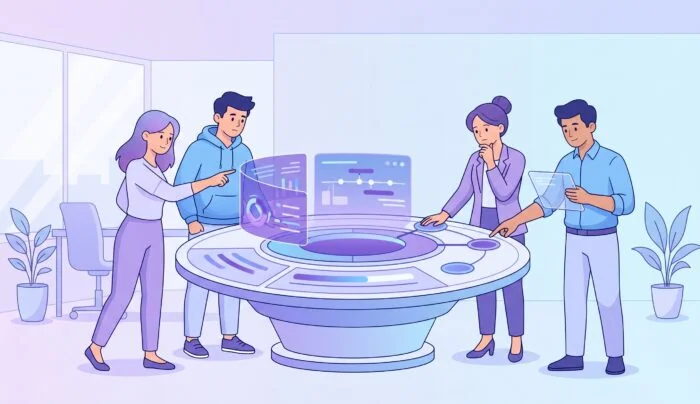
However perfectly you’ve designed and implemented your project plan, if the folks you work with don’t actually put their heads together and collaborate, you’ve got a one-way ticket to the Failway.
It is one of the most frustrating elements of planning, whatever industry you work in. You’ve got the Gantt charts. The budget is approved. The deadlines are set. But the project stalls.
Why? Because project management is often treated as a mechanical exercise, like a series of gears and levers, while the actual teamwork ends up left to chance. That’s no way to run any kind of successful project.
Nowadays, the gap between a plan and a successful outcome to that plan is filled by one thing: teamwork project management. This isn’t just about moving cards from To Do to Done, though. It is about creating a digital space where collaboration is the default setting, not something tacked on as an afterthought.
For teams operating within the Google Workspace or Microsoft 365 ecosystems, the challenge isn’t finding more tools; it’s about turning one tool into a fantastic, easy-to-work-with hub that everyone can get to grips with, in a trice.
We often mistake coordination for collaboration. Here’s why they’re different:
Our team at Kanbanchi has put together this guide, designed to transform the way you think about your workspace.
We aren’t just looking at software features; we are looking at how to build a brilliantly performing culture through shared visibility, transparent communication, and a visual model that anyone can understand.
It doesn’t matter what your level of experience is, or the number of team members you’re managing. This is about taking the lead and moving beyond the checklist. It is time to start managing the team, not just the tasks.
If project management is the skeleton of a brilliant core of workers, then teamwork is the muscle that moves them to succeed. You cannot have one without the other.
The modern workplace has undergone lots of changes over the last few years. We’ve moved away from the command-and-control era, where a single manager dictated every move. There’s more freedom now.
This has led to many changes, and these aren’t without challenges. Entrepreneur says that:
Flexibility only works when there’s clear accountability and visibility — leaders need to know who’s available, what’s being worked on, and whether work is moving without delays.
Today, success depends on teamwork and project management, and when the two meet, it brings success. Let’s have a look at why this is. We reckon there are a few key principles to explore:
Project management provides the stages, buckets, categories, boards, and lists. Teamwork provides the ideas, the comments, and the execution. The cards and the conversation. When the two combine, it’s project nirvana.
Historically, project data was locked in a manager’s spreadsheet. Today, teamwork requires that every member sees what exists, what’s in progress, and who owns what. Nothing is stuck anymore, and tasks move freely from one stage to another.
When teamwork and project management are integrated, you reduce status-check fatigue that slows everything down and breeds frustration. The board becomes the Shared Visibility hub, reducing missed handoffs and repeated conversations.
The value of this inseparable bond is most visible when things go wrong (and look, we know nothing is perfect, things will still change/shift in any project).
People use teamwork project management tools like Kanbanchi specifically to make these processes visible. By coordinating work in a shared space, you aren’t just tracking time; you’re bringing everyone and everything together in a positive way.
If project management provides the roadmap, teamwork is what drives you to your destination on time. But what actually makes a team function within that structure?
Effective teamwork in project management isn’t a vague feeling of just getting along and getting things done; it’s a set of measurable behaviors supported by the software and tools you choose to use to get everything done on time and delivered on budget.
To build a high-performing culture, you must focus on these three core pillars:
Everyone on the team should have access to the Shared Visibility hub, no exceptions. When any member can see:
You immediately eliminate the need for constant status updates and all those ‘quick check-in’ meetings that end up taking hours and leaving everyone’s hair on edge.
Every task must have an owner. In a tool like Kanbanchi, assignees are clearly marked on each card, ensuring there is never a ‘someone should do this, like yesterday’ moment. Which does nothing but irritate everyone involved in a project.
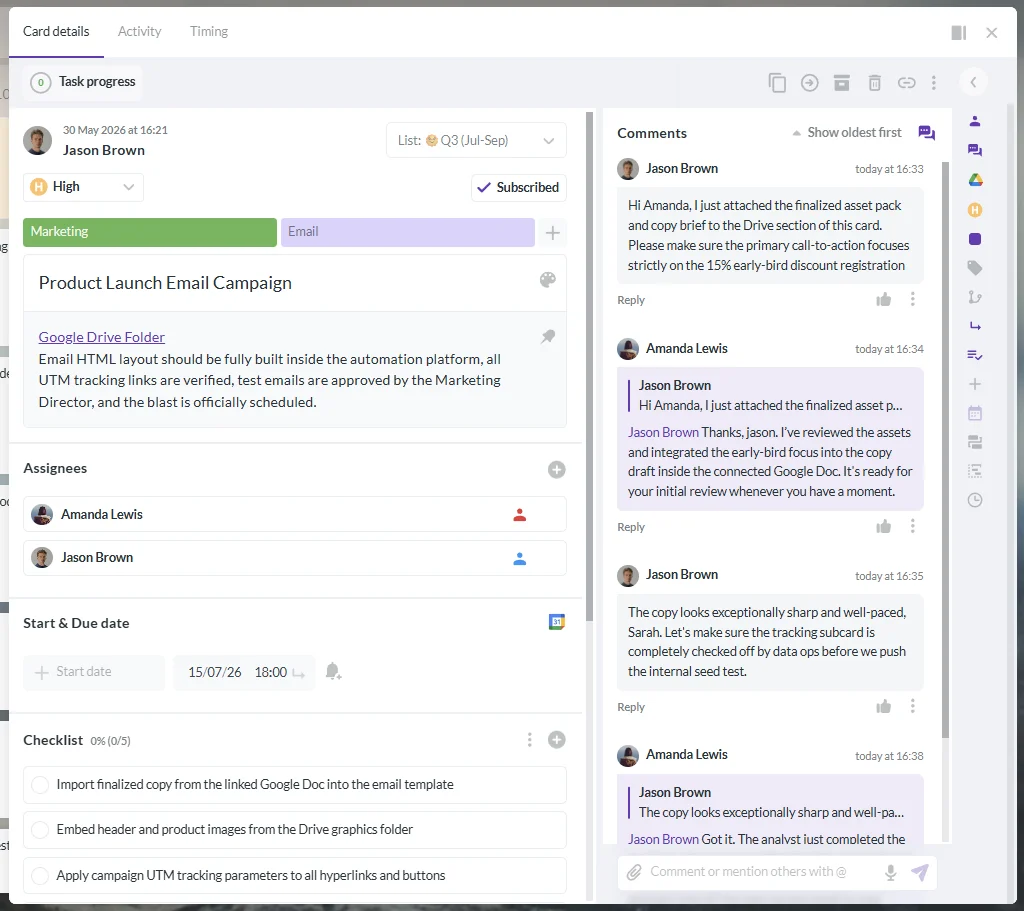
Kanbanchi card with assigned team members for collaborative project management
Modern teamwork happens across time zones and schedules. We work remotely, in hybrid situations, or are office-based across the globe. Using comments and @mentions directly on a card ensures that the conversation stays where the work is, preventing important context from dying in an email inbox. It puts an end to lots of discussion chains, where stuff gets missed, and what we mentioned above: meetings that didn’t really need to happen.
Visual tools do more than just look good; they change how a team mentally processes their workload. And that’s the key for a lot of workers.
In Kanbanchi, the visual board model serves as the primary operational surface where teamwork happens in real-time. Instead of digging through a spreadsheet, team members can glance at a project management board and immediately grasp a project’s key details without having to dig too deeply.
This visual approach facilitates teamwork through several key mechanisms:
| Real-Time Synchronization | Because Kanbanchi is collaborative by design, team members see updates as they happen. This eliminates the “I didn’t know that was done” excuse. |
| Contextual Communication | By using Comments and @mentions directly on a card, the discussion stays attached to the task itself. This prevents vital information from being buried in private chat threads. |
| Visual Status Indicators | The use of Card Colours and Colour Labels provides an instant categorization system. At a glance, a team can see which tasks are “High Priority” or “Awaiting Approval.” |
| Reduced Context Switching | In the Google version, for example, boards are closely connected to Drive and Calendar. Team members can access their files without ever leaving the workspace where the teamwork is happening. |
The human brain processes visual information much faster than rows of data in a spreadsheet. This is why a visual board model, organizing work into boards, lists, and cards, is so effective for teamwork. Not to mention the ability to switch between views for those who prefer other ways of looking at work.
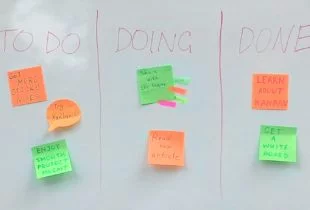
A board acts as the main container for your project or process. Within that board, lists represent the stages of work, such as To Do, Doing, or Done. Cards represent the actual tasks, including all the operational details such as dates, checklists, and attachments.
Teamwork flourishes when everyone understands the “why” behind the “what.” By using Milestones on a Gantt Chart, you give the team a single significant point to aim for, rather than just a series of disconnected duration bars. This collective focus transforms a group of individuals into a unified team working toward a shared victory. When your project management system reflects these elements, you reduce ambiguity and the missed handoffs that plague poorly coordinated teams.
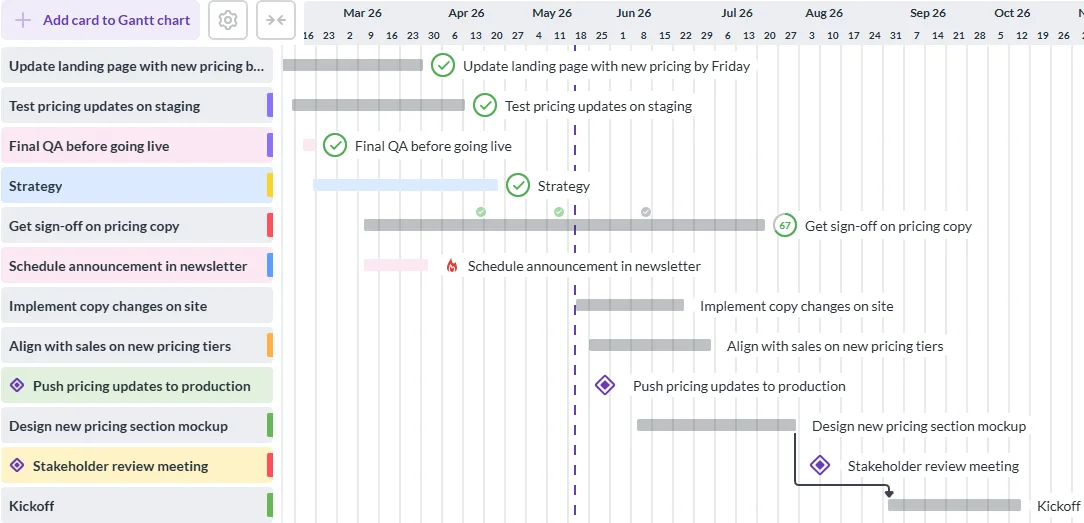
Kanbanchi Gantt chart with milestones for planning and coordinating team projects
In a visual system, the Card is the primary unit of work and the operational heart of the system. It isn’t just a title; it’s the thing that holds all the information anyone needs to see, to get an immediate picture of what’s happening right now, and what needs to be done to keep everything on track.
A single card can hold assignees, due dates, time entries, checklists, and comments. It can even link to Subcards for more complex, hierarchical work. This ensures that every team member has the exact same context, which is the ultimate foundation for effective teamwork. No one is left out, and everyone gets the same view for every stage of the work.
One of the most powerful ways visual tools facilitate teamwork is by offering different perspectives on the same work. We call this having a single source of truth, and it’s an essential component of any great software for this kind of thing.
| Kanban View | Ideal for daily operational flow and monitoring how cards move between lists. |
| List View | A data-dense table useful for scanning, sorting, and bulk-handling many cards at once. |
| Gantt Chart | Essential for understanding chronology, managing dependencies, and planning milestones. |
The key takeaway for any team is that these views do not change the underlying data. Whether you are looking at a timeline or a board, you are looking at the same single source of truth. This ensures that everyone stays aligned, regardless of how they prefer to visualize their tasks.
Effective teamwork in project management isn’t an accident; it is the result of developing strong, intentional habits combined with the right structural setup. To move your team from a group of individuals to a synchronized unit, we reckon you should implement these five actionable strategies.
Confusion is the enemy of collaboration. Beyond assigning a task, use Roles to define responsibility levels within a card. Try to determine who is the “Lead,” “Manager,” or “Reviewer” for a specific work item.
Why? This prevents the diffusion of responsibility, in which everyone assumes someone else will handle the next step.
As a board grows, it can become a sea of generic titles. Use Card Prefixes; you only need short text and number identifiers to create a professional, searchable ticket system. Stuck for ideas? Use prefixes like “MKT-01” or “DEV-202” to make it easy for team members to cross-reference tasks in meetings or chat.
What’s the point of this? Well, this small structural change significantly reduces the time spent searching for the right single source of truth, as we outlined above.
Email is where all your project context goes to die. And we need to stop that from happening. To improve teamwork and project management, enforce a rule that all task-related discussions must take place in the Comments section of the relevant card.
How to do this? Use @mentions to call attention to specific teammates directly within the workflow.
Why are we doing it? To ensure that any new team member joining the project can read the history of a task and understand the “why” behind past decisions.
A team is only as fast as its most overloaded member, and sometimes, no matter how hard a team leader tries, there is always one person who ends up doing more than anyone else. Regularly review the Team Workload view to see how tasks are distributed and make sure no one person is overcommitting themselves, while others are sitting idle and spending way too much time at the water cooler. For instance, if one person has ten “In Progress” cards while another has two, use drag-and-drop to rebalance the load.
Why are we doing this? Managing capacity is a collective responsibility that keeps morale high and deadlines realistic.
Teamwork often breaks down on the boring stuff. Think weekly reports, maintenance, or monthly audits. Use Recurring Cards to automate these repeated routines.
What to do: When a task automatically recreates itself, the team doesn’t have to expend energy remembering the schedule.
Why is it important? Well, consistency builds trust because every team member knows the department’s operational rhythm is being maintained.
By applying these strategies, you stop treating project management as just a ‘something that’s gotta be done’ exercise and start using it as a point for brilliant collaboration between you and your team (and your clients, of course).
The greatest barrier to effective teamwork is having too many tools and way too many things on the go. A great example would be the friction of constantly switching between tabs to find information. True teamwork project management happens when your workspace feels like a natural extension of the tools you already use every day. For teams already settled in a productivity suite, the goal is to ensure it fits neatly into your ecosystem. Rather than operating in a separate universe, your project board should behave like a native part of your file and identity system.
Here’s how a tool like Kanbanchi can fit into either of the two main software operators, these days.
If your team lives in Google, your task management should too.
For those in the Microsoft ecosystem, the same integration principles apply.
When your tool is conceptually embedded in your ecosystem, you reduce your team’s cognitive load. They no longer have to drag their feet and go to the project management tool under duress; they simply continue working in the environment they already know, with the added clarity of a visual board.
Teamwork is the engine; project management is the steering wheel. These days, the most successful organizations are those that recognize that software is merely what connects team members and encourages them to do their best.
By adopting a visual model that prioritizes transparency, accountability, and ecosystem integration, you provide your team with more than just a list of tasks. You provide them with a shared mission. Using a tool like Kanbanchi means you can:
The transition from a collection of individuals to a high-performing team begins with a single step toward visibility. Build a workspace where teamwork isn’t just a goal. It’s the way you work.
Finding the right teamwork tool can often pose many challenges and concerns. Don’t worry, we’re here to help. If you can’t see your particular query addressed here, then please get in touch with us, and we’d be delighted to chat with you about anything related to team project management and our software!
Project management provides the structural framework, dates, and resource allocation needed to achieve a goal. Teamwork is the human collaboration, discussion, and collective effort that occurs within that framework to execute tasks.
In a collaborative environment, the board is the single source of truth. It means that if a task status or deadline isn’t updated on the board, it isn’t real, which forces the team to stay aligned in one shared digital space.
Yes, Kanbanchi is built specifically to turn your Google Drive or Shared Drives into a project management engine. It uses your existing files and permissions but provides the visual layer (Boards and Gantt charts) that Drive lacks on its own.
Subcards allow a team to break a large, intimidating task into smaller, manageable work items that can be assigned to different people. This fosters teamwork by allowing multiple specialists to contribute to a single Epic goal simultaneously.
Card colours provide high-level visual styling, while colour labels act as a formal classification system. Using both allows teams to categorize work by department, urgency, or project phase at a single glance.
Read more of our team management articles here

In this Article:
Start using Kanbanchi now
Start your free trial