
In this Article:
Try Kanbanchi now
Start your free trial


You’ve got the vision, the 8K camera, and a team of brilliant editors. Any producer knows, a video project is only as strong as the crew! You see, in 2026, video production has entered a new era. We’re no longer just dealing with recording simple clips and films; we’re managing:
All while juggling a remote team who might work in three or four different countries. So without a central workspace, the creative process quickly descends into a maelstrom of:
How do you keep your production on track when the move from pre-production to the ‘absolutely definitely final ever final version’ feels like a mountain climb?
The answer isn’t working harder. It’s working smarter! Using specialized video production project management software can help with this.
Whether you’re an ace start-up or an in-house marketing team, choosing the right tool determines whether you hit your release date or get buried in post-production purgatory.
In this guide, we will break down the essential features your team needs and review the 15 best project management software for video production to help you manage your next masterpiece, starting with the ones that live right where you already work.
So, are you ready for your close-up? Lights, camera, action…
According to research from DemandSage 72% of B2B marketers now consider video content to be essential to campaigns. If you’re still managing shoots with a generic to-do list app, you’re wasting money and draining your productivity!
It’s no wonder that video production is becoming increasingly demanding. It can be complex yet repetitive. It often requires either just an iPhone or extensive technical equipment. It may require just one person or a team of specialists to work on it. Every project will be unique.
That’s why specialized software is the secret sauce for creative production teams. Here’s why.
Video files aren’t just files. There are terabytes of data involved.
Using a project management tool that integrates directly with your storage (such as Google Drive) ensures the latest raw footage and the current edit are always one click away from the task card.
So there’s no more “Where is that clip of…?” Slack messages at 11 PM.
“Can you fix that bit at 01:24?” In an email? That’s the stuff horror films are made of. In video-centric software, stakeholders can leave time-stamped, frame-accurate comments. This eliminates ambiguity and slashes the number of revision rounds required to reach a final cut.
A delay in the script affects the shoot. A delay in the shoot affects the edit. Video production is a series of dependencies. Gantt charts and Kanban boards help producers see these ripples in real time, enabling proactive adjustments before deadlines are missed.
With the rise of remote editing and hybrid shoots in 2026, your crew might never be in the same room. A centralized platform ensures that everyone, from the colorist in London to the animator in New York, is working from the same brief.
Video production software isn’t just about tracking tasks; it’s about protecting the creative flow from administrative friction. What should you look for when choosing the right tool for your team’s needs? We’ll cover your bases next.
You may also be interested in other Kanbanchi blog articles for businesses; check them out!
Not all project management tools are created equal. While a generic task list might work for other types of agencies, video production is a high-bandwidth operation. You aren’t just moving text; you’re moving terabytes, managing frame-level details, and juggling expensive crew schedules.
To keep your production from stalling, ensure your software checks these four critical boxes:
When editing a clip, simply adding a comment ‘remove this at the 2-minute mark’ isn’t specific enough.
You need frame accurate commenting. The best tools let team members and clients click directly in the video player to leave a time-stamped note. It’ll offer:
Version control is the difference between a smooth delivery and an accidental export of the wrong edit.
Your software should treat Version 2 as an update to Version 1, not a separate file. It should offer:
Video production is a house of cards. If the location scout is late, the shoot will be delayed. If the shoot is late, the colorist is idle. You need Gantt charts that show these dependencies. Choose software that offers:
Unlike other creative fields, video requires physical gear and specific locations. Your software should manage more than just people; it should manage your production assets.
Choosing the right software is about finding the Goldilocks zone: a tool that is powerful enough to handle 8K workflows but intuitive enough that your team actually enjoys using it.
Based on our analysis of the 2026 landscape, here are the top contenders categorized by their unique strengths.
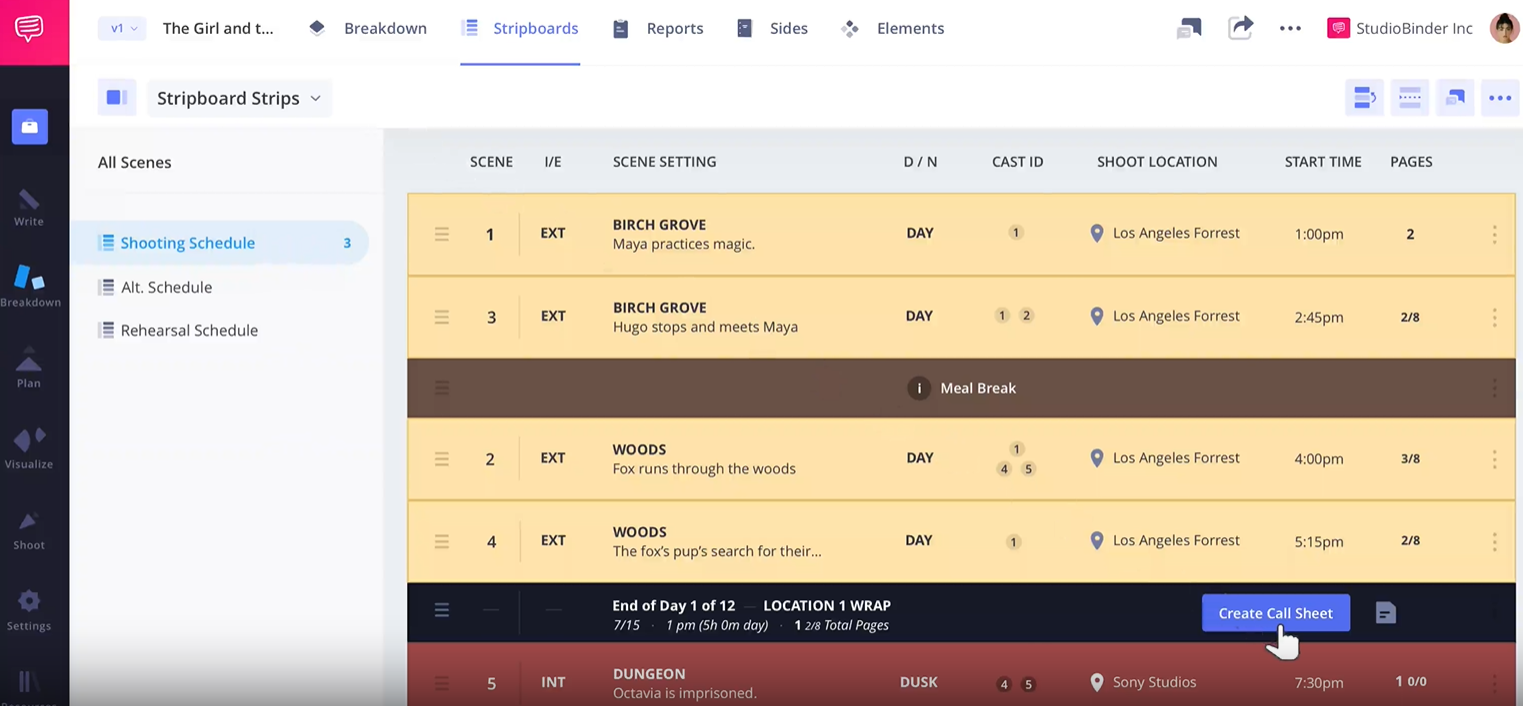
Screenshot of StudioBinder, a project management software for video production, illustrating a project management software for video production board layout.
StudioBinder is built specifically for the “set life.” It excels at the technical documents that general tools ignore, like call sheets and shot lists.
Best for: Full-cycle film and commercial production.
Standout Feature: Smart call sheets with automated weather and location data.
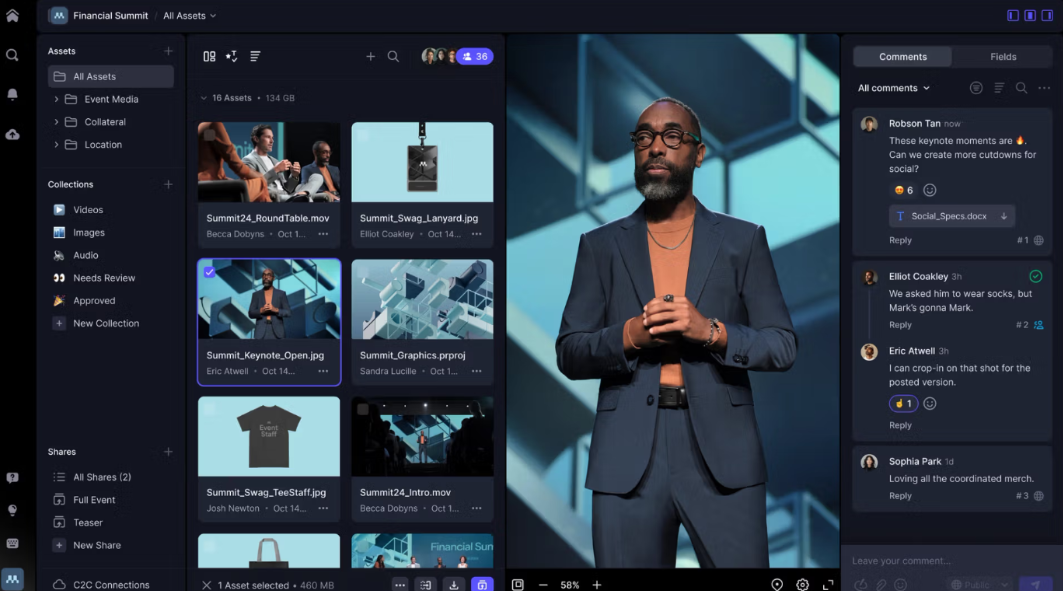
An example of Frame.io used as project management software for video production, showing an organized board layout.
Frame.io is the industry standard for review and approval. It integrates directly into Premiere Pro and After Effects, allowing editors to see comments directly on their timeline.
Best for: High-end post-production and cloud collaboration.
Standout Feature: Frame-accurate, time-stamped commenting.
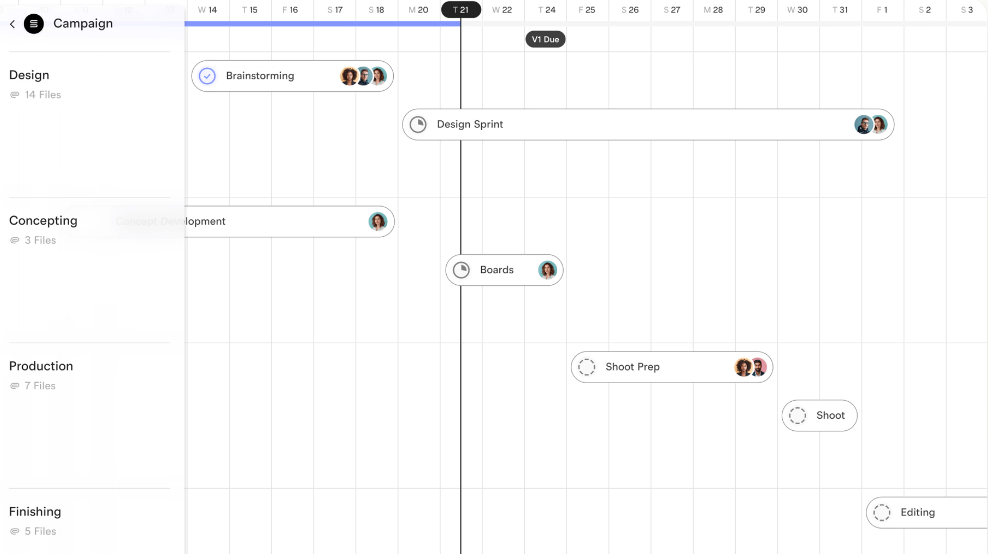
Collaborating on scripts, shot lists, and production schedules for a video project using Assemble’s real-time team workspace.
Assemble focuses on the production calendar. It’s perfect for producers who need to visualize a 6-month production cycle at a glance.
Best for: Calendar-centric planning and client transparency.
Standout Feature: An integrated Review Player that lives right next to your project tasks.
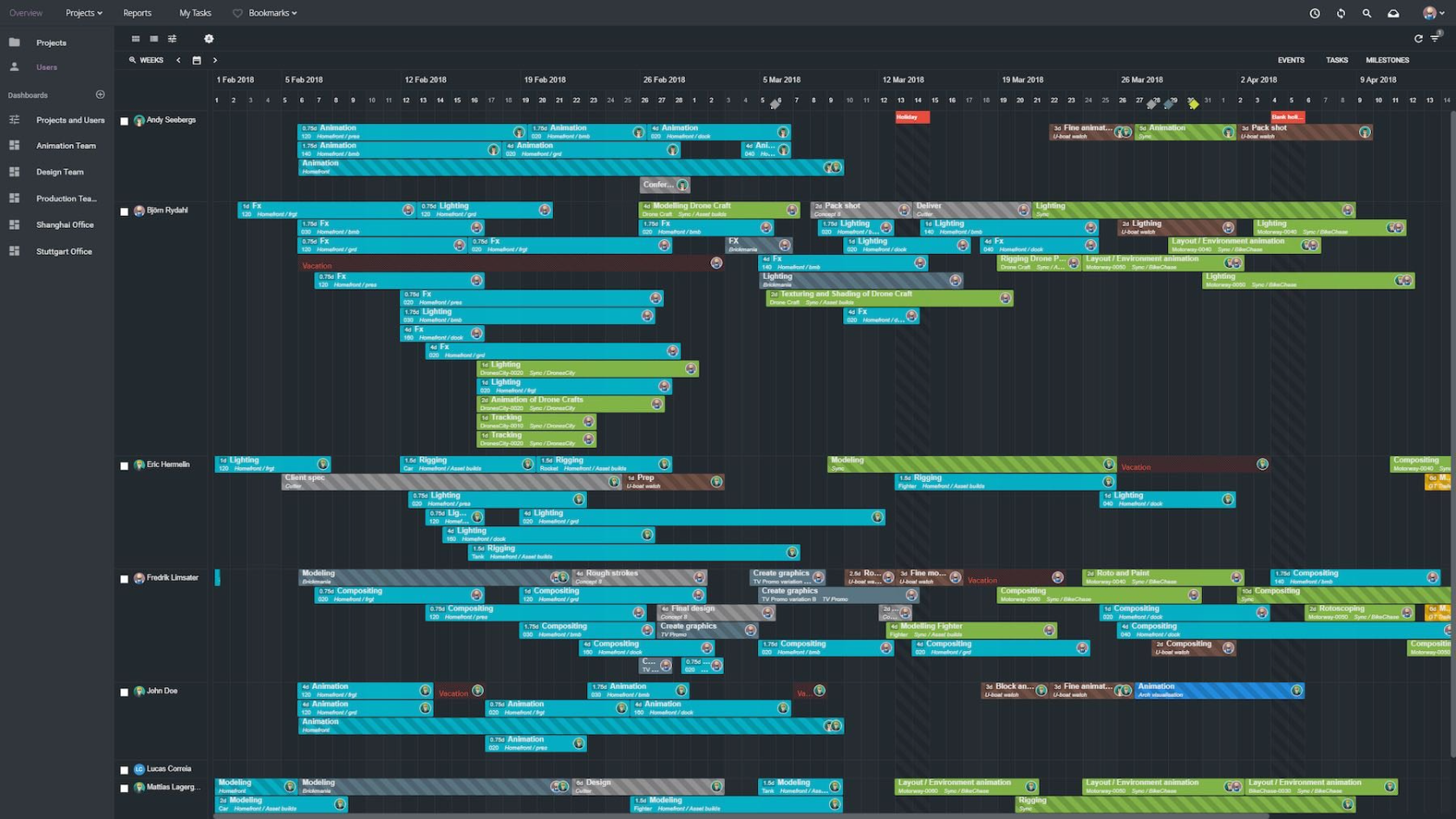
Screenshot of Ftrack showcasing project management software for video production with an organized workflow board.
If you are managing 500+ shots with multiple versions, ftrack is the powerhouse you need. It’s designed for high-end studio environments.
Best for: Complex VFX and high-stakes animation pipelines.
Standout Feature: Detailed Shot Tracking and asset versioning.
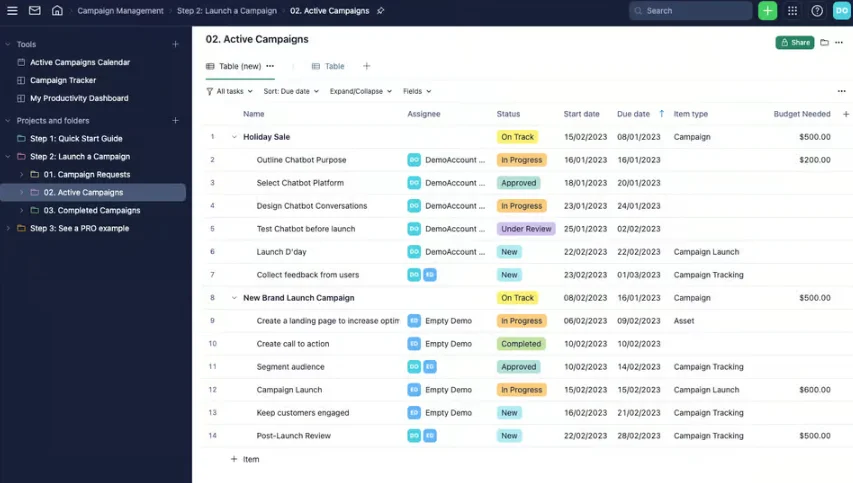
Screenshot of Wrike illustrating project management software for video production with a clear task board layout
Wrike is a work management platform that offers robust creative proofing. It’s ideal if creating videos is just one part of your larger marketing machine.
Best for: Large marketing departments with high-volume video requests.
Standout Feature: Wrike allows for the comparison of different video versions simultaneously to check for changes
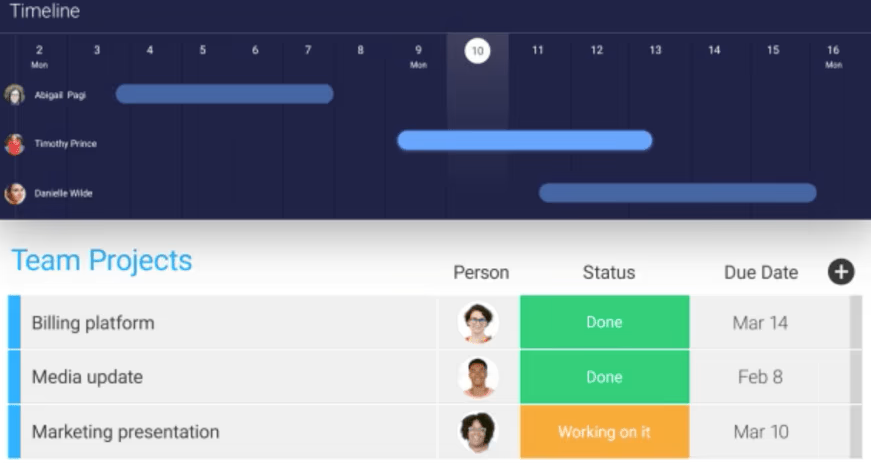
Screenshot of monday.com showing project management software for video production with organized tasks and workflow.
Monday.com uses a Lego-like approach. You can build a custom video production pipeline using their pre-made templates in minutes.
Best for: Highly visual teams who love colorful customization.
Standout Feature: They provide a structured environment for tracking the entire video lifecycle, from brainstorming and scriptwriting through production to final approval.
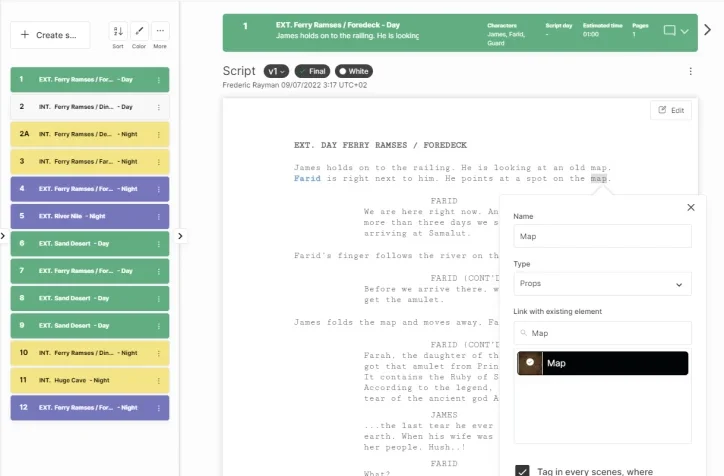
Tracking shot lists, schedules, and team assignments for a video production project using Yamdu’s production management tools
Yamdu covers the entire lifecycle of a film project, including legal documents, crew management, and financing.
Best for: European production houses and film schools.
Standout Feature: Users can create shooting schedules within minutes, featuring a drag-and-drop interface for managing scenes
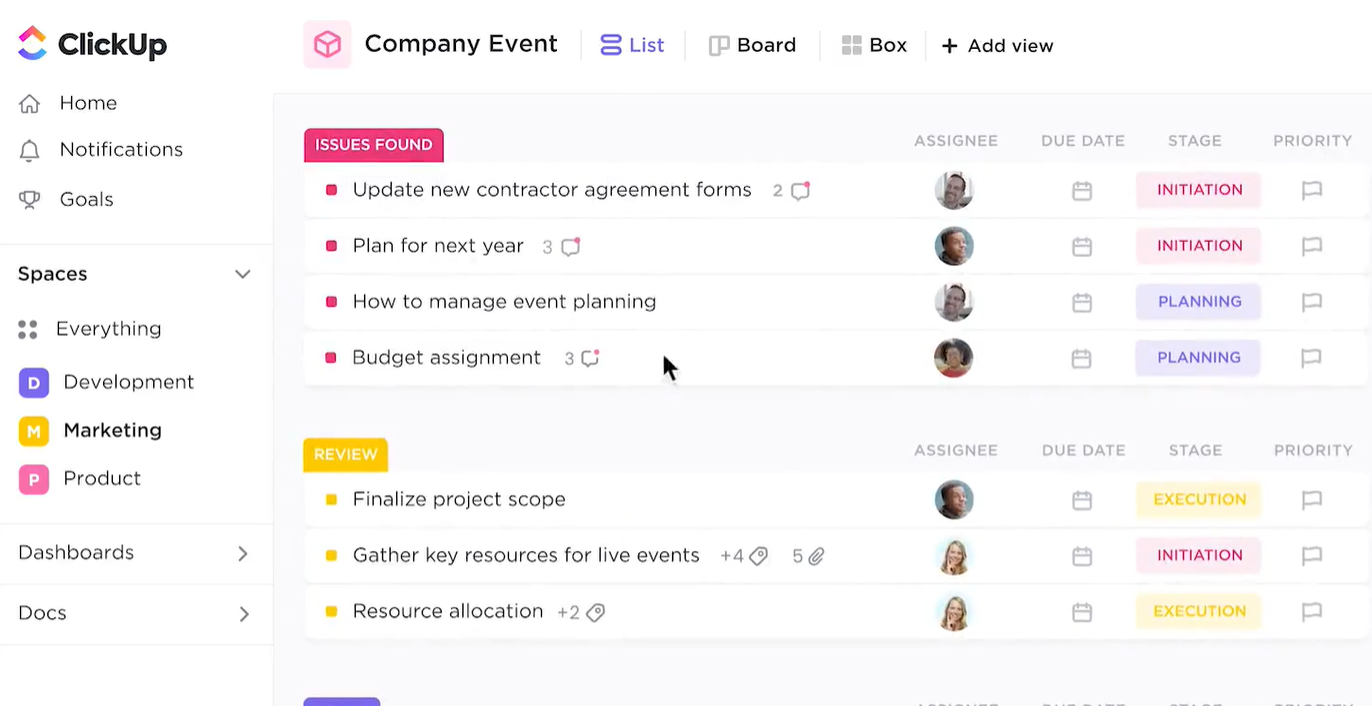
ClickUp board view used to organize and track a video production project.
ClickUp offers more free features than almost any other tool. It includes docs, whiteboards, and time tracking.
Best for: Teams on a budget who want everything in one space
Standout Feature: Offers AI-powered scripting and visual proofing
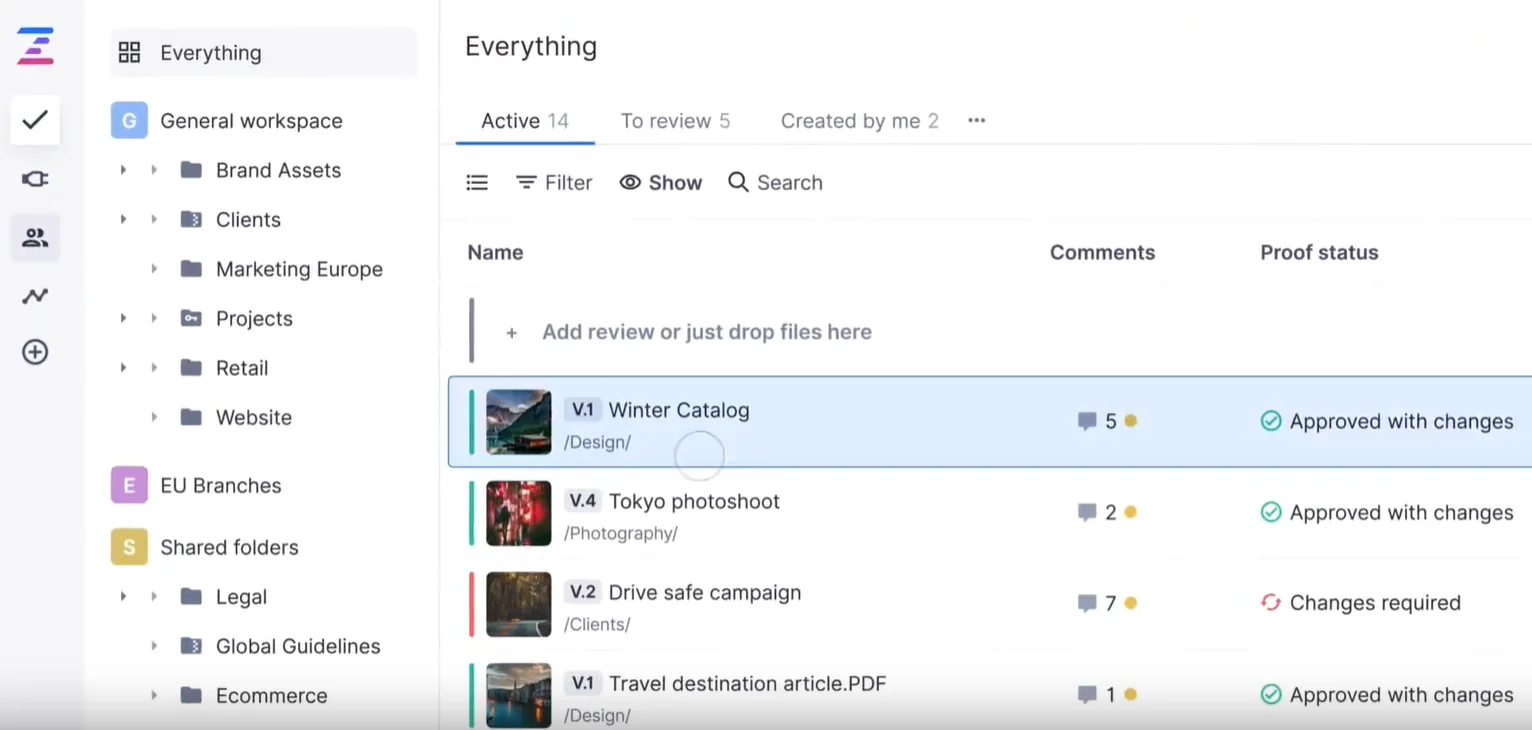
Ziflow used as project management software for video production, displaying a structured project workspace.
Like Frame.io, earlier on in our list, Ziflow is a proof-first tool. It’s excellent if you need strict audit trails of who approved which version.
Best for: Compliance-heavy agencies and enterprise approvals.
Standout Feature: Safe zone viewing for different screen ratios, plus direct integration with Adobe Premiere Pro.
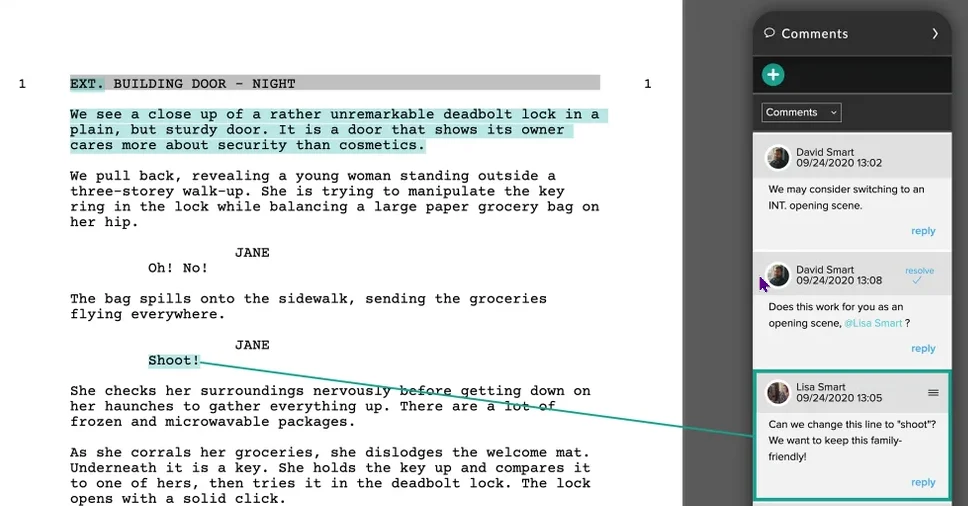
Celtx workspace showing how a video production project can be organized and managed
Celtx started as scriptwriting software and grew into a production suite. It’s well-suited for projects where the story is central to the workflow.
Best for: Writers and directors focusing on the script-to-shoot transition.
Standout Feature: Rated for its ability to convert screenplays into actionable production documents like call sheets and budgets.
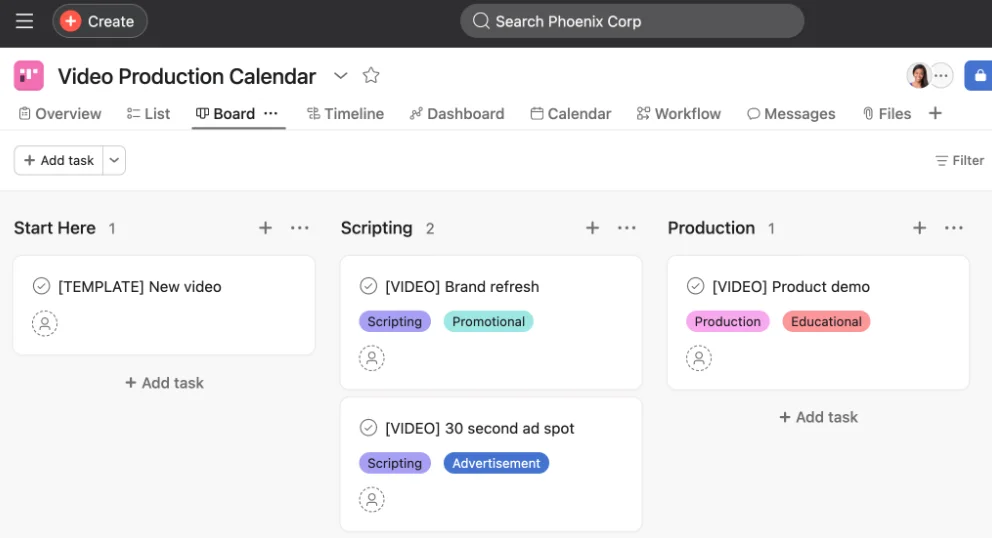
Asana workspace organizing tasks and timelines for a video production project.
This is not a video-specific tool. However, we’re including it because its Timeline view is an excellent assistant for tracking campaign launches.
Best for: Coordination and task-driven marketing teams.
Standout Feature: Users can record, transcribe, and embed Vimeo videos directly into tasks to help boost communication.
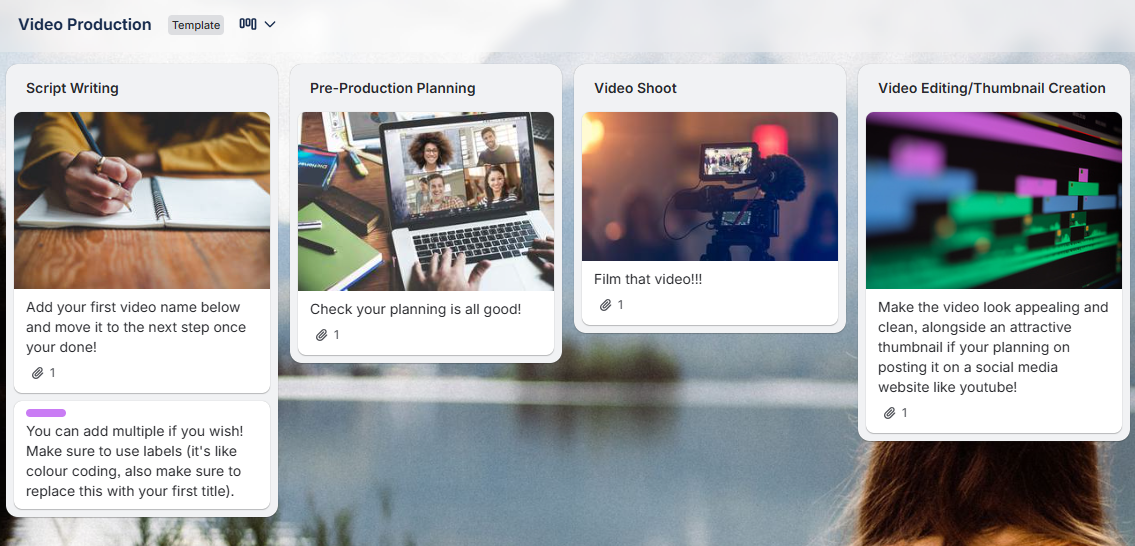
Trello board showing how tasks and workflows are organized for a video production project.
The simplest way to visualize a pipeline. Great for small YouTube channels or individual creators who want to plan out a calendar of content without hassle.
Best for: Individual creators and simple To-Do/Doing/Done workflows.
Standout Feature: Fast and easy to learn. Requires no previous experience.
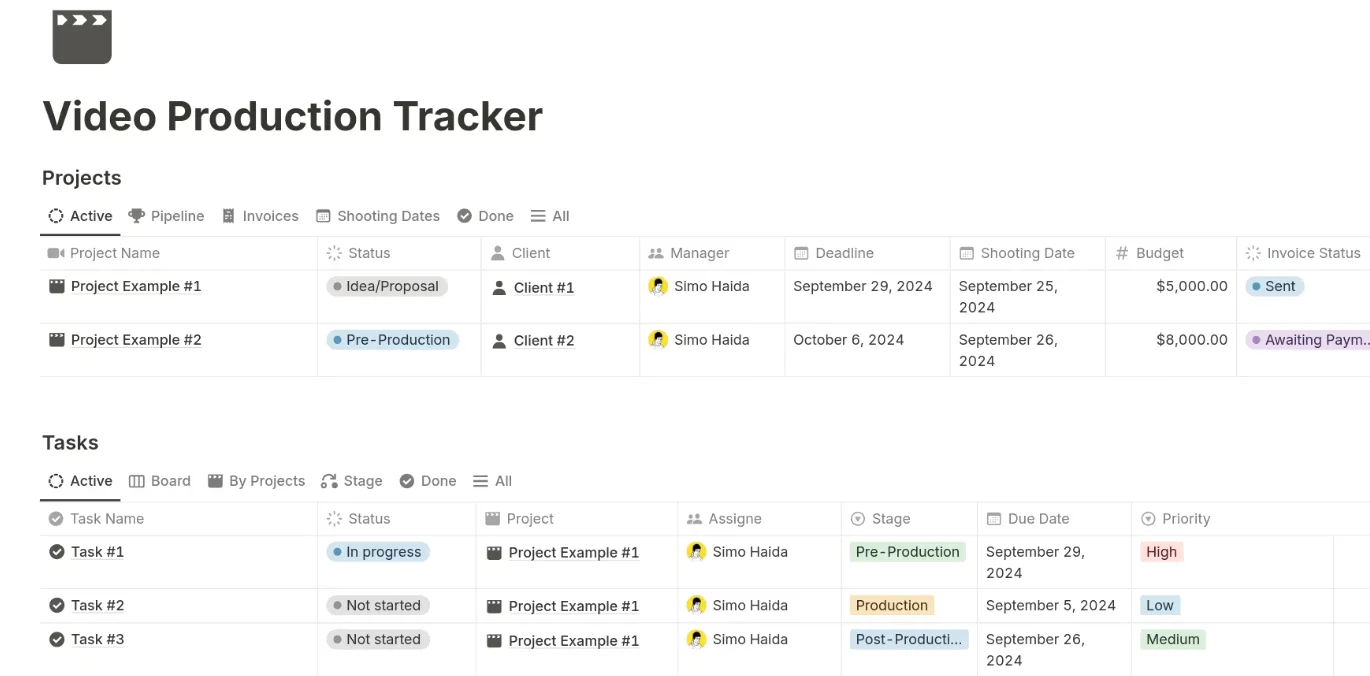
Organizing tasks, timelines, and workflows for a video production project in a single workspace.
Perfect for keeping your Production Bible in the same place as your task list, making it a great all-rounder for different tasks and campaigns.
Best for: Documentation and Wiki-style production hubs.
Standout Feature: Offers excellent, customizable databases and strong community-driven templates.
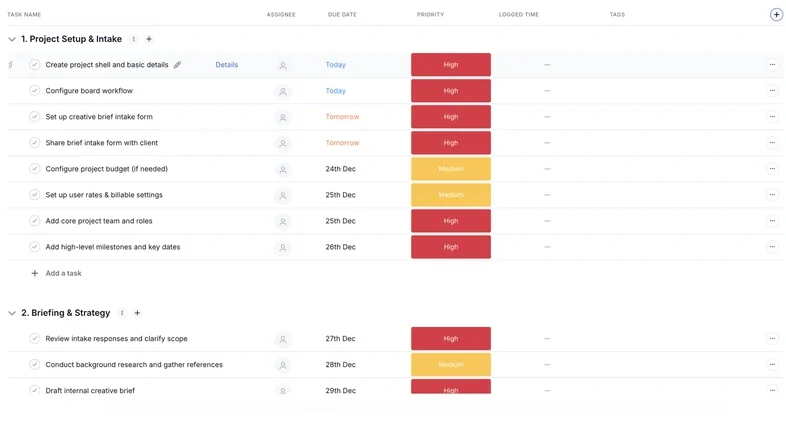
Managing tasks, schedules, and workflows for a video production project using Teamwork in a centralized dashboard
Strong on the business side of production tracking time and profitability, but perhaps not so good at the creative side of the process.
Best for: Client-facing agencies that bill by the hour.
Standout Feature: It’ll work for smaller or larger teams with ease
For video teams, the tool tax is real. Every time you leave your workflow to upload a file to a third-party PM tool, you lose momentum. This is where Kanbanchi shines. It doesn’t just integrate with Google; it lives there.
If your production house runs on Google Workspace, Kanbanchi serves as the missing management layer, turning your Drive into a professional production hub.
In video production, your assets are massive. Moving them back and forth between platforms is a recipe for versioning disasters.
Client feedback often arrives as a chaotic stream of emails. With the Kanbanchi for Gmail add-on, you can turn those urgent revision requests into task cards with one click.
Video shoots are date-sensitive. Kanbanchi’s Gantt Chart shows your tasks in a timeline.
Is your high-end editing suite overbooked? Kanbanchi’s Workload View allows producers to see exactly how many hours are assigned to each team member (or piece of equipment).
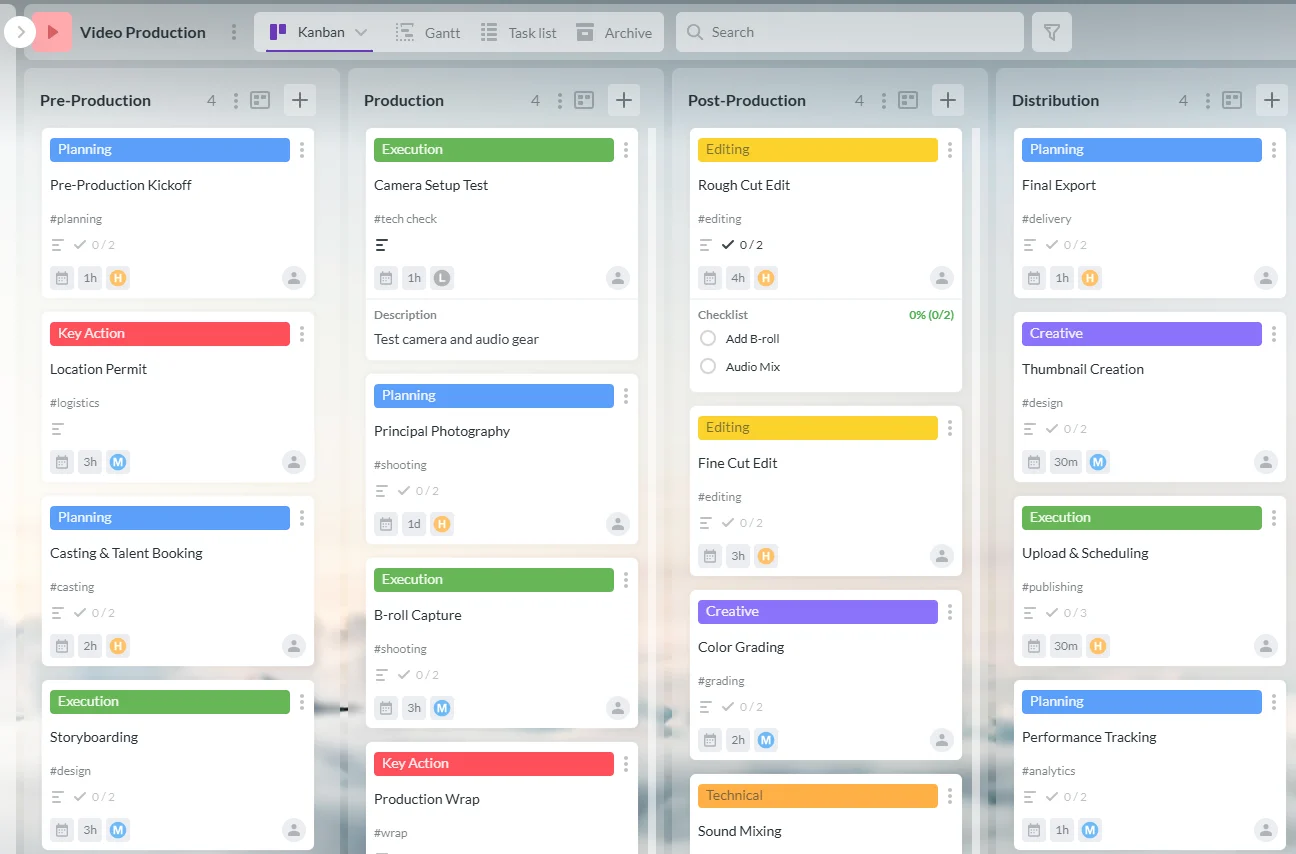
Kanbanchi video production board shows tasks from pre-production to distribution with color-coded workflow labels. In video production, reinventing the wheel for every new project is a recipe for burnout. Whether you’re shooting a 15-second TikTok reel or a 30-minute documentary for YouTube, the core mechanics of production remain remarkably consistent.
This is where a standardized template becomes your most valuable asset. It transforms a nebulous creative idea into a series of actionable tickbox exercises.
A good template ensures that no critical step, such as securing a location permit or checking audio levels, is overlooked.
It provides a roadmap that takes your team through the four essential phases:
Bottlenecks often occur during handoffs between departments. With a Kanbanchi template, you can set up task dependencies.
Templates allow you to scale without losing quality. When you hire a new freelancer or onboard a junior producer, the template acts as their training manual. They don’t have to guess how your agency handles all the different steps of video production. The process is baked into the board.
The best templates are living documents. After every project, conduct a post-mortem. Did the sound mix take longer than expected? Adjust your template for the next project. Over time, your Video Production PM Template becomes a refined engine that captures your agency’s unique expertise.
Pro Tip: Use the Kanbanchi Video Production template to separate your board into clear swimlanes by project phase or by crew role, making it easy to see exactly who is doing what at any given moment.
When you’re looking for project management software for your next video production, you can be assured that Kanbanchi will seamlessly integrate with your existing systems. It requires no learning curve. If you and your team are already familiar with Google Workspace, you can get to work straight away.
Let’s turn your video production dreams into reality!
We’ve hopefully nailed all the pain points you may have regarding video production software choices in the article, but just in case there are any remaining questions, take a look at our FAQ section below…
While the best depends on your team size, the most effective tools are those that handle large assets and visual feedback. For Google Workspace users, Kanbanchi is the top choice due to its native Drive integration.
The key is to systematize the chaos.
Break your production into four distinct phases:
Use a centralized dashboard rather than email to track versions, feedback, and deadlines. This ensures that everyone, from the cinematographer to the client, has a single workspace.
Generic tools often struggle with the weight of video. Specialized software offers features such as frame-accurate commenting, handling of large files, and version stacking. These tools bridge the gap between creative execution and administrative oversight, preventing revision bloat and ensuring projects stay on budget.
Yes. Modern specialized tools can automate the process of breaking down a script into a list of required assets, cast members, and locations. This helps producers estimate budgets more accurately and ensures that no critical element is forgotten on the day of the shoot.
It eliminates the horror show of too many feedback loops. Instead of vague emails, stakeholders leave time-stamped notes directly on the video player. The editor can see these comments in real time, often directly within their editing software, making the revision process faster and more precise.



In this Article:
Start using Kanbanchi now
Start your free trial