
In this Article:
Try Kanbanchi now
Start your free trial

In 2026, buying a project management system is no longer just about replacing a spreadsheet or giving everyone a shared task list. Most teams already have plenty of places where work can appear: email, chat, documents, calendar events, meeting notes, personal to-do apps, and department-specific tools. The real challenge is turning all of that activity into a clear, reliable operating system for work.
A project management system is the combination of software, workflows, roles, rules, and reporting that a team uses to plan, execute, track, and improve work. The software is important, but the system also includes how people define tasks, assign ownership, manage deadlines, share files, and review progress.
Read more articles about Project Management here
A modern system should help leaders answer practical questions quickly:
For business owners and team leads, the best choice is not necessarily the tool with the longest feature list. It is the one that fits how your team already works, gives leadership reliable visibility, and stays simple enough for people to use every day.
A modern project management system starts by reducing fragmentation. If tasks live in one spreadsheet, files in another folder, decisions in email, and deadlines in a calendar that only some people check, leaders do not have a system. They have a collection of disconnected signals.
The system should make one place the default home for project work. That does not mean every document, conversation, or meeting must move into one app. It means every important deliverable should have a clear record that connects the task, owner, status, due date, discussion, and related files.
Each task should contain enough context for someone to act without hunting through old emails. At minimum, a task record should support a title, description, owner, status, priority, start or due date, comments, attachments, and checklist items. For complex deliverables, it should also support subtasks or subcards so that large items can be broken into manageable parts.
This matters more as teams grow. A five-person team can often remember informal agreements. A fifty-person team cannot. A thousand-person enterprise needs standard task data so different teams can coordinate without constant clarification.
A good system makes accountability visible without turning managers into micromanagers. Each task should have a responsible owner, not just a group of people who might handle it. Collaborators can support the work, but ownership must be clear enough that everyone knows who drives the next step.
This is especially important for cross-functional projects. Marketing may need input from design, legal, sales, and operations, but someone still needs to own the campaign launch. Without ownership, status meetings become investigations. With ownership, meetings become decision points.
No single project view is perfect for every audience. Team members often need a workflow view that shows what to do next. Project managers need timelines and dependencies. Executives need progress, risk, and capacity signals. A modern project management system should provide different views of the same underlying work, rather than forcing teams to duplicate data.
| View or capability | Best for | What to look for |
|---|---|---|
| Kanban board | Day-to-day workflow | Clear stages, draggable cards, visual priority signals |
| Gantt chart | Schedule and dependencies | Start dates, due dates, milestones, dependency tracking |
| Task list | Personal focus and quick navigation | Filters by owner, priority, due date, tag, or project |
| Calendar | Deadline awareness | Events or tasks are visible where people plan their week |
| Dashboard or export | Leadership visibility | Data that can be reviewed, shared, or connected to dashboards |
Kanban boards are useful because they make work easy to understand at a glance. Cards represent tasks, and columns represent stages such as Backlog, In Progress, Review, and Done. When a card moves, everyone can see progress without asking for an update.
For operational teams, support teams, creative teams, HR, and product teams, a board view can reduce confusion immediately. It also helps reveal bottlenecks. If too many cards sit in Review, the issue may not be task creation. The issue may be approval capacity.
A workflow board shows movement, but it does not always show time. That is why a modern system should also support timeline planning, often through a Gantt chart. Gantt views help teams see task duration, sequencing, milestones, and dependencies.
This is essential when a missed deadline affects other work. A website launch, office relocation, product release, legal filing, or client onboarding project often depends on tasks happening in the right order. A timeline view gives leaders a way to understand schedule risk before the deadline arrives.
Not every user wants to scan a full board or timeline. Team members may need a filtered list of their assigned tasks. Managers may need to see overdue items, high-priority tasks, or work connected to one client. A good system should make sorting and filtering easy so people can focus on the work that matters to them.
A common failure of project management software is that teams keep discussing work elsewhere. The task says In Progress, but the real explanation is buried in a chat thread. The file is attached to an email, but not to the task. Someone asked a question in a meeting, but the answer never made it back into the project record.
A modern system should reduce that gap. Comments, updates, file attachments, and notifications should be connected to the work item whenever possible. That creates a shared memory for the project and makes handoffs easier.
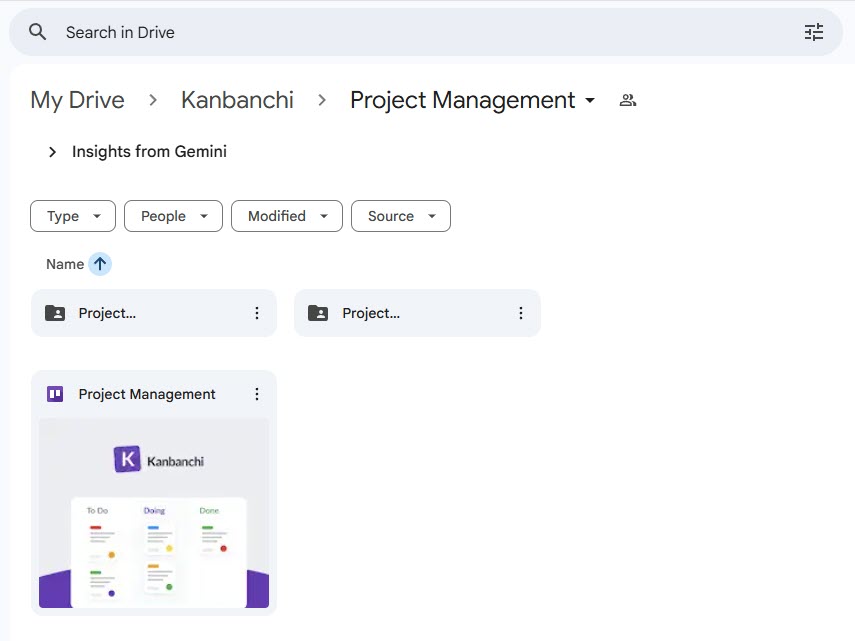
For teams using Google Workspace or Microsoft 365, file storage is already central to daily work. A practical project management system should not force teams to download and re-upload documents just to keep context. It should connect to the file storage environment the organization already trusts.
This is where ecosystem fit becomes important. In Kanbanchi, for example, teams can attach files from Google Drive and Shared Drives, and Microsoft 365 teams can work with OneDrive and SharePoint. For Google Workspace users, boards can be created as files in Google Drive, with Shared Drives support for Enterprise users. That keeps the project context close to the documents teams already use.The
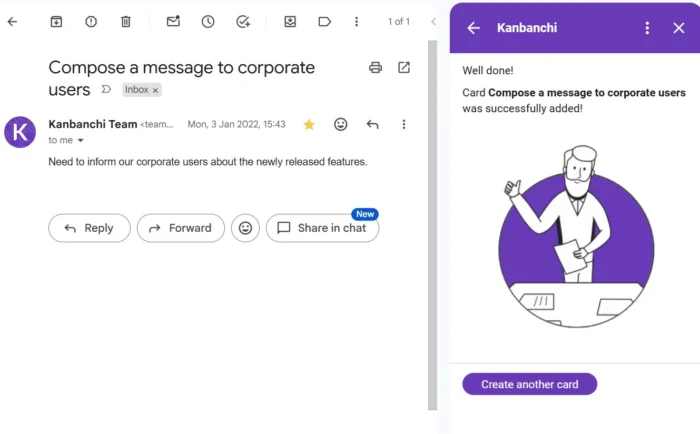
Email is still where many requests begin. A calendar is where many deadlines and commitments appear. A modern project management system should work with these tools instead of competing with them.
For example, turning an email into a task helps teams avoid losing requests in inboxes. Pushing deadlines or work periods to a calendar helps people plan time around project commitments. The goal is not to replace Gmail, Outlook, Google Calendar, or Microsoft calendars. The goal is to prevent those tools from becoming disconnected project trackers.
Leaders adopt project management systems because they need visibility. But visibility should not mean asking every team member for manual updates every day. A well-designed system gives managers a live picture of progress, risk, and workload while letting the team continue working.
The best status information is created naturally as people do their work. When a card moves to Review, that is a status update. When a due date changes, the timeline changes. When a blocker is added, the risk becomes visible. When time is tracked against a task, managers gain a clearer understanding of effort.

If the system requires separate reporting rituals that duplicate normal task updates, people will eventually stop maintaining it. Modern project management should make reporting a byproduct of execution.
Time tracking is not only for billing. It can help leaders understand where effort is going, which types of work are underestimated, and whether high-priority initiatives are receiving enough attention.

A built-in time tracker is especially valuable because it ties effort to actual tasks. Instead of asking people to reconstruct their week in a separate timesheet, teams can record time where the work already lives. Kanbanchi supports time tracking directly on cards, with timing data available for review in the Timing tab.
A project management system should help leaders make better decisions, not just store more information. Reporting turns task activity into signals: delivery health, workload trends, overdue items, time spent, project progress, and bottlenecks.
Not every team needs advanced analytics on day one. A small team may only need filtered board views and exports. A larger organization may need dashboard-ready data that can be combined with financial, operational, or customer metrics.
Before choosing a system, define the questions you need it to answer. Common examples include: Which projects are at risk? Which teams are overloaded? Which tasks are overdue? How much time was spent on a client, department, or initiative? What work is waiting for approval?
If a tool cannot answer your recurring leadership questions without heavy manual cleanup, it may not be the right system. Kanbanchi supports extracting board data and connecting it to reporting dashboards such as Google Looker Studio, and teams can export board data to Google Sheets, including assignments, dates, checklists, and comments.
More charts do not automatically mean better control. A modern system should highlight meaningful operational signals. For example, knowing that a team completed 200 tasks is less useful than knowing that critical tasks were completed on time, blockers were resolved quickly, and upcoming dependencies are under control.
Good reporting should lead to action. If a metric does not help someone decide, prioritize, coach, hire, or improve a process, it may be noise.
Security is not a feature to evaluate after the team has already adopted the tool. For many organizations, especially enterprises, agencies, schools, nonprofits, healthcare-adjacent teams, legal teams, and finance teams, governance is part of the buying decision.
A modern project management system should respect the way your company manages identity, sharing, and data access. If your organization relies on Google Workspace or Microsoft 365 policies, your project management tool should fit that environment as closely as possible.
People need to know who can view, edit, or share project information. For teams using Google Workspace, Kanbanchi boards can be shared internally and externally according to the company’s Google policies, and files can be attached from Google Drive or Shared Drives. This reduces the risk of creating a separate shadow permission model that nobody fully understands.
The system should also support practical recovery needs. Board backups, clear ownership, and file organization matter when projects are business-critical. For regulated or enterprise environments, security documentation and compliance information should be available before rollout. Kanbanchi also provides information about requested permissions so administrators can review why access is needed.
| Governance area | Why it matters | What to verify before rollout |
|---|---|---|
| Identity and access | Users should access work through approved company accounts | Google Workspace or Microsoft 365 compatibility |
| File permissions | Sensitive documents should not be copied into unmanaged places | Drive, Shared Drives, OneDrive, or SharePoint integration |
| External sharing | Clients, vendors, or partners may need limited access | Viewer, commenter, or editor controls |
| Data recovery | Important boards should be recoverable | Backup and restore options |
| Admin confidence | IT needs to understand permissions and risk | Clear security and compliance documentation |
A project management system becomes more valuable when it helps teams repeat good work. Templates prevent every project from starting with a blank page. They also help new team members understand the expected process faster.
For example, a marketing team might use a campaign launch template. An HR team might use an onboarding template. An operations team might use a vendor approval template. A software or product team might use a release planning template.
The key is to standardize the parts of work that should be consistent while leaving room for teams to adapt. Too little structure creates chaos. Too much structure creates resistance.
Kanbanchi supports board templates and card templates, which can help teams speed up repeatable workflows. It also supports tags, colors, priorities, swimlanes, and subcards, giving teams enough structure to organize complex projects without forcing every department into the same process.
A modern project management system should not feel like a separate island. Adoption is much easier when the system works inside the ecosystem that people already open every morning.
For Google Workspace teams, that ecosystem often includes Gmail, Google Drive, Shared Drives, Google Calendar, Docs, Sheets, and Looker Studio. For Microsoft 365 teams, it may include Outlook, OneDrive, SharePoint, Teams, Word, Excel, and calendars.
This is why integration should be evaluated as a core requirement, not a convenience. If a tool requires users to copy information manually from email, re-upload files, rebuild calendar reminders, and export reports through awkward workarounds, it will create hidden administrative costs.
Kanbanchi is built for teams working in Google Workspace and also supports Microsoft 365. Its features include Kanban boards, Gantt charts, time tracking, Google Drive file storage, Gmail task creation, Google Calendar sync, Microsoft 365 compatibility, and OneDrive or SharePoint integration. For organizations already invested in either ecosystem, that fit can make rollout and daily adoption more practical.
The best evaluation process starts with your real workflow. Avoid choosing software based only on demo examples. A polished demo may look impressive, but your team needs to know whether the system works with your actual projects, constraints, and habits.
Use a live project for the pilot if possible. Include real tasks, real files, real collaborators, and real deadlines. Ask people from different roles to participate: a team member, a team lead, an executive sponsor, and someone from IT or operations, if security and governance matter.
| Evaluation area | Question to ask | Strong signal |
|---|---|---|
| Adoption | Can a new user understand the basics quickly? | People can create, update, and find tasks without extensive training |
| Workflow fit | Does it match how work moves through the team? | Boards, lists, timelines, and filters support the real process |
| Leadership visibility | Can managers see progress and risks without extra meetings? | Status, deadlines, blockers, and reports are easy to review |
| Ecosystem fit | Does it connect to existing files, email, and calendars? | Users do not need to duplicate information manually |
| Scalability | Can it support more projects, teams, and permissions later? | Templates, sharing controls, and reporting support growth |
| Governance | Can IT and leadership trust the setup? | Permissions, backups, and security information are clear |
A practical pilot does not need to last for months. Two to four weeks is often enough to see whether the system helps or creates friction. During the pilot, test the workflows that usually cause problems: task intake, ownership, approvals, file sharing, deadline changes, reporting, and cross-team handoffs.
At the end, ask one simple question: Did this system reduce uncertainty? If the answer is yes, adoption becomes much easier. If the answer is no, either the tool is not the right fit or the workflow needs redesign before software can help.
One common mistake is choosing a system only for the project manager. The project manager may love advanced planning features, but if the rest of the team finds daily updates painful, the data will become unreliable. A modern system must serve both planners and doers.
Another mistake is recreating spreadsheet chaos inside a new tool. If every team invents its own naming rules, statuses, tags, and priorities, leadership visibility will still be inconsistent. Standardize the essentials, then let teams customize details where it genuinely helps.
A third mistake is treating reporting as separate from execution. If managers need a weekly deck that requires hours of manual updates, the system is not doing enough work. Look for reporting, exports, or dashboard connections that use the same data the team already maintains.
Finally, avoid overcomplicating the rollout. Start with a few clear rules: every task has an owner, important tasks have due dates, files are attached to the relevant card, and status changes happen on the board. Once the basics are reliable, add timelines, time tracking, templates, and more advanced reporting.
Kanbanchi is designed for teams that want project and task management to fit naturally into Google Workspace or Microsoft 365. It combines visual Kanban boards, Gantt chart planning, time tracking, file integration, email-to-task workflows, calendar sync, templates, swimlanes, subcards, and exports for reporting.
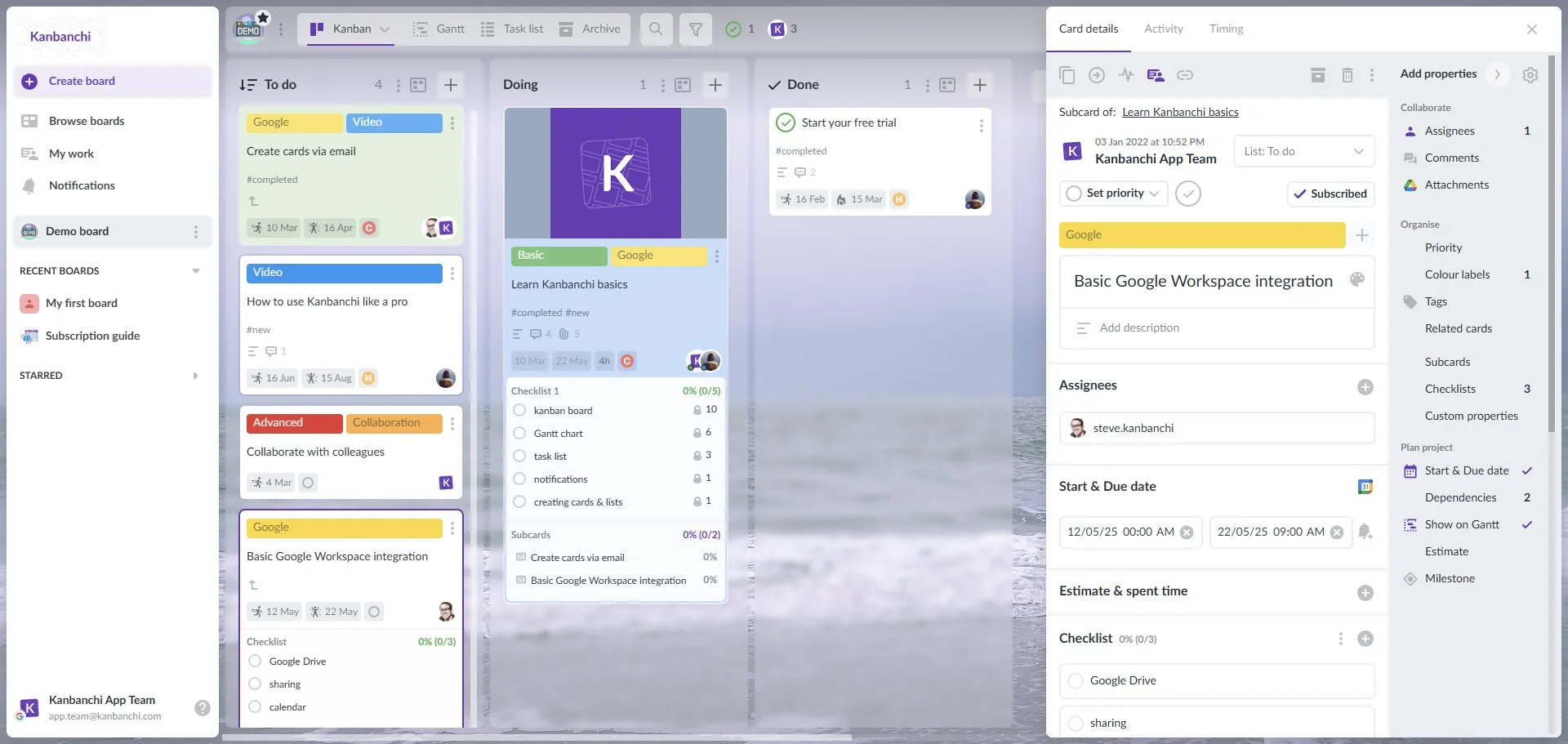
For Google Workspace teams, Kanbanchi is especially useful because boards and files can stay close to Google Drive, tasks can be created from Gmail, and work can be connected to Google Calendar. For Microsoft 365 teams, compatibility with OneDrive and SharePoint helps keep project work connected to the Microsoft environment.
If your team is comparing options, start with the workflow problems you need to solve. If those problems include scattered tasks, weak timeline visibility, disconnected files, manual reporting, or too many status meetings, Kanbanchi is worth evaluating as a practical project management system for daily execution and leadership visibility.
Sign up for a free trial of Kanbanchi
You can also explore related Kanbanchi resources on Google project management and using a Kanban board and Gantt chart in one tool.
Small teams usually need clear task ownership, a visual board, due dates, file attachments, notifications, and simple reporting first. As the team grows, timeline planning, templates, time tracking, permission control, and more advanced reporting become more important.
Many teams benefit from both. Kanban boards show work status and flow, while Gantt charts show timing, milestones, and dependencies. If your work is simple and continuous, a board may be enough. If deadlines and sequencing matter, a Gantt chart adds necessary planning visibility.
Google Workspace and Microsoft 365 provide essential productivity tools, but they are not complete project management systems by themselves. Teams often need a dedicated layer for visual task tracking, timeline planning, ownership, reporting, and time tracking. The best approach is usually to choose a system that integrates well with the ecosystem you already use.
It is time to move beyond spreadsheets when updates become unreliable, deadlines are missed because dependencies are unclear, leaders need frequent manual status reports, or team members cannot easily find ownership and context. Spreadsheets can help with early planning, but they often struggle as collaboration and project complexity increase.
A modern project management system should make work clearer, not heavier. It should connect tasks, timelines, files, conversations, time data, and reporting in a way that fits your team’s existing environment.
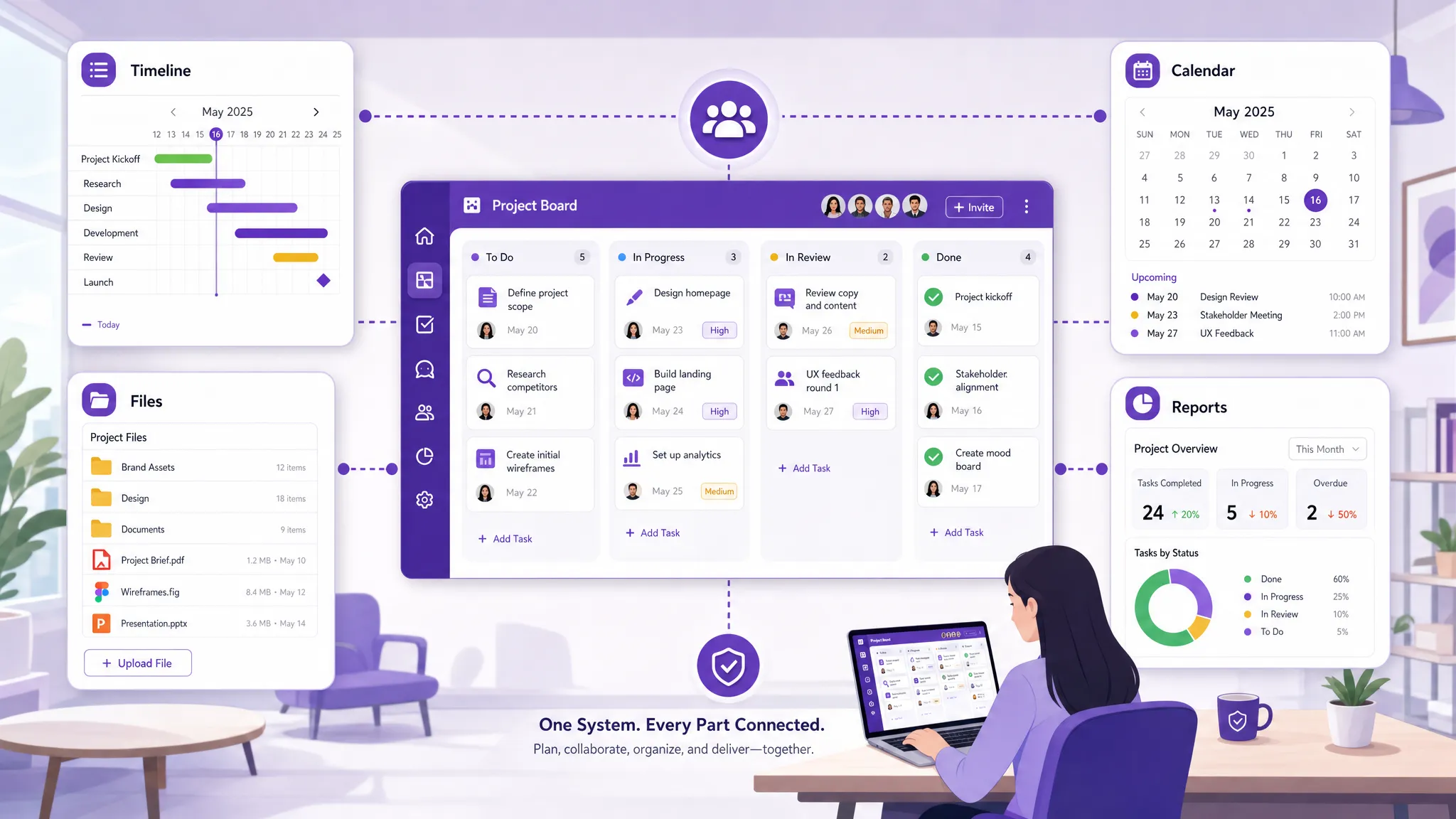
If your organization runs on Google Workspace or Microsoft 365, try Kanbanchi to bring Kanban boards, Gantt charts, time tracking, file integration, calendar sync, templates, and reporting support into one practical workspace for your team.


In this Article:
Start using Kanbanchi now
Start your free trial