
In this Article:
Try Kanbanchi now
Start your free trial

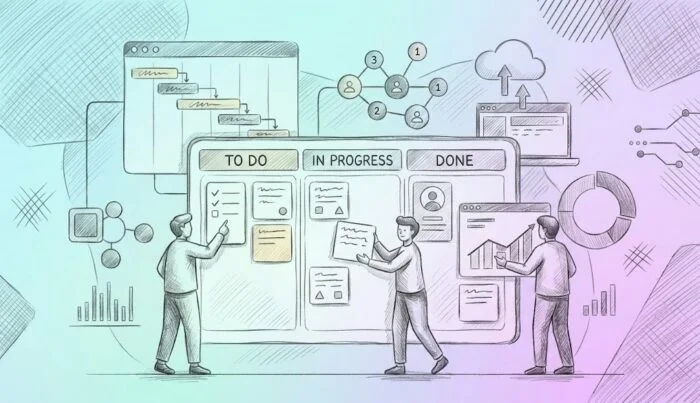
Be honest right now. Of your time today, how much of it did you spend managing work rather than actually doing it?
Like most teams, your answer is probably going to be “too much.” Let’s sit back for a moment and look at why that might be. There’s the…
It all means one thing: our team’s work has become scattered, and we need a solid solution to address it. This is where project management tools step in. But what are they, really?
In Kanbanchi’s guide, we’re going to peel back the layers of the project management software world. So, whether you’re a Google Workspace power user or a Microsoft 365 devotee, understanding the landscape of these tools is no longer a nice-to-have; it’s the baseline for operational excellence.
We’ll explore the evolution of these tools, how to choose the right one for your specific tech stack, and why the “best” tool is often the one that disappears into the work you’re already doing.
At its simplest, a project management tool is a collaborative workspace that helps teams plan, execute, and monitor work in one centralized location. It’s the one space for everyone that helps to prevent the dreaded question: “Wait, who was supposed to be doing that task?”
But hang on for a second before you air your preconceptions about what PM software offers. These tools have evolved far beyond basic task tracking. They now serve as:
They bring what we call an ROI on clarity, because the cost of hidden work is staggering when you sit down and look at it carefully.
Without a dedicated PM tool, teams fall into the trap of lots of context switching. This is what’s known as the cognitive tax paid every time you jump between documents, chat apps, and calendars to find all the details you need to finish your work properly.
A professional project management tool replaces that chaos with a structured hierarchy of work. It allows you to break down a massive quarterly goal into manageable boards, lists, and individual cards. It turns confusion into a manageable workload that works for everyone.
To understand where we are right now in 2026, we have to look at how we got here…Project management isn’t a new concept, but the tools we use have undergone a radical transformation.
A century ago, project management was physical. It lived on paper, chalkboards, and in the minds of foremen.
The Gantt Chart, introduced in the early 1910s by the US engineer Henry Gantt, was a revolutionary way to visualize time, but it was static. If a deadline moved, you reached for an eraser or started the drawing from scratch.
Then came the Kanban method in the 1940s, pioneered by Toyota. It introduced a pull system using visual signals (cards) to manage flow. This shifted the focus from rigid schedules to the actual movement of work through stages like “To Do” and “Done”.
Then, we leaped into the Digital age. The first digital project management tools of the 1990s and early 2000s were essentially glorified spreadsheets. They were desktop-bound, complicated, and often required a specialized Project Manager just to keep the software up to date.
The real shift came with the arrival of the cloud. Suddenly, project management became:
Today, a standalone tool is really of no use. Modern teams don’t want another destination; they want an integrated experience. Everything in one space, which gives them all the info they need at the click of a mouse.
We have moved into the era of the Ecosystem Tool. Software that doesn’t just manage tasks, but lives where your data already exists. For users in Google Workspace or Microsoft 365, this means your boards are no longer separate from your Drive or OneDrive. They are part of the same permissions, security, and daily habits.
What does this mean? We’ve moved from managing the software to letting the software manage the work.
Read more of our Project Management articles here
What actually happens inside a project management tool? If you peel away the branding, every high-performing project management tool is built on a few main pillars that transform raw ideas into finished results. These capabilities aren’t just fancy extras; they’re the gears that keep your team moving in sync.
The bread and butter of any tool is the ability to create, assign, and move work.
The hidden benefit of these tools is the death of the status update meeting. And be honest, who’s really going to miss it?
Great tools help you see into the future.
In a modern workflow, a task is useless without its context.
You cannot improve what you do not measure.
By combining these five pillars, a project management tool becomes more than a list; it becomes the main hub for your team’s productivity.
Not all project management tools are created equal. The best tool often depends on how your team naturally thinks, and the most effective systems allow you to flip between different perspectives depending on the problem you are solving. Understanding these different models (and knowing when to use them) is the key to mastering your workflow.
Kanban is the ultimate visual system for ongoing work. By organizing tasks into vertical lists, you can see the state of every project at a glance.
Best for: Agile teams, creative production, and daily operational tasks.
Key benefit: It highlights bottlenecks immediately; if one list is overflowing with cards, you know exactly where the process is stuck.
Gantt charts represent your project as a timeline. They show how long tasks take and, more importantly, how they relate to one another.
Best for: Complex projects with fixed deadlines and many moving parts.
Key benefit: Visualizing dependencies ensures that tasks are completed before editing begins, preventing costly idle time.
Sometimes, the visual “noise” of a board is too much. The List View provides a clean, spreadsheet-like table of your tasks.
Best for: Bulk editing, sorting tasks by priority, or quickly reviewing a large volume of data.
Key benefit: It offers the highest data density, allowing you to scan dozens of tasks and their properties simultaneously.
A project isn’t just a set of dates; it is a set of people. The Workload view groups tasks by the person to whom they are assigned.
Best for: Managers who need to ensure that no single team member reaches a breaking point.
Key benefit: It allows you to balance capacity in real-time by dragging tasks from an overloaded teammate to someone with a light schedule.
The real breakthrough in modern software is that these aren’t separate tools anymore. In a high-quality project management tool, the underlying data stays the same.
You’re simply choosing the lens that helps you see the information most clearly at that moment.
Selecting a project management tool is one of the best (but conversely most tricky) decisions a manager can make.
If we’re being honest, there are lots of options to choose from, and making the wrong selection can lead to dissatisfaction. Not to mention having your team spend more time updating software than doing work, and no one wants that.
To find the right tool for your colleagues, you’ve got to evaluate it based on how it interacts with your existing workflow and long-term goals. Consider these points:
The most important thing to ask is, how’s this new bit of kit going to work with us, not against us?
If your team is built on Google Workspace or Microsoft 365, a standalone tool creates a big black hole for everything to disappear into. Look for a tool that uses your existing Drive or OneDrive for file storage to maintain a single source of truth. Ensure the tool supports your current work account login to simplify security and onboarding.
A tool that is too simple will be outgrown in six months, but a tool that is too complex will never be adopted by the team.
The Learning Curve
Can a non-technical user understand the visual model of boards and cards within minutes?
Advanced Features
Does it offer a path to growth with features like dependencies, subcards, and automation when you’re ready for them?
Answer no to either of these, and you might need to rethink your choice and look for something with a bit more flexibility. This brings us to the next point…
Different roles require different views. A developer might live in a Kanban board, but a stakeholder needs a high-level Gantt chart.
Make sure your software uses a single data model so that a change in the List View is reflected instantly in the Gantt Chart, and there’s no need for anyone to switch views to see what they need. It cuts time and saves hair.
For business owners, the tool must align with organizational security standards while still offering a simple login everyone can share, providing the ultimate in safety.
Permissions
Can you easily control who sees what, following the same sharing logic as your file ecosystem?
Accountability
Does the tool provide a full activity feed so you can see who changed a task and when?
By prioritizing frictionless integration and seamless security over flashy features, you ensure that the tool becomes a supportive backbone for your team rather than a chore they have to manage. And that’s a win-win for everyone.
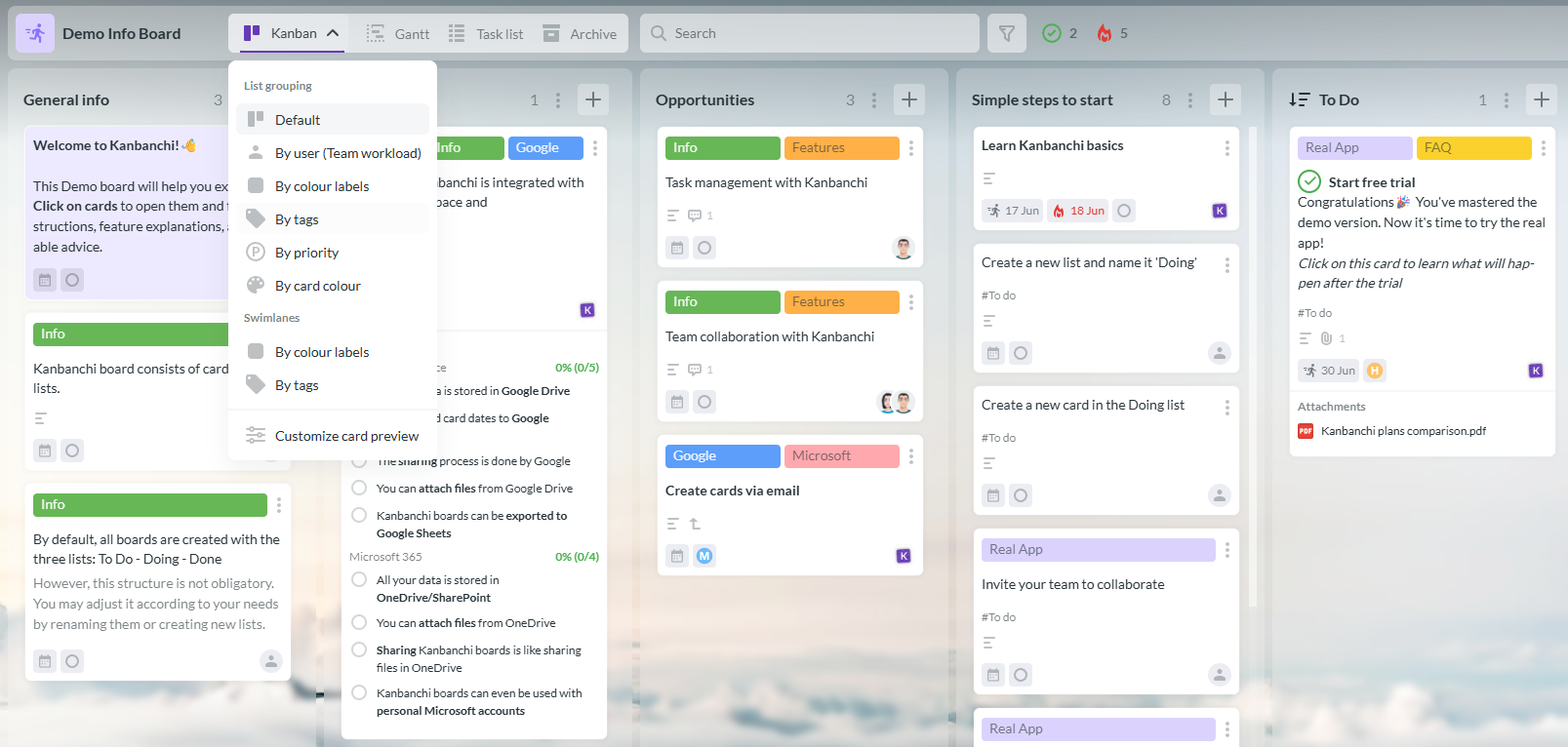
Kanbanchi provides visual project management features for planning, organizing, and tracking work.
If your team is already living in Google Workspace or Microsoft 365, you shouldn’t have to leave your home base to manage your projects.
Kanbanchi is designed as a professional extension of your existing digital office, functioning as part of your productivity ecosystem rather than a separate universe. Curious to know more? We’re glad to know. Here’s a bit more about what we can offer you.
The standout feature of Kanbanchi is its native ecosystem integration and its ability to effortlessly mirror your current storage and security logic. This is how:
Kanbanchi understands that different tasks require different perspectives. That’s why we have one data model that offers total flexibility.
We also offer an Advanced Hierarchy with Epic Cards because complex projects need more than just a flat list of tasks.
Kanbanchi provides the structure needed to scale a growing team, giving real operational control to managers
Kanbanchi is a secure, reliable software system that will revolutionize your team’s workflow.
Already using Google Workspace? Then there’ll be next to no transition to make and no upskilling needed. If you’re using Microsoft 365, the transition is just as simple, and there’ll be little to no downtime and very little new knowledge needed to get to grips with it.
It’s easy to install, and even easier to work with. So, if you’ve been finding that the software you’re currently using is slowing you down and making your work life harder than it needs to be, there’s never been a better time to make the move.
Try Kanbanchi for your next project and see how it can grow your success.
Navigating the transition to professional project management tools often brings up a similar set of hurdles. Here are the answers to the most common questions teams ask. If you’re not seeing your query addressed here, please get in touch with us, and we’d be delighted to chat with you about any questions you might have.
While every tool varies, five non-negotiable features define a professional system:
The primary benefit is the reduction of work about work! By centralizing communication and files, teams eliminate the constant context switching between email, chat, and storage. It creates a single area where everyone knows exactly what is in progress, who owns it, and when it is due, significantly reducing missed handoffs and ambiguity.
Tools generally fall into three categories based on their visual model:
It depends on the nature of your project. Use Kanban if your work is continuous and process-driven, such as a content calendar or a support ticket queue. Switch to a Gantt chart when your project has firm start and end dates and tasks that must occur in a specific chronological order. The best solution is a tool that lets you switch between the two views using the same data.
For most organizations, work already happens in these ecosystems. A native integration ensures that your project boards follow the same sharing and permission logic as your Google Drive or OneDrive. It allows you to attach files directly from your cloud storage without duplicating them and keeps your team in a familiar environment, which drastically improves adoption rates.


In this Article:
Start using Kanbanchi now
Start your free trial