
In this Article:
Try Kanbanchi now
Start your free trial

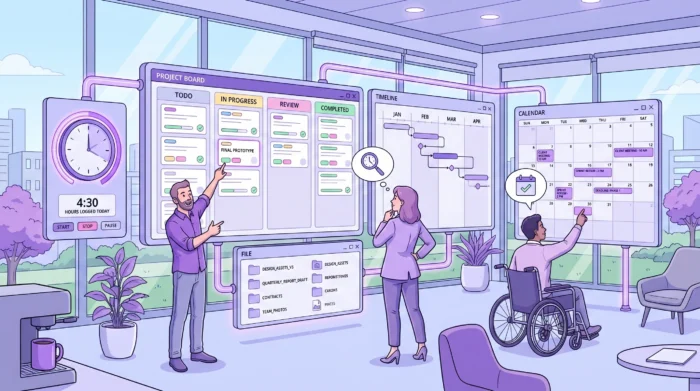
Collaboration software is often described as a place to work together, but that phrase is too vague for business owners and team leads who need to choose the right system. In practice, collaboration software helps people coordinate work, share context, make decisions, and see progress without relying on scattered messages, status meetings, and personal spreadsheets.
If you are asking, What is collaboration software?, the practical answer is simple: it is software that turns teamwork into a visible, organized process. It connects people, tasks, files, conversations, deadlines, and updates so that everyone involved in a project understands what needs to happen next.
Collaboration software running over the Internet is not a new concept. Email, instant messaging, voice and video conferencing, discussion forums, and groupware are all collaboration tools that people have been using for years across business and personal contexts. Only now, however, has it reached the point where you have to use professional online collaboration tools to have the best chance of success. Email alone is no longer enough.
The majority of modern collaboration solutions are web-based and work directly in the browser without needing additional standalone applications. In short, collaboration software allows multiple users and distributed teams to work together on projects from any location and from different devices. There are many varieties with different features: some are flexible so that you can tune almost every option, others are narrowly targeted but include all the options their users might ever need.
Collaboration software is a digital tool or platform that enables multiple people to work together toward shared goals. It may include messaging, task management, document sharing, project boards, calendars, workflow automation, or a combination of these capabilities.
A collaboration platform, at its most complete, is software that includes every tool a team needs to work together on a project. These tools enable communication and information management, helping push information to people and allowing discussion of projects to assist with making important decisions. Through communication, we seek and acquire information from each other, and that process needs to be as close to real-time as possible.
The key idea is not communication alone. Teams can communicate all day and still fail to collaborate well. True collaboration requires shared visibility: who owns each task, where the latest file lives, what decision was made, what is blocked, and when the work is due.
For a small team, collaboration software might be a shared board where everyone tracks tasks. For a growing company, it might become an integrated project management workspace connected to Google Workspace. For an enterprise, it may also need permissions, security controls, and data retention policies.
Many teams do not start with dedicated collaboration software. They usually start with a mix of email, chat, meetings, spreadsheets, and shared folders. That can work for a few people, but it becomes fragile as the number of projects, departments, and stakeholders grows.
Collaboration software replaces the messy parts of that setup by creating one place where work is structured. Instead of asking for updates in a meeting, a manager can review a board. Instead of searching email threads for the latest attachment, a team member can open the task card. Instead of keeping timelines in a spreadsheet that only one person maintains, the project schedule can be visible to the whole team.
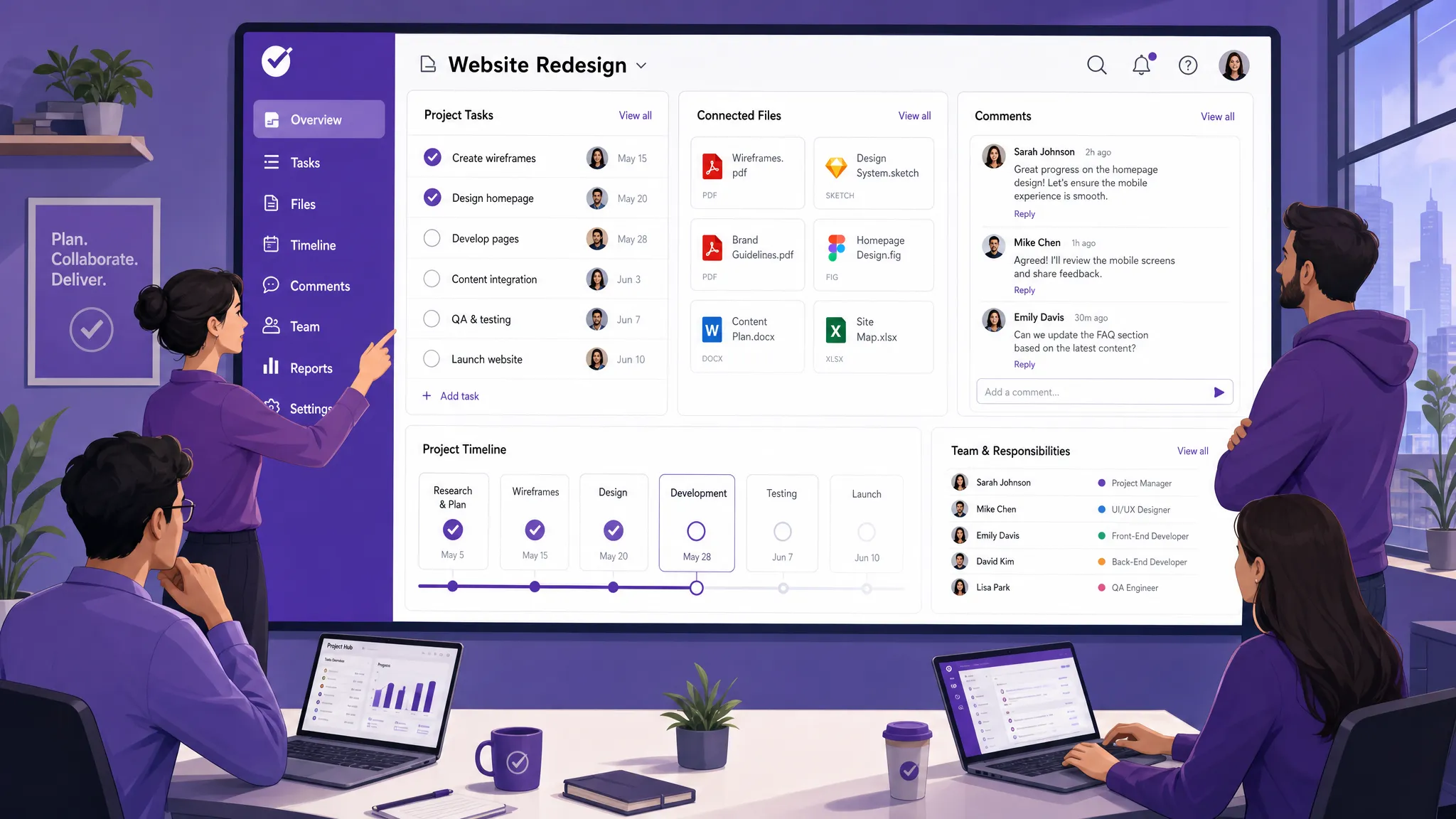
Leaders often want to know what their teams are working on, but they do not want to interrupt everyone constantly. A good collaboration platform gives managers a real-time view of priorities, workload, blockers, deadlines, and progress.
That visibility is especially important once a team grows beyond three to five people. At that point, informal coordination stops scaling. People start duplicating work, losing context, or waiting for answers because the status of work is not obvious.
Accountability becomes easier when tasks have clear owners, due dates, and expectations. Collaboration software makes responsibility visible without turning every update into a meeting. A task can show who is assigned, what has been completed, what remains, and what comments or files are relevant.
This is useful for both managers and employees. Managers get confidence that work is moving forward. Team members get clarity on what they own and what others depend on.
Modern teams often work across email, chat, video calls, shared drives, calendars, and reporting tools. The problem is not that these tools are bad. The problem is that work becomes fragmented when the task, discussion, file, and deadline live in separate places.
Research from the McKinsey Global Institute estimated that social technologies could raise the productivity of interaction workers by 20 to 25 percent, largely by improving communication and knowledge sharing. While tools alone do not guarantee better results, the business case is clear: when people spend less time searching, clarifying, and reworking, they spend more time delivering.
In a single office, people can sometimes rely on hallway conversations. Remote and hybrid teams cannot. Collaboration software gives distributed teams a shared operating system for work, so the process does not depend on everyone being in the same room or online at the same time.
This does not remove the need for good leadership. It simply makes collaboration less dependent on memory, availability, or personal communication style. If your team struggles with trust, engagement, or communication habits, it can help to identify the underlying common collaboration challenges before adding more tools. For a deeper look at what distributed teams specifically need, see The Best Project Management Software for Remote Teams in 2026.
Before choosing a tool, it helps to understand how communication actually works in teams. As a general rule, communications are:
This matters because communication tools are built around these properties, while collaboration tools are built around what comes after: the decisions, tasks, files, and outcomes that communication produces. A discussion platform and a work management platform serve different needs, and most teams need both.
Collaboration software should therefore help communicate important information to those who need to be aware of it, while also supporting sharing knowledge for a particular task, or permanently, as in a knowledge base. That requires software with functions not available within communication tools alone.
Collaboration software is a broad category. Some tools focus on communication, while others focus on structured work management. Most companies need a combination, but the best choice depends on the type of work being coordinated.
| Type of Collaboration Software | What It Helps With | Best Fit |
|---|---|---|
| Team messaging tools | Quick conversations, announcements, informal updates | Teams that need fast communication across channels or departments |
| Document collaboration tools | Co-authoring, file sharing, version access | Teams producing documents, proposals, policies, or creative assets |
| Project and task management tools | Assignments, deadlines, workflows, progress tracking | Teams managing repeatable work, projects, approvals, or client delivery |
| Visual whiteboard tools | Brainstorming, mapping ideas, workshops | Product, strategy, design, and planning sessions |
| Knowledge management tools | Internal documentation, policies, searchable knowledge | Companies that need reusable information and onboarding resources |
| All-in-one collaboration platforms | Tasks, files, timelines, comments, reporting, and integrations | Growing teams that want fewer disconnected systems |
The most important distinction is whether the tool mainly helps people talk about work or actually manage the work. Messaging is useful, but it does not automatically create ownership, prioritization, or delivery discipline.
Good collaboration software should have three basic functions:
Shared access to information. You need to determine who has the right to view information and be able to change those rights easily. In many collaboration settings, access is granted on a per-project or per-workspace basis.
Information storage. Knowledge can be stored through linked documents such as wikis, or as standalone files in formats like PDF, spreadsheets, or reports. The ability to share files in their native formats is essential.
Knowledge management. All stored information needs to be easy to find. Properties such as author, date, and tags help refine and simplify search. Google Docs uses a combination of folder hierarchy and tagging, for example. An alternative to folder hierarchy is tagging, which avoids the need for strict naming conventions and folder structures.
It is worth distinguishing between document collaboration and project collaboration, as they have different requirements and call for different tools.
Document collaboration involves working on files together: co-authoring, commenting, and controlling per-person access permissions. Functions like full-text search play a bigger role when you work with documents, due to their number and variety. Real-time collaborative editing – where you can see what another user is working on in the same document – is one of the most useful features in this category. Most of us know Google Docs as an example of this.
Project collaboration involves tracking tasks, holding discussions, and storing digital assets related to the project. Many project assets will have a short life: for example, if you are producing a company website, there will be many interim files you will not require in the future. With project-based collaboration, it is also necessary to decide how you are going to inform the team about changes to project assets, and to communicate who is in charge of decisions.
More articles on Team management here
The right feature set depends on your team size, workflow complexity, and technology ecosystem. A startup team may only need a shared task board and file attachments. A larger organization may need timeline planning, external sharing rules, backups, templates, and administrative controls.
In business environments, the most valuable collaboration features usually fall into a few categories:
| Feature | Why It Matters |
|---|---|
| Shared workspaces | Keeps projects, tasks, files, and updates in one accessible place |
| Task ownership | Clarifies who is responsible for each piece of work |
| Due dates and calendars | Helps teams coordinate deadlines and avoid missed handoffs |
| File integration | Connects work to the documents, designs, contracts, or spreadsheets needed to complete it |
| Comments and notifications | Reduces status meetings and keeps discussions attached to the work itself |
| Views such as boards, lists, and timelines | Lets different roles see the same work in the format they prefer |
| Reporting and exports | Helps leaders analyze progress, workload, time, and delivery trends |
| Permissions and security | Supports internal policies, external collaboration, and enterprise compliance needs |
A strong collaboration tool should not force every team into one rigid view. Project managers may need timelines. Team members may prefer Kanban boards or task lists. The same system should support different perspectives while keeping the underlying work consistent.
Before confirming your task management or collaboration software, it is worth asking a set of practical questions about the tools you are evaluating:
There are other considerations depending on the complexity of your processes, such as task aggregation, management of child tasks, and to-do lists. It is important not to make a decision without preliminary analysis and careful consideration. Otherwise, you can end up wasting time and money.
The best collaboration software is usually the one that fits naturally into your existing work environment. If your company already runs on Google Workspace, it is practical to choose a tool that works closely with Google Drive, Gmail, Google Calendar, and Shared Drives.
This matters because adoption is easier when people do not need to change everything at once. A collaboration platform should improve the way work flows through your current ecosystem, not create a separate island.
A long feature list can be misleading. What matters is whether the tool supports the way your team actually works. A software company, a legal team, a construction office, a school administration department, and a marketing agency may all need collaboration software, but their workflows can be very different.
Before choosing a system, map your current process. Identify where tasks come from, who assigns them, what statuses they move through, what files are needed, how approvals happen, and what reports leadership expects. Then compare tools against that reality.
For a deeper selection checklist, Kanbanchi has a practical guide on choosing the right team collaboration software that can help you evaluate options beyond surface-level features. For an up-to-date look at what the strongest platforms offer today, What to Look for in the Best Team Collaboration Software covers current criteria in detail.
As teams grow, collaboration software becomes part of the company’s operational infrastructure. That means security and access control matter. Business owners and IT leaders should consider how the tool handles user permissions, external sharing, file access, backups, data storage, and compliance requirements.
This is especially important for enterprises, schools, healthcare-adjacent organizations, finance teams, and any company working with confidential client data. A lightweight tool may be fine for informal teamwork, but business-critical collaboration needs stronger governance.
Collaboration software fails when companies treat implementation as a software installation instead of a behavior change. People need to understand where work should be created, how tasks should be named, when to comment, what statuses mean, and how managers will review progress.
A good rollout starts with one or two workflows, not every process in the company. Standardize the basics, gather feedback, improve templates, and then expand. The goal is not to make people use a tool. The goal is to make teamwork easier and more predictable.
Collaboration software and project management software overlap, but they are not identical. Collaboration software is the broader category. Project management software is more focused on planning, executing, and tracking projects.
| Question | Collaboration Software | Project Management Software |
|---|---|---|
| Main purpose | Help people work together and share context | Plan, assign, schedule, and track project work |
| Typical focus | Communication, files, tasks, knowledge, coordination | Scope, timelines, dependencies, workload, delivery |
| Best for | Ongoing teamwork across departments | Projects with defined goals, owners, and deadlines |
| Success metric | Better communication and fewer silos | On-time delivery, clear priorities, measurable progress |
In many companies, the best solution combines both. A team does not want a project plan that ignores communication, and it does not want a chat tool that cannot show whether work is actually done.
A typical workflow starts when someone creates a task, project, or request. That item is assigned to an owner, given a due date, categorized by priority, and placed in the correct workflow stage. For example, a marketing request might move from New to In Progress to Review to Published.
This gives the team a shared picture of work in motion. Instead of every request living in email, each item has a place, a status, and a responsible person.
As work becomes more complex, teams need to understand dependencies and timing. A visual board is excellent for day-to-day execution, but managers may also need a timeline or Gantt chart to see how tasks relate over weeks or months.
This is where collaboration software overlaps with project management. The team collaborates inside the tasks, while managers use the timeline to plan capacity, sequence work, and identify schedule risks before they become urgent.
It is also important to consider how the team is informed about changes to project assets. Too many updates – especially if they appear unrelated or irrelevant – and the team starts to ignore them. One option is monitoring and displaying actions in the system, for example: “John has created a task.” Another is introducing personal status updates similar to those in social networks. Finding the right signal-to-noise balance is a real challenge in project-based collaboration.
Files are a major source of collaboration problems. A team may have the right document, but the wrong person may not know where it is. Or someone may attach an outdated version to an email. Or comments may sit in a chat thread separate from the actual file.
Collaboration software solves this by attaching files directly to the relevant task or project. For teams using Google Workspace, that often means connecting work to Google Drive, Shared Drives, Gmail, and Google Calendar, so that files are always in the context of the work they belong to.
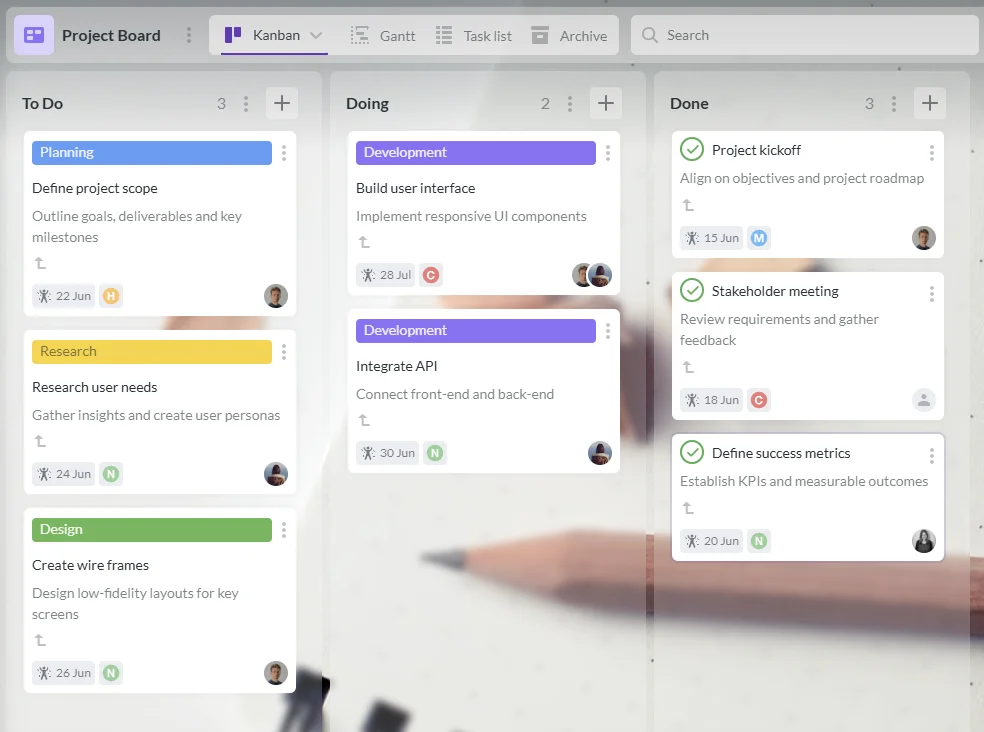
For teams that use Google Workspace and need structured collaboration around tasks and projects, Kanbanchi brings visual boards, Gantt chart planning, time tracking, and file integration into one workspace. Teams can organize work on Kanban boards, attach files from Google Drive or Shared Drives, create tasks from Gmail, sync with Google Calendar, and track time on cards.
Kanbanchi is especially relevant when your team wants collaboration to happen around the actual work, not in a separate chat thread. A card can hold the task description, assignee, checklist, comments, attachments, dates, priority, and timing data. Managers can review progress visually, while team members can focus on the next action.
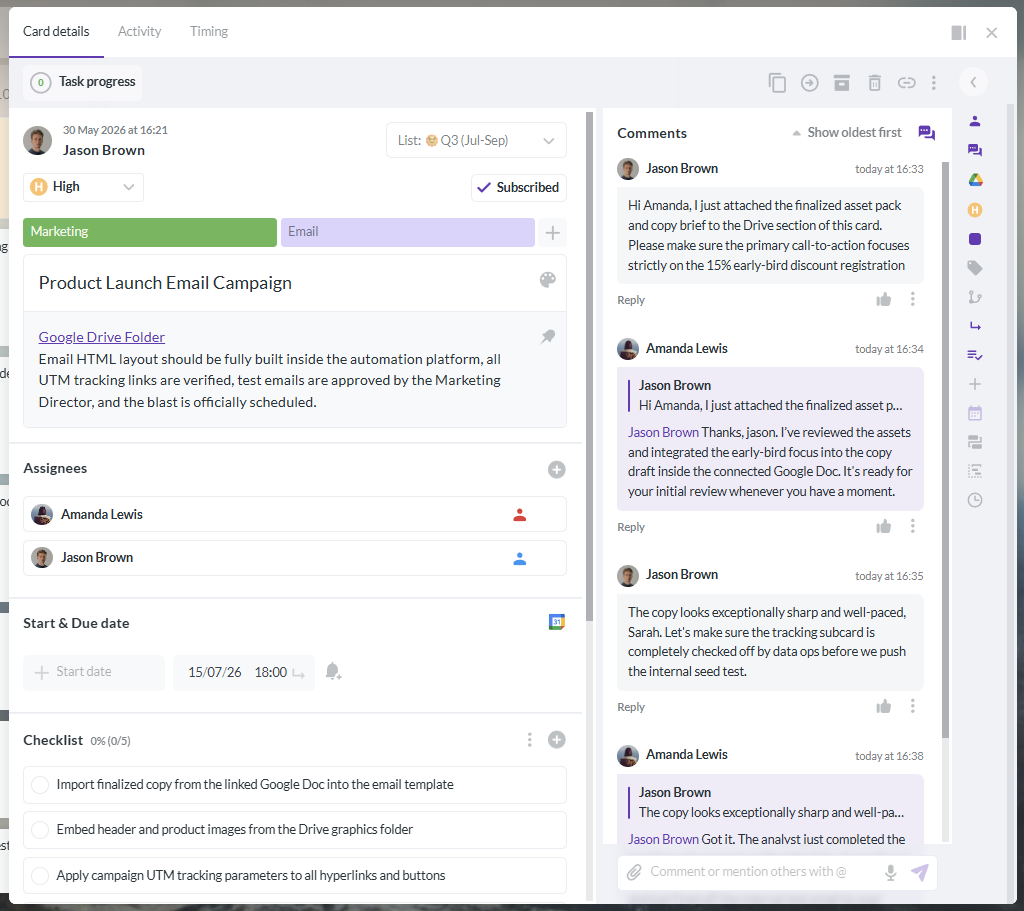
Different tools support different methodologies of managing tasks. Kanban is one such method: simple yet efficient. If you want to implement its principles into your work process, Kanbanchi offers a Kanban-based environment designed around how Google Workspace teams actually operate.
This type of setup is useful for growing teams because it supports both everyday execution and higher-level planning. A team can start with a simple board, then add timelines, templates, reports, exports to Google Sheets, swimlanes, subcards, or branding as its processes mature.
You may not need a new tool if your team is small, stable, and already delivering work predictably. But once coordination becomes a recurring problem, collaboration software can quickly become a practical necessity.
Common signs include missed deadlines, too many status meetings, unclear ownership, duplicate work, files stored in too many places, managers asking for manual updates, and employees feeling unsure about priorities. Another sign is when a spreadsheet becomes the central project system but only one person knows how to maintain it. If that sounds familiar, Why Task and Project Management Software Beats Spreadsheets walks through exactly what changes when you make the switch.
The stronger signal is not frustration with tools. It is friction in the work itself. If people are spending too much time finding information, clarifying responsibility, or reporting status manually, a structured collaboration platform can return that time to productive work.
Collaboration software is used to help teams communicate, organize tasks, share files, track progress, and coordinate work in one shared environment. It reduces confusion by making responsibilities, deadlines, updates, and project context visible to everyone involved.
No. Communication software focuses mainly on messages, calls, or discussions. Collaboration software may include communication, but it also supports the structure around work, such as tasks, workflows, documents, calendars, timelines, and permissions.
Small teams may need it once informal coordination starts breaking down. A team of three to five people can often benefit from a shared board, clear task ownership, and centralized files, especially if work moves quickly or involves clients, approvals, or deadlines.
Business owners should first look for visibility, ease of adoption, and fit with the tools their team already uses. Integrations with Google Workspace, clear task ownership, and secure file access are often more important than a long list of advanced features.
It improves accountability by making ownership explicit. When each task has an assignee, due date, status, comments, and related files, everyone can see what is expected and what progress has been made. This reduces the need for constant follow-up and manual status reporting.
Not exactly. Collaboration software is the broader category, focused on helping people work together and share context. Project management software is more specific, focused on planning, scheduling, tracking dependencies, and delivering projects on time. Many teams benefit from a tool that does both.
Collaboration software is not just another app for your stack. Used well, it becomes the operating layer for teamwork: a place where priorities are clear, files are connected to tasks, progress is visible, and decisions do not disappear into inboxes.
If your team already works in Google Workspace and needs a more structured way to manage tasks, timelines, files, and accountability, Kanbanchi can help you turn collaboration into trackable work without forcing your team out of its existing ecosystem.


In this Article:
Start using Kanbanchi now
Start your free trial