
In this Article:
Try Kanbanchi now
Start your free trial

The way that modern teams now work has led to the need for new software and tools. The simple, all-in-one approach of Basecamp is still useful in some cases, but it’s no longer the only option on the market. In terms of team communication tools, there are now more choices than ever before. This means that every team can assess their needs and choose which tool is right for them. Modern teams that work remotely or that need specialist software can now choose from a variety of options that each add something different to the basics. There’s no doubt that Basecamp has played a huge part in making team communication a good deal smoother over the years. Yet, it’s also clear that a lot of teams are now reassessing their needs. This has led to a growing demand for information on Basecamp alternatives.
We’ll be looking at the different elements that can be taken into account when making this decision. This includes factors such as the collaboration tools, the integration with other platforms, and whether they offer a high level of visual tracking.
It’s worth taking a moment to look more deeply at the reasons why so many companies are now looking more closely at alternatives to Basecamp. We can divide this sectoin into a selection of different reasons, with some businesses worrying about two or more of them as they attempt to find a way to make their processes smoother and more seamless.
Every business needs to find the right tools needed to help it succeed. This means finding the Basecamp software alternatives that fit the organization best. Here are 15 of the best choices that each add something extra while providing many of the same benefits as Basecamp.
| Tool | Best For | Key Strengths Compared to Basecamp |
|---|---|---|
| Kanbanchi | Google Workspace teams | Native Google integration, Kanban boards, Gantt charts, flexible workflows |
| Asana | Complex, multi-stage projects | Strong task dependencies, workload management, better project mapping |
| Monday.com | Teams needing flexibility | Highly visual boards, automation, wide range of templates |
| Trello | Small teams & simple workflows | Easy-to-use Kanban system, shallow learning curve, very visual |
| ClickUp | All-in-one productivity teams | Time tracking, whiteboards, replaces multiple tools |
| Zoho Projects | Budget-conscious professional teams | Gantt charts, automation, stronger planning than Basecamp |
| Wrike | Large enterprises | Advanced security, analytics, and resource management |
| Teamwork | Agencies & client-based businesses | Time tracking, invoicing, strong client-facing features |
| Jira | Agile development teams | Sprint planning, backlogs, GitHub & Bitbucket integration |
| Notion | Documentation-heavy teams | Wiki, databases, customizable workspace |
| Smartsheet | Spreadsheet-focused teams | Familiar Excel-style interface, Gantt charts, automation |
| Nifty | Goal-driven project teams | Visual roadmaps, milestones, automated progress tracking |
| ProofHub | Creative teams | Flat-rate pricing, design review tools, time tracking |
| Podio | Teams needing custom workflows | Build-your-own apps, high flexibility, advanced control |
| Freedcamp | Startups & small budgets | Free core features, optional paid add-ons |
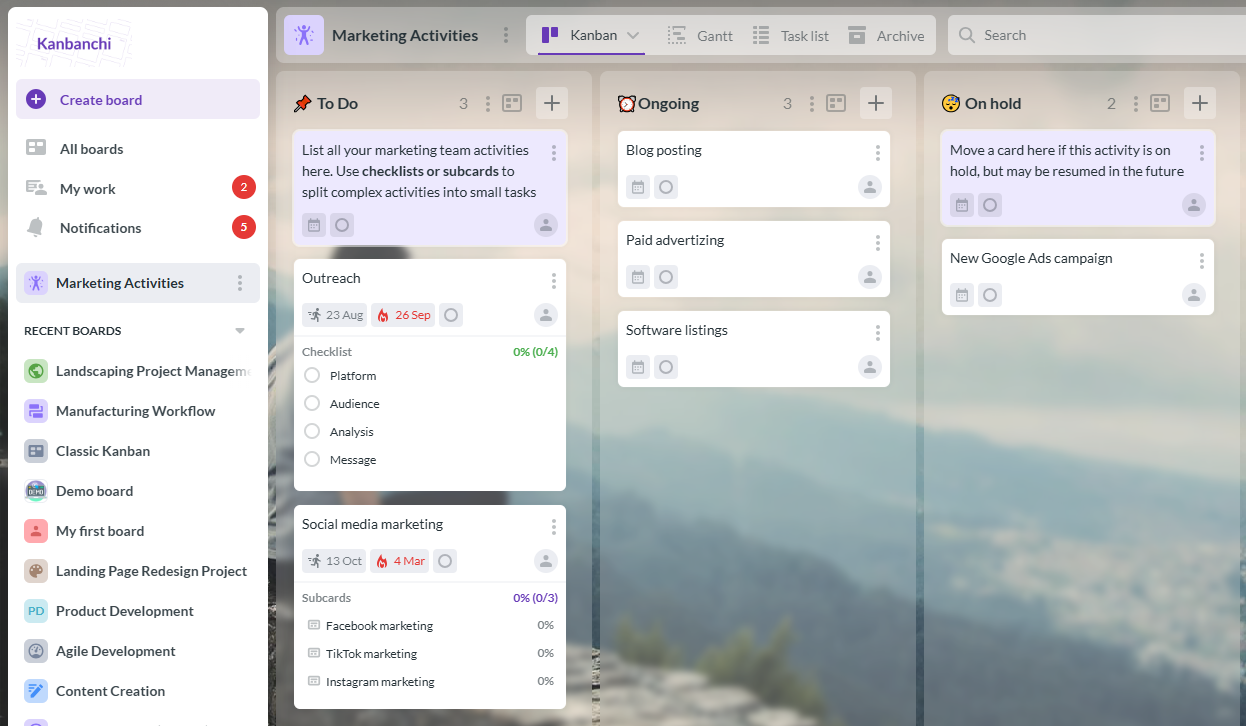
Example of a Kanbanchi board, widely regarded as one of the best Basecamp alternatives for teams using Google Workspace due to its seamless integration and ease of use.
Kanbanchi is ideal for teams that use Google Workspace for their daily tasks. The fact that it integrates seamlessly with the Google ecosystem means that new users can get started easily. Converting over from Basecamp takes very little time and lets you start working right away with a Google-native approach. For teams that find Basecamp too rigid, this alternative offers greater flexibility without adding unnecessary complexity. It also scales well as projects grow, making it a strong long-term replacement for Basecamp.
Kanban boards and Gantt charts provide alternative ways of viewing the tasks, allowing more complete control over the full process. It’s simple to deploy and allows direct integration with the likes of Google Drive and Calendar for easier communication and tracking. Compared to Basecamp, these visual tools give project managers deeper insight into timelines, dependencies, and workload distribution. This makes it easier to adapt workflows to different team styles while maintaining clear accountability.
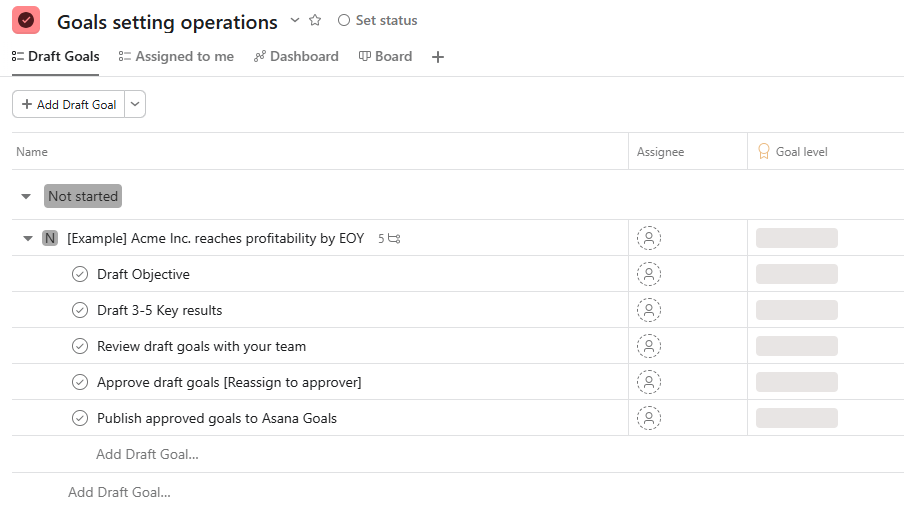
Example of a project management board in Asana, an alternative tool to Basecamp.
This is a popular tool that has several advantages that make it worthy of consideration. Asana is particularly strong on task dependencies and multi-stage projects. Compared to Basecamp, the more structured feel makes it feel more suitable for complex tasks like project mapping.
The workload view also helps by tracking each team member’s current situation. You can then avoid burning them out, with this feature lacking in Basecamp.
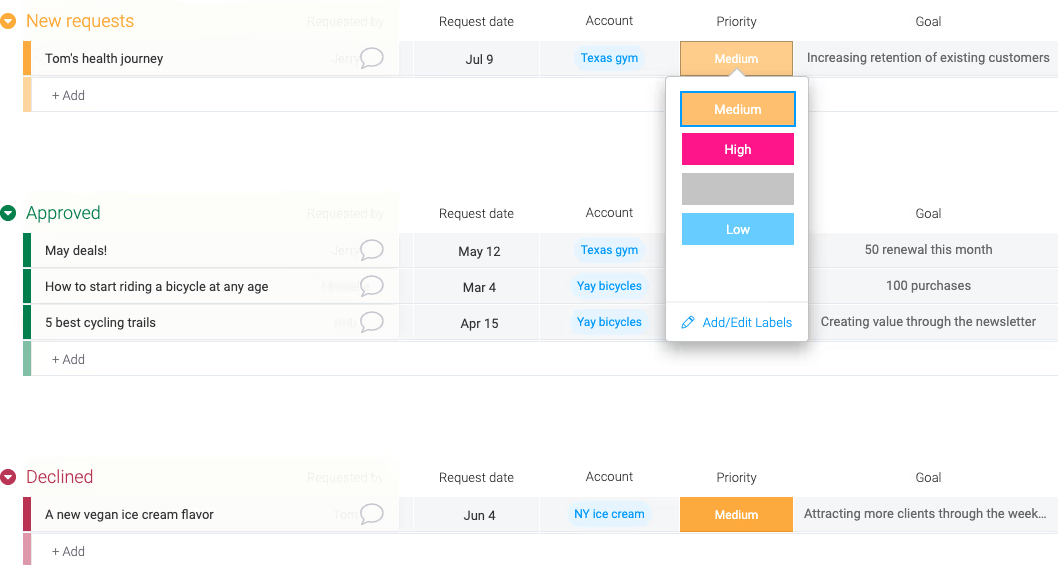
Example of a project management board in Monday.com, a versatile alternative to Basecamp.
This Basecamp alternative is notable for the high degree of flexibility that it offers. It uses a highly visual approach, which means that it can be used to track a range of tasks or workflows easily. A large range of templates and automation options helps to make this a solid choice in many industries.
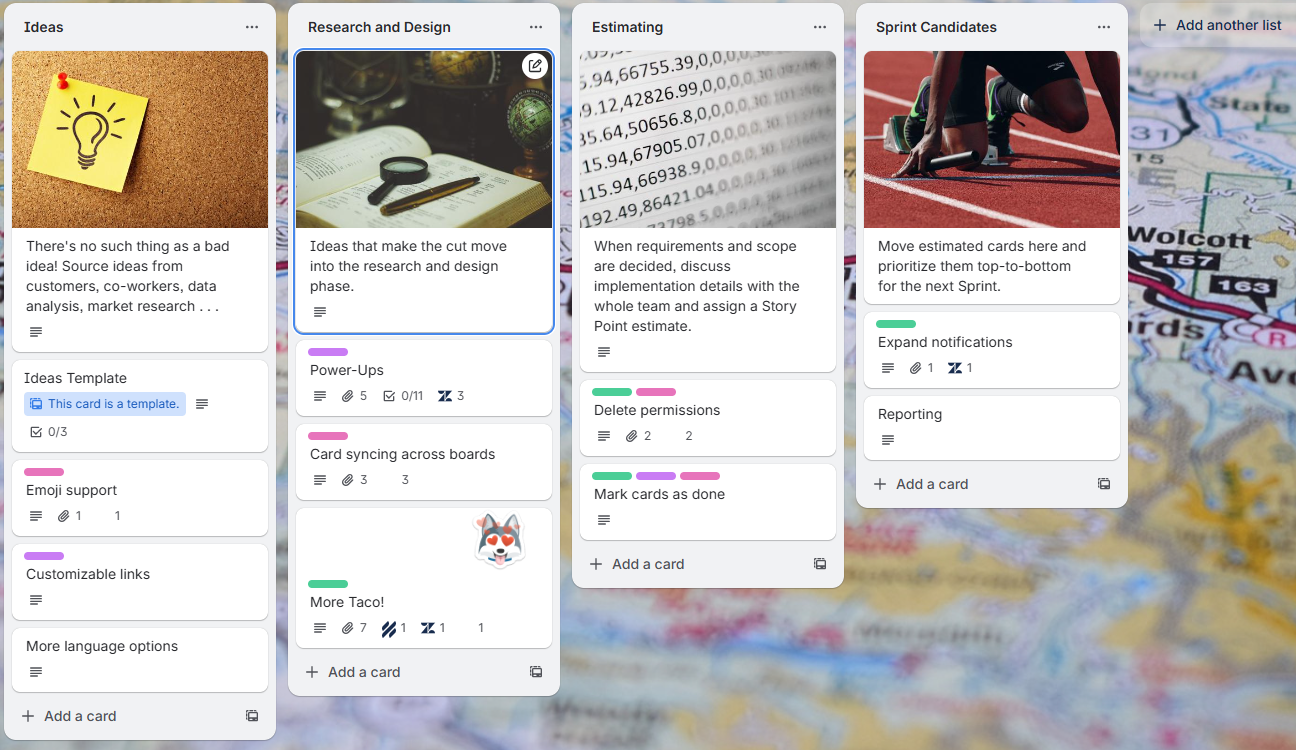
Example of a Trello board, a visual and easy-to-use Basecamp alternative suitable for small teams or straightforward project workflows.
If you’re looking for a simple Kanban-style approach, that’s exactly what Trello offers. The card system is more visual and arguably easier to use than Basecamp’s approach. This means that it also has a shallow learning curve, suitable for small teams that need a straightforward workflow solution.
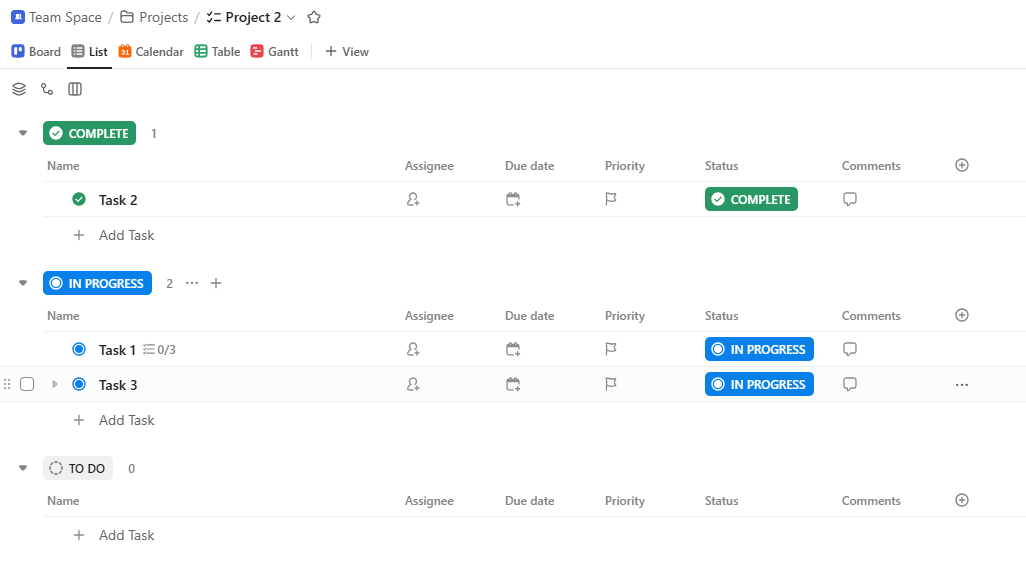
Example of a ClickUp board, a Basecamp alternative designed for teams that want a comprehensive, all-in-one project management solution.
This tool is described as being an app to replace all your other apps. It includes a range of features, such as time tracking and whiteboards. This means that it’s among the basecamp project management alternatives that free you from the need to switch constantly between software tools.
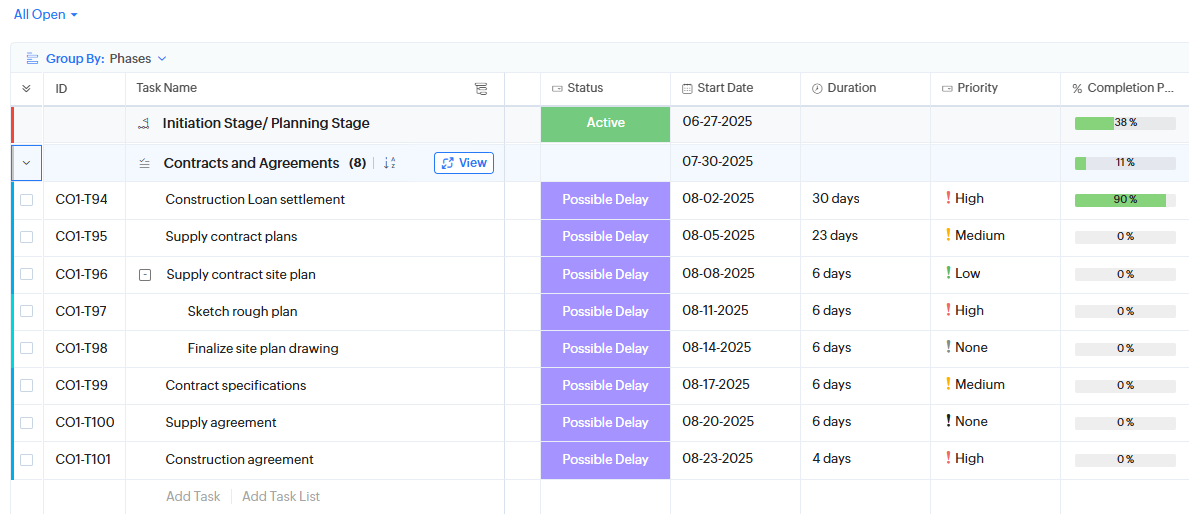
Example of a Zoho Projects board, a Basecamp alternative suited for teams looking for a professional approach to project management.
This tool gives you features such as Gantt charts, while allowing a high degree of automation. It could be used by a team that wants a professional approach to planning projects without spending too much on it. Zoho Projects could be a sensible choice for a team that needs more than Basecamp’s simplicity, or that finds they need to leave the tool often to enter spreadsheets and other tools.
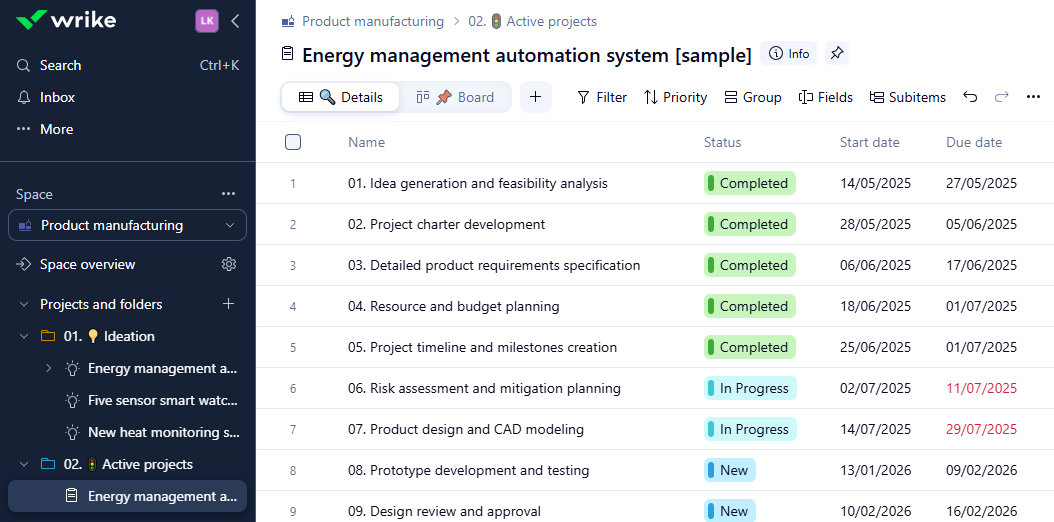
Example of a Wrike board, a Basecamp alternative designed for large organizations that need structured project management and process oversight.
The Wrike software is used to increase the security and resource management aspects, where Basecamp is lacking. It is most typically used by large organizations that need to maintain a strong focus on their processes and also require an analytical approach.
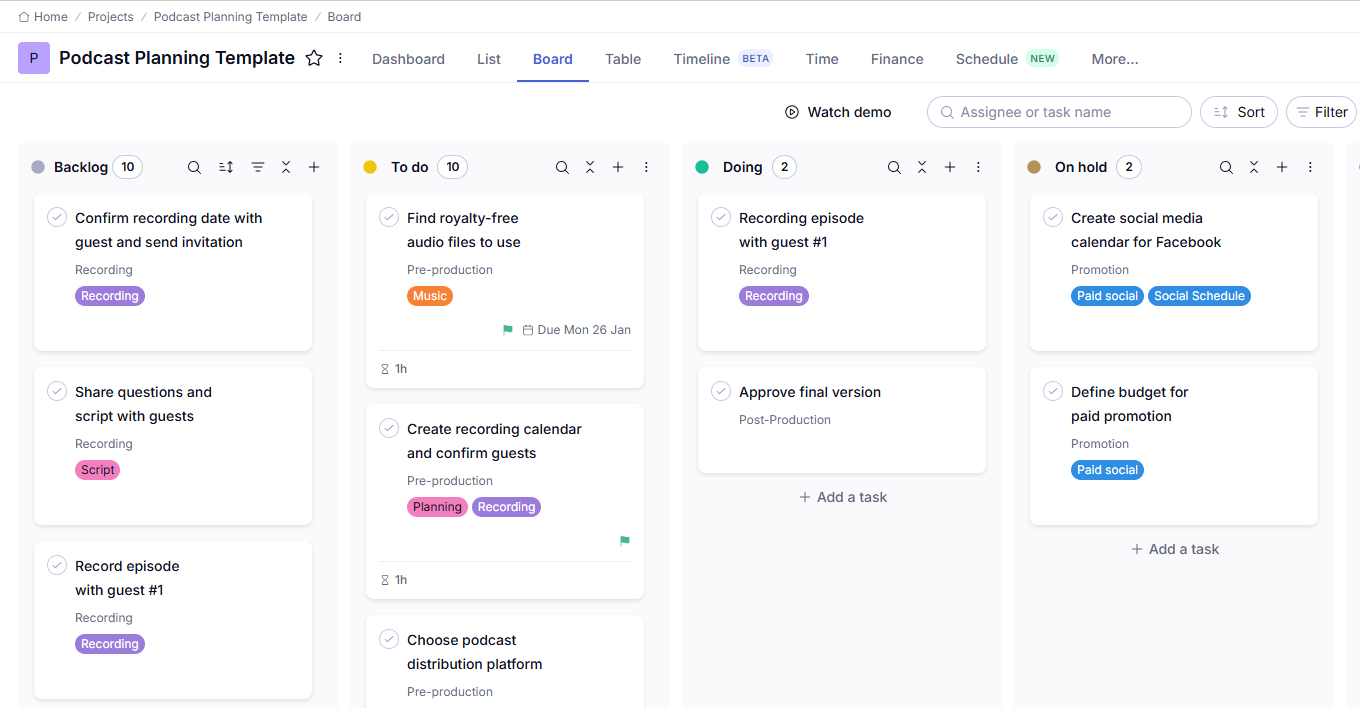
Example of a Teamwork board, a Basecamp alternative suited for agencies and businesses that need to manage projects with clients effectively.
This is a solid option for agencies and other businesses that need a client-facing solution. That’s because it has more extensive billing features than Basecamp and many of the alternatives. You can track time, create invoices, and use the other features to run a smooth process with your clients.
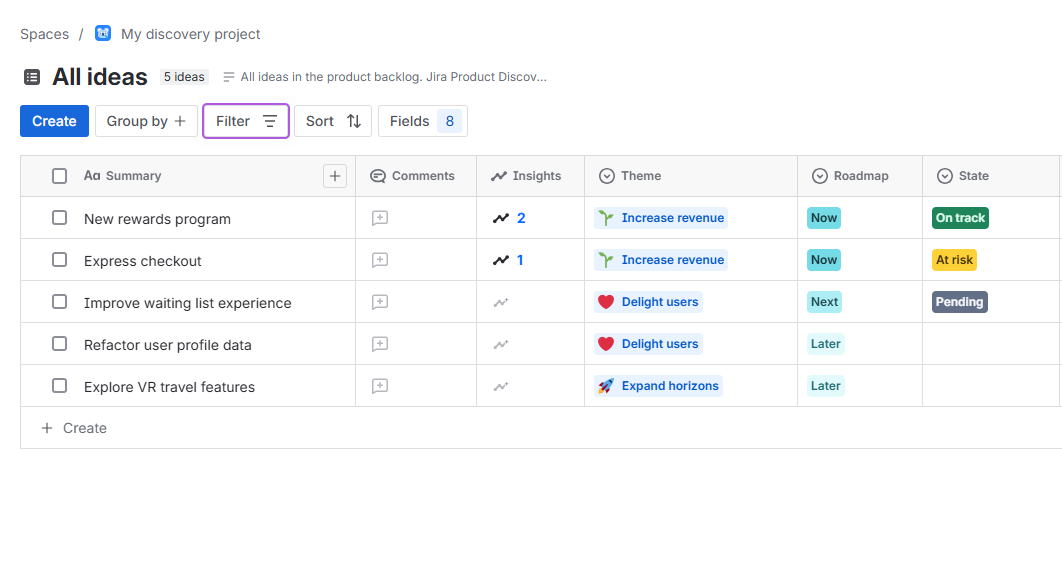
Example of a Jira board, a Basecamp alternative designed for Agile development teams to manage sprints and project backlogs effectively.
If you have a team of developers who use Agile, then Jira offers a good Basecamp alternative. It isn’t as all-purpose as Basecamp, with a clearer focus on areas like sprints and backlogs. Another useful aspect comes in the way that it includes deep integration with GitHub and Bitbucket.
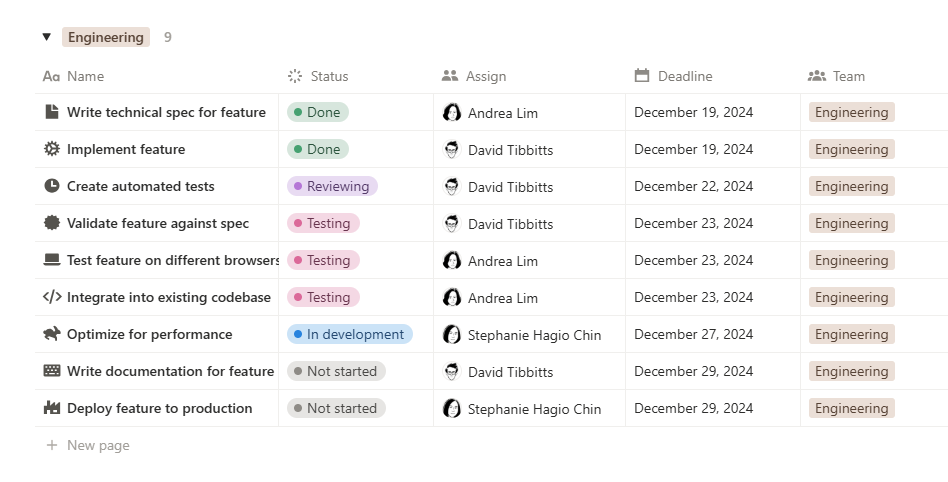
Example of a Notion workspace, a Basecamp alternative suited for teams that need a flexible tool for project management and documentation.
This is one of the Basecamp software alternatives for teams that need to create a lot of documentation. It includes the likes of a wiki, task manager, and database, but remains simple to use. You get a lot of flexibility and a tool that lets you build what you need.
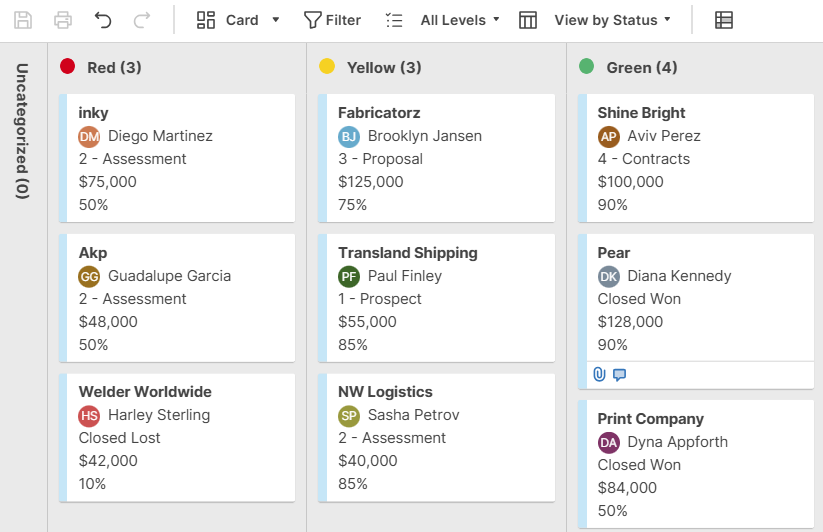
Example of a Smartsheet board, a Basecamp alternative designed for teams that rely on spreadsheets but want additional project management capabilities.
This is an option for teams that use a lot of spreadsheets but also need to include some project management features. The interface is going to be instantly familiar to Excel users, while the addition of Gantt charts and automation makes it more flexible and powerful than a simple spreadsheet.
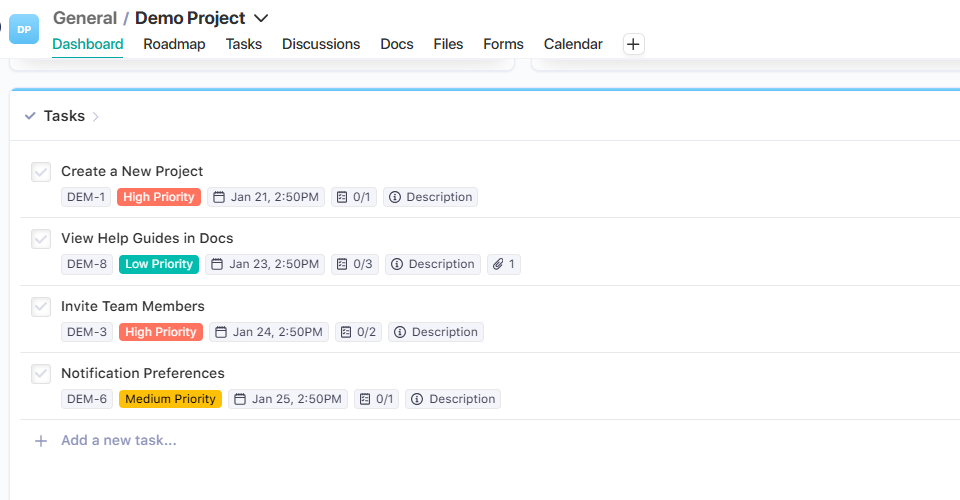
Example of a Nifty board, a Basecamp alternative suited for teams that want a clear view of both high-level project goals and daily tasks.
In this case, Niifty is a useful tool that combines high-level project roadmaps with daily tasks for a more comprehensive view of the work to be done. Among the benefits, you can automate your progress tracking according to task completion progress. While the milestones are visual in nature, the team’s goals are always in view.
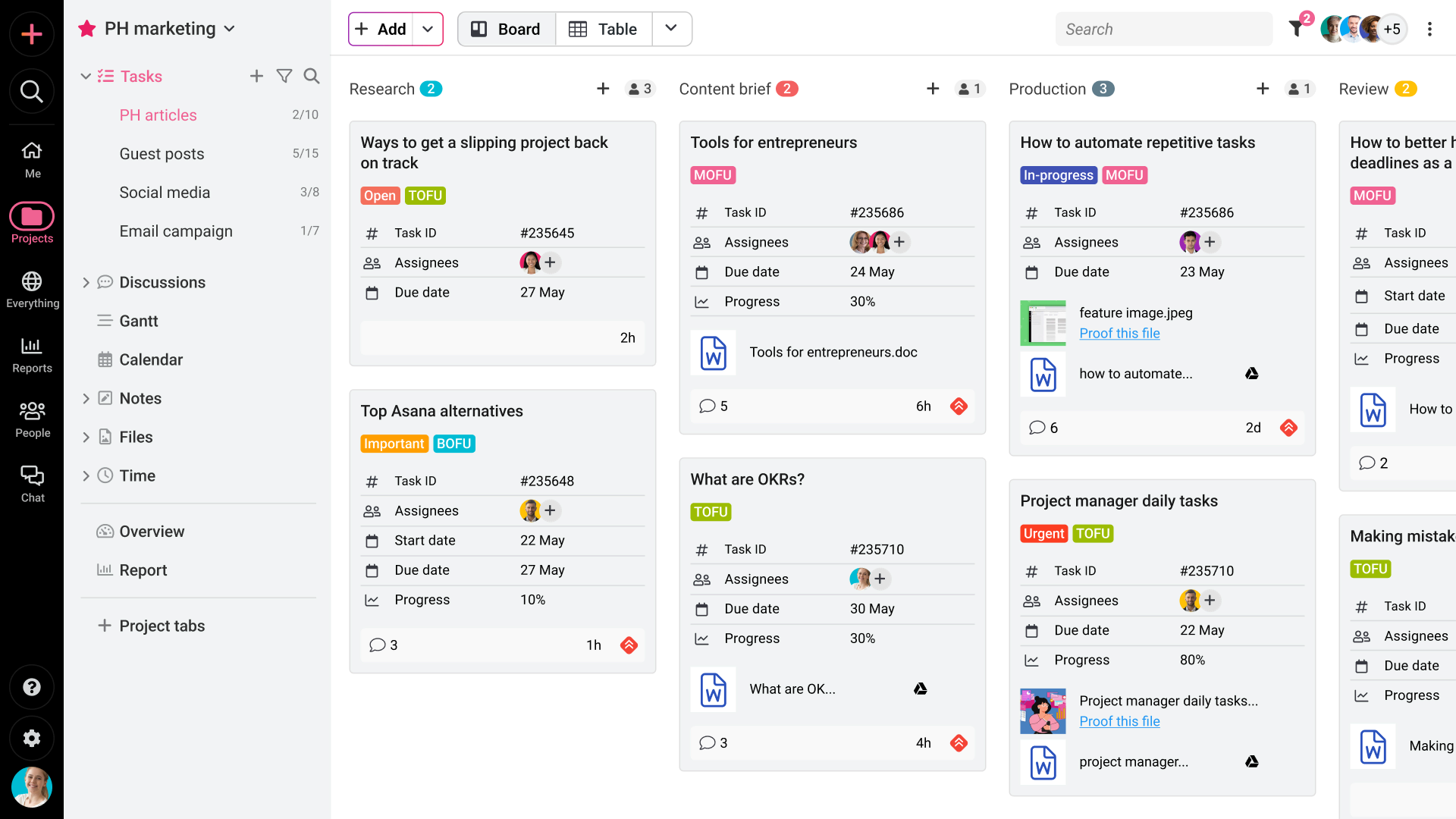
Example of a ProofHub board, a Basecamp alternative designed for creative teams that need a centralized workspace for collaboration and project management.
The same flat-rate pricing used in Basecamp is followed by ProofHub too. This tool is used largely by creative teams that need to create and review designs. It lacks the simple approach of Basecamp but offers more features like Gantt charts and time tracking.
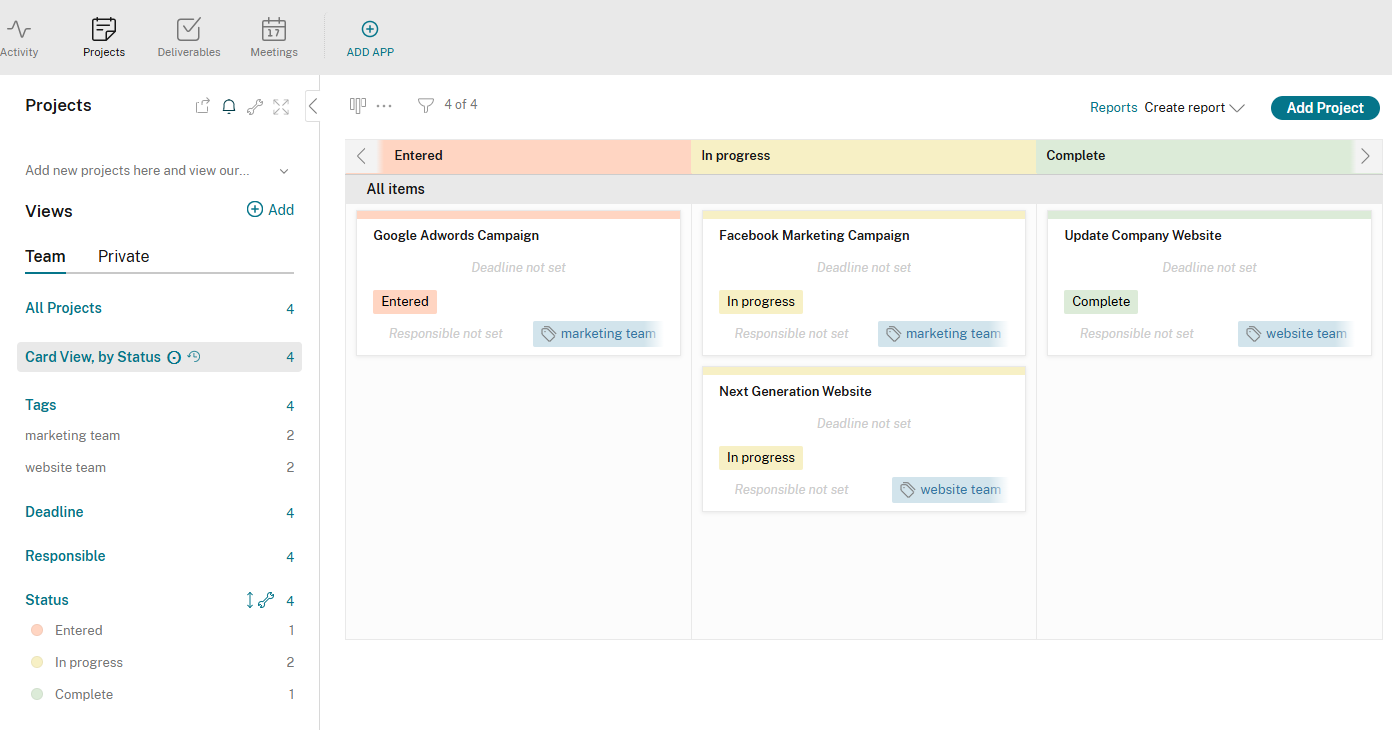
Example of a Podio board, a Basecamp alternative suited for teams that want flexibility to create and manage their own custom workflows.
You can create your own workflow apps with this software. This means that it has a steeper learning curve but then gives you a lot more flexibility and control over how you use it, compared to some Basecamp software alternatives.
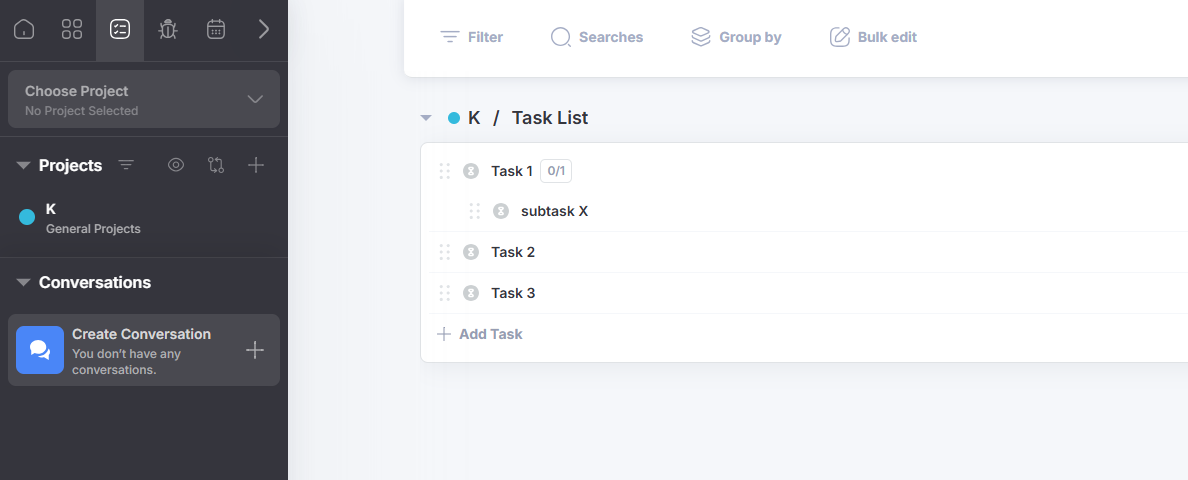
Example of a Freedcamp board, a Basecamp alternative ideal for startups and small teams looking for a free or low-cost project management solution.
This is a free option that includes the option of adding paid extras to the basic package. Tasks and milestones can be used at no cost, meaning that it’s a solution that might appeal to startups on a tight budget in the early days.
Those teams that constantly use Google Workspace enjoy the familiarity and flexibility of Kanbanchi. It’s the kind of Basecamp alternative that is ideal for teams that want to carry on using the same ecosystem for all their tasks.
Basecamp forces teams to use a different tool for many tasks, which can lead to confusion and communication issues. With Kanbanchi, the team’s Google apps, like Drive and Gmail, remain at the heart of a professional approach to project management.
Its creative native architecture, linking it to Google, means that it lives inside the Google ecosystem rather than just connecting to it. Kanban boards are kept as Google Drive files, with Gmails converted easily into task cards.
This makes it a shallow learning curve. With no new passwords to set up and remember, team members just need to enter using their Google accounts and start using the familiar interface.
The lack of Gantt charts is one of the issues that some teams have with Basecamp. The tool’s hill charts aren’t to everyone’s taste, as they don’t give the same level of technical clarity on deadlines.
Kanbanch solves this difficulty by including an easy way to switch from Kanban boards to a Gantt view with just one click. This also gives you the chance to alter your schedules and see the task dependencies just by dragging and dropping timelines.
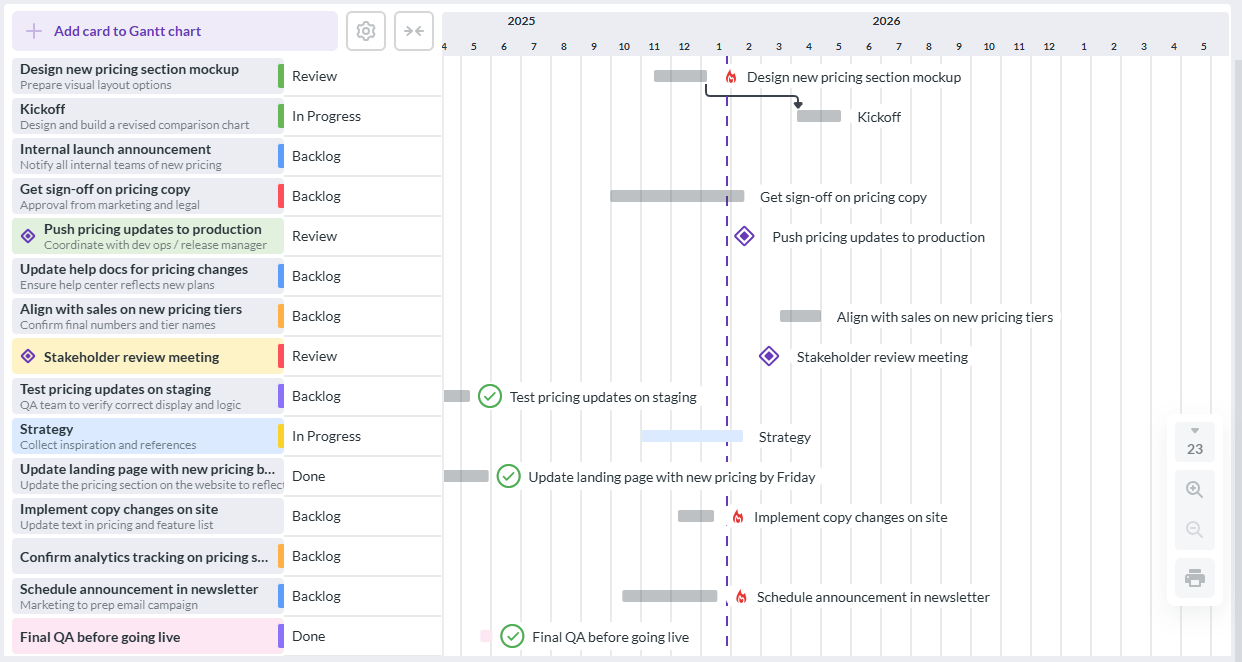
Example of a Kanbanchi Gantt chart, highlighting why it’s considered one of the best Basecamp alternatives for teams using Google Workspace, with easy-to-read project timelines and planning.
Additional benefits include native time tracking and reporting. No third-party integration is needed on Kanbanchi, which makes it easier to implement than Basecamp. In addition, this allows you to export your data directly into Google Sheets, allowing faster reporting with no need to enter different tools.
All of this means that switching from Basecamp to Kanbanchi is a fast and painless process. There are no worries about the security, as it’s fully compliant, and no new security protocol is needed. The same team members who have access to a Google Drive can also easily have access to the Kanbanchi board you set up.
Once you start working on projects with Kanbanchi, you can collaborate in real-time in the same way you use Google Docs. Moving cards and editing them at the same time makes projects move more smoothly and with no risk of confusion.
The Basecamp tool might be too cluttered for some smaller teams. Others might think that the pricing model isn’t right for their team as they don’t have many employees. In this case, the lightweight and intuitive, simple Basecamp alternatives are worth looking at.
Trello is one of the simplest tools that any team can get to grips with in little time. Based on the idea of being like digital sticky notes, it provides a greater degree of visual simplicity than Basecamp.
A single-page board covers all the current work, meaning that everything that can be seen at a glance, with no hidden details to worry about. The free version is suitable for some businesses, although the per-user pricing model is useful for smaller headcounts.
Smartsheet is another Basecamp alternative to be considered by smaller teams. It tends to fall into that gap area where teams need a software solution but perhaps aren’t ready for a full-blown enterprise tool.
Nifty is useful for teams that have found Basecamp to be too limited for their needs. But they don’t need all of the extra features listed on some of the alternatives. Communication and automated progress tracking make it a solid choice for smaller teams.
Want to read more articles related to Project Management? – Click here
Moving from Basecamp to Kanbanchi means a change in your way of working. However, the good news is that it’s designed to give you a simple and smooth transition, which means no time is lost in making the switch.
Before doing anything else, you need to decide what documents you want to carry over to the new tool. You may notice that your Basecamp account contains many outdated logs that don’t need to be migrated to Kanbanchi. At the same time, consider grouping your projects by status and creating a list of the essential files for each one.
You’re going to be using Google Drive with Kanbanchi, so it makes sense to start thinking about moving your files there and organizing them into folders.
After that, the Basecamp export tool allows you to download your data in either HTML or CSV formats. With Kanbanchi, CSV imports are used to get your new boards up and running quickly.
Most of the setup process is carried out in the Google Admin console as well as in Drive. You can install everything you need from Google Workspace Marketplace. Make sure to deploy Kanbanchi as a part of your team’s Google accounts. The boards that you create in Kanbanchi are going to be automatically saved in a Google Drive folder, automatically giving the same security and permission settings that everyone currently has in Google.
The next step is the key, as it’s where the big changes start to be seen. At this point, the vertical to-do lists that you’re using in Basecamp transform into the horizontal workflows with a visual style that Kanbanchi offers.
When you enter Kanbanchi, you need to choose the option that says “import board from CSV”. This is when you upload your Basecamp export to the new platform. Map your to-do lists to Kanbanchi columns, using standard workflow formats where possible.
You can also convert your Basecamp Message Board posts to card descriptions so that you keep this content.
One of the biggest benefits to this transition is in the way that you can have a Gantt view that Basecamp lacks. This can be done in Kanbanchi by choosing the Gantt chart option from any task.
When entering the Gantt view, you can link tasks together by adding dependencies.
Convert the check-ins on Basecamp into Gantt milestones on Kanbanchi. In this way, you can track high-level progress
Finally, you need to invite your team members to join you in Kanbanchi. This is an approach that replaces the social element in Basecamp. Share Kanbanchi boards via the familiar Google sharing interface, indicating users’ permissions.
You can now replace the pings in Basecamp with card comments. The benefit of doing this is that you keep your comments attached to the relevant task in each case.
Want to check for yourself? – Sign up for a free trial of Kanbanchi now.
ClickUp is one of the free alternatives to Basecamp that some teams might find useful. It includes a selection of features that aren’t offered in Basecamp, although the steeper learning curve may make it more awkward for some teams to get started.
The simplicity of Basecamp makes it popular, but there are some situations where teams find that it might no longer be enough for them. The lack of task dependencies and time tracking are among the most important issues. Progress tracking can be difficult, while it can work out fairly expensive for smaller teams.
While there are several useful Basecamp alternatives, the native Google integration in Kanbanchi is a major advantage. This means that existing Google Workspace security and sharing settings are in use. You can also convert emails directly into tasks from your Gmail inbox.
If you choose an alternative like Kanbanchi, you can easily export your data in CSV files. This means that your existing to-do lists are seamlessly moved over and you can start using them right away, with the added benefits of the new system.



In this Article:
Start using Kanbanchi now
Start your free trial