
In this Article:
Try Kanbanchi now
Start your free trial


In 2020, around 20 percent of employees worldwide worked remotely. In 2026, remote work is now embraced by 48 percent of the global workforce.
With such rapid change, the demand for cloud software to aid remote and hybrid work models has leapt—and is only increasing with AI adoption.
The best team collaboration software in 2026 streamlines communication, project tracking, and productivity, while also boosting creativity among dispersed teams. Tools that enable messaging and group chat, file editing/sharing, scheduling, workflow automation, project management, and video/voice meetings help teams of all sizes solve problems and make key decisions as if they’re in the room together.
In this article, we look at the best tools for remote team collaboration in 2026, including solutions that stand out for specific user groups. For Google Workspace teams, for instance, Kanbanchi is a natural choice because it was purpose-built for collaboration and project management in Google environments.
Let’s get straight into it!
We’ve gone for a mix of software types, from task and project management tools to messaging and video apps, because “collaboration” often needs to span many categories for dispersed teams.
Below is a quick overview of the top 10 team collaboration tools in 2026, some of which can be used together for a more coherent collaborative effort within teams.
Some of these tools are aimed at specific groups but others can be used by almost any team, of any size, in any sector, with any budget.
| Best Team Collaboration Tools | |
|---|---|
| Tool | What is it? |
| Kanbanchi | Kanban-based project management tool for Google Workspace users. |
| Slack | Popular & quickly evolving team messaging and chat app. |
| Asana | Comprehensive task & project management app for workflow management. |
| ClickUp | All-in-one workspace app for managing projects with team & client collaboration. |
| Trello | Simple, Kanban-based project management app with a popular free version. |
| Miro | Collaborative whiteboarding app for brainstorming, planning & managing projects. |
| Microsoft Teams | Overall office suite of productivity tools designed for team collaboration. |
| Notion | Project management app combining wikis, docs & tasks in a collaborative workspace. |
| Zoom Workplace | Robust & secure video conferencing platform with AI. |
| Monday | Customizable project management app for workflow automation. |
We’ve combined testing and research of the tools with reviews from G2/Capterra and compared the main features of each solution to compile our list of the best software for team collaboration.
As experienced software users and team members, we considered a range of features important to teams, including intuitiveness and usability, work views/display options, pricing and overall value, the strength of its collaboration tools, and the integrations of each tool.
In the following table, you can quickly check the best team collaboration software for 2026 before a deeper rundown of each tool in the next section.
| PLATFORM | PRICING* | BEST FOR | RATING** |
|---|---|---|---|
| Kanbanchi |
| Small, medium & large Google Workspace-based teams with project management requirements. | 4.7 |
| Slack |
| Small and medium-sized remote & hybrid organizations requiring affordable, real-time team chat for collaboration. | 4.5 |
| Asana |
| Large teams & enterprises that need robust & strategic task/project management tools. | 4.4 |
| ClickUp |
| Medium to large businesses & remote teams requiring a flexible, customizable, all-in-one project management solution. | 4.7 |
| Trello |
| Small to medium-sized teams that want to collaborate with a simple, visual work view when managing projects. | 4.4 |
| Miro |
| Best for creative, agile & remote teams that need a shared visual workspace for brainstorming, planning & collaborating. | 4.7 |
| Microsoft Teams |
| Best for teams already using Microsoft 365 that need a unified, secure platform for messaging, meetings & collaboration. | 4.4 |
| Notion |
| Small to medium-sized teams requiring customizable tools for managing projects together. | 4.7 |
| Zoom Workplace |
| Organizations of any size requiring a secure, robust & comprehensive video conferencing solution. | 4.5 |
| Monday |
| Small, medium-sized, & large teams requiring customizable, visual workflows & automation for project management. | 4.7 |
Pricing is based on monthly billing unless indicated otherwise.
**Ratings provided by G2 (maximum 5).
OK, let’s get straight into the “nuts and bolts” of the best team collaboration software in 2026.
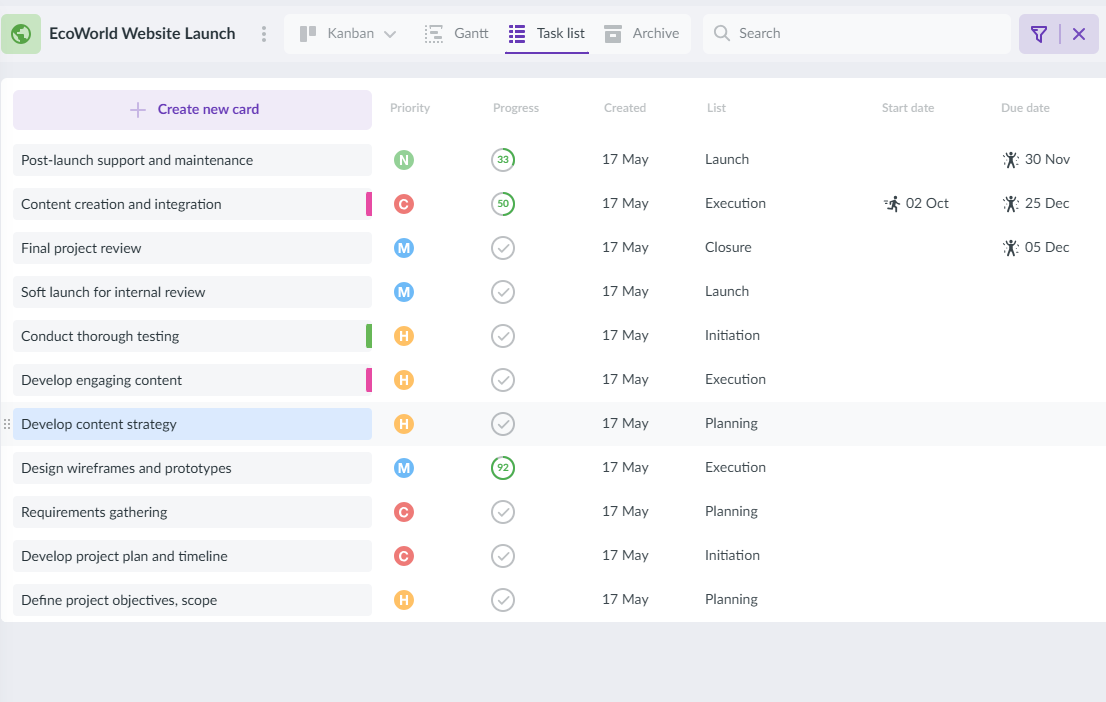
Kanbanchi provides real-time collaboration, task tracking, and seamless integration with Google Workspace tools like Google Drive and Calendar
Best for small, medium & large Google Workspace-based teams with significant project management requirements.
Kanbanchi is more than just team collaboration software. It is a comprehensive project management platform with Kanban-based tools designed specifically for Google Workspace users.
If your teams already use Google extensively, collaborating on projects is much easier with the seamless Drive, Calendar, Gmail, Meet, Chat, and other integrations offered by the Kanbanchi platform.
Native Google Workspace integrations (Drive, Calendar, Gmail, Sheets, etc.)
BOOK A FREE TRIAL OF KANBANCHI
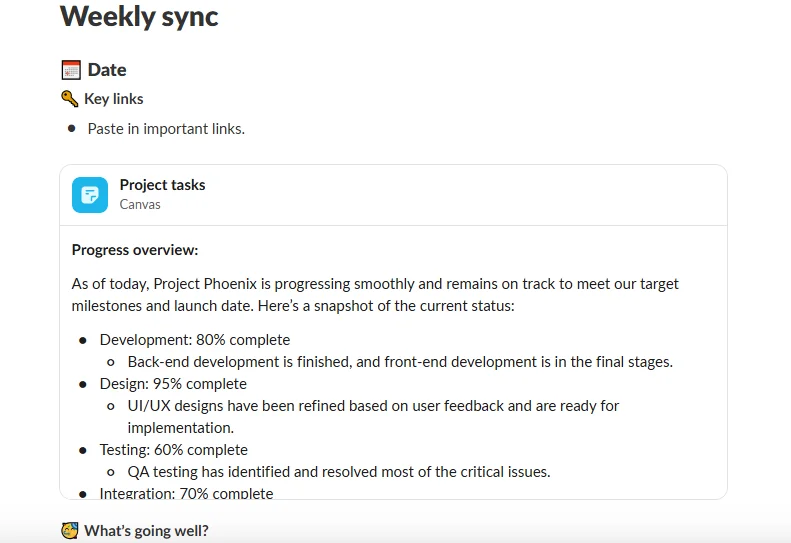
Slack delivers structured team messaging with channels, threads, and integrations for smooth communication across remote and hybrid organizations
Best for small & medium-sized remote & hybrid organizations requiring affordable real-time team chat.
Slack was built for team chat/messaging and has become a very popular platform, with almost 40 million active users.
If you’re just looking for a chat app for 1:1 meetings or channels for team members to collaborate on desktop or mobile, Slack will fit the bill as it integrates well with other existing software for project management, CRM, etc., and allows file sharing and voice/video calls.
Slack connects with a large number of external apps and services (2,600+), helping you connect with your project-management software.
Asana
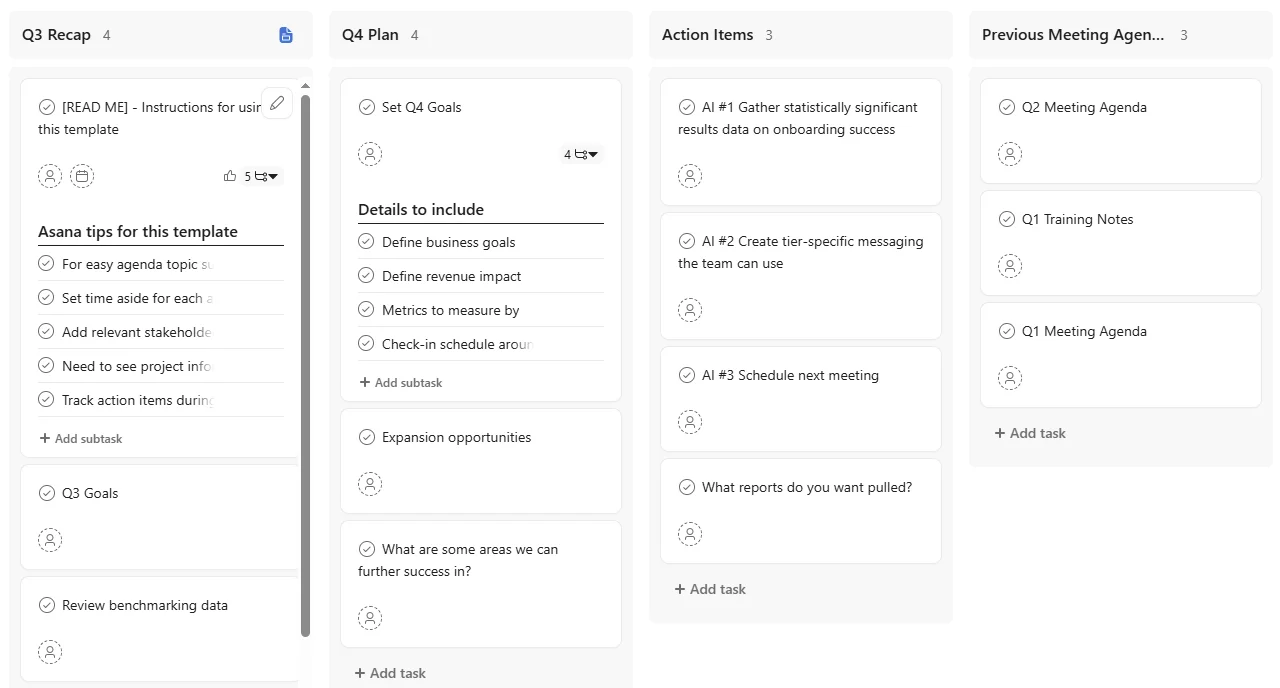
Asana helps teams organize projects, collaborate on tasks, and track progress in shared views like lists, boards, and timelines
Best for large teams & enterprises that require a robust & strategic task/project management solution.
Asana places a high value on collaboration but its capabilities extend well beyond this, providing a comprehensive platform for task planning and management.
Teams use Asana to plan, organize, track, and complete projects, with multiple work views and a strong set of collaboration tools.
Asana offers hundreds of third-party integrations, including with Google Workspace, Slack, Microsoft Teams, Zoom, etc.
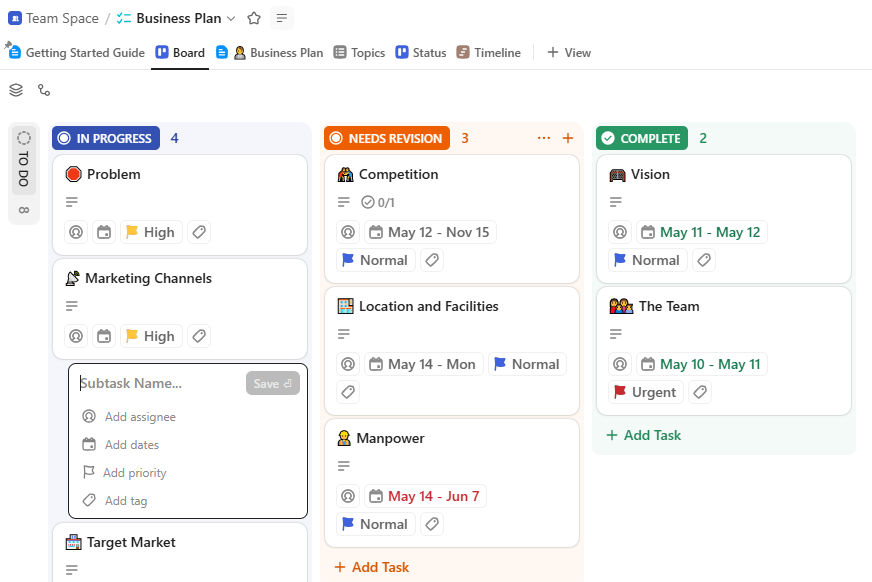
ClickUp combines documents, tasks, chat, and workflows in one place, enabling remote teams to collaborate without switching tools
Best for medium to large businesses & remote teams requiring a flexible, customizable, all-in-one project management solution.
ClickUp provides a flexible, comprehensive, and customizable project management solution but also qualifies as one of the best productivity tools for team collaboration.
With multiple work views, advanced work planning, time tracking, and document storage, ClickUp is highly scalable but may be overkill for smaller organizations looking for simpler team collaboration tools.
ClickUp integrates with over 1,000 apps, including messaging, calendar, cloud storage, and CRM software.
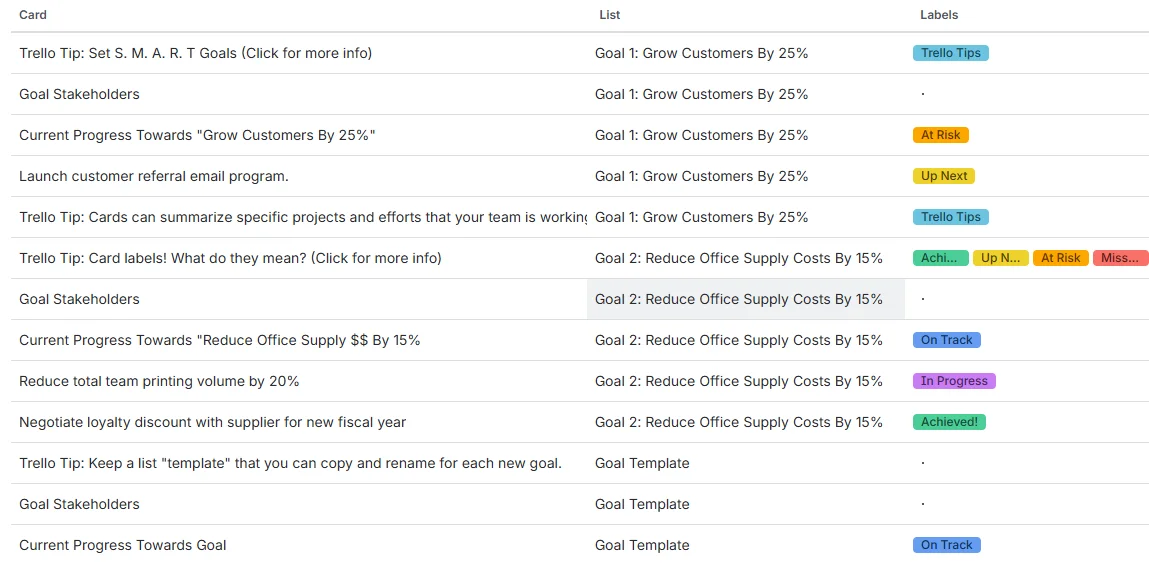
Trello’s easy-to-use Kanban boards allow teams to collaborate visually on projects with cards, comments, and checklists
Best for small to medium-sized teams that want to collaborate with a simple, visual work view when managing projects.
Trello is often considered one of the best team collaboration tools for remote and hybrid workers. This popular tool is used by many freelancers, professionals, and small and mid-sized teams for visual project tracking via Kanban board views.
Trello allows effective, real-time team collaboration via a simple user interface, both from desktop and its well-developed mobile app.
Trello has few native integrations but functionality through the platform can be extended with hundreds of power-ups.
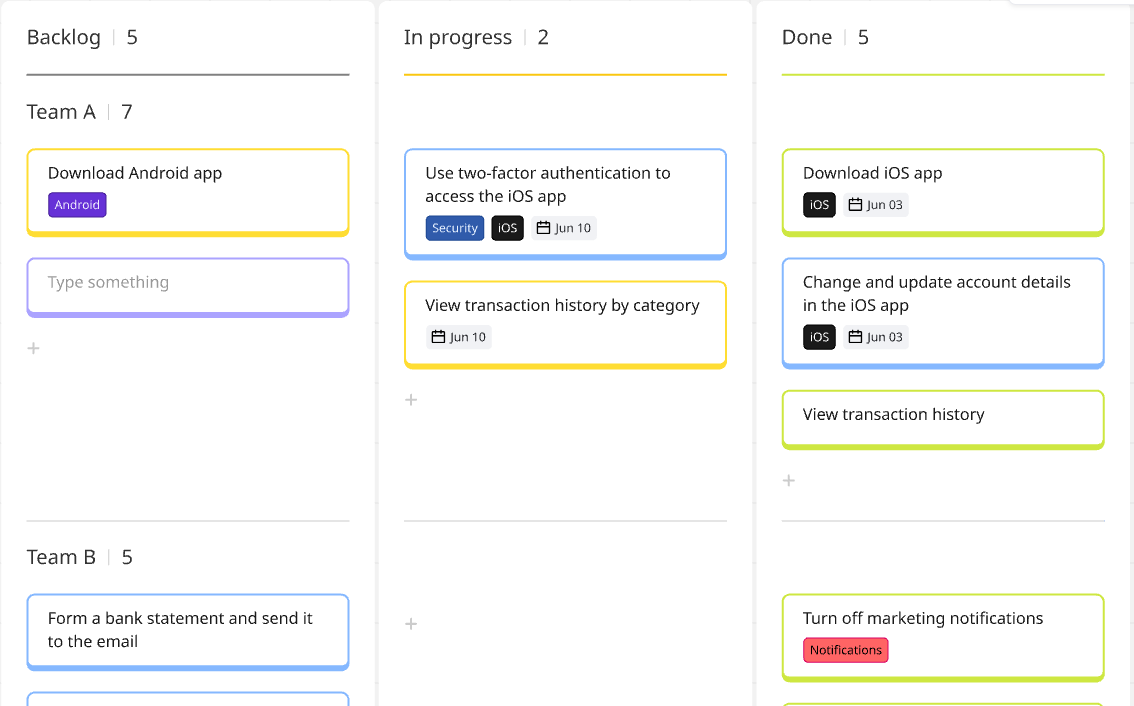
Miro supports interactive teamwork with digital whiteboards for workshops, mind mapping, and project brainstorming
Best for creative, agile, and remote teams that need a shared visual workspace for brainstorming, planning, and collaborating.
Miro offers online whiteboard capabilities that make it one of the best team collaboration software solutions available in 2026.
Although not as feature-rich for project management as other solutions outlined here, Miro is very flexible and visually rich, making it a very useful addition for team members collaborating and brainstorming on projects using text, images or video.
Strong integrations with other collaboration tools (Zoom, Slack, etc.) and project management software, helping idea generation meet project execution.
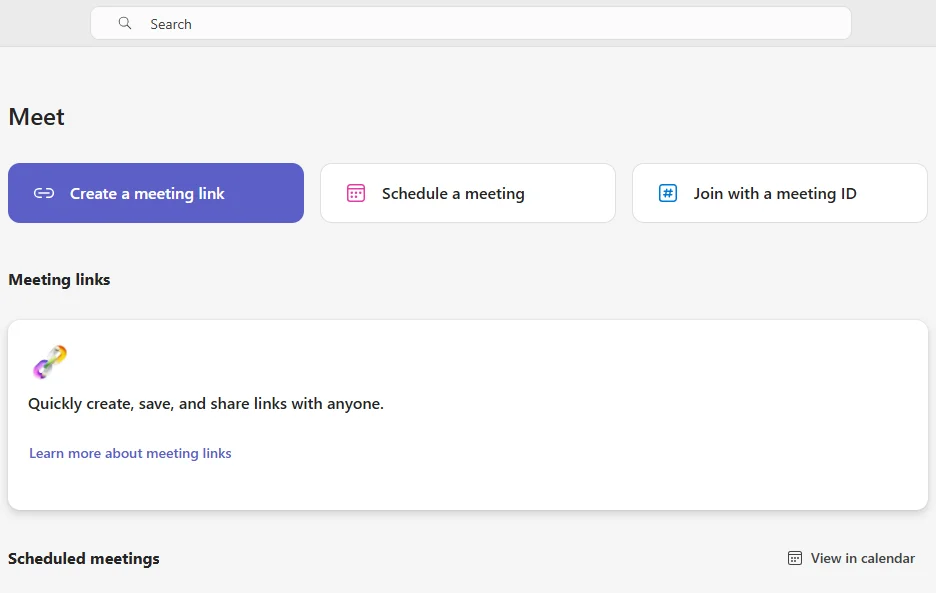
Microsoft Teams unites communication and collaboration with secure chat, video calls, and co-authoring tools for Microsoft 365 users
Best for teams already using Microsoft 365 and needing a unified, secure platform for messaging, meetings & collaboration.
The Microsoft Teams offering may be one of the best productivity tools for team collaboration—if your organization or team currently operates within the Microsoft 365 ecosystem.
Microsoft Teams’ productivity apps like Word, Excel, and PowerPoint have been the “gold standard” for team collaboration for a while, though the success of Google Workspace has added competition.
Microsoft Teams offers seamless app integrations and workflow automation, particularly within the Microsoft ecosystem but also with third-party apps.
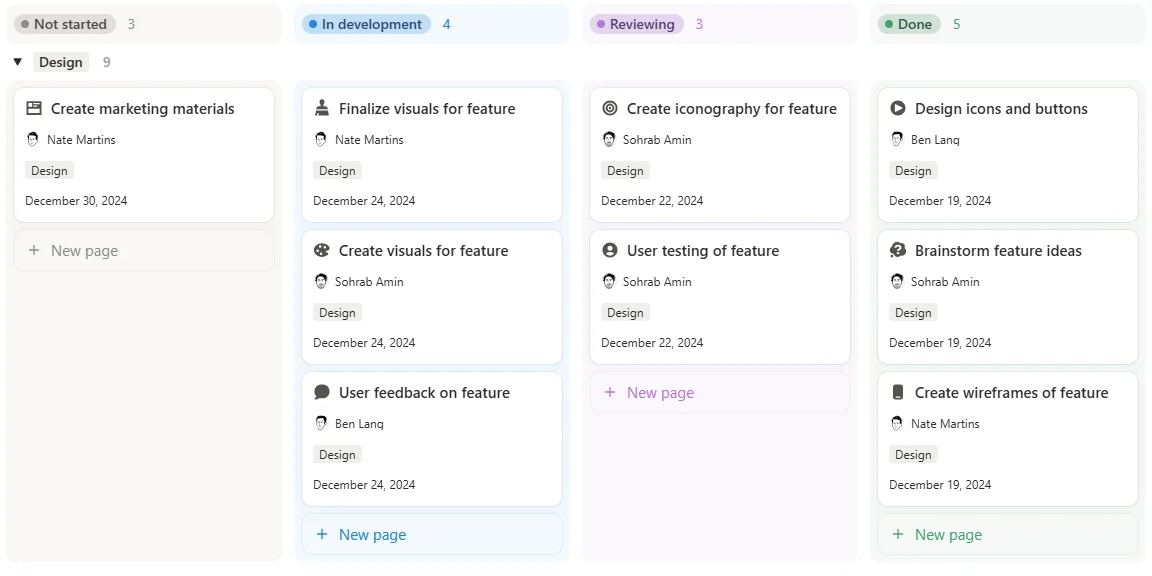
Notion merges documentation and task management into one customizable workspace that supports real-time team collaboration.
Best for small to medium-sized teams requiring customizable tools for managing projects together.
Notion is a highly customizable and versatile platform that is capable of managing entire projects rather than simply easing collaboration between team members.
Teams use Notion as an all-in-one platform for managing projects, organizing tasks, and storing knowledge in one centralized system.
Free plan available.
Paid plans from $12/user/month.
Notion integrates with the best team collaboration software, like Slack, Google Drive, etc., while also connecting to some other project management solutions, such as Trello.
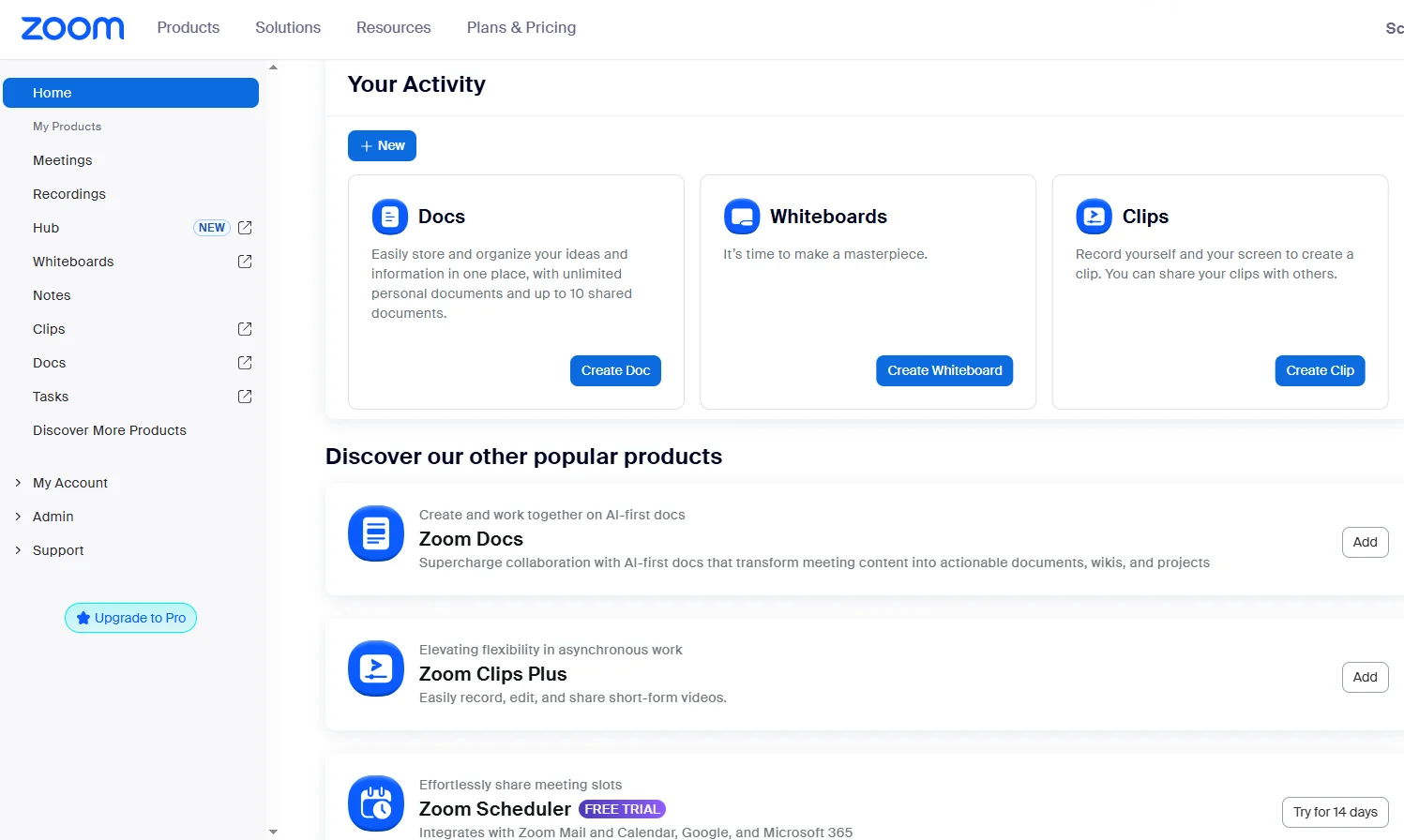
Zoom Workplace powers virtual communication with high-quality video conferencing, chat, and whiteboards for distributed teams
Best for organizations of any size requiring a secure, robust & comprehensive video conferencing solution.
Zoom Workplace is another of the best team collaboration software options that does one specific job very well: providing video conferencing and meeting opportunities for remote teams.
In fact, Zoom has become the go-to video-conferencing platform for one-on-ones, team meetings, and webinars.
Zoom integrates extensively with other team collaboration solutions, such as Slack and popular email apps, as well as project management software.
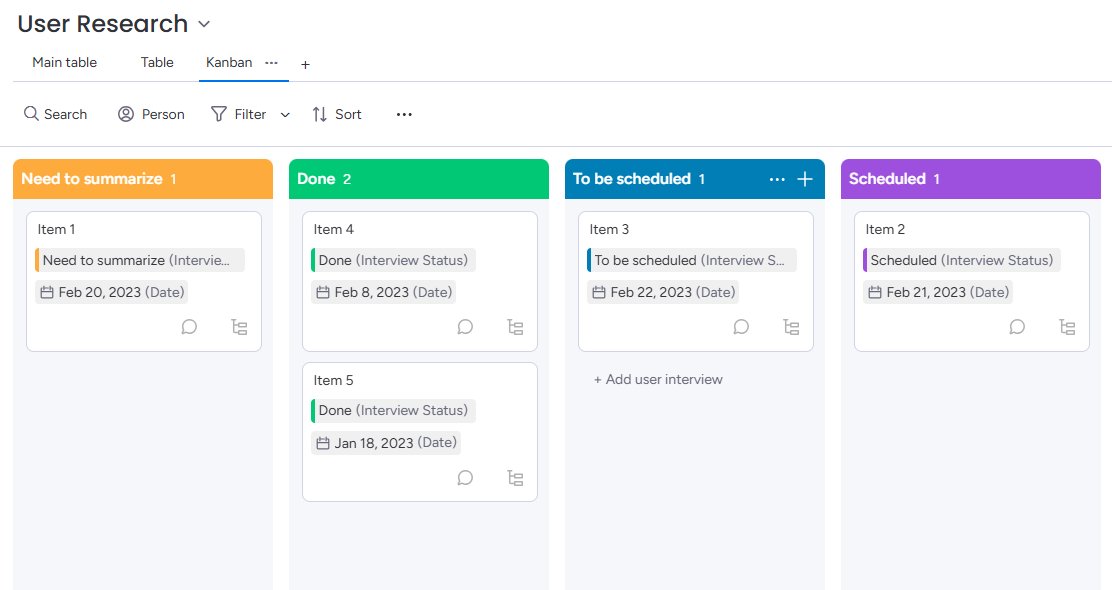
Monday enables teams to plan and track work together with colorful boards, dashboards, and workflow automations
Best for small, medium-sized & large teams requiring customizable, visual workflows & automation for project management.
Monday is customizable project management software that enables excellent team collaboration and a lot more besides when managing tasks, campaigns, client relations, budgets, and more.
The software excels at workflow automation, helping teams plan, organize, and complete tasks more efficiently.
Monday integrates with over 200 apps and services (such as Slack, Microsoft Teams, and Google), enabling teams to collaborate with minimal coding work.
It can be challenging to get team members onto the same page, especially when working in different time zones. Managing protocols, workflows, and standards is much easier with the help of the best team collaboration software.
So that you can make an informed decision, we compiled our list of the best collaboration tools. However, the right one for your team will depend on answers to the following questions:
What’s your team size? Most of the tools outlined are well-established and suitable for a variety of team sizes—but some features may be overkill for smaller teams with basic requirements.
What integrations do you need? Your organization’s present software setup and immediate requirements will determine the main integrations needed from your team collaboration software. For instance, if deep Google Workspace integration is required, you’ll likely choose Kanbanchi.
Do you need a fully functional mobile app? Some tools offer more developed mobile apps than others—determine how important this is for your team(s).
How important is AI functionality to your team? Many teams are embracing AI tools to simplify work and automate tasks. Is this a game-changer for your team(s)?
Do you need real-time synchronization? This is offered by most of the best team collaboration software options but some are more “real-time” than others!
What’s your budget? Cost is nearly always a factor, especially for startups, small business owners, and organizations with large teams requiring many seats.
How technical is your team? Teams with experience of working with advanced project management tools are more likely to choose comprehensive project management software that incorporates collaboration tools rather than standalone tools that simply “plug a gap”.
The best productivity tools for team collaboration provide more than simply essential features—and cover a lot more ground for teams.
Some tools, like Zoom, Slack, Microsoft Teams, and Miro, for instance, offer specific collaborative features but not wider project management capabilities, like Kanbanchi, Notion, Monday, and Asana.
Understanding your team’s precise needs will dictate what you should look for but here’s a useful checklist to consider:
Taking time to choose the best software for team collaboration has many benefits for organizations. Notably:
Cloud-based team collaboration software has been around for over two decades and modern solutions bear little resemblance to the first tools. Nothing stands still and the best team collaboration tools in 2026 will evolve further in 2026.
Current trends include:
The best team collaboration tools are Kanbanchi, Monday, Asana, ClickUp, Slack, and Trello for general project management and Slack, Zoom, and Miro for specific collaborative tasks like chat, video conferencing, and whiteboards.
Remote teams can use cloud-based platforms that offer a range of collaboration features, such as shared boards, chat features, real-time board updates, synchronous/asynchronous work support, and visual workflow support. Tools like Kanbanchi, Monday, and Asana offer this, while some also offer video conferencing support.
Most online collaboration platforms are secure, closely following regulatory compliance guidelines to protect client security and data. With Kanbanchi, login is via Google and no passwords are stored on our servers.
Kanbanchi integrates natively with Google Workspace and was designed specifically for Google environments. It lives inside Google Drive, uses a Google account for login, and integrates seamlessly with Drive/Calendar. Other collaboration tools offer Google Workspace integration via add-ons, including Asana, Trello, and ClickUp.
What is the best team collaboration software? It’s a solution that helps organizations increase productivity, speed up informed decision-making, reduce clutter and confusion, keep all stakeholders up to date with tasks and projects, provide greater transparency with work, and remove bottlenecks for remote/hybrid teams.
Kanbanchi stands out as a unified, Google Workspace-native collaboration tool. Check how it could work for your team with a free trial or a demo of its features:
BOOK A FREE TRIAL OF KANBANCHI



In this Article:
Start using Kanbanchi now
Start your free trial