
In this Article:
Try Kanbanchi now
Start your free trial

Think back to the last time you managed a project. Did it feel like:
Or…
For years, project managers were forced to choose a camp:
Here’s the reality of the modern workplace: real life doesn’t fit into a single box. Sometimes you need the rigid structure of a Gantt chart to satisfy your CEO and stakeholders, but your software and dev teams need the flexibility of a Kanban board to actually get the work done. This is the Hybrid reality.
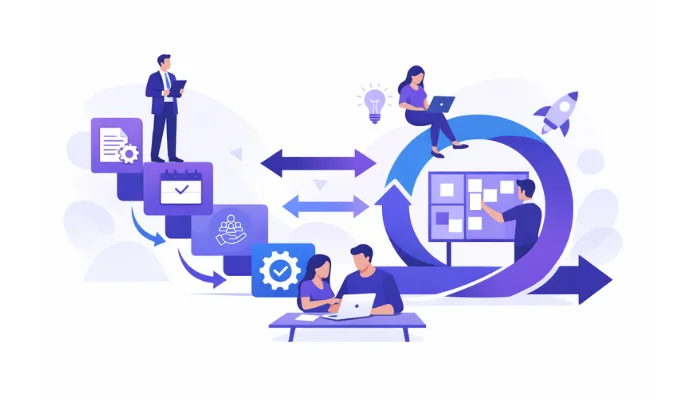
Hybrid project management is the best of both worlds approach. It’s a methodology that blends the structured, predictive planning of Waterfall with the iterative, fast-paced execution of Agile. It’s often humorously referred to as Wagile, but it’s far more strategic than a simple portmanteau.
In a hybrid world, you might use Waterfall for your high-level project phases and dependencies, while your day-to-day tasks are managed in an Agile environment. It’s about balance. It’s about not letting your methodology get in the way of your progress.
If you’ve ever tried to force a complex Waterfall project into a simple to-do list app, or tried to run a fast-moving Sprint using a static spreadsheet, you know the pain.
Standard tools usually excel at one or the other. But the best tools for hybrid project management are built differently. They allow you to flip a switch between views without losing
In this guide, we will dive into the hybrid project management power players for 2026. How have we worked it out? We’ll rate the top tools on the market, explore the hybrid project management best practices that actually work, and show you why Kanbanchi is the ultimate choice for teams who live and breathe in the Google Workspace ecosystem.
Ready to stop compromising and start collaborating? Let’s find your perfect hybrid fit.
Choosing a tool for a single methodology is easy. Choosing one that balances two opposing philosophies? That’s where things get tricky.
A hybrid tool isn’t just a Kanban board with a calendar view tacked on as an afterthought. To truly support hybrid project management best practices, the software needs to act as a bridge between your strategy and execution, and it’s not always easy to strike that balance. Here’s a look at what you need when choosing a great project management tool and why:
The hallmark of effective project management for hybrid methodologies is the ability to toggle between a Gantt chart and a Kanban board without losing your data.
In Waterfall, dependencies are everything. Think about it like this: if Task A is late, Task B can’t start. Once you move to Agile, tasks are often more fluid. A great hybrid tool will let you set hard dependencies in the Gantt chart that automatically appear as blockers or linked cards on the Kanban board.
One of the biggest risks of the hybrid model is data fragmentation. You don’t want your long-term planning data sitting in one tool while your sprint gets tracked in another. That becomes way too confusing, and team members often get frustrated. Using a true hybrid tool will provide a single source of truth, regardless of how the work is being executed.
Most hybrid teams don’t work in a vacuum; they’re active and seeking solutions. During the day, they’re in meetings, responding to emails, and sharing documents. If your tool isn’t integrated with your work environment, such as directly within Google Workspace, you’ll spend more time updating it than doing the work itself, and that creates extra stress.
Ultimately, you are looking for a tool that respects the project structure without stifling the team’s creativity. It should allow you to plan like a CEO but execute like a Startup. This balance is the key to hybrid project management best practices.
With all that considered, what are the best-rated tools for hybrid project management? Well, we’ve got 7 of the ones we think are worthy, below.
Finding the best project management for hybrid methodologies requires a tool that doesn’t just “have” features, but integrates them. To help you choose, we’ve rated the top contenders for 2026 based on their flexibility, ease of use, and hybrid capabilities.
| Application | Best For & Hybrid Highlights | G2 Rating |
|---|---|---|
| Kanbanchi | Google Workspace teams needing effortless Gantt + Kanban in one space. Hybrid Edge: Plan in Waterfall, execute in Sprints within one tab. | 4.7 / 5 |
| Monday.com | Color‑rich boards & automations for hybrid workflows. Hybrid Edge: Mix Waterfall plans with Agile dashboards & automations. | 4.7 / 5 |
| Wrike | Enterprise‑grade analytics & reporting for hybrid PMOs. Hybrid Edge: Unified Agile boards and Waterfall timelines with cross‑team visibility. | 4.2 / 5 |
| Asana | Creative & marketing teams shifting from lists to scrum style boards. Hybrid Edge: Gantt “Timeline” and task boards simplify Agile adoption. | 4.4 / 5 |
| Smartsheet | Data‑oriented teams using spreadsheet logic. Hybrid Edge: Combine formula‑based budget control with visual Kanban tracking. | 4.4 / 5 |
| ClickUp | Flexible teams experimenting with multiple styles. Hybrid Edge: Toggle between 15 views for Agile and Waterfall blend. | 4.7 / 5 |
| Microsoft Project | Traditional teams evolving to Agile. Hybrid Edge: Classic Waterfall scheduling plus Agile boards. | 4 / 5 |
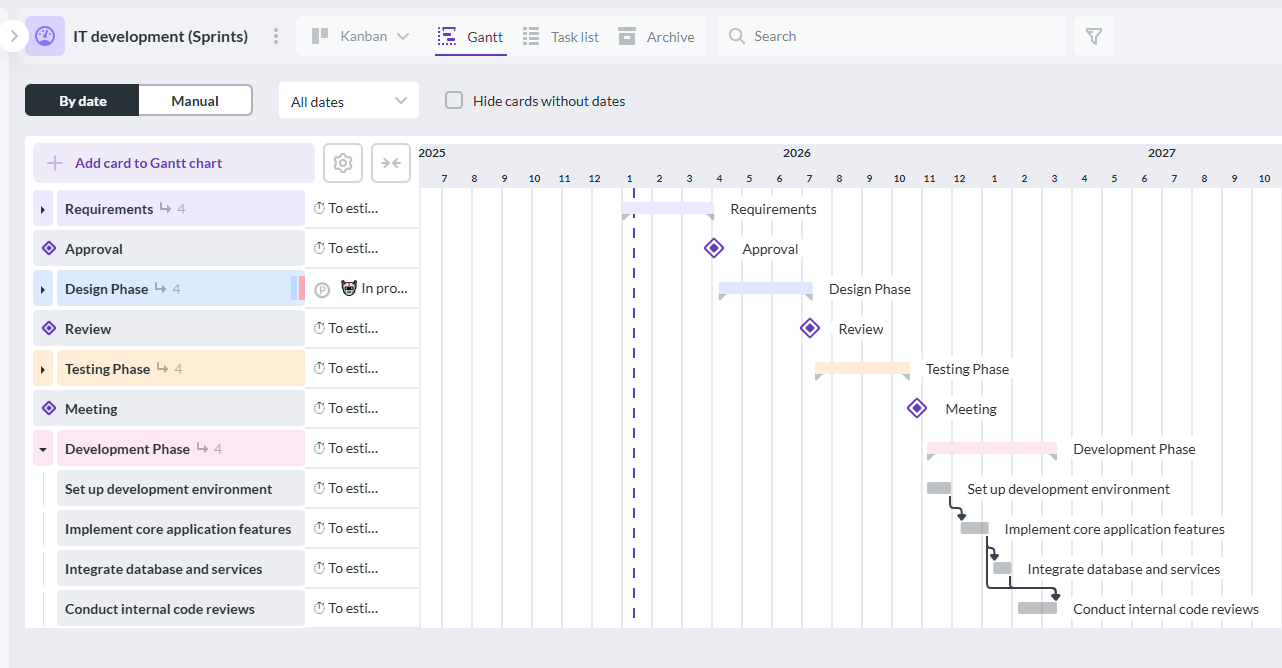
Kanbanchi’s Gantt chart helps hybrid project teams visualize timelines, dependencies, and progress across agile and traditional workflows.
Kanbanchi is one of the best tools for hybrid project management for teams that already live and breathe Google Workspace and want a powerful yet approachable way to manage mixed methodologies. It strikes an impressive balance between structure and flexibility, making it ideal for organizations that need to combine long-term planning with agile execution.
What truly sets Kanbanchi apart is its professional-grade Gantt chart paired with a deeply customizable Kanban board. Project managers can plan high-level milestones using a Waterfall-style timeline, while delivery teams execute tasks in agile sprints – all within the same interface. Switching between views is seamless, so stakeholders get clear timelines, and team members stay focused on daily work without friction.
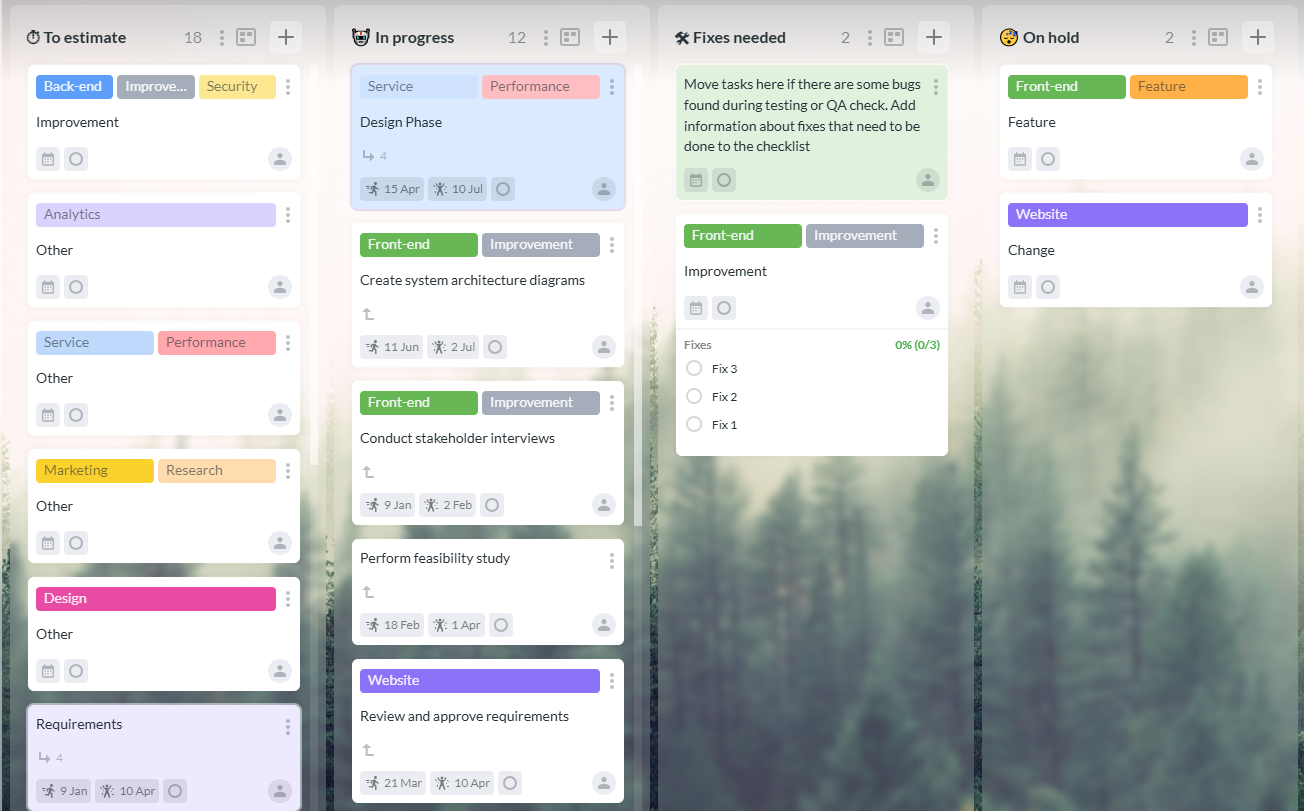
Kanbanchi’s Kanban board enables hybrid project teams to manage tasks visually while combining agile workflows with structured planning.
Kanbanchi also aligns closely with hybrid project management best practices by promoting transparency, collaboration, and adaptability. Because it integrates natively with Google Drive, Calendar, and Sheets, teams don’t have to constantly jump between tools or duplicate data. Tasks, deadlines, and documents stay connected, reducing miscommunication and saving time.
Another major advantage is its short learning curve. Unlike complex enterprise platforms, Kanbanchi feels intuitive from day one, which makes adoption much easier across cross-functional teams. This is especially important in hybrid environments where different departments may follow different methodologies but still need a shared system of record.
Where Kanbanchi has the Hybrid Edge: It allows you to plan your milestones in Waterfall and execute them in Sprints without ever leaving the tab.
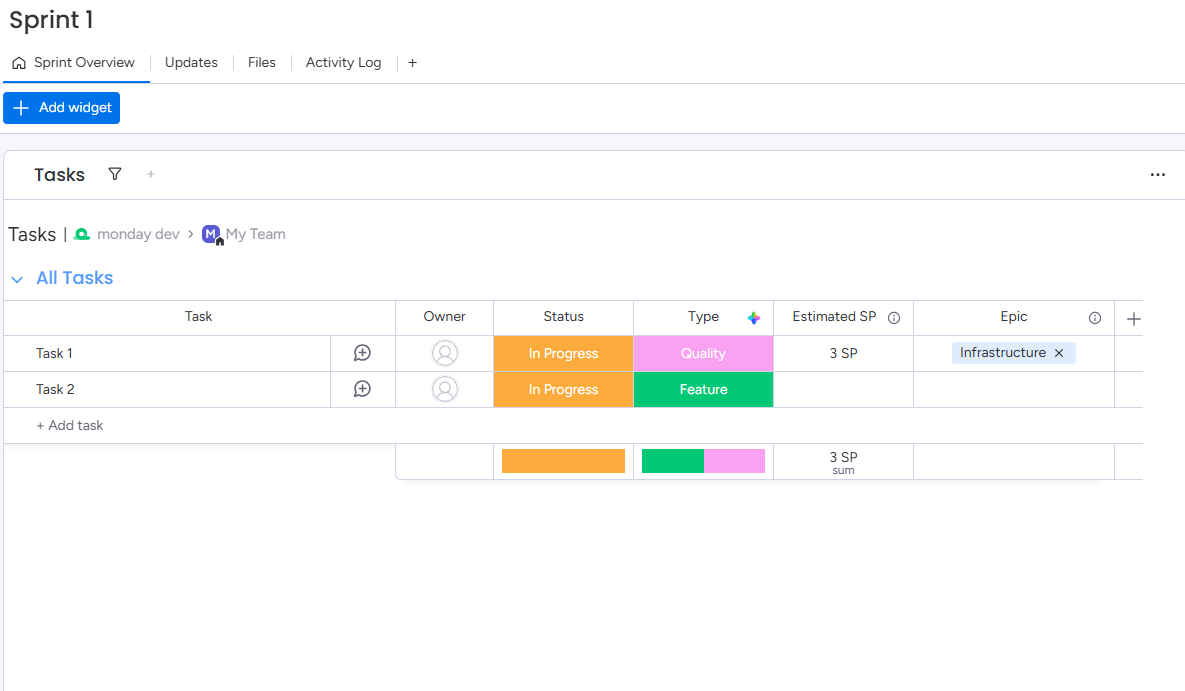
monday.com offers a clean, easy-to-use interface that supports hybrid project management
Noted as a great Work OS, Monday is famous for its colorful, highly visual interface. It’s excellent for creating custom hybrid workflows from scratch. The Timeline view (Gantt) and Board view (Kanban) are robust, though syncing them perfectly can require some manual setup, which new users might find frustrating.
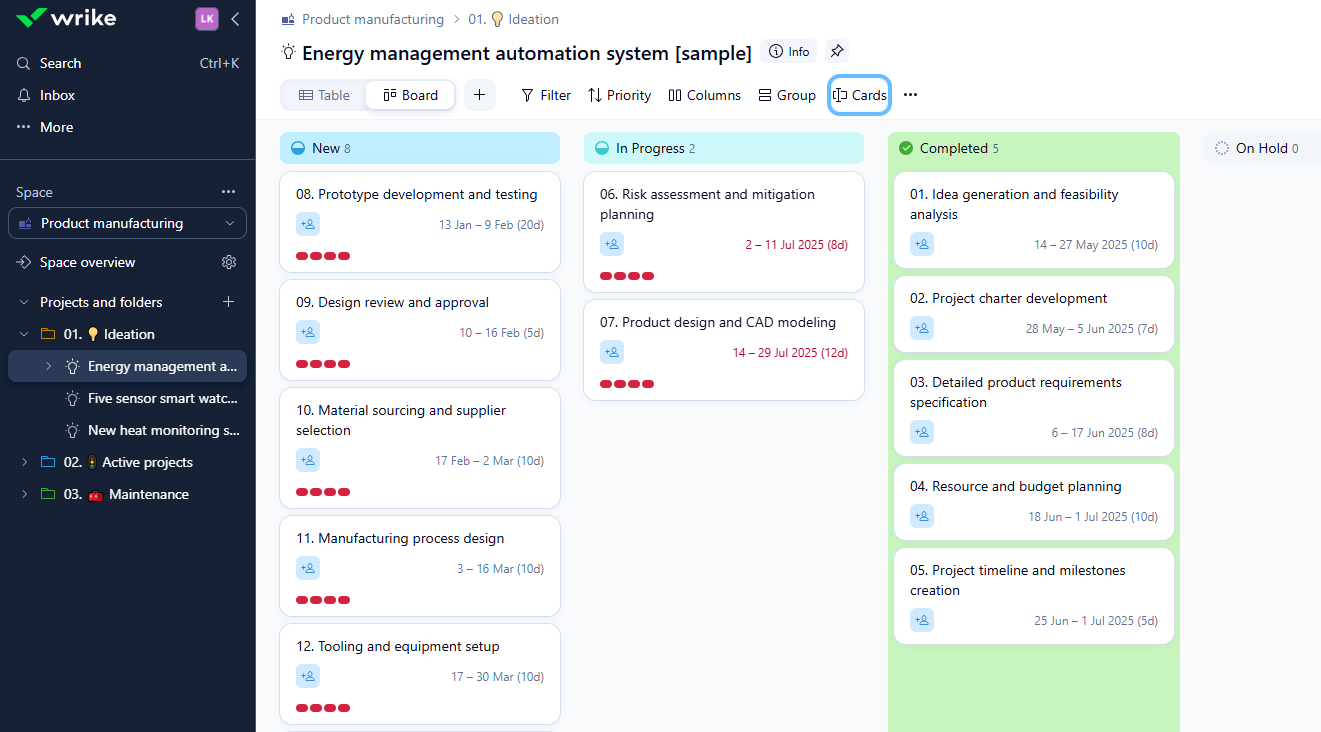
Wrike’s dashboard helps hybrid project teams track tasks, manage timelines, and collaborate efficiently across multiple workflows.
Wrike is a tool designed for enterprise-level teams that need heavy-duty reporting alongside their hybrid project management tasks. It has a Three-Pane View that lets you see the big picture and individual tasks simultaneously, which is a bonus.
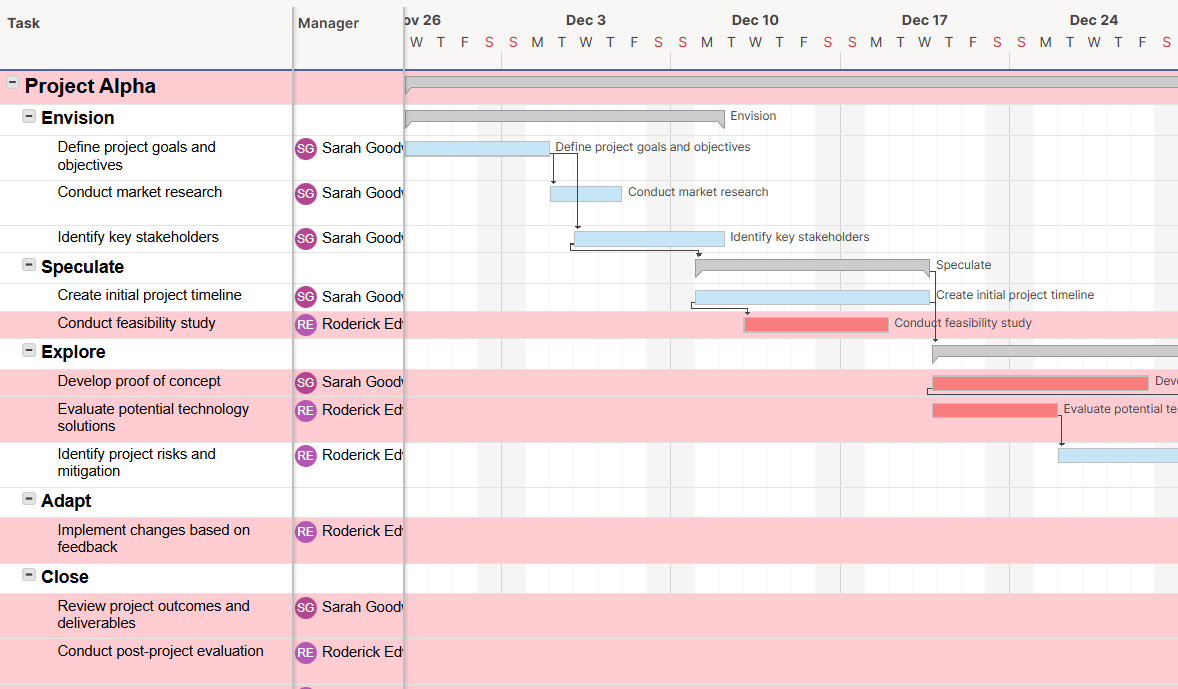
Smartsheet provides hybrid project teams with a flexible grid-based dashboard to track tasks, timelines, and team collaboration.
If your team loves Excel but needs Gantt charts and Kanban cards, Smartsheet is the logical evolution. It’s good for data-heavy hybrid projects where Waterfall planning dominates the budget, but is really only suitable for teams that are familiar with spreadsheets above all other forms of programming.
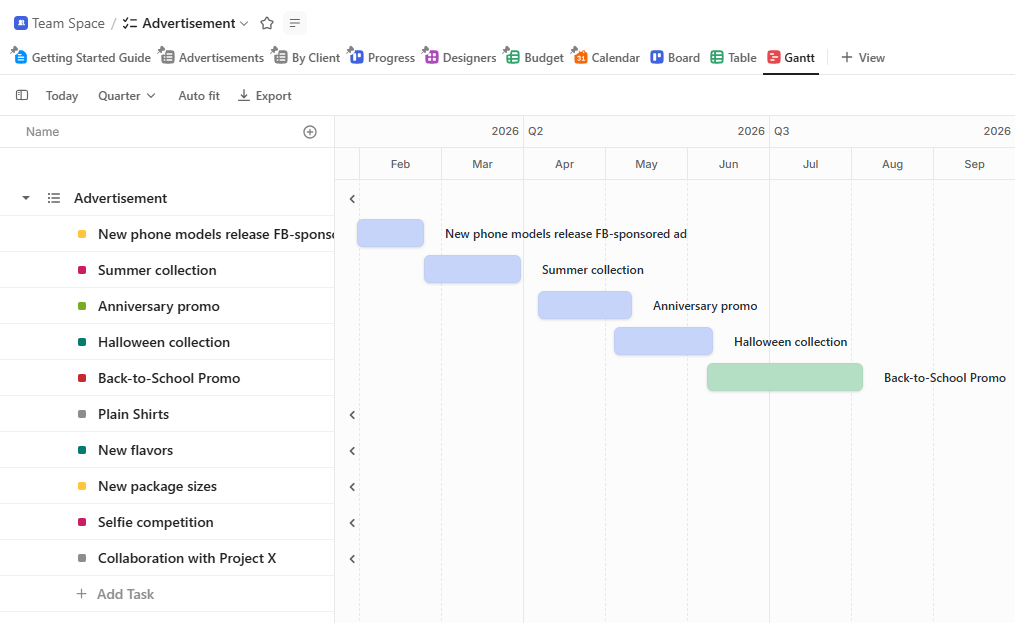
ClickUp Gantt chart showing task timelines, dependencies, and project milestones for hybrid project management
This tool markets itself as the one app to replace them all and offers almost every view imaginable. Users can toggle between 15+ views, making it one of the best tools for hybrid project management in experimental teams.
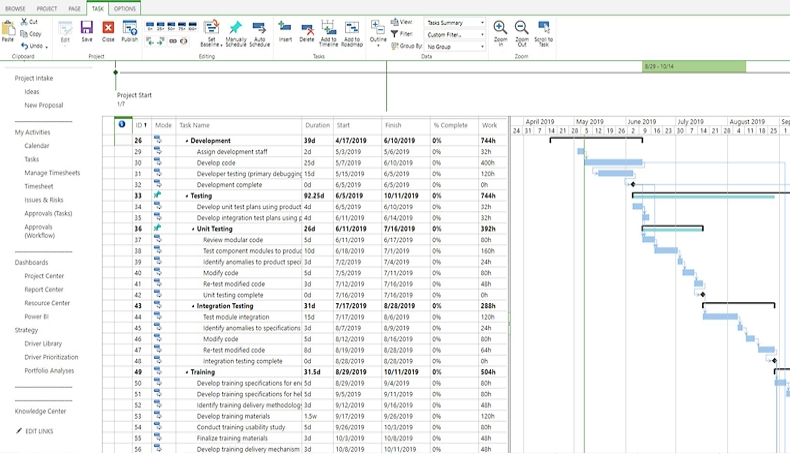
Microsoft Project provides hybrid teams with robust project planning and task management tools to keep complex projects on track.
The Grandfather of Waterfall and probably one of the most well-known models for Microsoft users. While it has introduced Agile boards, it remains a Waterfall tool at heart. It’s best for traditional industries looking to gradually introduce Agile elements.
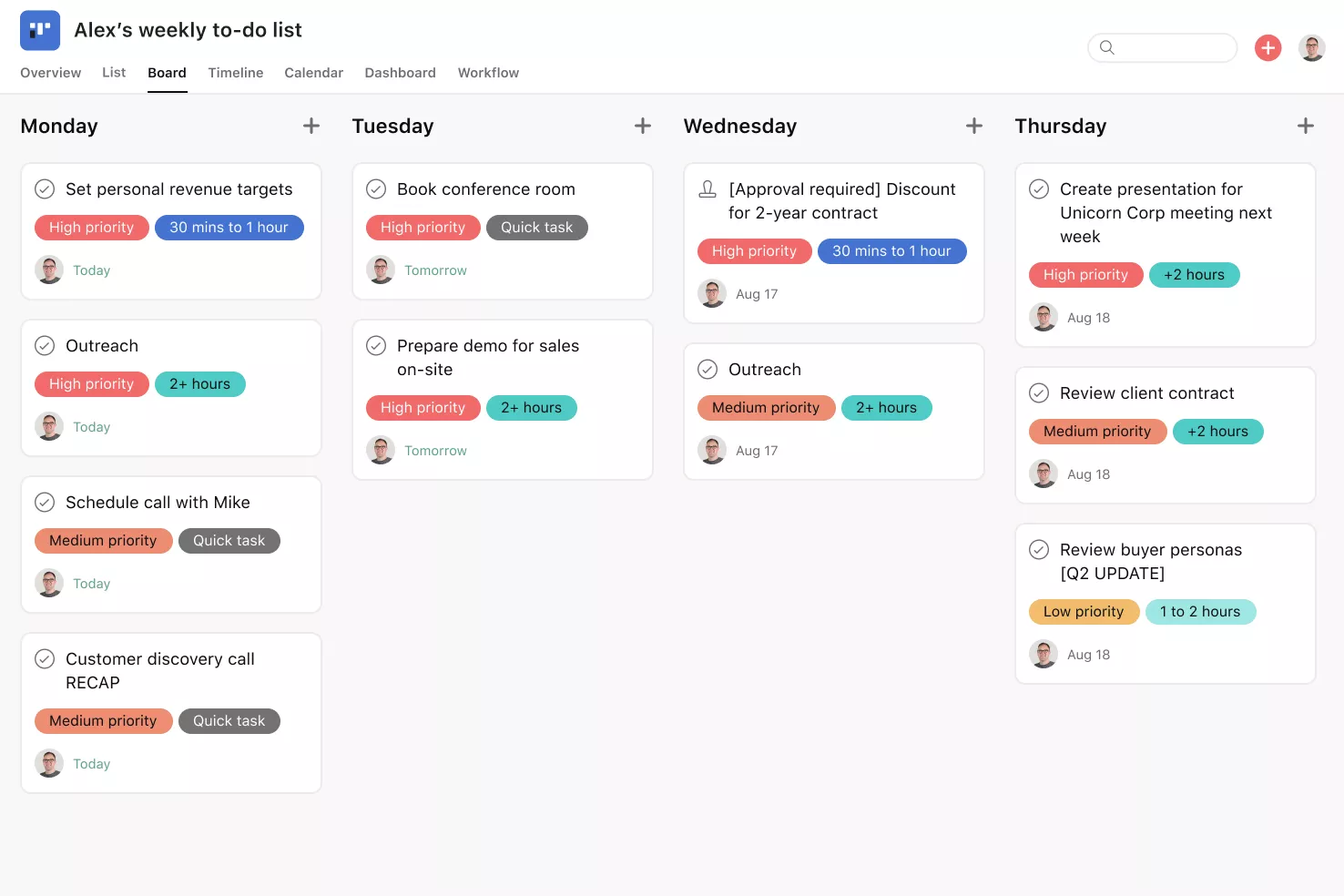
sana’s Kanban board helps hybrid project teams organize tasks visually, streamline workflows, and keep everyone aligned across multiple projects.
Asana focuses heavily on who is doing what by when. It’s highly intuitive for task management but is probably best suited for marketing and creative teams moving from basic task lists to a hybrid maturity.
While many tools claim to integrate with Google, most simply offer a basic sign-on or a clunky file attachment button.
Kanbanchi is different, as it sits neatly in the Google ecosystem. Think of it as the missing project link for teams that already rely on Drive, Calendar, and Gmail but need something more!
With Kanbanchi, your project boards aren’t stored on a random server; they live directly in your Google Drive. That means they’re not only safer, but you’ll notice:
In a hybrid model you can’t mess about with deadlines. Kanbanchi’s Google Calendar integration lets you get all your task start and due dates synced directly to calendars.
Hybrid projects need lots of chatter and comms among stakeholders and everyone else on the team, from the CEO down.
Kanbanchi’s Gmail add-on means you can turn important updates into a task card without leaving your inbox. This allows you to:
Many Google users resort to clunky Sheets templates for their Gantt charts. Kanbanchi provides a professional, dynamic Gantt Chart that is lightyears ahead of a spreadsheet but just as easy to use.
You can:
…all with a single click, then switch back to your Kanban board to manage the daily Agile grind. Kanbanchi doesn’t just work with Google; it completes it.
By keeping your entire hybrid workflow within the Workspace, you reduce the familiar feel of tool fatigue and keep your team focused on what matters: delivering the project on time.
Implementing a hybrid model isn’t just about owning the right software; it’s about how you use it. To avoid what’s called the methodology muddle, top-performing teams follow a few simple strategies to keep their Waterfall structure and Agile speed perfectly aligned.
Don’t force a single method onto every task. Use the uncertainty rule to decide:
Use this for:
These have fixed requirements and high costs of change.
Use this for:
These require rapid feedback and frequent iterations.
The biggest risk in hybrid management is task handoffs. Ensure everyone knows exactly when a Waterfall requirement becomes an Agile task.
Once the Discovery Phase (Waterfall) is 100% complete, the requirements should be broken down into a Product Backlog (Agile) for the development team.
Hold a monthly Steering Meeting to ensure Agile sprints stay aligned with long-term Waterfall milestones.
Avoid reporting nightmares by centralizing your data. If your executives review a PDF report while your developers use a Kanban board, alignment will fail.
Use a tool like Kanbanchi, where the Gantt chart and Kanban board share the same database.
Ensure that every Done task on the board automatically updates the project roadmap’s completion percentage.
A hybrid project needs a leader who speaks both languages.
You need someone who can discuss both the Critical Path and all the Dependencies with the Board of Directors, then pivot to discuss the different Sprints and their associated tasks with the rest of the team members involved in the project.
Don’t overhaul your entire organization’s workflow overnight. Start slowly with a simpler project to test your hybrid framework. Document the lessons learned after each phase. Adjust your WIP limits and meeting cadences based on team feedback before scaling.
The Waterfall vs. Agile debate is a thing of the past. In 2026, the most successful organizations are those that realize flexibility and structure aren’t enemies; they’re partners. By adopting the best tools for hybrid project management, you stop fighting against your workflow and start making it work for you.
Whether you are managing a global construction project or a fast-paced software launch, the hybrid model gives you the stability you need and the agility your team deserves. And if you’re doing it within Google Workspace, there is no better partner than Kanbanchi.
Try Kanbanchi today and sign up for a free trial.
The shift to a hybrid model often raises more questions than it answers. To help you finalize your strategy, we’ve gathered the most frequently asked questions from project leads transitioning to this best of both worlds approach.
Not at all. In fact, true hybrid project management requires more discipline than picking a single side. It isn’t about being undecided; it’s about being precise. You are intentionally selecting the most efficient tool for each phase of the project lifecycle.
A good rule of thumb is to use your Gantt chart for the What and the When (milestones, deadlines, budget phases) and your Kanban board for the How (the actual daily tasks, iterations, and development).
If a task takes longer than a week, it probably belongs on the Gantt. If it’s a daily action item, it belongs on the board.
Yes, and many high-performing teams already do. For example, a marketing team might use Waterfall to plan a six-month product launch (the fixed deadline), while the design and content sub-teams work in two-week Agile sprints to create the assets. The key is ensuring your hybrid project management tool can sync these two views instantly.
Cultural resistance. Team members used to pure Agile might find the Gantt chart too restrictive, while stakeholders used to Waterfall might find the Kanban board less predictable.
The Project Manager’s role in a hybrid setup is to serve as a translator, explaining to each group how the other methodology protects their interests.
Absolutely. Kanbanchi allows you to create a board and instantly toggle between the Kanban view and the Gantt Chart view. Any change you make—like dragging a bar to extend a deadline or moving a card to “Done”—is reflected across both views in real-time. This ensures that your high-level roadmap and your team’s daily workflow are never out of sync.


In this Article:
Start using Kanbanchi now
Start your free trial