
In this Article:
Try Kanbanchi now
Start your free trial

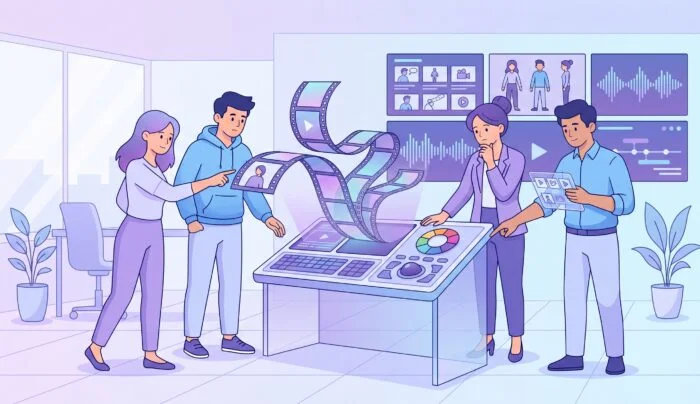
Creativity is often described as lightning in a bottle. It’s spontaneous and can be notoriously difficult to control (as any artist or writer will probably go to great lengths to tell you!)
But relying on spontaneous sparks like this isn’t a great business strategy if we’re honest. Nowadays, as marketing channels expand and the demand for top-quality content hits an all-time high, creative teams are facing many issues beyond their control.
The answer isn’t working harder. It’s getting some proper creative production management.
For many, the word management feels like the antithesis of creativity. It conjures images of rigid spreadsheets and soul-crushing bureaucracy.
But true creative production management is actually a liberator. It’s the invisible scaffolding that allows designers, writers, and videographers to focus on what they do best, rather than hunting for lost briefs or deciphering vague Slack messages.
In this guide, Kanbanchi is going to explore how to build a production engine that scales with your ambition. We’ll dive into the specific workflows that define successful agencies and look at how the right creative production management software can turn a chaotic studio into a powerhouse of precision. If you have ever felt like your team is spending more time managing work than actually doing it, you are in the right place.
At its core, creative production management is the specialized discipline of overseeing a creative project from the initial spark of an idea to the final pixel-perfect delivery.
It is the how behind the what. While traditional project management might focus on linear milestones, creative production is iterative, visual, and highly collaborative.
Think of it as the air traffic control for your creative studio. In a typical day, a creative production manager is balancing three distinct worlds:
Aligning every asset with the client’s brand goals and the original project brief.
Managing resource capacity, setting realistic timelines, and ensuring the budget stays on track.
Facilitating feedback loops that improve the work without stifling the creator’s voice.
What makes this discipline unique in 2026 is the sheer volume of assets. We are no longer just making an ad. We are making a hero video, six social cuts, ten display banners, a landing page, and an email sequence (all at once).
Without a dedicated creative production workflow management system, these moving parts inevitably collide. Add to this the fact that strategic creative roles in production are actually growing rather than declining, and you’ll see there’s a need for better tools.
Traditional tools often fail here because they treat a design task as a data-entry task. Creative work needs context.
It needs to see:
…all in one place. That is why creative production management has evolved into its own specialized field, demanding tools that are as visual and flexible as the people using them.
What separates a generic task tracker from a true creative production management solution? The difference lies in how a tool handles the high-stress, asset-heavy nature of creative work.
You don’t just need to know when a task is due; you need to
When auditing your options, ensure your software includes these five non-negotiables:
Creatives think in pictures, not rows of text. Your solution must offer a high-level Kanban View to visualize the flow of assets through your studio. It should be easy to see, at a glance, which videos are in Editing and which logos are Awaiting Approval.
Creative projects are famous for shifting deadlines. A robust Gantt Chart is essential for mapping out dependencies. If the copy is delayed by two days, you need to see exactly how that pushes back the design and final delivery phases in real-time.
A major product launch is not a single task. It is an Epic that contains dozens of smaller units. Your software should support a parent-child hierarchy (we call these Epic cards and subcards) so you can track the progress of a 50-asset campaign without losing sight of the individual banners.
The biggest bottleneck in creative production is the feedback loop. Look for a solution that supports Two-column card views or side-by-side comments. This allows designers to see the brief and the client’s feedback right next to the task, reducing the need to hunt through email threads.
Resource and Workload Management
Creative burnout is real. An essential feature for 2026 is a Team Workload view. Managers need to see if one designer is drowning in fifteen high-priority tasks while another has a light week. Balancing the load is the only way to maintain quality over the long term.
Finally, your creative production management software should not be another island of data. It must integrate deeply with your existing storage. For teams using Google Workspace or Microsoft 365, the ability to attach a file directly from Google Drive or OneDrive without creating a duplicate is a game-changer for version control.
A beautiful design starts with a solid brief. Similarly, a high-performing creative team starts with a repeatable system. You cannot rely on getting lucky with your deadlines. You need a creative production workflow management system that moves every asset from an initial spark to a finished product without losing momentum.
Most creative failures happen in the gaps between stages.
To fix this, break your creative production into five distinct phases.
Every great project begins with a conversation. In this stage, you define the goals, the audience, and the constraints. The primary task is to turn a vague request into a workable brief. If you do not get the brief right, you will spend the next three weeks fixing mistakes that should never have happened.
Once you know what needs to be made, decide who will make it. This is where you map out your timeline using a Gantt Chart. You should identify your dependencies early. For example, the video editor cannot start until the script is finalized. Mapping these links prevents your team from sitting idle while waiting for someone else to finish.
This is the heart of the creative process. Designers and writers move their cards into In Progress. A good creative production management solution allows the team to attach mood boards and early sketches directly to the task card. This keeps the creative context alive and prevents the dreaded “Where is that file?” question.
This is often the most frustrating part of the job. Feedback can be vague or scattered across five different platforms.
This ensures that every revision is actually moving the project toward the finish line.
The work is not done until the client has the final files and the project is closed. In this final stage, you move the completed cards to an Archive. This keeps your active board clean while preserving the full project history. You should also take a moment to look at your Time Tracker data: Did the project take longer than expected? Use that insight to plan your next campaign more accurately.
Standardizing these phases does not kill creativity. It protects it. When your team knows exactly what happens next, they can spend their mental energy on the work itself rather than the logistics.
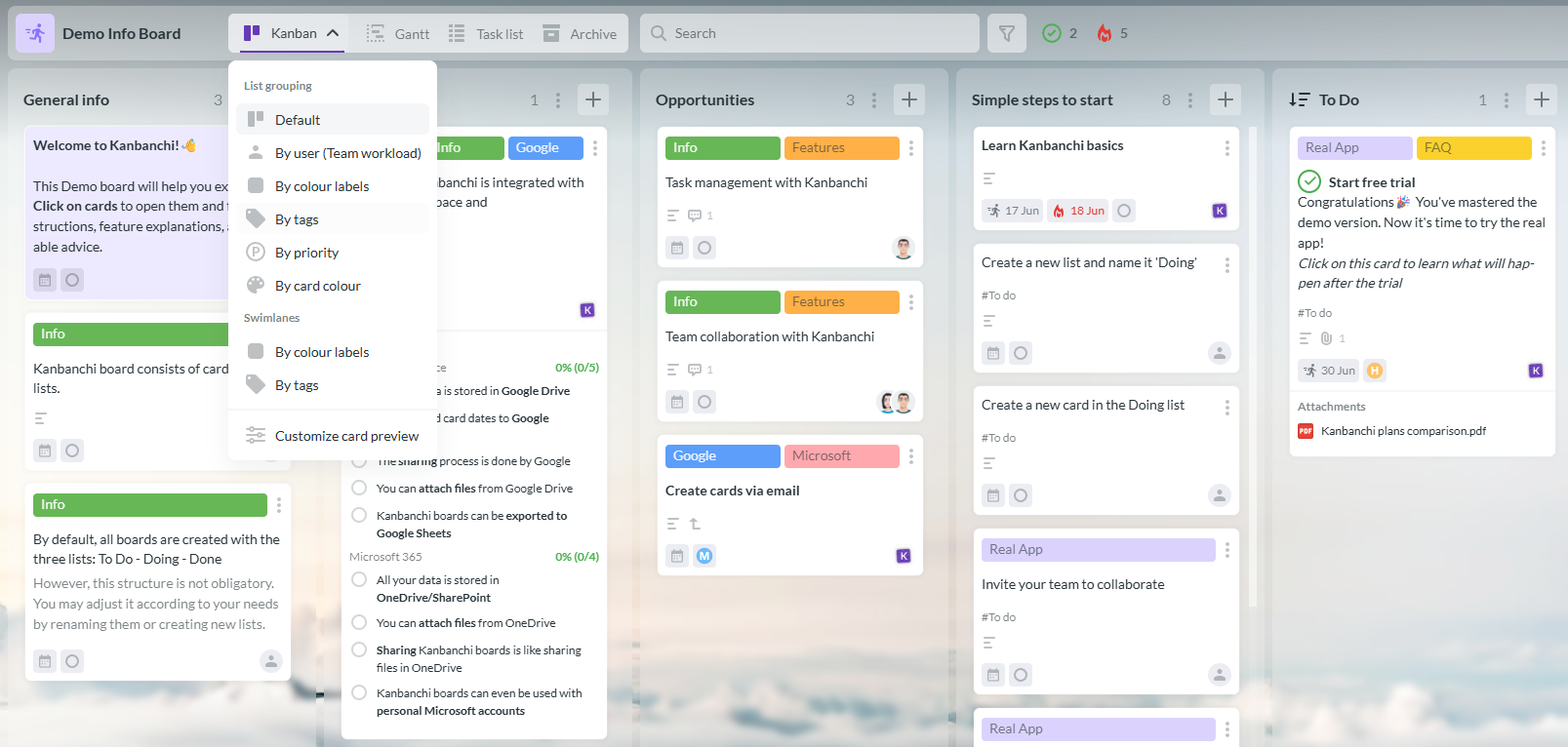
While many apps try to be a one-size-fits-all solution, Kanbanchi stands out by staying focused on the user’s home base. It is not just another website you have to log into. It is a professional extension of your existing digital office.
If your creative team already uses Google Workspace or Microsoft 365, Kanbanchi is the most logical choice for your creative production management software.
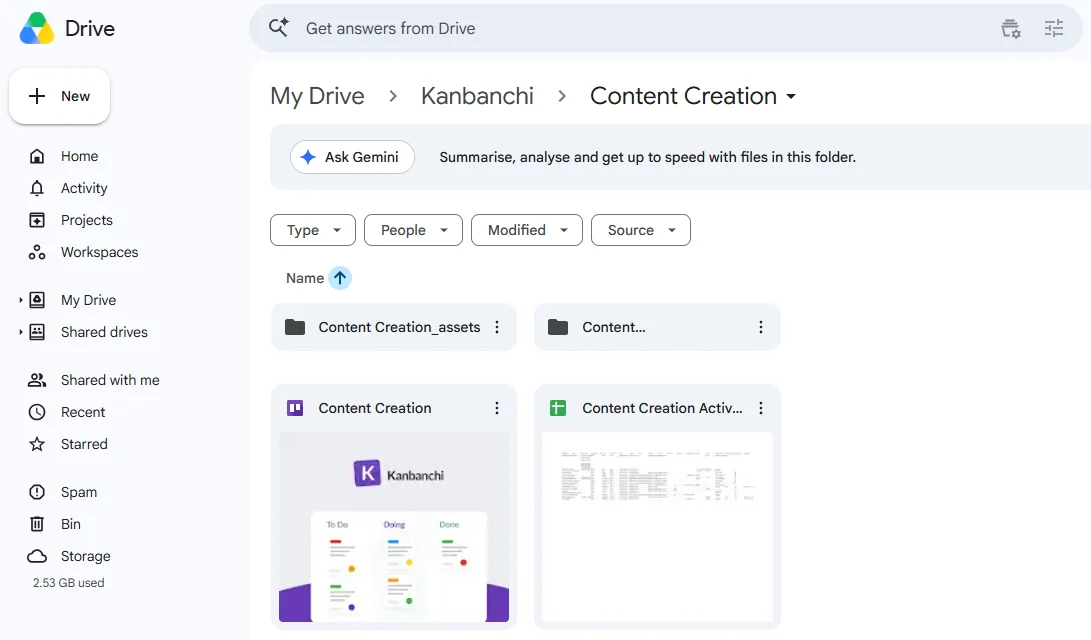
One of the biggest drains on a creator’s time is searching for files and documents. In Kanbanchi, your project boards are actually stored as files in your Google Drive or OneDrive. This means you do not have to move your assets to a third-party server.
Here’s a great example: a designer finishes a draft in Photoshop and saves it to a shared folder; that file is immediately available to attach to a Kanbanchi card. There are no extra logins and no confusing permission hurdles.

Creative work has so many different fields:
Kanbanchi uses a single data model that powers every view. You can switch between perspectives with a single click:
Creative campaigns are rarely simple. For example, if a client wants your team to undertake a Spring Brand Refresh, it will involve many facets. It might require:
Kanbanchi handles this complexity through Epic cards and subcards. An Epic card acts as the parent task for the entire campaign. You can then break it down into smaller, assignable subcards for each individual asset. It automatically tracks overall progress based on how many subcards are marked as Done. This gives you a bird’s-eye view without losing the granular details.
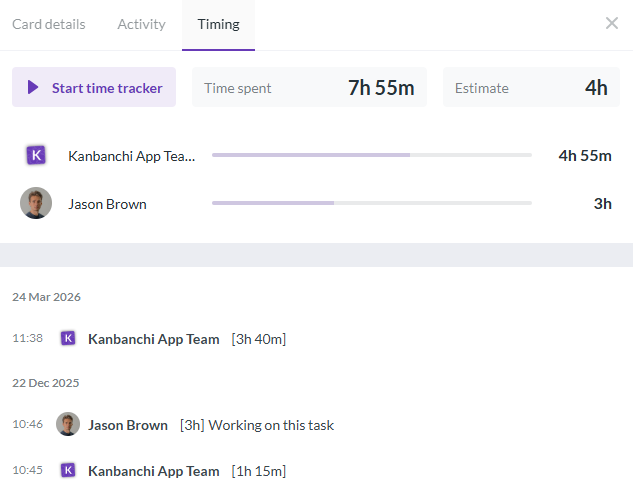
For agencies, knowing exactly how long a project took is the difference between profit and loss. Kanbanchi includes a built-in Time Tracker on every card.
Your team can start and stop a timer as they work, giving you accurate data for future quoting. You can then export this data to Google Sheets or Excel to create detailed reports for your clients.
Setting up creative workflows shouldn’t feel like a chore. The goal of using a creative production management solution is to reduce the time you spend on admin so you can spend more time on art. Here is how to build your production engine in Kanbanchi from the ground up.
Start by clicking Add board in the top left corner. If you are starting from scratch, select Create new board. For a faster start, explore the template gallery for a marketing or creative agency layout.
Once your board is live, customize it with your agency’s logo and a background that inspires the team. This is your command center.
Define your stages by renaming your lists. For a creative team, a typical flow might look like this:
When you have a large project (such as the Spring Brand Refresh we used as an example earlier), create one Epic card to represent the entire initiative.
Use the Subcards feature to break this down into specific deliverables. For example:
Each subcard can have its own assignee and due date while still being linked to the main campaign.
To prevent burnout, switch to the Team Workload view. This view automatically groups all cards assigned to a single assignee into vertical lists. If you see that your lead designer has ten cards in In Progress while another has only two, you can simply drag a card from one person to another to balance the load. This ensures that no one is overwhelmed and that every project stays on schedule.
As work begins, encourage your team to use the built-in Time Tracker on each card. This data is invaluable for seeing which types of creative tasks are leaking time. When a card reaches the Done list, it’s ready for delivery.
You can then use the Google Sheets export to pull a full project report, including time spent and completion dates, to share with your stakeholders.
Kanbanchi provides a superior starting point for creatives who want to have their creative freedom cake (and eat it), without losing track of their most important tasks, and keeping clients happy.
Utilizing a software tool like this means that as a team, you’ll meet your deadlines, deal with any common problems as they arise (and not three weeks late), and ensure everyone has a first-class view of the project as it progresses.
When creatives use a tool that takes all the hard work out of admin, leaving them free to get on with the actual business of content production, it makes everyone’s lives so much simpler.
If you’d like to talk to us about the ways in which Kanbanchi can take your team’s organization to the next level, we’re on hand. There’s never been a better time.
Our guide wraps up with some of the most common questions you might have about creative production management this year and beyond.
Don’t see your particular query addressed here? No problem at all! If you have any other questions or general queries about what Kanbanchi can offer, get in touch via our contact form, and we’d be happy to chat.
Traditional project management often focuses on rigid, linear paths and fixed outcomes. Creative production management is built for iteration. It prioritizes visual feedback, multiple version cycles, and the flexibility needed for ideas to evolve. While traditional PM tracks tasks, creative management tracks the flow of assets from a rough concept to a polished result.
Burnout often stems from invisible work and unrealistic loads. A dedicated creative production management solution makes the invisible visible. Features like Kanbanchi’s Team Workload view allow managers to see exactly how many high-effort tasks each person has. By rebalancing cards and setting clear expectations through Gantt charts, you protect your team’s mental energy and ensure long-term productivity.
Creative projects generate a massive amount of noise: different file versions, various feedback threads, and shifting briefs. Without a central hub, important details get lost. By using a tool that integrates directly with your Google Drive or OneDrive, every comment, brief, and asset version stays attached to the specific task card. This eliminates the “Where is the latest version?” issues that can so often arise in projects like these.
Yes. Because Kanbanchi follows the permission logic of your underlying ecosystem, you can easily share boards with external contractors or clients. You can set specific Roles on each board to control who can edit cards and who can only view them. This allows you to maintain professional transparency without compromising your internal process.
Efficiency is the key to profitability. By using a Time Tracker on every card, agencies can see exactly where a project is exceeding its budget.
This data helps you identify bottlenecks, such as a client who requests too many rounds of revisions, and enables you to quote more accurately for future work. Better management means faster delivery, fewer mistakes, and a healthier bottom line.


In this Article:
Start using Kanbanchi now
Start your free trial