
In this Article:
Try Kanbanchi now
Start your free trial

Digital marketing moves like lightning. One day, a particular platform is dominant; the next, it’s old news. Volatility like this creates problems for digital marketing agencies. It means there’s constant:
And in a workplace where you’re already managing loads of campaigns for various clients, it makes things more challenging than they need to be.
Coupled with this, teams are often still relying on fragmented tools that cause problems with:
Put all that together, and it’s a fast track to missed deadlines and client dissatisfaction.
That’s why project management in digital marketing is no longer a luxury; it forms the backbone of a successful operation. It connects your team’s creative brilliance with the ability to execute their projects effectively and deliver results on time.
All agencies that mean business need a central nervous system that’ll track everything from initial client briefs and strategic content creation through to final performance analysis.
This is where specialized digital marketing agency project management software becomes indispensable. It’ll allow creative teams, account managers, and SEO specialists to collaborate seamlessly, ensuring that every campaign launches exactly when it should.
Kanbanchi’s guide will provide a detailed, objective analysis of the best digital marketing agency project management platform options available in 2026.
Come along with us as we break down essential features, compare the top contenders, and highlight how Kanbanchi delivers unparalleled efficiency and transparency, particularly for organizations already using Google Workspace.
Let’s be real for a moment, in a general business context, any project management tool can track tasks. However, digital marketing projects present distinct challenges that require a tailored solution. Ignoring this fact leads to operational delays and lost revenue.
Marketing projects are loads different from, say, IT or construction projects. They’re characterized by:
Agencies that don’t rely on digital marketing project management software often fall into a trap of:
Implementing the right project management software platform immediately addresses these pain points, transforming your agency’s operations:
A dedicated platform ensures that your agency can manage the unique blend of creative chaos and strict data-driven deadlines that define modern digital marketing. This is the operational advantage that separates thriving agencies from those struggling to keep up.
Read more articles about Marketing
The best digital marketing agency project management tool requires you to look beyond basic to-do lists. It’ll have to offer a solid suite of features that’ll be able to handle all the visual, collaborative, and deadline-driven nature of marketing work.
The way a project is viewed directly impacts how efficiently it is managed. Effective tools provide dynamic viewing options:
In an agency setting, time is your inventory. Effective time management features are essential. Great project management software will have:
For most digital marketing agencies, Google Workspace (Gmail, Google Docs, Sheets, Drive) is the primary platform for daily work. The most powerful project management tools for digital marketing integrate natively with this ecosystem, not just through simple file attachments.
Native integration is critical for four reasons:
Choosing a platform that integrates with Google Workspace eliminates the need to switch between separate applications. The best software solution should be an organic extension of the tools your team already uses every day.
Selecting the best project management tool for digital marketing requires a balanced comparison of features against an agency’s specific needs, particularly regarding collaboration and the tools they already use. Here, we analyze the top contenders in the market.
| Platform | Primary Focus/Strengths | Google Workspace Integration | Best For | Verdict for Agencies |
|---|---|---|---|---|
| Kanbanchi | Native Google Workspace PM, visual management (Kanban/Gantt), enterprise scale. | Native and deepest integration. SSO, Drive Picker, Gmail-to-Task, Calendar Sync. | Google Workspace-reliant agencies, organizations prioritizing visual workflow and internal adoption. | Best all-in-one solution for agencies using Gmail/Drive, offering enterprise features with simplicity. |
| Asana | Extensive task management, custom workflows, goal tracking. | Basic. Drive link attachments, some third-party sync. Not a native experience. | Large teams managing non-creative operations; those needing extensive automation rules. | Feature-rich, but requires a substantial investment in configuration and lacks native G-Suite depth. |
| Trello | Simple Kanban boards, very easy to start. | Basic. Simple Power-Ups for Calendar and Drive links. | Small teams, simple editorial calendars, or side projects. | Excellent for visual task tracking, but lacks native Gantt charts, robust time-tracking, and enterprise-grade resource management. |
| monday.com | Highly customizable dashboards, visual reporting, low-code platform capabilities. | Moderate. Integrations available but requires connectors, not native to the UI. | Teams needing complex reporting and highly customized work views. | Powerful but can become complex and expensive quickly. Its focus is broad, not specifically on G-Suite users. |
| ClickUp | One app to replace them all philosophy, huge feature set (Docs, Whiteboards, Goals). | Basic. Connectors for files and some sync. Overwhelming for simple use cases. | Teams prioritizing a massive feature set over ease of use and native integration. | Steep learning curve. The sheer volume of features can slow down agency-wide adoption. |
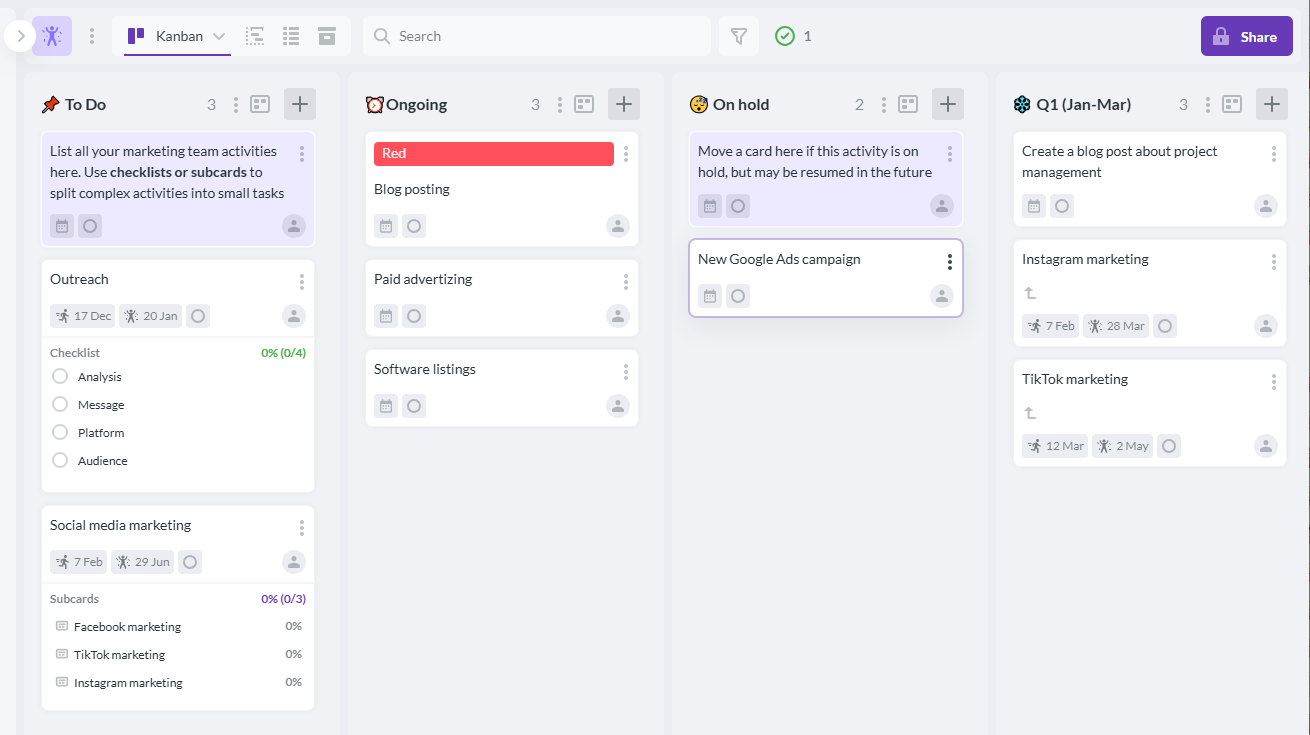
Kanbanchi stands out as the best project management software for digital marketing agencies, offering intuitive Kanban boards, seamless collaboration, and powerful workflow management in one simple platform.
Kanbanchi is purpose-built for organizations that run on Google Workspace. Its design is based on the proven efficiency of Kanban and Gantt methodologies, packaged into a tool that looks and feels like a native Google application.
Kanbanchi excels for digital marketing agencies by offering:
For a digital marketing agency that prioritizes speed, collaboration, and a centralized workspace without the friction of switching applications, Kanbanchi offers the most streamlined and productive project management platform.
BOOK A FREE TRIAL OF KANBANCHI
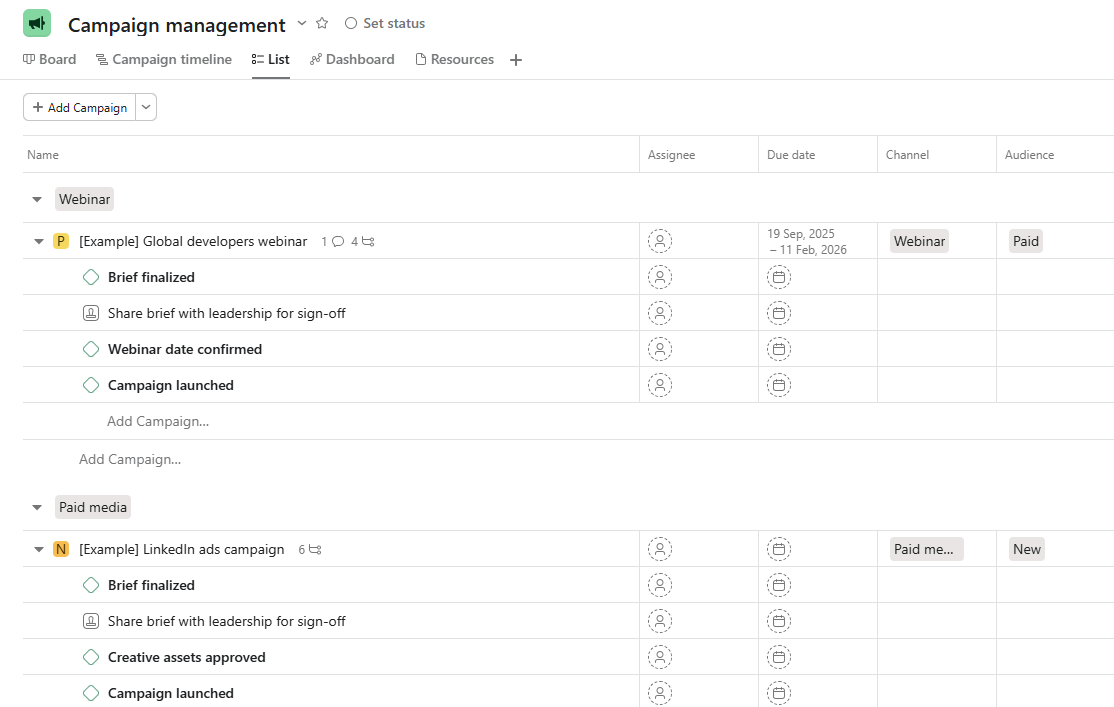
Asana helps digital marketing agencies manage campaigns, track tasks, and collaborate across teams in one centralized project management platform.
Asana excels at managing detailed lists, dependencies, and complex project structures. It is powerful for large campaigns that require detailed subtasks and rules. However, its Google integration is often limited to linking files rather than a native, fluid experience. For agencies where Gmail and Drive are central to every task, Asana can feel like a siloed application.
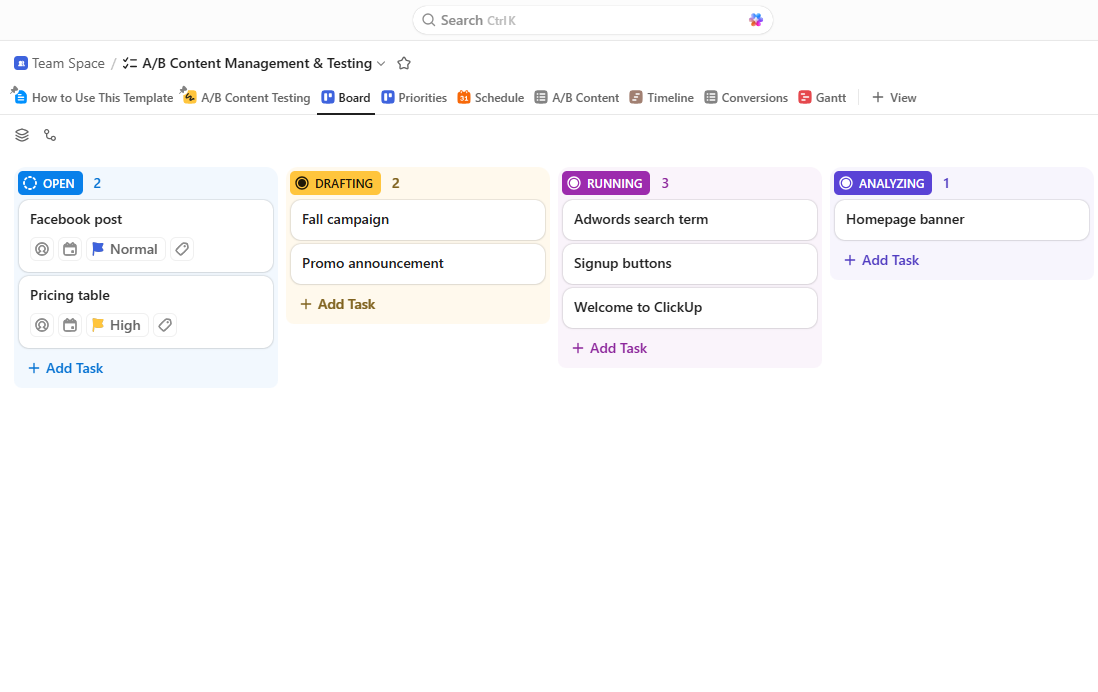
ClickUp enables digital marketing agencies to organize campaigns, manage workflows, and collaborate with teams using customizable project management tools.
ClickUp has a one app to replace them all, philosophy with a vast feature set including Docs, Whiteboards, and Goals. But it is a bit basic and overwhelming for simple use cases, with a steep learning curve. It would be helpful for teams that need to prioritize a massive feature set over ease of use and native integration.
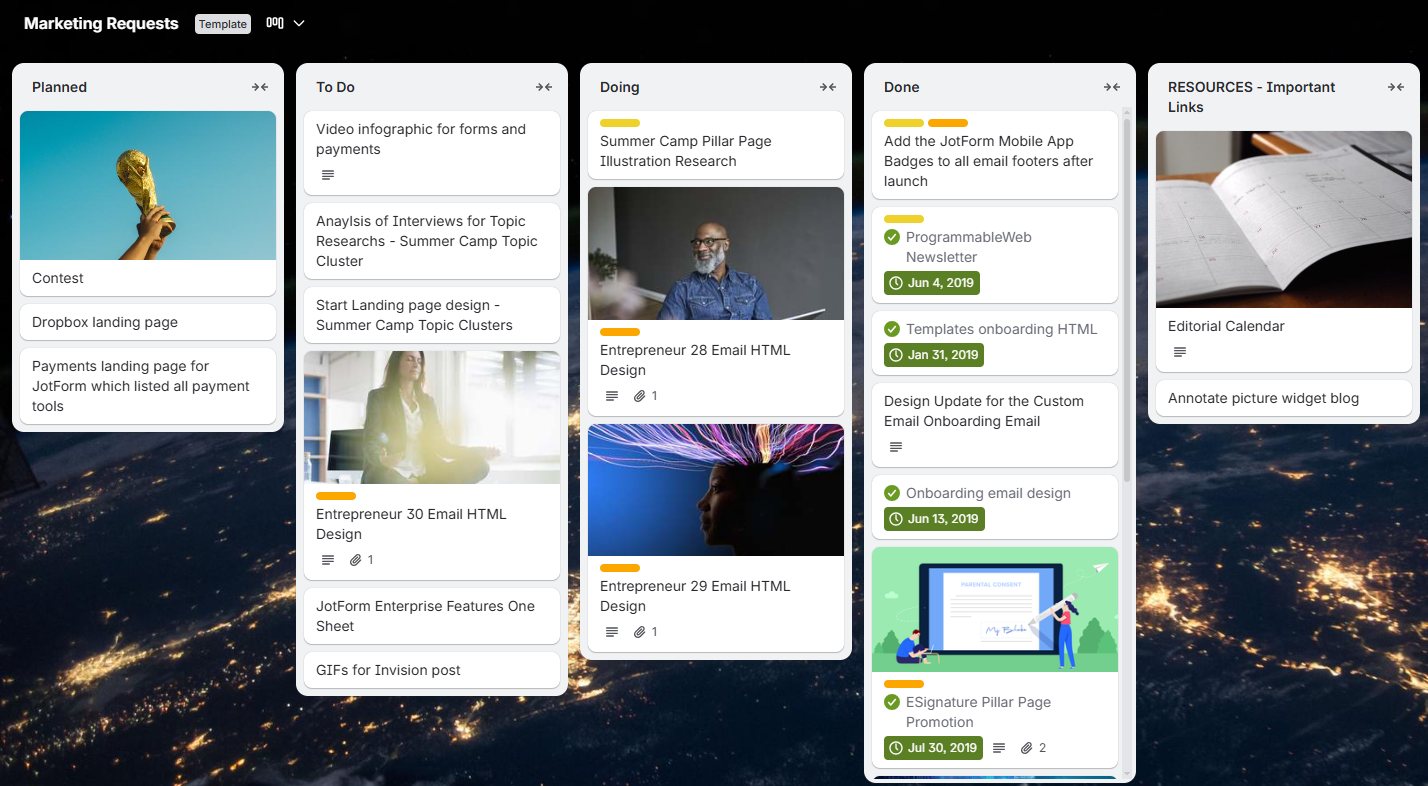
Trello helps digital marketing agencies visualize workflows, manage marketing tasks, and track campaign progress using flexible boards and cards.
Trello is liked for its simplicity and ease of use, making it an excellent introductory tool for visual task management. It is unmatched for quickly setting up a basic content calendar or a simple editorial workflow.
However, it requires paid “Power-Ups” to match core features (such as time tracking and calendar views) that are standard in more professional tools. It struggles to meet enterprise-level needs, such as robust resource management and integrated reporting, required by growing agencies.
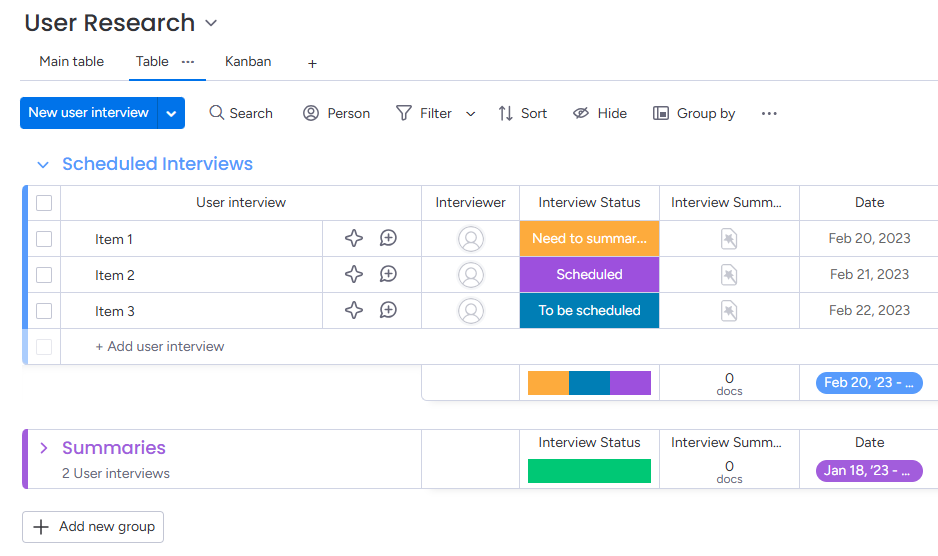
monday.com enables digital marketing agencies to plan campaigns, track tasks, and collaborate across teams with customizable project boards and timelines.
Monday.com offers stunning visualization and extreme flexibility, allowing users to build complex custom dashboards. It is highly engaging visually. The main drawback for agencies is that, while it integrates with Google tools, it doesn’t reside in Google Workspace.
Agency users must constantly switch between the Monday platform and their Google environment, disrupting workflow and adding administrative steps.
A great digital marketing and project management tool will be able to map a complex campaign process into a single, easy-to-understand plan. By using a tool like Kanbanchi, agencies can replace confusion and guesswork with a clear, automated pathway from brief to billing.
Let’s look at how a typical integrated workflow functions using a visual project management system:
Action: A client sends a new campaign brief via email to the account manager.
PM Tool Function
Key Benefit
Action: The Project Manager reviews the New Projects board and moves the task card to the In Progress column.
PM Tool Function
Key Benefit
Action: The copywriter finishes the draft and marks the subtask complete.
PM Tool Function
Key Benefit
Action: The campaign launches. The team needs to monitor performance and log time.
PM Tool Function
Key Benefit
By connecting these four stages and using the best project management and digital marketing software, it’ll ensure that workflows are trackable and ultimately profitable.
Kanbanchi sets itself apart from competitors by offering a feature-rich project management solution operating as a native extension of a tool most agencies are already familiar with: Google Workspace. This sets it apart as one of the best digital marketing agency project management software platforms on the market. Why? Well, Kanbanchi is not just integrated; it’s built for Google Workspace. Here’s what you’ll get when you try us out:
What else can we offer? Well, Kanbanchi provides the key visualizations necessary to keep your digital marketing campaigns on track:
Kanbanchi offers everything you need for a complete project view:
Your project data is consistent across all these views, so the Content Lead can view the Kanban, the Project Manager can review the Gantt, and the Finance Manager can pull a time report…all from the same source. This visual system allows managers to assess workloads and bottlenecks at a glance.
We’ll scale with your agency without introducing the complexity or prohibitive cost associated with other product management software suites, and with our dedicated Customer Support, we’ll help your agency seamlessly integrate our tool into their existing IT infrastructure and scale it effortlessly.
For a digital marketing agency project management platform, Kanbanchi’s integration capabilities are unmatched.
Got any final burning issues to consider? Let’s round off with some of the most commonly asked q’s you might have about this topic.
The best tool depends on your agency’s needs, but for those that operate primarily within Google Workspace, Kanbanchi is highly recommended.
It offers the best combination of native Google integration, essential features (Kanban, Gantt, Time Tracker), and scalability without unnecessary complexity. Other tools like Asana and Trello, mentioned in our breakdown, are also effective.
Project management is vital in marketing because it ensures the consistent, timely, and coordinated delivery of multi-channel campaigns.
It prevents the loss of creative assets, eliminates communication bottlenecks, ensures client deadlines are met, and ultimately improves the agency’s profitability and client satisfaction by streamlining all operational workflows.
While you can manage tasks in Google Docs, Sheets, and Calendar, this approach is highly inefficient. It lacks key PM capabilities, including visual workflow management (Kanban/Gantt), integrated time tracking, and automated reporting. A tool like Kanbanchi serves as the digital marketing project management layer, transforming your fragmented Google assets into a cohesive, managed project.
Essential features include: Kanban boards for workflow visualization, Gantt charts for timeline management, a built-in time tracker for accurate billing, and deep, native integration with Google Workspace (Gmail-to-Task, Drive Picker) to reduce context switching.
A dedicated PM tool improves client communication by creating a single source of truth. Agencies can share progress reports (or even limited-view boards) with clients, providing transparency on campaign status, review deadlines, and asset status, leading to fewer clarifying emails and more focused client relationships.



In this Article:
Start using Kanbanchi now
Start your free trial