
In this Article:
Try Kanbanchi now
Start your free trial


Managing multiple client campaigns simultaneously demands exceptional coordination, transparent workflows, and reliable project tracking. Marketing agencies face mounting pressure to deliver quality work across diverse campaigns while maintaining profitability and client satisfaction. This case study explores how digital marketing agencies use Kanbanchi as a marketing agency project management tool to streamline operations, improve team collaboration, and deliver measurable results.
Digital marketing agencies operate in a constantly complex environment. Account managers oversee multiple client relationships simultaneously, each requiring distinct strategies, timelines, and deliverables. Content creation bottlenecks emerge when creative teams handle simultaneous requests across social media calendars, blog production, and advertising campaigns. Campaign deadline pressure intensifies as agencies balance competing priorities, and one delayed approval cascades through multiple projects, threatening client relationships and team morale.
Team capacity issues compound these challenges when agencies struggle to accurately assess workload distribution across account managers, content creators, SEO specialists, and creative directors. Client communication complexity adds another layer of difficulty. Without centralized systems, feedback scatters across email threads, Slack channels, and disconnected documents, creating confusion about deliverable status, revision requirements, and approval workflows.
Before Kanbanchi, most marketing agencies operated with fragmented systems. Generic project management tools often lack the marketing-specific features needed. Standalone platforms require constant switching between systems, disrupting team workflows and fragmenting project information. Marketing-focused tools sometimes overload teams with unnecessary complexity or limit integration options. These challenges intensified as agencies planned to expand their client rosters, knowing their old processes could not scale.
Digital marketing agencies using Kanbanchi typically range from 15 to 75 team members and operate as full-service or specialized firms. These agencies focus on SEO optimization, social media management, and content marketing for clients across technology, e-commerce, healthcare, and professional services sectors. Team structure typically includes: account management, handling client relationships; creative departments, producing visual and written content; strategy teams, developing campaign frameworks; and analytics specialists, measuring performance.
Most agencies manage 20 to 50 active client accounts simultaneously, with campaign scopes ranging from ongoing retainer work to project-based initiatives. Typical campaign workflows involve initial strategy development, content calendar planning, creative production, client approval cycles, campaign execution, and performance reporting. These processes require coordination across internal teams and external stakeholders throughout multi-week or multi-month timelines.
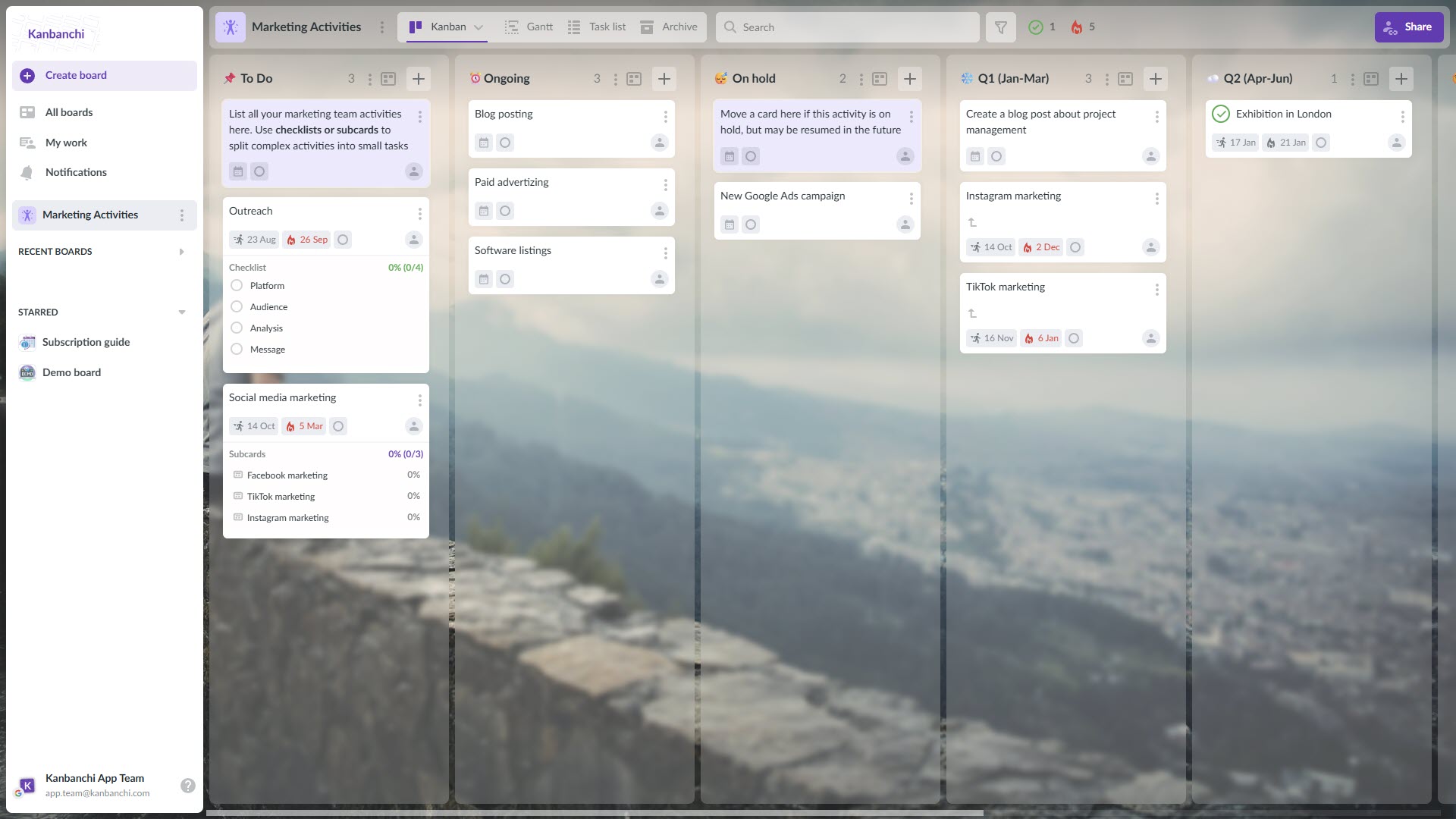
Kanbanchi board is used as the marketing agency project management board
Marketing agencies evaluate digital marketing task management solutions based on specific criteria. They need visual workflow organization, integration with existing productivity tools, flexible permission systems for client collaboration, and comprehensive reporting capabilities. Before selecting Kanbanchi, agencies test multiple solutions and assess how each addresses their core challenges.
Kanbanchi emerged as the preferred solution because it integrates directly with Google Workspace or Microsoft 365 environments that agencies already use. This native integration eliminates adoption friction while providing sophisticated project management capabilities. The platform offers Kanban boards for visual task organization, Gantt charts for timeline planning, time tracking for resource management, and automated reporting. These features address marketing workflow requirements without forcing agencies to abandon familiar productivity ecosystems. We have recently made an overview of the most popular software for marketing teams. Feel free to check them out: Top 7 Project Management Software for Marketing Teams
One agency director noted that Kanbanchi made task management
“at least twice faster than going through multiple pages in project management tools.”
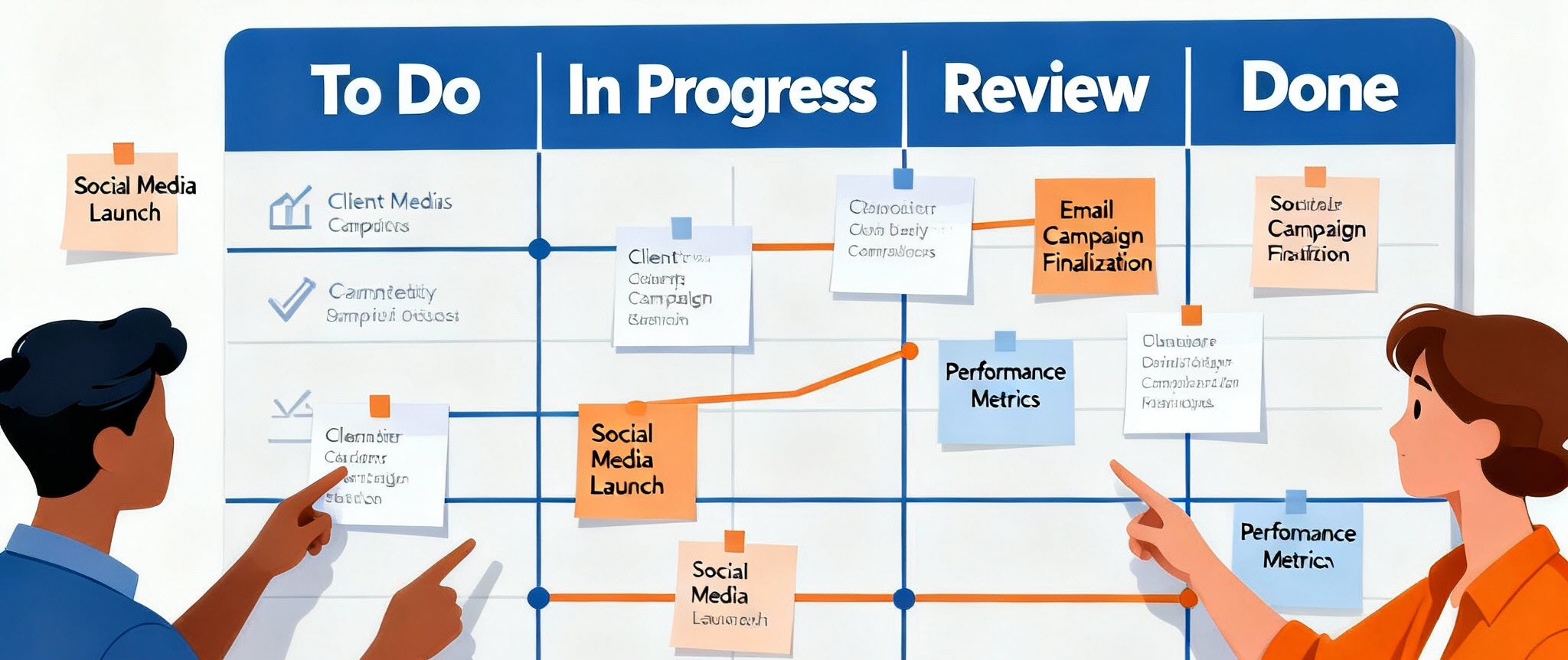
Kanban boards can be used as a social media project management tool
Successful Kanbanchi implementation follows structured onboarding processes. Agencies begin by creating standardized board templates for recurring campaign types, including social media management, SEO projects, content production, and client onboarding workflows. Initial setup involves establishing client-specific boards or campaign-specific workspaces, depending on organizational preferences. Board templates accelerate this setup by providing pre-configured lists, card templates, and workflow structures.
Team assignment processes define roles for each board, clarifying who handles strategy, execution, review, and client communication. Client access configuration enables external stakeholders to participate. Agencies share specific boards with clients via Google Drive or Microsoft OneDrive permissions, allowing clients to view progress without accessing internal information. This transparency builds trust while maintaining appropriate information boundaries.
Training emphasizes practical application rather than theoretical knowledge. Teams learn by working on live campaigns, moving actual tasks through board workflows, and experiencing real-time synchronization across devices. One implementation case study noted teams transitioned seamlessly without missing deadlines during rollout. Account managers appreciated the visual clarity, creative teams embraced mobile accessibility, and clients praised transparency into project status.
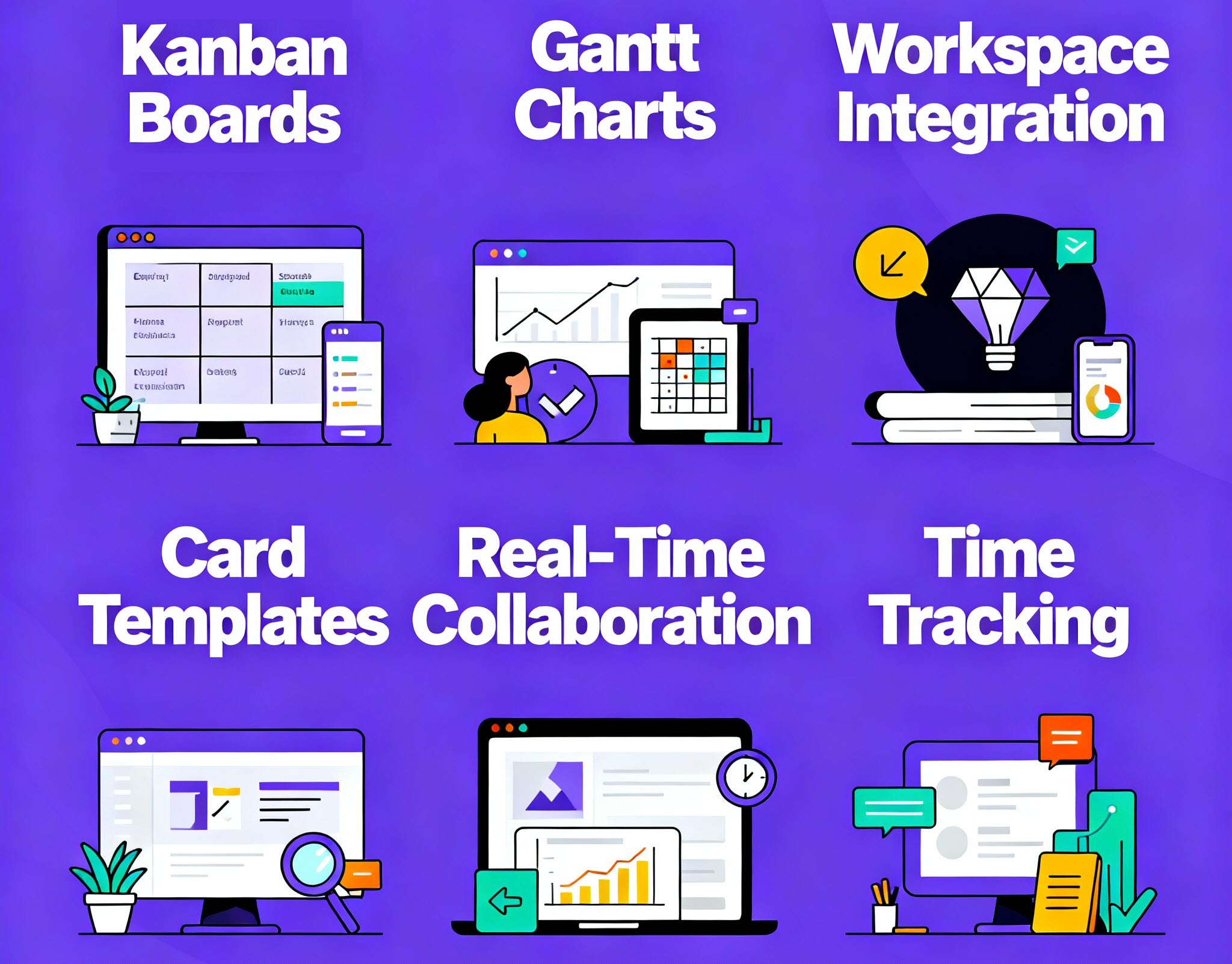
The most crucial digital marketing task and project management tool features
Kanbanchi’s visual Kanban boards became central coordination hubs for campaign management. Marketing teams organize tasks into customizable columns representing workflow stages like “To Do,” “In Progress,” “Client Review,” and “Completed.” Color-coded tags differentiate priority levels, campaign types, and client categories. This visual organization eliminates the need for status meetings and email chains, as team members can see project status at a glance.
Gantt chart integration provides timeline visualization for complex multi-phase campaigns. Account managers map dependencies between strategy development, content creation, approval cycles, and launch dates. This timeline view helps agencies identify potential scheduling conflicts and resource bottlenecks before they impact deliverables. Regional managers use Gantt charts to coordinate campaigns across multiple clients simultaneously.
Google Workspace and Microsoft 365 integration enables seamless workflow connections. Teams can attach files directly from Google Drive or OneDrive to task cards, eliminating version-control confusion. Gmail integration converts client emails into actionable tasks, preserving communication context. Calendar synchronization ensures deadlines can appear in team schedules. This unified ecosystem means team members don’t need to switch between multiple tools throughout the day.
Card templates streamline recurring task creation. When agencies launch similar campaigns for multiple clients, templates include pre-populated checklists, standard attachments, and default assignees. This standardization reduces setup time while maintaining consistency across projects. Marketing teams can launch new client campaigns in hours rather than days by cloning established templates.
Collaboration features facilitate real-time team coordination. Team members comment directly on task cards, maintaining conversation history within the project context. File attachments and inline discussions eliminate email chains and scattered feedback. This conversation history proves invaluable during campaign retrospectives and client discussions about revision cycles.
Time tracking capabilities monitor hours spent on client work. This functionality is essential for agencies that bill by the hour or analyze profitability per campaign. Reports generated from tracked time inform resource allocation decisions and budget discussions. Kanbanchi’s time tracking integrates directly with billing systems, reducing accounting overhead.
Marketing agencies implementing Kanbanchi report significant operational improvements. One architecture firm using Kanbanchi reduced revision cycles by 40%, from 17 per project to 9, resulting in substantial time savings. The same firm increased project capacity from 4 to 6 projects per quarter, representing 50% growth. These metrics demonstrate how workflow efficiency directly translates into business expansion capacity.
| Operational Area | Key Metric/Improvement | Specific Result | Business Impact |
|---|---|---|---|
| Project Efficiency | Revision Cycle Reduction | Reduced from 17 to 9 cycles per project (40% reduction) | Substantial time savings |
| Project Capacity | Portfolio Growth | Increased from 4 to 6 projects per quarter | 50% capacity growth |
| Financial Performance | Return on Investment | $32,488 quarterly savings vs $1,429 subscription cost | 20x ROI achieved |
| Workflow Management | Coordination Speed | Workflow management is 2x faster than previous methods | Reduced administrative overhead |
Client satisfaction improvements emerge from enhanced transparency. Agencies create client-facing boards showing campaign progress, upcoming deliverables, and revision status. Clients appreciate visibility into work happening on their behalf, reducing anxiety and status update requests. This transparency strengthens relationships and increases contract renewal rates.
Team productivity gains result from reduced coordination overhead. One advertising agency noted Kanbanchi made workflow management “at least twice faster” by consolidating information in visual boards rather than scattered documents. Teams spend less time searching for information and more time executing campaigns. Staff retention improves when team members spend time on meaningful work rather than administrative tasks.
Resource utilization optimization allows agencies to handle more clients without proportional team expansion. Clear workload visibility prevents both underutilization and burnout by distributing tasks based on actual capacity. Financial impact justifies investment. One case study calculated a 20x return on investment, with quarterly hard savings of $32,488 against a $1,429 subscription cost. These savings came from reduced revision cycles, increased project capacity, and improved resource efficiency.
Account managers praise improved client coordination. One account manager explained that clients “loved the transparency” of viewing revision boards, eliminating confusion about delivery timelines. The ability to give clients board access without exposing internal processes transformed client relationships. Another account manager stated that reduced status update requests freed time for strategic client conversations.
Content creators appreciate clearer priorities. One creative professional described how Kanbanchi eliminated the stress of juggling competing requests, stating that visual boards helped them “see exactly what needed attention.” Card progress automation reduced manual status updates, allowing more focus on actual content creation. Creative directors highlighted that team members stayed focused on deliverables rather than tracking statuses.
SEO specialists value centralized campaign tracking. One SEO coordinator noted that consolidating keyword research, content optimization, and link-building tasks on unified boards improved workflow visibility. Integration with Google Sheets enabled automated reporting that previously required manual compilation. Team members appreciated seeing how their SEO work connected to broader campaign timelines.
Project managers emphasize reduced administrative burden. One project manager stated that Kanbanchi consolidated “all the information about projects” in accessible locations, enabling team members to “catch up with the board” and find necessary work information efficiently. Another manager noted that visual boards eliminated the need for daily status check-in meetings.
START YOUR FREE KANBANCHI TRIAL NOW
Design Boards That Match Your Agency Structure. Successful agencies implement board structures tailored to their operational models. Some create separate boards per client, providing dedicated workspaces for each relationship. Others organize by campaign type, grouping similar work, such as social media management or SEO projects, regardless of client. The choice depends on agency size, client volume, and team preferences.
Use Color Coding and Visual Organization. Color coding establishes visual priority systems. Agencies use card colors to indicate urgency levels, campaign status, or content types. Consistent color schemes across boards help team members quickly assess priorities when switching between projects. Swimlanes organize work by team function or individual assignments. Marketing boards often include swimlanes for content, design, social media, and paid advertising, allowing each department’s workload to be seen at a glance.
Standardize with Templates. Template standardization accelerates campaign launches. Agencies develop board templates for recurring campaign types and card templates for standard deliverables. When starting new client work, teams clone templates rather than rebuilding workflows from scratch. This approach maintains consistency while reducing setup overhead by up to 75%.
Define Client Collaboration Protocols. Client collaboration protocols define appropriate access levels. Agencies typically provide clients with view-only board access for transparency while restricting editing permissions to internal teams. Clear protocols prevent confusion about client participation boundaries. Some agencies include clients in revision cycles by sharing specific boards, while others use boards purely for internal tracking.
Leverage Automation to Reduce Manual Work. Automation reduces manual work and minimizes errors. Card progress automation moves tasks between lists automatically based on status changes. Recurring cards create regularly repeating tasks like weekly social media planning without manual setup. These automations free team members from repetitive administrative tasks and reduce the chance of missed recurring deliverables.
Kanbanchi board access follows Google Drive or Microsoft OneDrive sharing permissions. Clients with Google or Microsoft accounts can access shared boards directly. Agencies using Google Workspace can configure external sharing settings to accommodate client access needs.
Agencies implement swimlanes within a single board to separate concurrent campaigns or create multiple boards per client, depending on project complexity. Both approaches maintain organization while providing appropriate visibility.
Kanbanchi integrates natively with Google Workspace and Microsoft 365 applications. Third-party marketing tool integration typically occurs through file attachments from Google Drive or OneDrive. Agencies can attach social media calendars, SEO reports, and analytics documents directly to relevant cards.
Kanbanchi includes built-in time-tracking functionality, allowing team members to log hours for each task. Time data exports to Google Sheets or CSV format for invoice preparation and client reporting.
Agencies create dedicated lists for approval stages, such as “Client Review” or “Internal Review.” Team members move cards through these stages as approvals progress. Comments on cards preserve approval feedback and revision requests.
START YOUR FREE KANBANCHI TRIAL NOW
Digital marketing agencies face unprecedented complexity in managing multiple clients, diverse campaign types, and demanding timelines. Traditional approaches using scattered spreadsheets, email chains, and disconnected tools create coordination bottlenecks that limit agency growth and client satisfaction.
Kanbanchi transforms project management for marketing agencies by providing visual workflow organization, seamless ecosystem integration, and powerful collaboration features. Agencies implementing Kanbanchi report measurable improvements in campaign delivery rates, client retention, and team productivity.
The platform’s native integration with Google Workspace and Microsoft 365 eliminates adoption friction while delivering sophisticated project management capabilities. Marketing teams gain transparency into workload distribution, campaign timelines, and deliverable status without abandoning familiar productivity tools.
Successful implementation requires structured onboarding, standardized templates, and clear workflow protocols. Agencies investing in a proper setup achieve positive ROI within quarters through time savings, capacity expansion, and improved client relationships.
Digital marketing agencies seeking sustainable growth and operational excellence should evaluate Kanbanchi as a comprehensive solution for social media project management, advertising campaign coordination, and SEO project tracking needs. The platform delivers proven results for agencies prioritizing transparency, efficiency, and client satisfaction.
More content for marketing teams on our website may be found here.
Ready to transform your agency’s workflow? Start your free trial today, build your first campaign board, and see how visual workflows can turn chaos into clarity, just like successful marketing agencies have done. Experience the difference that comprehensive project management can make for your team and your clients.



In this Article:
Start using Kanbanchi now
Start your free trial