
In this Article:
Try Kanbanchi now
Start your free trial

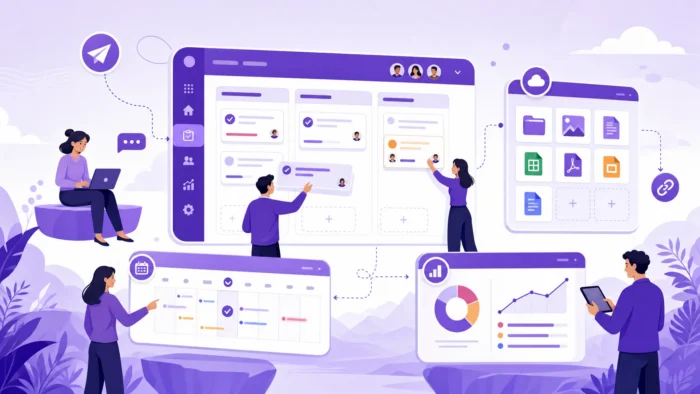
Google Workspace has proved to be a big success among business users since its launch. It is a smart, simple way of keeping all documents in one place while sharing them easily with colleagues, and it has evolved well beyond its G Suite origins to actively help teams increase productivity.
For project teams, Google Workspace provides a strong operating base for communication, co-editing, file storage, and schedule coordination. A marketing launch can keep briefs in Docs, campaign assets in Drive, deadlines in Calendar, and stakeholder conversations in Gmail or Chat. An operations team can collect requests through Forms, discuss blockers in Meet, and maintain trackers in Sheets.
The bigger question is whether those tools help people move work from idea to outcome without losing track of ownership, deadlines, and priorities. That is where the most useful Google Workspace features stand out – and where the gaps become visible.
Google Workspace allows real-time collaboration across documents, spreadsheets, and presentations. Shared calendars and automatic email invites help any team work more closely together, and a meeting can be turned into a video conference with a single click.
Multiple people can work on the same file simultaneously, seeing each other’s edits as they go without stepping on each other’s toes. Cloud file storage and sharing means everyone accesses the latest version of a document directly, with no risk of anyone working on an out-of-date attachment.
A high degree of security is built into the platform. Two-step verification, file archiving controls, and administrative access management mean that sensitive documents are protected in ways that suit specific regulatory requirements and organizational policies. Google’s approach is detailed on the Google Workspace security page.
Research suggests that workers switch between applications up to ten times an hour, which adds up to a significant loss of time over a year. The variety of Google Workspace features means teams can do virtually anything without leaving the Google ecosystem, reducing the time lost to context-switching, manual updates, and email attachments that most people never noticed they were losing before.

Gmail is often where project work begins. Clients send requests, managers assign follow-ups, vendors confirm details, and stakeholders approve decisions. For small tasks, an email thread may be enough. For team projects, relying only on inboxes quickly becomes risky because important work can stay hidden in personal accounts.
The practical approach is to treat Gmail as an intake channel, not the final task system. When an email becomes work that requires ownership, due dates, or collaboration, it should be converted into a trackable task. Kanbanchi supports this workflow by letting teams create cards directly from Gmail, so project-related messages can move from the inbox to a shared board without copy-pasting or switching tools.
Google Drive is one of the most valuable Google Workspace features for project teams because files stay connected to the people who need them. Project documents, budgets, contracts, creative assets, reports, and meeting notes can be stored and shared without sending attachment versions back and forth.
For business teams, Shared Drives are especially useful because files belong to the team rather than one individual. This makes continuity easier when roles change, people move between departments, or external collaborators are added. For a law firm coordinating active litigation, for example, linking Drive files – outlines, exhibits, and correspondence – directly to task cards means every team member can find the right document without searching across multiple folders. Kanbanchi supports this by allowing users to attach files from Google Drive and Shared Drives directly to cards, keeping the work item and its materials together.
Docs, Sheets, and Slides are central to how project teams create and refine work. Multiple people can edit, comment, suggest changes, and review content without creating separate file versions. This is a significant improvement over document workflows that depend on email attachments or local file storage.
For project teams, the best use of these apps is to connect each file to a clear task or deliverable. A proposal in Docs should have an owner and due date. A budget in Sheets should be tied to a milestone. A presentation in Slides should have a review workflow. Without that structure, real-time collaboration can still feel unstructured even when the technology works perfectly.
Sheets can also function as a workaround project tracker for simple task lists and timelines. It works reasonably well on modestly-sized projects, but tends to become unwieldy as projects grow and teams need visual workflows, dependencies, and clear task-level ownership.
Calendar gives project teams a shared view of time. It is useful for meetings, launch dates, review sessions, deadlines, and reminders. When used well, it helps prevent the common problem of project plans living in one place while actual schedules live somewhere else.
Kanbanchi can add events to Google Calendar from cards, which is useful when a task has a start date, due date, or active work period that team members need to see alongside meetings and other commitments.
Meet and Chat help teams discuss work, remove blockers, and coordinate across locations. Meet is best for decisions that need live conversation. Chat is useful for quick updates and lightweight collaboration.
Project teams get the best results when these conversations are connected back to the task system. A decision made in Meet should be reflected in the project board. A blocker raised in Chat should become visible on the relevant task. Otherwise, teams risk creating a second layer of undocumented work that is invisible to everyone else.
Security and access management matter for teams handling client data, internal plans, financial documents, or regulated information. Google Workspace provides administrative controls, identity management, sharing settings, and security capabilities that vary by plan.
For project leaders, the key question is whether the project management workflow respects the access rules the organization already has in place. Kanbanchi is designed to work within Google Workspace policies, including sharing internally and externally according to company Google settings.
Read all articles related to Google Workspace here
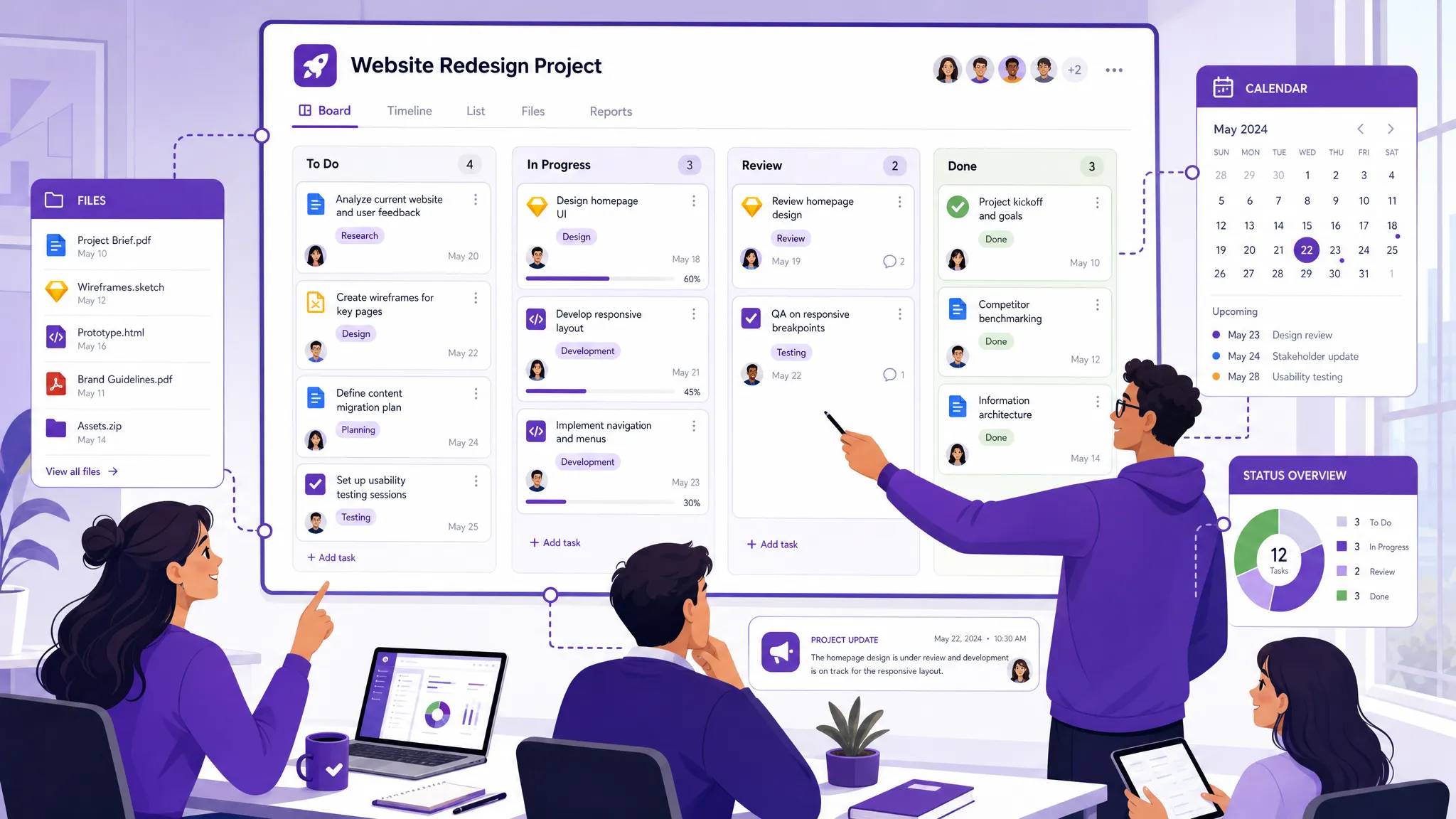
The features described above make Google Workspace an excellent environment for teams that need to work closely together, whether in the same office or across different time zones. However, there is one element that project teams will need to look for elsewhere.
Google Workspace does not include a full native project management platform. There is no built-in Kanban board, Gantt chart, or time tracking system. Not everyone needs these tools, but for teams that do, the absence can have a serious impact on the ability to work efficiently.
Some project teams try to fill the gap with spreadsheets, email labels, calendar events, or shared documents. Others try a third-party tool that does not integrate with Workspace, which tends to introduce manual workarounds and erodes the seamless experience that Workspace was designed to provide. Some teams even resort to manual Kanban boards with sticky notes on whiteboards – a method that creates the constant risk of forgetting to update others and breaks the close collaboration that modern teams depend on.
These workarounds can help for small or temporary projects. They become much harder to maintain when a team grows, multiple departments are involved, or leadership needs a reliable overview of what is in progress.
| Project need | Google Workspace can help with | What teams may still need |
|---|---|---|
| Task ownership | Assign comments, send emails, use Sheets | A shared board with owners, priorities, and status |
| Timeline planning | Use Calendar or spreadsheet timelines | A Gantt chart with task dates and dependencies |
| File collaboration | Store and co-edit files in Drive | Files attached directly to the relevant task |
| Progress visibility | Review Sheets or meeting notes | Live visual workflow across teams and projects |
| Time accountability | Track manually in Sheets | Time tracking connected to tasks |
| Reporting | Export or build reports manually | Structured project data for dashboards and analysis |
Kanbanchi is a dedicated project management solution that operates like any other Google file in Drive. Rather than replacing Workspace, it adds project structure on top of the tools teams already use. Every size of project can be run through Kanbanchi while keeping all the benefits of Workspace intact.
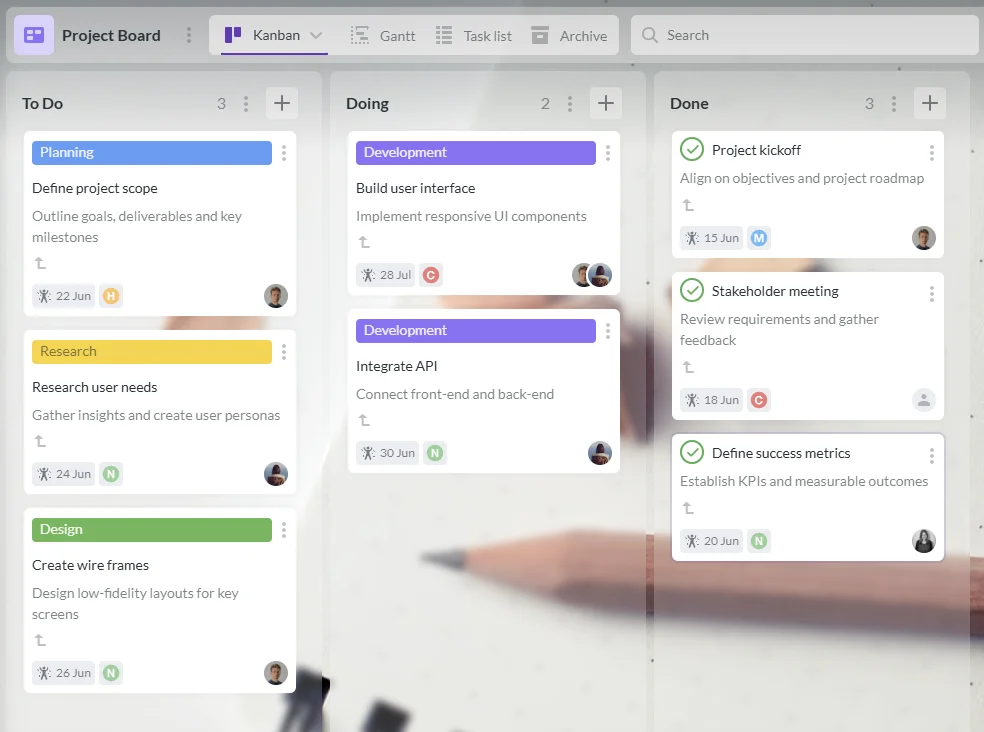
Kanbanchi boards help teams organize work with cards, lists, tags, priorities, assignees, comments, checklists, and filters. A basic board can show To Do, Doing, and Done. A more advanced board can include approval stages, client feedback, QA, launch readiness, or department-specific swimlanes.
This is especially useful for managers who need a quick answer to what everyone is working on without asking for status updates in meetings.
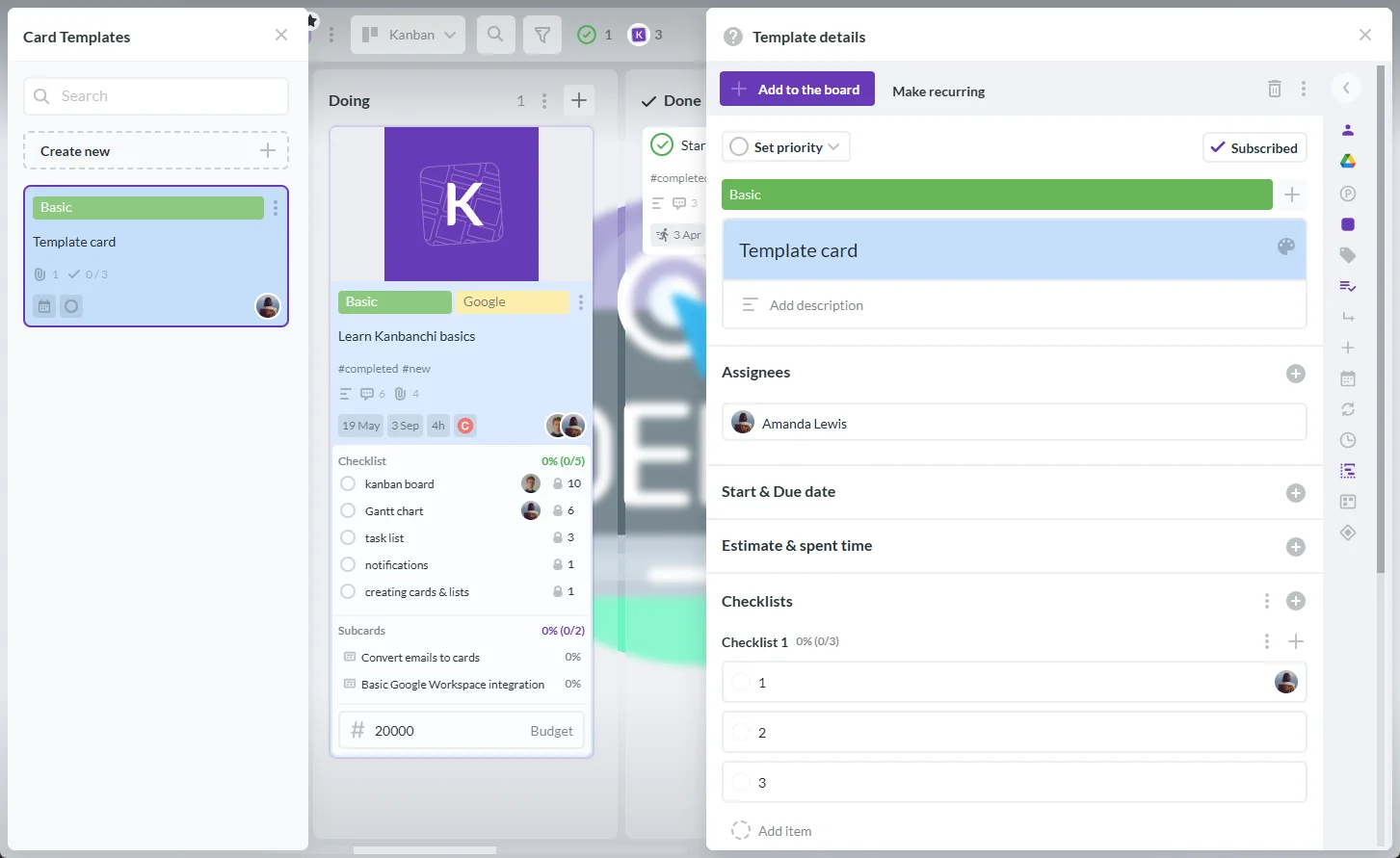
Not all tasks are one-off. Regular reviews, weekly reports, maintenance checks, and compliance tasks recur on a schedule and need the same owner, checklist, and process each time. Kanbanchi supports recurring cards, so teams can automate the creation of these tasks rather than remembering to create them manually. This keeps the board accurate without adding administrative overhead.
Moreover, for teams that run repeatable processes, Kanbanchi’s board and card templates remove the need to rebuild the same structure from scratch each time. A commercial cleaning company coordinating crews across multiple client sites, for instance, can use a recurring card template for each location visit – with a checklist, assignee, and Drive-linked quality report already in place – so every job starts from a consistent, complete setup rather than a blank card.

Some projects need more than a workflow board. Product launches, construction phases, hiring campaigns, event planning, and cross-functional initiatives often depend on dates and sequencing. Kanbanchi’s Gantt chart lets teams view board cards on a timeline, giving project leads visibility into schedules, deadlines, and relationships between tasks – a planning view that is very difficult to maintain reliably with Calendar or spreadsheets alone.
For a manufacturing team coordinating production schedules, for example, a Gantt view makes it straightforward to see how a delay in one phase affects everything downstream – and to adjust the timeline before it becomes a problem.
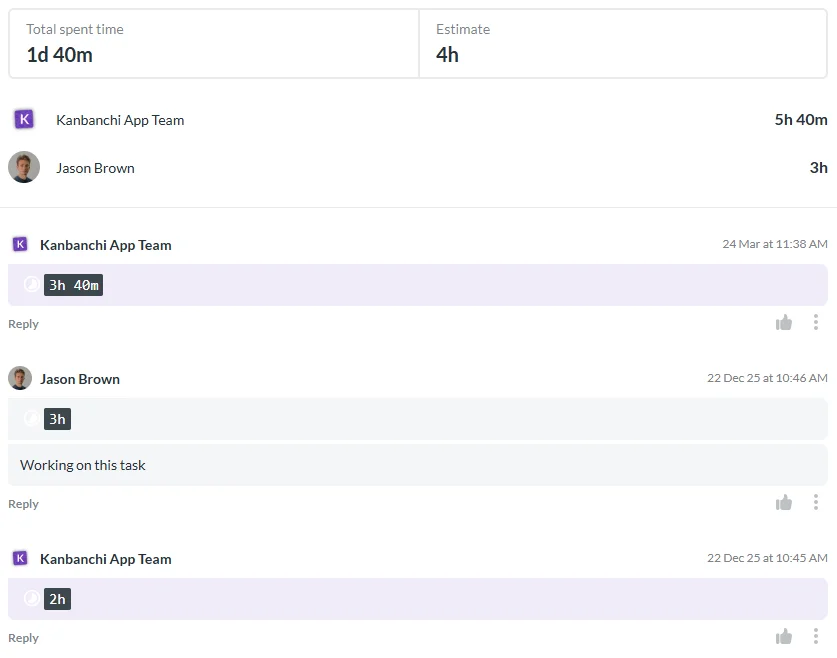
Time tracking helps teams understand how long work actually takes, which is useful for billing, capacity planning, internal forecasting, and improving future estimates. Kanbanchi includes a Time Tracker that lets users record time directly on cards, with data collected in a dedicated tab so managers can review effort across the team without maintaining a separate system.
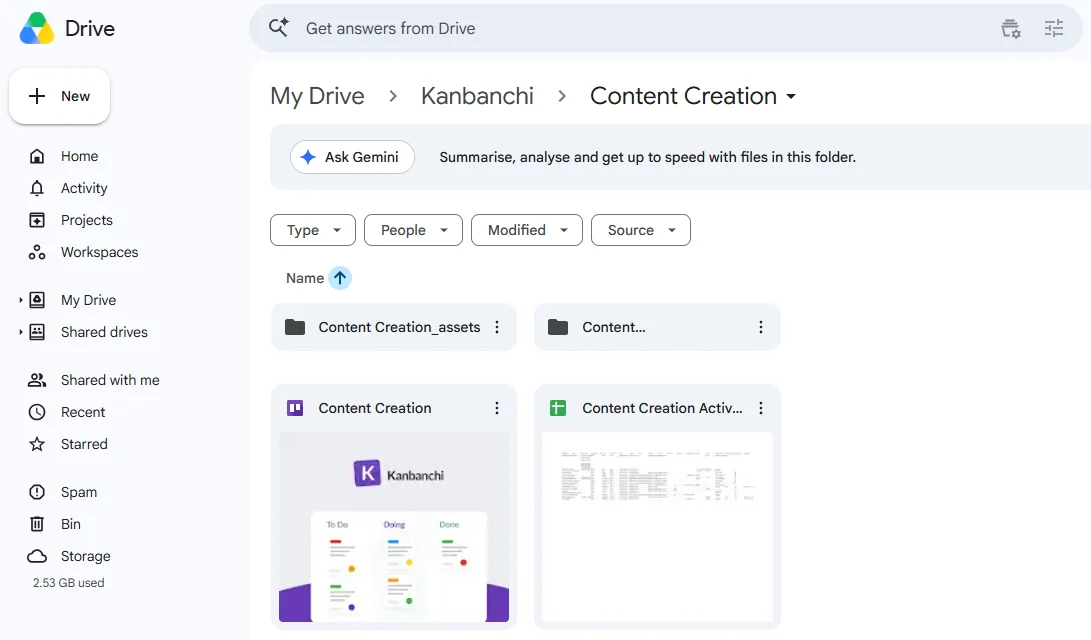
Kanbanchi’s value for Google Workspace teams comes from its deep integration with the surrounding ecosystem. Teams can attach files from Drive and Shared Drives, create cards from Gmail, add events to Google Calendar, and export board data to Google Sheets.
This keeps work genuinely connected. A task card can hold the deadline, owner, checklist, discussion, priority, and Drive files in one place. If the team needs to analyze board data or build reports, exports to Sheets make that information easy to reuse without any manual data entry.
Not every team needs the same setup. A five-person agency and a global enterprise will use Google Workspace differently. The right starting point is to map features to the specific problems the team already experiences.
Create a clear rule for when an email becomes a task. If it requires an owner, deadline, or follow-up, move it to a shared board. This prevents Gmail from becoming an invisible project management system that only one person can see.
Use consistent folders or Shared Drives for major projects. Attach the most relevant files to task cards so people do not need to search across multiple locations before starting work.
Calendar is useful for important dates, but a Gantt chart gives better visibility into project sequences. Use both when a project has dependencies, phases, or many contributors working in parallel.
A well-maintained board reduces the need to ask every person for updates. Leaders can review progress before meetings and use live time for decisions, blockers, and priorities rather than status reports.
If your team runs the same type of project or task repeatedly – client onboarding, sprint reviews, monthly reports – board and card templates combined with recurring cards mean the structure is already in place each time. This reduces setup time and keeps processes consistent across the team.
Spreadsheets are useful for analysis but are not ideal for day-to-day project execution. Use a project board as the live source of truth, then export or connect data to Sheets for reporting when needed.
A simple, effective Google Workspace project setup can look like this:
This setup keeps Google Workspace as the collaboration environment while giving the team a dedicated place to manage execution. The result is a workflow where communication, content creation, file storage, and project tracking all reinforce each other rather than creating duplication or gaps.
The most useful features are Gmail for communication, Drive and Shared Drives for file storage, Docs and Sheets for collaboration, Calendar for scheduling, Meet and Chat for coordination, and admin controls for secure access. Project teams often combine these with a dedicated project management tool to add task visibility and workflow structure.
Google Workspace includes many tools that support project work, but it does not provide a complete native project management platform with Kanban boards, Gantt charts, and built-in time tracking. Teams that need these capabilities usually add an integrated tool such as Kanbanchi.
Yes, Google Sheets can be used for simple task lists, timelines, and trackers. However, spreadsheets become difficult to maintain as projects grow, especially when teams need visual workflows, dependencies, clear ownership, real-time status, and task-level collaboration.
Kanbanchi integrates with Google Workspace by connecting project boards with Google Drive, Shared Drives, Gmail, Google Calendar, and Google Sheets. Teams can manage tasks visually while keeping files, dates, and project data connected to their existing Workspace environment. Boards are stored in Google Drive like any other file, so access and sharing follow the same rules the organization already uses.
Yes. Kanbanchi supports recurring cards for work that repeats on a schedule, and both board and card templates for teams that run the same type of project or process regularly. This reduces setup time and keeps execution consistent without relying on individuals to remember how a process should be structured.
Kanbanchi is designed for Google Workspace and also supports Microsoft 365 compatibility. For teams already using Google Workspace, its Google Drive, Gmail, Calendar, and Sheets connections make it a natural project management layer.
Google Workspace gives your team the tools to communicate, create, and share. Kanbanchi helps you connect that collaboration to actual project execution with Kanban boards, Gantt charts, time tracking, Drive attachments, Calendar sync, Gmail task creation, templates, recurring cards, swimlanes, and reporting options.
If your team already works in Google Workspace but still relies on scattered emails, manual spreadsheets, and long status meetings, it may be time to add a project management layer built for that environment. Explore Kanbanchi and see how your team can manage tasks, timelines, files, and progress without leaving the Workspace tools they already know.


In this Article:
Start using Kanbanchi now
Start your free trial