
In this Article:
Try Kanbanchi now
Start your free trial


Most workflow problems do not start as major process failures. They begin as small daily frictions: a task that is not assigned, a file buried in a chat thread, a status meeting that turns into a long search for updates, or a deadline that changes without everyone noticing.
Kanban for teams helps solve those everyday problems by turning work into a shared visual system. Instead of managing tasks across email, spreadsheets, messages, and memory, teams can see what needs to be done, who owns it, what is blocked, and what is finished.
For business owners and team leads, the value is practical. A team Kanban board does not just organize tasks. It improves how people plan their day, coordinate handoffs, discuss priorities, and spot risks before they become delays.
A team of three people can often coordinate informally. Everyone knows who is doing what, and updates happen naturally. But once a team grows, the same informal habits become a liability.
Work starts moving through more people, departments, tools, approvals, and deadlines. A simple customer request may involve sales, operations, design, finance, and delivery. If there is no shared system, each person sees only part of the workflow.
Invisible work is one of the biggest causes of daily inefficiency. A manager may know a project is important, but not know whether the next step is waiting on a teammate, a client, a file, or an approval. Team members may be busy, but their effort is not connected to a visible outcome.
Kanban changes this by making tasks visible as cards on a board. Each card represents a piece of work, and each column represents a stage in the workflow, such as To Do, In Progress, Review, and Done. When the board is kept current, it becomes the team’s operational map.
Without a shared view, people often discover priority conflicts after work has already started. Two urgent requests may land on the same person. A lower-value task may receive attention while a higher-value deliverable waits.
A team Kanban board makes priority conversations easier because work is no longer abstract. Leaders can look at the board and ask better questions: Which task should move first? What is blocking delivery? Is someone overloaded? What can wait?
Many workflow problems happen between tasks, not inside them. A designer finishes a draft, but the reviewer does not know it is ready. A support issue needs engineering input, but the handoff is lost in a message thread. A manager approves the next step, but the team does not notice.
Kanban improves handoffs because the movement of a card signals a change in status. When a task moves from In Progress to Review, the next person can see what action is needed. This reduces the need for repetitive check-ins and helps work move with less friction.
Read more content on Team management from the Kanbanchi team here.
The goal of Kanban is not to make the board look tidy. The goal is to improve flow, meaning how smoothly work moves from request to completion. Kanban is a strategy for optimizing the flow of value through a process. In day-to-day management, that means fewer surprises, clearer ownership, and faster decisions.
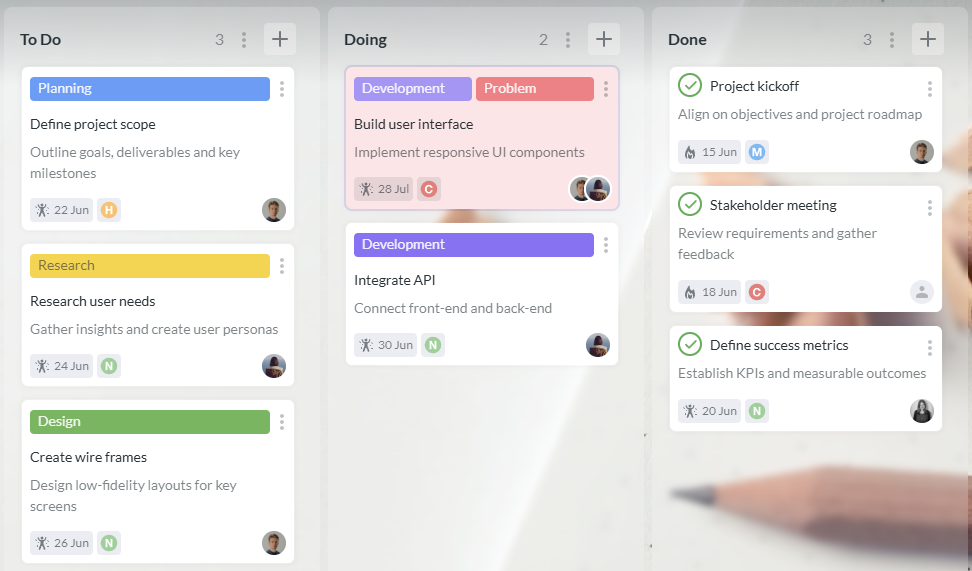
When a board is shared by the whole team, it reduces the need to ask, “Where are we with this?” The answer is visible. A team lead can open the board and immediately understand what is planned, active, delayed, or completed.
This is especially useful for distributed, hybrid, or cross-functional teams. People do not need to be in the same room or time zone to understand the current state of work. The board provides context even when meetings are limited.
Many teams are good at starting work but struggle to finish it. New requests arrive, priorities shift, and unfinished tasks accumulate. Kanban helps teams notice when too much work is in progress.
Even if your team does not use formal work-in-progress limits at first, the board makes overload visible. If the In Progress column is crowded, the team can pause before starting more tasks and focus on clearing bottlenecks.
A visual workflow gives managers a better basis for coaching and decision-making. Instead of relying on memory or subjective updates, they can see patterns.
For example, if tasks often pile up in Review, the issue may not be individual productivity. The real bottleneck may be approval capacity. If cards frequently return from Review to In Progress, the team may need clearer acceptance criteria before work begins.
| Daily workflow issue | What Kanban makes visible | Better team response |
|---|---|---|
| Too many urgent requests | Which tasks are competing for attention | Reprioritize openly and reduce context switching |
| Missed handoffs | Which stage each task is in | Move cards when status changes and assign the next owner |
| Overloaded teammates | Who has too much work in progress | Redistribute tasks before delays grow |
| Long review cycles | Where cards wait the longest | Improve approval rules or add reviewer capacity |
| Unclear deadlines | Which tasks have dates attached | Plan earlier and escalate risks sooner |
Kanban works best when it becomes part of the team’s normal rhythm. It should not be an extra administrative task that people update only before meetings. The board should reflect real work as it changes.
A productive daily check-in can be short when the board is current. Instead of asking every person for a full status report, the team can review the board from right to left: what is close to Done, what is in Review, what is blocked, and what should move next.
This keeps the conversation focused on flow rather than activity. The goal is not to prove everyone is busy. The goal is to identify what needs attention today.
During the day, team members update cards as work progresses. If someone starts a task, the card moves to In Progress. When the task needs feedback, it moves to Review. If a file, comment, or checklist is needed, it stays connected to the card rather than disappearing into a separate conversation.
This habit is simple, but it has a major effect. The board becomes a live workflow instead of a static plan.
A blocked task should not sit quietly in someone’s personal to-do list. On a Kanban board, blockers can be labeled, commented on, or moved into a dedicated column depending on the team’s workflow.
The earlier a blocker is visible, the easier it is to resolve. A manager can remove an obstacle, reassign work, adjust a deadline, or clarify a requirement before the delay spreads to other tasks.
At the end of the day or week, the board shows what changed. Completed work is visible. Stuck tasks are easier to discuss. Managers can compare planned work with actual progress without chasing updates from every team member.
This is where Kanban becomes especially helpful for leaders. It creates a lightweight operating system for daily execution.
A Kanban system is most effective when it fits the tools your team already uses. If your organization runs on Google Workspace or Microsoft 365, switching between disconnected apps can create more friction than it removes.
Kanbanchi is designed for teams that want visual task management connected to their existing work environment. Teams can manage tasks on Kanban boards, plan schedules with a Gantt chart, track time, and connect work with files stored in Google Drive or OneDrive and SharePoint.
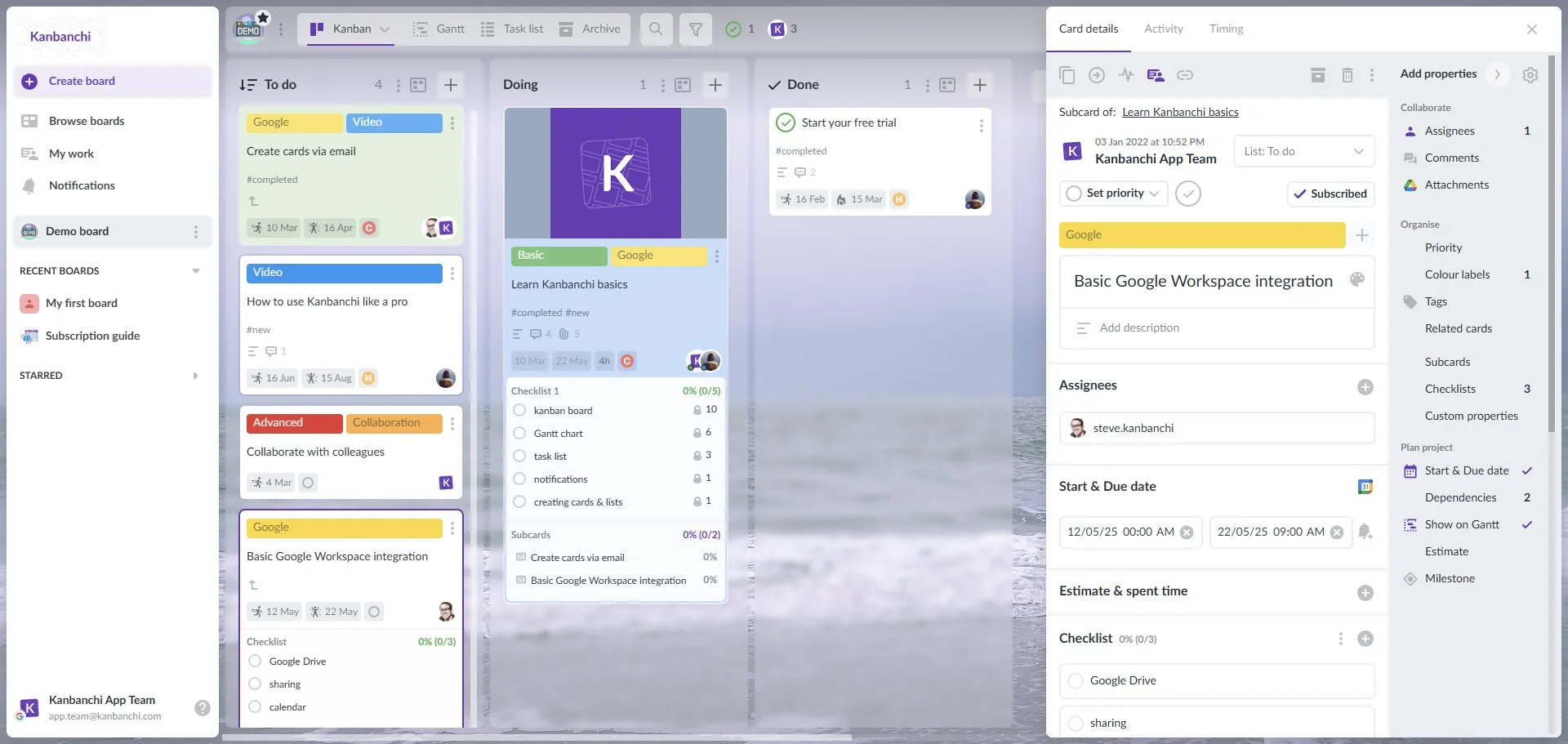
Daily workflows often slow down when the task and the supporting information live in different places. The task is in one app, the document is in another, and the conversation is somewhere else.
In Kanbanchi, teams can attach files from Google Drive and Shared Drives to cards. For Google Workspace teams, cards can also be created from Gmail, which helps turn requests into trackable tasks instead of leaving them buried in an inbox.
Calendar sync also helps teams keep dates visible. When deadlines and events are connected to the tools people already check, teams are less likely to miss important milestones.
Kanban is excellent for managing flow, but some projects also need timeline visibility. A marketing campaign, product launch, client implementation, or internal rollout may require dependencies and planned dates.
Kanbanchi lets teams convert a board into a Gantt chart, which helps managers see how work relates over time. This is useful when daily task execution needs to connect with broader project planning.
For teams that need to understand effort, not just completion, time tracking can add valuable context. Kanbanchi includes a time tracking tool where users can track time directly on cards. Team timing data can then be reviewed to better understand progress and workload.
Kanbanchi also supports exporting board data to Google Sheets and connecting extracted data to reporting dashboards such as Google Looker Studio. That matters for leaders who need visibility across projects, departments, or clients.
The best way to introduce Kanban is to start with the workflow your team already has. You do not need to redesign every process on day one. In fact, overcomplicating the first board is one of the easiest ways to lose adoption.
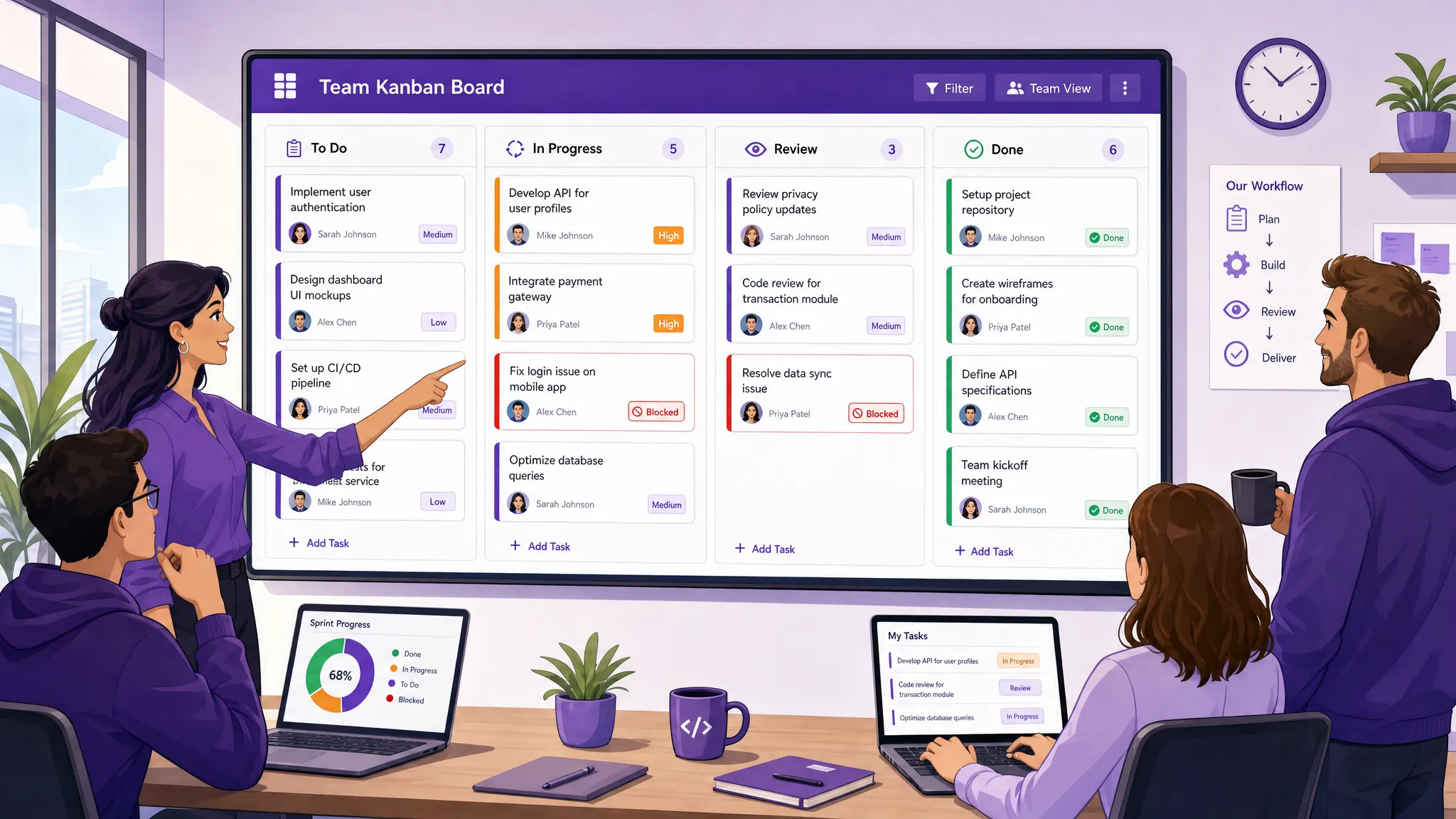
For many teams, a first board can begin with four columns: To Do, In Progress, Review, and Done. This gives people a clear path for moving work without forcing them to learn a complex system immediately.
Once the team is comfortable, you can add columns that reflect real workflow stages. A customer onboarding team might add Waiting for Client. A content team might add Editing. An operations team might add Approval.
For inspiration across departments, Kanbanchi has a useful collection of Kanban examples for different team workflows that can help you think through practical board layouts.
A board only works if everyone interprets it the same way. If one person moves a card to Review when they want feedback, but another uses Review only for final approval, confusion will return.
Keep policies simple and visible. Define when a card should enter each column, who should own it, and what information must be included before work starts. This reduces ambiguity and helps new team members adopt the workflow faster.
Every active task should have an owner. This does not mean one person does all the work, but someone must be responsible for moving the task forward.
Clear ownership prevents the common “I thought someone else had it” problem. It also helps managers identify whether work is balanced across the team.
Kanban should reduce meeting time, not create more of it. A daily or weekly review should focus on decisions: what is blocked, what should move next, what needs clarification, and what can be completed before starting new work.
If the meeting becomes a long verbal report, return attention to the board. The board should carry the status information so the meeting can focus on action.
Once the team is using Kanban consistently, leaders can move from basic visibility to workflow improvement. The point is not to measure people for the sake of control. The point is to understand how work moves and where the system needs support.
| Metrics | What does it tell you | What to do with it |
|---|---|---|
| Cards in progress | Whether the team is overloaded | Reduce new starts and finish active work first |
| Time in Review | Whether approvals are slowing down delivery | Clarify review ownership or add capacity |
| Blocked cards | Which obstacles repeat | Fix root causes, not just individual tasks |
| Completed cards | What the team actually delivered | Compare output with priorities and commitments |
| Time tracked on cards | How much effort do tasks require | Improve estimates and workload planning |
These signals help managers improve the workflow without micromanaging. Over time, the team can make better decisions about staffing, deadlines, recurring bottlenecks, and process changes.
Kanban can help many teams, but it is especially valuable when work changes often, handoffs matter, or visibility is limited.
For leadership teams, it provides a quick view of strategic initiatives and operational follow-through. It helps marketing teams manage campaigns, content, reviews, and deadlines. For operations teams, it supports repeatable workflows and exception handling. For software and product teams, it helps coordinate development, testing, and release tasks.
It is also useful for teams managing multiple projects at once. Swimlanes, tags, filters, and task views can help separate work while keeping everything visible in one place. For larger organizations, this shared visibility can reduce duplicated effort and make cross-team coordination easier.
Kanban is simple, but the way a team uses it matters. A board that is ignored, overloaded, or poorly defined will not improve daily workflows.
Avoid creating too many boards and lists too soon. If the workflow is hard to understand, people will stop updating it. Avoid letting cards sit without owners. If no one is responsible, the board becomes a wish list instead of a working system.
Avoid treating the board as a manager-only reporting tool. The team should use it to coordinate work, not just to provide updates upward.
Most importantly, avoid measuring the wrong thing. A busy board does not always mean a productive team. The real question is whether important work moves through the workflow with fewer delays and better quality.
Kanban improves daily workflows by making tasks, ownership, status, and blockers visible. Teams spend less time searching for updates and more time moving work forward.
No. Kanban is used by marketing, operations, HR, finance, education, consulting, and many other teams. Any team that manages tasks through stages can benefit from a visual workflow.
A simple starting point is To Do, In Progress, Review, and Done. After the team understands the workflow, you can add columns that reflect your real process, such as Approval, Waiting for Client, or Ready to Publish.
The board should be updated whenever work status changes. If updates only happen before meetings, the board will not reflect reality and the team will lose trust in it.
Yes. Kanban can work especially well for Google Workspace teams when tasks, files, calendar events, and communication are connected. Kanbanchi is built to support this kind of workflow inside the tools that many teams already use.
Kanban for teams works because it makes daily execution visible. It helps leaders see what is happening, helps team members understand what to do next, and helps the whole organization reduce confusion around priorities and handoffs.
You can learn more about the successful implementation of Kanban from this article.
If your team already works in Google Workspace or Microsoft 365, Kanbanchi gives you a practical way to manage tasks, timelines, files, and time tracking in one connected workflow. Create a simple board, make ownership clear, and use the board every day as your shared source of truth.


In this Article:
Start using Kanbanchi now
Start your free trial