
In this Article:
Try Kanbanchi now
Start your free trial

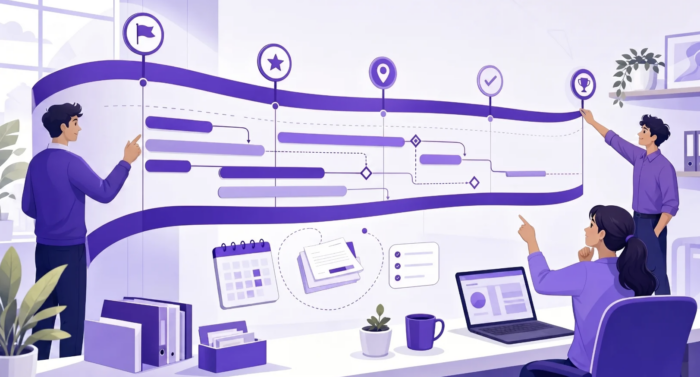
A project timeline is useful only if the team can make decisions from it every week. A polished chart that looks good in a kickoff deck but does not reflect real ownership, dependencies, or capacity will quickly become background noise.
To create a project timeline your team can follow, you need more than start dates and deadlines. You need a shared view of what must happen, in what order, who owns each part, where work may get blocked, and how the plan will be updated when reality changes.
The goal is not to predict the future perfectly. The goal is to give your team a clear, practical path from kickoff to delivery.
Many timelines fail because they are built as reporting artifacts, not working tools. A manager creates a chart, presents it once, and then the team goes back to managing tasks in email, chat, spreadsheets, and meetings. Within days, the timeline no longer reflects what is happening.
A timeline your team can follow has to connect planning with daily execution. It should answer simple questions quickly: what is next, who is responsible, what depends on what, what is late, and what decisions are needed.
A task list shows work items. A project timeline shows how those work items move across time. It gives context to tasks by showing sequence, duration, milestones, and dependencies.
For example, a task list may say that design, development, testing, and launch are all required. A timeline shows that testing cannot start until a usable build is ready, launch depends on approvals, and the marketing team needs final messaging before the release date.
If your team needs a deeper distinction between plans, schedules, and timelines, Kanbanchi has a helpful explanation of what makes a project schedule different from related planning documents.
Teams struggle when a timeline leaves too much open to interpretation. If a card says launch campaign by Friday, different people may interpret that as writing copy, publishing ads, sending email, or approving final creative.
The stronger version names the deliverable, owner, due date, dependencies, and definition of done. That may feel like extra work during planning, but it saves hours of clarification later.
The first version of a project timeline is never the final version. Scope changes, people get pulled into urgent work, approvals take longer than expected, and technical tasks uncover hidden complexity.
If updating the timeline is painful, people will stop doing it. The timeline should live where the team already manages work, not in a static file that only one person edits.
The fastest way to create a weak timeline is to start by filling dates into a blank chart. Dates matter, but they should come after the team agrees on outcomes, scope, and constraints. Before asking when each task is due, ask what the project must accomplish and what would count as successful delivery.
A clear finish line prevents the timeline from expanding endlessly. For a website redesign, the finish line might be a live site with approved content, tested forms, analytics installed, and stakeholder sign-off completed. For a software rollout, it might be production access, user training, migration completion, and support documentation.
Write the finish line in plain language. If multiple teams are involved, confirm that everyone has the same interpretation. This is especially important for cross-functional projects, where delivery may depend on operations, marketing, finance, IT, legal, or external vendors.
Some dates are flexible. Others are not. A conference launch date, contract deadline, regulatory requirement, or customer commitment may be fixed.
Separate true constraints from preferred dates. A preferred date can move if the plan proves unrealistic. A true constraint requires scope, budget, or capacity decisions.
Useful constraints to clarify include:
When these constraints are visible from the beginning, the timeline becomes a decision-making tool instead of a wish list.
Milestones should mark meaningful progress, not arbitrary calendar points. A milestone such as phase one complete is less useful than customer data imported, prototype approved, or training materials published.
Strong milestones help leaders see whether the project is moving forward and help team members understand how their work connects to the larger goal.
| Milestone type | What it tells the team | Example |
|---|---|---|
| Decision milestone | A choice or approval is needed before work continues | Budget approved |
| Delivery milestone | A usable output is complete | Beta version released |
| Dependency milestone | Another team or vendor must finish something | Legal review complete |
| Readiness milestone | The team is prepared for the next phase | Support team trained |
Once the outcome and milestones are clear, break the project into deliverables and tasks. This is where many timelines become either too vague or too detailed.
A task should be small enough for one person or team to own, but meaningful enough to track. If a task is too large, status updates become vague. If it is too small, the timeline becomes cluttered and hard to maintain.
Start with major deliverables, then identify the work needed to produce each one. For every task, define the owner, expected output, start date, due date, and any dependency.
A common mistake is assigning tasks to departments instead of people. Marketing owns campaign assets is less actionable than Maya owns final email copy. A single accountable owner does not mean that one person does all the work. It means one person is responsible for moving the task forward and updating the team.
If you are building the timeline as part of a broader execution plan, it may help to align it with a project work plan that teams follow, so timeline dates, task ownership, and workflows support each other.
Effort is how much work a task requires. Duration is how long it takes on the calendar. A task may require only four hours of effort but take five business days because the owner is waiting for stakeholder feedback.
Separating effort from duration makes timelines more realistic. It also helps leaders understand whether the real bottleneck is workload, approvals, availability, or dependency management.
| Planning field | Meaning | Why it matters |
|---|---|---|
| Effort | Actual work required | Helps with capacity planning |
| Duration | Calendar time needed | Helps build realistic dates |
| Owner | Person accountable | Prevents unclear responsibility |
| Dependency | Work that must happen first | Prevents impossible sequencing |
| Status | Current progress | Keeps the timeline current |
Dependencies are where timelines often break. If task B depends on task A, but both are scheduled for the same week with no buffer, the plan may already be unrealistic.
Look for dependencies between teams, not just within one team. A product team may need customer research from marketing. Finance may need procurement details. IT may need security approval before deployment.
The most useful timeline discussions often happen when teams review dependencies together. That is when hidden blockers appear, assumptions get corrected, and dates become more credible.
The right format depends on how your team works. Executives may want a high-level milestone view. Project managers may need dependencies and dates. Individual contributors may need a task board that shows what to do today.
A timeline becomes easier to follow when it connects these views instead of forcing everyone into a single format.
Different project views answer different questions. A timeline is not automatically better because it is visual. It is better when it helps the team make the next decision.
| View | Best for | Question it answers |
|---|---|---|
| Kanban board | Day‑to‑day task flow | What is in progress now? |
| Gantt chart | Scheduling and dependencies | What happens when? |
| Calendar | Date‑based commitments | What is due this week? |
| Task list | Focused execution | What should I complete next? |
| Report | Leadership visibility | Are we on track overall? |
For teams that plan visually, software with a Gantt view can make dependencies and timing easier to understand. Kanbanchi explains this in more detail in its guide to project management software with a Gantt chart.
A timeline becomes hard to follow when dates live in one spreadsheet, tasks live in another tool, files live in cloud storage, and decisions live in email threads. People waste time checking which version is current.
Instead, choose a single place where the timeline and task status are maintained. For Google Workspace teams, Kanbanchi lets teams manage project boards, convert boards into a Gantt chart, attach files from Google Drive and Shared Drives, create cards from Gmail, and sync relevant dates with Google Calendar. It also supports Microsoft 365 environments with OneDrive and SharePoint compatibility.
The practical benefit is simple: the timeline stays close to the work. Team members do not have to leave their workspace just to understand what has changed.
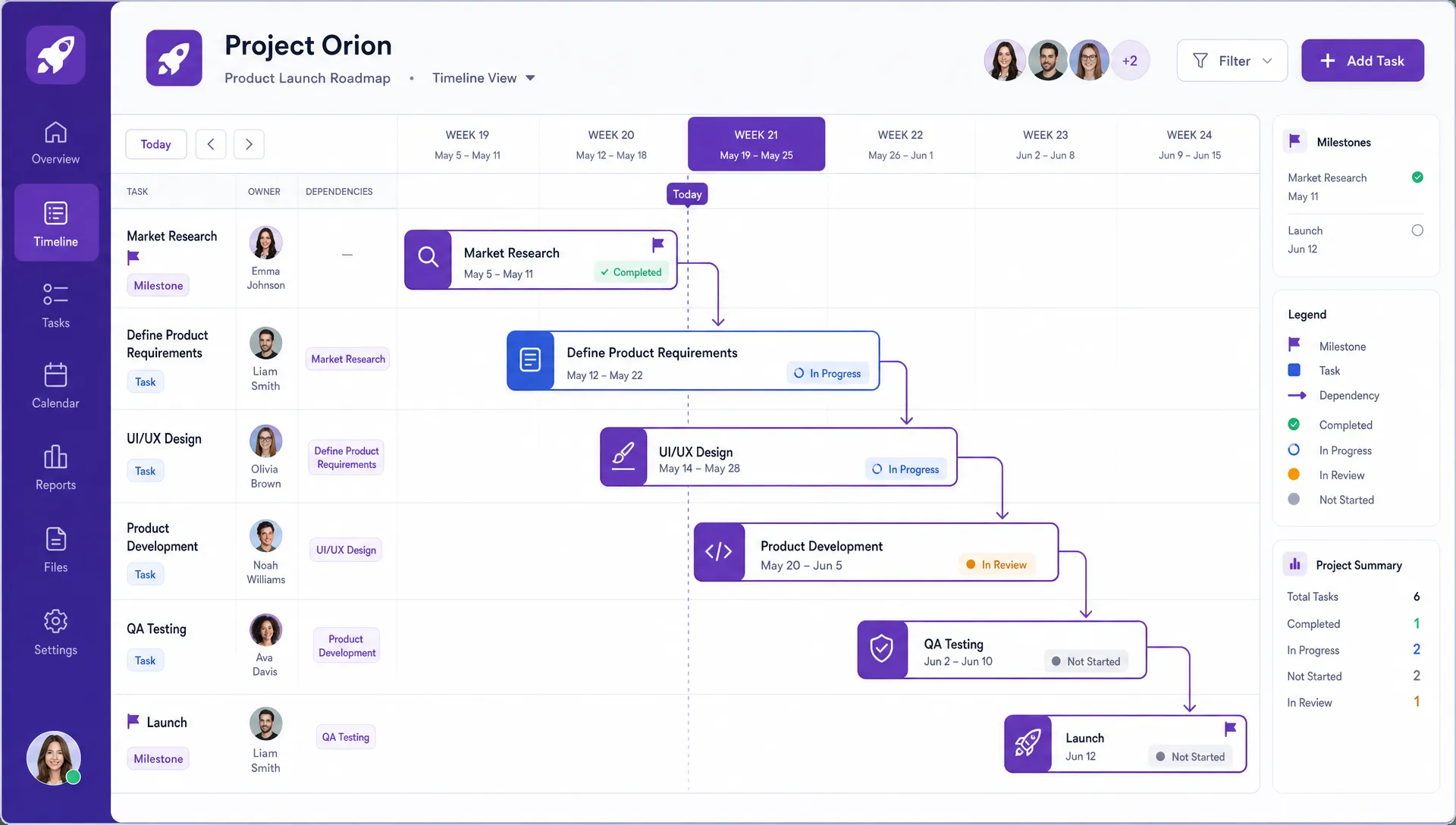
A followable project timeline connects tasks, dates, owners, dependencies, and milestones in one shared view
A project timeline is not self-managing. It needs lightweight operating rules that tell the team how to keep it accurate. These rules do not have to be bureaucratic. In fact, the best rules are simple enough for everyone to remember.
Every task on the timeline should have one accountable owner. Shared ownership often sounds collaborative, but it can create confusion when no one knows who should update status or escalate blockers. For larger tasks, use sub-tasks or subcards to assign specific parts of the work. The parent task can show the overall deliverable, while smaller work items show who is responsible for each piece.
Status labels should have clear meanings. If one person uses in progress to mean started and another uses it to mean almost done, the timeline becomes unreliable. A simple workflow might include planned, ready, in progress, blocked, review, and done. The exact labels matter less than shared understanding.
Create a short definition for each status. For example, blocked should mean the owner cannot move forward without a decision, input, or completed dependency. That definition helps leaders spot where intervention is needed.
A timeline needs regular updates, but constant updates can become distracting. Set a rhythm that matches the pace of the project.
For a fast-moving launch, daily updates may be appropriate. For a longer operational project, two or three updates per week may be enough. At minimum, task owners should update status before team meetings, after major dependencies change, and when a deadline becomes at risk.
This is where project management discipline and team habits matter. A timeline is easier to follow when people trust that it reflects the current state of work.
Before you launch the timeline, test it with the people who will use it. This review should not be a presentation where everyone nods politely. It should be a working session where the team challenges assumptions.
Ask whether the sequence makes sense, whether dates are realistic, whether ownership is clear, and whether dependencies are visible. The people doing the work will often see risks that leaders miss.
The best timeline review questions are specific. They invite the team to find weak points before those weak points become missed deadlines.
Good questions include:
Document the answers and adjust the timeline immediately. If you postpone changes, people may leave the meeting with different expectations.
Not every task needs a large buffer. Too much padding can make a timeline slow and vague. But high-risk tasks need room for reality.
Examples include legal review, procurement, user acceptance testing, data migration, executive approval, and external vendor work. These areas often involve people who are not in the core project team, which makes timing harder to control.
A good buffer is visible and intentional. Hidden buffers inside individual estimates make it harder to manage tradeoffs.
Creating the timeline is only the beginning. The real value comes from using it to guide weekly decisions.
A followable timeline helps the team decide what to start, what to stop, where to remove blockers, and whether scope needs to change. It also gives leaders visibility without requiring constant status meetings.
When work slips, avoid using the timeline as a blame tool. Use it as a learning tool. Ask what changed and what the team can do next.
Maybe the original estimate was too optimistic. Maybe an approval path was unclear. Maybe too many tasks depended on the same person. These lessons improve the current project and make the next timeline stronger.
If your tool includes time tracking, use that data to compare estimated effort with actual effort. In Kanbanchi, teams can track time on cards and review timing data, which helps improve future planning and understand where work is taking longer than expected.
Every project timeline changes. What matters is whether changes are visible and intentional.
When a date moves, capture the reason. Was there a scope change, dependency delay, resource conflict, or new priority? This helps leaders see patterns and prevents the same issue from being rediscovered in every project.
For larger projects, create a simple change rule. For example, task owners can adjust dates within their own workstream, but changes that affect milestones require project lead approval. That keeps the timeline flexible without letting critical dates drift silently.
Team members need task-level detail. Leaders often need patterns: milestone health, overdue work, blocked tasks, capacity issues, and delivery risk.
Reporting should not require rebuilding the timeline in a separate spreadsheet every week. If your project tool can export board data or connect to reporting dashboards, use that to reduce manual status reporting. Kanbanchi supports exporting board data to Google Sheets and extracting data for dashboards such as Google Looker Studio, which can help teams keep reporting connected to real work.
Use this checklist before sharing your timeline with the team. If you cannot answer these questions, the timeline may not be ready to follow.
| Checklist item | Why it matters |
|---|---|
| The project outcome is clearly defined | Prevents scope confusion |
| Milestones represent real progress | Makes tracking meaningful |
| Each task has one accountable owner | Prevents responsibility gaps |
| Dependencies are visible | Reduces surprise delays |
| Dates reflect capacity and availability | Makes the plan realistic |
| Status labels are clearly defined | Keeps updates consistent |
| The team knows when to update tasks | Keeps the timeline current |
| Change rules are agreed | Prevents silent deadline drift |
| Files and decisions are linked to work | Reduces searching and rework |
| Leaders have the right level of visibility | Reduces unnecessary meetings |
Even experienced teams can create timelines that look organized but fail in practice. The most common mistake is planning backward from a desired deadline without validating capacity and dependencies.
Another mistake is making the timeline too detailed too early. If the project is uncertain, plan near-term work in detail and keep later phases at a milestone level until more information is available.
Teams also run into trouble when they treat the timeline as the project manager’s document instead of the team’s operating view. If task owners do not update it, the timeline quickly becomes outdated.
Finally, avoid creating parallel systems. If the official timeline says one thing and the real work is tracked somewhere else, people will follow the place where work actually happens.
The easiest way is to start with the final outcome, define key milestones, break deliverables into owned tasks, map dependencies, then place the work on a calendar or Gantt view. Avoid starting with dates before you understand the work.
It should be detailed enough for the team to know what to do next, but not so detailed that it becomes hard to maintain. Near-term work usually needs task-level detail. Later phases can often stay at the milestone level until the project becomes clearer.
The project lead or project manager usually owns the overall timeline, but every task owner should be responsible for keeping their work updated. A timeline stays useful only when ownership is shared across the team.
Update frequency depends on project speed. Fast-moving projects may need daily updates. Longer projects may need updates several times a week. At minimum, update the timeline before team meetings, when blockers appear, and when dates change.
Use a tool that connects timeline planning with task execution. For many teams, that means a tool with Kanban boards, Gantt charts, calendar sync, file attachments, and reporting options, so the timeline stays connected to everyday work. Check out What Apps to Use for Project Timelines? for more.
Define the finish line first, identify fixed constraints, choose milestones the team can recognize, break deliverables into owned tasks, map dependencies, then place the work on a calendar or Gantt view. Setting up a timeline before you agree the outcome is the most common reason plans need rebuilding.
A strong project timeline is clear, visible, realistic, and easy to maintain. It gives leaders confidence without burying the team in reporting work. It helps team members understand priorities, dependencies, and deadlines without searching through scattered tools.
If your team works in Google Workspace or Microsoft 365, Kanbanchi can help you plan visually, manage tasks on boards, view schedules in a Gantt chart, track time, and keep project work connected to the files and calendars your team already uses.



In this Article:
Start using Kanbanchi now
Start your free trial