
In this Article:
Try Kanbanchi now
Start your free trial

Do you prefer to build your own online projects from scratch or get things up and running immediately with ready-made workflows? That’s the key question you should be asking when choosing a project management tool, and the central factor in any Kanbanchi vs Podio comparison.
Podio provides a blank canvas and lets you build whatever business tool you need, from a Kanban board to a full CRM. But with Kanbanchi, you get a board that’s already built.
In this guide, we explore the pros and cons of both approaches, with real pricing, setup times, product data, and a final verdict on which one is best. If you’re looking for project management software for Google Workspace or simply want to compare Podio alternatives, keep reading.
As project management software for Google Workspace, Kanbanchi is the best pick for teams who need projects ready in minutes. It’s also the right choice for those who want boards stored natively in Drive and a permanent free plan that doesn’t cap total team size. Podio suits organizations that need to build a custom database, such as a real estate CRM or a client intake system, and are willing to spend time configuring it. If you’re a team of under 10 people weighing Kanbanchi vs Podio purely on task and project management, Kanbanchi’s setup speed and per-seat pricing make it the more practical option.
| Platform | Kanbanchi | Podio |
|---|---|---|
| G2 | 4.7 / 5 (95 reviews) | 4.2 / 5 (518 reviews) |
| Capterra | 4.5 / 5 (292 reviews) | 4.3 / 5 (362 reviews) |
Podio’s larger review count reflects its longer history and use across a wide variety of industries, from construction to real estate. G2 reviewers credit Podio’s customization and flexibility, with a typical Podio review on Capterra praising its adaptability. However, many users flag a cluttered, outdated interface and inconsistent support. Kanbanchi’s reviews consistently single out ease of setup and support quality.
Podio, also known as Progress Podio since its acquisition by Progress Software, is a no-code work platform built around custom databases. Instead of a fixed task structure, Podio allows you to create “apps” inside “workspaces” by defining your own fields. Then, you can choose how to view that data: as a list or a table, or even a Kanban-style board.
This flexibility makes the platform popular with real estate teams, agencies, and operations groups that need a CRM-like tool shaped to their exact process rather than a generic project board.
Kanbanchi is project management software for Google Workspace that also offers a Microsoft 365 version. Unlike Podio, Kanbanchi comes with ready-made boards, lists, and cards, which support multiple views:
Create a board, and it gets stored directly in Google Drive, and the sharing process is handled by Google via a familiar Google user interface. This makes Kanbanchi ideal if you want to open a board and start working immediately, scaling up to more complex planning as projects grow without leaving the same environment.
| Feature | Kanbanchi | Podio |
|---|---|---|
| Free Plan | Yes (unlimited users, unlimited projects, 36 active cards per project) | Yes (permanent, capped at 5 employees + 5 external users, 100 items organization-wide) |
| Pricing Model | Per-seat, discounted from 2 seats | Per-employee, billed for all employees once upgraded |
| Core Model | Pre-built boards, lists, and cards | Custom no-code apps inside workspaces |
| Kanban Board | Yes (all plans) | Yes (configurable view, all plans) |
| Gantt Chart | Yes (Professional+) | No (available only via marketplace app packs) |
| Time Tracker | Yes (Professional+) | No native time tracker |
| Team Workload View | Yes (Professional+) | No dedicated workload view |
| Task Dependencies | Yes (Professional+) | Limited (via Gantt-style app packs) |
| Recurring Tasks | Yes (Premium+) | Yes (via Workflow Automation) |
| Custom Fields | Yes (Professional+) | Yes (all plans) |
| Workflow Automation | Recurring cards, templates, status mapping | Yes (Workflow Automation/GlobiFlow, all plans with tier limits) |
| Google Workspace (native) | Yes (boards stored as Drive files) | Connector-based (Drive file attachment only, no Gmail add-on) |
| Mobile App (iOS or Android) | Yes | Yes |
| SSO | Yes (all plans via Google/Microsoft) | Yes (paid plans, domain-verified) |
| SOC 2 Type II | Yes | Yes |
| Public API | No public API described | Yes (REST API) |
Podio’s Core Model highlights how you’re presented with the materials to build a project yourself (fields, apps, and views). The difference with Kanbanchi in this category is that you’re getting the finished product straight away: a board that already knows what you define as a task or a list. Both approaches suit different users, and we’d recommend considering the setup time each presents before choosing either one for day-to-day team task management.
The first thing you’ll see after opening Podio and creating your workspace is a prompt to add an app – either create your own or choose one of the predefined templates. There’s no default board waiting, so you can decide what a “task” means for your process and build the view you want before proceeding.
If you’re looking for flexibility, this is a huge benefit of Podio. But many reviewers describe this flexibility as cluttered and visually outdated once workspaces grow. It also creates a steep learning curve for anyone who hasn’t configured a database tool before.
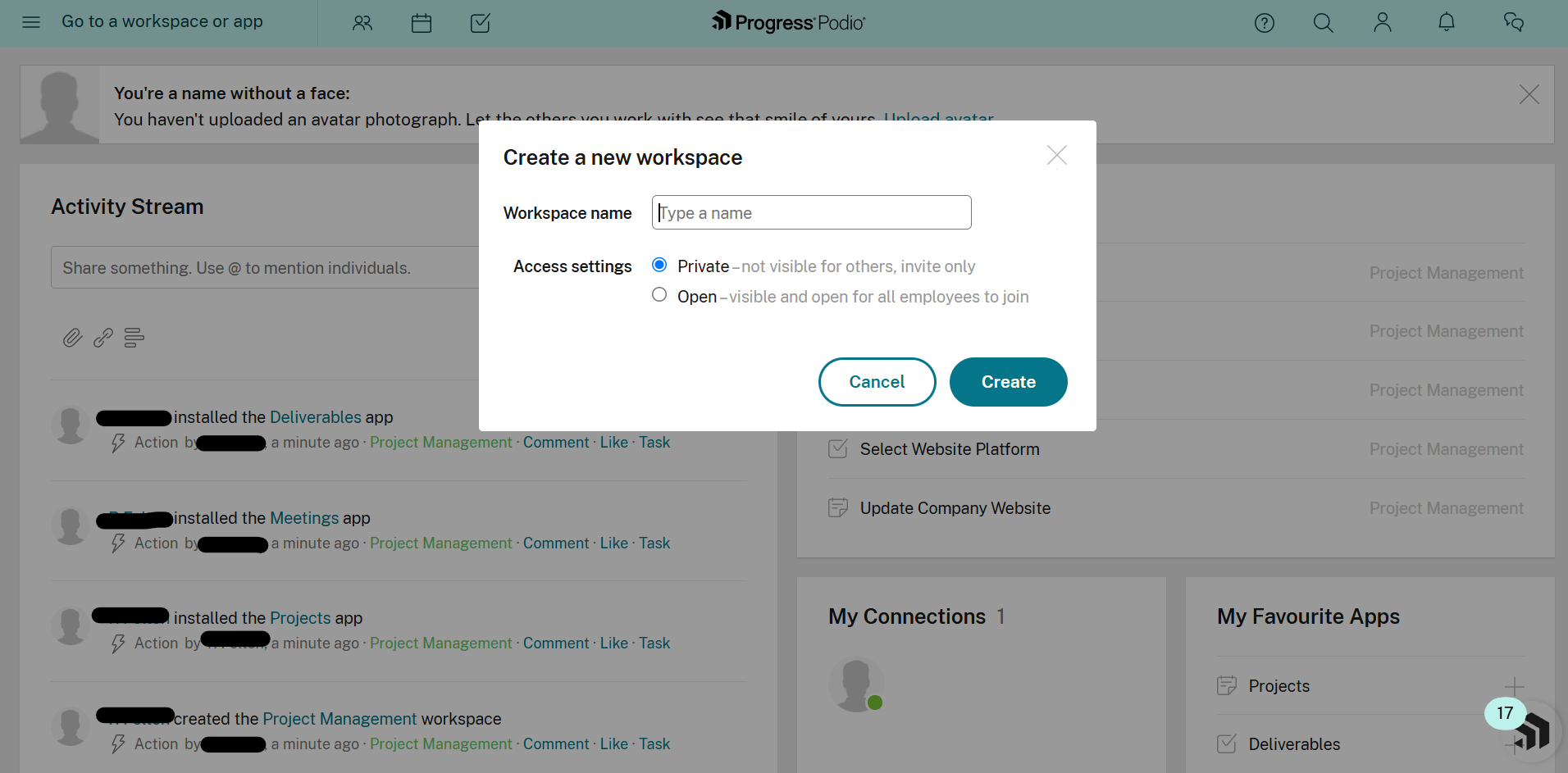
Creating a new workspace in Podio to organize teams, projects, and collaboration.
Kanbanchi opens straight to a board. Lists are visible immediately, and creating a card takes seconds. This means you should be able to build your entire project management setup within just 10 minutes, whereas in Podio, it takes much longer to choose a template and understand how to add a task field.
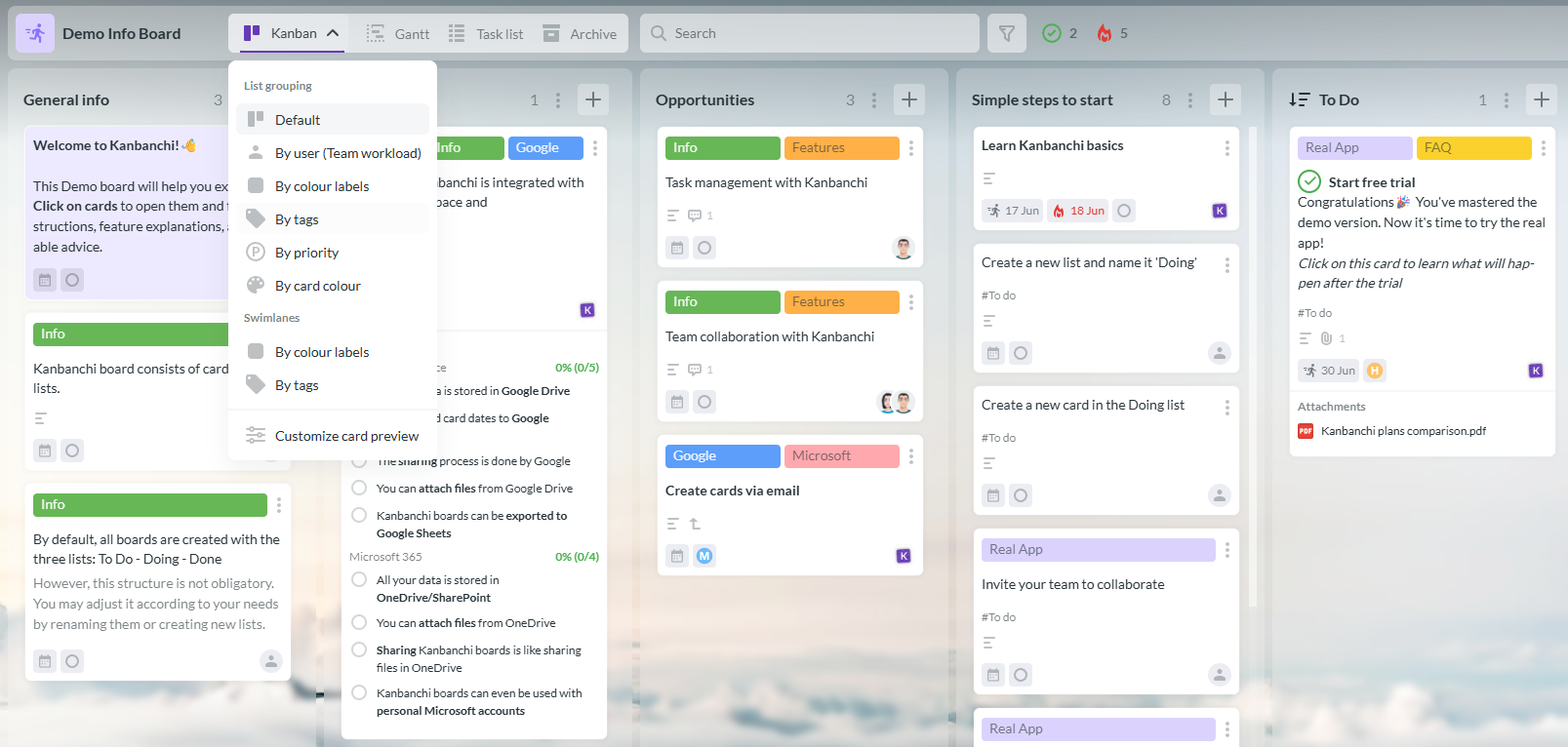
Kanbanchi’s demo board provides a ready-to-use project management workspace for planning and tracking tasks.
Setup time is one of the biggest differentiators in our Kanbanchi vs Podio review, and if you’re researching Podio alternatives, is something you should pay particular attention to.
You can create a Podio account instantly, but setting up a usable workspace takes longer. You’ll need to create an app, define fields for status, assignee, and due date, choose a default view, and decide how tasks relate to other apps in the workspace, such as contacts or deals.
Firms that require a custom structure, especially for a real estate CRM or a client intake process, will benefit hugely from the time invested here. But others who need to just manage projects are paying for flexibility they may never use.
Kanbanchi’s setup involves simply signing in with a Google account, creating a board with lists and card fields already defined. Inviting a team and assigning the first batch of cards can be completed within an afternoon rather than a week.
Podio’s fundamental unit is the app, a custom-defined table of items that lives inside your workspace.
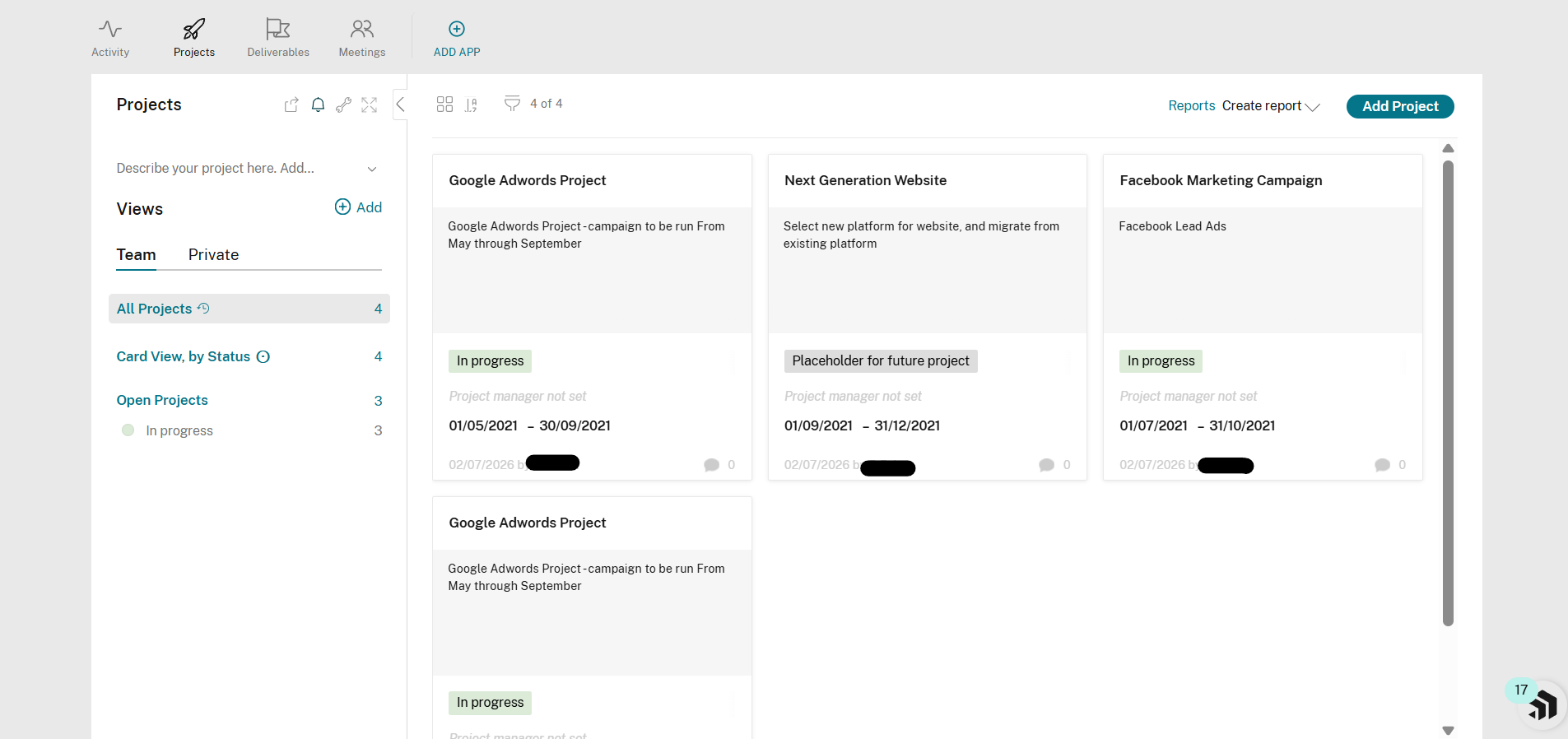
A project workspace in Podio used to organize tasks, track progress, and collaborate with team members.
A single workspace can hold several apps, including Projects, Tasks, Contacts, Deliverables, Meetings, and more, all linked together through relationship fields. There’s also the option to display each app as a list or table, or even a Podio Kanban board. You can switch between them easily, but only once the structure exists – there’s no default “task” object waiting to be used.
With Kanbanchi, you’ll get a fully formed card as the operational unit. It holds assignees, dates, estimates, attachments, comments, subcards, dependencies, and custom properties without any setup, and moving it across lists reflects real progress on your Kanban board from the first login. Kanbanchi’s List View, Gantt Chart, Team Workload, and Swimlanes are all views of that same board. So, a manager building a schedule and a contributor tracking daily tasks are always looking at identical data, just organized differently.
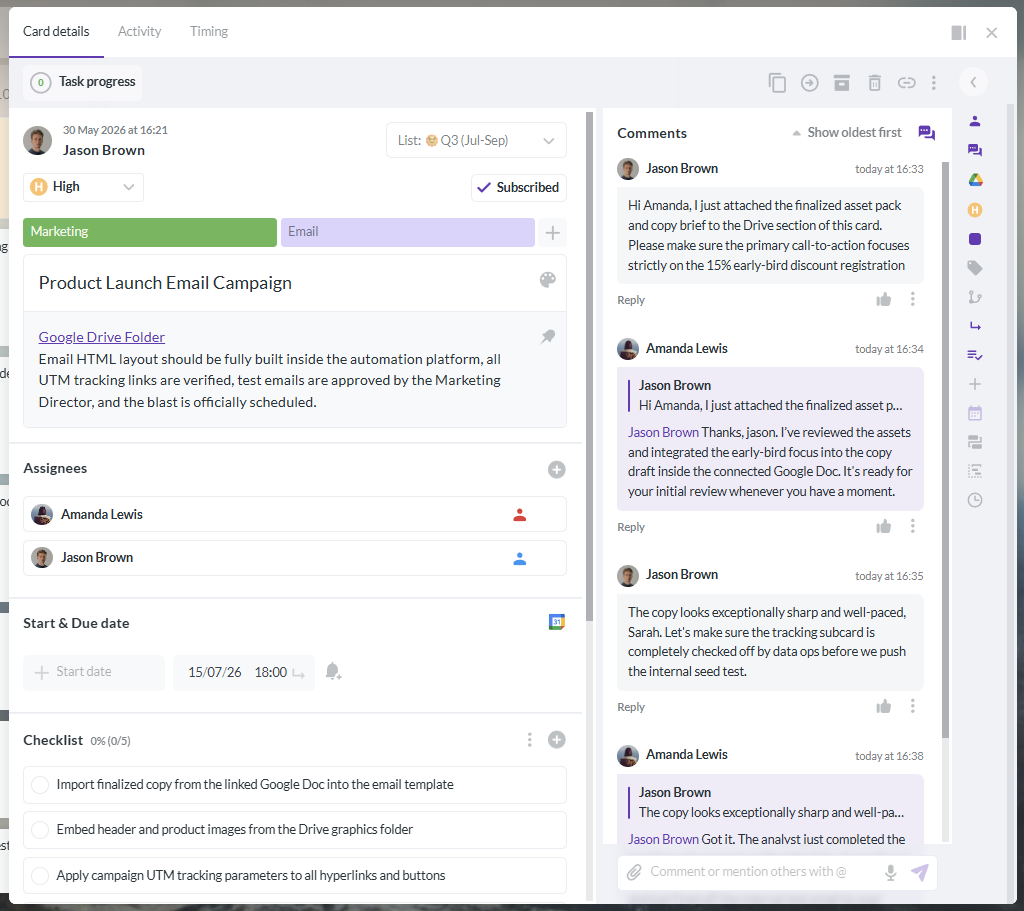
Kanbanchi task cards can be customized with properties, deadlines, assignments, files, and other project details.
Podio now includes a powerful Workflow Automation feature with its Premium plans, which was previously a separate GlobiFlow product. This feature allows you to move items between statuses, send emails, create records in other apps, and chain multi-step logic together, blending several tools into one platform.
The only downside here is its learning curve, with several reviewers comparing the configuration process to light programming.
Kanbanchi’s automation isn’t as extensive, but it’s much more immediate. You can create recurring cards for repeated work, board and card templates, status mapping between lists, and required properties that keep data consistent without any scripting. It’s easy to set up a weekly reporting cycle or a monthly maintenance checklist in just minutes, rather than one that’s built from workflow logic.
Custom integrations are where Podio deserves real credit, and why it can be considered the more technically capable (yet complex) tool.
Podio has a public REST API that allows you to automate workflows outside of Podio’s own builder. You can also read and write items, and connect the platform to internal systems.
The difference here is that Kanbanchi doesn’t currently offer a public API, making Podio the more natural choice if you want to build custom tooling on top of your project data.
Podio’s security credentials include SOC 2 Type II and ISO 27001 certification, a GDPR data processing agreement, data hosting on AWS infrastructure, and HTTPS encryption in transit. Single sign-on (SSO) works through Google Workspace or Microsoft 365 identity providers, configured at the domain level, though the admin controls needed to set it up are exclusive to paid rather than free plans.
With Kanbanchi, its certifications are similar. It also holds SOC 2 Type II and ISO 27001 certification, and adds HIPAA and CASA certification along with Google Vault support on Enterprise. SSO also operates with a Google or Microsoft account on every plan, including free.
Custom roles exist on both platforms, though Podio’s member roles and app-level permissions can be configured item by item. That’s undoubtedly better if you have complex client-access needs. Kanbanchi extends this role-based sharing to Google Groups on Enterprise. So, if you already use Google Workspace daily, it conveniently keeps permission management inside the same admin console.
Podio’s native integration list includes Google Drive, Dropbox, Box, OneDrive, Evernote, Zendesk, and Microsoft Exchange. It also has a broader ecosystem through Zapier for tools like Slack and Google Sheets.
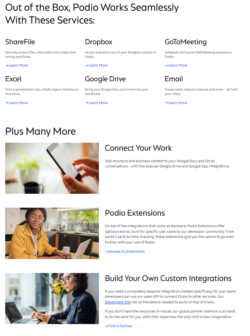
Podio integrates with a range of business applications to connect workflows and automate processes.
But where Kanbanchi is so distinct as one of the top Podio alternatives is that it’s built around Google Workspace. Google Drive integration exists in Podio, but it stops at file attachment, and there’s no Gmail add-on for creating items from email. Calendar sync runs through iCal rather than native Google Calendar.
Kanbanchi’s Google Workspace integrations are:
If you need a tool that handles project management well on the go, it’s worth testing Kanbanchi vs Podio using their free plans before making your final choice.
Podio’s iOS app is rated a strong 4.6/5, while its Android app sits at a slightly lower 4/5. So, why is this? Complaints about missing @mentions and inconsistent push notifications frequently pop up in Podio reviews, which is consistent with wider complaints about interface polish.
Kanbanchi’s mobile app features the same visual board model as desktop, so updating a card or leaving a comment from a phone feels consistent regardless of the device you use most.
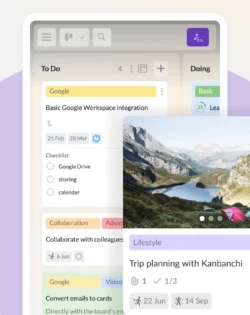
The Kanbanchi Android app lets users manage boards, update tasks, and collaborate from anywhere.
G2 reviewers rate Podio’s customer support pretty well overall. There’s email and phone support, plus live chat during business hours. And if you need help outside of these hours, you can use the self-service documentation provided on the help center.
But many Capterra reviews point to a different issue – slow, unresponsive support that lacks effective solutions, particularly around billing and account changes.
Kanbanchi’s support is rated much more positively. Users note that support reps often walk through your problems live instead of routing you through several ticket escalations, and stay until it’s resolved. They’re also able to engage with the real business issue rather than reading from a script.
Kanbanchi’s Essential pricing plan costs $3.97 per user per month on annual billing, or $5.99 monthly. There’s also a Premium Plan from $11.97 per user per month, or Professional from $24.47 per user per month. Larger organizations or those who need higher-level security and support may go for the Enterprise tier, which begins at $9.95 per user. Pricing is custom from two seats, so volume discounts apply even at small team sizes, and Google Drive integration is included on every plan, including free.
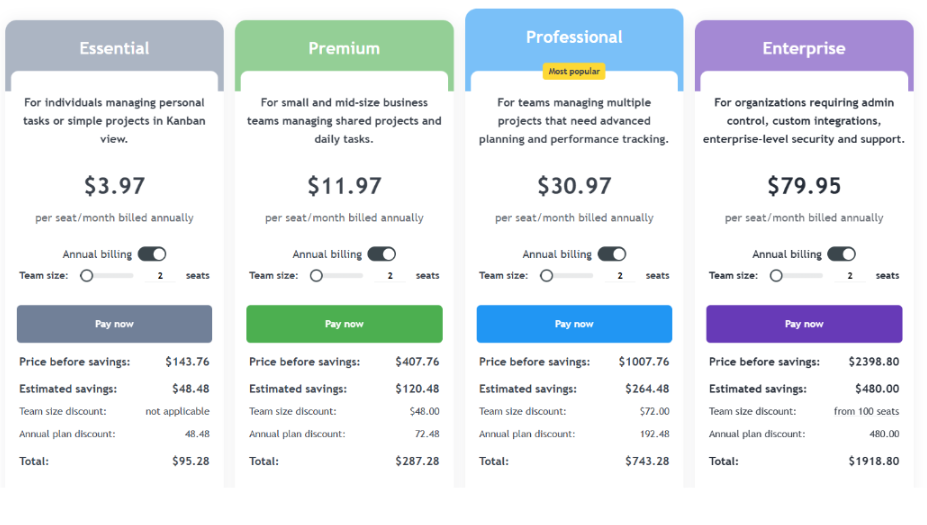
Kanbanchi offers flexible pricing plans for teams of different sizes using Google Workspace.
Podio pricing seems straightforward, but is much harder to budget for:
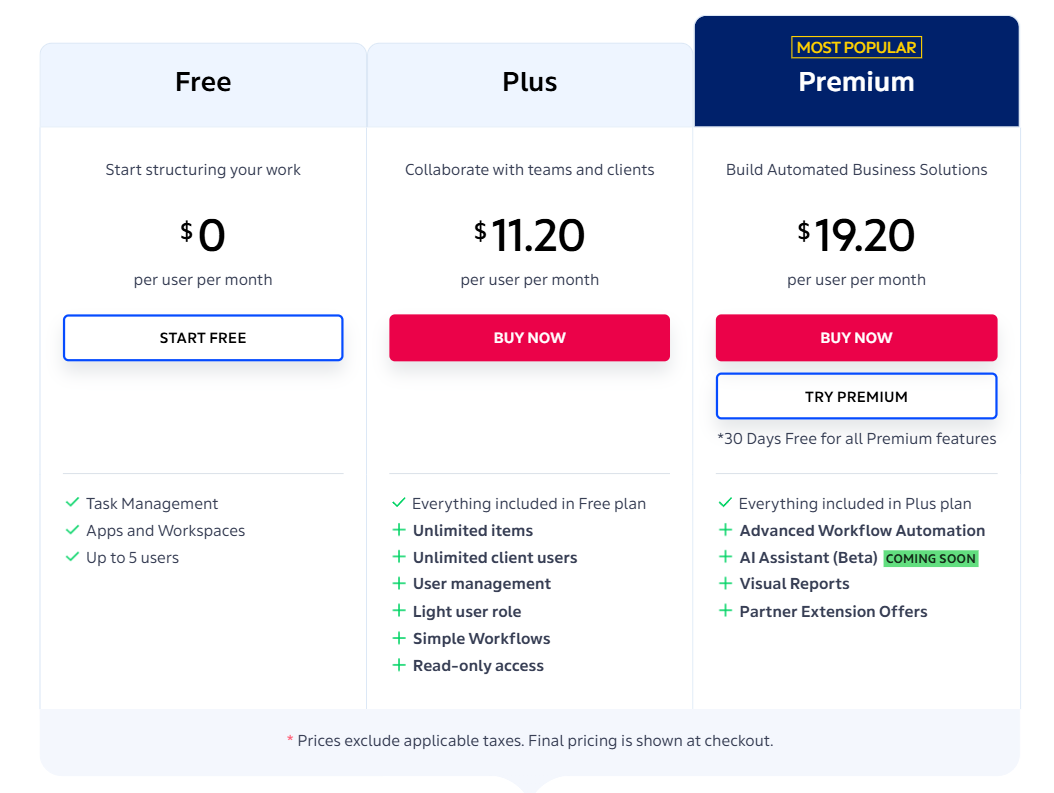
Podio offers multiple pricing plans with different features for managing projects, workflows, and team collaboration.
If you’re a 10-person team on annual billing, Podio Plus costs $11.20 x 10 x 12, or $1,344 a year.
Kanbanchi Essential costs $3.97 x 10 x 12, or $476.40 a year, a difference of more than $800.
This is because Podio charges for every employee once an organization upgrades, including the first five who were free, not just the people actively using project management features.
On the flip side, Kanbanchi’s per-seat model only charges for the seats you purchase. And if you’re weighing up the costs of Podio alternatives on a per-seat basis, this is the number that matters most.
The way the free plans on both platforms work is similar to this.
Kanbanchi’s free plan has no cap on total users or projects, limited only to 36 active cards per individual board. This limit resets per project rather than across your entire account.
The Podio free plan is limited to 5 employees, 5 external users, and 100 items across the entire organization combined. If you’re a single CRM-style workspace tracking leads and follow-up tasks, you’re likely to hit that limit within the first month.
| Choose Kanbanchi if… | Choose Podio if… |
|---|---|
| Your team runs on Google Workspace and wants boards stored in Drive | You need to build a custom database, such as a real estate CRM |
| You want work moving inside minutes of signing up | You have development resources to use Podio’s public API |
| You need a free plan with no cap on total users | You’re comfortable investing setup time for long-term flexibility |
| Native Gantt charts, time tracking, and workload views matter | Your process doesn’t fit a standard task board at all |
| You want support that solves problems, not scripts | A steeper learning curve is an acceptable tradeoff for customization |
Our final verdict on the Kanbanchi vs Podio comparison really depends on the unique project management needs of your organization.
There’s no doubt that Podio is a more flexible platform. Its no-code database can become a CRM, a client portal, or a project tracker, backed by a public API to create your very own custom process – if you’ve got the time to configure it.
Kanbanchi’s strengths lie in speed and fit, especially if you need project management software for Google Workspace. It offers a board that works the moment a Google Workspace user signs in, native Gantt charts and time tracking without a marketplace add-on, and a free plan that doesn’t cap total team size. Whether you’re running standard project and task management inside Google Workspace or need same-day setup, Kanbanchi is the more practical answer.
Ready to see Kanbanchi’s Gantt charts and time tracking features without a custom quote at every step? Try Kanbanchi free today.
For standard project and task management, Kanbanchi is generally the stronger pick in most Kanbanchi vs Podio comparisons. It ships with boards, Gantt charts, Google Workspace integration, and a simple setup process. Podio wins when teams need a custom database or CRM built from scratch and have the time and API access to build it.
Yes, the Podio free plan is permanent but capped at 5 employees, 5 external users, and 100 items across the entire organization. Kanbanchi’s free plan has no cap on total users or projects, limited only to 36 active cards per board, which makes it more practical if you’re expecting steady growth.
Kanbanchi is one of the strongest Podio alternatives for teams running on Google Workspace. It stores boards directly in Google Drive, includes a Gmail add-on for creating cards from email. It also offers SSO on every plan, including free. As project management software for Google Workspace, that native depth is hard for a connector-based tool to match.
Podio pricing begins at $14 per employee monthly for Plus ($11.20 annually) and $24 for Premium ($19.20 annually), billing every employee once upgraded. Kanbanchi charges $3.97 per user monthly on annual billing for Essential. For a 10-person team, Kanbanchi Essential costs roughly $476 a year versus $1,344 for Podio Plus.
No, Kanbanchi does not currently offer a public API, while Podio provides a documented REST API for custom development and integration work. Teams that need to build custom tooling on top of their project data, or already use the Podio API elsewhere, may prefer Podio for that specific reason.
Read more articles related to Project Management


In this Article:
Start using Kanbanchi now
Start your free trial