
In this Article:
Try Kanbanchi now
Start your free trial

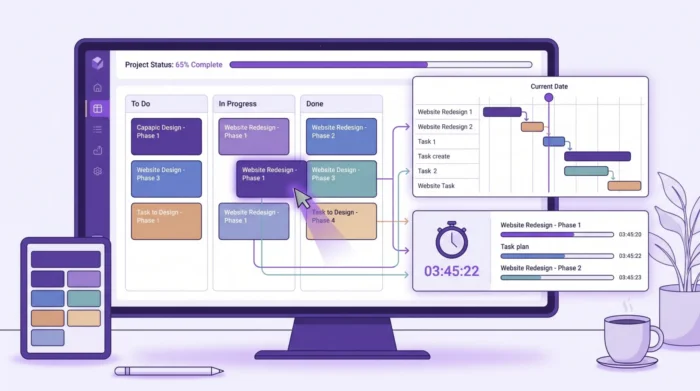
Time tracking becomes useful only when it is connected to real work. If your team logs hours in one place, manages tasks in another, stores files somewhere else, and updates timelines manually, the data will always feel late, incomplete, or annoying.
The goal is not to watch every minute. The goal is to understand whether the team is spending its effort on the right work, whether deadlines are realistic, and where projects are starting to drift before they become expensive problems.
For business owners, team leads, project managers, and operations managers, project management and time tracking should create clarity. It should help you answer practical questions, such as:
Many companies introduce time tracking with good intentions, then abandon it because employees resist it or managers do not know what to do with the data. The issue is rarely time tracking itself. The issue is how it is implemented.
A spreadsheet of hours does not explain what was done, why it mattered, or whether the work moved the project forward. When time entries are disconnected from tasks, files, comments, deadlines, and owners, managers have to reconstruct the story later.
That creates extra admin work for everyone. The team logs time because they were asked to. Managers export reports because they need numbers. But the system does not improve planning, delivery, or accountability.
Time tracking becomes toxic when it is positioned as a way to catch people being unproductive. This is especially risky for knowledge work, where thinking, coordinating, reviewing, and problem-solving are part of the job.
A healthier approach is to track time at the task or project level and then use that data to improve estimates, reduce overload, and protect focus. The data should support the team, not create fear.
Hours worked are not the same as outcomes delivered. A task can take many hours because it is complex, blocked, poorly defined, or affected by changing requirements. Without project context, time data can be misleading.
Helpful project management connects effort to progress. A task has a status, an owner, a due date, a priority, related files, and recorded time. Together, those signals tell a much more useful story.
A helpful system gives leaders visibility without forcing the team into constant status meetings. It gives team members a clear place to see priorities, update work, and record effort without switching tools all day. This is the difference between time tracking as a timesheet and time tracking as a management tool.
| Management question | Helpful signal | What to do with it |
|---|---|---|
| Are we on track? | Task status, due dates, dependencies, timeline view | Adjust scope, owners, or deadlines early |
| Where is the effort going? | Time tracked by task, project, client, or team | Rebalance workload and improve estimates |
| What is blocking progress? | Stalled cards, overdue tasks, comments, dependencies | Remove blockers or escalate decisions |
| Can we accept new work? | Current workload, remaining tasks, historical effort | Plan capacity before committing |
| Are projects profitable? | Actual time compared with planned effort | Improve pricing, staffing, and the delivery process |
The best setup combines three views of work: workflow, schedule, and effort. Each answers a different question.
A Kanban board shows what is planned, in progress, waiting, and complete. It gives the team a shared visual language for work. Instead of asking for updates in chat or meetings, managers can look at the board and see the state of delivery.
For many teams, this is where daily work should happen. Cards represent tasks, requests, deliverables, bugs, campaign assets, onboarding steps, procurement items, or client work. Each card should have enough detail for the assignee to move forward without searching through messages.
A board is excellent for workflow, but it does not always show whether your schedule is realistic. That is where a timeline or Gantt chart helps.
A Gantt view lets managers see start dates, due dates, overlaps, milestones, and dependencies. This is especially important when one team cannot start until another team finishes, or when several deliverables must be completed before a launch, audit, client handoff, or executive review.
Time tracking adds the reality layer. It shows how much effort tasks actually require. Over time, this improves estimates and helps managers make better decisions about staffing, pricing, and prioritization.
Useful time data can reveal:
The point is not to turn people into numbers. The point is to make the work visible enough to manage fairly.
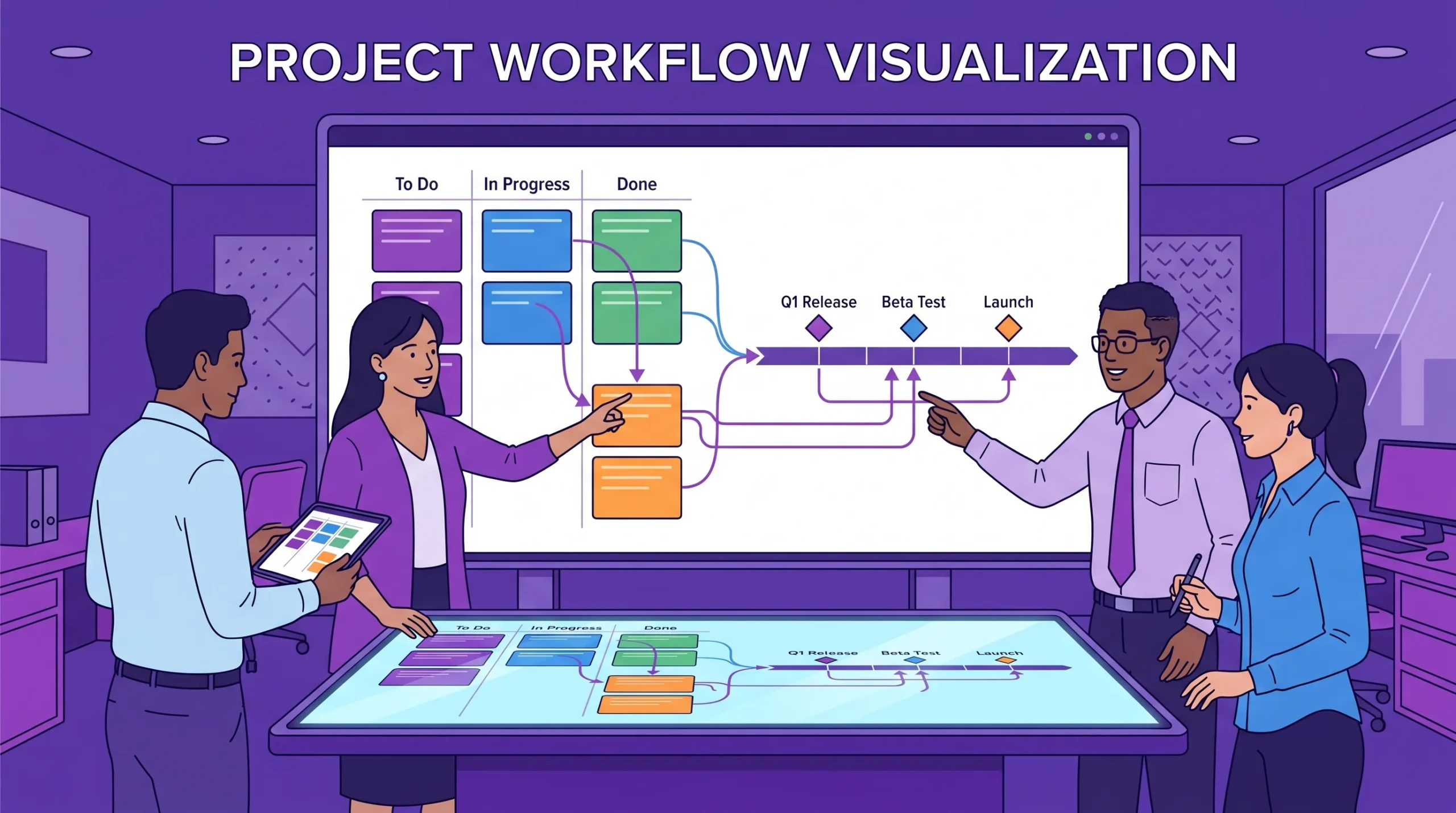
A useful system must be simple enough for daily use and structured enough for management decisions. If it is too loose, reporting becomes impossible. If it is too rigid, the team avoids it.
Do not create a separate board for every small idea. Start with a board that reflects how work truly moves through your business. A marketing team might use stages like Backlog, Briefing, In Production, Review, Approved, and Published. An operations team might use Requested, Assigned, In Progress, Waiting, Completed, and Archived.
The right workflow is the one your team can recognize instantly. If people need a manual to understand the board, it is probably too complicated.
A card should answer the basic delivery questions: what needs to be done, who owns it, when it is due, what priority it has, and where supporting materials are located.
For recurring work, templates help reduce setup time and improve consistency. A template can include standard checklists, default fields, review steps, or common subtasks. This is useful for onboarding, client delivery, content production, IT requests, finance processes, and compliance workflows.
The least helpful time tracker is the one people must remember to update at the end of the week. The most helpful one is attached to the task itself.
When time is tracked directly on a task card, the entry has context. Managers can see not only that five hours were spent, but which task received those hours, what status the task is in, and whether the work is finished.
A weekly review should focus on patterns. Which types of work took longer than expected? What deadlines moved? Which cards sat in review too long? Who has too many active tasks?
This protects the team from micromanagement and helps leaders improve the system. If every design review is delayed, the solution may be clearer review ownership. If every implementation task exceeds estimates, the solution may be better discovery, more technical input, or smaller task breakdowns.
Read more articles on Time Management on Kanbanchi’s blog
Connected project management and time tracking are valuable anywhere work has multiple steps, owners, deadlines, and dependencies. The same principles apply across industries, even when the work itself looks very different. A software team, marketing agency, consulting firm, manufacturer, nonprofit, or appointment-based service business can all benefit from clearer task ownership and better visibility into effort.
| Team or business type | Typical challenge | How connected tracking helps |
|---|---|---|
| Marketing teams | Many campaigns, approvals, assets, and deadlines | Shows campaign progress, review delays, and actual production effort |
| Software and IT teams | Backlogs, bugs, dependencies, and changing priorities | Connects workflow stages with timelines and effort data |
| Professional services | Client work, retainers, scope changes, and profitability | Tracks billable and non-billable effort by task or project |
| HR and operations | Repeatable processes with many handoffs | Standardizes workflows and exposes bottlenecks |
| Leadership teams | Limited visibility across departments | Gives a high-level view of workload, deadlines, and delivery risks |
The more your work depends on coordination, the more valuable it becomes to connect tasks, files, dates, and times in one place.
Kanbanchi is designed for teams that want visual project management inside the ecosystems they already use. It supports Google Workspace and Microsoft 365, making it a practical choice for organizations that need adoption without forcing people into a completely separate work environment.
Kanbanchi boards help teams organize tasks as cards and move them through workflow stages. Teams can add descriptions, comments, priorities, tags, checklists, subcards, attachments, and assignees so the work is clear and actionable.

For Google Workspace teams, Kanbanchi integrates with Google Drive and Shared Drives, supports creating tasks in Gmail, and can sync events with Google Calendar. For Microsoft 365 users, it is compatible with OneDrive and SharePoint file storage.
When managers need to understand timing, Kanbanchi boards can be viewed as a Gantt chart. This helps teams plan project schedules visually, understand how tasks relate in time, and adjust plans when deadlines or dependencies change.
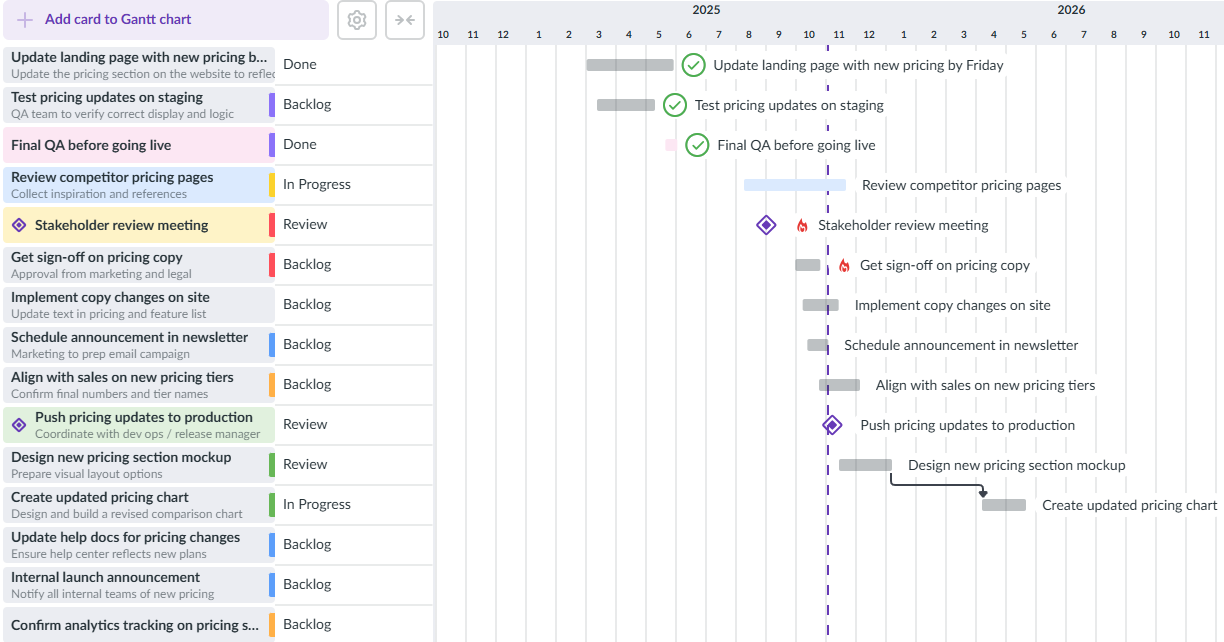
This is useful for launches, implementations, client projects, procurement cycles, hiring plans, event preparation, and any workflow where dates matter.
Kanbanchi includes a Time Tracker that lets users track time directly on cards. A team member can choose a card, start the timer, and record work where the task already lives. Timing data is stored in the Timing tab, giving managers a clearer view of effort across the board.
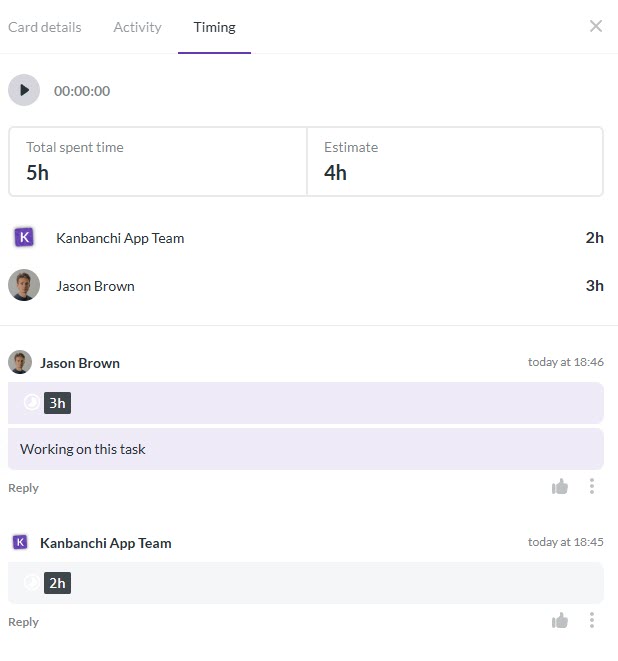
Because the time entry is tied to a task, it becomes easier to compare estimates with actual effort, understand workload, and improve future planning.
Kanbanchi can export board data to Google Sheets, including task details such as assignments, dates, checklists, and comments. Teams can also extract data and connect it to reporting tools such as Google Looker Studio.
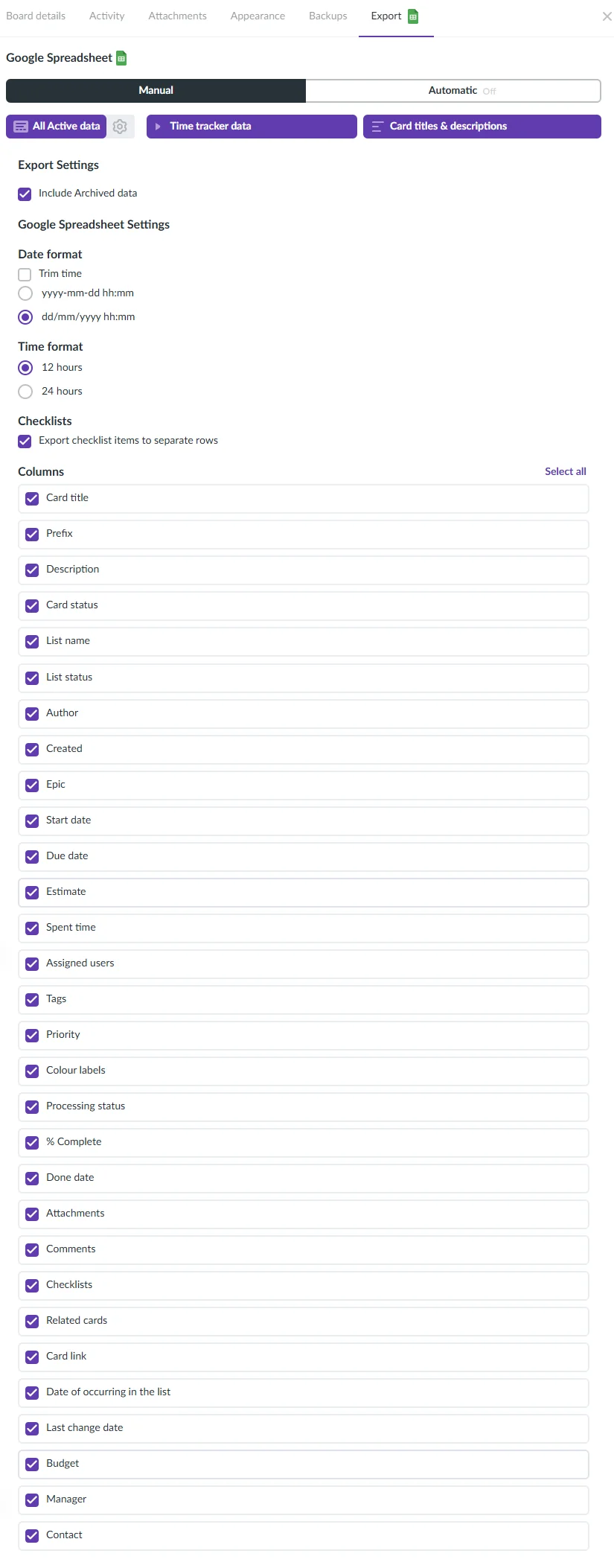
This matters for managers who need to brief executives, track department performance, analyze delivery trends, or combine project data with other business metrics.
Sign up for a free Kanbanchi trial today
The way you introduce the system matters as much as the software you choose. A good rollout should make work easier from the first week.
Tell the team why you are tracking time. Good reasons include improving estimates, balancing workload, understanding project cost, reducing unnecessary meetings, and identifying process bottlenecks.
Avoid framing it as a productivity test. If people believe every entry will be used against them, they will either resist the process or enter low-quality data.
Too many time categories create friction. Start with a small number of meaningful categories, such as planning, execution, review, client communication, admin, and rework. You can refine later once you see what data is actually useful.
The team should update cards and time as part of normal work, not as a separate Friday chore. A simple habit works well: update the task status when work changes, record time on the card, and add a comment when context is needed.
If the data shows that estimates are consistently wrong, improve estimation. When approvals cause delays, clarify approvers. If urgent work keeps interrupting planned work, create a visible intake process. Time tracking helps only when managers act on what they learn.
If you are evaluating software, look beyond feature checklists. The best tool is the one your team will actually use, and your managers can trust.
Prioritize these criteria:
For teams already working in Google Workspace or Microsoft 365, integration is not a small detail. It affects adoption, security, file access, and daily convenience.
Time tracking records how much time is spent on work. Project time management is broader. It includes estimating, scheduling, assigning resources, monitoring progress, and adjusting plans. The most useful systems connect both, so tracked effort improves future project planning.
Track time at the task or project level, explain the business purpose, and review patterns instead of individual minutes. Use the data to improve estimates, reduce overload, and remove blockers. Avoid using time entries as a substitute for trust.
It depends on the role and business need. Teams that bill clients, manage capacity, or need better estimates usually benefit from consistent tracking. The key is to keep the process lightweight and connected to actual tasks.
Weekly reviews work well for most teams. They are frequent enough to catch problems early, but not so frequent that managers overreact to normal daily variation. Monthly reviews are useful for higher-level trend analysis.
Project management and time tracking should help your team plan realistically, collaborate clearly, and improve how work gets done. When tasks, timelines, files, comments, and effort data live together, managers gain visibility without adding unnecessary admin work.
If your team uses Google Workspace or Microsoft 365 and wants a visual way to manage tasks, plan timelines, and track effort, explore Kanbanchi. Start with one workflow, connect time tracking to real tasks, and build a system that helps people deliver better work with less confusion.


In this Article:
Start using Kanbanchi now
Start your free trial