
In this Article:
Try Kanbanchi now
Start your free trial

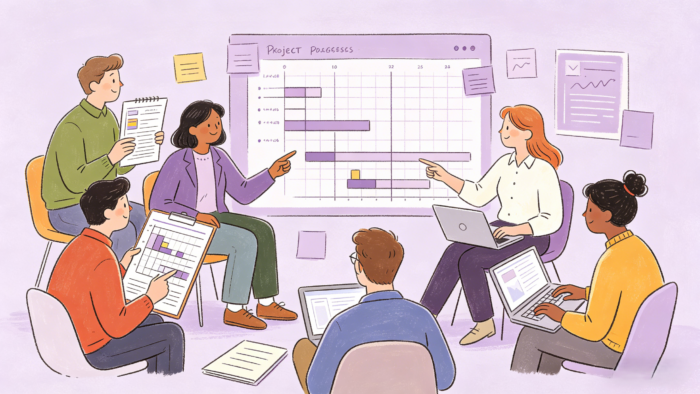
Task Management is more than executing a to-do list. It is about managing tasks, maximizing the use of task management software, and working effectively to complete your project on time and within budget. Tasks need to be consistently reviewed and prioritized to help support a fast-paced delivery culture and obtain business results.
But what is task management software, exactly? At its heart, it is the bridge between a vague plan and a finished project. It is a digital environment where:
In this guide, Kanbanchi won’t just define the term. We’re going to look under the hood. We will explore:
We’re going to begin our rundown with some simple ways to understand exactly what task management is and its purpose for you and your team. It’s about moving away from busy work and toward impactful results.
Before we dive into the high-tech features and what they can actually do for your workflow, we need to ground ourselves in a solid definition. While the terms project management and task management are often used interchangeably, they are actually different levels of the same game, so it’s worth understanding what they’re about.
Task management software is a digital platform designed to manage tasks through their entire life cycle, from planning and estimation to execution and final sign-off. Unlike a simple checklist, this software captures the context of the work. It records:
Here’s a slightly deeper definition to help you understand the main differences between task management and project management.
It is the Macro view, the 30,000-foot view of the entire mission, the total budget, and the long-term milestones. It’s the overall health of the workflow you’re undertaking and the bigger picture.
Often useful for stakeholders and clients to look at so they can see everything at a glance without needing to go into too many details.
It is the Micro view, the boots-on-the-ground reality. It’s the specific action items that, when completed, move the project needle forward. It’s like the project’s smaller parts. They’re all still equally important, but they perhaps move at a slower pace or don’t get ticked off as quickly.
These are useful for the day-to-day workers who see the project they’re working on from their own purview.
The primary goal of task management software isn’t just to remember things. Its purpose is to provide unrivaled transparency.
When a team uses a single workspace tool, everyone can see the state of progress at any time. You no longer need to get everyone together for another interminable meeting to find out whether the design team has started on the new landing page; you can simply check the board…
Furthermore, it exists to address cognitive overload. When you know your system is tracking your deadlines and priorities, your brain is freed up to actually do the work rather than just trying to remember what the work is.
Read more Task Management articles here
These days, the market for productivity tools is saturated. However, the best team task management software stands out not by having the most buttons, but by having the right ones.
They’ll be the ones that mean one click solves everything…no more undertaking multiple confusing steps, just to complete one simple task. Everything you need will be right in front of you.
If you are evaluating a tool for your department, these are the non-negotiables that turn a simple app into a professional workflow engine.
Teams don’t all think the same way. We all have different skill sets (and viewpoints). A developer might prefer a Kanban board to see flow, while a project lead needs a Gantt chart to track dependencies.
The best tools allow you to toggle between views without duplicating data.
| View | Use case |
|---|---|
| Kanban | For visual status tracking. |
| List View | For quick data entry and check-the-box simplicity. |
| Gantt/Timeline | For understanding how tasks overlap and affect the final deadline. |
Task management is a team sport. If you have to leave the task to talk about it in an email, the software has failed. Professional tools include:
| Tool | What you’ll get from it |
|---|---|
| In-task Comments | Keep the conversation where the work is. |
| @Mentions | Instantly loop in a colleague for feedback. |
| File Attachments | Centralize briefs, assets, and spreadsheets directly on the task card. |
Not all tasks are created equal. You need the ability to flag Critical items vs. Low Priority tasks. Furthermore, the software should handle dependencies, meaning Task B cannot start until Task A is finished. This prevents your team from working out of order and wasting time on premature drafts.
How close are you to the finish line? A high-quality tool provides visual progress bars and automated reports. This allows managers to identify bottlenecks (where tasks get stuck) and redistribute the workload before anyone hits burnout.
To help you achieve this, these are our top task management strategies:
Ask the resource doing the work for the effort to complete the task. They are the best people to provide this information. Obtaining information from someone who is not familiar with the work creates the risk of not allocating enough time for the task, puts too much pressure on the person to get it done in an unrealistic timeframe, and increases the risk of impacting your timeline. When the resource doing the work provides the estimate, the resource feels empowered, engaged, and increases the likelihood of the work being completed on time.
Be transparent with the team and share the list of tasks. Sharing the task list is an excellent way for the team to see the work that needs to be done, provides a view of the dependencies, and an opportunity to call out any work that may have been missed in the initial requirements gathering process.
The efforts provided by the team can be included in the task software. It is even better to use an online task management software solution, so all team members have access and can see the progress of their work. A team member will feel a sense of ownership and accountability and have a visual of their contribution to the project.
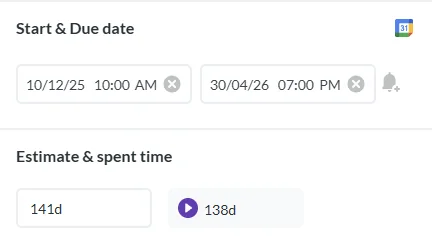
For future estimates, it is essential for the effort to be tracked and logged. Once a customer agrees to the project scope and the cost, it won’t be easy to go back and ask the customer for more money. Project tracking software allows estimates to be entered and also captures the actual effort spent. This feature helps resources to provide better estimates and get more accurate project costs.
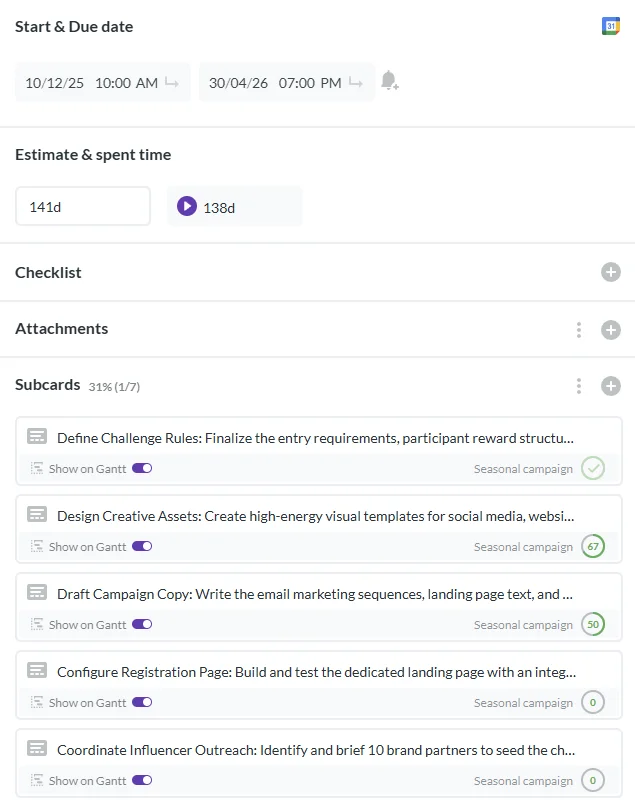
The project software outlines the current state of the work and what is expected to occur next. Dependencies can be tracked so the team can see when a task can get started. Some tasks can be done in parallel, while others cannot move forward until another task is completed. For example, a website may not be able to go live until the pricing is revised. Understanding the task dependencies gives you more latitude in maneuvering the workaround.
Sometimes events happen in a project that will require you to reprioritize tasks. For example, a customer has not provided sign-off on a particular graphic. Priority may be given to other work until the approved graphic is delivered. Project management software can support this decision-making process. You can view task priority rankings to better understand the impact, enabling you to create a more effective roadmap.
Scrum meetings are a great way for the team to express any challenges they are facing and to share what they are currently working on. It supports collaboration, and after a quick team update, team members can follow up with one another and provide support for any issues they face. It is also an opportunity for the project manager to reiterate the priorities and keep the team on track. And of course, don’t forget about talent management to have a productive team.
There are numerous software management tools on the market to centralize your documentation storage. The project charter, dashboard, requirements specifications, and other related documents can be stored there. Stakeholders seeking an update or status can easily find answers to their questions.
As the project progresses, identify and monitor new risks. Also, review and revise the initial risk assessments. Risk needs to be reviewed regularly alongside the mitigation plan to ensure the information remains relevant and actionable.
Using and choosing the right software is key. You may want to know if the project management app user experience is as good as the experience you have on your laptop. Does it fit your workflow? Does it foster team collaboration?
Kanban boards are popular for task management. Templates are available for configuration in most task management tools. Kanban provides a visual for the tasks. In its simplest form, the board is broken down into To Do, Doing, and Done. It is flexible and can adapt to your workflow, incorporating the different steps in your processes.
As the project leader, you need to leverage project-tracking software to prioritize tasks and improve collaboration within the team. You want to foster an environment that enables resources to do their best work and brings positive results to the business.
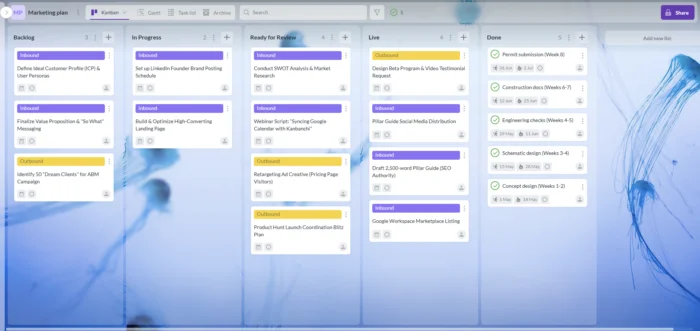
Kanbanchi, for example, can help you to consolidate and track tasks in one central location. It offers features such as the ability to prioritize and estimate tasks, and to capture time spent. Sharing and being transparent about the project’s progress enables and empowers each team member. The results of their work are clear, as well as their contribution to the project.
Start free trial of Kanbanchi now
One of the biggest hurdles to starting with new software is the blank page problem. You know you need to organize your team, but building the columns and setting the rules takes time you don’t have. This is where a task management software template becomes your best friend.
A template is essentially a pre-built workflow designed by experts. Instead of guessing how to structure a marketing campaign or a software sprint, you load a template that already has the correct stages, labels, and checklists built in.
| The Marketing Launch Template | Pre-set columns for Research, Content Creation, SEO Review, and Distribution. |
| The Onboarding Template | A repeatable checklist for HR teams to ensure every new hire gets the same high-quality experience. |
| The Agile Sprint Template | Structured specifically for developers using Backlog, Current Sprint, Testing, and Done. |
By starting with a task management software template, you cut your setup time by 90%. You aren’t building a tool; you’re just filling in the blanks.
Once this is done, you can start to see how easy it is to view your workload and quickly see everything that needs to be tackled at a glance.
Why does seeing a task move across a board feel so much better than simply crossing it off a list? It’s not just in your head; it’s in your biology. OK, let’s take a step back and explain it. It’s actually a really interesting theory.
The human brain is wired for visual processing. In the creative and construction industries, this is often referred to as the Visual Management Method.
Applying a number of visual tools simultaneously to a project with the objective of improving transparency, which in turn will aid communication, decision-making, and day-to-day planning of activities.
Its focus lies in the simplification, visualization, and measurement of work on a daily basis to ensure target milestones are met, and quality is improved.
In fact, nearly 90% of information transmitted to the brain is visual, and we process images up to 60,000 times faster than text. When you use visual task management, you aren’t just organizing work; you’re working with your brain’s natural operating system (after a few cups of coffee, naturally!)
In a text-heavy spreadsheet, a project delay looks like a small date change in cell B12. On a visual board, a delay looks like a massive pileup of cards in the In Review column. How does this pan out? Let’s look at an example below:
| Spot Overload | Instantly see which team member has too much on their plate. |
| Flow Monitoring | Identify exactly where tasks get stuck in your pipeline. |
| Faster Decision Making | Spend less time decoding data and more time solving problems. |
There is a powerful psychological trigger called the Goal Gradient Effect, which holds that our effort increases as we get closer to a goal.
So, if you’re ready to take the next steps and invest in some software that can make a huge difference to the way you and your team approach task management, what’s the solution? We think we can help you.
If your team lives in Google Workspace or relies on Microsoft apps, you’ve likely felt the friction of using outside tools. You have to:
It all takes time, and you often need more than one tool to keep everything going. Over time, this can create extra work and frustration for team members who just want to get on with the job!
Kanbanchi eliminates that friction. It is the best team task management software designed to be a native citizen of the Google or Microsoft ecosystem. There’s next to no hassle setting it up, and no more multiple logins to remember.
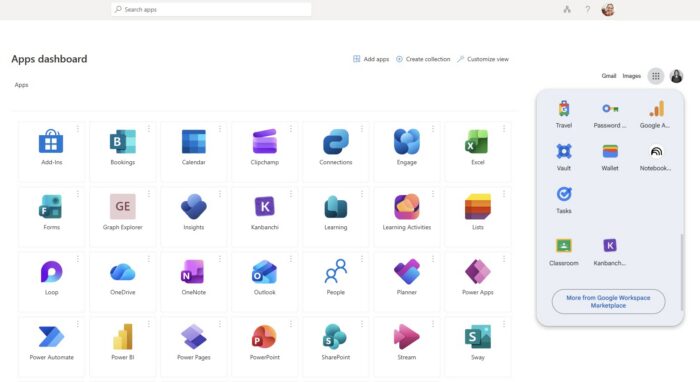
Most software stores your data on its private servers. Kanbanchi is different. Your project boards are stored directly in your Google Drive or OneDrive/SharePoint. This means you keep full ownership of your data, and it’s protected by the same enterprise-grade security you already trust for your Docs and Sheets.
With our Gmail add-on, you can turn a client request into a task card without ever leaving your inbox. The email subject becomes the task title, and the body becomes the description. It’s the ultimate way to stop important tasks from getting lost in the noise of a crowded inbox. The same can be achieved in Outlook by saving the board’s email address as a contact 😉
Because Kanbanchi follows Google Workspace’s design logic, your team won’t need a week-long training seminar to get started. Similarly, Microsoft users can add kanbanchi to their Microsoft app suite and access it from the same panel.
It feels like a tool they’ve already been using for years. This familiarity is the secret to high adoption rates and immediate productivity gains. By choosing a tool born in Google, like Kanbanchi, you aren’t just buying new software that’ll be installed and then forgotten about after a couple of weeks.
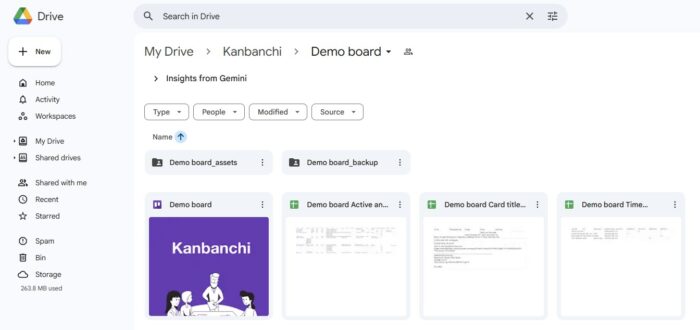
Once it’s up and running, it’s a slick way to get the most from your task management, and from the moment you log in, it’ll feel familiar and as if you’ve always known it. It could be the missing link in your workflow that takes your projects from “nearly there” to “100% success rate every time”.
If all this has won you over, then why not try Kanbanchi today? Choose Kanbanchi to find the best project board for your team’s needs.
We’re going to end our guide to task management software by answering a few of the most commonly asked queries about the topic. Don’t see your question answered? Get in touch, and we’d be happy to chat with you about a free trial with Kanbanchi.
The difference lies in the scope. Task management software is a micro tool designed for daily execution, organizing to-do lists, setting deadlines, and tracking individual output.
Project management software is a macro tool that handles complex initiatives, budgets, resource allocation, and long-term milestones. Think of task management as the engine and project management as the entire vehicle.
Absolutely. In fact, many of the best team task management software options (including Kanbanchi) offer personal tiers or flexible boards that are perfect for solo productivity.
Whether you are managing a home renovation, a side hustle, or a fitness regime, these tools help turn scattered goals into structured, visual roadmaps that keep you accountable.
Start with your ecosystem. If you already use Google Workspace, look for a tool that integrates natively. Next, evaluate usability. Can your team learn it in 15 minutes?
Finally, consider scalability. You want a tool that is simple enough for today but powerful enough to handle your growth over the next year. Kanbanchi can be a great fit for you.

In this Article:
Start using Kanbanchi now
Start your free trial