
In this Article:
Try Kanbanchi now
Start your free trial


Security used to be a procurement checkbox. Today, it is one of the main reasons teams may even want to switch to a different project management software.
Your project management tool is not just a place for to-do lists. It often holds product roadmaps, customer files, hiring plans, supplier contracts, budgets, legal reviews, credentials in comments that should never have been posted, and the daily work history of every team. If that system is hard to govern, even a well-organized project can become a security risk.
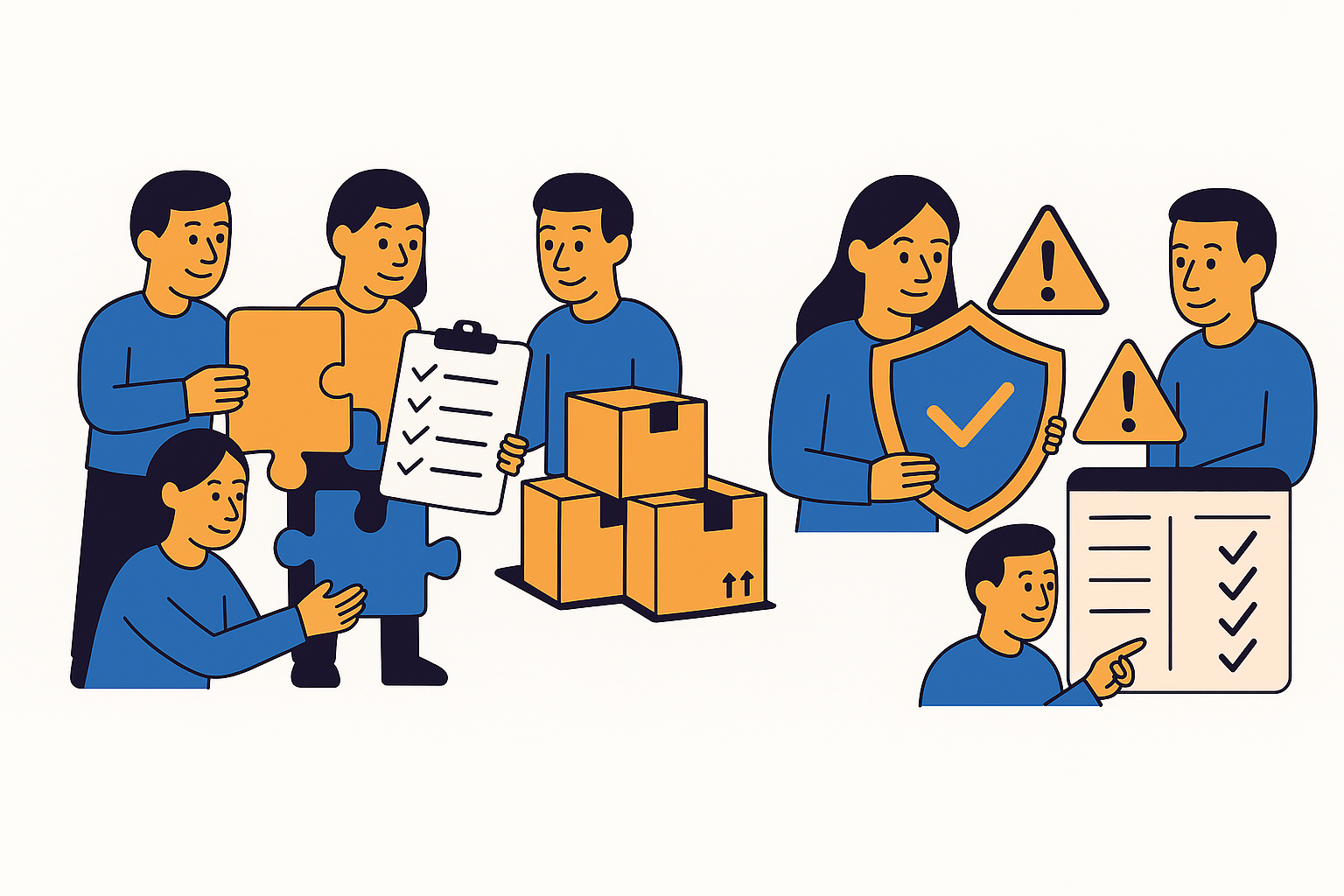
The right secure project management software should do two things:
If security makes the tool too difficult to use, employees will return to spreadsheets, email threads, and private chat messages. If collaboration is frictionless but poorly controlled, data spreads faster than managers can track it.
Below is a practical buyer’s guide for business owners, team leads, and IT decision-makers evaluating project management software in 2026 and seeking a secure option.
You may also be interested in my earlier tips on choosing PM software
A project board may look harmless at first glance. But every card, comment, attachment, due date, and assignee can reveal operational details. A sales board can show deal timing and customer objections. A product roadmap can expose upcoming launches. A recruitment board can include candidate data. A procurement workflow can contain supplier quotes and contract terms.
This applies even outside obvious technology sectors. A small professional services practice that handles client wellbeing records, for example, a provider of personalized nutrition consultations, may need the same practical safeguards as an IT team: controlled access, secure attachments, and careful handoffs.
As teams grow, the risk increases. A three-person team may manage permissions manually. An enterprise with thousands of users needs consistent access rules, offboarding processes, auditability, backups, and compliance support. The software has to scale with the organization’s governance needs.
Good project governance answers questions such as who owns the work, who approves changes, who can see confidential information, and how decisions are recorded. Secure software supports such governance by making access, accountability, and data movement visible.
The NIST Cybersecurity Framework 2.0 groups cybersecurity activity around governance, identification, protection, detection, response, and recovery. That model is useful when evaluating project management tools. You are not only asking, “Can people manage tasks here?” You are asking, “Can we govern how work happens, protect the data involved, detect problems, and recover if something goes wrong?”
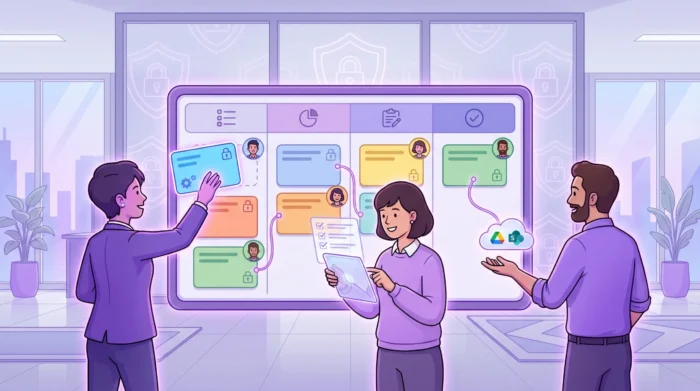
Start with login security. The safest project management tool is one that fits your existing identity environment instead of creating yet another unmanaged account system.
For Google Workspace and Microsoft 365 teams, look for software that works with the accounts your employees already use. This simplifies onboarding, reduces password sprawl, and makes offboarding more reliable when someone leaves the company.
Multi-factor authentication should also be part of your security baseline. The Cybersecurity and Infrastructure Security Agency recommends MFA as a key protection against account compromise. If your project tool relies on Google or Microsoft sign-in, confirm how MFA policies from those environments apply.
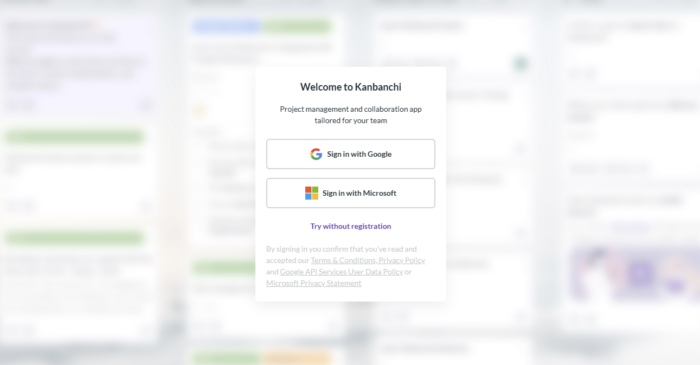
The key questions are simple: Can users sign in with corporate accounts? Can admins enforce the same identity policies they already use? What happens to a user’s project access when their company account is suspended or deleted?
Project management software must enable people to collaborate without granting everyone access to everything. A leadership board, HR onboarding board, client delivery board, and IT incident board may all need different visibility rules.
Look for clear controls around internal sharing, external sharing, guest access, ownership, and editing rights. The software should support least-privilege access, meaning people receive only the access they need to do their work.

This is especially important for remote teams and cross-functional projects. Remote team productivity depends on fast access to the right information, but not open access to confidential work. A secure tool should make it easy to invite the right collaborators and difficult to accidentally overshare.
Attachments are one of the most overlooked security risks in project management. Teams often upload contracts, designs, spreadsheets, presentations, PDFs, screenshots, and customer files directly to tasks. If the project tool stores duplicate files in a separate location, your organization may lose control over retention, permissions, and data lifecycle.
For Google Workspace users, a strong security pattern is to keep project files connected to Google Drive and Shared Drives, where company policies already exist. For Microsoft 365 users, the same principle applies to OneDrive, SharePoint, and Microsoft permissions.

The ideal setup is not “files everywhere.” It is “tasks connected to governed files.” Before choosing software, test what happens when a file is attached, shared, updated, removed, or accessed by someone outside the core team.
When something changes in a project, managers need to know what changed, when it changed, and who changed it. This is not only useful for security investigations. It is also useful for accountability, governance, and project retrospectives.
Activity history can help answer questions such as:

Even secure teams make mistakes. Someone may delete a board, overwrite a template, remove a critical checklist, or incorrectly reorganize a workflow. Ransomware, account compromise, or accidental bulk edits can also affect project continuity.
Secure project management software should have a recovery story. That may include board backups, restore options, export capabilities, or integration with your organization’s broader backup procedures.
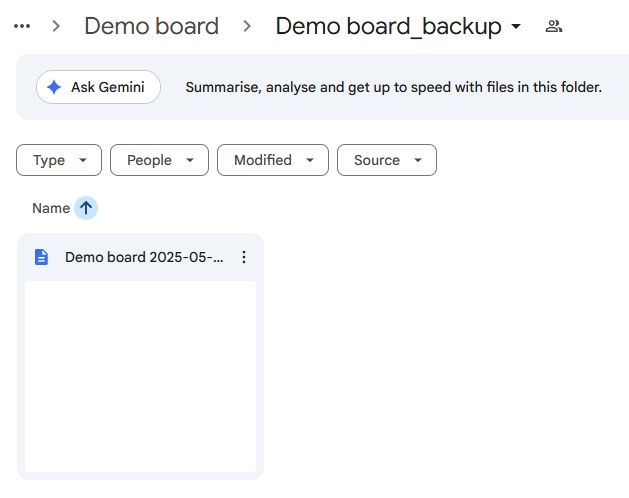
A tool without recovery options may still look efficient day-to-day, but it leaves the business exposed when a mistake affects live operations.
Compliance requirements vary by industry, region, and customer type. A software company selling to enterprises may be subject to vendor security questionnaires. A healthcare-related organization may need stricter handling of personal data. A global company may need to consider GDPR, CCPA, data processing agreements, subprocessors, and retention policies.
Do not assume that a project management tool is compliant with your specific obligations just because it uses words like “secure” or “enterprise.” Ask for documentation. Review the vendor’s security information. Confirm whether the tool supports your internal policies. A practical rule: if your customers ask you about it, you should ask your software vendor.
A secure product is backed by a responsible vendor. During evaluation, look beyond feature lists and ask how the vendor handles incidents, support, updates, data requests, and customer communication.
You do not need every vendor to be the largest platform on the market. You do need them to be clear and transparent. Vague security pages, unclear ownership of customer data, slow support, and missing documentation are red flags.
| Security area | What to look for | Red flags |
|---|---|---|
| Identity | Corporate sign‑in, MFA compatibility, admin control | Separate unmanaged accounts for every user |
| Permissions | Role‑based access, internal and external sharing rules | All‑or‑nothing project access |
| File handling | Integration with governed cloud storage | Duplicate files scattered across unknown storage |
| Auditability | Activity history and change visibility | No clear way to review who changed what |
| Recovery | Backups, restore options, export paths | Deleted work cannot be recovered |
| Compliance | Security documentation and data processing clarity | Generic claims with no supporting details |
| Vendor operations | Responsive support and clear incident processes | Slow responses and unclear ownership |
Many security problems arise when people deviate from the official workflow. If a project management tool is confusing, employees create side spreadsheets, private Docs, personal task lists, or untracked chat threads. Work becomes invisible, and security controls become inconsistent.
Visual project planning helps reduce that problem. A Kanban board gives teams a shared view of tasks, owners, status, and bottlenecks. A Gantt chart gives managers a timeline view of dependencies and milestones. Filters help people find their own work without needing extra spreadsheets.
Secure software should not force a tradeoff between control and usability. The more clearly people can see the work, the less likely they are to build unofficial systems around it.
Security is not only about preventing unauthorized access. It is also about knowing who is responsible for each part of the workflow.
A secure task management setup should make ownership visible through assignees, due dates, priorities, progress indicators, and comments. When a task has no owner, it is harder to verify completion, approval, or escalation. When ownership is explicit, teams can resolve questions faster and reduce risky ambiguity.
This matters for operational projects, client delivery, HR processes, IT work, finance approvals, and compliance tasks. Any workflow that requires a handoff should make the responsibility clear.
Time tracking is often viewed as a productivity feature, but it can also support governance. If teams track time directly on tasks, managers can compare estimates with actual effort, identify overloaded teams, and spot projects that are quietly drifting off plan.
Progress tracking also helps leaders detect stalled work before it becomes a business problem. A secure project management tool should make project status visible without requiring managers to request manual updates in separate documents.
A tool that exports board data to spreadsheets or connects to reporting dashboards should let leaders decide who can export, what data is included, and how exported information is governed afterward.
This is an important point for teams using Google Sheets, Looker Studio, Power BI, or other reporting systems. Reporting should support decision-making without bypassing privacy or access policies.
If your team already works in Google Workspace or Microsoft 365, your project management software should integrate with those environments. Otherwise, you risk creating a separate work hub with its own files, permissions, and habits. The goal is to reduce context switching and keep work close to the systems your IT team already manages.
Kanbanchi is designed for teams that want project management inside their existing Google Workspace or Microsoft 365 environment. For Google Workspace users, teams can create and share project boards and cards, attach files from Google Drive and Shared Drives, create cards from Gmail, sync events with Google Calendar, and export board data to Google Sheets.
Kanbanchi also supports visual planning through Kanban boards, Gantt charts, list views, swimlanes, subcards, templates, prioritization, time tracking, and reporting options. For enterprise Google Workspace users, boards can be created in Shared Drives, helping organizations align project access with company Google policies.
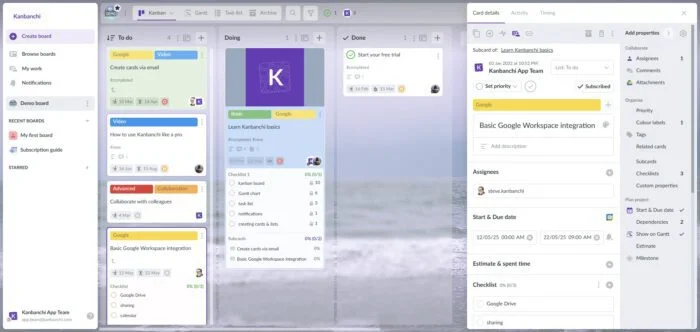
For Microsoft 365 users, Kanbanchi is compatible with OneDrive and SharePoint, so teams can manage visual project work while staying connected to their Microsoft file environment.
From a security perspective, the value is not only in individual features. It is in reducing the number of disconnected places where project data lives. When tasks, timelines, files, and updates sit closer to your existing workspace, teams can collaborate with fewer workarounds.
Security evaluation does not have to take months before you can shortlist tools. Start with a focused review that combines IT, operations, and real end users.
| Step | What to do | Why it matters |
|---|---|---|
| Map your sensitive data | Identify what project data the tool will contain, such as client files, budgets, contracts, roadmaps, or HR data | Security requirements depend on the sensitivity of the work |
| Test access scenarios | Create a sample private board, team board, external collaboration board, and archived board | You need to know whether permissions match real workflows |
| Review file behavior | Attach, share, remove, and update files from your cloud storage | Attachments are a common source of oversharing |
| Check admin and user experience | Ask admins to configure settings and ask users to complete typical tasks | Secure tools fail when adoption is poor |
| Validate reporting and exports | Export sample data and connect any dashboards you plan to use | Reports can move sensitive data outside the project tool |
| Confirm recovery options | Delete or change sample project data and test recovery paths | Mistakes are inevitable; recovery must be realistic |
| Ask vendor questions | Request security, compliance, support, and data handling information | Vendor transparency is part of your risk assessment |
After this first pass, run a pilot with a real project. A pilot reveals practical issues that security questionnaires cannot: whether managers can see enough, whether users understand permissions, whether files stay organized, and whether the tool reduces or increases shadow work.
It is tempting to compare tools by the number of views, automations, templates, and integrations. Those features matter, but they should come after governance basics. A highly customizable tool with weak access control can create more problems than it solves.
Start with the workflows that carry the highest risk. Examples include client onboarding, procurement, product releases, HR cases, financial approvals, legal reviews, and IT change management. If the software can handle those responsibly, it is more likely to handle everyday team collaboration safely.
IT can evaluate identity, infrastructure, compliance, and vendor risk. But team leads understand how work actually moves. They know which projects require external collaborators, which files are sensitive, which approvals are mandatory, and which workarounds employees already use.
Secure project management software should be selected with both groups involved. IT protects the environment. Team leads protect the workflow.
When an employee, contractor, or client leaves a project, access should be removed quickly and predictably. Offboarding is one of the clearest tests of whether your project management setup is secure.
Ask what happens to assigned tasks, owned boards, comments, files, automations, and calendar events when a user leaves. A secure system should not depend on one person remembering every place where that user had access.
The most secure tool on paper can fail if employees do not use it. Complicated interfaces, poor integrations, and excessive manual updates push teams back to email and spreadsheets.
Look for software that supports natural team behavior: quick task creation, simple assignment, visual progress tracking, clear notifications, integrated files, calendar visibility, and reporting without duplicate data entry. Security improves when the official workflow is also the easiest workflow.
Before making a final decision, use this checklist in your buying process.
| Requirement | Why it matters |
|---|---|
| Corporate account sign‑in | Reduces password sprawl and supports centralized access control |
| MFA compatibility | Helps protect accounts from compromise |
| Granular sharing | Prevents unnecessary access to sensitive projects |
| External collaboration controls | Helps manage clients, contractors, vendors, and partners safely |
| Cloud file integration | Keeps files connected to governed storage such as Drive, Shared Drives, OneDrive, or SharePoint |
| Activity history | Creates accountability and supports investigation when needed |
| Backups or recovery options | Reduces the impact of accidental deletion or unwanted changes |
| Export governance | Prevents reporting and spreadsheet exports from becoming uncontrolled data copies |
| Compliance documentation | Supports procurement, legal review, and customer assurance |
| Ease of use | Reduces shadow IT and increases consistent adoption |
| Scalable views | Supports Kanban boards, Gantt charts, lists, workloads, and reports as teams mature |
| Responsive vendor support | Helps resolve security, migration, and admin questions quickly |
Secure project management software is a system designed to protect work data while supporting collaboration. It should include strong identity management, permission controls, secure file handling, activity visibility, recovery options, and compliance support where relevant.
Google Workspace provides strong collaboration, storage, identity, and security features, but it does not include a full native project management system with Kanban boards, Gantt charts, dependencies, time tracking, and project-level reporting. Many teams add a Google Workspace project management tool to manage work visually while staying connected to Drive, Gmail, Calendar, and Sheets.
Small teams should prioritize corporate sign-in, simple permissions, secure file storage, backups, and easy offboarding. Even if your team has only a few people, client data, financial information, contracts, and business plans still need protection.
Enterprises should ask about identity integration, admin controls, data handling, subprocessors, encryption, backups, incident response, compliance documentation, support processes, and export or deletion options. They should also test real permission scenarios before rollout.
Yes. Integrations are useful, but every integration can move data between systems. Review what data each integration accesses, who can enable it, whether exports are controlled, and how permissions behave across connected tools.
Kanbanchi supports visual project management for Google Workspace and Microsoft 365 teams with Kanban boards, Gantt charts, time tracking, file attachments from Google Drive and Shared Drives, Microsoft 365 compatibility, Gmail task creation, Google Calendar sync, templates, reporting options, and enterprise-grade security compliance. Teams can manage work in a familiar workspace while reducing disconnected tools and manual workarounds.
Read more articles on Project Management here
Secure project management software should protect your business without slowing your team down. The best choice gives leaders visibility, gives employees a clear place to work, and gives IT confidence that access, files, and data movement are governed.
If your organization already runs on Google Workspace or Microsoft 365, Kanbanchi can help you manage projects visually while staying connected to the tools your team uses every day. Explore Kanbanchi to see how Kanban boards, Gantt charts, time tracking, and workspace integrations can support secure, collaborative project management.
Sign up for a free trial of Kanbanchi now

In this Article:
Start using Kanbanchi now
Start your free trial