
In this Article:
Try Kanbanchi now
Start your free trial


Businesses are not switching to cloud-based project management solutions simply because the cloud is fashionable. They are switching because the old ways of coordinating work (scattered spreadsheets, desktop files, long email threads, and weekly status meetings) no longer match how teams actually operate.
A modern project may involve employees in different locations, external partners, shared files, shifting deadlines, and executives who need answers before the next meeting. When project information lives in disconnected tools, leaders lose time chasing updates and teams lose confidence in what is current.
Cloud-based project management changes that operating model. It gives teams a shared workspace where tasks, timelines, files, responsibilities, and progress can stay connected. For business owners and team leads, the value is not only convenience. It is better visibility, faster decisions, stronger accountability, and a project system that can scale with the organization.
In many companies, the pain starts innocently. A team tracks tasks in a spreadsheet. Another department keeps deadlines in a separate calendar. Files are stored in shared folders, but comments happen in email or chat. For a small project, this may work for a while. As soon as the team grows, nobody is fully sure which version is correct.
Cloud-based project management solutions help solve this by making the project workspace the source of truth. A manager can see what is planned, what is blocked, who owns each task, and how deadlines are changing without asking five people for manual updates.
That visibility matters because project risk usually appears before the final deadline. A task sits untouched for too long. A dependency slips. A key file is missing. A teammate is overloaded. When those signals are visible early, leaders can respond while there is still time to adjust.
Even companies with mostly office-based teams now collaborate across locations, departments, vendors, and time zones. Work is rarely confined to one room or one device. Cloud tools support that reality because the project plan is available through the browser and updated for everyone with access.
This does not mean every business needs a complicated enterprise platform. It means the project system should match how people already work. If your team lives in Google Workspace or Microsoft 365, the best solution is often one that fits naturally into that environment instead of forcing people into a separate, isolated workflow.
Desktop project files and spreadsheets often create version-control problems. One person updates a plan, another edits an older copy, and a third person makes decisions based on information that is already outdated. Cloud-based tools reduce this risk by keeping work in one shared location where updates are visible to the right people.
This is one of the clearest reasons businesses switch. The cost of version confusion is not just administrative. It can lead to duplicated work, missed handoffs, wrong priorities, and poor customer communication.
A plan that sits apart from day-to-day work quickly becomes stale. Teams need more than a timeline. They need a practical way to move tasks through stages, assign ownership, attach files, discuss context, and track completion.
Modern cloud platforms often combine visual task boards with planning views such as timelines or Gantt charts. This gives teams two important perspectives: what needs to happen now and how today’s work affects the broader schedule.
For example, Kanban boards are useful for managing flow, while Gantt charts help leaders understand timing, dependencies, and workload across phases. A business that uses both can avoid the common trap of having a beautiful project plan that does not reflect what is actually happening.
Good project management is not about monitoring every minute of someone’s day. It is about making expectations clear. Each task should have an owner, a due date, relevant files, comments, and status.
When that information is visible, managers do not need to ask for constant updates. Team members can see what is expected of them, and leaders can focus on removing blockers rather than collecting status reports.
| Business need | Traditional approach | Cloud-based approach |
|---|---|---|
| Task ownership | Hidden in notes, email, or meetings | Assigned directly on tasks or cards |
| Project status | Updated manually for reports | Visible as work changes |
| File access | Stored in folders or attached to emails | Linked to the relevant task or project |
| Timeline changes | Rebuilt in a separate file | Adjusted in the shared project workspace |
| Team collaboration | Split across meetings, chat, and email | Connected to the work item itself |
Cloud adoption is no longer limited to technology companies. Most teams already use cloud productivity suites, shared drives, online calendars, video meetings, and browser-based collaboration tools. Project management is simply catching up to the rest of the business stack.
The U.S. National Institute of Standards and Technology defines cloud computing around characteristics such as broad network access, rapid elasticity, and measured service. Those characteristics, outlined in the NIST definition of cloud computing, align closely with what modern project teams need: access from anywhere, the ability to scale, and systems that do not require heavy internal infrastructure.
For many organizations, keeping project management outside the cloud now creates more friction than moving it there.
Businesses also reassess tools when existing software becomes harder to maintain, too expensive to administer, or misaligned with current work habits. In 2026, some teams are also reviewing their project management stack because of product lifecycle changes, consolidation efforts, or a desire to reduce tool sprawl.
This is especially relevant for companies that historically relied on heavyweight planning tools for only a small group of project managers. Today, project work involves many more contributors. A tool that only specialists understand can become a bottleneck.
A decade ago, some leaders hesitated to move project data to the cloud because they assumed local files were safer. That assumption is not always true. Local files can be copied, emailed, misplaced, or stored without consistent access controls.
Security still requires due diligence. Businesses should review each vendor’s access model, data storage approach, compliance documentation, backup options, and administrative controls. But for many companies, a reputable cloud project management platform integrated with their existing productivity environment can provide stronger governance than informal spreadsheets and file attachments.
For small businesses, the biggest win is often clarity. A team of five people may not need a heavy project management office, but it does need a reliable way to know what is in progress, what is next, and what is late.
Cloud-based tools give small teams a professional operating rhythm early. Instead of creating a new spreadsheet for every client, campaign, or internal initiative, they can use reusable board structures, task templates, visual workflows, and shared timelines. If this is your stage, Kanbanchi’s guide to project management software for small business teams offers a more focused look at what to prioritize.
As businesses grow, informal coordination becomes unreliable. What worked when everyone knew each other personally may fail when there are multiple teams, new managers, and more complex approvals.
A cloud project management solution helps standardize how work is requested, prioritized, assigned, and reviewed. It also helps new employees understand the workflow faster because the process is visible in the tool, not hidden in someone’s head.
Large organizations often struggle with fragmented visibility. Marketing, operations, IT, finance, and customer teams may each have their own way of tracking work. Executives then receive status updates in different formats, which makes portfolio-level decisions harder.
Cloud-based project management does not automatically solve organizational complexity, but it gives enterprises a stronger foundation. Teams can align around shared workflows, permissions, reporting exports, and consistent project data. The result is better coordination across departments without requiring every team to work in exactly the same way.
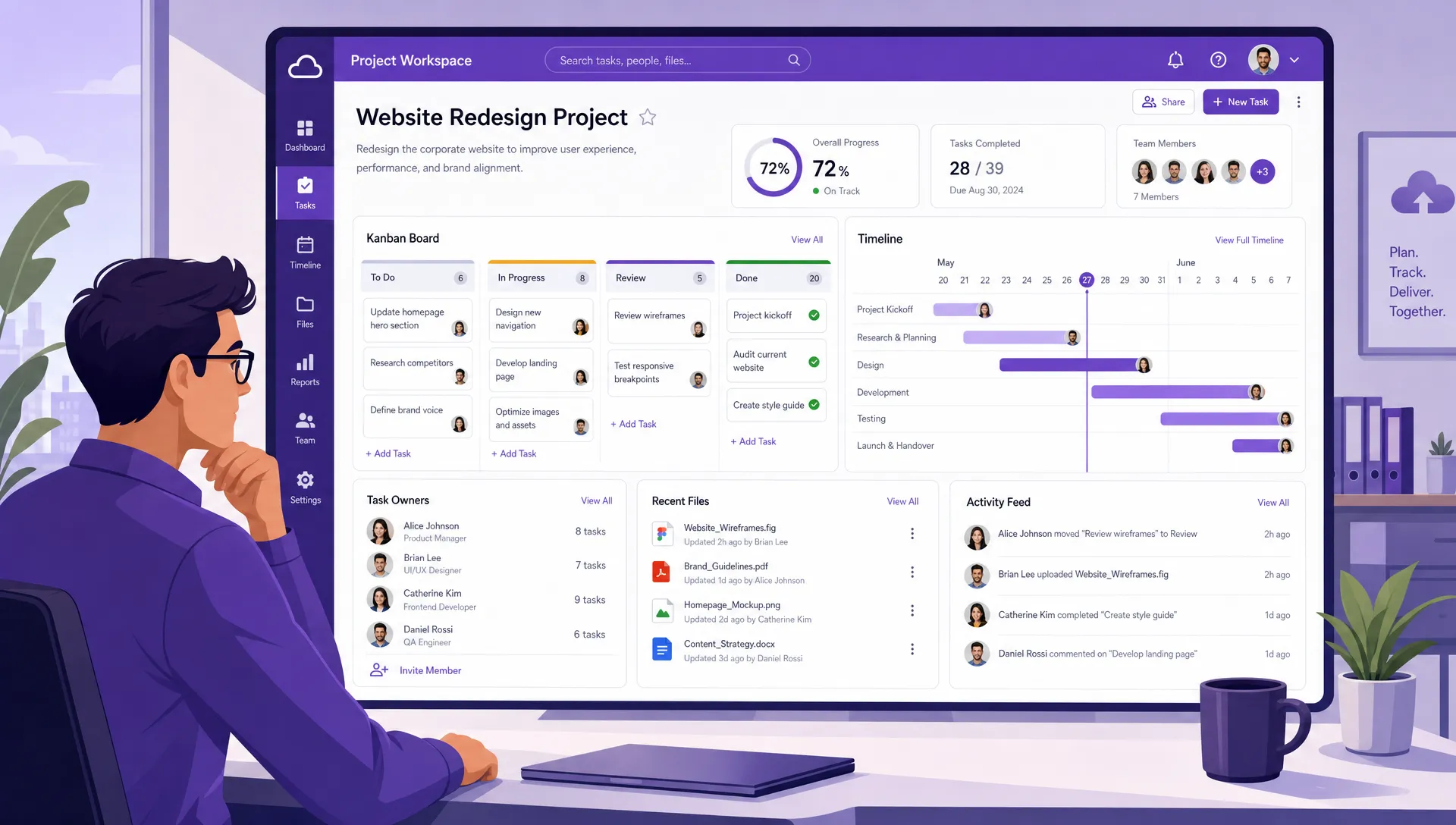
Cloud project management brings tasks, timelines, files, and ownership into one shared workspace, helping teams replace scattered updates with a clearer operating view
Adoption is much easier when the tool fits into the environment your team already uses. If your company runs on Google Workspace, look for strong integration with Google Drive, Gmail, Google Calendar, and Shared Drives. If your organization uses Microsoft 365, compatibility with OneDrive and SharePoint may be important.
This is not just a technical detail. It affects daily behavior. If people can attach the files they already use, create tasks from email, and connect deadlines with calendars, the project management system becomes part of the workflow instead of an extra place to update.
Executives, project managers, and contributors do not need the same view all the time. A team member may want a simple task list or Kanban board. A project lead may need a Gantt chart. A manager may want time tracking, filtering, and exportable data for reporting.
The best cloud-based project management solutions support these different needs without splitting work across separate systems. Before choosing a tool, ask whether it can support everyday task execution and higher-level planning in the same workspace.
A tool that works for one team may not work for fifty teams. Before switching, consider how the solution handles permissions, external sharing, templates, file storage, backups, reporting, and administrative policies.
Scalability is not only about the number of users. It is about whether the system can support more projects, more stakeholders, and more complexity without becoming chaotic. If you are comparing options, this guide on how to choose project management solutions that scale can help you build a more structured evaluation process.
Leaders need data they can trust. That might include completion rates, overdue tasks, workload, project timing, or time spent. A strong cloud project management solution should make it possible to extract or export project data for reporting.
This is especially important for companies that use dashboards or business intelligence tools. Project data becomes more valuable when it can be analyzed alongside business metrics, customer activity, budget information, or operational performance.
Switching tools does not need to be disruptive. In fact, the most successful migrations usually start with one clear workflow rather than a company-wide rollout on day one.
Start by identifying the projects where visibility problems are most painful. These are often cross-functional initiatives, client delivery workflows, product launches, hiring plans, or recurring operational processes. Then map the current workflow before configuring the new system.
A simple migration plan can include:
The key is to avoid copying old chaos into a new platform. Use the switch as a chance to simplify statuses, remove duplicate trackers, and agree on what information every task should include.
Kanbanchi is built for teams that want project and task management to live close to their productivity suite. For Google Workspace users, Kanbanchi supports visual boards, Google Drive file attachments, Gmail task creation, Google Calendar sync, Shared Drives integration, and board storage aligned with Google workflows. It also offers Microsoft 365 compatibility with file storage through OneDrive and SharePoint.
For teams that need more than basic task lists, Kanbanchi combines Kanban boards, a Gantt Chart, Time Tracker, reporting exports, templates, swimlanes, subcards, backups, and enterprise-grade security and compliance. This makes it suitable for business owners and team leads who want a practical tool for daily execution, while still supporting planning and oversight as work becomes more complex.
The biggest advantage is that teams can manage tasks, timelines, time, and files without moving away from the productivity ecosystem they already use every day.
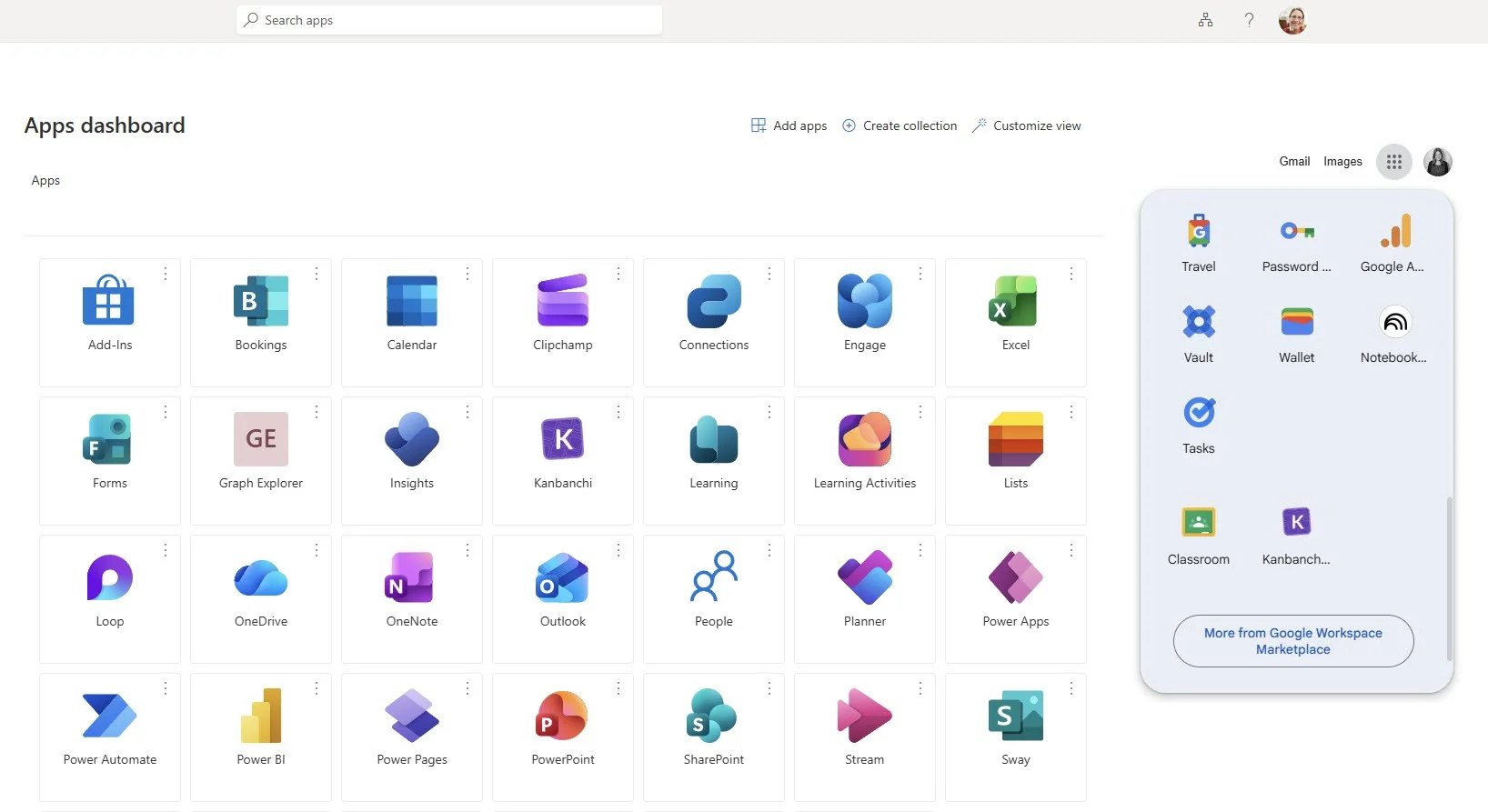
For example, you can simplify access for your team by pinning Kanbanchi directly to the Microsoft or Google app launchers you use every day
Start a free trial of Kanbanchi now
Cloud-based project management solutions are online tools that help teams plan, assign, track, and report on work through a shared workspace. Because the system is cloud-based, team members can access current project information from different locations and devices, depending on their permissions.
Spreadsheets can be useful for simple lists, but they often break down when teams need ownership, status tracking, file context, timelines, comments, notifications, and reporting. Cloud project management tools are designed to connect those elements in one system.
Many cloud-based tools are designed for business and enterprise use, but security depends on the vendor and configuration. Companies should review access controls, data storage, compliance documentation, backup capabilities, and integration policies before adopting any platform.
A small team can often pilot a cloud project management solution within days if the workflow is simple. Larger organizations should plan a phased rollout that includes process mapping, permissions, templates, training, and reporting requirements.
Google Workspace teams should look for integration with Google Drive, Gmail, Google Calendar, and Shared Drives, plus project views such as Kanban boards and Gantt charts. This helps keep work connected to the files, calendars, and communication habits the team already uses.
The reason businesses are switching to cloud-based project management solutions is straightforward: work moves faster when everyone can see the plan, the priorities, the owners, and the progress in one place.
If your team uses Google Workspace or Microsoft 365 and wants a project management tool that combines visual boards, timelines, time tracking, and file integration, explore Kanbanchi and see how it can help your team organize work with less friction.

In this Article:
Start using Kanbanchi now
Start your free trial