
In this Article:
Try Kanbanchi now
Start your free trial

Be honest: how many productivity tools has your team signed up for, only to stop using them two weeks later because they felt like more work than the actual work itself?
It’s not just the setting up, is it? It’s the learning everything from scratch, then adding it to your daily routine (when you’re already being overwhelmed by notifications from other apps).
Choosing a new platform often feels like way more effort than it’s worth:
But we’ve also got to face facts; currently, the market is more crowded than ever. Every tool promises to revolutionize your workflow with AI-driven magic and shiny dashboards.
Here’s the secret: the best software isn’t the one with the most features. It’s the one that your team actually uses!
When you’re looking at how to choose project management software, you aren’t just shopping for something to make your workflow simpler.
and
The stakes are high. According to Microsoft’s Work Trend Index research, the average employee spends 57% of their time communicating (emails, chats, meetings) and only 43% on actual focused work. We’ve got to raise the game if we want to achieve project success.
So that’s why the team here at Kanbanchi is stepping up to the plate with our guide. It’s designed to stop the gamble.
We’re going to walk you through a strategic, four-step framework on how to choose a project management software that sticks.
To
We’ll help you find the engine that will power your business through 2026 and beyond. Let’s find your perfect match today.
Before you start clicking through demo videos, you need to look inward.
You wouldn’t buy a car without knowing if you’re mainly going to be driving through city streets or doing lots of off-roading in the mountains; the same logic applies to your software.
Start by asking the hard questions. Where are all your main project pain points?
If you don’t define the problem, you’ll end up buying a solution that solves the wrong things. Most teams realize they don’t need more features; they just need better clarity.
Not all work is created equal.
A marketing agency managing 50 small client campaigns needs a very different tool than a construction firm managing a housing development project. So what’s required?
Or
Is your team composed of early adopters who love a complex UI, or do they prefer tools that just work with zero training?
User adoption is often where project management software goes to expire. If the interface looks like a flight simulator, half your team will retreat to their private spreadsheets and paper notebooks. You’re back to square one, then.
Don’t just listen to the managers. Talk to the doers. The ones at the coalface of the project, day in, day out.
| Company Level | User Need |
|---|---|
| Managers | They’ll require high-level reporting and resource tracking. |
| Team Members | They’ll require a clean task list and easy file attachments. |
| Stakeholders | They’ll require a read-only view to see progress without getting into the weeds. |
Knowing how to choose the right project management software starts with realizing that the tool must serve all three groups simultaneously.
Find more of our project management blogs right here.
Once you know your goals, it’s time to separate the shiny objects from usable features that actually drive the results you need.
A software’s feature list can be overwhelming, but for most teams, success boils down to five core themes:
At its heart, any tool you choose must be an expert at task coordination. But look more closely: does it offer multiple views of the same data?
The best project management software lets you flip between these views with a single click, so doers see their tasks and planners see the big picture.
If your team has to leave the software to talk about the work, you’ve already lost the battle against context switching. Look for:
Employee burnout is a project killer.
High-performing teams prioritize workload visibility. Your software should show you a heatmap of team capacity.
Choosing a tool with built-in resource planning helps you redistribute tasks before your team hits a breaking point.
Software should adapt to you, not the other way around. Look for:
You can buy the most expensive, feature-rich software on the planet, but if your team finds it a chore to log in, it will become a pretty little icon on your screen that everyone thinks is cute, but no one wants to click into.
When choosing project management software, the technical fit is just as important as the feature set.
What is your team’s primary ecosystem? These days, most businesses live in either Google Workspace or Microsoft 365.
Choosing a standalone tool that requires manual bridges to your email and files.
Choosing a tool that lives inside your existing ecosystem. For Google Workspace users, this is what we call the Integration Floor.
Your PM software should feel like a natural extension of Gmail, Drive, and Calendar (not a separate destination)
Every time an employee switches between their email and their project manager, they lose focus.
This switching cost can drain up to 40% of a person’s productive time.
The best project management software should be intuitive enough that a new hire can understand the basic workflow in under 15 minutes.
If it requires a week-long certification course just to move a task from To Do to Done, you’re setting yourself up for low adoption rates.
When managers ask how to choose the right project management software, they usually start with the price tag.
But the sticker price is often the least important number. You need to look at the Total Cost of Ownership (TCO).
A cheap or free tool can end up being the most expensive option if there are heavy:
Don’t just buy for the team you have today; buy for the team you’ll have in two years.
Never commit to a long-term contract without a stress test.
Value isn’t about the lowest price; it’s about the highest Return on Effort.
Think about it like this: If a tool costs £15 per user but saves each user 5 hours of admin work a week, the software has already paid for itself ten times over.
All this considered, if you’re thinking about switching over to great project management software that does all of this and more, then there’s a solution at hand.
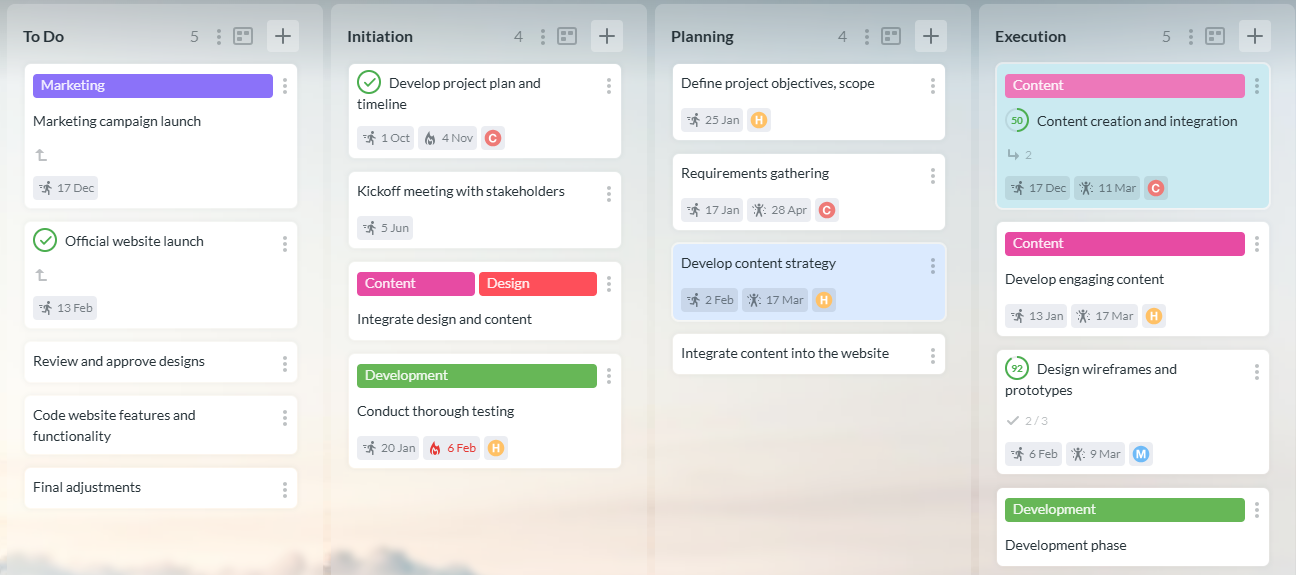
A Kanban board in Kanbanchi displaying task cards across workflow stages
Most project management software feels like it’s a burden. A place you’re obliged to log into just to update a couple of things every few hours.
So, if your team is already living in Google Workspace, why would you force them to move to a platform they’re not familiar with? They’ll have to learn a load of new protocols, with new rules and a new language that might not suit everyone’s needs. That’s often a fast track to software abandonment.
Kanbanchi is built on the philosophy of no-friction project management. It isn’t just integrated with Google; it is part of it.
When you choose Kanbanchi, you aren’t just buying another tool; you are upgrading your entire Google Workspace experience.
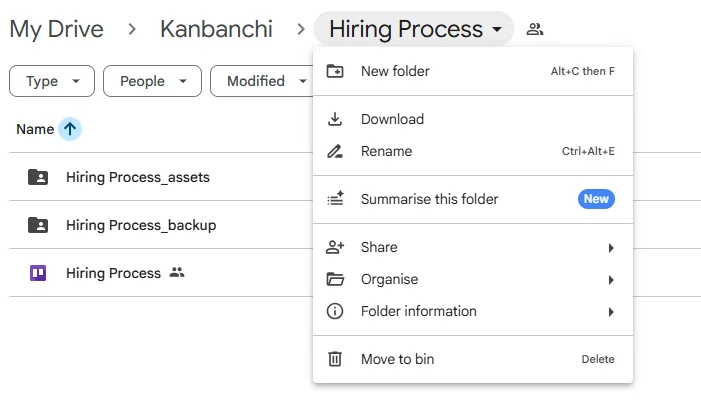
Kanbanchi displayed within Google Drive
One of the biggest security risks for modern companies is data fragmentation. With Kanbanchi, your project data stays in your Google Drive.
You don’t have to worry about a separate vendor’s security protocols for your sensitive files. If it’s safe in your Drive, it’s safe in Kanbanchi.
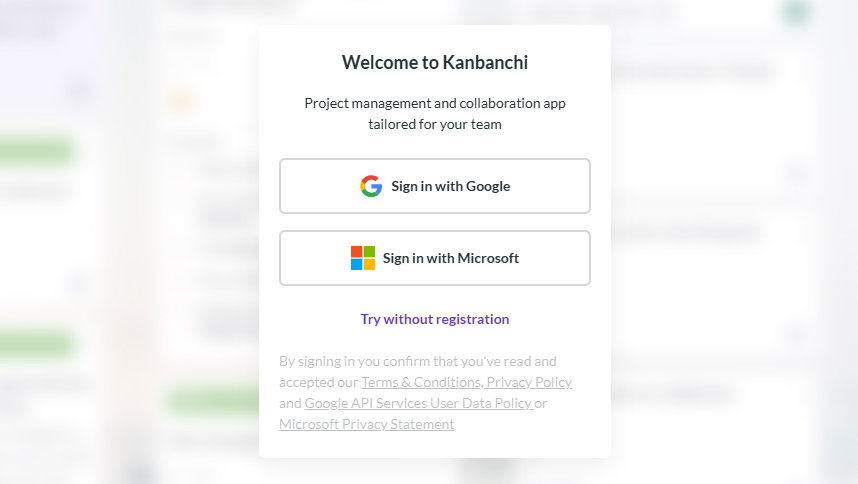
The Kanbanchi sign-up page highlighting quick registration and Google Workspace integration
Forget about managing yet another set of passwords.
Your team logs in with their existing Google credentials. This dramatically lowers the adoption hurdle we discussed in Step 3.
If they know how to use a Google Doc, they will know how to use Kanbanchi in minutes.
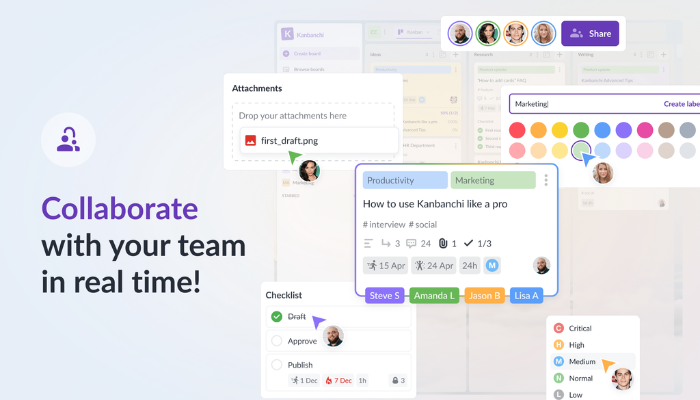
Kanbanchi’s collaborative features in action, including shared Kanban boards, team comments, and live task updates, enabling seamless teamwork and project tracking.
Just like a shared Google Doc, Kanbanchi allows multiple team members to work on the same board simultaneously.
You see everything moving, cards updating, and progress happening in real time. It turns a static plan into a living, breathing project.
It’s not only easy to use, with no learning curve, but you’ll actually feel like you’re achieving something, which gives everyone a great sense of satisfaction.
By choosing a tool born in Google, like Kanbanchi, you’re not buying a software program that’ll be installed and forgotten about in a couple of weeks.
You’ll actually be streamlining your team’s entire workflow. Kanbanchi’s all-in-one tool is the answer to your project management issues, and it’ll be the cornerstone of your success from the moment you install it.
If all this has won you over, then why not get in touch with the Kanbanchi team today? We can discuss everything you need to know and answer any questions you might have.
Let’s chat about the ways in which we can work with you to get the results you need for your next project.
When you invest in Kanbanchi’s software, you’ll be fast-tracking your project management needs.
Let’s get the conversation started.
Start a free Kanbanchi trial now
As always, we’re ending our roundup with some of the most commonly asked questions on the topic of how to choose the right project management software for your team.
If you’ve still got a query on the topic, or just want to chat to us about starting a trial with Kanbanchi, feel free to get in touch with us.
When narrowing down your list, focus on:
Ease of use is subjective, but tools like Kanbanchi consistently rank high for non-technical teams.
The key is to look for a familiar interface. For Google Workspace users, Kanbanchi is often the easiest because it mimics the layout and logic of the apps they already use daily.
Focus on ROI and Scalability. Small businesses don’t need enterprise-bloat.
You need a tool that solves today’s communication gaps without requiring a total migration when you double your headcount next year.
Prioritize tools with a good free trial, followed by transparent pricing and all-in-one functionality, like Kanbanchi.


In this Article:
Start using Kanbanchi now
Start your free trial