
In this Article:
Try Kanbanchi now
Start your free trial


It’s time to review your workflow. Have a quick run-through of the processes and what you’re doing. Is your team:
It’s a common situation many workplaces face. What to do about it?
Whether you’re a startup or a business looking to scale, the informal way of doing things:
Starts to look decidedly dodgy. The thing is, it might have worked well for a couple of you, five years ago (oh, maybe fifteen – haha! I now realize how old I am). But it could become a logistical nightmare for a team of twenty or more in 2026.
When your processes aren’t properly documented or professionally automated, growth doesn’t just bring more revenue; it brings more chaos.
BPM isn’t just a fancy to-do list or a basic project manager. It is a systematic approach to improving an organization’s workflow, making it more:
In an ever-changing environment. If you want to think about it in terms of something tangible, then it’s the digital nervous system of your company.
It maps the entire lifecycle of a task, from the initial request to final approval, ensuring that every contributor knows their role and every stakeholder can see progress.
While smaller companies may not have encountered this type of software, larger organizations are focused on BPM, so it’s worth taking note of, even if there aren’t many of you on a team at the moment. Why? Because scalability is a double-edged sword.
Without a structured business process, growth creates bottlenecks that hinder innovation. With the best business process management software, growth becomes a repeatable, predictable engine for success.
Not sure where to start? Don’t worry. In this Kanbanchi’s comprehensive guide, we’re going to look at the real-world tools that are redefining efficiency this year.
Whether you’re:
Finding the right BPM engine is the most critical decision you’ll make for your operational health.
Without a structured approach, business operations often become a disjointed hotchpotch of tasks. Marketing doesn’t know what Sales is doing, and Finance is waiting for a signature that’s buried in someone’s Urgent folder. Never a good sign. Adopting the top business process management software isn’t just about digitalizing your work; it’s about transforming your operational DNA.
When you move from manual tracking to a BPM system, you aren’t just buying software; you’re buying clarity.
What are some of the downsides to looking after things “the old way”?
A well-integrated BPM system enables a company to pause processes at the first sign of a problem, make adjustments, and get back on track with minimal downtime. Whether you’re looking for the best business management process software for a small team or a global enterprise, the goal remains the same: create a single task platform that moves with you and adapts as your business expands.
In 2026, BPM software feature sets will continue to evolve. We’re moving beyond basic automation into hyperautomation, that is to say, integrating AI and real-time data to make smarter decisions before a human needs to intervene.
You shouldn’t need a degree in computer science to map out your workflow. The best business process management software offers drag-and-drop interfaces that let you view your process from start to finish:
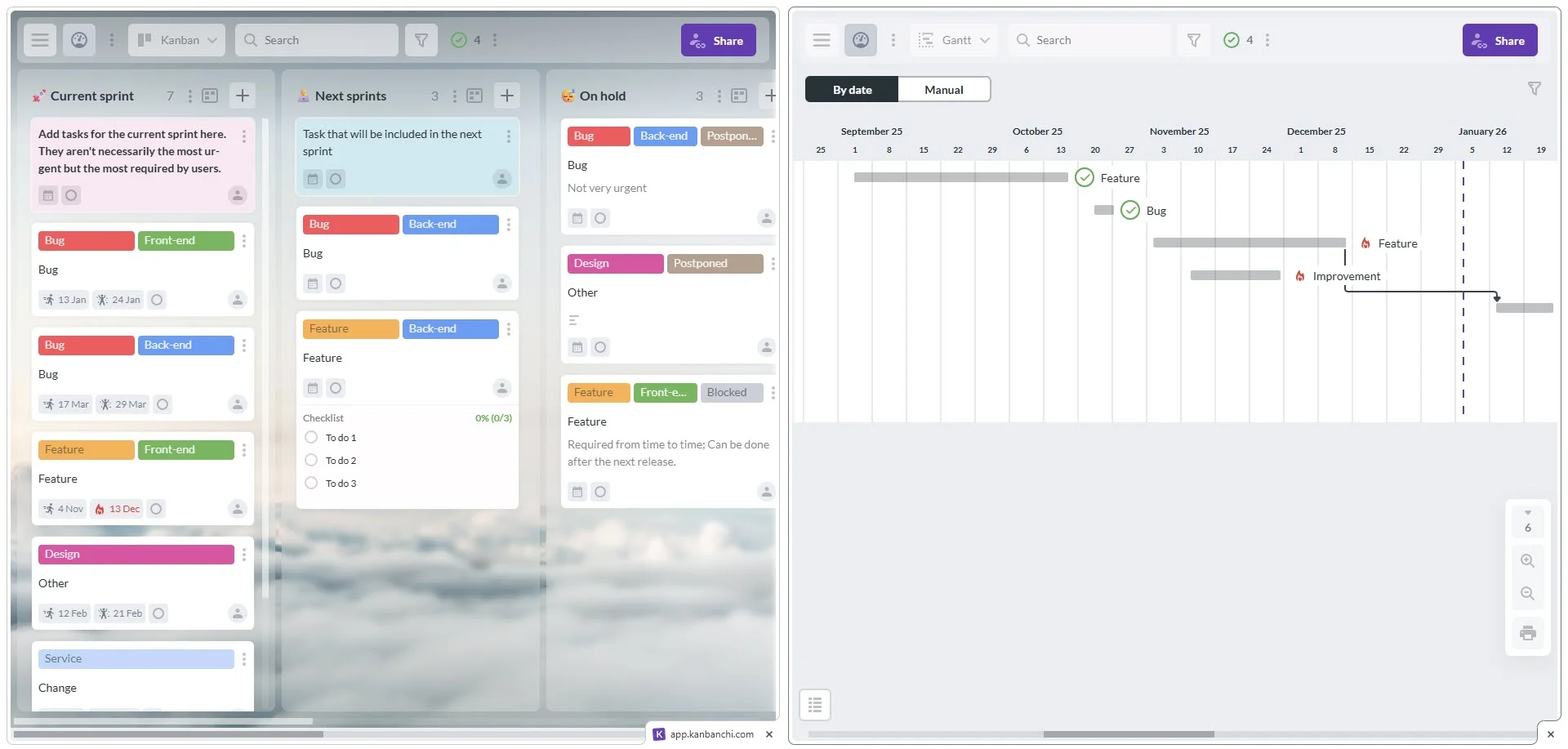
Effective visual modeling in Kanbanchi allows users to seamlessly switch between Kanban boards and Gantt charts, a key feature of top business process management software
Business users (the people actually doing the work) should be able to build and tweak workflows. Look for tools that offer simple features, allowing you to create custom forms and automation rules without writing a single line of code.
A BPM tool that doesn’t integrate with your other apps will just create more work. Connectivity is king. If your team uses Google Workspace, your software must integrate natively with Drive, Gmail, and Calendar to ensure data flows seamlessly across your tech stack. If you prefer a Microsoft environment, then having everything inside OneDrive or SharePoint will be the key. Also, having the ability to convert Outlook emails into tasks in your business project management software would be a great benefit.
Can’t measure it? Then you can’t improve it! Your software should provide a way to create dashboards that show:
In today’s reality, it’s not necessary for a software to be a reporting tool itself. There are plenty of opportunities to integrate with the tools businesses already use, such as Google Looker or Microsoft Power BI.
In 2026, the best BPM tools are those that are simple enough for a startup but secure enough for a bank. Security is non-negotiable. Top tools support Role-Based Access Control (RBAC), ensuring employees can access data relevant to their roles. Combined with audit trails and data encryption, this helps ensure your sensitive business processes comply with global standards, such as, for example, the GDPR.
Finding the best business process management software isn’t about the tool with the most features; it’s about the one that aligns with your team’s technical maturity and existing ecosystem. In 2026, the market is divided between high-end enterprise engines and agile, user-friendly platforms.
Here is our definitive ranking of the top 10 BPM solutions for this year:
Skip tools descriptions and go straight to the comparison table
Kanbanchi remains the gold standard for teams operating entirely within Google Workspace. It transforms your Google Drive into a professional BPM engine without requiring a separate login.
Best For: Small/medium businesses and digital agencies, to large enterprises, fully relying on Google Workspace
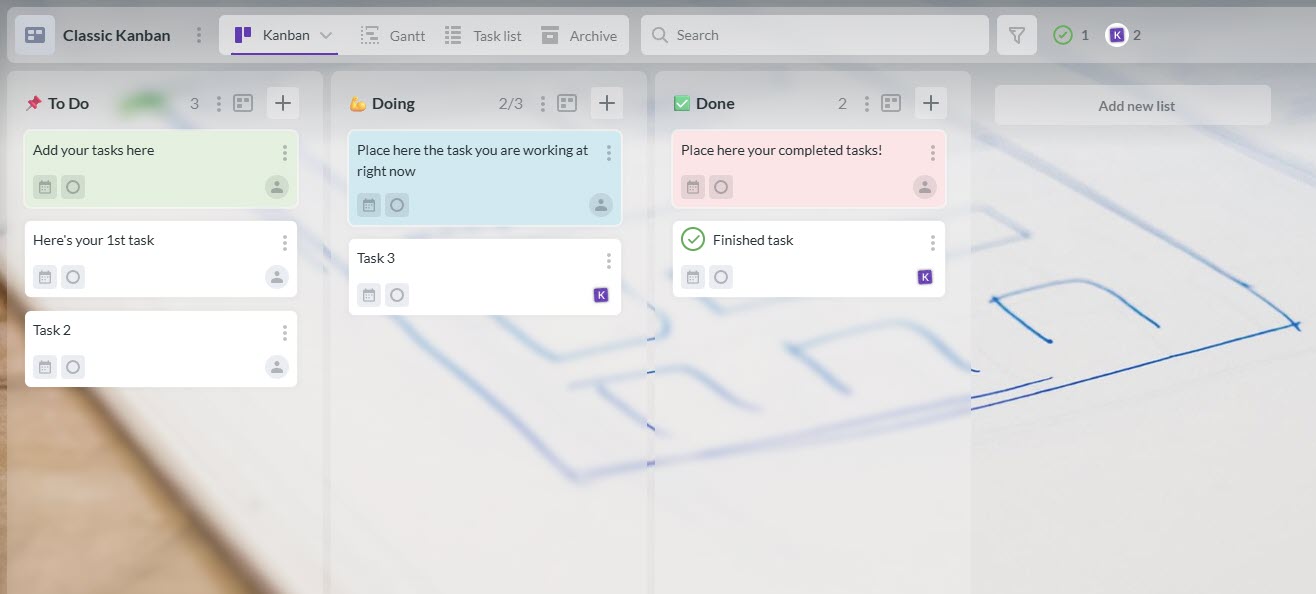
Experience the intuitive design of the top business process management software 2026 with Kanbanchi’s clear and simple board structure
SIGN UP FOR A FREE KANBANCHI TRIAL
A visually stunning Work OS. Monday lets you build custom business processes from scratch using a wide range of building blocks.
Best For: Creative teams and marketing departments.
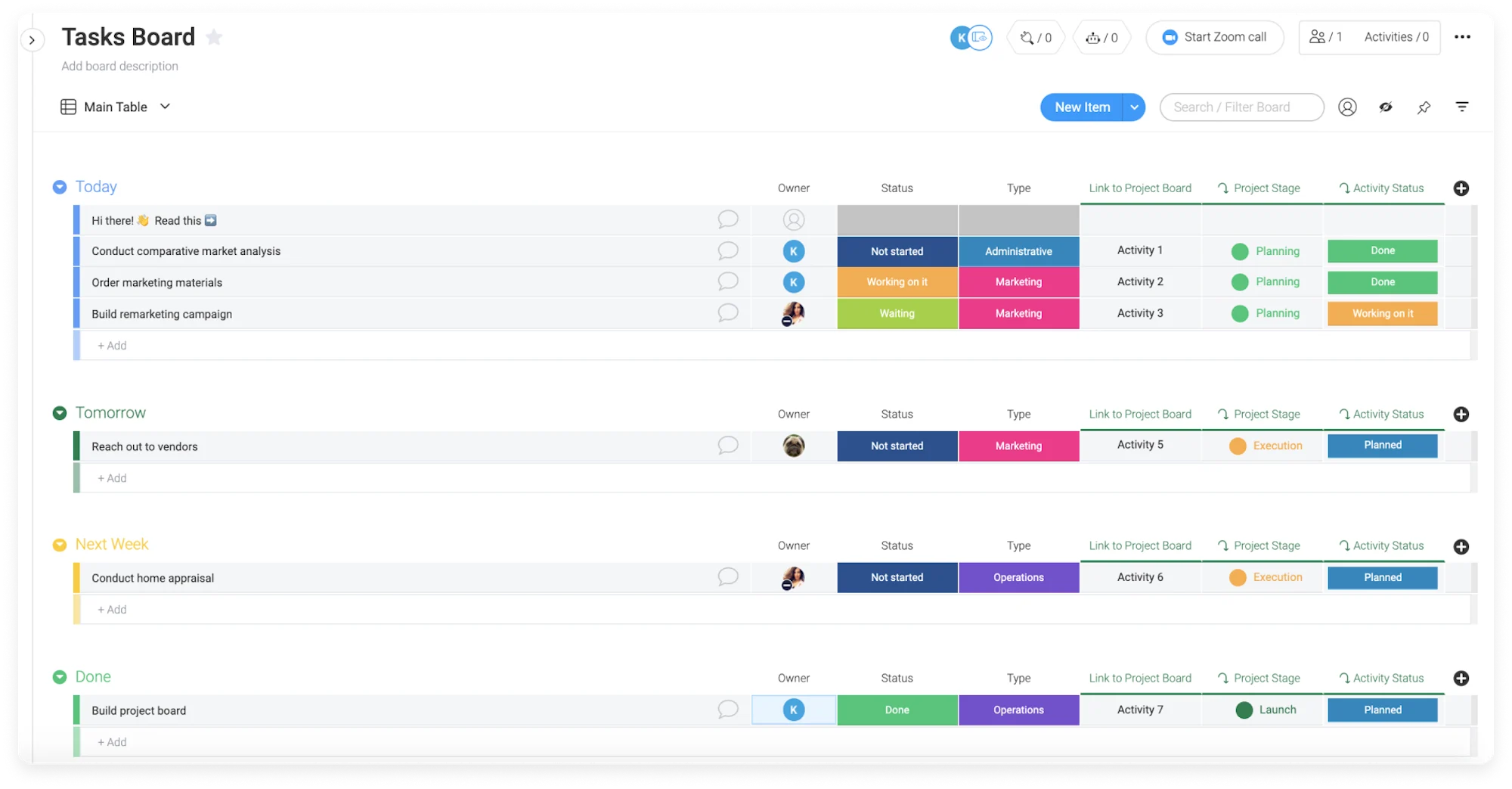
Monday.com is widely considered one of the top business process management software
Kissflow’s premise is a low to no-code platform. It’s designed specifically for structured business processes such as HR onboarding.
Best For: Corporate departments that need compliance help.
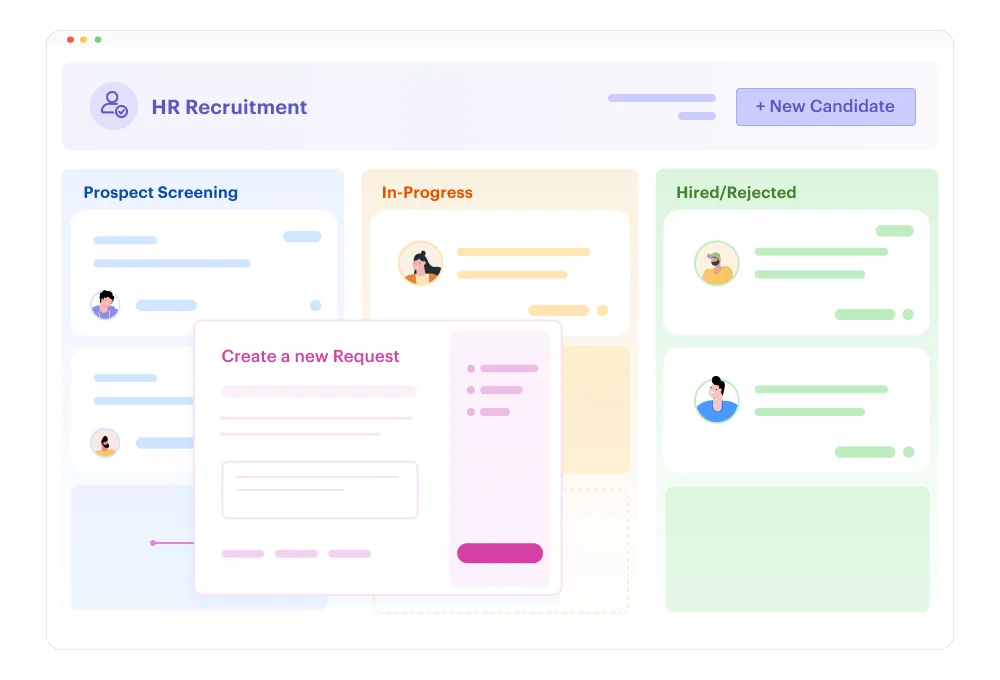
Streamline structured HR processes with Kissflow, a standout in our list of top 10 business process management software
Wrike offers advanced resource management tools for organizations with complex requirements.
Best For: Large tech enterprises and global teams.
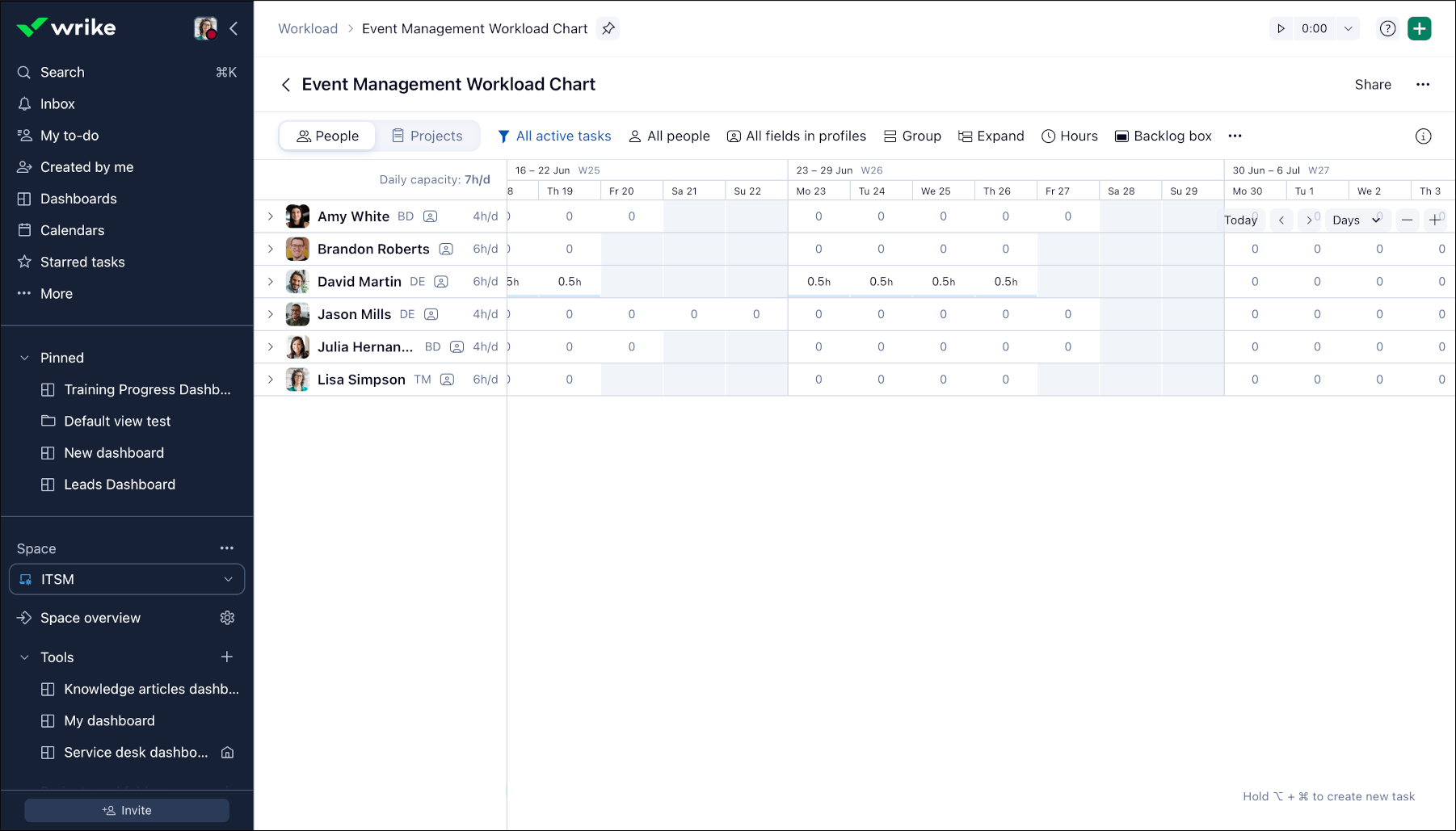
Balance team resources with Wrikeworkflow charts
Pipefy focuses on improving info flow, making it ideal for teams managing requests from clients or employees.
Best For: Operations, HR, and Customer Success teams.
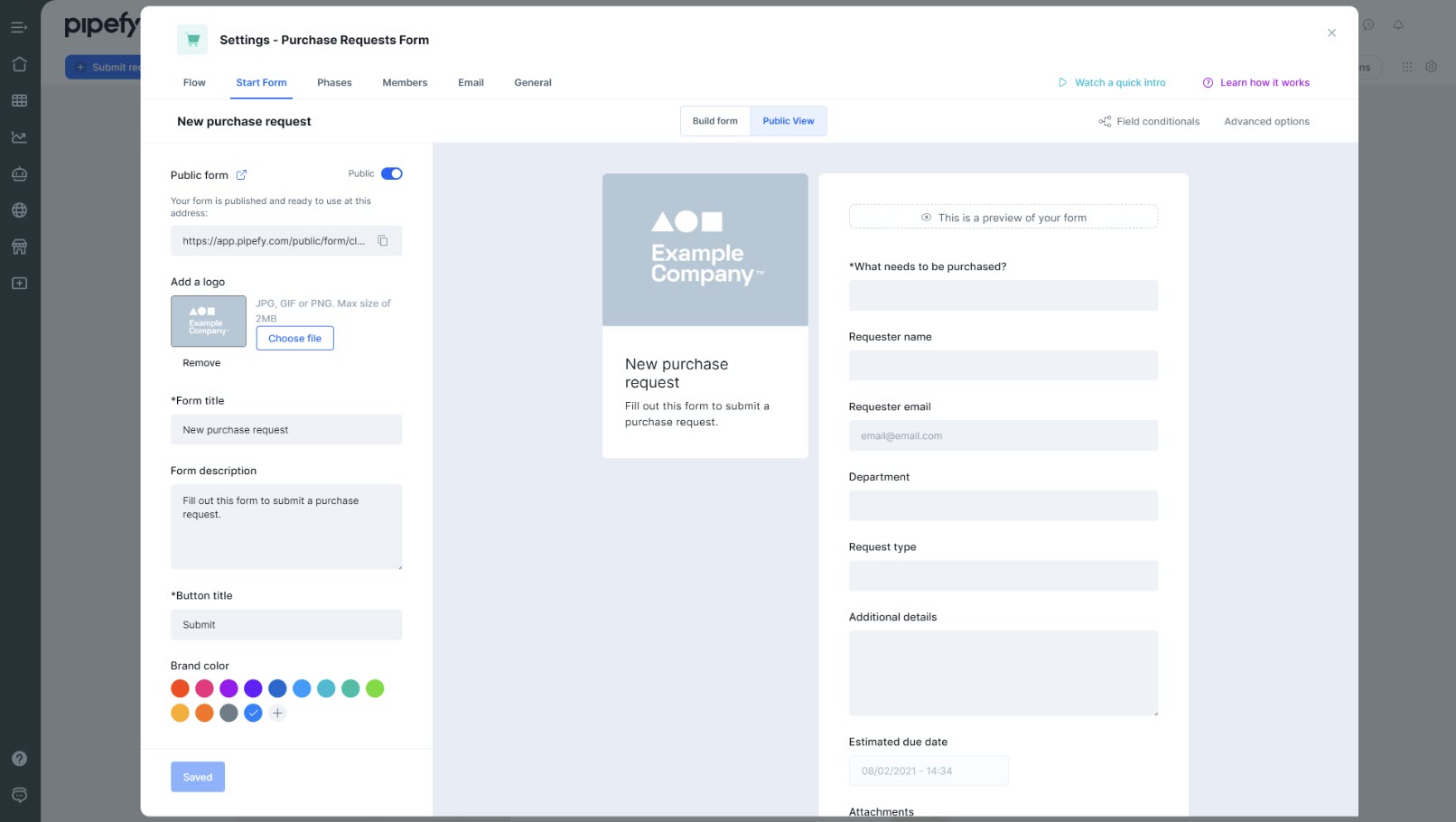
Centralize and automate your request intake with Pipefy
An enterprise-grade platform. It combines BPM with easy application development and AI-driven processes.
Best For: Global corporations undergoing digital transformation.
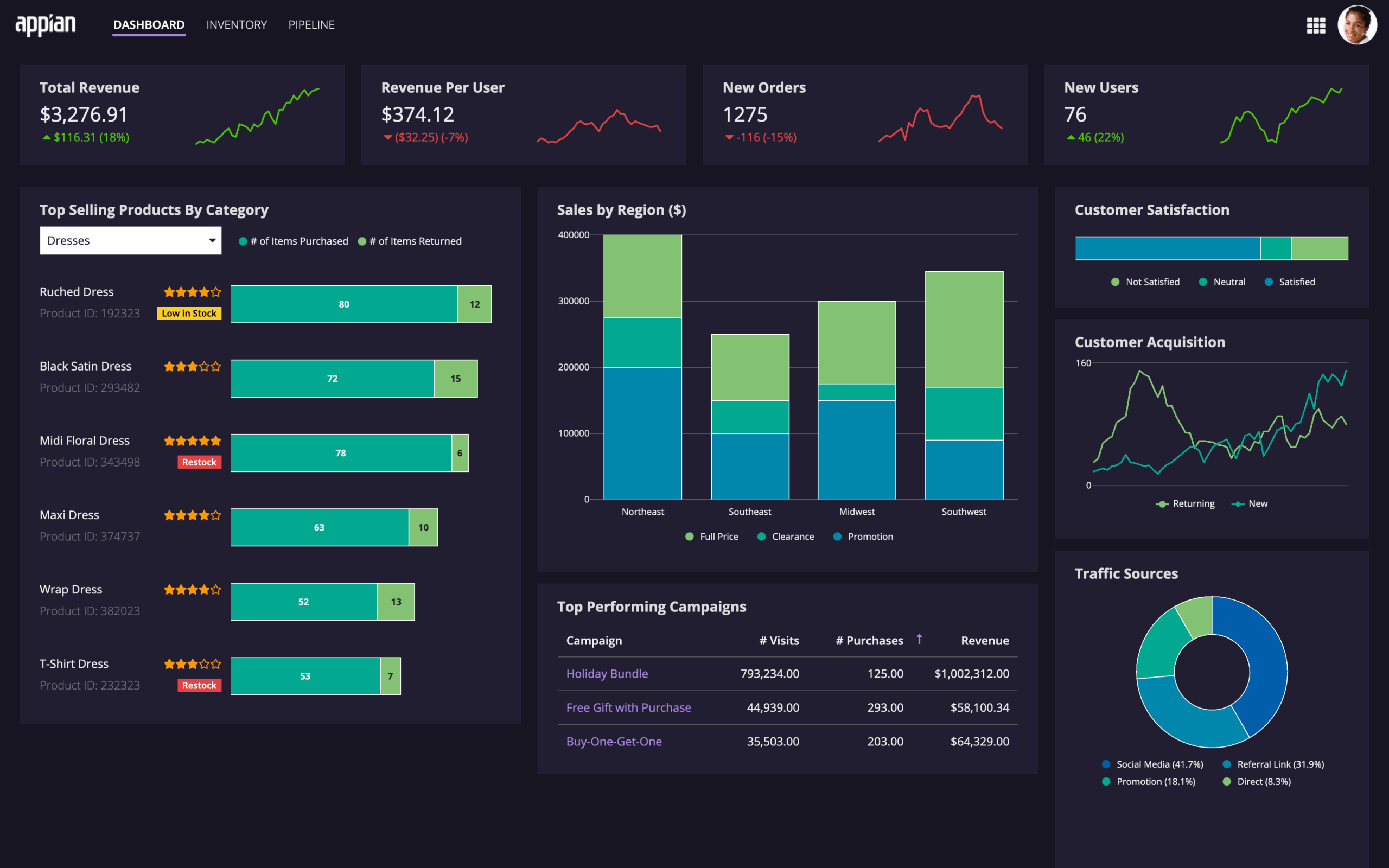
Identify and fix workflow inefficiencies automatically with Appian dashboards
Nintex excels in dealing with wordy processes like contract management and insurance claims, and it’ll do it end-to-end.
Best For: Legal, Finance, and Healthcare sectors.
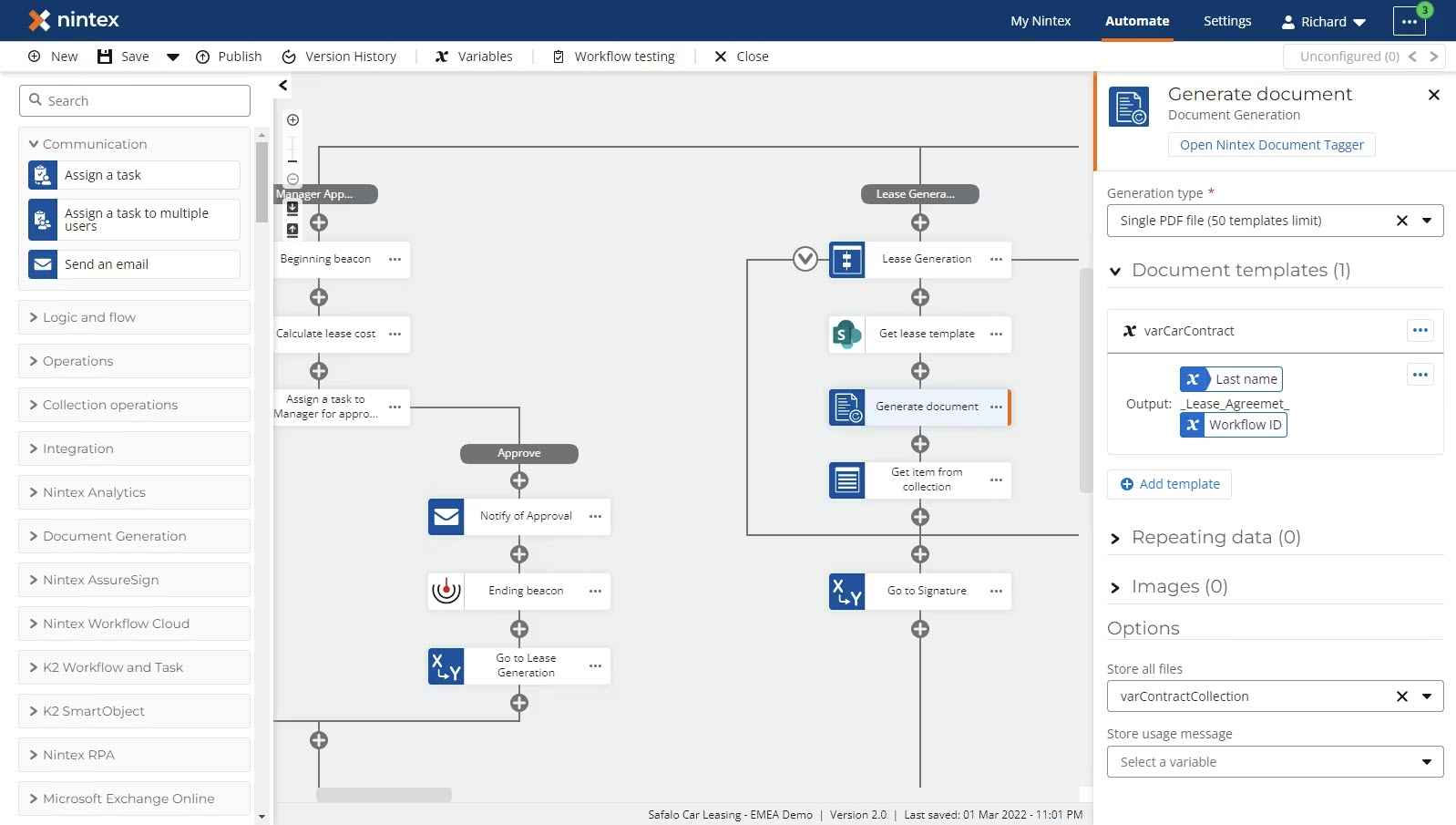
Nintex automates complex document generation
Part of the massive Zoho ecosystem, Creator lets you build custom BPM apps that run seamlessly on mobile devices, even offline.
Best For: Sales teams and field workers
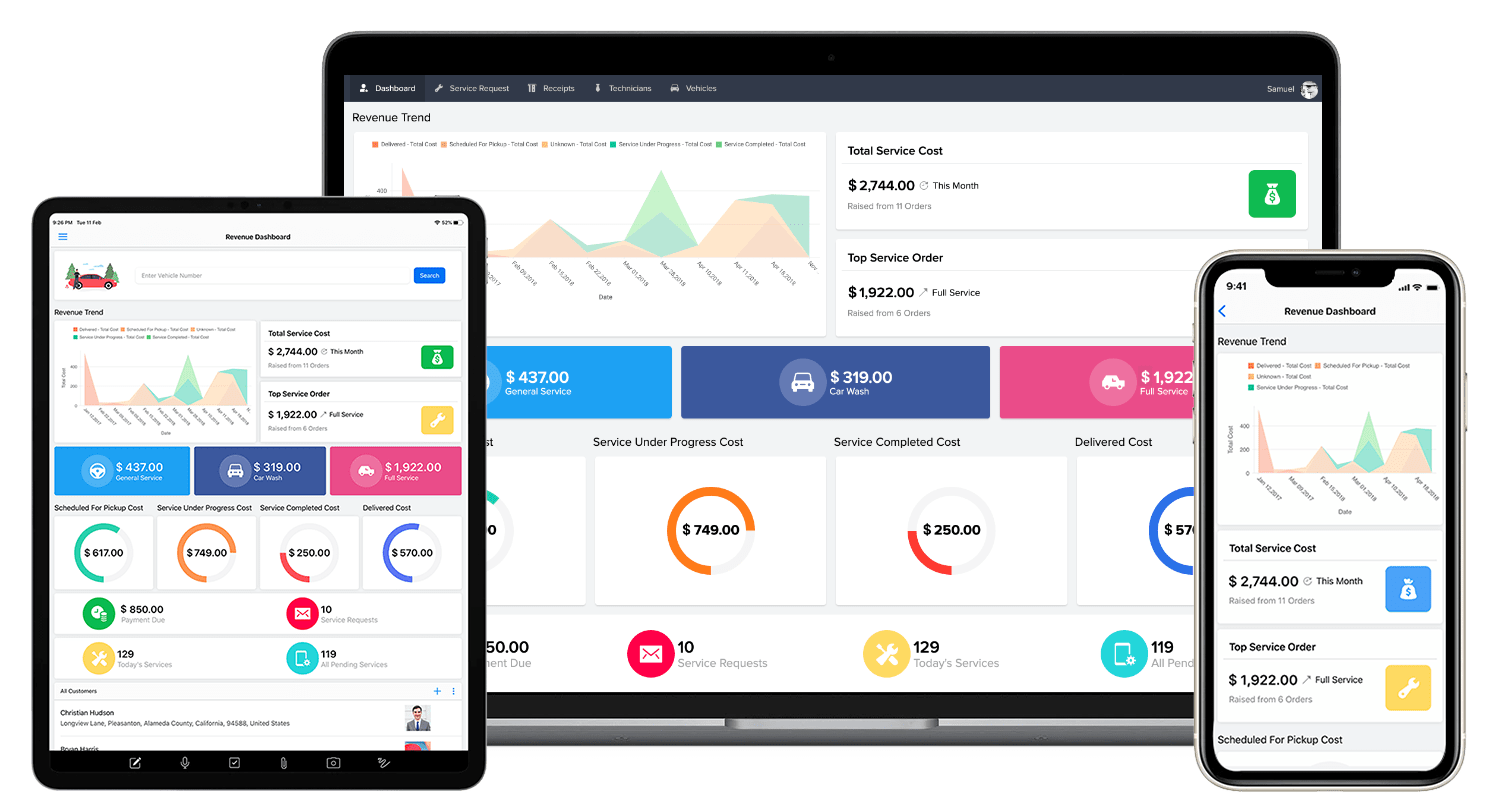
Zoho Creator allows you to build mobile-ready apps for field workers
Process Street turns process documentation into interactive, automated checklists.
Best For: Operational teams managing repeatable, checklist-driven tasks.
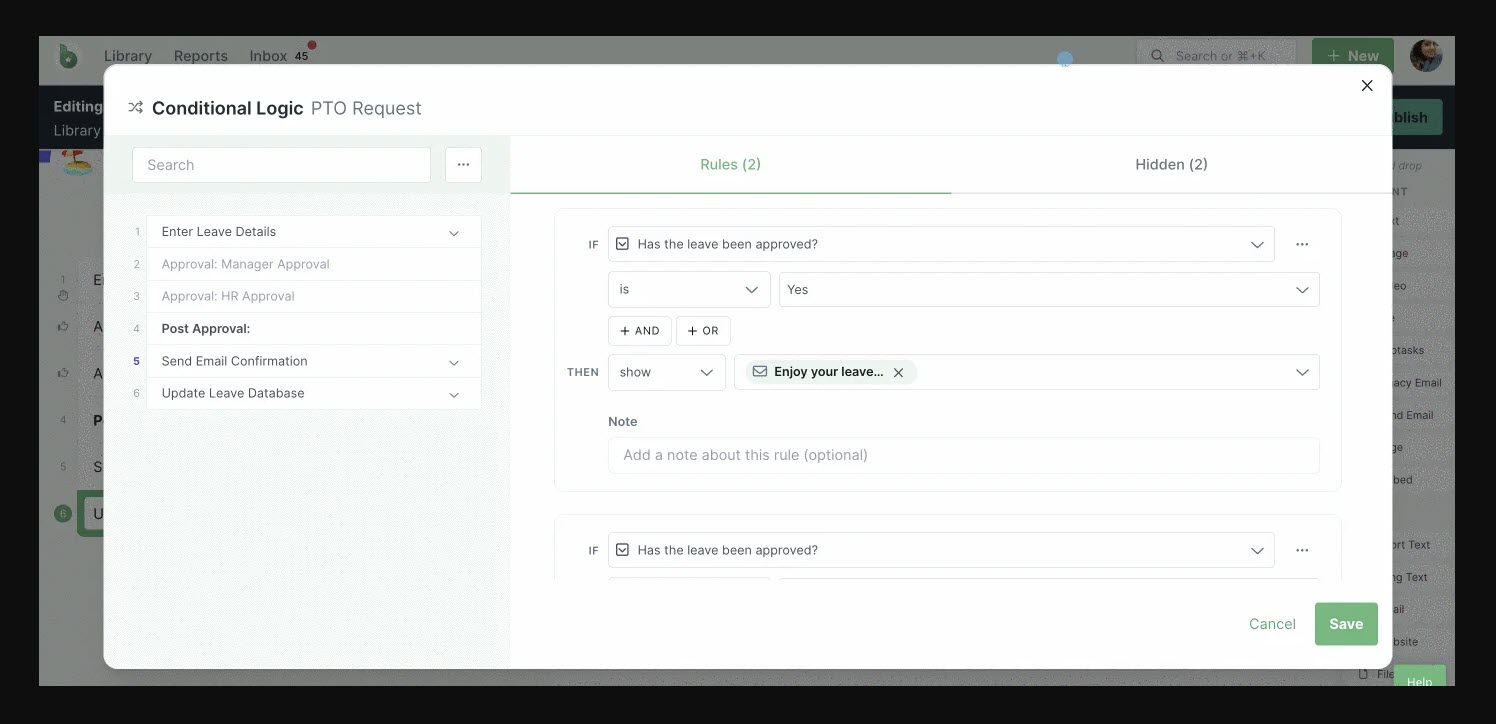
Process Street turns standard operating procedures into active checklists where new tasks appear based on conditional logic
If your team is inseparable from spreadsheets, Smartsheet provides a familiar interface with powerful automation and Gantt capabilities.
Best For: Finance and Construction project managers.
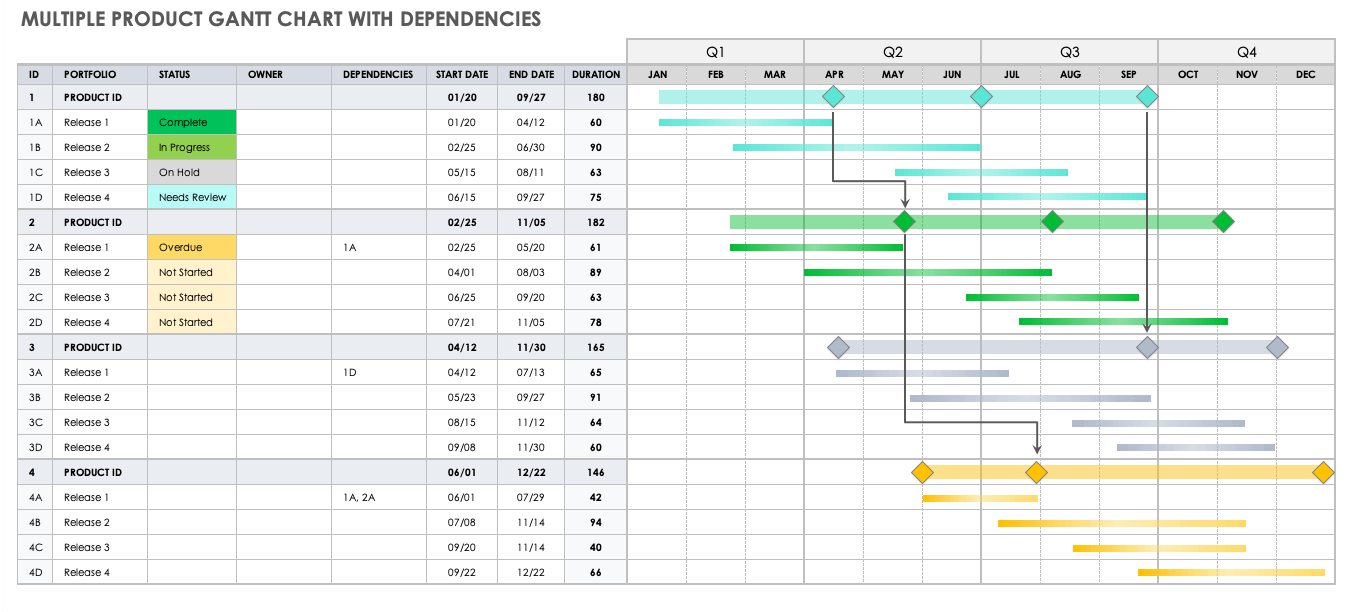
Smartsheet combines spreadsheet familiarity with advanced automation
For your convenience, we combined it all into one comparison table:
| Tool | Best for | Pros | Cons |
|---|---|---|---|
| Kanbanchi | Small/medium businesses and digital agencies, to large enterprises, fully relying on Google Workspace | 1. Native integration with most Google tools 2. Switch between a Kanban board (daily execution) and a professional Gantt chart (high-level process modeling) | 1. The Microsoft version might be lacking some features available to Google users |
| Monday.com | Creative teams and marketing departments | 1. Highly intuitive interface 2. Excellent no-code automation builders | 1. An overwhelming array of options to choose from 2. Can be costly |
| Kissflow | Corporate departments that need compliance help | 1. Excellent form-based workflow builder 2. Strong governance features | 1. Limited customization 2. Reporting limitations can create difficulties |
| Wrike | Large tech enterprises and global teams | 1. Powerful custom request forms 2. Real-time workload tracking | 1. Trickier to learn 2. The UI looks a bit clumsy compared to other software |
| Pipefy | Operations, HR, and Customer Success teams | 1. Centralized Request Portal that funnels data directly into automated pipelines 2. Large library of templates | 1. Expensive to scale 2. Insufficient for highly dynamic, creative, or enterprise-level complex processes |
| Appian | Global corporations undergoing digital transformation | 1. Process Mining features that automatically identify inefficiencies in current workflows 2. Enables business users and IT to create applications with simple modeling | 1. Pricing isn’t that competitive 2. Not easy to learn |
| Nintex | Legal, Finance, and Healthcare sectors | 1. World-class document generation 2. Electronic signature integration | 1. Can be expensive for small teams 2. Limited UI Customization |
| Zoho Creator | Sales teams and field workers | 1. Strong offline data collection 2. AI-assisted form generation | 1. Customer support can be sketchy 2. Reported scalability limits (not great for large companies) |
| Process Street | Operational teams managing repeatable, checklist-driven tasks | 1. Excellent conditional logic (if this, then that) within simple checklists 2. Intuitive design (drag-and-drop, keyboard shortcuts) for non-technical users | 1. Reporting Limitations for analytics can be restrictive 2. Occasional data-saving issues reported (hindering productivity) |
| Smartsheet | Finance and Construction project managers | 1. Advanced formulas and data-linking between thousands of sheets 2. Real-time collaboration, file sharing, and task assignment (facilitate teamwork) | 1. Mobile app lacks desktop features (offline access, Gantt charts), which limit on-the-go functionality 2. Can be expensive (especially for small businesses) with tiered plans and no free version |
If your organization is 100% Google-based, most BPM tools feel like they’re difficult add-ons with steep learning curves.
They require:
They might not always be reliable. Kanbanchi, on the other hand, is the only top business process management software 2026 that doesn’t just work with Google; it lives inside it. It’s designed to transform your existing Google Drive into a visual, automated powerhouse.
Let’s take a quick look at why…
Most BPM platforms store your sensitive business data on their own servers. With Kanbanchi, your project boards are stored directly in your Google Drive.
Business processes often start in an inbox and end on a calendar. Kanbanchi closes this loop seamlessly.
While many Google-friendly tools offer basic lists, Kanbanchi provides a professional Gantt Chart that visualizes the critical path of your business processes.
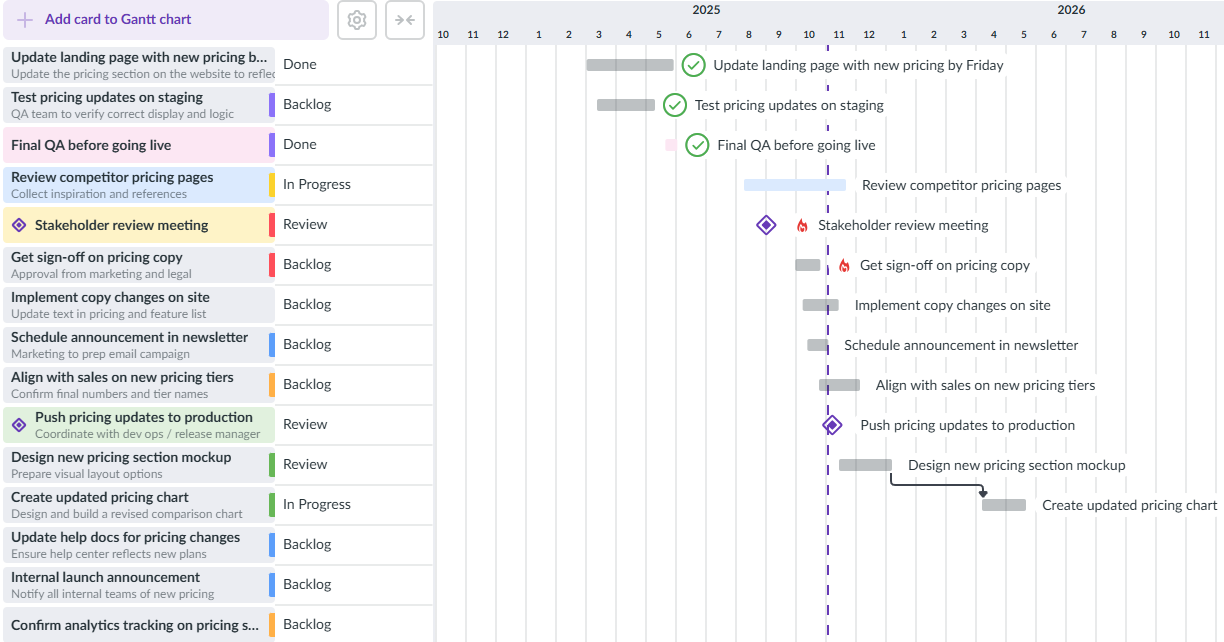
The Gantt chart in Kanbanchi is capable of supporting different types of business process management
Because Kanbanchi follows Google’s Material Design principles, the learning curve is practically non-existent. It looks and feels like a native Google app. However, under the hood, it includes enterprise features such as Time Tracking, Custom Card Properties, and Gantt Chart that standard Google apps lack. Kanbanchi is the professional link between the simple collaboration of Google Workspace and the demands of professional Business Process Management.
For Microsoft users, Kanbanchi recently launched a Microsoft version that is continually updated and will soon have all the features of the initial Google version.
Setting up a professional workflow shouldn’t take weeks of consulting. With Kanbanchi, you can transition your entire business process into a visual engine in just a few minutes. Here is your 2026 roadmap to mastering your processes:
Because Kanbanchi is a native Google application, installation can be centralized.
Don’t stare at a blank screen. Use our gallery of pre-built templates designed for common business processes:
The Management in BPM stands for your efficiency. If you have a monthly report or a weekly audit, don’t create it manually every time.
In 2026, efficiency isn’t a luxury. It’s your staple for success.
The best business process management software shouldn’t just store your tasks; it should propel your business forward by eliminating the manual friction that slows you down.
By choosing a tool that integrates natively with your existing ecosystem, you reduce app fatigue and ensure that your team stays focused on what really matters: delivering value to your customers.
Stop managing the chaos and start managing the process.
Navigating the world of BPM can feel like learning a new language. To help you finalize your 2026 tech stack, we’ve answered the most common questions from teams looking to optimize their workflows.
While many tools offer free tiers, they are often heavily restricted in terms of automation or user seats. For a small team, Kanbanchi offers a highly competitive entry point, especially if you already use Google Workspace. Other options, such as Trello or ClickUp, offer basic Kanban features for free, but you’ll likely need to upgrade once you need professional Gantt charts or detailed reporting.
The best tool is the one your team actually uses. Focus on three things:
Yes. You can set up recurring cards for routine tasks, receive automated email and in-app notifications about deadlines, and use card templates to ensure that every new project starts with the correct standard operating procedures. Also, you can set up more advanced rules to move done tasks to a particular list, archive upon deletion, etc.
Often, yes. While project management focuses on a single start and end goal, BPM focuses on the repeatable process. High-performing teams use Kanbanchi for both managing specific projects on one board while running their ongoing business processes on another.



In this Article:
Start using Kanbanchi now
Start your free trial