
In this Article:
Try Kanbanchi now
Start your free trial

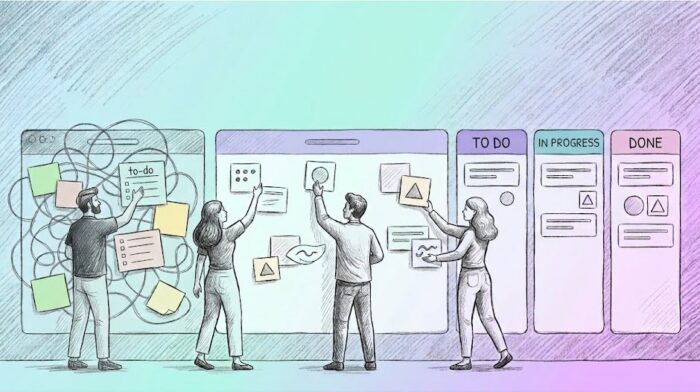
The line every hard-working team dreads to hear from a client about to drop them like a stone: “Your company is rubbish at projects.” It’s harsh, but for many leaders, it hits close to home. We’ve all been there:
But here is the hard truth: your team isn’t the problem. Your processes are.
The best project management process isn’t just about checking boxes or moving sticky notes across a wall. It is a living, breathing system designed to make everything work in sync. It is the difference between a team mired in busywork and a team that actually delivers.
The best project management process is a logical sequence. Whether you’re creating a product from scratch or launching a marketing campaign, the path from Idea to Done always follows these five foundational stages.If you skip one, you aren’t saving time; you’re just making things harder work!
Before creating a single task, you must define the project’s purpose.
The Goal: Identify stakeholders, determine how easy it will be, and create a Project Plan
The ‘Rubbish’ Tip: If you can’t explain the project’s value in two sentences, do not move to stage two.
This is where most teams fail. Planning isn’t just a list of To-Dos; it is the definition of scope, timelines, and resource allocation.
The Tools: This is where you set up your Kanban Boards, define your Lists (workflow stages), and map out dependencies on a Gantt Chart.
The ‘Rubbish’ Tip: Establish a Definition of Done (DoD) for every major milestone.
Execution is where the actual work happens. The team pulls cards from the backlog into In Progress.
The Focus: Clear communication and assignment. In a Kanban board, this means every card has an Assignee, a Start Date, and a Priority label.
The ‘Rubbish’ Tip: Team members collaborate in real-time, attaching files from Google Drive and leaving updates in the comments, making work life so much easier.
A plan is a guess; monitoring is the reality check. You must track progress against your initial baseline.
The Metrics: Use the Time Tracking and Team Workload views to see who is over capacity and where bottlenecks are forming.
The ‘Rubbish’ Tip: If the Gantt Chart shows a delay, you adjust the dependencies early rather than apologizing to the client later.
A project isn’t over just because the work is done. You need a formal handoff.
The Checklist: Review the project against the original goals, archive the board, and most importantly, hold a debrief.
The ‘Rubbish’ Tip: Take what you learned and save your board as a Template for the next project. This turns one-time success into a repeatable process.
The best process has a natural flow. By the time you get to the end, you should already be using those insights to secure your next success.
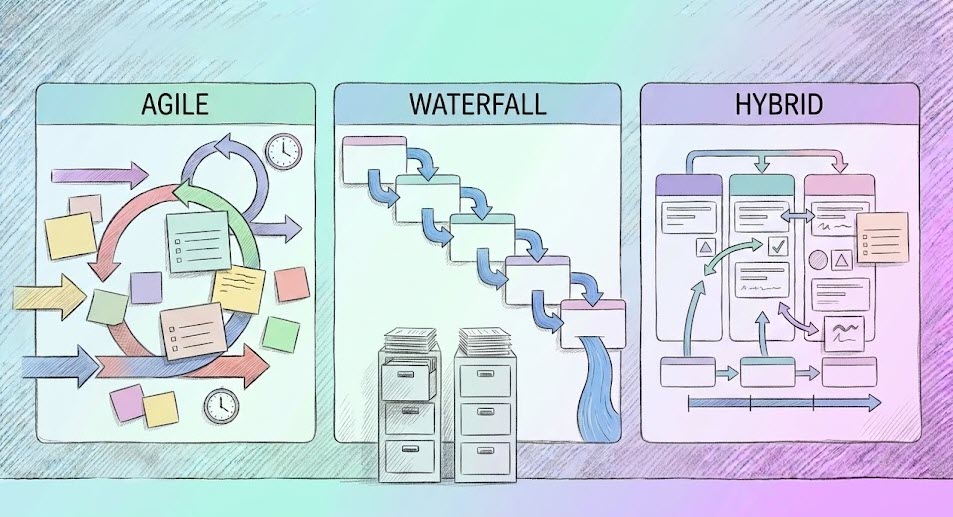
The 5 stages we just covered are universal, but how you move through them depends on your chosen methodology. Are you building a product or writing a software program? The answer will dictate your entire workflow.
This is the classic project management process. It is a linear, sequential model where you must complete one stage before moving to the next.
| Fixed | Scope and Quality |
| Flexible | Time and Cost |
| The Process | Requirements ➔ Design ➔ Implementation ➔ Verification ➔ Maintenance. |
| Best For | Predictable projects with well-defined constraints, such as construction, physical manufacturing, or large-scale infrastructure deployments. |
How to use in Kanbanchi: Use the Gantt Chart as your primary view. Set every milestone, dependency, and baseline during the Planning phase.
Agile is not a single process; it is a philosophy. It is a highly iterative model that focuses on delivering small, functional pieces of work in short cycles.
| Fixed | Time (Sprints) and Cost (Team Size) |
| Flexible | Scope |
| The Process | A team works from a dynamic Backlog, completing tasks in short Sprints (1-4 weeks). Feedback is immediate, and the next cycle is planned based on that data. |
| Best For | Projects with a high degree of uncertainty, such as software development, creative campaigns, or any R&D initiative, where “Done” is a moving target. |
How to use in Kanbanchi: Live in the Kanban View. Use Priority labels to rank your Backlog. Pull work into “Doing” only as your capacity allows to maintain a predictable flow.
Most projects, though, tend to be Hybrid. A creative campaign (Agile) might need to be launched on a specific fixed date (Waterfall). A Hybrid model allows you to plan your high-level roadmap with Waterfall precision while giving your team the Agile freedom to execute.
The Best of Both: Plan milestones on the Gantt Chart but manage daily tasks on the Kanban Board.
| Methodology | Best For | Visual Model | Core View in Kanbanchi |
|---|---|---|---|
| Waterfall | Large-scale infrastructure, hardware manufacturing, and strict compliance | Linear, sequential stages | Gantt Chart |
| Agile | Software development, creative agencies, startup environments, R&D | Iterative sprints, backlog focus | Kanban View |
| Hybrid | Marketing campaigns with fixed launch dates, regulatory projects with flexible implementation | Roadmap-level planning with task-level flexibility | Gantt + Kanban |
The problem with most tools is that Agile and Waterfall teams must live in separate ecosystems.
Kanbanchi solves this by using one data model across multiple views. If your team prefers Kanban, and your client demands Gantt, you aren’t creating separate projects. The Gantt chart is the Kanban board, seen from a different perspective. This cross-view sync is the best process for a hybrid workforce.
Is your current workflow stuck? You don’t always need to tear everything down and start over. Often, the best project management process is built on small, high-impact refinements. Here are ten actionable ways to upgrade your team’s efficiency today.
If your project data is split between Excel, Slack, and email, you don’t have a process; you have a mess!
The Fix: Move everything: briefs, files, and chats onto a single Kanbanchi Board. If it isn’t on the board, it doesn’t exist.
Not every Urgent task is important; the MoSCoW method sorts the wheat from the chaff.
The Fix: Categorize backlog into Must-have, Should-have, Could-have, and Won’t-have. Use labels to make these categories instantly visible to the whole team.
Your team needs to know what they’re aiming for.
The Fix: Create a checklist on every card that defines exactly what ‘done’ is. This prevents tasks from bouncing back from review five times.
A list of names doesn’t tell you who is overwhelmed. There’s a way to sort this:
The Fix: Look at your Kanban View. If one list (like Review) has ten cards and In Progress has two, you’ve found your bottleneck. Shift resources to the Review stage immediately.
Manual status updates are a waste of your experts’ time.
The Fix: Use Recurring Cards for weekly reports and Status Mapping to automatically move cards when a checklist is completed.
Multitasking is a myth that kills productivity.
The Fix: Set a List Limit in Kanbanchi. If a team member has more than three active cards, they aren’t allowed to pull a new one until something is moved to Done.
Big tasks are intimidating and hard to track.
The Fix: Break certain cards down into Subcards. This allows different team members to own specific pieces of a larger puzzle while maintaining a clear hierarchy.
Stop talking about work in apps where you can’t actually do it.
The Fix: Use the Card Comment section for all task-specific discussions. This ensures the written context stays attached to the physical task forever.
A process that doesn’t evolve will eventually break.
The Fix: Once a month, ask your team: “What part of our workflow felt like rubbish this month?” Adjust your Board Settings or Templates accordingly.
Don’t fight against the tools you already use.
The Fix: Attach Google Drive files directly to cards and sync your Start/Due Dates with Google Calendar. This keeps everything in perfect harmony.
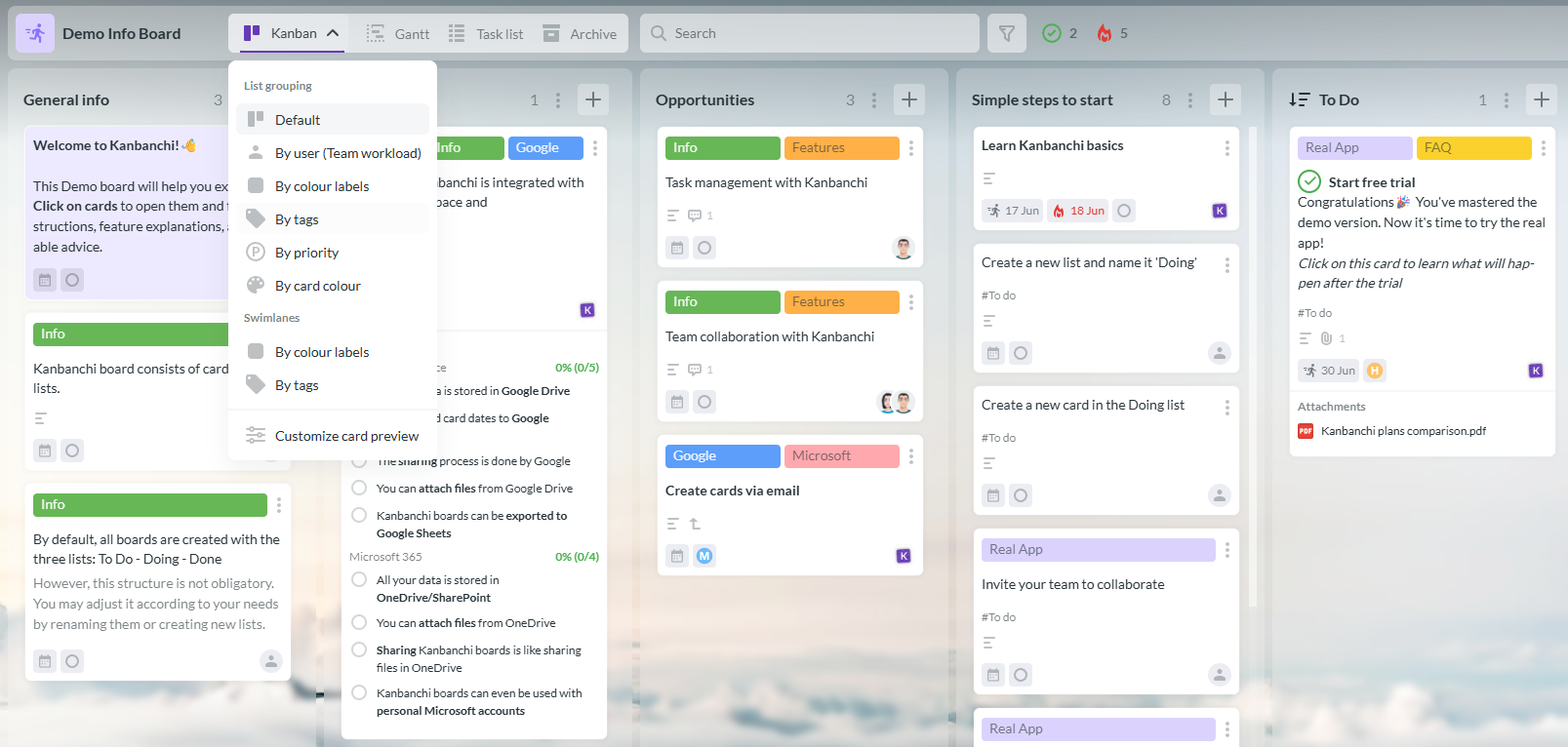
Kanbanchi interface for organizing tasks and managing an efficient project management process.
If you’re working within the Google ecosystem, your best project management process shouldn’t feel like an outsider. Many tools claim to integrate with Google, but they often feel like a separate island you have to visit. Kanbanchi is different. It is designed to live inside your existing workflow, turning Google Workspace into a high-powered project engine.
Most processes fail because data is fragmented. With Kanbanchi, your project assets stay where they belong. Through Google Drive and Shared Drives, you can attach files directly to cards without creating duplicates. Google Calendar lets you sync your cards’ Start and Due Dates, ensuring your personal schedule reflects your project commitments. And with the Gmail add-on, you can turn an overwhelming email thread into a structured Kanbanchi Card with a single click, keeping important communication connected to your project workflow.
A marketing lead might need a high-level Gantt Chart to see the quarterly launch. A designer needs a Kanban View to focus on today’s assets. An operations manager needs the List View to audit costs. You aren’t creating three different projects. You are looking at the same task from three different angles. This ensures that when the designer moves a card to Done, the manager’s Gantt chart updates instantly.
A process only works if your team isn’t burnt out. Kanbanchi’s Team Workload View shows exactly how many cards are assigned to each person across the entire board, making it easy to identify who is over capacity at a glance. You can then drag and drop tasks to rebalance workloads in seconds, without the need for awkward “Are you too busy?” meetings.
Because Kanbanchi uses Google Sign-in and adheres to Google’s permission models, you don’t have to manage a new set of passwords.Your board folders live in your Drive, meaning your organization retains full ownership and control of its project data.
Kanbanchi doesn’t just give you a place to store tasks; it provides a professional environment to execute the best project management practices without ever leaving the tools you use every day.
We’ll end our roundup with some of the most common questions on project management processes. If you’d like to chat to us about anything else relating to the topic, get in touch via our contact form!
There is no one-size-fits-all, but the most effective process is generally a Hybrid model. This allows you to use a Gantt Chart for high-level milestone planning while giving your team a Kanban board for flexible, day-to-day execution.
The industry standard includes:
Also read: 11 Principles of Project Management to Guide Your Project to Success


In this Article:
Start using Kanbanchi now
Start your free trial