
In this Article:
Try Kanbanchi now
Start your free trial

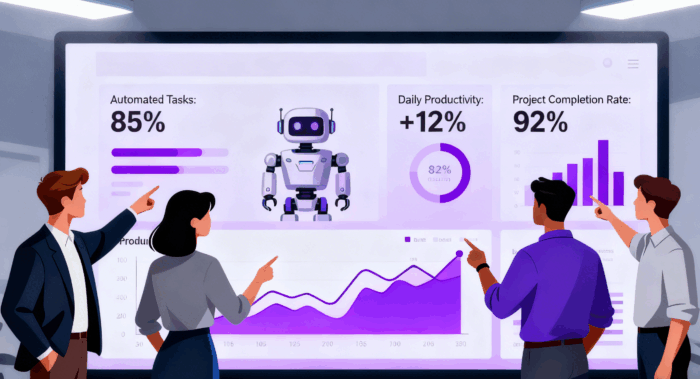
Finding the best workflow management software is essential for streamlining processes and boosting productivity. Companies across industries are turning to workflow automation software to reduce manual tasks, improve team collaboration, and scale operations efficiently. With remote and hybrid work models becoming the norm, organizations need powerful workflow management tools to maintain visibility and coordination across distributed teams.
As 2026 is quickly approaching, I thought to share the list of “The best workflow management software 2026”: solutions that offer real-time collaboration and seamless integrations, transforming how businesses operate. Whether you’re a small business managing limited resources or an enterprise handling complex operations, the right workflow management system can significantly reduce operational costs while increasing output by 20-40%.
Workflow management software is a digital tool that helps businesses design, automate, and monitor recurring business processes. Unlike traditional task management approaches, these platforms provide systematic frameworks for managing how work flows through an organization, from initial request to completion. The software creates standardized pathways for routine tasks, ensuring consistency and efficiency across teams.
At its core, workflow management software typically includes task automation, process mapping, real-time updates, and integration capabilities. These features work together to eliminate manual handoffs, reduce bottlenecks, and provide real-time visibility into work progress.
It’s essential to understand how workflow management differs from project management software. Workflow management focuses on ongoing, repetitive processes that happen regularly. For example, invoice approvals, customer onboarding, or content review cycles. These workflows are cyclical and continuous. Project management, on the other hand, deals with one-time initiatives that have defined start and end dates, specific deliverables, and unique requirements.
The benefits of implementing workflow management systems are substantial. Organizations report reduced errors through standardized processes, faster task completion enabled by automated checks, greater accountability through clear assignments, and improved visibility across departments. By automating repetitive tasks, teams can reduce operational costs by up to 30% while significantly increasing productivity.
Many teams already use task and project management applications and want to understand where workflow management software adds extra value beyond their existing tools. The relationship between these systems is complementary rather than competitive. Workflow management enhances rather than replaces your current project management approach.
Workflow software standardizes recurring processes that sit behind tasks and projects, such as approvals, reviews, and handoffs between departments. While your project management tool tracks what needs to be done and when, workflow automation ensures these tasks follow consistent, predefined steps every single time. This standardization is crucial for maintaining quality and compliance as your organization scales.
The best software can act as both workflow management and project management software. Platforms like Kanbanchi can live alongside or inside existing task management tools, particularly within the Google Workspace environment, or complement Microsoft 365, allowing teams to maintain their familiar interfaces while gaining powerful automation capabilities.
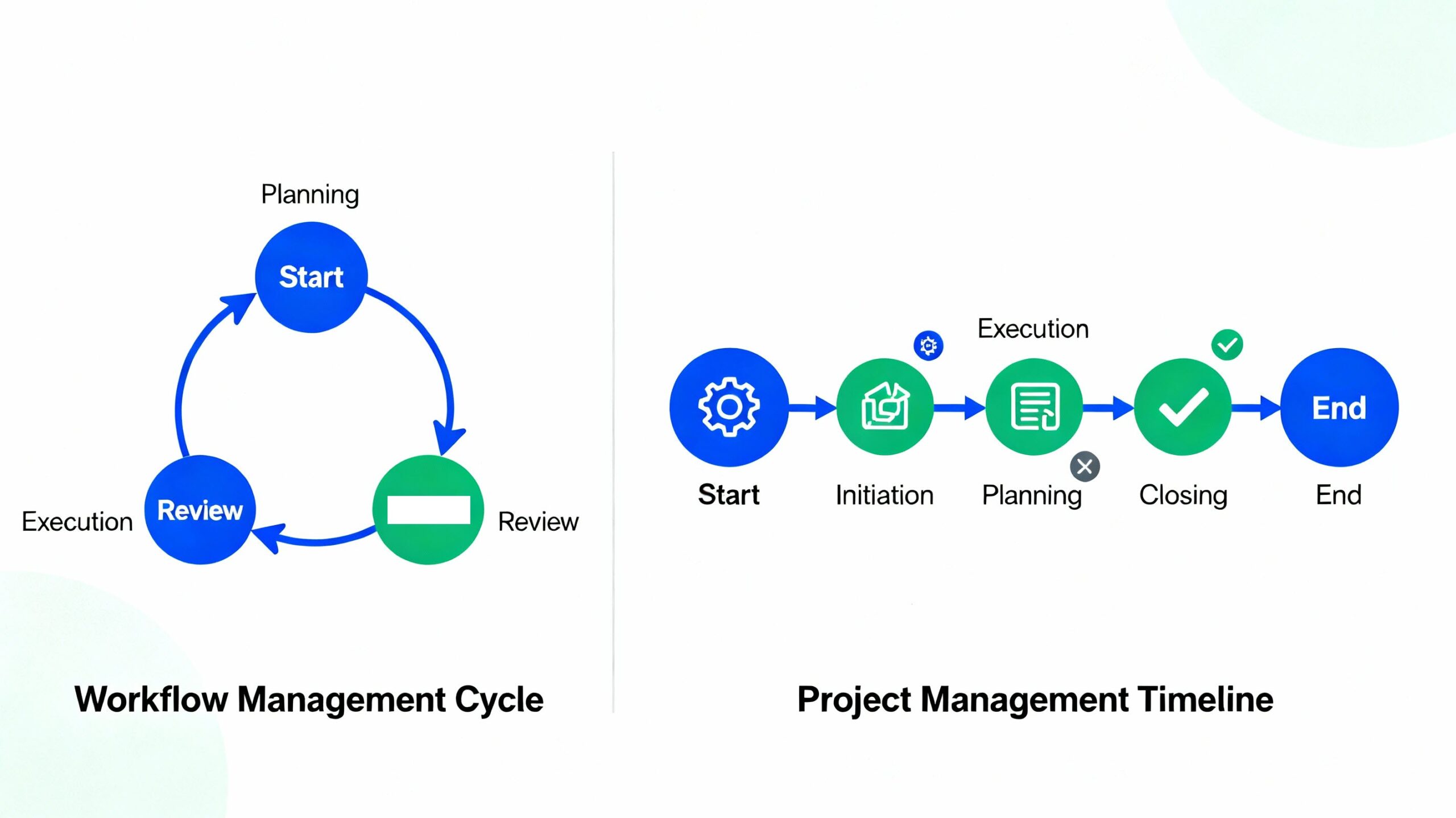
Workflow management handles recurring processes while project management oversees one-time initiatives.
The key advantage is that workflow software should work smoothly with the project and task tools business professionals already use, rather than forcing them to rebuild everything from scratch. This integration-first approach means your team continues working in familiar environments while benefiting from automated workflows that make everyone more efficient and reduce the risk of errors or missed steps.
Different types of organizations and teams benefit from workflow management tools in distinct ways, depending on their specific operational challenges and growth stage.
Small Businesses need workflow management software to streamline operations with limited resources and maximize efficiency. Small business teams can automate routine tasks like invoice approvals, client onboarding, and document routing, freeing up valuable time for revenue-generating activities. With automation handling repetitive work, small teams can compete more effectively without hiring additional staff.
These teams benefit from centralized visibility into how work moves between departments, enabling them to identify and eliminate inefficiencies that slow down delivery. Workflow automation ensures that handoffs between teams happen smoothly without delays or miscommunication. They use workflow software to standardize processes across departments, reduce bottlenecks, and improve cross-functional collaboration.
They rely on workflow management to coordinate content approval workflows, campaign execution, and deliverable tracking across multiple clients. Marketing teams can set up automated review and approval processes for creative assets, ensuring nothing gets published without proper sign-offs. The software helps agencies manage deadlines, client feedback, and revisions systematically.
These can automate employee onboarding, performance reviews, leave requests, and compliance tracking through workflow software. HR teams can create standardized onboarding sequences that automatically trigger document collection, training enrollment, equipment requests, and access provisioning when new hires join. This ensures consistent experiences while reducing manual administrative burden.
They can streamline expense approvals, invoice processing, budget tracking, and financial reporting with automated workflows. Finance departments can set up approval hierarchies based on dollar thresholds, automatically route invoices to the correct approvers, and flag discrepancies for review. This reduces payment delays and improves cash flow management.
Such teams usually need workflow software to coordinate work across time zones, maintain visibility into processes, and ensure accountability without micromanagement. Distributed teams benefit from automated notifications and status updates that keep everyone aligned regardless of location. Workflow tools provide the structure and transparency remote teams need to stay productive.
Use workflow automation to route tickets, escalate issues, and manage service level agreements systematically. Support teams can automatically assign incoming requests based on issue type, customer priority, or agent expertise, ensuring faster resolution times and better customer experiences.
They can automate system provisioning, access requests, incident tracking, and maintenance schedules through workflow software. IT teams can standardize how requests are submitted, approved, and fulfilled, reducing the chaos of managing technology infrastructure across growing organizations.
Workflow management systems deliver tangible advantages that directly impact business performance and team effectiveness across organizations of all sizes.
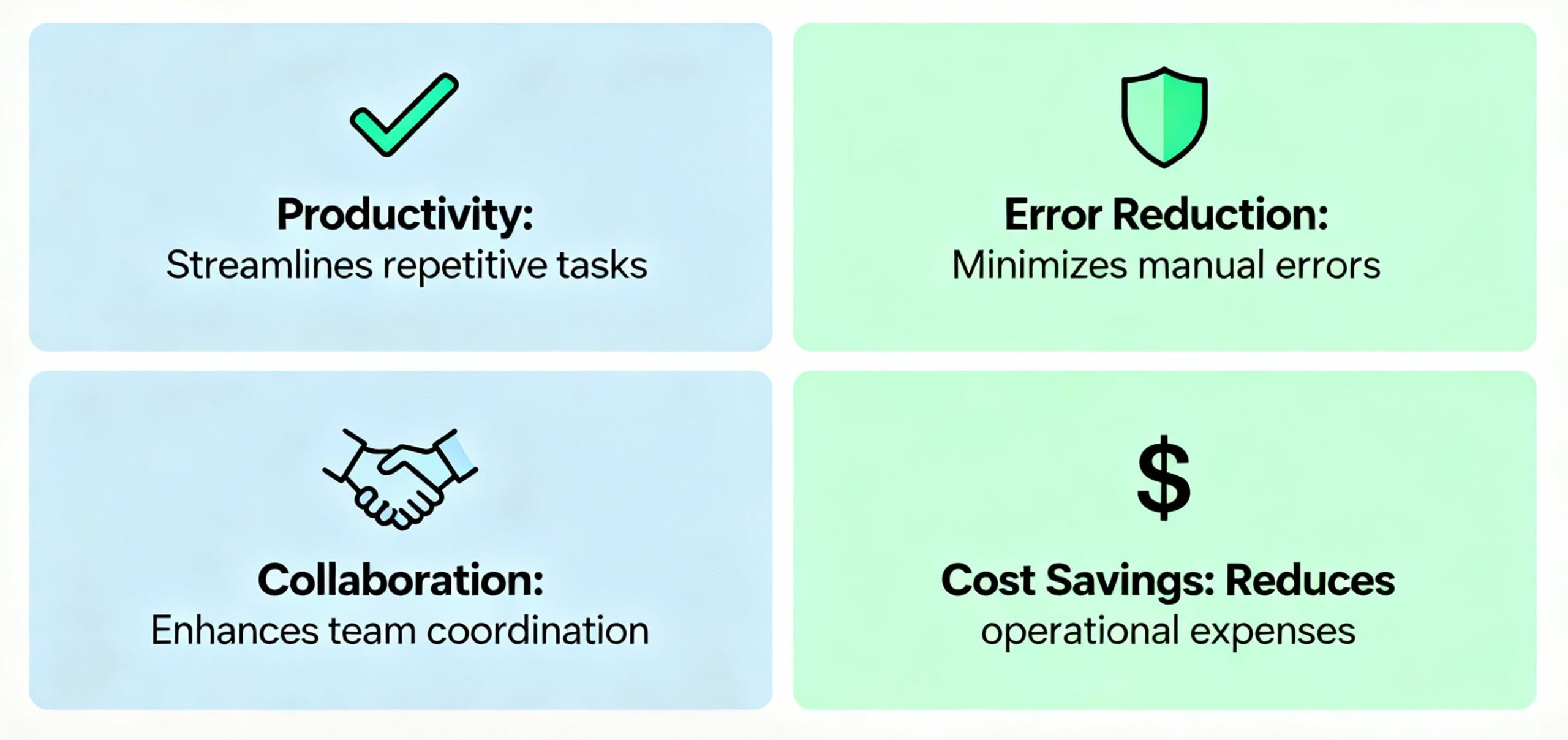
Increased Productivity results from automating repetitive tasks and reducing time spent on manual work. Teams can focus on high-value activities that require human creativity and strategic thinking rather than getting bogged down in administrative tasks. Organizations implementing workflow automation report productivity increases of 20-40% without requiring employees to work longer hours.
Reduced Errors come from standardized processes and automated checks that minimize human mistakes and costly rework. When workflows are defined and automated, the system ensures each step happens correctly every time, eliminating the inconsistencies that plague manual processes. Studies show workflow automation can reduce errors by 70-90% in data-heavy processes.
Better Collaboration emerges from centralized visibility into workflows that keep everyone aligned and improve communication across teams. Real-time notifications, status updates, and shared dashboards mean team members always know the current state of work and what actions they need to take. This transparency prevents duplicated effort and reduces the back-and-forth typically required to coordinate work.
Enhanced Accountability is established through clear task assignments and progress tracking that ensure team members understand their responsibilities and deadlines. Workflow software creates audit trails showing who did what and when, making it easy to identify bottlenecks and recognize high performers. This visibility drives ownership and helps managers provide better support.
Improved Scalability allows systems to grow with your organization, handling increased complexity without losing efficiency. Well-designed workflows can accommodate higher volumes and more participants without breaking down, enabling smooth operational scaling. This is particularly valuable for growing businesses that need to maintain quality as they expand.
Cost Savings result from eliminating wasted time, reducing operational overhead, and optimizing resource allocation. By automating manual tasks, businesses can accomplish more with existing staff and avoid the costs of hiring additional employees. Companies report operational cost reductions of 30-70% after implementing workflow automation.
Real-Time Visibility enables monitoring of process performance, early identification of bottlenecks, and data-driven improvements. Dashboards and analytics show exactly where work is getting stuck and how long each stage takes, making it easy to spot opportunities for optimization. This visibility transforms gut-feel management into evidence-based decision making.
The following table provides a quick comparison of the leading workflow management tools to help you identify which solutions best match your team’s requirements and budget.
| Name | Best For | Starting Price | Free Trial | Team Size |
|---|---|---|---|---|
| Kanbanchi | Google Workspace teams | $5.99/user/month | Yes | All sizes |
| Monday.com | Visual workflow automation | $9/user/month | Yes | Small to enterprise |
| Wrike | Enterprise task management | $10/user/month | Yes | Mid to enterprise |
| Asana | Intuitive project tracking | $10.99/user/month | Yes | All sizes |
| ClickUp | All-in-one work management | Free (paid from $7/user/month) | Yes | All sizes |
| Smartsheet | Spreadsheet-style workflows | $9/user/month | Yes | Mid to enterprise |
| Jira | Agile and software development | $9.05/user/month | Yes | Development teams |
| Trello | Simple Kanban workflows | Free (paid from $5/user/month) | Yes | Small to mid-sized |
| Notion | Flexible workspaces | Free (paid from $10/member/month) | Yes | Small to mid-sized |
| Kissflow | Business process automation | $2,500/month | Yes | Enterprise |
*Please visit the tools website to consult on the most recent pricing and features.
This comparison highlights the diversity of solutions available, from budget-friendly options like Trello to comprehensive enterprise platforms like Wrike. Each tool brings unique strengths that address specific workflow challenges and team structures.
Kanbanchi is a powerful workflow management tool designed specifically for organizations using Google Workspace. The app currently supports Microsoft 365 users as well. The platform seamlessly integrates with Google Drive, Gmail, and Google Calendar, providing a native experience for teams already embedded in the Google ecosystem. Users appreciate that Kanbanchi requires only a Google account to sign in, with no separate credentials needed. Same with the Microsoft accounts.
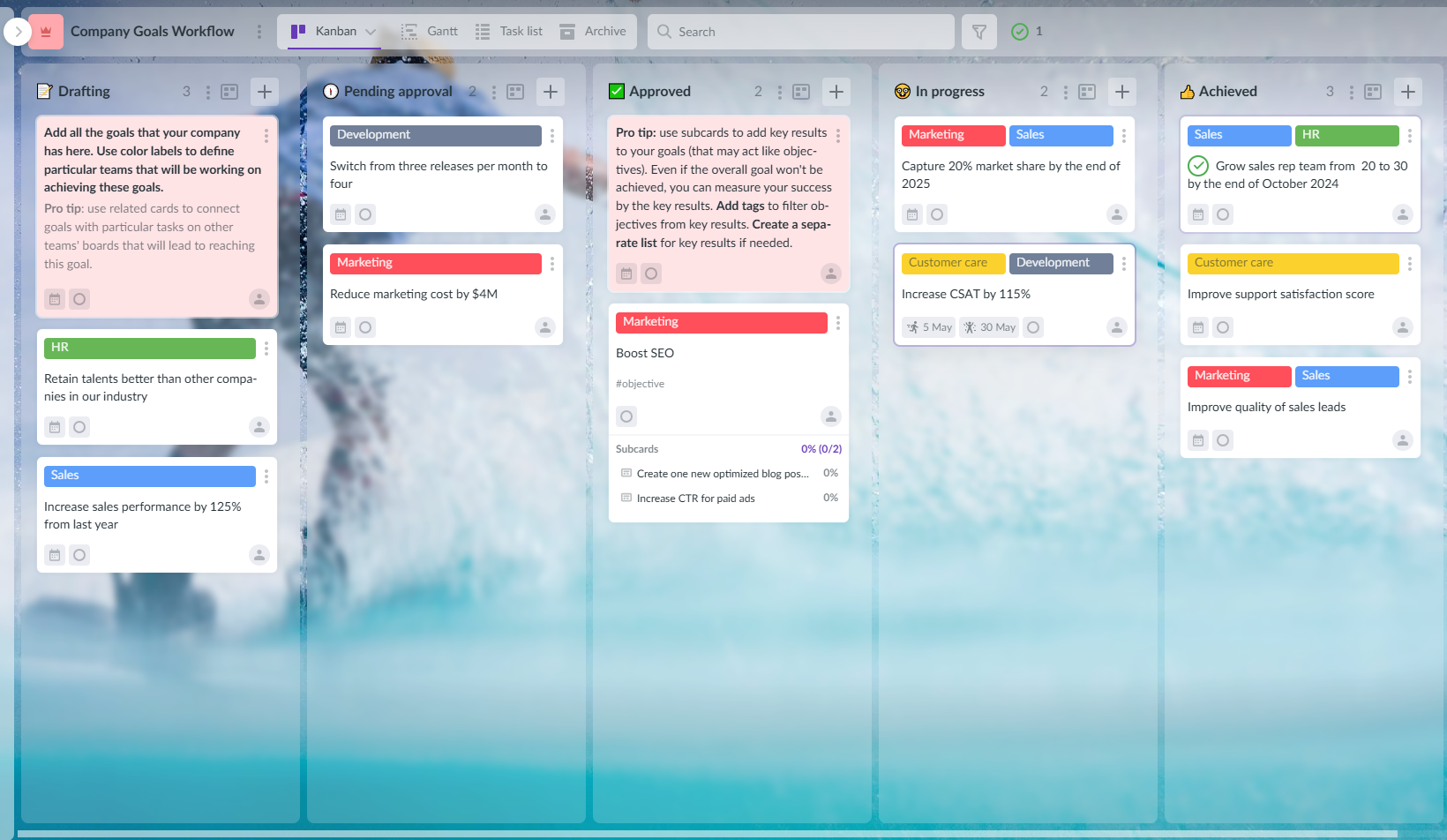
Clean and intuitive Kanban-style layout with native Google Workspace integration for seamless collaboration
*More content related to workload management here
Pricing and Integrations: Kanbanchi starts at $5.99 per user/month with a free plan offering up to 36 cards per board. Professional plans with Gantt charts and time tracking begin at $33.97 per user/month. The platform integrates natively with the entire Google Workspace suite, including Drive, Gmail, Calendar, Forms, and Shared Drives. Educational institutions and non-profits receive a 25% discount with yearly billing.
Kanbanchi stands out as the only project management tool natively integrated with Google Workspace, making it ideal for teams seeking visual workflow management without leaving their Google environment. The platform’s ability to switch between Kanban and Gantt views with a single click addresses the common challenge of balancing agile execution and timeline planning. For Google Workspace teams looking for affordable, powerful workflow management with minimal setup friction, Kanbanchi delivers exceptional value.
User Rating: 4.5/5 on G2 and Capterra
Monday.com excels at providing customizable visual boards that teams can adapt to virtually any workflow. The platform’s strength lies in its flexibility and automation capabilities, making it popular among teams that need to automate complex processes while maintaining visual clarity.
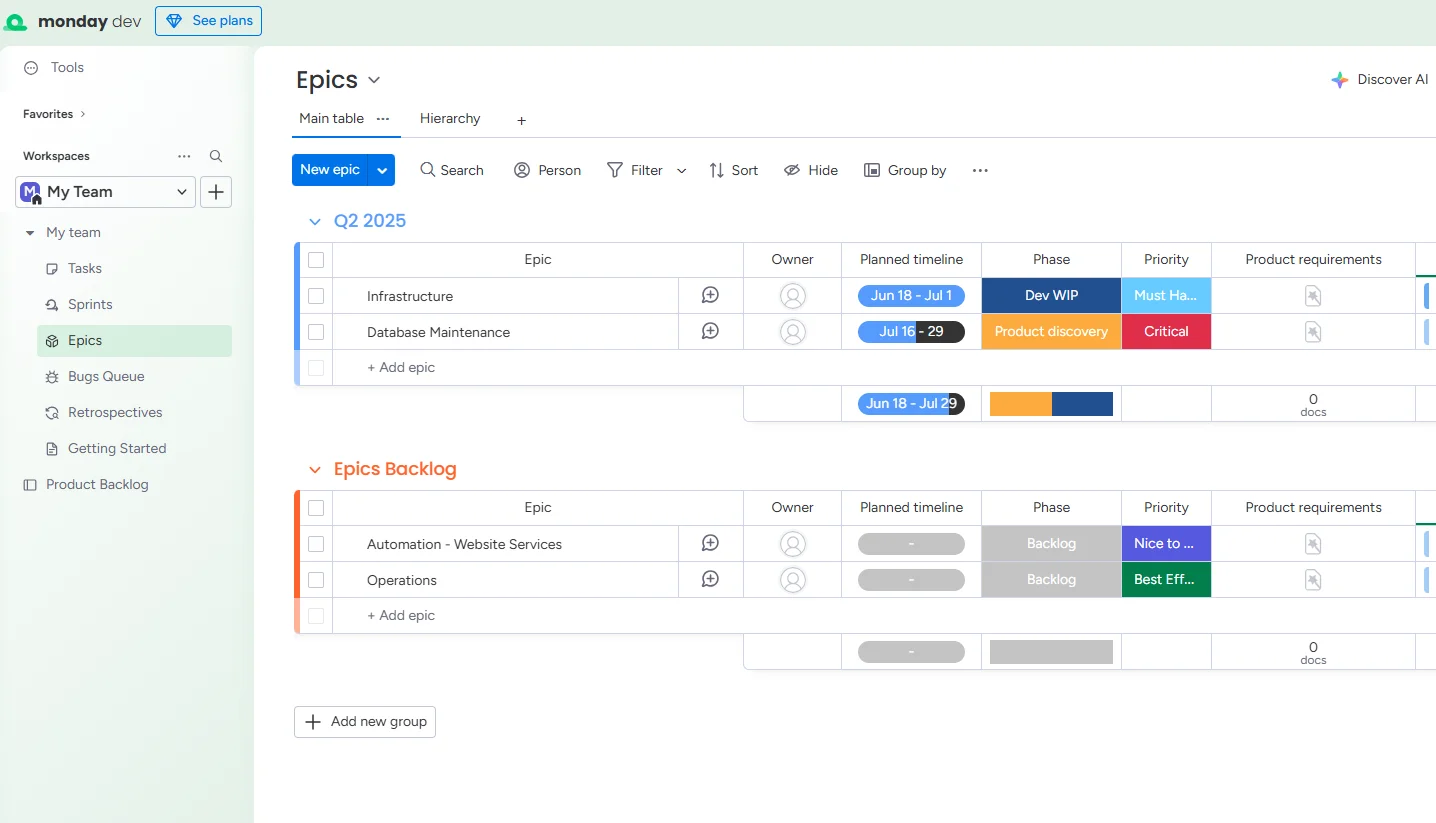
Monday.com provides customizable project views, and collaboration tools
Pricing and Integrations: Monday.com pricing starts at $9 per user/month for the Basic plan, with the Standard plan at $12 per user/month, including 250 automation actions. The Pro plan at $19 per user/month offers 25,000 automation actions and time tracking. Enterprise pricing is custom with 250,000 automation and integration actions. The platform integrates with Google Workspace, Microsoft 365, Slack, Zoom, HubSpot, Salesforce, and many other popular business tools.
User Rating: 4.7/5 on G2
Wrike provides comprehensive project management capabilities with robust features designed for enterprise-scale operations. The platform excels at handling complex workflows with custom automation, AI-powered features, and advanced resource management tools.
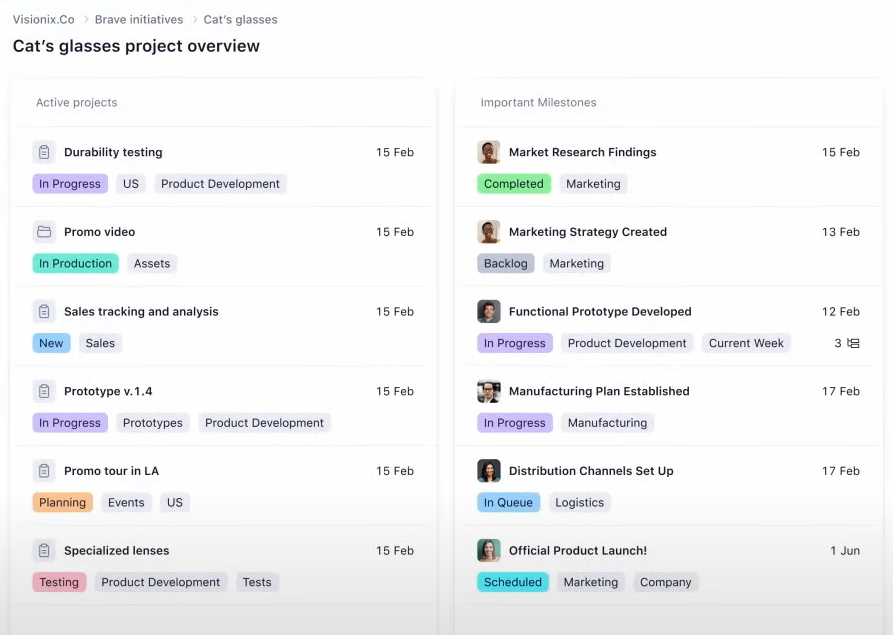
Example of the Wrike interface with tasks and labels
Pricing and Integrations: Wrike offers a free plan with the first paid tier starting at $10 per user/month when billed annually. Higher tiers provide advanced features such as custom workflows, automation, and analytics. Enterprise pricing is custom. Wrike integrates with over 400 apps, including Google Workspace, Microsoft 365, Salesforce, Tableau, Adobe Creative Cloud, and more.
User Rating: 4.3/5 on G2
Asana delivers an exceptionally user-friendly interface combined with powerful workflow features, making it popular among teams that want sophistication without complexity.
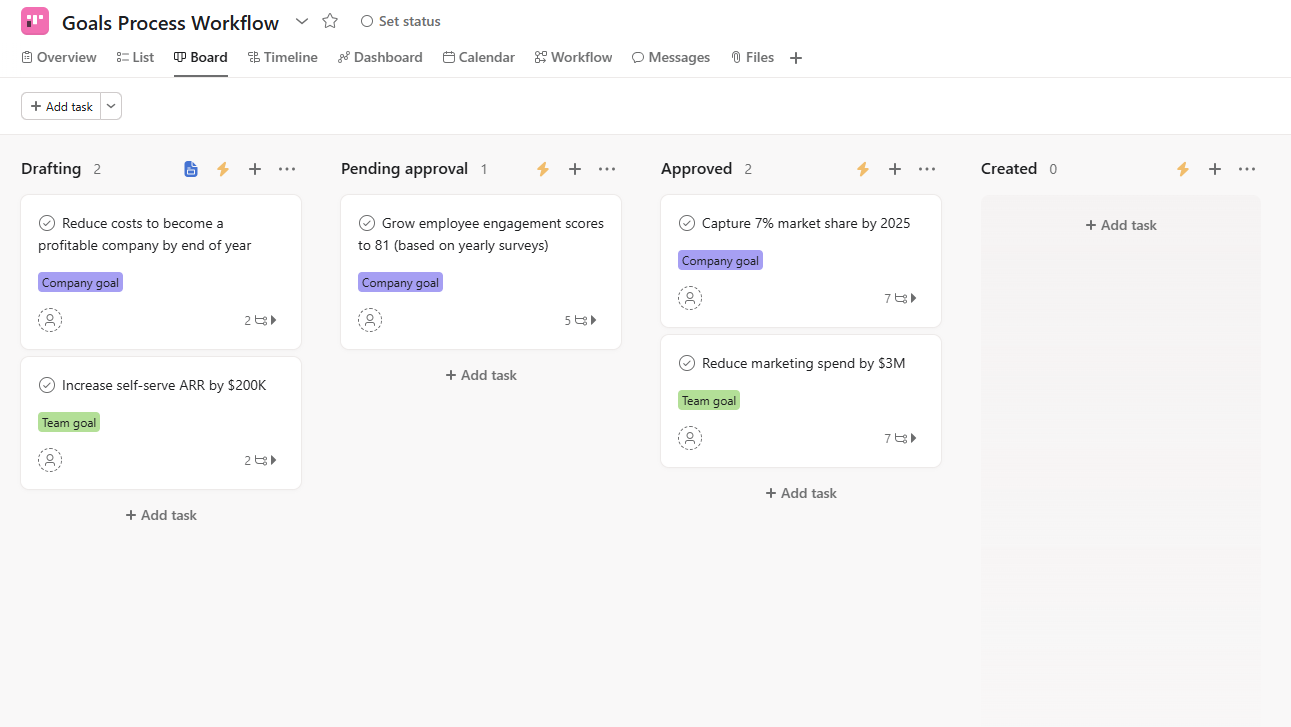
Kanban-style Asana board with tasks and labels
Pricing and Integrations: Asana’s Personal plan is free for up to 10 users, while the Starter plan is $10.99 per user/month and includes timeline views and unlimited automations. The Advanced plan costs $24.99 per user/month with goals, portfolios, and workload tracking. Enterprise pricing is custom. Asana integrates with Slack, Microsoft Teams, Salesforce, Tableau, Power BI, Google Workspace, and 100+ other tools.
User Rating: 4.5/5 on G2
ClickUp positions itself as the one app to replace them all, offering extensive features that span project management, documentation, time tracking, and workflow automation.
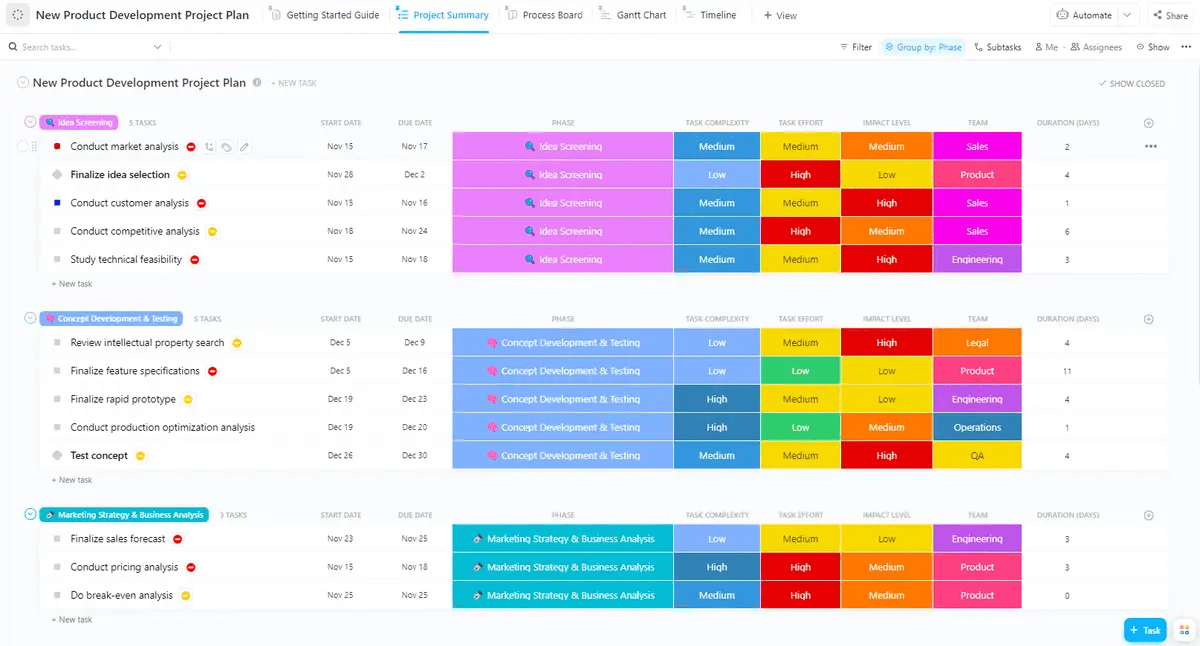
ClickUp platform with customizable views, time tracking, and docs for centralized team collaboration
Pricing and Integrations: ClickUp offers a Free Forever plan with 60 MB of storage and unlimited tasks. The Unlimited plan at $7 per user/month includes unlimited storage and integrations. The Business plan costs $12 per user/month with advanced automation and workload features. Enterprise pricing is custom. ClickUp integrates with 1,000+ apps, including Google Workspace, Slack, GitHub, and Zoom.
User Rating: 4.7/5 on G2
Smartsheet brings powerful workflow automation to a familiar spreadsheet interface, making it ideal for teams comfortable with grid-based work management.
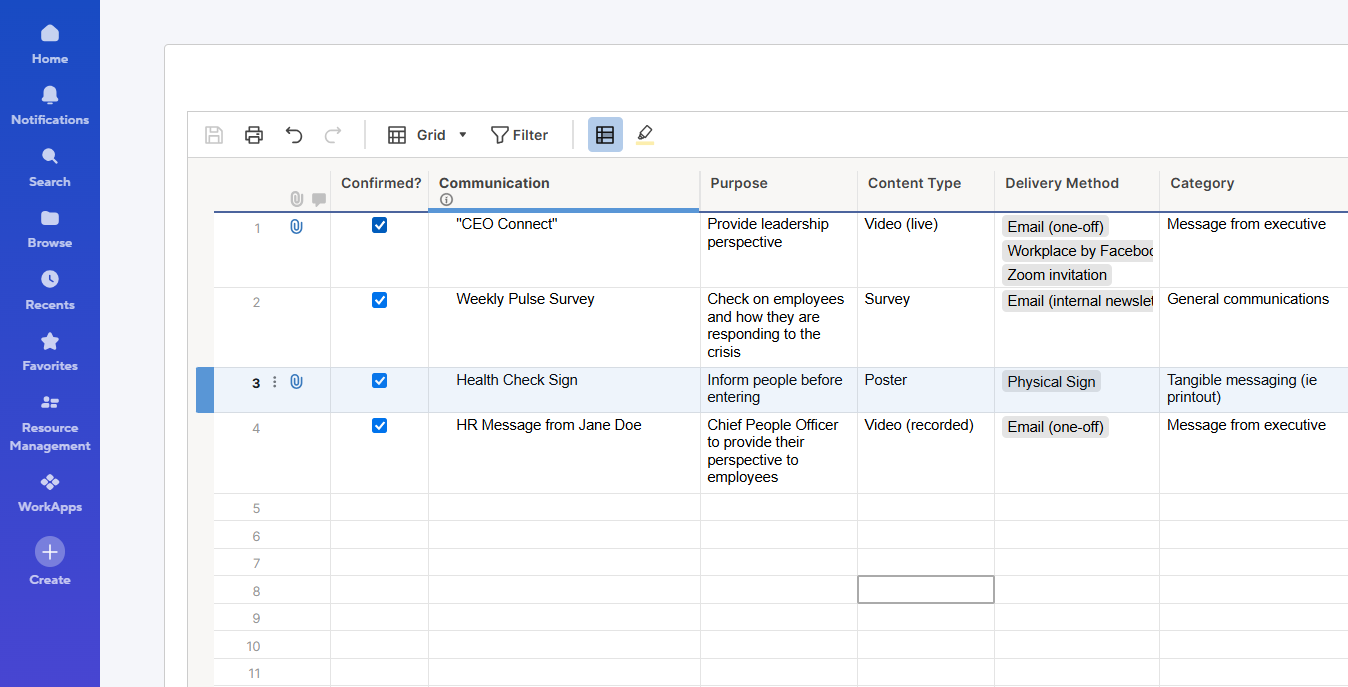
Smartsheet brings advanced automation and reporting to a familiar spreadsheet experience
Pricing and Integrations: Smartsheet’s Pro plan starts at $9 per user/month for 1-10 users with basic features. The Business plan costs $19 per user/month with unlimited automations, guests, and advanced features. Enterprise pricing is custom with advanced governance and security. Smartsheet integrates with Jira, Salesforce, Microsoft Teams, Google Workspace, DocuSign, and more.
User Rating: 4.4/5 on G2
Jira dominates the software development space with specialized features for Agile methodologies, including Scrum and Kanban boards designed for technical teams.
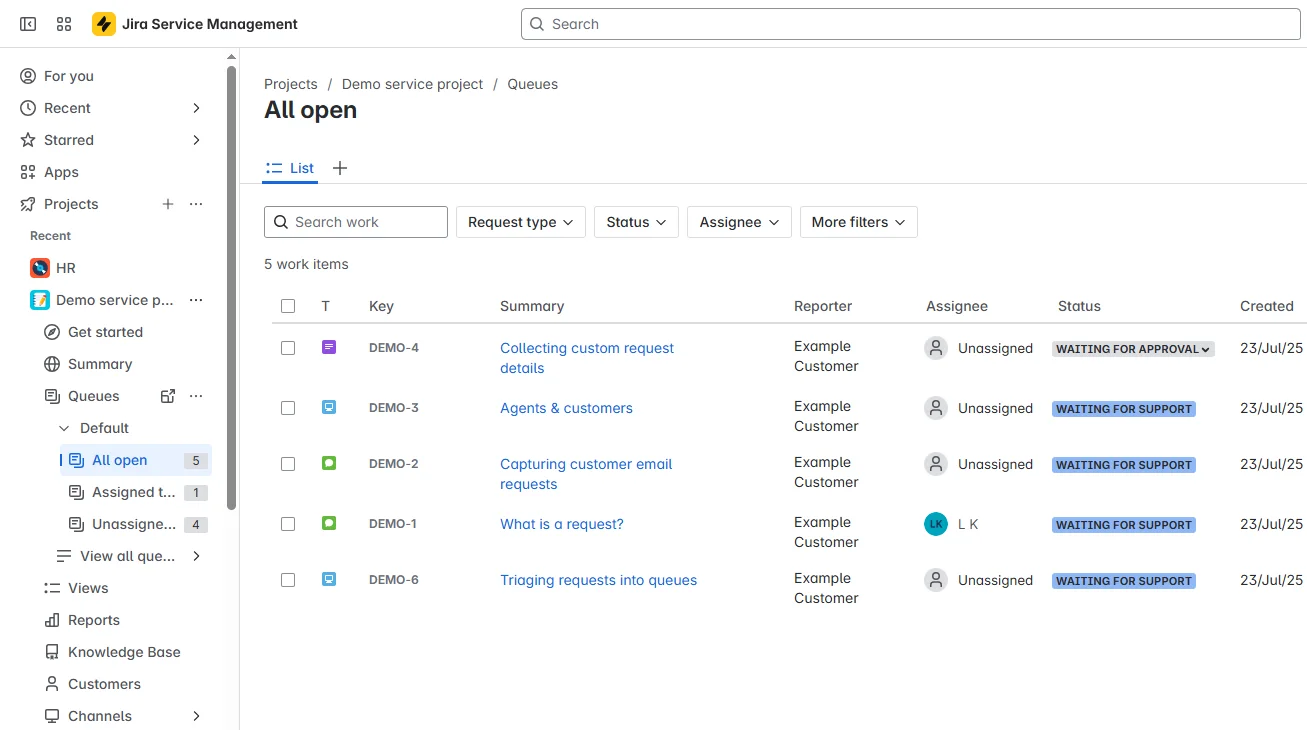
Jira works perfectly for software teams for issue tracking and reporting done work
Pricing and Integrations: Jira offers a free plan for up to 10 users, with paid plans starting at $9.05 per user/month. Standard and Premium plans offer advanced features, including automation and advanced roadmaps. Enterprise pricing is custom. Jira integrates deeply with Atlassian products and connects with Slack, Microsoft Teams, GitHub, and thousands of other development tools.
User Rating: 4.3/5 on G2
Trello provides straightforward visual workflow management through its signature card-and-board interface, making it accessible for teams new to workflow automation.
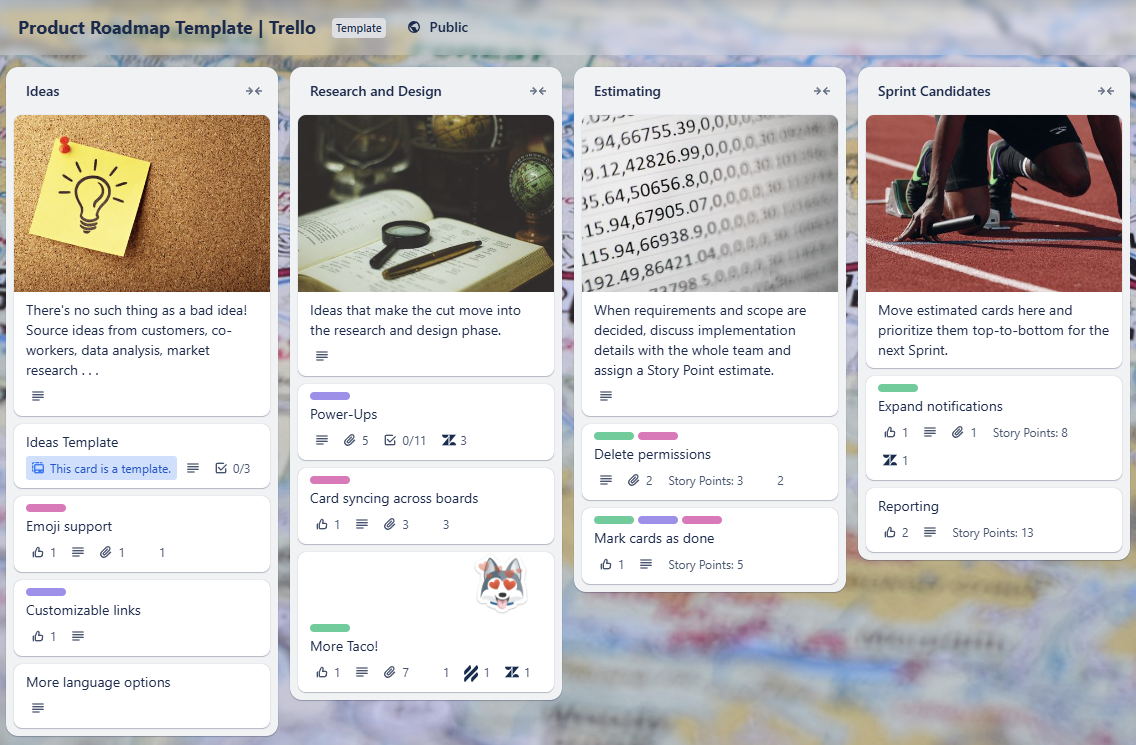
Trello interface example for a roadmap
Pricing and Integrations: Trello’s Free plan includes up to 10 boards and 250 automation runs per month. The Standard plan costs $5 per user/month with unlimited boards and 1,000 automation runs. The Premium plan at $10 per user/month offers unlimited automation and advanced views. Enterprise pricing starts at $17.50 per user/month. Trello integrates with Slack, Google Drive, Dropbox, and hundreds of other tools through Power-Ups.
User Rating: 4.4/5 on G2
Notion combines wikis, docs, and databases into a unified workspace that teams can customize extensively to match their specific workflows and knowledge management needs.
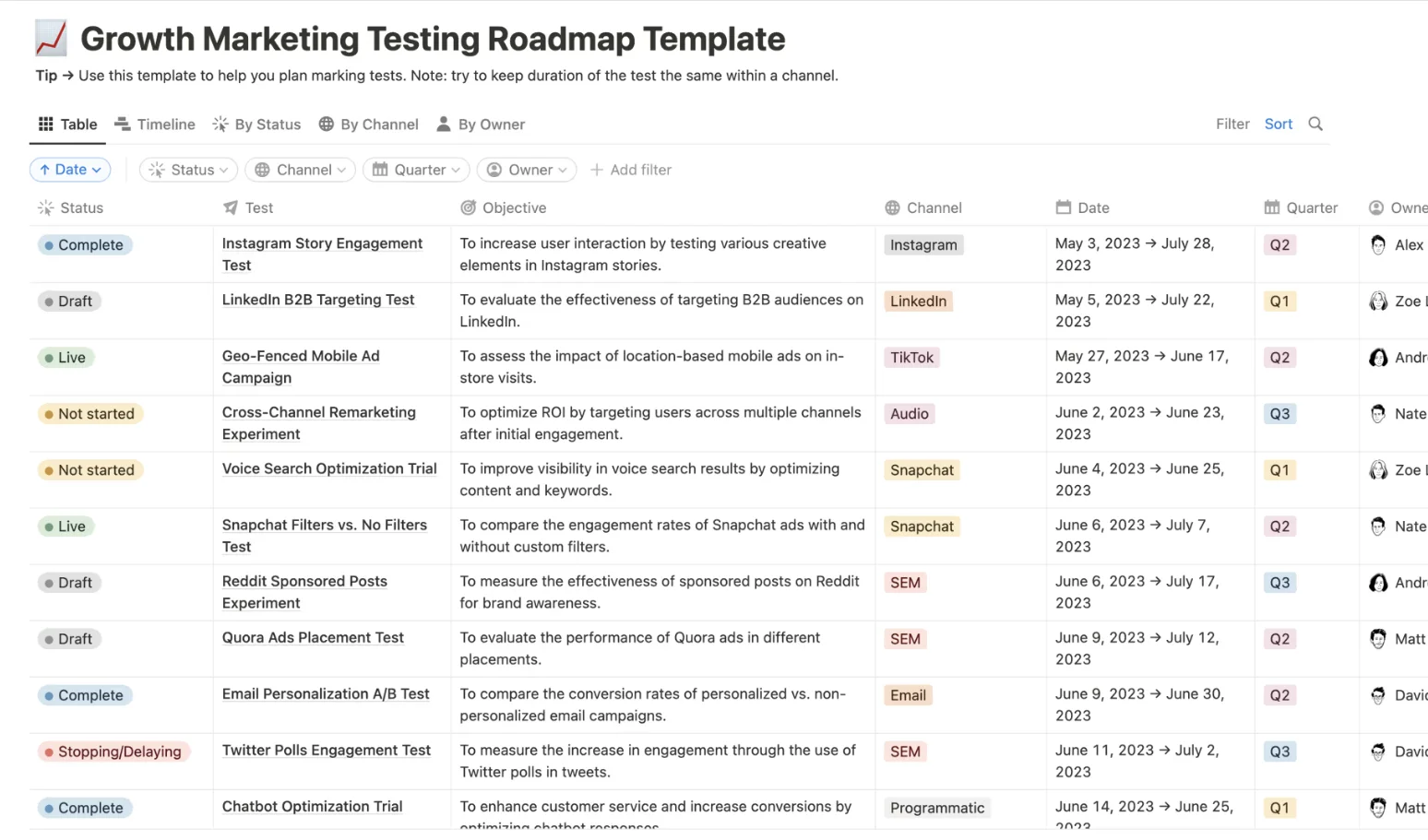
Notion provides a space to customize your work exactly as you need, but it requires technical skills to perform the initial setup
Pricing and Integrations: Notion’s Free plan offers unlimited pages for individuals with basic features. The Plus plan costs $10 per seat/month with unlimited blocks and file uploads for teams. The business plan at $15 per seat/month includes SAML SSO and private team spaces. Enterprise pricing is custom. Notion integrates with Slack, GitHub, and Google Drive, and offers an API for custom integrations.
User Rating: 4.7/5 on G2
Kissflow specializes in no-code business process automation with drag-and-drop workflow builders designed for complex enterprise workflows.
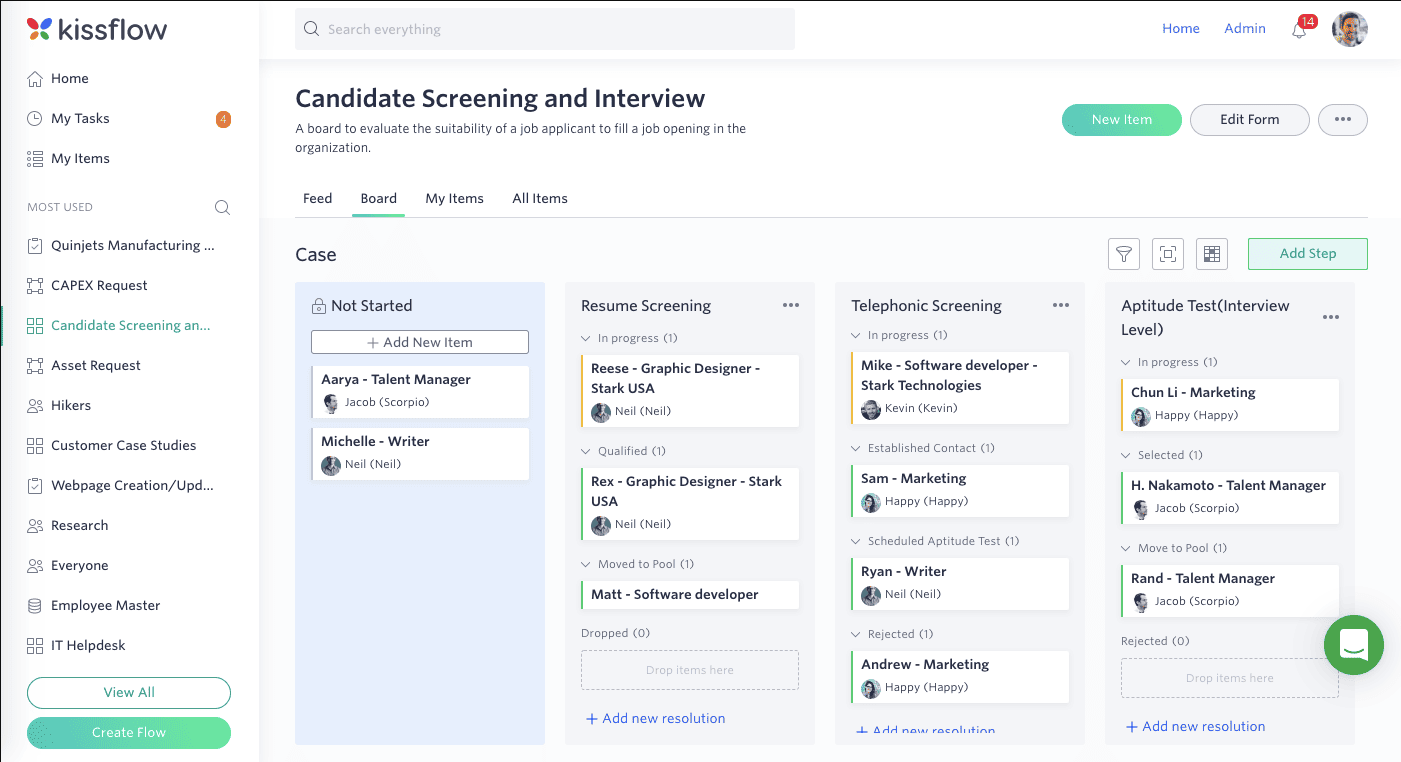
Kissflow positions itself as a low-code platform for enterprise management
Pricing and Integrations: Kissflow’s Basic plan starts at $2,500 per month with limited features for simple use cases. Enterprise plan offers custom pricing with unlimited apps, workflows, integrations, and advanced features. No free plan is available. Kissflow integrates with Google Workspace, Microsoft 365, and Salesforce and offers custom integration capabilities.
User Rating: 4.3/5 on G2
Selecting the right workflow management platform requires evaluating key capabilities that determine how effectively the system will support your team’s needs.
Making the proper selection requires a systematic evaluation process that considers your organization’s specific requirements and constraints. Follow a step-by-step framework to choose the right workflow management software for your team. The best workflow management software for your organization balances current requirements with future growth potential while working smoothly with existing systems.
Begin by assessing current workflows, pain points, and improvement goals. Document which processes need automation most urgently and what problems you’re trying to solve. Involve team members who will actually use the system to understand their daily challenges.
Small teams may need simple, affordable tools while large organizations require enterprise features and scalability. Evaluate whether your team structure is flat or hierarchical, centralized or distributed, as this impacts which workflow features matter most.
List existing tools, including email, file storage, CRM, and project management systems. Choose workflow software that integrates seamlessly with your current tech stack to avoid data silos and duplicate work. Native integrations are preferable to third-party connectors for reliability.
Compare pricing models including per-user rates, flat fees, and enterprise contracts. Calculate potential time savings and efficiency gains from automation to justify the investment. Consider the total cost of ownership, including training, implementation, and ongoing support.
Take advantage of free trials to evaluate usability with actual workflows. Involve team members in testing to ensure the interface matches how they work. Pay attention to the learning curve and whether the tool feels intuitive or requires extensive training.
Evaluate customer support quality, documentation comprehensiveness, and onboarding resources. Strong vendor support significantly impacts successful implementation and long-term satisfaction. Look for responsive support teams and extensive knowledge bases.
Choose a platform that can grow with your business needs over time. Consider whether the tool can handle increased users, more complex workflows, and higher volumes without requiring migration to different software. Scalability prevents the need for disruptive platform changes as you grow.
Different tools serve different needs, so teams should prioritize integration with existing systems, ease of use, and scalability when evaluating options. For organizations embedded in Google Workspace, Kanbanchi’s native integration and hybrid Kanban/Gantt approach provide exceptional value without forcing teams to adapt to unfamiliar interfaces. Larger enterprises may benefit from Wrike’s advanced resource management or Monday.com’s extensive automation capabilities. However, if the tool’s complexity is the issue, then Kanbanchi can work too.
The key is matching your workflow automation requirements with a platform that supports your team’s working style while accommodating future growth. Consider starting with free trials to test usability with real workflows before committing to long-term subscriptions.
For Google Workspace teams seeking visual workflow management that requires minimal setup and delivers powerful capabilities, Kanbanchi stands out as an excellent choice that balances functionality with simplicity. Start your free trial of Kanbanchi today and experience seamless workflow management within Google Workspace.
The best workflow management software depends on your specific needs and existing technology ecosystem. Kanbanchi excels for Google Workspace teams seeking native integration and hybrid Kanban/Gantt capabilities. Monday.com leads in visual workflow automation with extensive customization options. Wrike serves enterprise organizations needing advanced task management and resource planning. Asana provides intuitive project tracking for teams, prioritizing ease of use. Jira dominates software development with specialized Agile features.
Workflow management focuses on ongoing, repetitive processes that happen regularly and continuously. These workflows are cyclical with no defined endpoint, like invoice approvals or customer support tickets. Project management handles one-time initiatives with clear start and end dates, specific deliverables, and unique requirements. Projects are temporary and conclude when objectives are achieved. Workflow measures success by task completion and efficiency, while project management measures success by quality, adherence to the timeline, and resource utilization.
Yes, many leading workflow tools offer Google Workspace integrations, though the depth of integration varies significantly. Kanbanchi provides native integration as the only project management tool built directly into Google Workspace, storing boards in Drive and connecting seamlessly with Gmail, Calendar, and Forms. Asana, ClickUp, and Monday.com offer connection capabilities but require separate platforms. The level of integration should match your team’s dependence on Google tools.
Workflow management software typically ranges from free plans to $10-20 per user per month for most mid-tier solutions. Budget-friendly options like Trello and ClickUp start at $5-7 per user/month. Kanbanchi begins at $5.99 per user/month with professional features at competitive rates. Enterprise solutions like Wrike, Smartsheet, and Monday.com range from $10 to $19 per user/month, depending on the features required. Specialized platforms like Kissflow start at $2,500 per month for entire organizations. Enterprise-grade packages with advanced security and support require custom pricing.
Absolutely! Workflow automation delivers substantial benefits for small businesses operating with limited resources. Small teams can automate routine tasks like approvals, notifications, and status updates, freeing staff to focus on revenue-generating activities. Many platforms offer free or affordable plans designed for small-business budgets. The time savings, error reduction, and improved efficiency from automation help small businesses compete more effectively without hiring additional staff. Starting with simple workflows and gradually expanding makes automation accessible even to non-technical small business owners.
Kanbanchi’s Google Workspace integration goes far beyond simple connectivity. It’s the only project management tool natively built into the Google environment. All project boards are stored directly in Google Drive with the same sharing permissions as other Drive files. Teams can attach Drive files to tasks, create tasks from Gmail messages, sync deadlines with Google Calendar, and even generate tasks from Google Forms responses. This deep integration means no separate logins, no data export/import, and familiar interfaces that require minimal training.
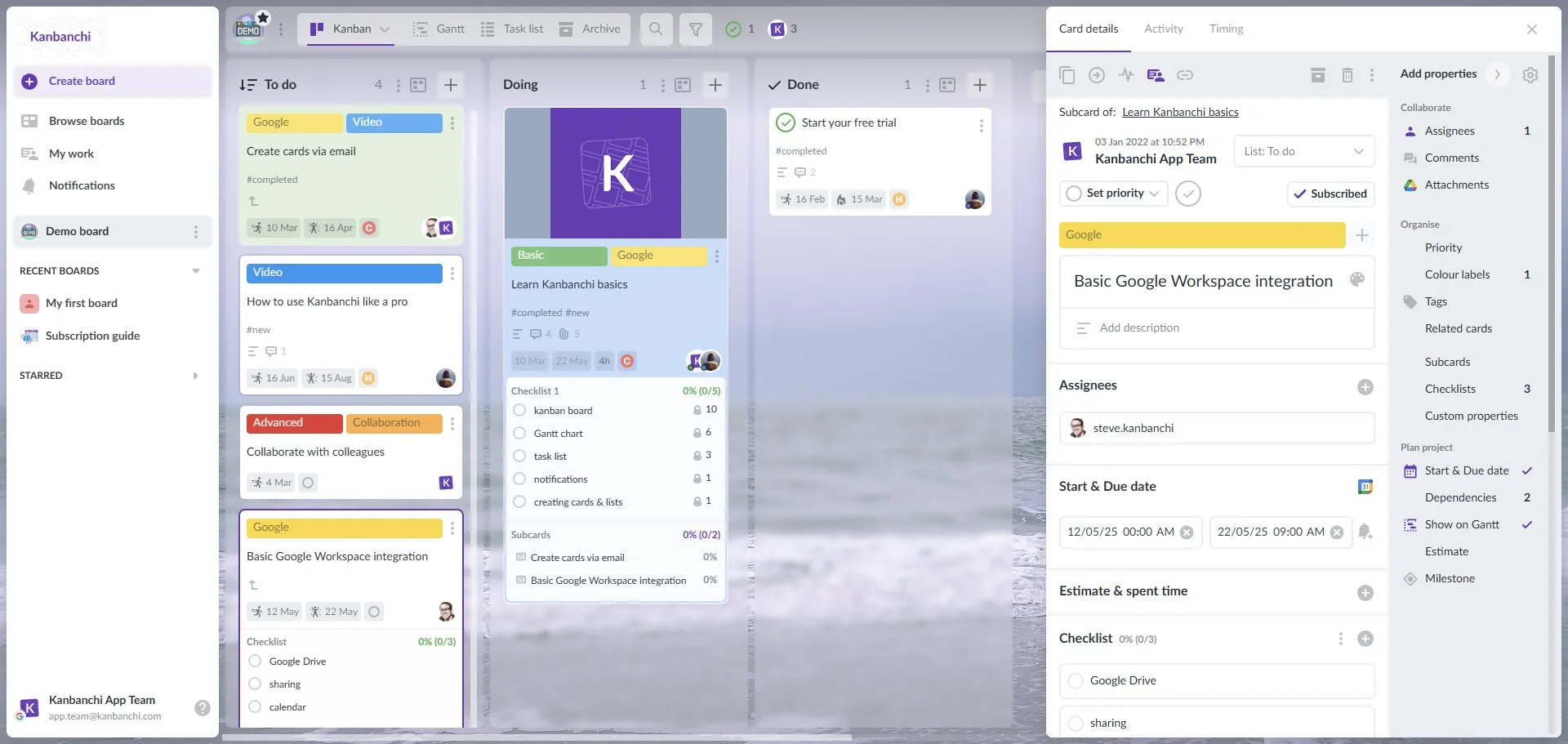
Kanbanchi interface showcasing Kanban board, Google account usage, and Google Workspace integration
Real-time collaboration capabilities enable distributed team members to work simultaneously on projects while maintaining complete visibility. The Google-like interface ensures adoption happens quickly since team members already understand the interaction patterns. For growing businesses using Google Workspace, Kanbanchi provides enterprise-grade project management without the enterprise-level complexity or cost.
Kanbanchi delivers exceptional value for organizations invested in the Google Workspace ecosystem through its unique native integration and hybrid methodology. The platform combines Kanban and Gantt views into a single tool, allowing teams to switch perspectives with a single click. This flexibility addresses the common challenge of teams needing agile Kanban boards for daily execution but also requiring Gantt timelines for planning and stakeholder communication. The seamless transition between views maintains complete data synchronization, ensuring that changes made in one view are reflected instantly in the other.
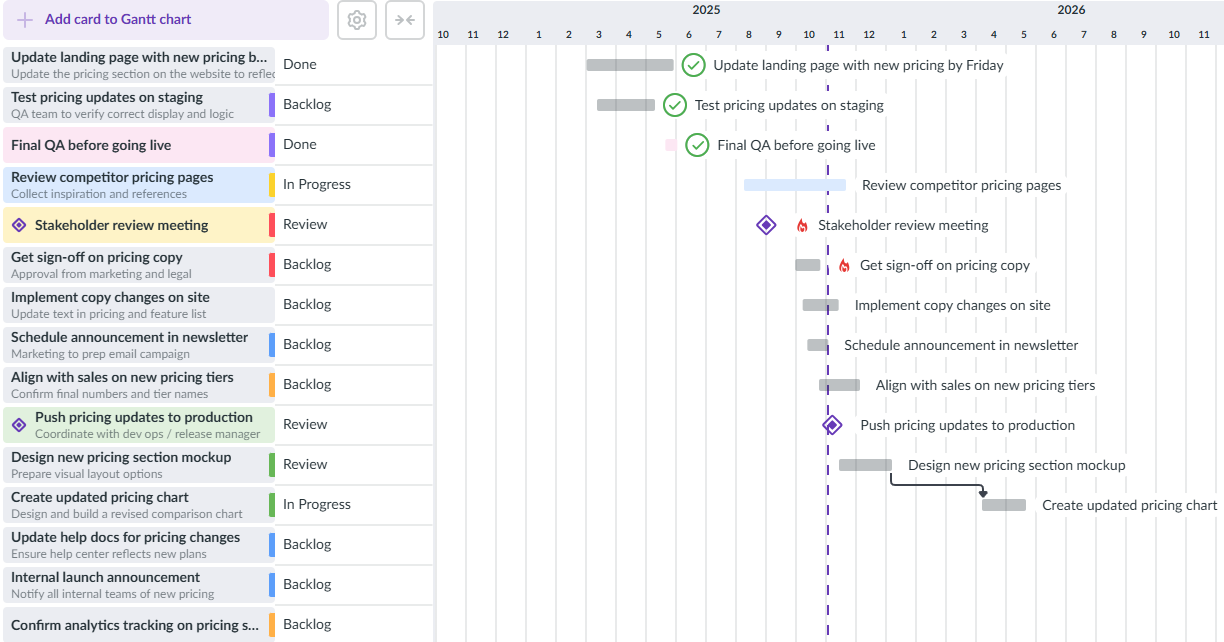
Kanbanchi’s Gantt chart view allows Google Workspace users to visualize project timelines, manage dependencies, and track progress alongside Kanban boards
The platform proves particularly valuable for teams seeking affordable, powerful workflow management without complexity. Pricing starts at just $5.99 per user/month with professional features, including Gantt charts and time tracking, available at competitive rates. Educational institutions and non-profits receive a 25% discount, making it accessible to budget-conscious organizations. Teams can start with a free plan offering full enterprise functionality for up to 36 cards per board, allowing thorough evaluation before committing to paid plans. The ability to create unlimited boards and collaborate with unlimited users, even on free accounts, makes it easy to test Kanbanchi across different teams and workflows.
Start your free trial of Kanbanchi today


In this Article:
Start using Kanbanchi now
Start your free trial