
In this Article:
Try Kanbanchi now
Start your free trial


Flow has been a mainstay of the project management software environment for many years, used by an estimated 300,000 teams in more than 140 countries.
Teams have relied on its streamlined project and task management tools to organize work, collaborate, and track progress over the years.
However, the Flow platform shut down in October 2025. Naturally, many organizations are seeking Flow alternatives to manage tasks and projects without creating too much upheaval with existing workflows and operations. Migrating data and switching to other project management tools has become a priority for many.
In this article, we review the best 10 Flow project management alternatives so that your organization selects the software that’s right for you…
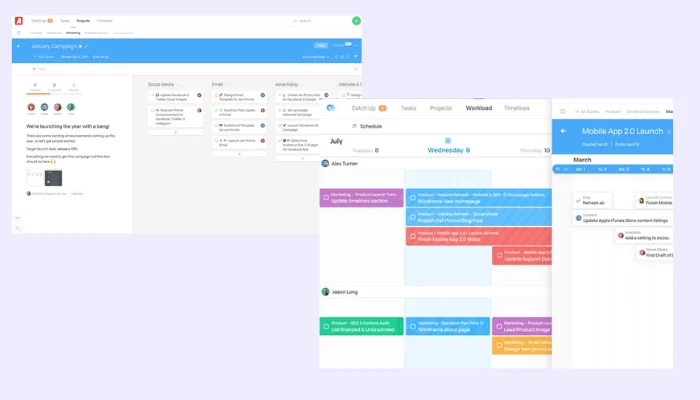
The Flow platform combined Kanban-style boards, timelines, and team communication tools to simplify project management across global teams.
Flow users have praised the platform’s clean, intuitive interface and powerful task management features, making collaboration and project tracking simple for teams of all sizes over the years.
Flow combined visual project planning (Kanban and timelines) with robust team communication tools integrated directly into workflows.
However, the platform was not right for all types of teams. It offered a limited integration ecosystem compared to competitors like Asana, while the lack of a first-party, “native” Google Workspace integration often handicapped users deeply embedded in Google Workspace environments.
Additionally, some users found its scalability and reporting features lacking for larger or more data-driven teams.
So, when assessing possible Flow alternatives, we’ve looked for software that can seamlessly replace Flow’s functionality AND “plug the gaps” that it lacked. We’ve considered the following aspects of the software:
As the Flow platform shuts down and the service ends, there will be no future updates, bug fixes or customer support available for users. Any connected apps and integrations will stop functioning, leading to potential workflow gaps.
Teams that migrate to a new platform will be reliant on the tools and customer service provided by that platform. The choice of Flow project and task management alternatives is, therefore, important to get right – and many companies consider it an opportunity to upgrade their software to prepare better for future requirements.
The following table outlines the main Flow alternatives and competitors that businesses can migrate to after the Flow platform closes.
Each project management solution is reviewed in more detail below the table.
| Name | Best For | Standout Features/Benefits | User Rating* |
|---|---|---|---|
| Kanbanchi | Individuals Freelancers Small and midsize businesses Large enterprises | Easy to use with intuitive interface. Real-time Google Docs editing in cards. Affordable pricing. Specifically designed for Google-centric teams. Advanced PM tools, including time-tracking & reporting. Support with a human. | 4.7 |
| Trello | Individuals Freelancers Small businesses Midsize businesses | Automation tools (Butler AI). Well-developed mobile app. Simple drag-and-drop Kanban boards for intuitive task management. Real-time collaboration with instant updates across boards. | 4.4 |
| Asana | Mid-sized teams Large teams Enterprises | Timeline (Gantt-style) view for visual project scheduling. Rules & Automation Builder to automate repetitive actions. Workload management for balancing team capacity. Goal alignment & OKR tracking tied directly to projects and tasks. | 4.4 |
| Wrike | Mid-size teams Growing teams Enterprises | Custom workflows with conditional logic. Real-time dashboards & advanced reporting. Proofing & approval tools for creative/content reviews. AI Work Intelligence. | 4.2 |
| Zoho | Startups Small, midsize & large businesses using the Zoho app ecosystem | Task dependency management with critical path analysis. Built-in timesheets & billing tools. Blueprint workflows for defining & automating process steps. Tight integration with the Zoho ecosystem. | 4.3 |
| Smartsheet | Mid-size teams Large organizations & enterprises | Familiar spreadsheet-style interface. Dynamic views (Grid, Gantt, Card, Calendar). Automation & conditional workflows embedded in sheets. Enterprise-level governance with granular permissions. | 4.4 |
| Notion | Individuals Growing teams Large organizations | All-in-one workspace combining notes, tasks, databases & wikis. Highly flexible templates & relational databases. Linked databases & rollups. AI assistant for writing, summarizing & organizing content. | 4.7 |
| Monday | Individuals Small & mid-sized businesses Large businesses & enterprises | Integrations hub connects with 200+ popular apps. Highly visual boards with dozens of view options. Powerful automation builder. Custom dashboards combining multiple boards. | 4.7 |
| Jira | Freelancers & small teams with tech know-how SMBs & mid-sized teams Enterprises | Advanced issue tracking deal for Agile & DevOps teams. Scrum & Kanban boards built into project templates. Automation rules for workflow transitions & notifications. Deep integration with developer tools. | 4.3 |
| Basecamp | Small businesses Mid-sized teams | All-in-one platform for to-dos, messaging, docs, schedules & files. “Hill Charts” for visual progress tracking. Automatic check-ins for async team updates. Focus on communication over complexity. | 4.1 |
*Ratings provided by G2
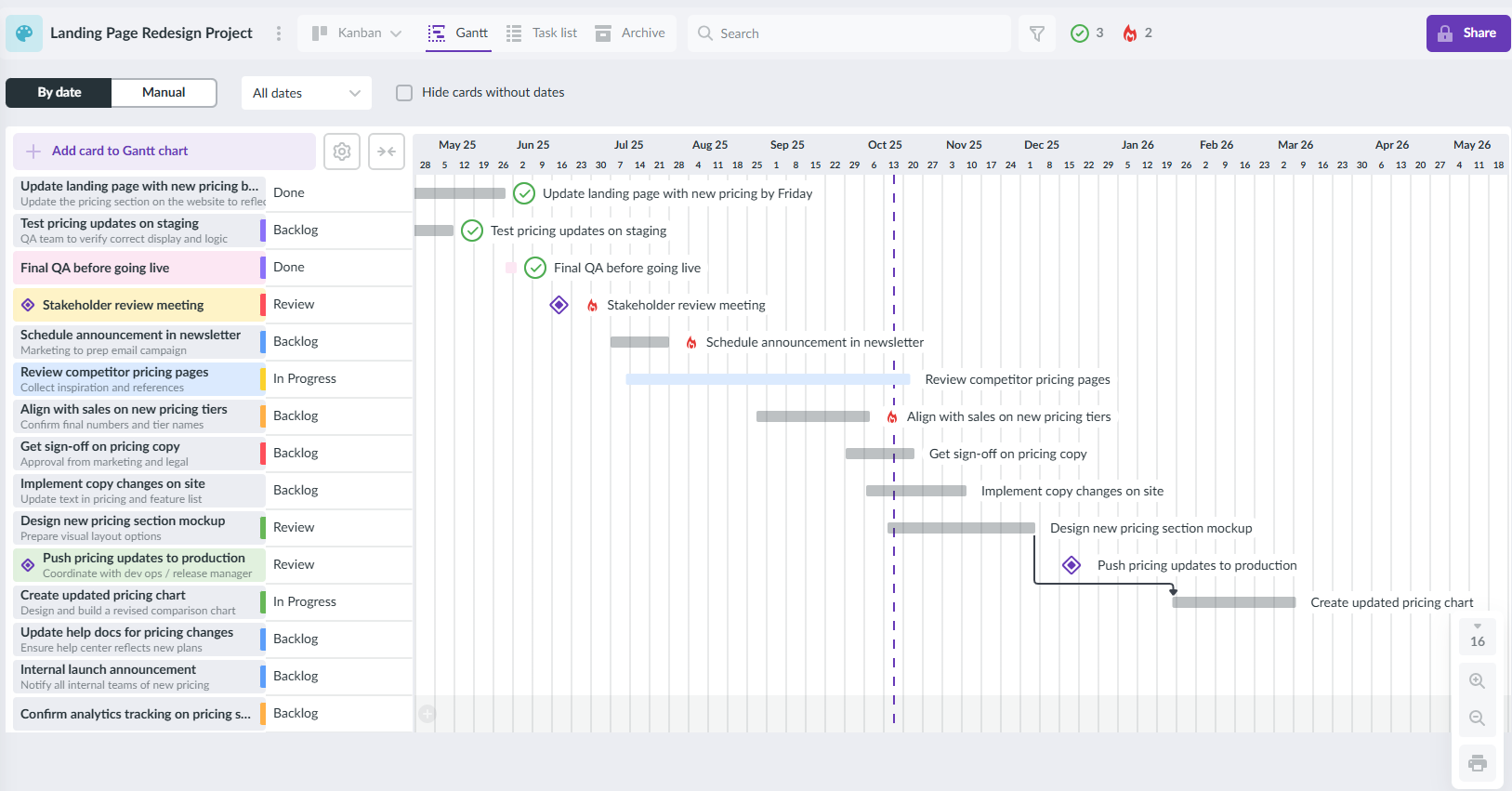
Kanbanchi provides native integration with Google Workspace, allowing teams to collaborate using Drive, Calendar, and Gmail in one place.
Kanbanchi is one of the main Flow project management alternatives for teams looking for Kanban-based tools designed specifically for Google Workspace users.
Users deeply embedded in Google environments can collaborate on projects seamlessly using tools like Gmail, Drive, and Calendar. Kanbanchi’s visual task management tools also make workflow management simple.
Migration from Flow to Kanbanchi should be relatively simple. If you run into any problems, Kanbanchi’s support team is well-celebrated by users, with multiple avenues, including human agents available for help.
Kanbanchi offers a clean, minimal design, making it excellent for visual task tracking.
Supports all team size, easy scalable up to enterprise.
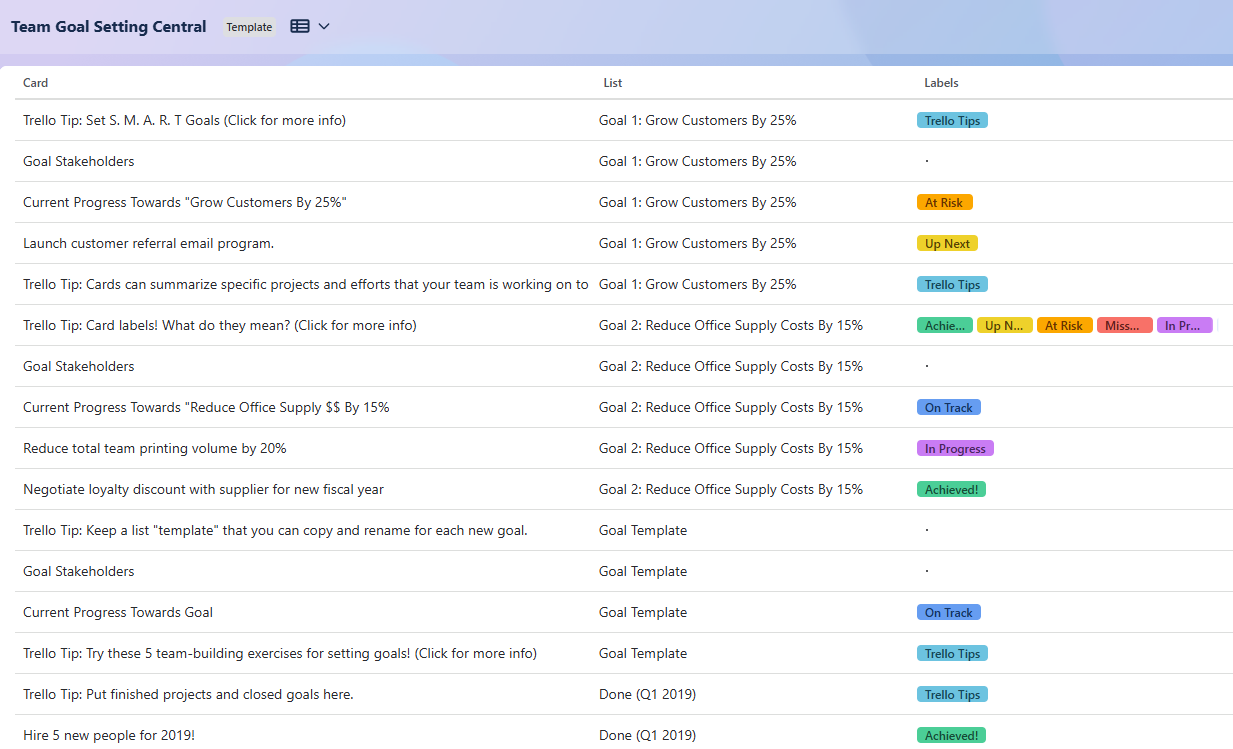
Trello offers intuitive drag-and-drop Kanban boards and automation tools, making it a top Flow task management alternative for small teams
Trello is another popular Kanban-board-based platform and one of the best Flow task management alternatives for organizations looking for simple, cost-effective project management solutions.
Used by many freelancers, professionals, and small and mid-sized teams, Trello offers a simple user interface, a comprehensive range of Power-Up integrations, and a well-developed mobile app.
Migration to Trello from Flow should be relatively simple (export as CSV) but technical expertise may be required for more complex migrations.
Very user-friendly interface, although some technical expertise may be required to configure Power-Ups.
Best for consultants, freelancers, solopreneurs, and small to mid-size teams.
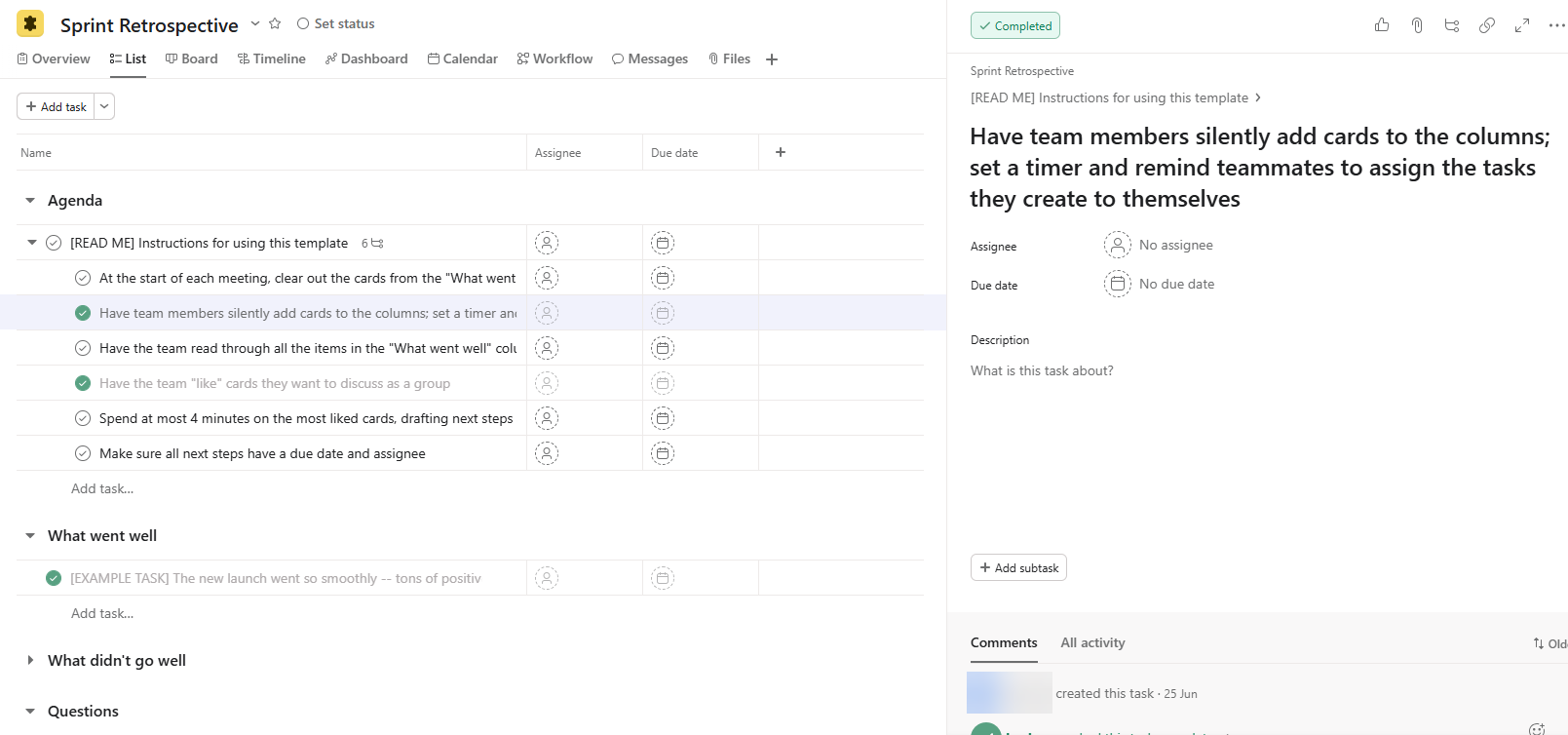
Asana’s advanced project tracking, automation, and workload management tools make it a powerful Flow alternative for mid-sized and enterprise teams
Asana is a possible Flow alternative well-suited to many larger organizations. This is a popular app with a user-friendly design and a strong suite of task management and collaboration tools combining file storage, project roadmaps, dashboards, and more. Multiple work views include list, board, and Gantt-style.
Basic migration of data from Flow can be accomplished using Asana’s import tools, while third-party migration services may help with more advanced features.
User-friendly, though the advanced features require more know-how with project management tools.
Best for mid-sized to large teams and enterprises.

Wrike offers conditional workflows, real-time dashboards, and AI features – ideal for teams migrating from Flow to a more data-driven platform
Wrike is an attractive Flow alternative for mid-sized or larger organizations that need to upgrade to a more complex project management solution – but may be overkill for smaller organizations with more straightforward requirements.
Wrike’s well-established, secure, and robust project management platform offers extensive reporting and collaboration tools, custom workflows, and resource management tools.
Migration from Flow may represent some challenges and require technical assistance from Wrike’s migration services.
There can be a learning curve for setup and onboarding for those coming from a basic project management setup with Flow.
Best for: Mid-sized teams, growing teams, and enterprises.
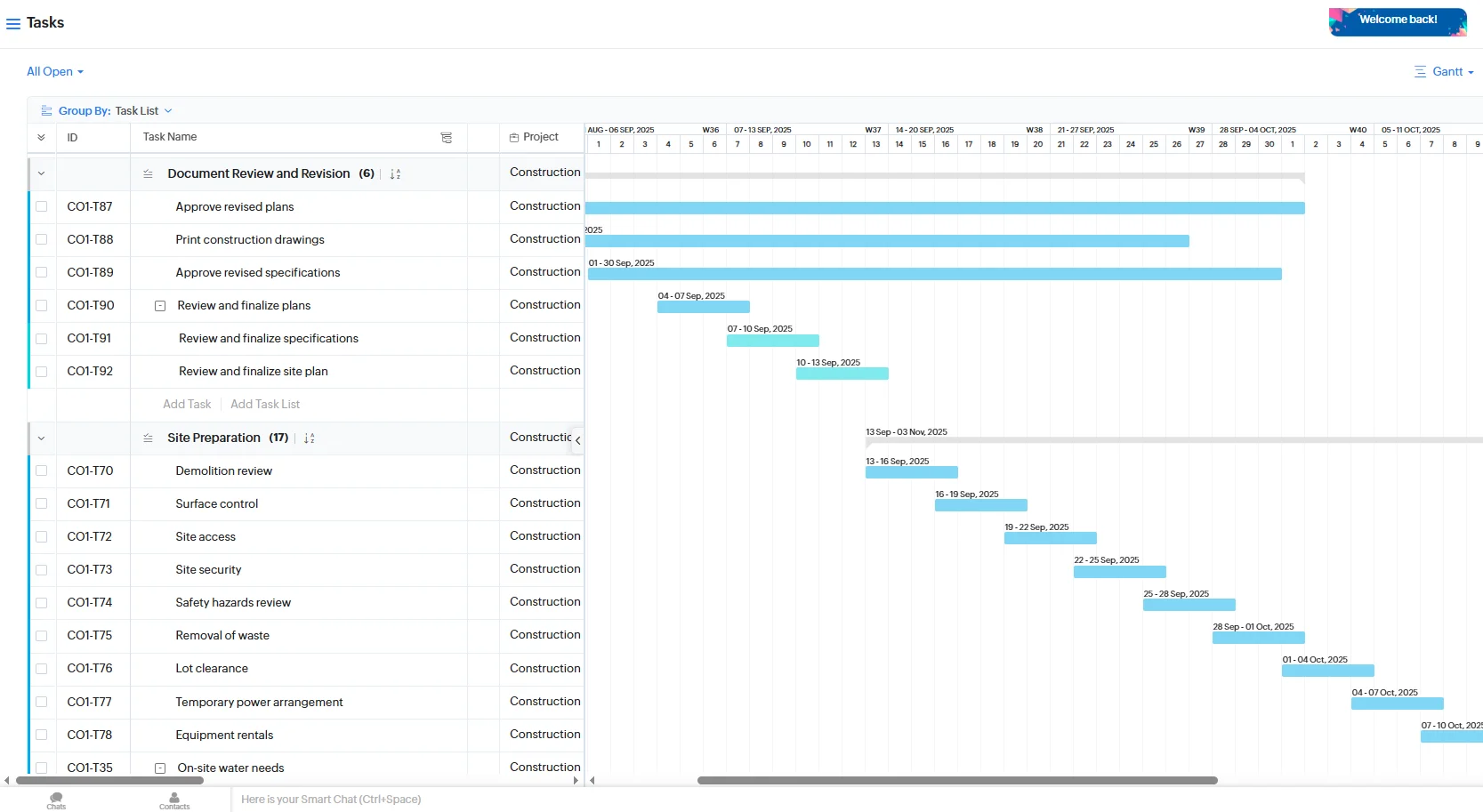
Zoho Projects fits naturally for companies already using Zoho tools, offering deep integrations and workflow automation for project management
A strong Flow alternative for businesses already using Zoho’s large suite of business management tools is Zoho Projects.
This tool integrates seamlessly with the 45+ other tools in the Zoho ecosystem, offering several workflow views, extensive collaboration tools, and simple, affordable pricing.
Basic migration of data from Flow should be possible using the import/export functions of the software, with support available from an extensive user community.
For existing users of Zoho tools, Zoho Projects will have a familiar look and feel.
Scales well for startups and organizations, small and large, already using other Zoho apps.
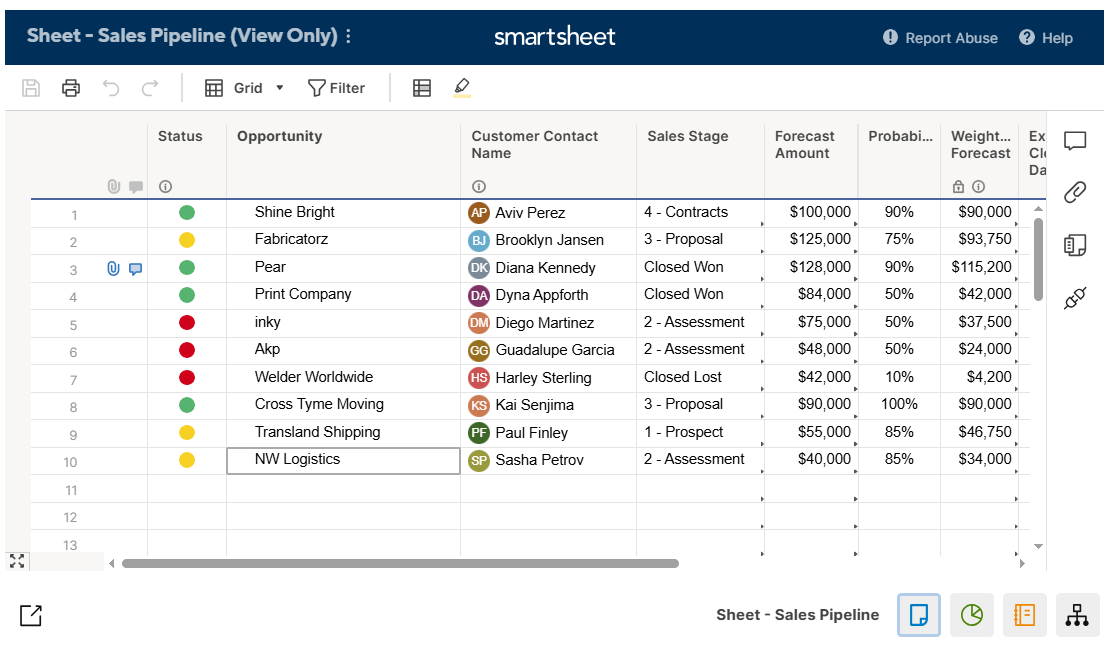
Smartsheet brings familiar spreadsheet functionality to project management, helping Flow users transition easily with automation and multiple view options
Smartsheet is another of the best Flow task management alternatives, especially for organizations operating in spreadsheet-based environments.
The spreadsheet-style interface may not work for everyone but its multiple work views (Gantt charts, Kanban boards, and Calendar views) offer more flexibility. With extensive integrations available, Smartsheet offers a secure, scalable, and customizable option.
Migration from Flow to Smartsheet should be possible through CSV/Excel but some manual adjustments will likely be required.
For Excel/Sheets users, Smartsheet will be relatively easy and familiar but creative or agile teams will find it too spreadsheet-heavy.
Best for teams in mid-size to large organizations and enterprises.
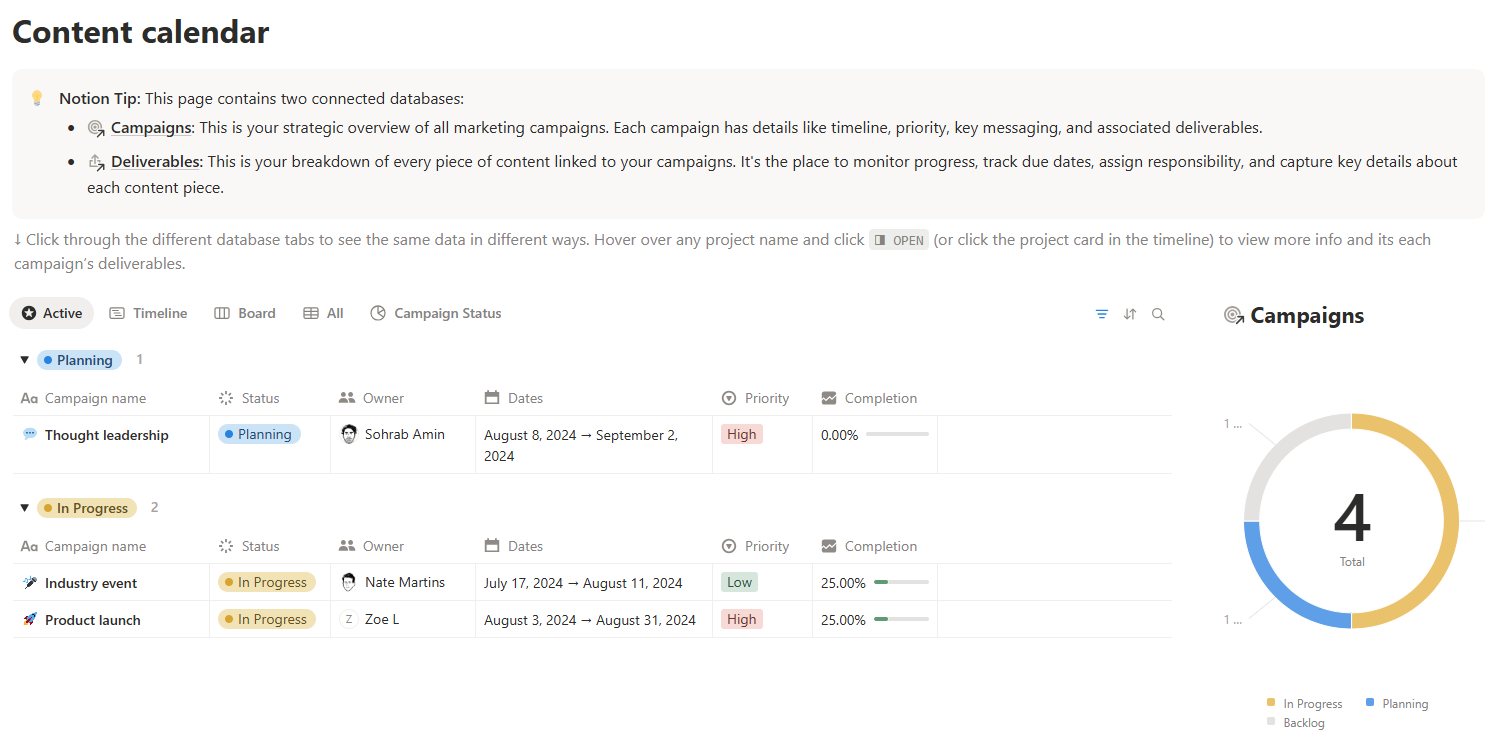
Notion combines notes, databases, and task boards in one workspace, offering flexible customization for teams migrating from Flow
Another platform for small businesses looking for Flow alternatives is Notion. Originally a note-taking solution, Notion has added task and project management features as it has evolved.
Nowadays, the platform provides a customizable, automated, collaboration-friendly solution for managing projects – and although there are no official migration tools, switching from Flow should present few issues for tech teams.
There can be a steep learning curve for newcomers but the time put in may be worth it for teams looking for an all-in-one workspace.
The free plan is best for individuals but the paid plans are scalable for growing teams and larger businesses.
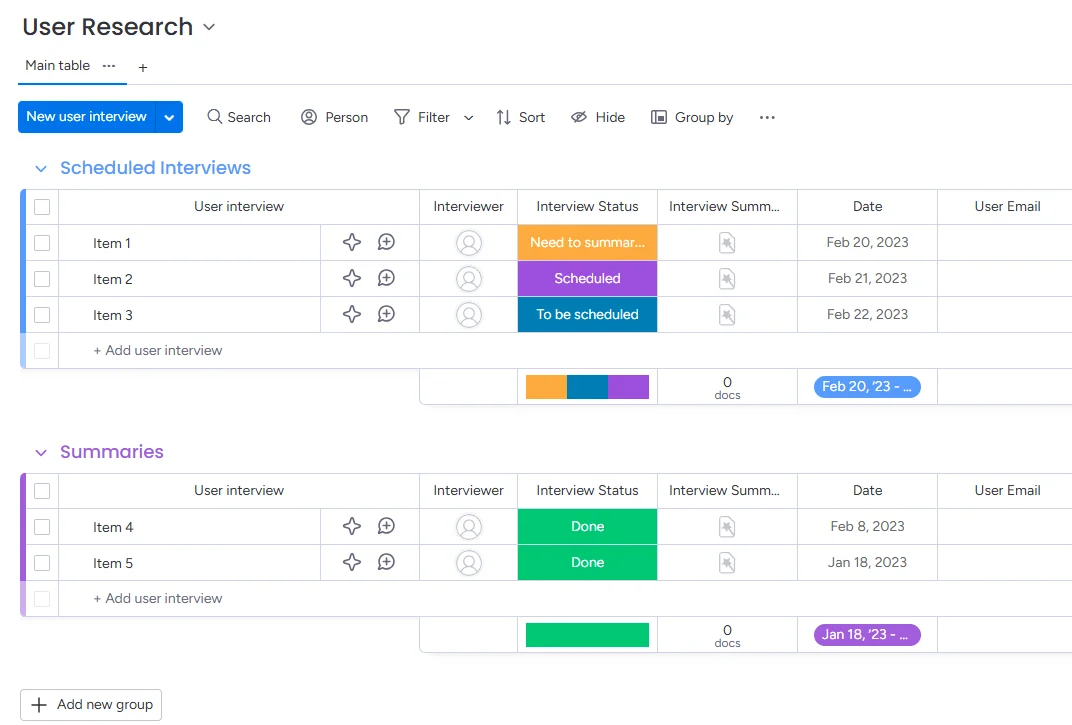
Monday’s highly visual boards and automation builder provide scalable task management for teams of any size switching from Flow
Monday software is another possible Flow task management alternative that could work in organizations of almost any size.
Highly scalable, Monday offers advanced in-built task management features but can also be customized and configured for more complex project management requirements.
Migration for complex setups from Flow to Monday can present some technical issues, perhaps requiring third-party services.
Monday has a learning curve for users coming from simple task management software and needing to configure more advanced options.
Best for small to mid-size teams but is also scalable up to enterprise.
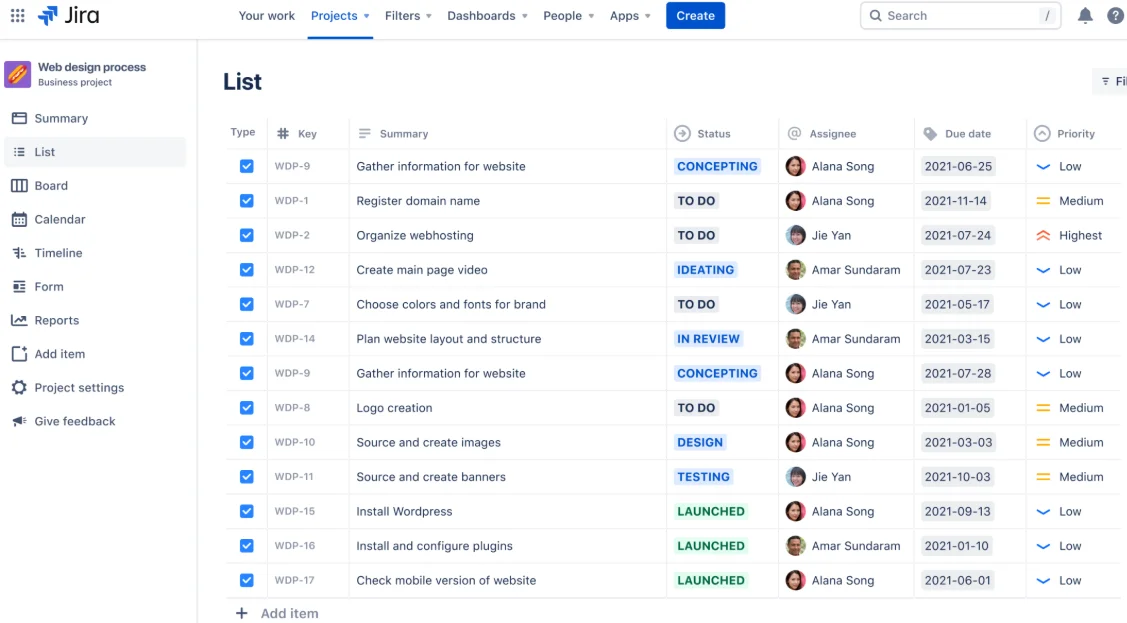
Jira remains a top choice for Agile and DevOps teams needing advanced workflow automation and issue tracking beyond Flow’s capabilities
Jira was designed to help software developers track issues but has evolved into a complete project management solution used by a wide range of business types up to the enterprise level.
The platform remains most suitable for Agile and DevOps teams, offering multiple work views, customization options, and advanced issue-tracking features.
Migration to this Flow alternative can be challenging, best suited to more technical teams comfortable with advanced configuration requirements.
Unless you’re familiar with the Agile methodology and are comfortable with a complex setup for advanced features, Jira involves a steep learning curve.
Best for freelancers & small teams, SMBs & mid-sized teams, enterprises, especially in the tech sector.
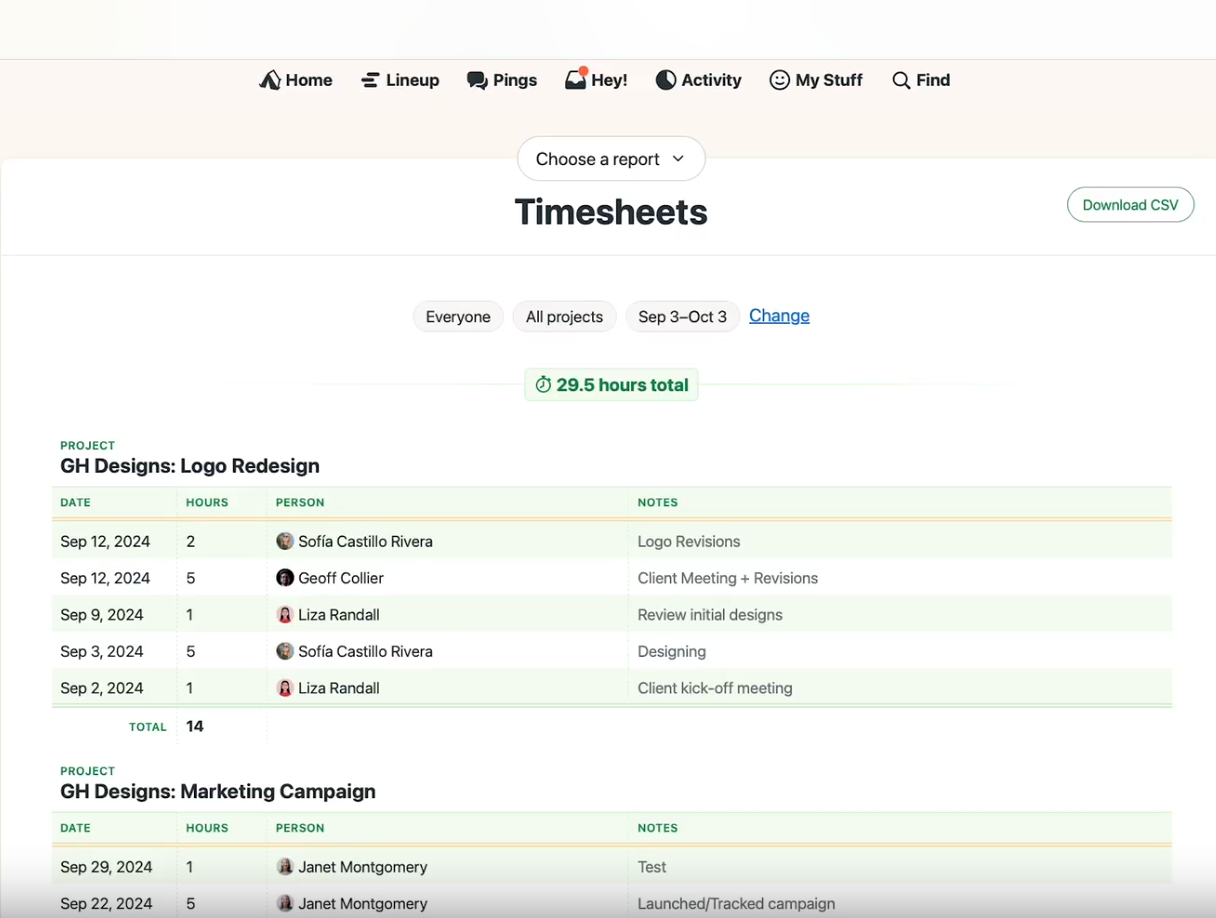
Basecamp prioritizes team communication and simplicity, making it a long-standing alternative to Flow for small and mid-sized teams
Basecamp is one of the most established Flow alternatives, with a 20-year-plus history. Despite its years of development, Basecamp remains a relatively simple-to-use tool, popularly used for project/task management, team communication, and client collaboration.
Basecamp scales well but teams with more complex project management or advanced reporting requirements may seek alternatives.
Migration from Flow can pose technical issues because Basecamp has its own way of organizing work, complicating the mapping of Flow’s tasks/projects/custom items to Basecamp.
Basecamp was designed to be easy to use. Maintaining its focus on communication over complexity keeps it that way.
Best for small to mid-sized teams from a few members up to hundreds of users.
Read more articles related to Project Management
The best Flow alternative for your organization depends on multiple factors within your business.
To ensure you end up with the right PM software to scale with your organization, provide adequate support, and offer pricing that fits into the budget, team leaders, managers, and company owners should ask these questions:
Some apps like Kanbanchi work across the board for many different-sized teams and require no advanced technical knowledge to set up. Others, like Basecamp or Trello, are designed for smaller teams with relatively simple requirements, while more advanced tools like Jira require technical know-how to migrate, set up, and configure.
For Agile teams, the leading Flow alternative options are tools like Kanbanchi or Jira. Kanban boards are provided by most of the tools listed but Kanbanchi and Trello are designed around the concept.
Some of the Flow project management alternatives outlined provide all of these key features, notably Kanbanchi, Asana, and Monday. On the other hand, Basecamp does not offer such features.
Your existing work environment will partly determine the best alternative to Flow. Those deeply embedded in the Zoho software ecosystem might prefer Zoho Projects, while those in Google Workspace environments will be best off with Kanbanchi – especially if there is a preference for the Kanban methodology.
Trello, Asana, and Zoho Projects offer the most generous free plans suitable for individuals and small teams, while other tools provide more limited free plans.
Is your team already using Google Workspace?
Do you prefer a visual, Kanban-Board-based platform?
Do you want live support in case it’s required during the migration process from Flow?
If you answered “yes” to these questions, Kanbanchi is the most suitable Flow project management alternative.
The Kanbanchi platform receives consistently impressive G2 ratings because of its extensive feature set, stability, and excellent customer service. Seamless, native integrations with Drive, Gmail, and Calendar, in particular, differentiate Kanbanchi from other tools, as it was built from the ground up specifically for Google users.
Kanbanchi suits most budgets and offers good scalability to level up functionality as organizations grow. So, if you’re looking for a simple-to-use but comprehensive Kanban-based alternative to Flow – and currently use Google Workspace – Kanbanchi is a great choice.


In this Article:
Start using Kanbanchi now
Start your free trial