
In this Article:
Try Kanbanchi now
Start your free trial

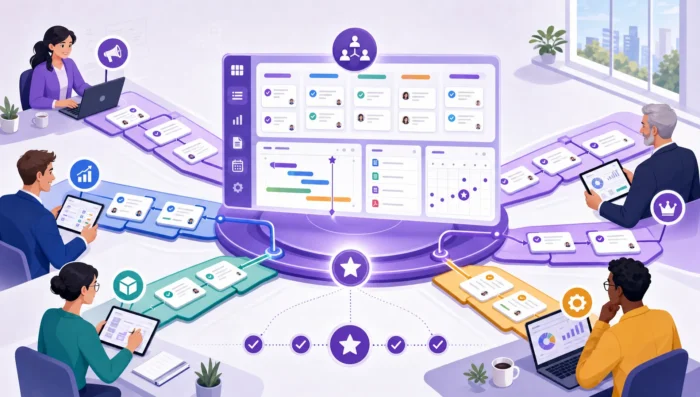
Cross-team work is where many growing companies start to feel friction. A marketing team waits for product messaging. Sales needs enablement assets before a launch. Operations depends on IT before a process change can go live. Everyone is working, but the work is not always connected.
That is why team project management apps have become more than digital to-do lists. For business owners, team leads, and department heads, they create a shared operating layer where multiple teams can plan, coordinate, and deliver work without relying on scattered emails, meetings, spreadsheets, and chat threads.
The real value is not simply “more tasks in one place.” The value is shared visibility, clearer ownership, better handoffs, and fewer surprises when work moves across departments.
Inside one team, people usually share context. They attend the same meetings, understand the same priorities, and know who owns what. Cross-team work is different. Each department has its own goals, vocabulary, calendar, approval process, and definition of “done.”
This creates several common problems. Work can be duplicated because two teams do not realize they are solving the same issue. Deadlines slip because one department finishes its part without knowing another team is blocked. Leaders ask for status updates in meetings because there is no reliable place to see progress. Important decisions get buried in email or chat, then resurface only when something goes wrong.
As companies grow, this problem scales quickly. A process that worked for 5 people can become fragile at 25 people and chaotic at 250. Cross-functional work needs more structure than a simple task list, especially when teams depend on each other. If your organization is reaching that stage, it is worth understanding what project and team management software for cross-functional work should actually help you coordinate.
The best team project management apps improve cross-team work by changing where coordination happens. Instead of managing work through personal notes, disconnected spreadsheets, or status meetings, teams coordinate inside a shared system that shows tasks, owners, timelines, files, and updates together.
A shared source of truth means everyone can answer basic project questions without asking three people first. What is in progress? Who owns the next step? What is blocked? Which deadline matters most? Where is the latest file?
This is especially important when multiple departments use the same deliverables. For example, a product launch may involve product managers, designers, marketers, sales leaders, customer success teams, legal reviewers, and executives. If each group tracks its own version of the plan, alignment depends on constant manual reconciliation.
A project management app reduces that burden by giving every team one place to see the current plan. It does not eliminate conversations, but it makes those conversations more specific and productive.
Cross-team work often fails at the handoff point. One team assumes another team is now responsible. The receiving team assumes more information is coming. Nobody is ignoring the work, but nobody clearly owns the next action.
Good task management makes ownership explicit. Each task has an assignee, a due date, a status, and enough context for the owner to act. When teams use this consistently, handoffs become visible instead of implied.
This helps managers as much as individual contributors. Instead of asking “Who is handling this?” leaders can review the board or timeline and focus on removing obstacles.
Cross-team projects rarely move in a straight line. Design may depend on approved copy. Copy may depend on positioning. Positioning may depend on product decisions. Sales training may depend on marketing materials. Customer support documentation may depend on final feature behavior.
When dependencies live in people’s heads, delays feel sudden. When dependencies are visible in a project management app, teams can plan around them. Timeline views, Gantt charts, linked tasks, and status updates make it easier to see what must happen first and what will be affected if something slips.
Many organizations add meetings when coordination breaks down. Some meetings are necessary, but too many status meetings usually indicate that the project system is not doing enough work.
A team project management app gives teams a place to update progress asynchronously. Comments stay attached to tasks. Files sit with the relevant work. Status changes are visible to the people who need them. That means meetings can shift from “What is everyone doing?” to “What needs a decision?”
More articles on Team management here
The practical difference becomes clear when you compare the same workflow with and without a shared project management app.
| Cross-team challenge | Without a shared app | With a team project management app |
|---|---|---|
| Ownership | Responsibility is assumed or discussed in meetings | Owners are visible on tasks and cards |
| Priorities | Each department maintains its own list | Teams see shared priorities in one workflow |
| Dependencies | Blockers appear late | Dependencies are visible earlier in planning |
| Files and context | Documents are scattered across email, drives, and chats | Files and discussions are connected to tasks |
| Leadership visibility | Managers request manual updates | Progress is visible through boards, timelines, and reports |
| Handoffs | Work moves through informal messages | Teams can track status changes and next steps |
The goal is not to make every process rigid. The goal is to make collaboration less dependent on memory, personal follow-up, and repeated clarification.
Planning is where cross-team alignment is either created or lost. If departments plan separately, the project may look realistic inside each team but unrealistic as a whole.
A shared project management app improves planning by showing the full scope of work before execution begins. Teams can map phases, assign responsibilities, set due dates, and identify the points where one team’s output becomes another team’s input.
Visual planning is particularly helpful because it makes complexity easier to understand. Kanban boards, timelines, and Gantt charts allow teams to see work in different ways. A board helps people understand status. A timeline helps them understand sequence. A list helps them scan details quickly. For a deeper look at this principle, Kanbanchi has a guide on how visual project management tools keep teams aligned.
Planning also becomes more inclusive. Instead of one project owner building a plan in isolation, each team can add estimates, flag risks, and clarify what they need from others. This creates a plan that reflects real constraints rather than wishful deadlines.
Execution is where teams need rhythm. People need to know what to work on now, what is waiting, what is blocked, and what is coming next. Without a shared workflow, execution becomes a series of interruptions.
Team project management apps improve execution by making work status visible throughout the project. A task moving from “In progress” to “Review” signals that another team may need to act. A blocked task shows managers where support is needed. A due date approaching on a dependency gives downstream teams a chance to prepare.
They also help teams keep context close to the work. When comments, checklists, files, and decisions are attached to the relevant task, new participants can understand what happened without searching through long email threads. This is especially useful when projects involve external collaborators, distributed teams, or departments in different time zones.
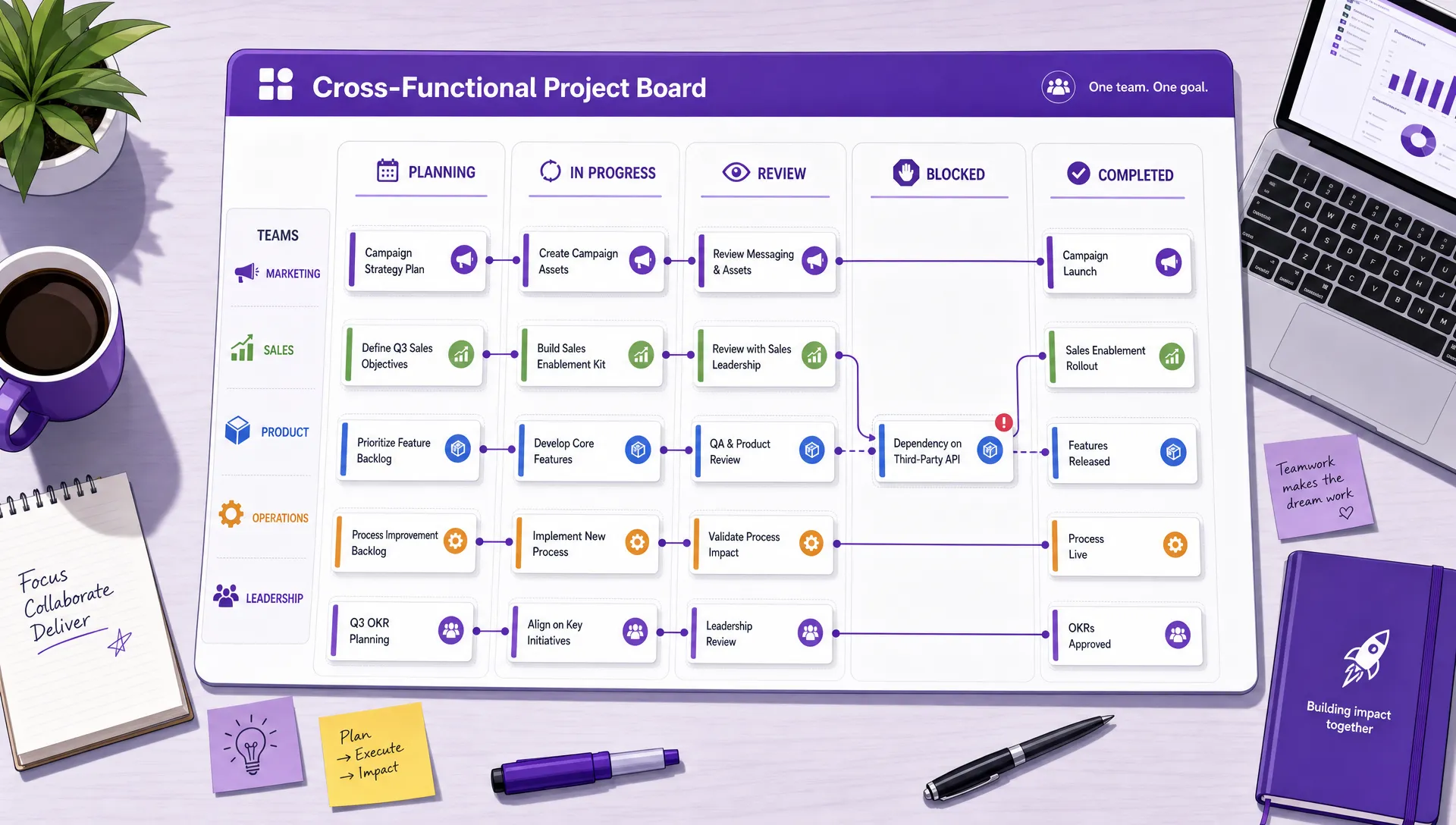
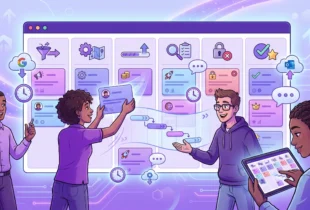
A shared project board helps different departments see ownership, status, blockers, and handoffs in one place
Not every app is built for cross-team work. Some tools work well for individual task lists but become difficult to manage when multiple departments, files, timelines, and stakeholders are involved.
When evaluating options, look for capabilities that support coordination, not just task capture.
The strongest choice is usually the app that fits into your current work environment. If your company already works in Google Workspace or Microsoft 365, an app that integrates with those systems can reduce adoption friction. People should not have to constantly move files, copy updates, or duplicate deadlines across platforms.
Consider a company preparing to launch a new service. The project involves product, marketing, sales, customer support, operations, and leadership. Each team owns different work, but their output is connected.
| Team | Typical responsibility | Cross-team coordination need |
|---|---|---|
| Product | Finalize features, release scope, and technical details | Share accurate launch information with marketing and support |
| Marketing | Build campaign assets, landing pages, and announcements | Wait for approved messaging and final product details |
| Sales | Prepare outreach, demos, and enablement materials | Coordinate with marketing on messaging and product on objections |
| Customer support | Prepare help docs and response templates | Receive final workflows and known issue details |
| Operations | Coordinate internal process changes | Track readiness across teams before launch |
| Leadership | Monitor risk, timing, and business impact | Get visibility without chasing each department manually |
In a disconnected workflow, each team may maintain its own plan. The launch owner then spends hours collecting updates and resolving inconsistencies. In a shared app, the launch can be managed as one connected workflow. Each department sees its tasks, but everyone can also see the broader project status.
This does not mean every person needs to review every task. It means the information is available when it matters. A sales leader can check when enablement materials will be ready. A support manager can see whether documentation is blocked by product decisions. An executive can review high-level progress without interrupting the team.
Kanbanchi is designed for teams that want project and task management connected to the work systems they already use. For Google Workspace teams, it supports visual boards, Google Drive and Shared Drives file attachment, Google Calendar sync, and card creation from Gmail.

*For Microsoft 365 teams, Kanbanchi also supports OneDrive and SharePoint integration.
This matters for cross-team work because project information and project files often need to stay connected. A campaign brief, legal document, product screenshot, sales deck, or support guide should not live separately from the task that depends on it.
Kanbanchi also supports Kanban boards for day-to-day task flow, Gantt Chart views for timeline planning, and a Time Tracker for monitoring effort. Teams can use tags, filters, comments, checklists, priorities, templates, swimlanes, and exports to Google Sheets to organize and review work in the way that fits their process.
For business owners and team leads, the advantage is practical: teams can coordinate work visually while staying close to Google Workspace or Microsoft 365.
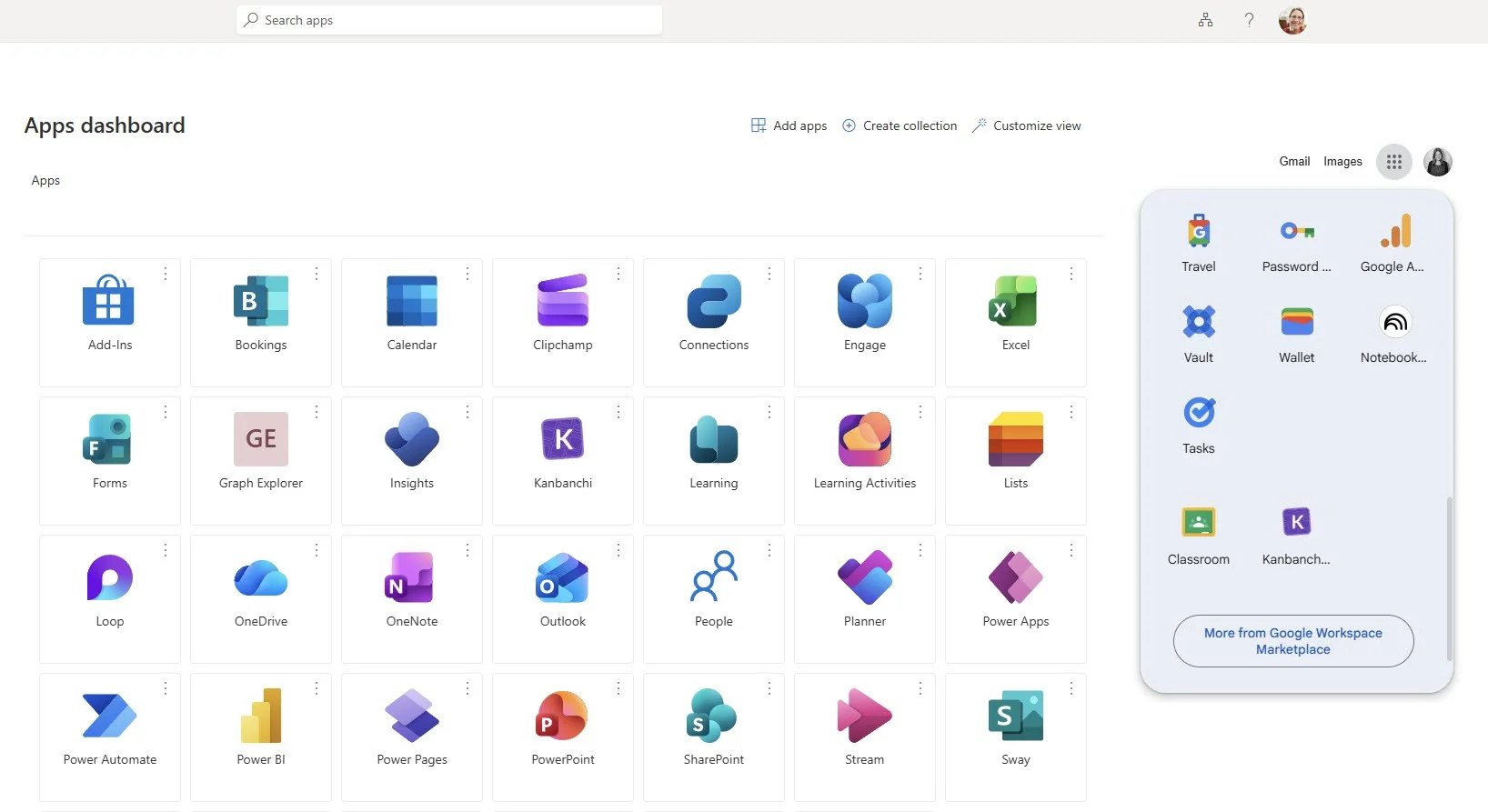
An example of how Kanbanchi can be pinned directly to the Microsoft or Google app launchers you use every day
Buying a project management app does not automatically improve collaboration. The app creates the structure, but teams need shared habits to make it work.
Do not begin by trying to rebuild every process in the company. Choose one workflow where coordination problems are visible and costly. Good candidates include product launches, client onboarding, quarterly planning, hiring workflows, content production, procurement approvals, or IT requests.
A focused rollout helps teams learn the system with real work. It also gives leaders a concrete example of what better visibility looks like.
A board is only useful if people understand what each status means. “In progress,” “Review,” and “Done” may sound obvious, but teams often interpret them differently.
Agree on simple definitions. For example, “Review” might mean the task owner has finished their draft and is waiting for another person’s approval. “Blocked” might mean the owner cannot proceed without a decision, file, or dependency from another team. Clear stage definitions reduce confusion and improve reporting accuracy.
Every active task should have an owner. This does not mean the owner does all the work alone. It means one person is responsible for moving the task forward and updating its status.
If ownership changes, update it in the app. If a task has no owner, it is not truly planned. This one habit can remove a surprising amount of cross-team ambiguity.
Chat tools are useful for quick communication, but they are not ideal as long-term project records. When a decision affects a task, capture the important context where the task lives.
This helps everyone who joins later. It also prevents the common problem of decisions being made in one channel while the project plan remains unchanged.
The app should become part of how teams run meetings, not an extra administrative layer. Use the board or timeline as the agenda. Review blockers, upcoming deadlines, overdue tasks, and cross-team handoffs.
This creates a feedback loop. If the app does not reflect reality, the meeting reveals it. If the app is accurate, the meeting becomes faster and more useful.

A swimlane view in Kanbanchi can become a unified view that structures tasks across teams and departments, making cross-functional project management more transparent
Start a free trial of Kanbanchi now
One mistake is choosing a tool only because it has many features. Cross-team collaboration improves when the app is adopted consistently, not when every advanced option is enabled on day one.
Another mistake is treating the app as a reporting tool for managers rather than a working space for teams. If employees only update it before status meetings, the system will lag behind reality. The app needs to help people do their work, not just report on it.
A third mistake is allowing each department to create completely separate structures for shared projects. Teams may need their own boards, views, or templates, but cross-team initiatives require common naming conventions, shared milestones, and agreed status definitions.
Finally, avoid overcomplicating workflows. Too many statuses, fields, and approval steps can slow teams down. Start simple, then add structure where it solves a real problem.
When cross-team coordination improves, the benefits are visible at several levels.
Individual contributors spend less time searching for information and asking for updates. Team leads can identify blockers earlier. Executives get a clearer view of progress and risk. Customers benefit because projects are delivered with fewer missed handoffs and last-minute surprises.
For growing companies, this is not just an efficiency improvement. It is a scalability issue. The more teams you add, the more important your coordination system becomes. Without it, communication complexity grows faster than the organization can manage. With the right app and habits, cross-team work becomes more predictable.
Team project management apps do not replace leadership, judgment, or communication. They make those things easier to apply consistently.
Team project management apps are software tools that help groups plan, assign, track, and review work. They usually include task boards, due dates, ownership, comments, file attachments, notifications, and reporting or timeline features.
They give multiple departments a shared view of tasks, deadlines, dependencies, files, and status. This reduces confusion around ownership, improves handoffs, and helps teams identify blockers earlier.
Spreadsheets can work for simple tracking, but they often become difficult to maintain as projects grow. They usually lack task-level discussion, ownership workflows, notifications, dependency views, and real-time collaboration structures designed for project delivery.
Google Workspace teams should look for strong integration with Google Drive, Shared Drives, Gmail, Google Calendar, and Google Sheets. This helps teams manage projects without disconnecting tasks from the files and communication they already use.
Start with one high-value workflow, define simple status rules, make ownership clear, and use the app during meetings. Adoption improves when the tool becomes part of daily work instead of an extra reporting requirement.
Cross-team collaboration improves when teams can see the same work, understand the same priorities, and trust the same project information. The right app makes this possible by connecting tasks, timelines, files, updates, and ownership in one place.
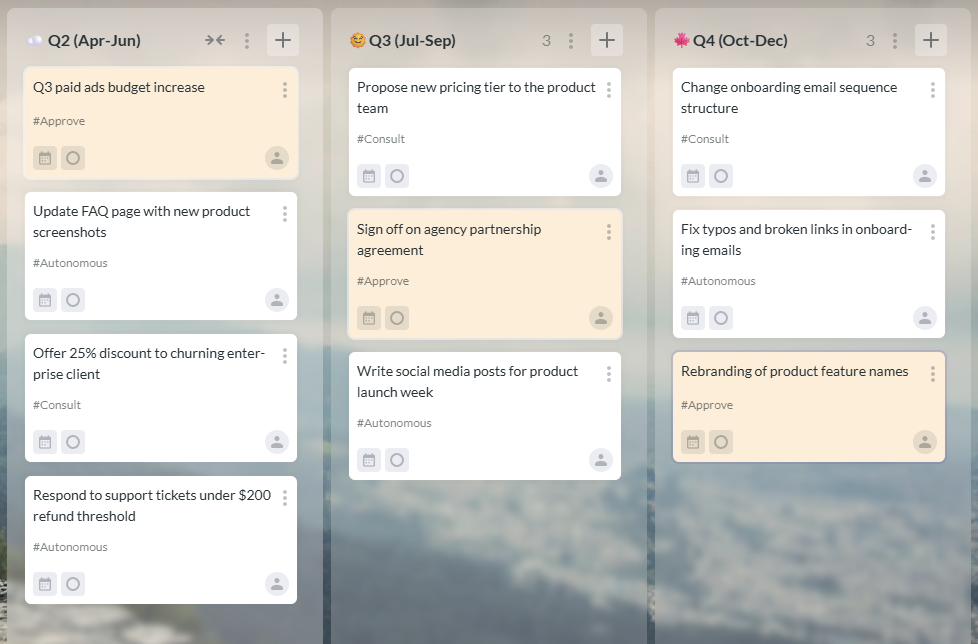
Kanbanchi example: each card is tagged by the decision type, and approval-required cards are also color-coded so they stand out immediately. At a glance, you see exactly where your input is needed and where it is not
For organizations using Google Workspace or Microsoft 365, Kanbanchi helps teams manage projects visually, coordinate across departments, and keep work connected to the files and calendars they already rely on. If your teams are outgrowing scattered task lists and manual status updates, it may be time to give them a shared system built for cross-team delivery.

In this Article:
Start using Kanbanchi now
Start your free trial