
In this Article:
Try Kanbanchi now
Start your free trial

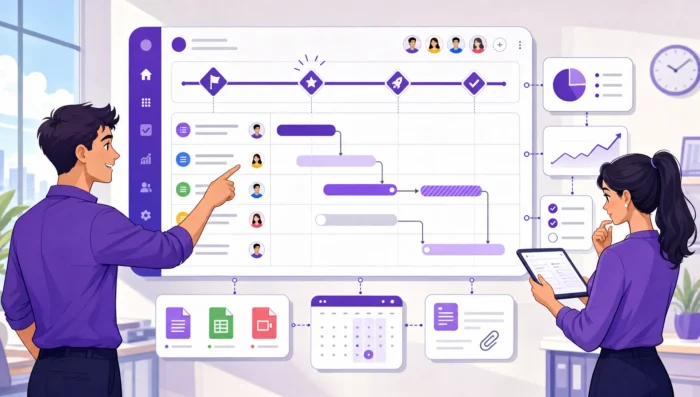
A project work plan is easy to create and hard to make useful. Most teams do not ignore plans because they are careless. They ignore them because the plan lives outside their real work, has too much detail in the wrong places, or does not answer the questions people face every day.
A plan teams actually follow is different. It gives leaders visibility without forcing constant status chasing, team members clarity without burying them in admin, and connects outcomes, tasks, owners, dates, files, decisions, and updates in one place.
In 2026, that matters more than ever because many teams are hybrid, cross-functional, and already overloaded with apps. The goal is not to build the most impressive planning document. The goal is to build a project work plan that becomes the easiest way to understand what needs to happen next.
A project work plan translates a project goal into the work people will do, the order they will do it in, and the rhythm they will use to keep it current. It should be practical enough for daily execution and structured enough for leadership decisions.
The Project Management Institute emphasizes tailoring project management practices to the project context. That principle applies directly here. A small marketing launch, an enterprise software rollout, and an internal operations project should not have identical plans. They should all have enough structure to support delivery, and no more than the team can realistically maintain.
A followable work plan usually covers these core questions:
| Plan component | Question it answers | Why teams follow it |
|---|---|---|
| Outcome and scope | What are we delivering, and what is not included? | Prevents scope drift and competing assumptions |
| Deliverables | What tangible outputs must exist? | Turns goals into visible progress |
| Tasks and owners | Who is responsible for each piece of work? | Removes ambiguity and duplicate effort |
| Workflow | How does work move from planned to done? | Makes status easy to understand at a glance |
| Timeline | What must happen by when? | Helps teams coordinate dependencies and deadlines |
| Review rhythm | When do we update, decide, and unblock? | Keeps the plan alive after kickoff |
If you are still defining goals, scope, risks, and stakeholders, it may help to first step back and review the broader project planning process. Once those foundations are clear, the work plan becomes the operational layer your team uses to execute.
Teams follow plans more easily when the destination is clear. Before listing tasks, define the result the project must create. Not the activity. Not the meeting series. The result.
For example, launch new customer onboarding is too vague. A better outcome is that the new onboarding flow is live for all new SMB customers, support documentation is published, and customer success teams are trained. That statement gives the team a finish line they can test.
Scope should be written in plain language. Include the main deliverables, the teams involved, the target users or stakeholders, and the decisions already made. The more cross-functional the project is, the more important this becomes.
A simple scope statement might include:
Out-of-scope items are not negative. They protect the plan. Many project delays come from reasonable requests that were never explicitly excluded.
For example, a website refresh project might include homepage copy, navigation updates, and new product pages. It might exclude a full brand redesign, pricing strategy changes, and migration to a new CMS. Stating that early gives the team a shared way to handle new requests without turning every conversation into a negotiation.
A task called finalize proposal can mean different things to different people. Does it mean drafted? Reviewed? Approved by legal? Sent to the customer? Stored in the correct folder?
A usable project work plan removes that ambiguity. For important deliverables, write a definition of done that includes the required output, quality check, approval step, and location of the final file.
A common planning mistake is turning a project into a long list of activities. Activity lists feel productive, but they often hide ownership and completion criteria. A better approach is to break each deliverable into tasks that one person can own and update.
Each task should have a clear verb, a specific output, and a single accountable owner. Multiple people can contribute, but one person should be responsible for moving the task forward and updating its status.
| Weak task | Stronger task |
|---|---|
| Work on training | Draft customer success training deck for onboarding launch |
| Review content | Approve final help center article set for onboarding flow |
| Design updates | Create mobile mockups for new signup screens |
| Legal | Complete legal review of updated onboarding terms |
| Analytics | Add event tracking plan for onboarding activation metrics |
This does not mean every task must be tiny. If tasks are too small, the plan becomes noise. If they are too large, progress becomes invisible. A good rule is that a task should be small enough to update meaningfully during your normal review cycle. For many teams, that means tasks that can move within a few days, not tasks that sit in progress for three weeks.
Dates matter, but workflow comes first. If the team does not agree on how work moves, the timeline will look organized while execution stays messy.
For many teams, a visual workflow is the simplest way to make a plan followable. A basic Kanban-style flow might include planned, ready, in progress, blocked, in review, and done. The exact names matter less than shared understanding.
A status should describe something people can verify. In progress means someone is actively working on the task. In review means the output is ready and waiting for feedback. Blocked means work cannot continue without a decision, dependency, or resource.
Avoid vague statuses like pending, almost done, or waiting. They create more questions than answers. If you use waiting, specify what the task is waiting for and who can resolve it.
A project work plan teams follow should expose overload, not hide it. When too many tasks are in progress at once, everything slows down and priorities become unclear. Leaders may feel reassured by activity, but the team feels scattered.
Work-in-progress limits help teams finish before starting more. Even a lightweight rule, such as each person should have no more than two major tasks in progress, can improve focus and make bottlenecks easier to see.
A timeline is useful only if it reflects how work really happens. If it is created from wishful thinking, the team will stop trusting it almost immediately.
Start with milestones, not individual tasks. Milestones are meaningful points in the project, such as design approved, beta release ready, training completed, or customer launch. Then map the tasks and dependencies that support each milestone.
Dependencies are where many plans fail. A task may be simple on its own, but impossible to start until another team finishes its work. If those relationships are not visible, due dates become unrealistic.
For example, sales enablement materials may depend on product messaging. Product messaging may depend on final feature scope. Final feature scope may depend on engineering validation. If these dependencies are hidden in meetings or chat threads, the work plan will not protect the schedule.
A deadline answers when work is needed. Capacity answers whether the team can actually do it. A realistic plan considers holidays, business-as-usual responsibilities, approval cycles, and the number of projects competing for the same people.
This is where a Gantt chart can be useful. It helps leaders and team members see task duration, sequencing, dependencies, and schedule pressure in one view. If you need a deeper walkthrough, Kanbanchi has a practical guide on setting up a project timeline that complements this execution-focused approach.
Even a well-designed plan will fail if it lives in a place the team rarely opens. Adoption improves when the plan sits close to the tools people already use for files, communication, calendars, and task updates.
For Google Workspace teams, that often means connecting work planning with Google Drive, Gmail, Google Calendar, and Google Sheets. For Microsoft 365 teams, it means supporting the same practical pattern around OneDrive, SharePoint, and everyday collaboration. The less switching people have to do, the more likely they are to update the plan without being chased.
This is one reason visual project management tools matter. A shared board can show the current state of work at a glance, while a timeline view can show whether the plan is still on track. The team should not have to maintain a spreadsheet, a slide deck, a task board, and a separate status report if one shared workspace can carry the operational truth.
A plan is not followed because it exists. It is followed because the team has a habit of using it.
The update rhythm should be simple and predictable. A fast-moving team may update tasks daily and review priorities twice a week. A slower internal project may only need a weekly review. The key is consistency.
Do not treat plan updates as extra administration. Updating the task is part of completing the task. If a team member finishes work but leaves the card or task untouched, the rest of the team still lacks visibility.
Agree on a few operating rules:
These rules are small, but they change behavior. They make the plan reliable enough that people check it before asking for updates.
If the plan is current, project meetings can focus on decisions, risks, tradeoffs, and blockers. That is a better use of leadership time and team energy.
A strong review meeting starts with the board or timeline:
When the plan becomes the agenda, people have a reason to keep it accurate.
Business owners and team leads need visibility. But if every report requires manual collection, the reporting process becomes another project.
A followable project work plan should capture reporting data as work happens. Owners, due dates, priorities, statuses, labels, time spent, and completion dates are not just task details. They are the raw material for leadership visibility.
This is especially important for growing companies and enterprise teams. A manager of five people can ask for updates directly. A leader coordinating five departments needs a reliable system. As the number of people and projects grows, the cost of informal tracking grows with it.
Kanbanchi supports this operational approach for teams working in Google Workspace and Microsoft 365. Teams can manage work on Kanban boards, view schedules with a Gantt chart, track time on cards, attach files from Google Drive or OneDrive and SharePoint, create tasks from Gmail, sync with Google Calendar, export board data to Google Sheets, and connect project data to reporting tools such as Google Looker Studio. For organizations with stricter requirements, security, permissions, and compliance also become part of the planning conversation, not an afterthought.
You do not need a complex template to start. In fact, the best template is often the one your team can understand in five minutes and use every week.
| Section | What to include | Owner |
|---|---|---|
| Project summary | Outcome, scope, out‑of‑scope items, target date | Project lead |
| Deliverables | The tangible outputs the project must produce | Project lead with functional leads |
| Workflow | Status columns, update rules, review cadence | Project lead |
| Task board | Tasks, owners, priorities, dates, files, blockers | Task owners |
| Timeline | Milestones, dependencies, duration, critical dates | Project lead |
| Risks and decisions | Open risks, decisions needed, decision owners | Project lead and sponsors |
| Reporting view | Progress, overdue work, blocked tasks, time data if needed | Team lead or PMO |
This structure works because it separates planning from execution without disconnecting them. The summary explains why the project exists. The board shows what is happening now. The timeline shows whether commitments are realistic. The reporting view helps leaders act before problems become surprises.
When a project work plan fails, the cause is usually not one big mistake. It is a set of small frictions that make the plan less useful than the team’s informal workarounds.
| Failure pattern | What it looks like | Fix |
|---|---|---|
| The plan is too detailed | People spend more time updating than delivering | Track meaningful tasks, not every micro‑step |
| The plan is too vague | Tasks sit in progress with no visible movement | Add clear owners, outputs, and done criteria |
| Dates are unrealistic | Deadlines are missed early, then ignored | Rebuild the schedule around dependencies and capacity |
| Updates happen in chat only | The board or document becomes outdated | Move decisions and status changes back into the plan |
| Only the project manager uses it | Team members wait to be asked for updates | Make owners responsible for their own task status |
| The tool is disconnected | Files, emails, calendars, and tasks live separately | Use a workspace that connects planning with daily tools |
The last point is often underestimated. Teams rarely reject planning itself. They reject planning systems that add friction. If keeping the plan current requires copying information between tools, it will eventually fall behind.
The kickoff version of a plan is only a hypothesis. Real project management starts when assumptions meet reality.
A good team treats the plan as a living system. When scope changes, the plan changes. If a dependency slips, the timeline changes. When priorities shift, the board changes. The key is not to preserve the original plan at all costs. The key is to preserve shared understanding.
Do not wait until the end of the project to evaluate whether the plan worked. Review it at major milestones. Ask whether the workflow is still useful, whether tasks are the right size, whether reporting is giving leaders what they need, and whether the team knows what to do next without asking.
If a field, label, status, or report is never used for a decision, remove it. Every unnecessary planning element increases the cost of adoption. A lean plan that people update is better than a comprehensive plan that people avoid.
At the end of the project, capture what should change next time:
Over time, your project work plan template becomes an organizational asset. It helps new teams start faster and gives experienced teams a shared operating model.
A project work plan should include the project outcome, scope, deliverables, tasks, owners, workflow, timeline, dependencies, review rhythm, and reporting needs. The best plans also include definitions of done for important deliverables and clear rules for updating status.
A project plan often describes the overall strategy, goals, scope, stakeholders, risks, and approach. A project work plan is more execution-focused. It turns that strategy into visible tasks, owners, dates, workflows, and updates that the team uses to deliver the work.
It should be detailed enough that team members know what to do next and leaders can see progress without constant status requests. It should not be so detailed that maintaining the plan becomes a burden. If a detail does not guide action, coordination, or decisions, it may not belong in the plan.
One person should own the overall structure and review rhythm, often a project manager, team lead, or operations lead. However, task owners should update their own work. A plan maintained by only one coordinator usually becomes less accurate over time.
Google Workspace teams should look for a tool that connects task management, files, calendars, timelines, and reporting. Kanbanchi is built for this type of workflow, with Kanban boards, Gantt charts, time tracking, Google Drive integration, Gmail task creation, Google Calendar sync, and export to Google Sheets.
You may also be interested in: Project Work: Methods, Tools, and Best Practices
A project work plan teams follow is not just a schedule or a checklist. It is a shared operating system for delivery. It clarifies the outcome, breaks work into accountable tasks, shows timing and dependencies, and creates a rhythm for updates and decisions.
If your team already works in Google Workspace or Microsoft 365, Kanbanchi helps keep that plan close to the tools your team uses every day. Start with a visual board, add timelines when scheduling matters, track time where useful, connect files and calendar events, and give leaders the visibility they need without adding unnecessary admin.
The best plan is not the one with the most fields. It is the one your team trusts enough to open, update, and follow.



In this Article:
Start using Kanbanchi now
Start your free trial