
In this Article:
Try Kanbanchi now
Start your free trial

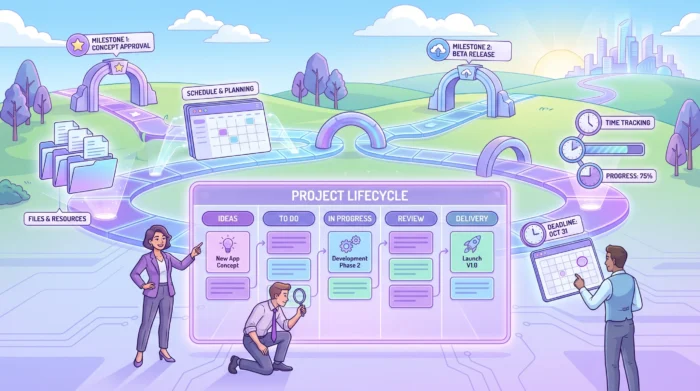
Project work is where strategy becomes execution. It is the planning, coordination, communication, and follow-through that turn an idea into a finished result, whether that result is a product launch, a client onboarding process, a marketing campaign, an internal IT rollout, or a cross-department improvement initiative.
For business owners and team leads, the challenge is rarely a lack of effort. The challenge is visibility. Who owns what? What is blocked? Which deadlines are realistic? Are people overloaded? Is the team working from the same source of truth, or are updates scattered across email, spreadsheets, chat, and meetings?
A strong approach to project work answers those questions without adding unnecessary bureaucracy. It combines the right method, the right toolset, and a few repeatable habits that make work easier to plan, track, and improve.
The Project Management Institute defines a project as a temporary effort that creates a unique product, service, or result. In day-to-day business terms, project work is any coordinated effort that has a goal, a timeline, people involved, and a set of tasks that must be completed in the right order.
This makes project work different from routine operations. Operations keep the business running. Projects move the business forward. However, in modern teams the line between the two is often blurry. A customer success team may run onboarding projects every week. A marketing team may manage campaigns as recurring projects. An operations team may improve internal processes while still handling daily tasks.
That is why teams need a practical project work system, not just a formal project management theory. A useful system should make it easy to:
When these basics are missing, teams tend to compensate with more meetings. When they are in place, meetings become shorter, decisions become clearer, and managers spend less time chasing updates.
Read more articles on Project Management here
There is no single best method for every team. The right approach depends on how predictable the work is, how often requirements change, how many people are involved, and how much governance the organization needs.
Kanban is a visual method built around work stages, such as To Do, In Progress, Review, and Done. It is especially useful for teams that manage a steady stream of tasks, requests, or deliverables.
The strength of Kanban is clarity. A manager can look at a board and immediately see what is moving, what is stuck, and where too much work is accumulating. Teams can also limit work in progress, which helps reduce context switching and improves focus.
Kanban works well for marketing operations, HR processes, design requests, customer onboarding, internal support, and many types of cross-functional project work.
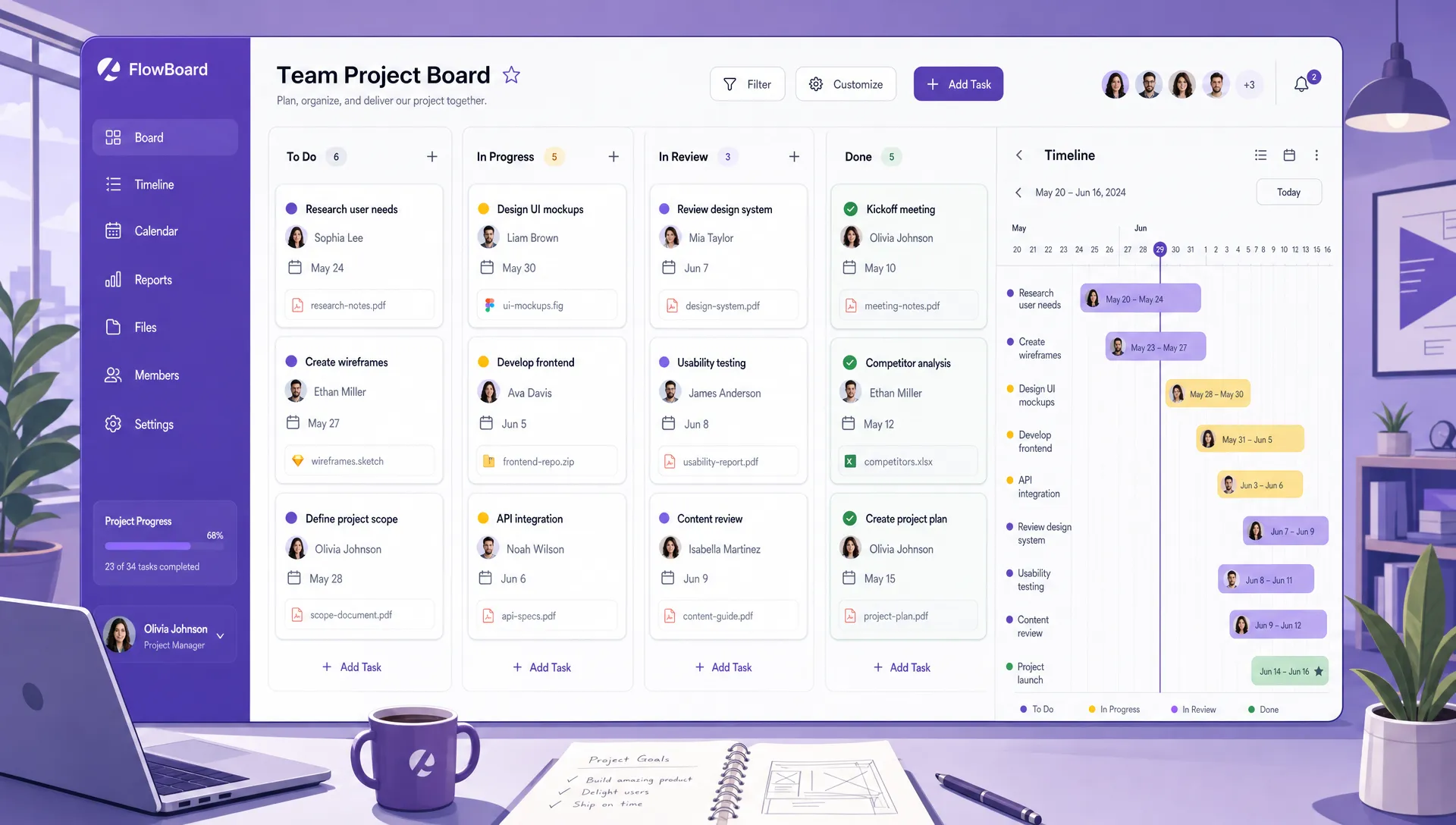
A visual project workspace helps team leads connect task status, ownership, deadlines, and supporting files in one place
Waterfall is a sequential approach where teams define the scope, plan the phases, execute the work, test or review the output, and then deliver. It is best suited for projects with stable requirements and a clear end state.
Examples include office moves, compliance initiatives, infrastructure upgrades, procurement projects, and events with fixed dates. Waterfall can feel rigid when work is uncertain, but it provides useful discipline when approval gates, documentation, or strict sequencing matter.
Agile approaches are designed for work where teams learn as they go. The Agile Manifesto emphasizes responding to change, collaboration, and delivering value iteratively. Scrum, one of the best-known Agile frameworks, organizes work into short cycles called sprints.
Agile and Scrum are common in software development, product teams, and innovation projects, but the underlying ideas also help business teams. Short planning cycles, frequent feedback, and incremental delivery can reduce the risk of spending months on the wrong solution.
Many organizations use a hybrid approach. They may plan the overall timeline with milestones, then execute tasks on a Kanban board. They may use sprint cycles for product work while managing dependencies with a Gantt chart. They may follow a formal approval process but keep day-to-day collaboration visual and lightweight.
This is often the most realistic option for growing teams. If you want a deeper comparison of established approaches, Kanbanchi’s guide to project management methodologies breaks down popular options and where they fit.
| Method | Best for | Main advantage | Watch out for |
|---|---|---|---|
| Kanban | Continuous task flow, service teams, operations, cross-functional work | High visibility and simple prioritization | Boards can become cluttered without clear policies |
| Waterfall | Predictable projects with fixed phases | Strong planning and control | Less flexible when requirements change |
| Scrum | Product development and iterative delivery | Fast feedback and regular delivery cycles | Requires team discipline and clear roles |
| Hybrid | Teams with both deadlines and changing work | Flexible structure for real business conditions | Can become confusing if the workflow is not documented |
A project work tool should do more than store tasks. It should help people understand priorities, collaborate in context, and keep project information connected to the files and calendars they already use.
For teams in Google Workspace or Microsoft 365, integration matters. If documents live in Google Drive, meetings happen through calendar invites, and decisions happen in email, a disconnected project tool creates duplicate effort. The same applies to teams that rely on OneDrive, SharePoint, Outlook, and Microsoft collaboration tools.
A visual board is often the simplest starting point. Cards represent tasks, columns represent stages, and the team can move work forward as progress happens. This gives managers and contributors a shared view of reality.
Visual boards are helpful because they reduce hidden work. Instead of asking for status updates one by one, a team lead can open the board and see active tasks, owners, labels, priorities, and blockers.
Some project work needs a timeline view. When tasks depend on each other, or when leadership needs to understand schedule risk, a Gantt chart becomes valuable. It shows how tasks relate in time, where milestones sit, and what may be affected if one deadline moves.
A Gantt chart is especially useful for product launches, construction-related planning, event management, annual budgeting, migration projects, and any initiative with multiple phases.
Time tracking helps teams understand effort, not just completion. It can reveal whether certain work types take longer than expected, whether estimates are realistic, and whether people are consistently overloaded.
For service teams, agencies, consultants, and internal teams that need capacity insight, time tracking turns project work into measurable data. It also supports better forecasting for future projects.
A task without context creates friction. If the brief is in one folder, comments are in another place, and the deadline is buried in a calendar invite, people waste time searching instead of doing the work.
A strong tool should keep files, conversations, assignments, dates, and status together. For example, Kanbanchi is designed for teams using Google Workspace and Microsoft 365, with project boards, Gantt planning, time tracking, and integrations with cloud file storage. Teams working in Google Workspace can attach Google Drive and Shared Drive files to cards, create cards from Gmail, and sync dates with Google Calendar.
If your team is actively evaluating software, this comparison of project management tools and software worth using in 2026 can help you think through the capabilities that matter most before choosing a platform.
| Tool capability | Why it matters for project work | Useful when |
|---|---|---|
| Kanban board | Shows task status and ownership at a glance | Work moves through clear stages |
| Gantt chart | Connects tasks to deadlines, milestones, and dependencies | Projects have timelines or sequential phases |
| Time tracker | Measures effort and supports capacity planning | Teams need to estimate, bill, or improve workload balance |
| File integration | Keeps project documents close to tasks | Teams rely on cloud storage for briefs, assets, and approvals |
| Calendar sync | Turns deadlines into visible schedule commitments | Dates and meetings drive delivery |
| Reporting export | Supports management reviews and performance analysis | Leaders need data beyond the board view |
Good project work depends less on complex processes and more on consistent habits. The goal is to create enough structure to prevent confusion while leaving enough flexibility for teams to adapt.
Before assigning tasks, define what success looks like. A clear outcome helps the team make better decisions when scope, time, or resources change.
Instead of starting with “create landing page, write emails, run ads,” start with “launch a campaign that generates qualified demo requests from mid-market operations teams by the end of Q3.” The task list will be more focused because the intended result is clearer.
Every important task needs one clear owner. Multiple contributors can collaborate, but one person should be accountable for moving the card forward or raising a blocker.
Ambiguous ownership is one of the fastest ways for project work to slow down. If everyone is responsible, no one knows who should act next. Visible ownership also helps managers support the right person at the right time.
If everything is urgent, priority loses meaning. A better approach is to define a small number of priority levels and agree on what they mean.
For example, a high-priority task may be one that blocks other people, affects a customer commitment, or carries financial risk. A low-priority task may be valuable but not time-sensitive. The point is not to label work for appearance. The point is to guide decisions when people have limited time.
Planning asks, “What should happen, in what order, and by when?” Execution asks, “What are we doing now, and what needs attention today?” Both views matter, but they should not be confused.
A Gantt chart or roadmap is useful for planning the full project. A Kanban board is useful for managing daily execution. When teams use both views together, leadership can understand the schedule while contributors stay focused on the next actionable task.
Project conversations should happen where the work is tracked whenever possible. This prevents decisions from getting lost in private messages or long email threads.
Comments on task cards, linked files, and clear activity history give people context without forcing them to ask the same questions repeatedly. This is especially important for hybrid teams, remote teams, and organizations with multiple departments involved in delivery.
The best project work systems evolve. After completing a project, review what worked and what did not. Look for patterns rather than blame.
Useful review questions include:
For a broader process checklist, Kanbanchi’s article on project management best practices covers principles such as planning, communication, accountability, and risk management in more detail.
If your current process feels scattered, do not start by redesigning everything. Start with a lightweight workflow that your team can actually maintain.
Kanbanchi is built for teams that want project work to live close to their everyday productivity environment. For Google Workspace teams, it works with Google Drive, Shared Drives, Gmail, and Google Calendar.

*For Microsoft 365 teams, it supports work with OneDrive and SharePoint.
The practical advantage is that teams can manage visual task boards, plan timelines with a Gantt chart, track time, organize cards with tags and priorities, attach files, create reusable templates, and export board data when reporting is needed. This makes it suitable for teams that need more structure than a basic task list but do not want to force people into an overly complex system.
For business owners and team leads, the key benefit is visibility. You can see what the team is working on, what is delayed, and where decisions are needed, without constantly asking for manual updates.
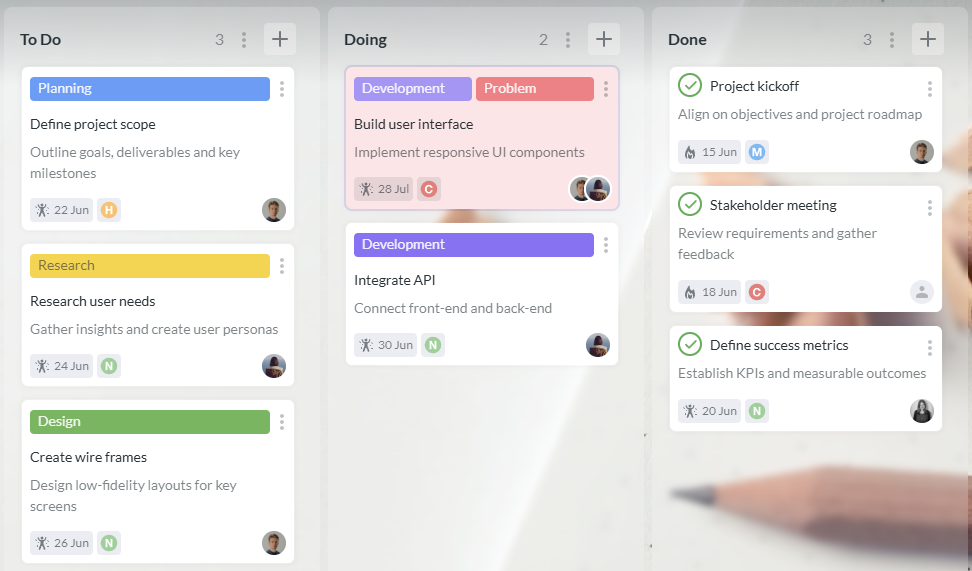
A team Kanbanchi board helps everyone understand task status, ownership, dates, and bottlenecks at a glance
Project work is a coordinated set of tasks completed to achieve a specific goal within a defined timeframe. It usually involves multiple people, clear deliverables, ownership, deadlines, and communication around progress or blockers.
The best method depends on the type of work. Kanban is strong for continuous task flow, Waterfall works well for predictable projects, Scrum supports iterative product work, and hybrid methods are useful when teams need both structure and flexibility.
The most useful tools are visual boards, Gantt charts, time trackers, file integrations, calendar sync, and reporting features. The right combination helps teams manage both daily execution and long-term planning.
Use a project management tool that integrates with Google Drive, Gmail, and Google Calendar. This keeps files, tasks, dates, and conversations connected, so your team does not have to duplicate updates across multiple systems.
Create a shared system where tasks have owners, statuses, priorities, and due dates. Review the board regularly to identify blockers and workload issues. This gives leaders visibility while allowing team members to manage their own execution.
Effective project work is not about adding process for its own sake. It is about giving teams a clear way to plan, collaborate, prioritize, and deliver without losing important details along the way.
If your team already works in Google Workspace or Microsoft 365, Kanbanchi can help you bring boards, timelines, time tracking, files, and communication into one connected workspace. Start with a simple board, build the workflow your team needs, and add more structure as your projects grow.

In this Article:
Start using Kanbanchi now
Start your free trial