
In this Article:
Try Kanbanchi now
Start your free trial

Choosing project management software in 2026 is no longer about finding the app with the longest feature list. Most teams already have too many tools. The real question is: which platform will make work visible, reduce status chasing, fit your existing ecosystem, and scale without creating another layer of admin?
For business owners, team leads, operations managers, and department heads, the best project management tools are the ones people actually use every day. They should help teams plan work, assign ownership, track progress, manage files, see timelines, and make decisions without switching between five disconnected systems.
Below is a practical, buyer-focused guide to the project management tools and software worth considering in 2026, including where each tool fits best and how to choose the right one for your team.
A modern project management platform should do more than store tasks. It should support the way your organization already works, while giving managers better visibility into priorities, capacity, deadlines, risks, and outcomes.
In 2026, the strongest tools tend to share a few qualities:
The right tool should also match your team’s maturity. A five-person marketing team may need fast setup and a visual board. A 500-person organization may need governance, reporting, shared templates, access controls, and reliable adoption across departments.
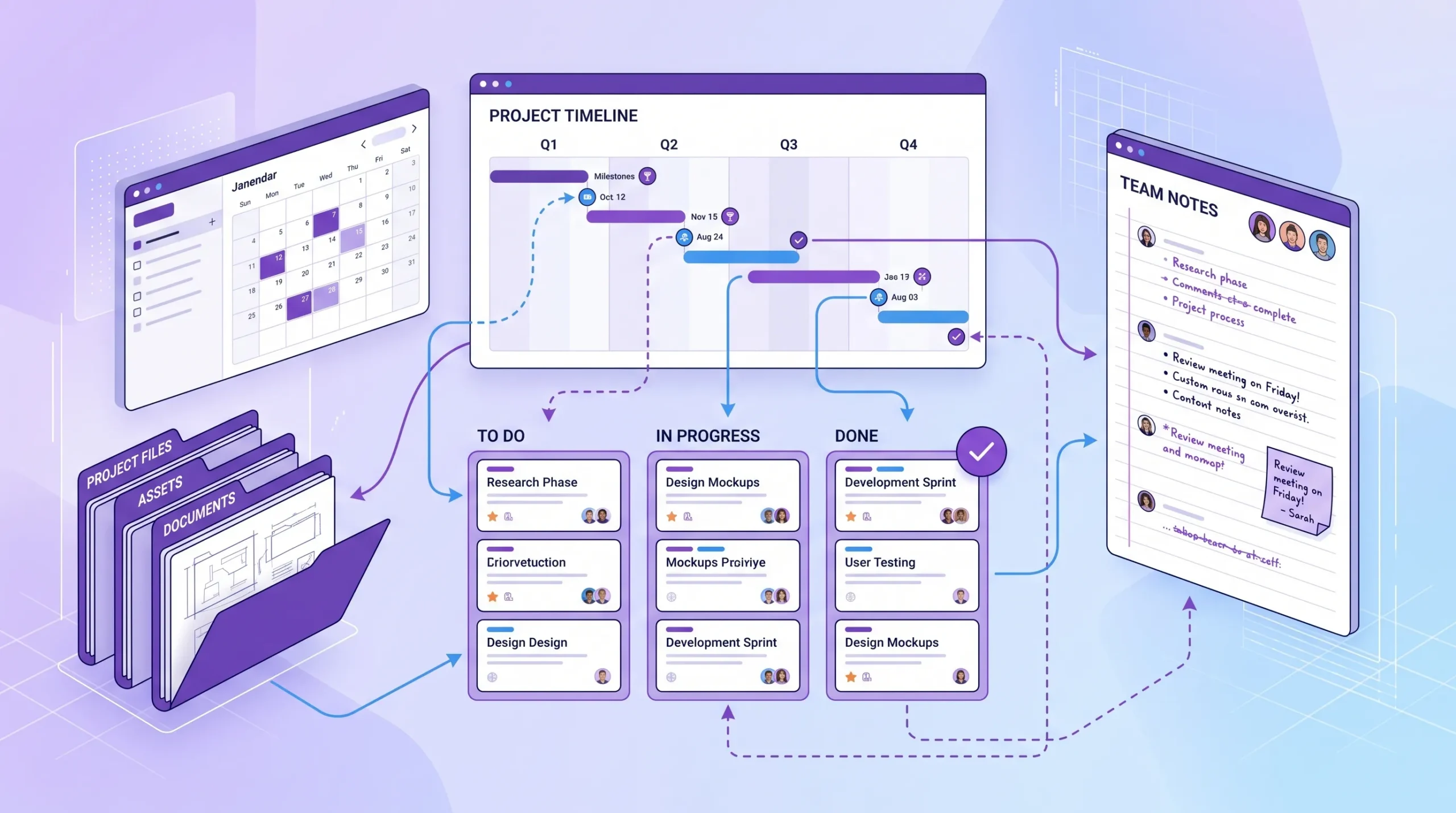
The best project management software connects tasks, timelines, files, and team communication instead of scattering project work across separate systems.
Use this table as a starting point. The best option depends on your ecosystem, project complexity, reporting needs, and how much structure your team is ready to adopt.
| Tool | Best fit | Strongest reason to consider it | Watch-out |
|---|---|---|---|
| Kanbanchi | Google Workspace and Microsoft 365 teams | Visual boards, Gantt chart, time tracking, Drive or OneDrive/SharePoint integration | Best suited for teams that want project execution tied closely to their workspace ecosystem |
| Asana | Cross-functional business teams | Strong task coordination, workflow templates, and portfolio-style work management | Can require governance as usage expands |
| monday.com | Teams wanting highly customizable workflows | Flexible boards, dashboards, and broad use-case coverage | Too much customization can create inconsistent processes |
| ClickUp | Teams wanting many features in one platform | Broad feature set for tasks, docs, goals, dashboards, and automation | Feature depth can feel complex for teams that need simplicity |
| Trello | Small teams and simple visual workflows | Easy Kanban-style boards and fast adoption | May require add-ons or upgrades for more advanced planning |
| Jira | Software, IT, and technical Agile teams | Deep issue tracking and Scrum/Kanban support | Often heavier than nontechnical business teams need |
| Wrike | Enterprise teams, agencies, and complex operations | Workload, approvals, proofing, and structured project control | Setup can require more admin planning |
| Smartsheet | Spreadsheet-oriented project teams | Grid-based planning, automation, forms, and reporting | Less natural for teams that prefer visual boards first |
| Microsoft Planner and Project | Microsoft-centered organizations | Native fit for Microsoft 365 environments | Planner is simpler, while Project is more specialized and may require PM expertise |
| Notion | Documentation-heavy teams | Combines wiki, notes, databases, and lightweight task tracking | Not a dedicated project scheduling platform by default |
| Basecamp | Teams that value simplicity and client communication | Straightforward project spaces, messages, files, and to-dos | Limited advanced project controls compared with PM-focused tools |
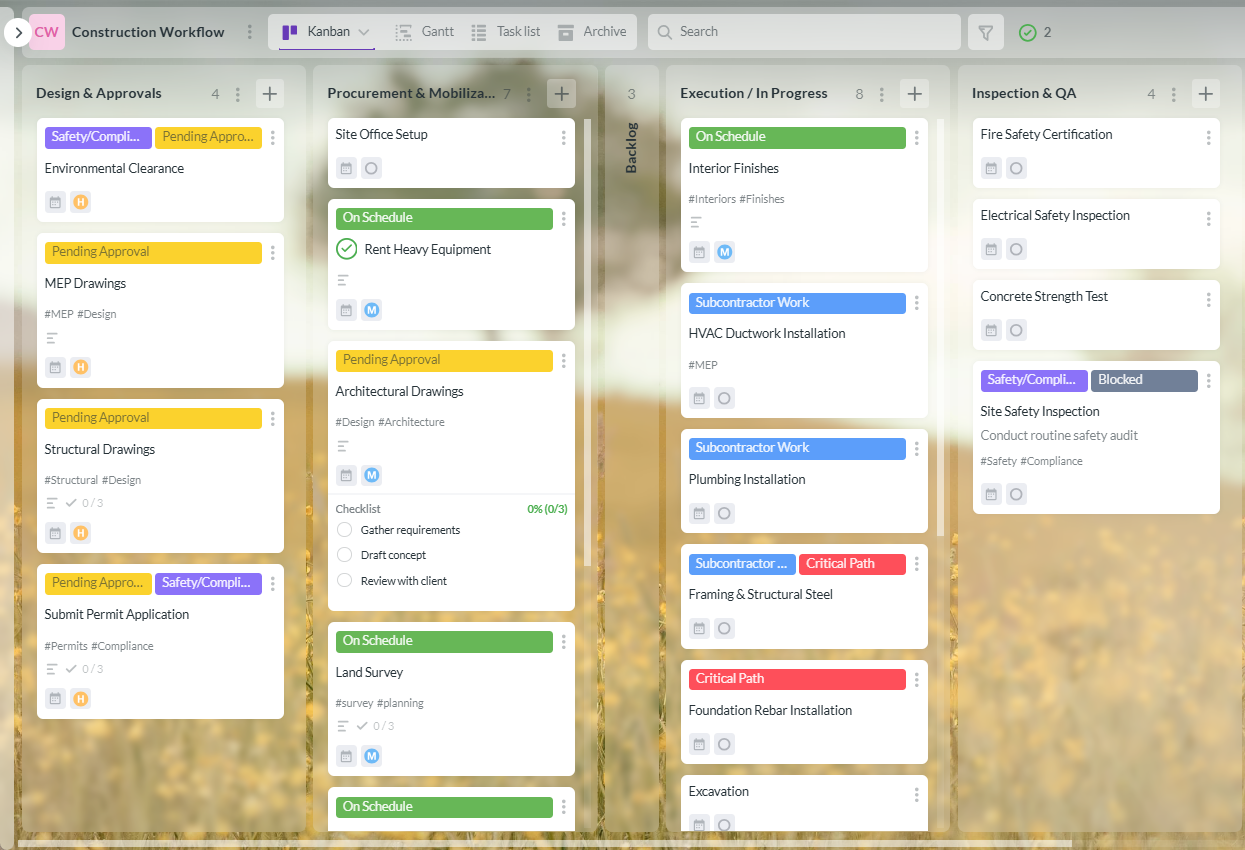
Kanbanchi is built for teams that want project management to live naturally inside the workspace they already use. It is especially strong for Google Workspace organizations because it connects project boards with Google Drive, Shared Drives, Gmail, Google Calendar, and Google Sheets. It also supports Microsoft 365 workflows with OneDrive and SharePoint compatibility.
The core experience is visual: teams organize work on Kanban boards with cards, lists, tags, priorities, assignees, comments, attachments, and notifications. Managers can switch from board-level execution to Gantt chart planning, track time on cards, review progress, and export board data to Google Sheets when deeper analysis is needed.
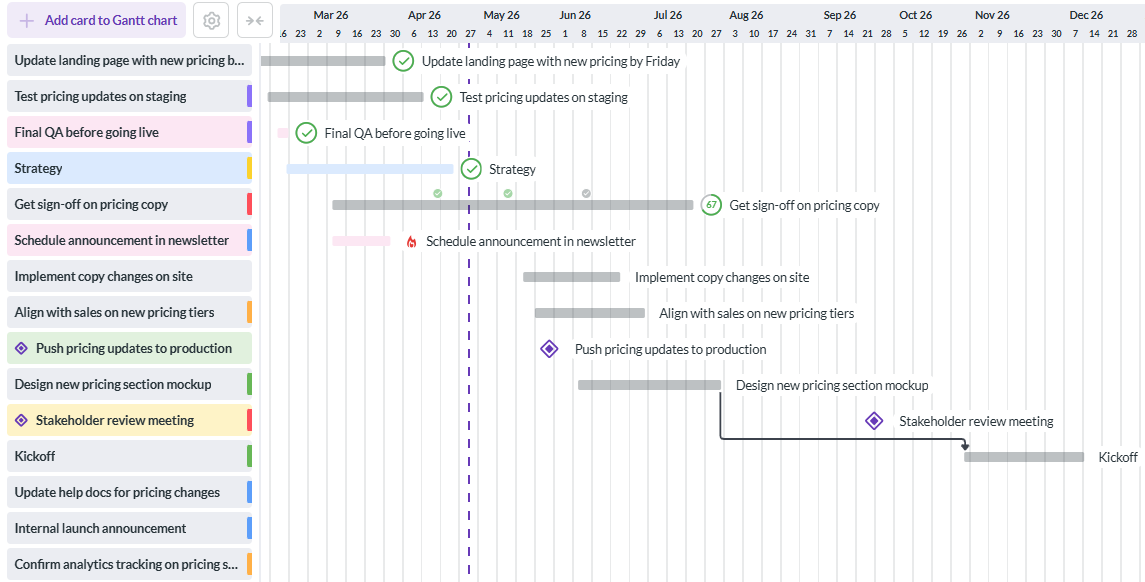
Kanbanchi is a strong choice when your team needs:
For business owners and team leads, the main advantage is adoption. If your team already lives in Google Workspace, a tool that works with Drive, Gmail, and Calendar reduces friction. Instead of asking employees to move project information into a separate silo, Kanbanchi keeps work connected to the documents, emails, and schedules they already use.
Start free trial of Kanbanchi now
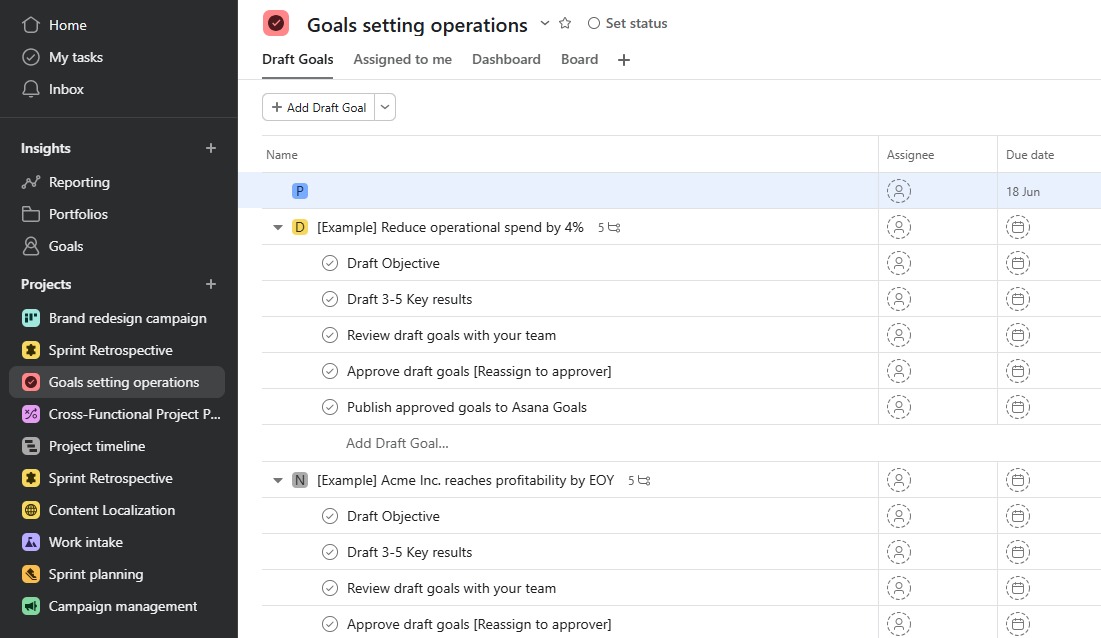
Asana remains a strong option for teams managing many cross-functional workflows, such as marketing campaigns, product launches, operations, customer onboarding, and internal initiatives. It offers task lists, boards, timelines, calendars, forms, rules, templates, and portfolio-oriented ways to track work across departments.
Its strength is structured coordination. Teams can standardize workflows, assign responsibilities, and track milestones across multiple projects. For larger companies, this can help create visibility across functions that might otherwise work in separate spreadsheets or chat threads.
Asana is worth considering if your team wants a mature work management platform with broad business use cases. The key is governance. Without clear naming conventions, ownership rules, and template discipline, larger Asana deployments can become difficult to manage.
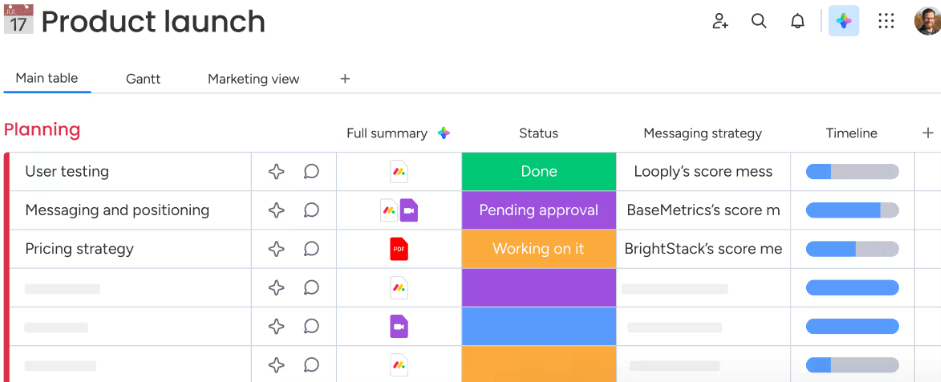
monday.com is often used as a flexible work operating system. Teams can build boards for projects, sales operations, marketing calendars, HR workflows, support requests, product work, and more. It is highly visual and offers many customization options, including dashboards, automations, forms, and different board views.
This flexibility is its biggest advantage. If your organization wants one configurable platform for many departments, monday.com can be appealing. It works especially well when a team has someone responsible for designing and maintaining clean workflows.
The trade-off is consistency. Highly customizable tools need process discipline. If every department builds its own structure from scratch, leadership may struggle to compare data or standardize reporting across the company.
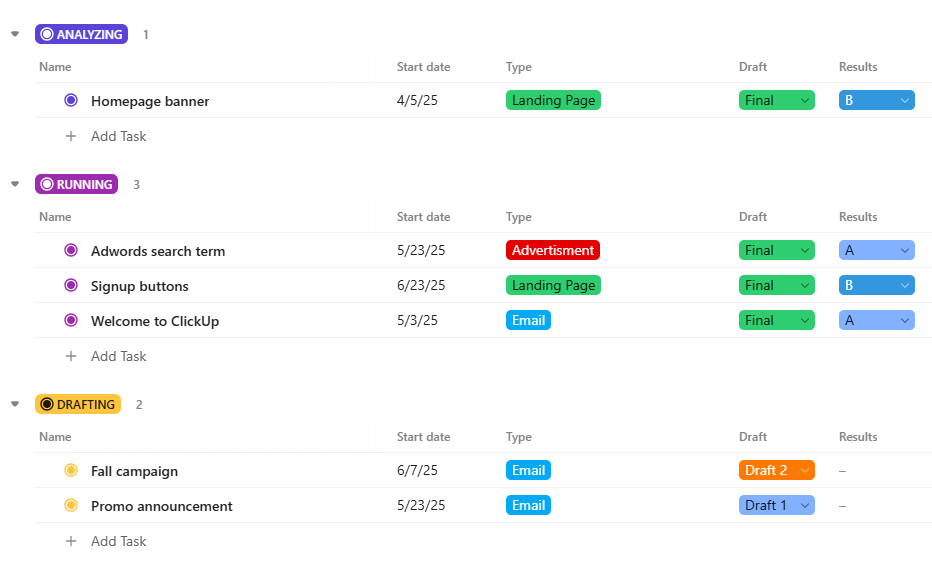
ClickUp is known for breadth. It combines task management, docs, goals, dashboards, whiteboards, forms, automations, time tracking, and multiple work views. For teams that want to consolidate many productivity tools into a single platform, ClickUp can be attractive.
It is especially useful for teams that like to customize workflows deeply and experiment with different productivity setups. Project managers can build detailed task structures, track dependencies, create dashboards, and manage work across different levels of complexity.
The main consideration is ease of adoption. Because ClickUp offers many capabilities, teams should start with a simple configuration and expand gradually. Otherwise, the tool can feel more complicated than the problem it was meant to solve.
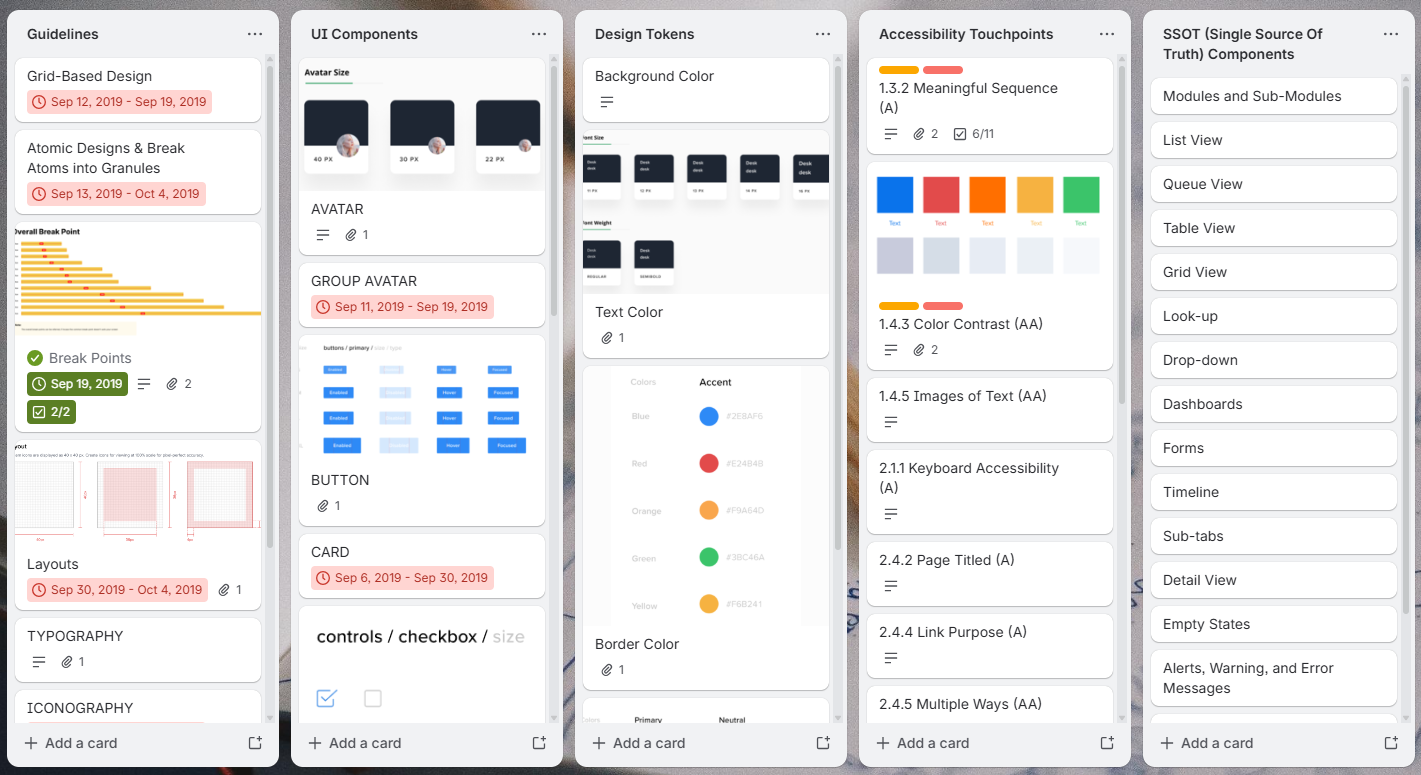
Trello remains one of the easiest tools for visual task management. Its board, list, and card structure is intuitive, which makes it useful for small teams, personal productivity, content planning, lightweight operations, and simple project tracking.
The main benefit is speed. Teams can create a board, add cards, assign owners, and start moving work through stages with minimal training. For teams new to project management software, that simplicity can be valuable.
However, growing teams may eventually need more advanced features for timelines, workload management, reporting, time tracking, or enterprise controls. Trello is worth using when your process is simple and visual, but teams should evaluate whether it can support their next stage of growth.
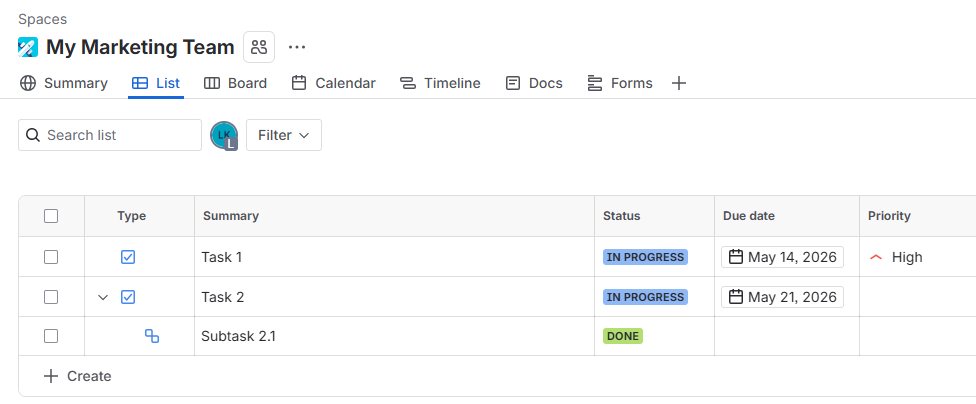
Jira is a leading choice for software development, IT, engineering, and technical product teams. It supports issue tracking, Scrum boards, Kanban boards, backlogs, sprints, epics, releases, and developer-oriented workflows.
For technical teams, Jira’s strength is depth. It can support Agile delivery at scale, detailed issue types, development workflows, and integrations with engineering tools. If your team manages bugs, user stories, sprint planning, and release cycles, Jira is often a natural fit.
For nontechnical teams, Jira can be heavier than necessary. Marketing, HR, operations, and executive teams may prefer a more business-friendly project management interface unless they are already working closely with engineering.
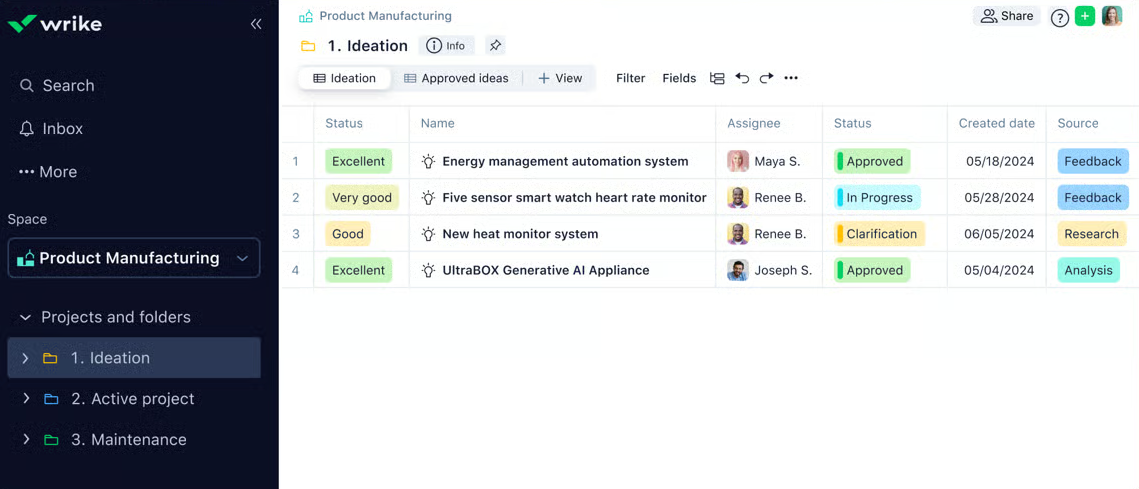
Wrike is a strong option for larger organizations, agencies, and teams that need structured project control. It supports task management, request forms, approvals, proofing, workload views, dashboards, and reporting.
This makes it useful for teams that manage high-volume project intake or client-facing delivery. Creative teams, operations teams, and professional services groups often need approval workflows and workload visibility, and Wrike is designed for that level of coordination.
The trade-off is implementation effort. Wrike can be powerful, but teams should plan the rollout carefully, define workspace structures, and train users on the workflows that matter most.
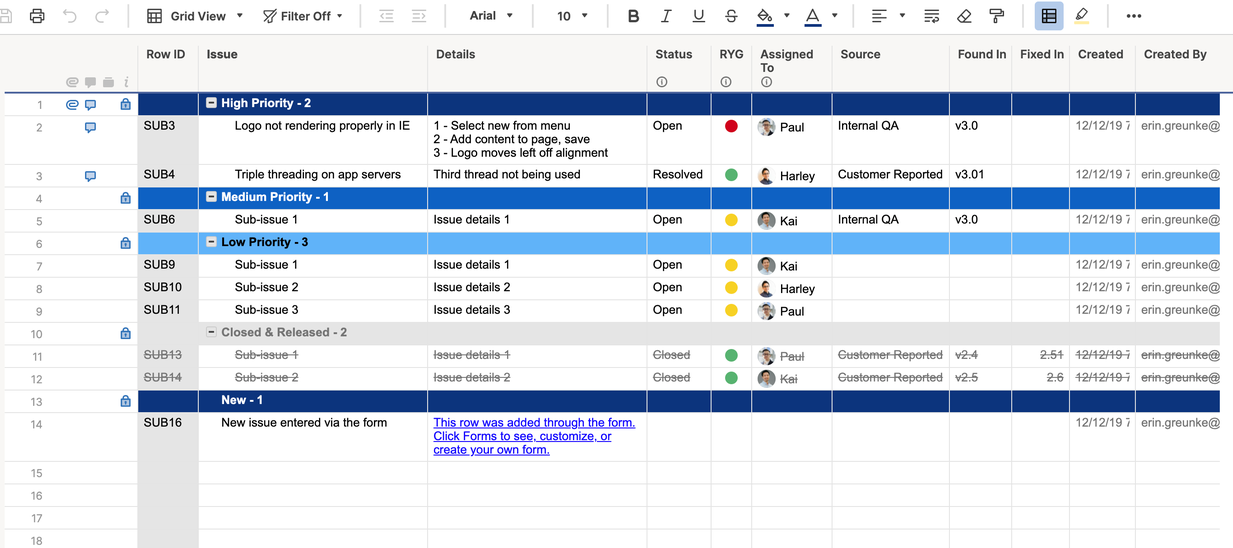
Smartsheet is a strong fit for teams that like spreadsheet-style planning but need more structure than Google Sheets or Excel can provide. It offers grid views, dependencies, forms, dashboards, automation, reports, and collaboration features.
It is especially useful for PMOs, operations teams, construction teams, event planners, and organizations that already think in rows, columns, dates, and status fields. For stakeholders who are comfortable with spreadsheets, Smartsheet can feel familiar while adding more project control.
The limitation is that it may not feel as natural for teams that want visual boards as their primary workspace. If your team thinks in workflows and task stages rather than grids, compare it carefully with more visual project management tools.
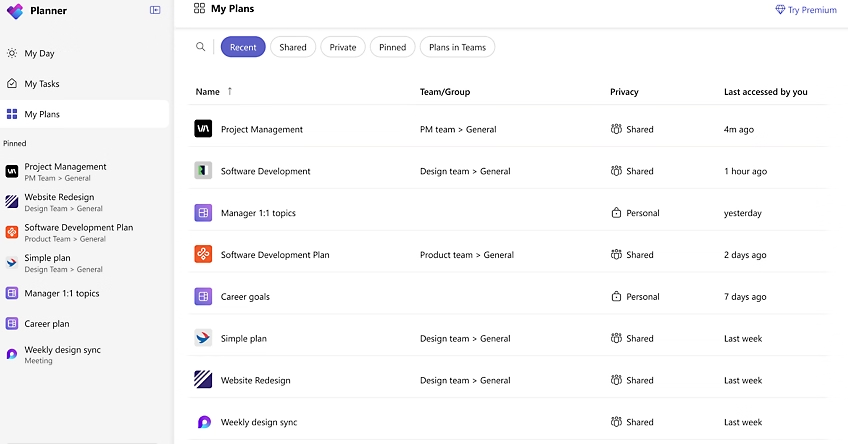
Microsoft-centered organizations often consider Planner and Project because they fit naturally into the Microsoft ecosystem. Planner is useful for simpler team task management, while Microsoft Project is a more advanced tool for formal project scheduling and resource planning.
This combination can work well when your organization already standardizes on Microsoft 365 and wants to keep work close to Teams, Outlook, and SharePoint. For departments with trained project managers, Microsoft Project can support more sophisticated scheduling needs.
The key question is complexity. Planner may be too lightweight for advanced projects, while Project may be more than everyday business teams want to manage. Many companies evaluate both alongside other tools to find the right balance between usability and control.
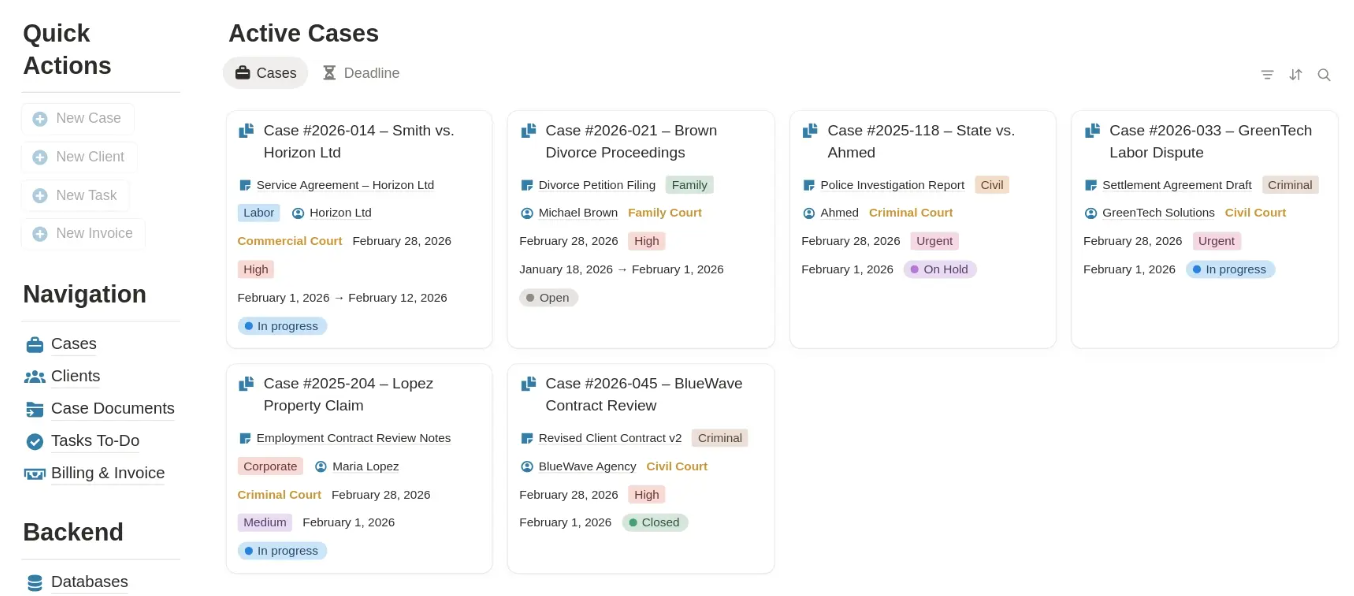
Notion is popular because it combines documentation, databases, notes, internal wikis, and simple task tracking in one flexible workspace. It is useful for teams that want to organize knowledge and connect it with lightweight project processes.
A product team might use Notion for requirements, meeting notes, research, and roadmap tables. A startup might use it as a company wiki with project pages and task databases. Its flexibility makes it adaptable across many knowledge-heavy workflows.
However, Notion is not primarily a traditional project scheduling platform. Teams that need advanced Gantt charts, time tracking, workload management, dependencies, or formal PM reporting may need a dedicated project management tool alongside it.
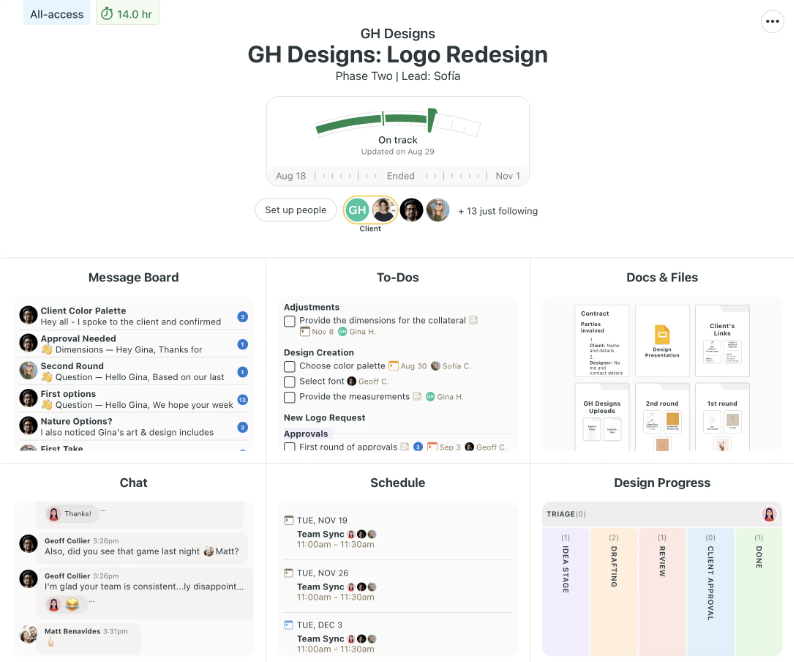
Basecamp focuses on simplicity. It brings together messages, to-dos, schedules, docs, files, and team communication inside project spaces. It can be effective for teams that want fewer moving parts and less configuration.
This is useful for client work, small teams, and organizations that prioritize communication over advanced project controls. If your biggest problem is scattered messages and unclear project conversations, Basecamp can help centralize information.
Basecamp is less suited to teams that need detailed workflow automation, advanced timelines, resource management, or deep reporting. It is worth considering when simplicity is the top priority.
More articles about Project Management
Not every workflow should be forced into a general project management platform. In regulated industries, for example, a project board can track tasks and deadlines, but compliance teams may also need dedicated systems for regulatory risk assessment, remediation actions, policy management, and automated evidence collection. In that context, a focused platform can complement project management software by handling compliance-specific work that generic task boards are not designed to own.
The same principle applies to sales CRMs, help desk tools, HR systems, accounting software, and product analytics platforms. Your project management tool should coordinate execution, but it does not have to replace every specialized system in your business.
The safest way to choose is not to ask, “Which tool has the most features?” A better question is, “Which tool will make our actual work easier to plan, execute, and improve?”
If your company runs on Google Workspace, prioritize tools that work naturally with Google Drive, Gmail, Calendar, and Shared Drives. If your company runs on Microsoft 365, prioritize tools that connect well with Outlook, Teams, OneDrive, and SharePoint.
This matters because project management adoption often fails when files, comments, calendars, and tasks live in separate places. The more your tool fits your daily workspace, the more likely people are to keep it updated.
For Google Workspace teams, Kanbanchi is especially relevant because it is designed around the Google environment. Boards can connect with Drive files, tasks can come from Gmail, and dates can sync with Google Calendar. For Microsoft 365 teams, compatibility with OneDrive and SharePoint helps keep files connected to work execution.
Different leaders need different views. A team lead may live in a Kanban board. A project manager may need a Gantt chart. An executive may want reports. A resource manager may need workload visibility.
Before buying, identify which views your team will actually use:
| Management need | Useful view or feature |
|---|---|
| Daily task execution | Kanban board or list view |
| Timeline planning | Gantt chart or calendar view |
| Deadline control | Due dates, dependencies, milestones, notifications |
| Capacity management | Workload view, time estimates, time tracking |
| Executive visibility | Dashboards, reports, exports |
| Repeatable processes | Templates, recurring tasks, automation |
| Cross-team coordination | Shared boards, permissions, comments, file attachments |
If a tool only serves one audience, it may create gaps. The strongest platforms let different stakeholders view the same project data from the perspective they need.
For small teams, it is tempting to choose software based only on convenience. For growing businesses and enterprises, governance matters from the start. Consider user permissions, external sharing, data storage, authentication, auditability, backup options, and admin control.
This is especially important when projects involve customer data, financial information, HR processes, legal review, procurement, or regulated operations. A project management system becomes part of your operating infrastructure, so it should fit your company’s security and compliance expectations.
A pilot should test real work, not a demo board full of sample tasks. Choose one team, one active project, and one measurable outcome. For example, you might test whether the tool reduces weekly status meetings, improves deadline visibility, or helps managers identify blocked tasks faster.
A practical pilot can be simple:
This approach protects you from buying software that looks impressive in a sales demo but does not fit your team’s daily reality.
If you are shortlisting tools, use this guide to narrow the field quickly.
| Team type | Recommended starting point | Why |
|---|---|---|
| Google Workspace business teams | Kanbanchi | Strong fit for Drive, Gmail, Calendar, visual boards, Gantt planning, and time tracking |
| Microsoft 365-centered teams | Kanbanchi or Microsoft Planner, Microsoft Project | Keeps project work close to Microsoft files and collaboration tools |
| Software development teams | Jira | Deep support for Agile engineering workflows |
| Small teams needing simple boards | Kanbanchi orTrello | Fast visual task tracking with low onboarding friction |
| Cross-functional business operations | Kanbanchi, Asana, or monday.com | Good for coordinating work across departments |
| Agencies and client delivery teams | Kanbanchi, Wrike, or monday.com | Useful for approvals, timelines, workload, and visibility |
| Spreadsheet-first teams | Smartsheet | Familiar grid-based planning with stronger project controls |
| Documentation-heavy teams | Notion plus a PM tool if needed | Great for knowledge management, lighter for formal scheduling |
| Enterprises needing standardization | Kanbanchi, Asana, Wrike, Smartsheet, or monday.com | Depends on ecosystem, governance model, and reporting needs |
Many organizations choose project management software based on a feature checklist, then struggle with adoption. The issue is rarely the tool alone. It is usually a mismatch between the software, the process, and the team’s habits.
Avoid these mistakes when evaluating project management tools and software:
The goal is not to create a perfect system on day one. The goal is to create a usable system that gives teams better visibility and can mature over time.
There is no single best tool for every team. Kanbanchi is a strong choice for Google Workspace teams and Microsoft 365 teams that want visual boards, Gantt charts, time tracking, and file integration. Jira is often best for software teams, Smartsheet for spreadsheet-style planning, and Asana or monday.com for broad cross-functional work.
Business owners should look for visibility, adoption, integrations, reporting, security, and scalability. The tool should show what teams are working on, who owns each task, which deadlines are at risk, and how work connects to company priorities.
Google Workspace is excellent for email, documents, calendars, meetings, and file storage, but it does not include a full project management system with native Kanban boards, Gantt charts, workload tracking, and structured project reporting. Many Google Workspace teams add a tool like Kanbanchi to manage projects while keeping work connected to Drive, Gmail, and Calendar.
Yes, if work involves multiple people, deadlines, recurring processes, or client commitments. Small teams do not need a complex setup, but even a simple visual board can reduce confusion and make ownership clear.
Ideally, use as few as possible. Many companies benefit from one primary project management platform, supported by specialized tools for areas like CRM, compliance, finance, or customer support. Too many overlapping task systems usually create reporting gaps and duplicate work.
You have likely outgrown spreadsheets when people constantly ask for status updates, deadlines are missed because dependencies are unclear, files are hard to find, multiple versions exist, or managers cannot see workload and progress without manual reporting.
Related article: PM Tools That Help Teams Plan and Deliver Better
The best project management software for 2026 is not necessarily the tool with the most features. It is the tool that fits your team’s ecosystem, gives leaders reliable visibility, and helps people move work forward with less friction.
If your organization uses Google Workspace or Microsoft 365 and wants a practical way to combine Kanban boards, Gantt charts, time tracking, file attachments, templates, reporting, and calendar-connected execution, Kanbanchi is worth adding to your shortlist.
Start by mapping one real project, invite the people who do the work, and see whether your team can plan, collaborate, and track progress more clearly. That is the test that matters most.
Start free trial of Kanbanchi now

In this Article:
Start using Kanbanchi now
Start your free trial