
In this Article:
Try Kanbanchi now
Start your free trial

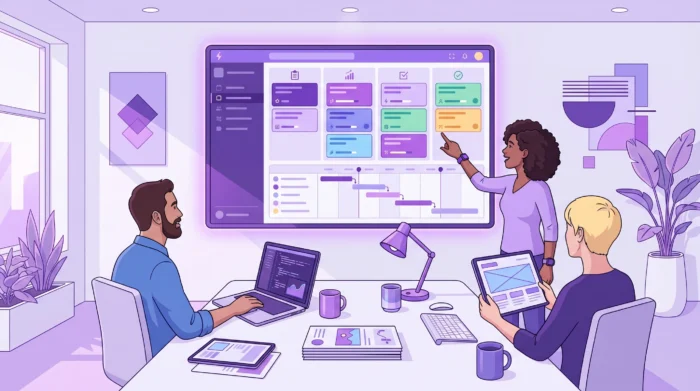
Project work looks very different in 2026 than it did even a few years ago. Teams are more distributed, work moves faster, and “just track tasks” is no longer enough. The best project management platforms now have to connect planning, execution, communication, files, and reporting, ideally without forcing your team into constant app switching.
If you’re evaluating project management software tools this year, this guide will help you quickly shortlist options. Below are 12 tools worth trying in 2026, what each is best at, and how to choose based on your team’s workflow and ecosystem (Google Workspace, Microsoft 365, or a mixed stack).
You may also be interested in checking out this guide:
9 Tips on Choosing the Right Project Management Software
Most teams don’t fail because they chose the “wrong” tool; they fail because the tool doesn’t match how the team actually works. In 2026, these criteria tend to matter most:
If your organization is standardized on Google Workspace, it’s also worth prioritizing tools designed to live inside that ecosystem (files, calendar, and email are often where project work begins).
This table is intentionally high-level, so you can narrow down candidates fast.
| Tool | Best for | Why teams pick it in 2026 | Potential trade-off |
|---|---|---|---|
| Kanbanchi | Google Workspace (and Microsoft 365) teams that want visual execution | Kanban + Gantt + time tracking with deep Google app integration | Best fit when you want work to live close to Google/M365 |
| Asana | Cross-functional work management | Strong task structure and coordination across teams | Can feel heavy for simple workflows |
| Trello | Lightweight Kanban | Fast setup, simple board-based tracking | Limited for complex timelines without add-ons |
| Jira | Software and Agile delivery | Built for sprints, backlogs, and issue tracking | Overkill for non-technical teams |
| Monday.com | Highly customizable workflows | Flexible boards for many departments | Customization can sprawl without governance |
| ClickUp | “All-in-one” productivity | Broad feature set across tasks, docs, and dashboards | Requires careful setup to stay clean |
| Notion | Docs + light project tracking | Combines knowledge base and project databases | Needs strong templates to scale consistently |
| Smartsheet | Spreadsheet-first project ops | Familiar grid structure, good for PMOs | Less visual by default than Kanban-first tools |
| Microsoft Project | Traditional scheduling and dependencies | Robust timeline planning for complex projects | Adoption can be harder outside PM teams |
| Wrike | Enterprise project portfolios | Good for approvals, visibility, and scaling teams | More admin overhead than simpler tools |
| Basecamp | Simple team coordination | Clear communication and lightweight organization | Limited for detailed project analytics |
| Airtable | Database-driven workflows | Great for structured data + processes | Requires design work to become a “PM system” |
Kanbanchi is an all-in-one project and task management tool designed for Google Workspace and is also compatible with Microsoft 365. It’s a strong choice when you want project work to stay close to the tools your team already uses every day.
Why try it in 2026: Kanbanchi combines Kanban boards, a Gantt chart for timeline planning, and a time tracking tool, with deep integration across Google apps.
Standout capabilities (especially for Google teams):
If you’re new to the platform, start with the overview in What is Kanbanchi?
Then explore how to evaluate fit in How to Choose the Best Project Platform for My Team?
Asana is a popular work management platform for coordinating work across departments like marketing, operations, product, and business teams.
Why try it in 2026: Teams often choose Asana when they need structured task management with multiple ways to view and organize work, plus support for cross-team coordination.
Considerations: Asana can be excellent for complex environments, but smaller teams sometimes find it more process-heavy than they want.
Trello remains one of the easiest ways to start with Kanban. It’s often used for personal productivity, small teams, and lightweight project tracking.
Why try it in 2026: If your main need is a simple board to visualize tasks and move work from “To do” to “Done,” Trello is still one of the fastest starts.
Considerations: As projects become more timeline-driven (dependencies, milestones, capacity planning), teams often add more tools or migrate to a platform with built-in planning views.
Jira is a staple for software teams, especially those practicing Agile with backlogs, sprints, and releases.
Why try it in 2026: Strong support for sprint execution, issue tracking, and visibility across engineering work.
Considerations: Many non-technical teams find Jira’s concepts (issues, epics, workflows) too specialized for everyday business projects.
Monday.com positions itself as a flexible “work OS,” used across marketing, HR, operations, and project teams.
Why try it in 2026: Highly customizable workflows make it attractive for teams that want to model unique processes.
Considerations: Flexibility cuts both ways. Without clear standards, teams can end up with inconsistent boards, fields, and reporting.
ClickUp aims to be an all-in-one workspace for tasks, docs, goals, and dashboards.
Why try it in 2026: If you’re consolidating multiple tools into one platform, ClickUp is often shortlisted because it covers a wide surface area.
Considerations: With broad capabilities comes setup complexity. Many teams benefit from defining “how we use ClickUp” early (naming conventions, statuses, ownership rules).
Notion blends documentation and structured databases, which can work well for lightweight project management.
Why try it in 2026: Great for teams that want project plans, meeting notes, and knowledge management in one place.
Considerations: Notion usually shines when someone owns system design (templates, database structure, permissions). Without that, project tracking can become inconsistent.
Smartsheet is often chosen by teams who like the familiarity of spreadsheets, but want more control and collaboration than a traditional sheet offers.
Why try it in 2026: A good fit for PMOs, operations teams, and organizations that run structured processes and need grid-based oversight.
Considerations: If your team thinks visually (flow, WIP limits, fast daily execution), a Kanban-first tool may feel more natural.
Microsoft Project is a long-standing tool for detailed schedules, dependencies, and formal project plans.
Why try it in 2026: Useful for complex initiatives where timeline planning is the primary job, and where project managers need robust scheduling features.
Considerations: It can be less intuitive for everyday task collaboration across a whole organization, especially compared to simpler visual work tools.
Wrike targets teams that need to scale project visibility and standardize workflows, often in larger organizations.
Why try it in 2026: Frequently evaluated for enterprise rollouts where approvals, visibility, and consistent execution matter.
Considerations: As tools become more enterprise-ready, governance becomes essential. Plan for administration and training so the platform stays usable.
Basecamp is known for straightforward team coordination and reducing complexity.
Why try it in 2026: A good choice when you want simple organization and team communication around projects without heavy configuration.
Considerations: If you need deep reporting, timeline dependency management, or granular workload analytics, you may outgrow it.
Airtable is a database-first tool many teams use to build custom workflows (often beyond classic project management).
Why try it in 2026: Excellent for teams whose “projects” are really structured datasets (content pipelines, asset production, inventories, requests).
Considerations: Airtable typically requires design effort to become a complete project management system. Decide upfront what should be standardized versus custom.
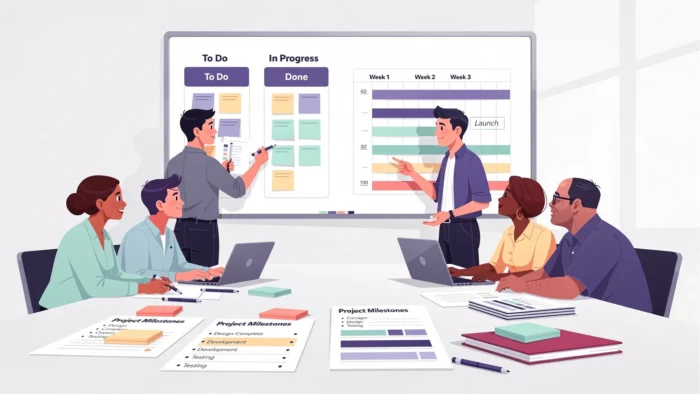
To avoid over-researching, run a quick evaluation that mirrors real work.
Pick one project your team runs often (campaign launch, onboarding, feature release, quarterly planning). Then note:
Most tools can show multiple views, but teams are happiest when they agree on one primary view. Broadly: Kanban for continuous work with shifting priorities, Gantt for sequenced work with dependencies and fixed dates, Calendar for work driven by events. If you’re unsure which fits your projects, Gantt vs Kanban: what to use for my project works through that decision properly.
What matters most at this step is the agreement, not the choice. A team that picks one primary view and sticks to it will outperform a team where three people each treat a different view as authoritative. If you genuinely need both flow and planning, prioritize tools that handle both without forcing you into separate apps.
If you live in Google Workspace, verify that the tool fits naturally with:
Kanbanchi is designed specifically for this, and it’s one reason Google-centric teams often adopt it quickly. If you’re browsing options, you can also explore relevant integrations via the Google Workspace Marketplace.
A short pilot is usually enough to reveal whether the tool supports your habits or fights them. During the pilot, look for:
Tools that integrate deeply with Drive, Gmail, and Google Calendar tend to win on adoption for Google-centric organizations. Kanbanchi is built specifically for Google Workspace (and also supports Microsoft 365), so it’s a strong option if you want projects to live close to Google tools.
A board is enough while work is continuous and priorities shift. You need a timeline once dependencies and fixed dates are involved, and many teams end up using both.
For most teams, adoption comes first. A simpler tool that people consistently use will outperform a feature-rich tool that becomes shelfware. Run a short pilot and measure real usage, not just capabilities.
Time tracking is useful when you need to compare estimates vs actuals, understand capacity, or bill for work. If your team relies on time data, choosing a tool with built-in tracking (rather than a separate app) can reduce friction.
Start by migrating one active project and one template project. Keep the old tool read-only during the transition, define naming conventions early, and schedule a short training focused on your real workflow rather than generic features.
If you want a project management tool that fits naturally into Google Workspace (and also works for Microsoft 365 teams), Kanbanchi is built for visual execution and clear planning.
Start a free trial of Kanbanchi now



In this Article:
Start using Kanbanchi now
Start your free trial