
In this Article:
Try Kanbanchi now
Start your free trial

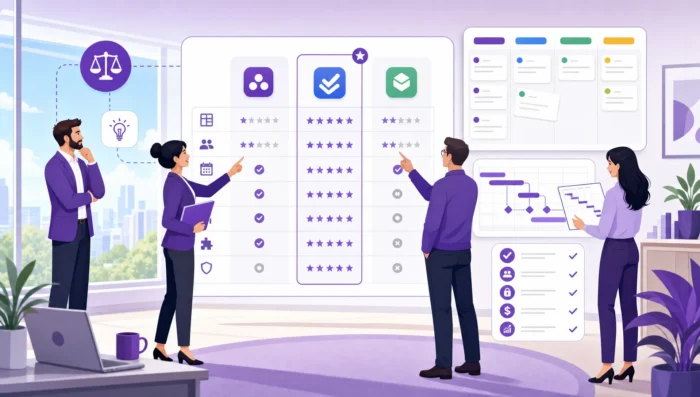
Most teams do not reject planning because they dislike structure. They reject planning when the tool slows them down, duplicates work, or makes project updates feel like administrative homework. The right project planning software should make the plan easier to maintain than a spreadsheet, easier to understand than a long status meeting, and useful enough that people return to it every day.
For business owners, department heads, and team leads, that means the buying decision should not start with the longest feature list. It should start with one question: will this help our team plan, update, and deliver work with less friction than our current process?
This guide walks through how to choose project planning software that your team will actually like and use, from workflow fit and collaboration needs to reporting, security, and pilot testing.
Also read: Project Planning Explained: From Goals to Execution
Before comparing products, define what is broken in your current planning process. A tool that is excellent for one pain point may be too heavy, too light, or too disconnected for another.
Common planning problems include unclear task ownership, missed deadlines, dependencies hidden in someone’s head, too many status meetings, scattered files, and leadership lacking a reliable view of progress. These are not the same problem, so they should not lead to the same buying criteria.
Project planning happens at several levels. A small operations team may only need task-level planning: what needs doing, who owns it, and when it is due. A marketing or product team may need project-level planning across campaigns, launches, and handoffs. A larger organization may need portfolio visibility across multiple teams and initiatives.
Your planning level affects the tool you choose. If most work is task-based, a visual board with clear owners and due dates may matter more than advanced resource management. In case deadlines and dependencies drive your projects, a timeline or Gantt chart becomes essential. If leaders need cross-team visibility, reporting and consistent data structure matter more.
The terms are often used together, but they are not identical.
Project planning software helps teams decide what work must happen, in what order, and with what resources. Scheduling software focuses on dates, duration, milestones, and dependencies. Tracking software shows whether work is moving as expected.
In practice, most teams need a mix of all three. If your biggest pain is timeline coordination, a dedicated guide to choosing project scheduler software that teams stick with can help you go deeper on scheduling decisions.
A planning tool only creates value when people update it. If team members avoid it, managers lose trust in the data. Once managers lose trust, they return to meetings, messages, and spreadsheets. The software still exists, but the planning system has failed.
Adoption depends on how naturally the tool fits into daily work.
The easier it is to capture and update tasks, the more accurate the plan becomes. Team members should not need to open five screens just to change a status, add a comment, or attach a file.
For teams already working in Google Workspace or Microsoft 365, ecosystem fit is especially important. If project files live in Google Drive, Microsoft OneDrive, or SharePoint, the planning tool should connect to that environment rather than forcing people to upload, duplicate, or search for documents elsewhere.
Kanbanchi, for example, is built for teams working in Google Workspace and Microsoft 365. It supports visual boards, timeline planning, time tracking, and file collaboration through Google Drive or OneDrive/SharePoint, so teams can plan work close to where their documents and communication already live.
Some teams think in stages: To do, In progress, Review, Done. Others think in dates: this week, next week, next month. Some need a task list, while others need a timeline to understand dependencies.
The best project planning software does not force every user into one view. It lets different roles see the same work in the format that helps them act. A team member may prefer a board or list. A project manager may need a Gantt chart. A leader may need a report or export for a dashboard.
This flexibility matters because adoption rarely happens uniformly. You are not buying for one type of user. You are buying for contributors, managers, stakeholders, and sometimes external collaborators.
A scorecard keeps the buying process objective. It also prevents a common mistake: choosing the tool that impressed the selection committee in a demo, but frustrates the people who must use it every day. Use the table below as a starting point, then adjust it for your team’s workflow.
| Evaluation area | Why it affects adoption | What to verify during evaluation |
|---|---|---|
| Task capture | Plans stay current when tasks are easy to create | Can users create tasks from meetings, email, or existing files without extra steps? |
| Visual planning | Teams need an immediate sense of status and priority | Does the board, list, or timeline make work easy to understand at a glance? |
| Timeline planning | Deadlines depend on sequencing and dependencies | Can the tool show dates, milestones, dependencies, and schedule changes clearly? |
| Collaboration | Planning breaks down when discussion happens elsewhere | Can users comment, attach files, assign owners, and keep context on the task? |
| Notifications | Updates must reach the right people without creating noise | Are notifications useful, configurable, and tied to meaningful changes? |
| Reporting | Leaders need reliable visibility without manual consolidation | Can data be exported or connected to reporting tools? |
| Permissions and security | IT and leadership need control over access and data | Does the tool fit your company’s identity, storage, sharing, and compliance policies? |
| Migration | Switching tools should not reset every project | Can you import existing boards, spreadsheets, or CSV data? |
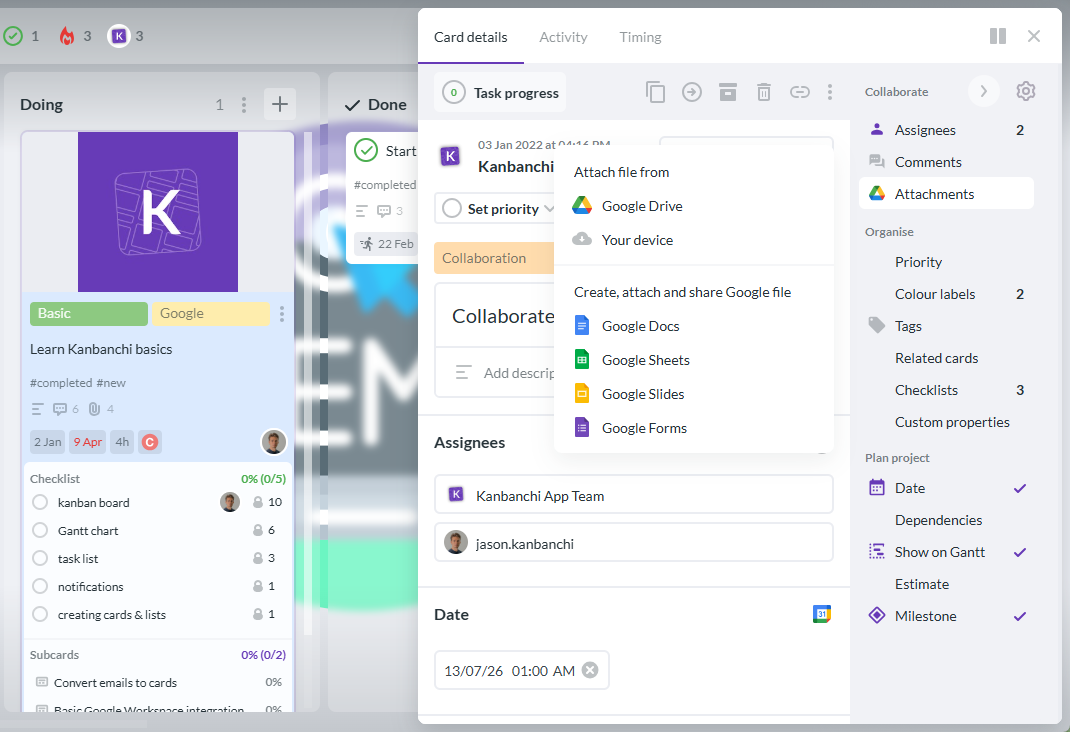
For Google Workspace teams, a practical evaluation may include whether boards can live naturally with Google Drive workflows, whether files from Shared Drives can be attached, whether tasks can connect to Google Calendar, and whether email can become actionable work. Kanbanchi supports these use cases, including creating cards from Gmail, attaching files from Google Drive and Shared Drives, syncing with Google Calendar, and exporting board data to Google Sheets.
A polished demo can make almost any platform look simple. The real test is whether your team can use the software with actual work, actual deadlines, and actual handoffs.
Instead of asking, “Does this tool have the features we want?” ask, “Can our team complete our normal planning cycle inside this tool without creating a workaround?”
Choose a project that is important enough to reveal real needs, but not so critical that experimentation creates risk. A good pilot project has multiple contributors, deadlines, files, comments, and at least a few dependencies.
Run the pilot for long enough to include planning, execution, status updates, and review. For many teams, two to four weeks is enough to expose whether the tool fits. A one-hour test is not enough because adoption problems usually appear after the initial setup, when people need to keep the plan current.
Different roles should test different parts of the workflow. A contributor should create and update tasks. A project lead should adjust priorities, review timelines, and identify blocked work. A manager should check progress without asking for a separate status report. An administrator or IT reviewer should examine permissions, storage, and security fit.
A simple pilot can follow this structure:
The strongest signal is not whether everyone loves the interface on day one. It is whether the plan becomes more accurate and easier to discuss by the end of the pilot.
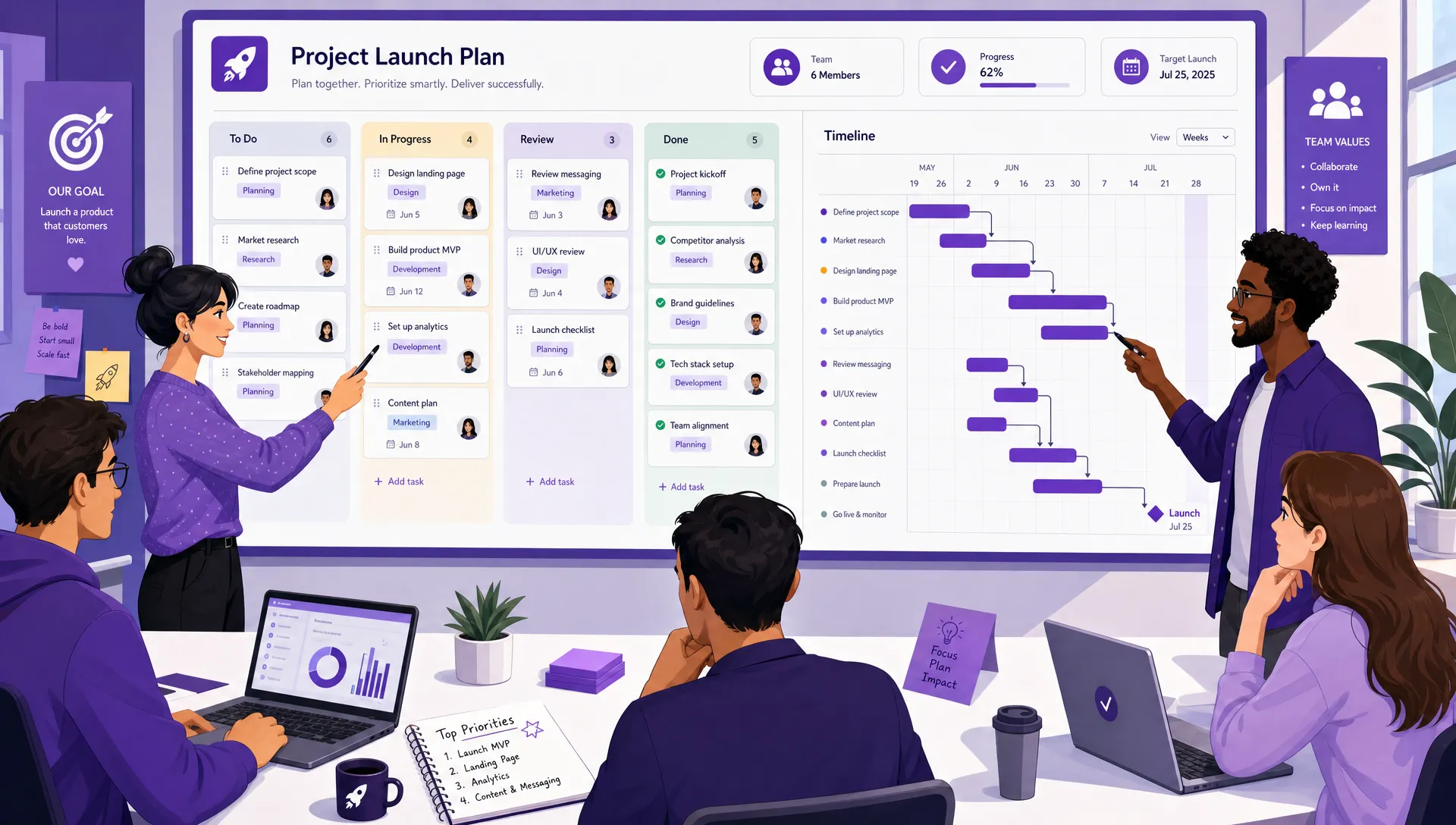
Project planning software should connect daily task updates with timeline visibility, so both contributors and managers can work from the same plan
Planning tools often fail because they become a separate destination. The team works in email, docs, calendars, drives, and chats, then someone has to manually translate that activity into the planning tool. Over time, the plan falls behind reality.
For a Google Workspace team, strong integration means more than a sign-in button. It means project work can connect to Google Drive files, Gmail messages, Google Calendar events, and Google Sheets reporting. For Microsoft 365 teams, the same principle applies to OneDrive and SharePoint.
Kanbanchi is designed for this kind of environment fit. Teams can create and share project boards, attach files from Google Drive, work with Shared Drives, create cards from Gmail, add events to Google Calendar, and export data to Google Sheets. The point is not integration for its own sake. The point is reducing the gap between where work happens and where planning happens.
Start a free Kanbanchi trial today
Managers need reliable visibility, but teams dislike status reporting that feels separate from the work itself. Good planning software solves this by turning normal task updates into useful management information.
A card moving from In progress to Review should update the plan. A due date change should be visible. A time entry should help compare estimates with actual work. A completed checklist should show progress without requiring another message.
At minimum, the tool should help you answer these questions quickly: what is planned, what is in progress, what is blocked, what is late, who owns each task, and what is coming next.
For more mature teams, you may also need to see workload, timing, dependencies, priority, and historical data. Kanbanchi supports time tracking directly on cards, Gantt chart planning for timelines, task prioritization, sorting and filtering, and data export for reporting tools such as Google Looker Studio.
The key is to avoid making reporting dependent on manual reconstruction. If every weekly report requires copying updates into slides or spreadsheets, your planning tool is not doing enough of the work.
Security should not be the final checkbox after the team has already fallen in love with a tool. It should be part of the initial evaluation, especially for enterprises, regulated industries, and companies with strict collaboration policies.
Ask how the software handles access, sharing, storage, backups, and organizational policies. If your company already has a security review process, bring IT or security stakeholders into the pilot early. The NIST Cybersecurity Framework is a useful reference point for thinking about governance, risk management, and security controls, even if your evaluation process is simpler.
For Google Workspace organizations, it is also worth checking whether the software respects existing Google sharing practices and whether project data can align with Drive or Shared Drive policies. Kanbanchi supports sharing according to company Google policies, board creation as files in Google Drive, Shared Drives for Enterprise users, and backups for important boards.
Some issues look small during evaluation but become expensive after rollout. If you notice these warning signs during a pilot, pause before committing.
A tool may struggle with adoption if basic updates take too many clicks, users need frequent reminders to maintain tasks, managers still ask for separate status reports, project files remain disconnected, permissions are confusing, or the team creates spreadsheets to compensate for missing views.
Also be cautious when a tool is powerful only for administrators. If the project office can configure everything but contributors find daily use confusing, your data will degrade quickly. Planning systems depend on the people closest to the work.
A team of five can often survive with lightweight task lists and informal communication. A team of fifty needs clearer ownership, reusable templates, consistent reporting, and better cross-team visibility. An enterprise needs governance, security, and scalable collaboration.
Choose software that fits your current workflow but can also support the next stage. That does not mean buying the most complex platform. It means choosing a system that can grow from simple task planning into timelines, reports, templates, time tracking, and structured collaboration when you need them.
Kanbanchi supports that progression by combining Kanban boards, Gantt charts, time tracking, list views, swimlanes, templates, subcards, reporting exports, and Google Workspace or Microsoft 365 integration in one tool. For teams that already live in Google Workspace, you can explore Kanbanchi as a Google Workspace project management tool and evaluate whether it matches your planning process.
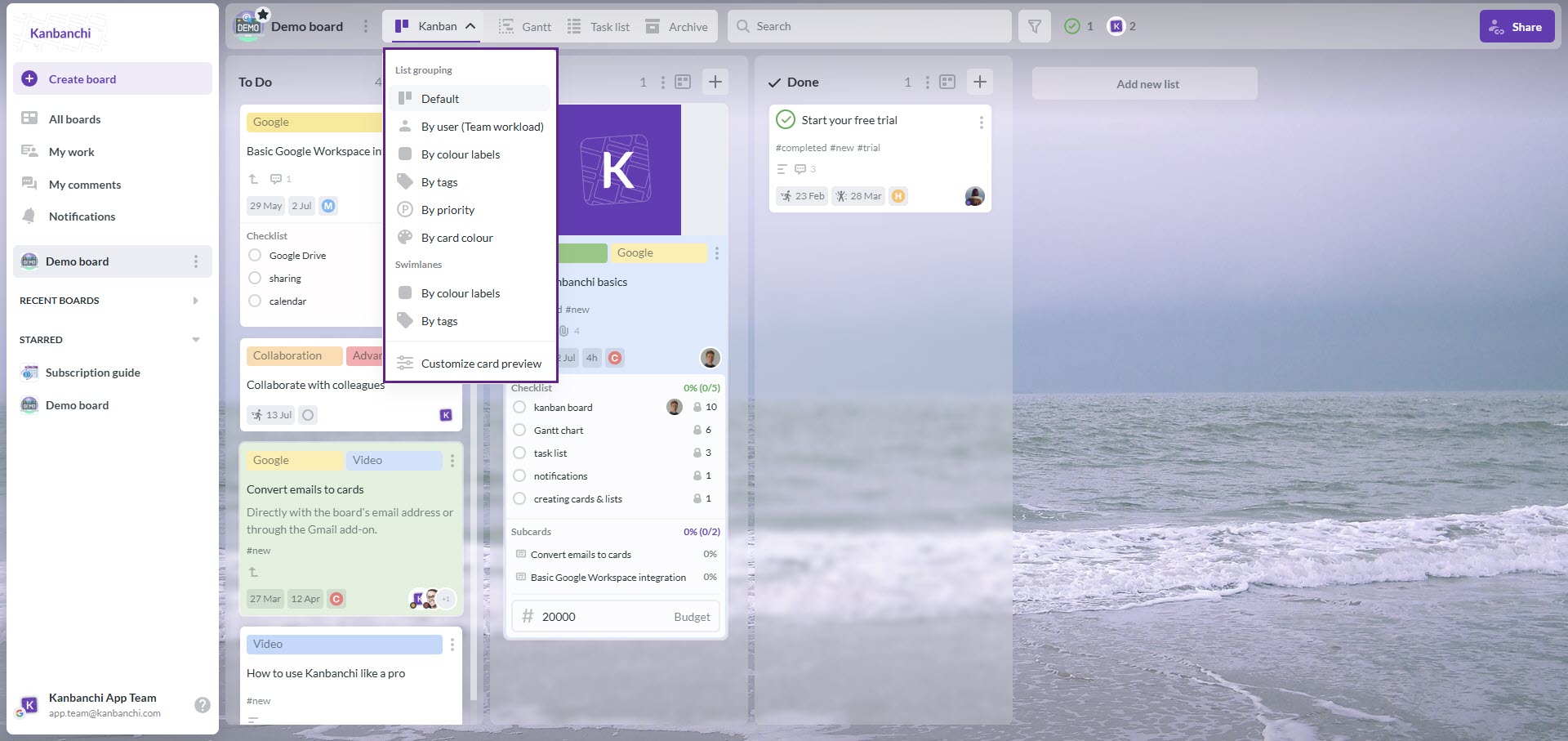
Switch easily between board views in Kanbanchi to see your data at different angles
Start a free Kanbanchi trial today
Project planning software helps teams define tasks, assign owners, set deadlines, manage dependencies, collaborate on work, and monitor progress. The best tools combine planning and execution so the project plan stays current as people complete real work.
The most important features depend on your workflow, but most teams should evaluate task boards, timeline or Gantt views, due dates, ownership, file attachments, comments, notifications, reporting, permissions, and integrations with the tools they already use.
Run a pilot with a real project. Ask contributors to create and update tasks, ask managers to review progress from the tool, and check whether the software reduces meetings, duplicate updates, and manual reporting. Adoption is visible in behavior, not demo feedback.
A Kanban board is often enough for task flow and status visibility. If your projects depend on deadlines, dependencies, milestones, or resource timing, you may also need a Gantt chart, calendar view, time tracking, or reporting features.
In many cases, yes. If your team already works in Gmail, Google Drive, Google Calendar, Shared Drives, and Google Sheets, a planning tool that integrates with that environment can reduce friction and improve adoption.
The best project planning software is not the one with the most features. It is the one your team can keep using when projects get busy, deadlines move, and priorities change.
Start with your workflow, test with real work, involve the people who will update the plan, and choose a tool that fits your existing collaboration environment. If your team uses Google Workspace or Microsoft 365 and needs visual boards, timeline planning, time tracking, file collaboration, and reporting in one place, Kanbanchi is built to support that way of working.



In this Article:
Start using Kanbanchi now
Start your free trial