
In this Article:
Try Kanbanchi now
Start your free trial

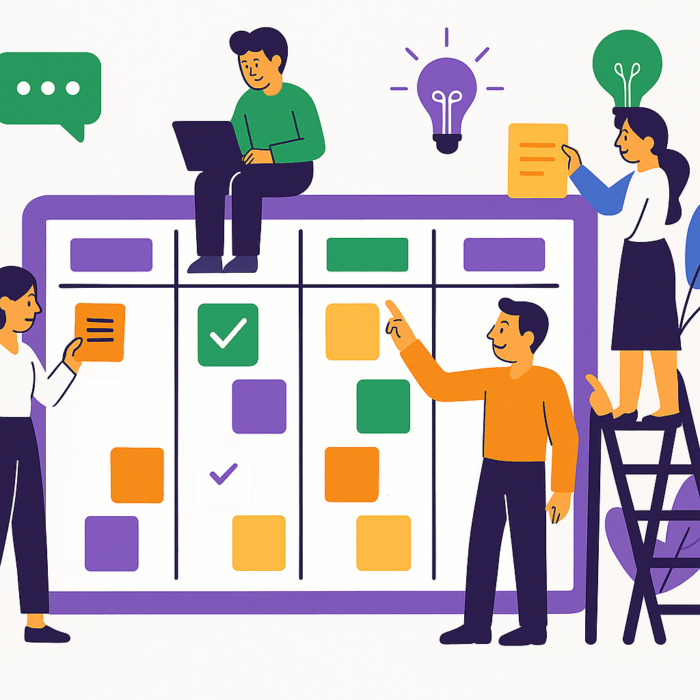
A project manager always has many questions and tasks to manage. Has anyone debugged that yet? Where’s that design? Has anyone even started the architecture? How about the next steps on the latest partnership? Project managers need to keep an eye on where everyone on the team is, what has been accomplished, or at least started, and what hasn’t even begun. It is a continuous challenge in nearly every development environment, whether you’re making cars or apps. Kanban Project Management is what is necessary here.
Born on Toyota’s factory floors in the 1940s and refined in the world of software development, Kanban has become the gold standard for teams that value flow over friction. It is a methodology that turns abstract to-dos into a visual story, allowing you to see exactly:
In this guide, we will break down the core principles, compare them to other popular frameworks like Scrum, and show you how to implement a professional Kanban system example using tools that live right inside your Google Workspace. With the prediction that over the next few years, the Kanban software market is going to boom, there’s never been a better time to get involved.
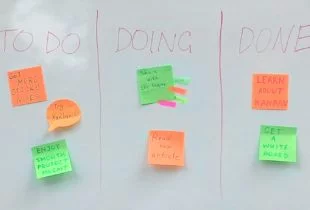
Kanban is a solution used by thousands worldwide to address the needs mentioned above in a straightforward manner. A fundamental precept of the Kanban method is the three-bin system. It has evolved to the “To Do,” “Doing,” and “Done” stages for now.
Teamwork effectiveness is estimated not only by the time it takes a team to complete a task, but also by the value it produces. The Kanban method is based on visualizing the processes of producing value. The method takes the form of a Kanban board with columns representing the stages needed to achieve the final goal. Kanban cards represent specific tasks.
With the Kanban board, project management becomes significantly easier as all team members are aware of their assigned roles, who needs to do what, and when. Moving a card across the columns brings transparency and makes it easier to track progress throughout a project. It becomes evident that Steve completed task “x” on the day “y”, and anyone in the process can see that. What’s more, they can see if it isn’t done and what questions or comments he may have.
A board shows you flow, not schedule. If you need to know whether the project will hit its date, that’s a timeline question that we discussed in Gantt vs Kanban: what to use for my project.
If you’ve ever used a Trello board or seen a collection of columns labeled To Do, In Progress, and Done, you’ve seen the face of Kanban. But the definition goes much deeper than just moving cards. So, what is Kanban project management? At its core, Kanban is an Agile framework designed to help teams
Unlike traditional project management, which often relies on rigid, long-term phases, Kanban is fluid. It focuses on continuous delivery.
Read more articles about Kanban and Agile here
The word Kanban literally translates from Japanese as “visual signal” or “signboard”. In the original Toyota production system, workers used physical cards to signal when a part was needed. Today, those signals are digital. A card represents a task, and a board represents your process.
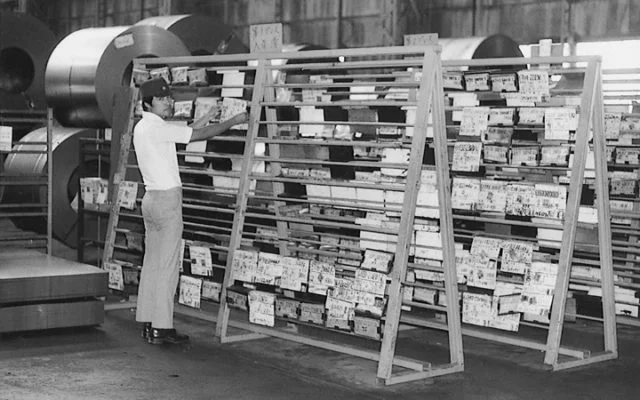
A Toyota factory worker managing inventory using an early, physical kanban board made of wooden racks and paper cards back in the mid-20th century
Most traditional management styles are Push systems. Managers push tasks onto workers regardless of their current capacity. Kanban is a Pull system. Work is only pulled into the In Progress list when there is actual space and capacity to handle it. This shift in perspective changes everything. Instead of asking: How much can we start today? Kanban forces you to ask: How much can we finish?
Because of its flexibility, project management with Kanban works for almost any industry:
In short, if your work follows a repeatable process, Kanban is the lens that brings that process into focus.
The popularity of Kanban in the non-manufacturing sector began more than a decade ago. Nevertheless, it continued to be commonly implemented traditionally with boards and cards. At the time, there was no extensive selection of kanban project management software; however, the concept has been gaining fans due to its simplicity and effectiveness. If you’re looking for new ways to approach project management, Kanban is worth considering.
If you want to compare different Kanban project management software to find the one that suits your needs the most, we recommend that you check out our guide:
Best 10 Kanban Project Management Software Tools Tested and Compared by a Project Manager with 10 Years of Experience
To truly master Kanban project management, you have to look past the colorful cards and lists. Behind the visual interface lies a sophisticated philosophy of Lean management. Kanban is built on two specific foundations:
Together, these form the laws that turn a simple board into a high-performance engine.
Most methodologies fail because they demand a big bang overhaul that people resist. Kanban takes the opposite approach:
You don’t need to reorganize your department today. Create an action plan. Map your current, messy process exactly as it exists.
Kanban doesn’t believe in the perfect process. It believes in systems that improve by 1% every week.
Unlike Scrum, Kanban doesn’t require you to hire a Master or change job titles. It respects the expertise already in the room.
An intern spotting a bottleneck is just as valuable as a Director’s strategic insight. Everyone is empowered to improve the flow.
If the principles are the philosophy, the practices are the mechanics. This is how you implement project management with Kanban effectively:
If you can’t see it, you can’t manage it. Your board should represent the path a task takes from a first idea to a finished product.
This is the most critical rule. By setting a cap on how many cards can be in the Doing column (e.g., No more than 5 tasks at once), you force the team to stop starting and start finishing.
Instead of managing people, you manage the work. Is a card stuck in Review for three days? That’s a flow problem that needs a solution.
Does everyone know what Done actually means? Write it down. Define when a task is ready to move to the next column so there is zero ambiguity.
Use daily Stand-ups or weekly retrospectives. These aren’t status updates; they are tactical sessions to identify what’s blocking the flow.
Use data (like cycle time and lead time) to experiment. If you add a Quality Assurance column, does work move faster or slower? Measure it, then decide.
By sticking to these 10 elements, you move away from accidental management and into a state of predictable, repeatable success.
Why do so many teams stick with Kanban once they start? It’s not just because the boards look clean. The real value lies in how it fundamentally shifts a team’s psychology from busywork to impact.
When you start using Kanban for project management, you aren’t just changing your software; you are installing a filter for your entire operation. Here are the core benefits that drive it:
In a traditional setup, what everyone is doing is a mystery hidden in private email threads. Kanban turns that invisible work into a physical reality. Everyone from the intern to the CEO can see the state of play at a glance. This transparency naturally fosters accountability and reduces the need for constant status update meetings.
Every process has a sticking point. Maybe your Review phase is where tasks go to die, or perhaps your design team is consistently overloaded? In a spreadsheet, these issues are invisible. On a Kanban board, they look like a traffic jam. When you see a column overflowing with cards, you know exactly where to send resources to clear the path.
Burnout usually happens when a team pushes work without respecting capacity. Kanban’s WIP limits serve as a protective shield for your team. By capping the number of active tasks, you ensure no one is drowning in fifteen simultaneous jobs. This leads to higher quality output and a much happier culture.
Because Kanban doesn’t wait for a Sprint to end or a Phase to conclude, you can ship work as soon as it’s done. This significantly shortens your lead time (the time from when a request is made to when it is delivered). In our time, speed is the ultimate currency, and Kanban is the fastest way to spend it.
In a fast-moving market, priorities change every hour. With Kanban, you aren’t locked into a rigid 2-week plan. If a critical bug appears or a client changes their mind, you simply move a card to the top of the To Do list. The team finishes what they are currently doing and then pulls the new priority next.
In the world of Agile, this is the ultimate heavyweight match. Most teams know they want to be Agile, but they often get stuck deciding between these two popular frameworks. While they both use visual boards, their DNA is completely different.
If you are considering using Kanban for project management, you need to know whether the more structured approach of Scrum might suit you better, or whether you should combine them.
Scrum is built on Sprints: fixed blocks of time (usually 2 to 4 weeks) where a team commits to finishing a specific batch of work.
| Roles | Key feature | Change |
|---|---|---|
| You must have a Scrum Master and a Product Owner | At the end of the sprint, the board is cleared, and you start over | Once a sprint starts, you ideally don’t add new tasks. It’s about total focus on a set goal |
Kanban is a Flow model. There are no pre-defined start or end dates for the board itself. Work is a continuous stream.
| Roles | Key feature | Change |
|---|---|---|
| There are no required roles. Your existing team structure stays the same | There are no sprints. You deliver work as soon as it’s ready | You can change priorities at any moment. As soon as a team member has capacity, they pull the highest-priority card from the To Do column |
But which is the right one to opt for?
If you are building a complex product that requires long-term planning and dedicated milestones. It’s great for development teams who need to protect their time from outside interruptions.
If you handle a high volume of incoming requests or have shifting priorities (like marketing, HR, or support). It’s perfect for teams that need to be reactive and keep a steady heartbeat of production.
Can’t decide? Many modern teams use ScrumBan. They use the Scrum planning structure and review meetings, but they utilize the WIP limits and continuous flow of Kanban. It’s the best of both worlds, and professional tools like Kanbanchi allow you to toggle between these styles effortlessly.
As more and more companies move to distributed work teams, it’s no longer feasible to shout across the office and get a project update. A company can build a more dynamic and efficient team by leveraging the global talent pool rather than just the local one. While this phenomenon continues to grow, communication and transparency become increasingly important. To enhance their power, great software can be beneficial.
Kanbanchi is a popular online Kanban project management tool. Many companies still share documents in Google Drive. It’s better than nothing. But a shared document is static, and such teams run the risk of communication failures. The app is fully integrated with Google Drive, making it simple to start using, easy to access, and available on any device.
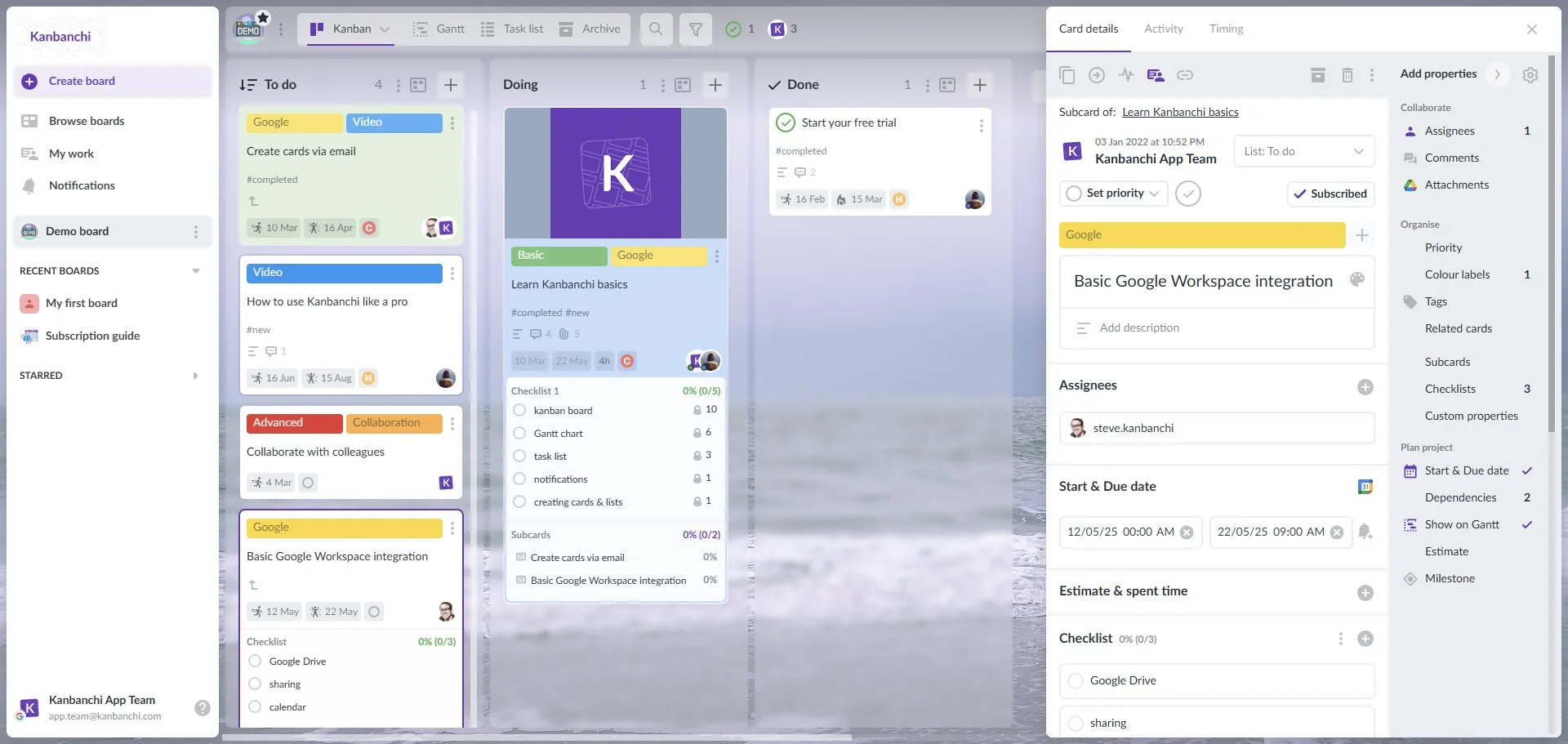
Kanbanchi’s Google-integrated interface showcasing a Kanban board and a visual card
Kanbanchi is a place where you can view your work dynamically as it evolves, changes, and progresses step by step. Additionally, you can share this online Kanban board with your team in real-time. This allows you to control the execution of tasks. But that is not all! You can also see at what stage a task is, who’s responsible for it, and what comments have been made by your colleagues about this task. You may start with one of the templates or create your own online kanban board.
Why does native matter? Because project management shouldn’t feel like a separate chore.
Professional Kanban project management often requires more than just a horizontal flow. Kanbanchi bridges the gap between simple task tracking and high-level project steering:
WIP Limits
You can set strict Work-In-Progress limits on your columns. If a column gets too full, Kanbanchi visually alerts the team, prompting them to clear the blockage before starting a new task.
Gantt Chart
Sometimes you need to see the timeline. In one click, you can switch from your Kanban board to a Gantt chart to see how tasks overlap and manage deadlines across months. Many teams end up running both: switching between a Kanban board and a Gantt chart on the same tasks.
Time Tracking
Measure your Cycle Time (how long it takes to finish a task). Kanbanchi tracks time directly on the cards, giving you the data you need to improve your process by 1% every week.
By using Kanbanchi, you aren’t just getting a board; you’re getting a professional-grade engine that respects the way you already work.
Ready to move from theory to action? Setting up a professional Kanban project management system shouldn’t take all day. In fact, if you’re using Kanbanchi, you can have your first functional board running before your next meeting starts. Follow these four steps to build a workflow that actually flows.
Open Kanbanchi and create a new board. Name it after your project or department. Start adding your active tasks. Each card should have a clear, action-oriented title.
Pro Tip: Attach relevant Google Docs, Excel tables, or Sheets directly to the card. This keeps the doing and the managing in the same place, so your team doesn’t have to hunt for files.
What are the actual steps a task takes in your office? Don’t just settle for To Do, Doing, Done. A more realistic Kanban system example for a marketing team might be:
Click the header of your Doing or Review columns, then set a maximum card limit. If you have three people on your team, perhaps your Doing limit should be 3 or 4. This forces the team to collaborate on finishing tasks rather than starting new ones.
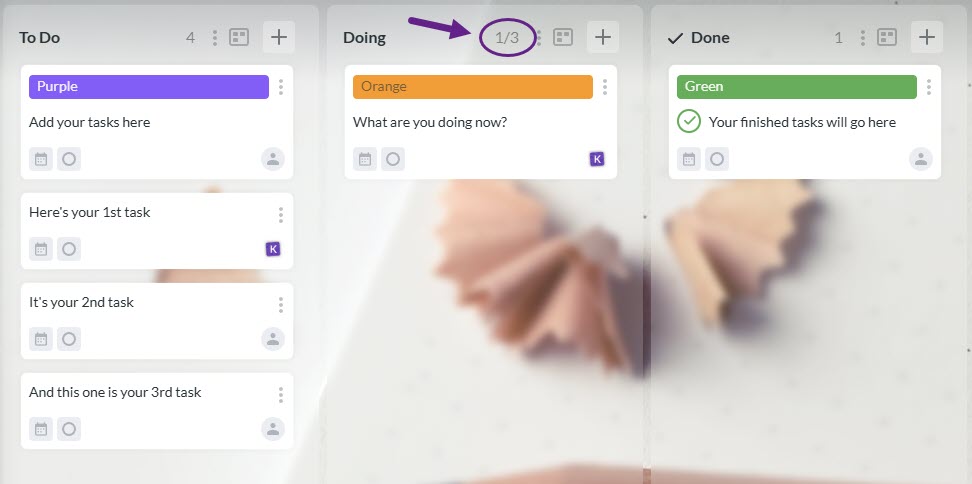
WIP limits will remind you to start only as many tasks as you can finish
Click on a card and use the Checklist feature to list the requirements for finishing a task. This creates the understanding that a task isn’t done until every box is checked, and prevents work from being kicked back from the final stage, which is the ultimate flow-killer.
Ready to make the switch to Kanban success?
Start a free Kanbanchi trial now
To end, here are a few frequently asked questions about Kanban Project Management.
WIP (Work-in-Progress) limits are the speed governors of your workflow. They set a maximum number of tasks that can exist in a given list at any given time. They are necessary because they prevent multitasking, reduce the time it takes for a single task to finish, and highlight bottlenecks immediately.
The biggest difference is the cadence. Scrum is based on Sprints: fixed intervals of time (e.g., 2 weeks) during which work is locked in. Kanban is a continuous flow with no fixed start or end dates. In Kanban, you can change priorities at any time as long as you have capacity in your To Do column.
No. Kanban is designed to be evolutionary, meaning it respects your current roles and titles. You don’t need to hire new people or change your organizational structure to start. Anyone on the team can (and should) act as a leader by suggesting improvements to the flow.
Focus on Cycle Time (how long it takes for a task to move from Doing to Done) and Lead Time (the total time from the moment a request is made until it is delivered). Tracking these in Kanbanchi helps you predict future deadlines with much higher accuracy.
Sign up for a free Kanbanchi trial

In this Article:
Start using Kanbanchi now
Start your free trial