
In this Article:
Try Kanbanchi now
Start your free trial


Are you looking for a project management tool or file storage? Whichever one is your main priority will determine whether Dropbox or Kanbanchi is the right choice for your organization.
In this Kanbanchi vs Dropbox guide, we compare the two platforms for those who require real Google Workspace project management rather than a folder system with a to-do list added on. We’ll cover what each tool actually does, what it costs over a year, and which one fits a team that already uses Google Workspace.
Dropbox is the stronger choice if your core needs are file storage, large file transfer, e-signatures, or video review. Kanbanchi works better if you want to plan and track work, since Dropbox’s only task tool, Dropbox Paper, is a checklist inside a document rather than a board or Gantt chart. If you’re comparing Kanbanchi vs Dropbox because your team outgrew sticky-note checklists in a shared doc and wants proper Google Workspace project management, Kanbanchi is a Dropbox alternative built specifically for that job.
| Platform | Kanbanchi | Dropbox |
|---|---|---|
| G2 rating | 4.7 / 5 | 4.4 / 5 |
| Capterra rating | 4.5 / 5 | 4.5 / 5 |
| Most-cited strength | Ease of use, support quality | File sync, sharing, cross-device access |
| Most-cited concern | Pricing for very small teams | Storage cost per GB versus competitors |
Dropbox reviewers on G2 enjoy its file sync, link sharing, and cross-device access. However, Capterra users rating Dropbox Business often complain about the storage cost per gigabyte versus Google Drive or OneDrive. Kanbanchi’s reviews mention ease of use and support quality most often, highlighting its intuitive interface and ability to simplify project management as key strengths.
Launched in 2007, Dropbox was one of the first mainstream cloud storage services to let people sync files across devices instead of emailing attachments back and forth. It’s since grown into a wider suite spanning cloud storage, e-signature through Dropbox Sign, video review through Replay, and an AI-powered search tool called Dropbox Dash.
There’s also Dropbox Paper, a task management and collaborative document tool where you can add checklists, due dates, and @mentions alongside notes and embedded files. Dropbox serves a broad audience, from individuals backing up photos to agencies transferring large creative files, but it was never built as dedicated project management software.
Kanbanchi is project management software built around boards, lists, and cards, designed specifically for Google Workspace project management. There’s also a Microsoft 365 version available if you prefer to sign in through Microsoft.
Kanbanchi doesn’t treat tasks as checklists inside documents. Instead, it uses cards with assignees, due dates, descriptions, attachments, and comment threads, viewable across a variety of views: Kanban, List, Gantt, and Team Workload. There’s also no second storage system to pay for, as the platform layers task tracking on top of your existing Google Drive storage.
| Feature | Kanbanchi | Dropbox |
|---|---|---|
| Kanban board view | Yes | No |
| Gantt chart | Yes (Professional+) | No |
| Task assignees and due dates | Yes, on every card | Yes, within Paper checklists only |
| Team Workload view | Yes (Professional+) | No |
| File storage | Via Google Drive/Shared Drives, no separate storage sold | Yes, up to 15,000 GB per team (Advanced) |
| E-signature | No | Yes, via Dropbox Sign |
| Video review and approval | No | Yes, via Dropbox Replay |
| AI-powered search | No | Yes, via Dropbox Dash |
| Custom Fields | Yes (Professional+) | No |
| Free Plan | Yes (unlimited users, unlimited projects, 36 active cards per project) | Yes (2 GB storage) |
| Mobile App (iOS or Android) | Yes | Yes |
Dropbox’s initial screen is a simple file browser, which should look familiar if you’ve used a file system before. You’ll see folders and recent files, plus storage and sharing on the left. Task management isn’t visible from that home screen at all, though, so you’ll have to navigate into Dropbox Paper separately, create a document, and add a checklist block before anything resembling a task list appears.
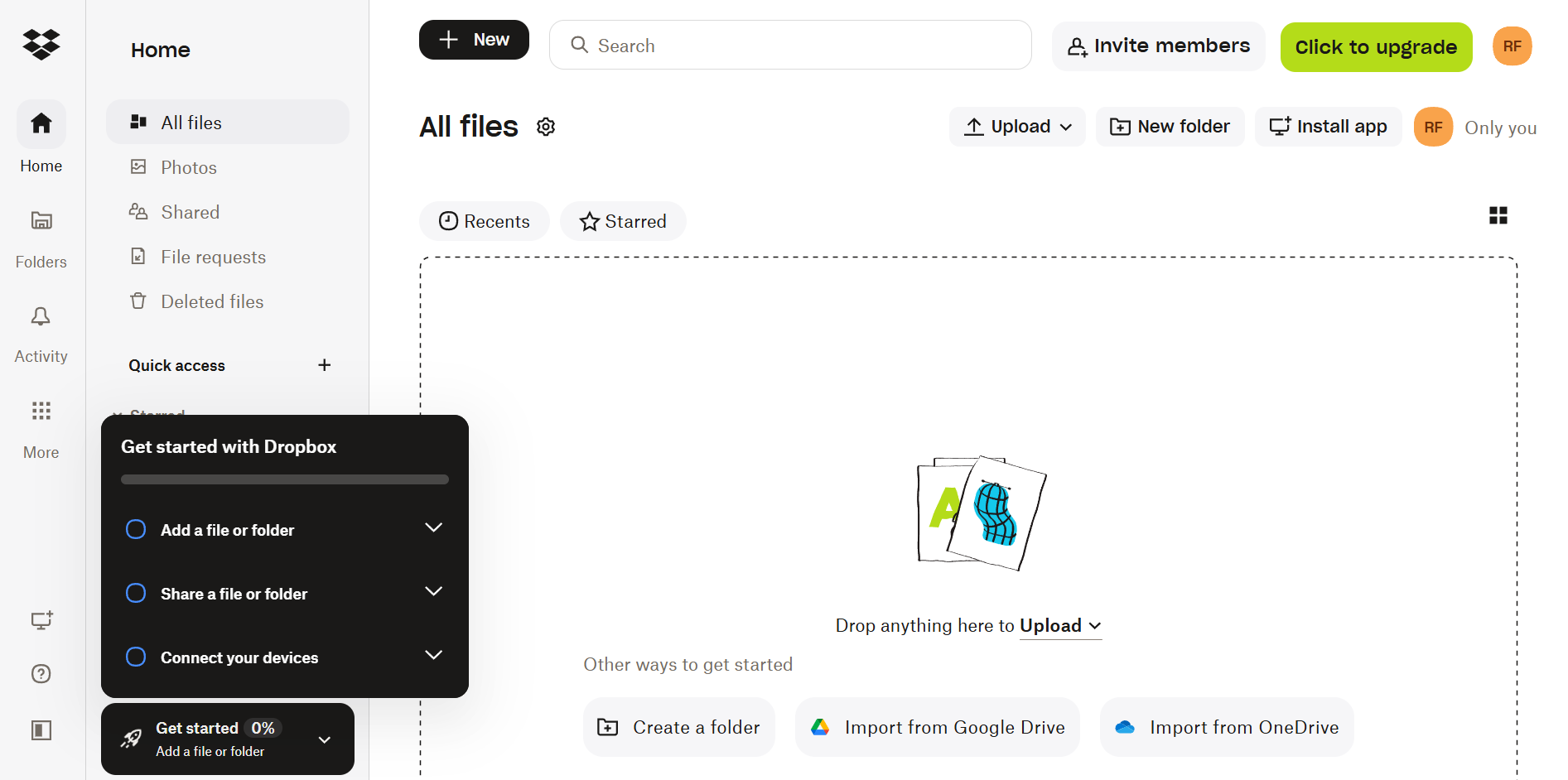
Dropbox setup interface for configuring a workspace and getting started with file storage and collaboration.
Kanbanchi’s Kanban, List, Gantt, and Team Workload views are visible as tabs on your board from the first screen. Cards display assignees, due dates, and color labels, so a project lead can conveniently scan each task’s status without needing to open anything.
Kanbanchi’s ‘tasks and owners’ model is much more intuitive compared to Dropbox’s files and folders if you’re evaluating a Dropbox alternative for project tracking.
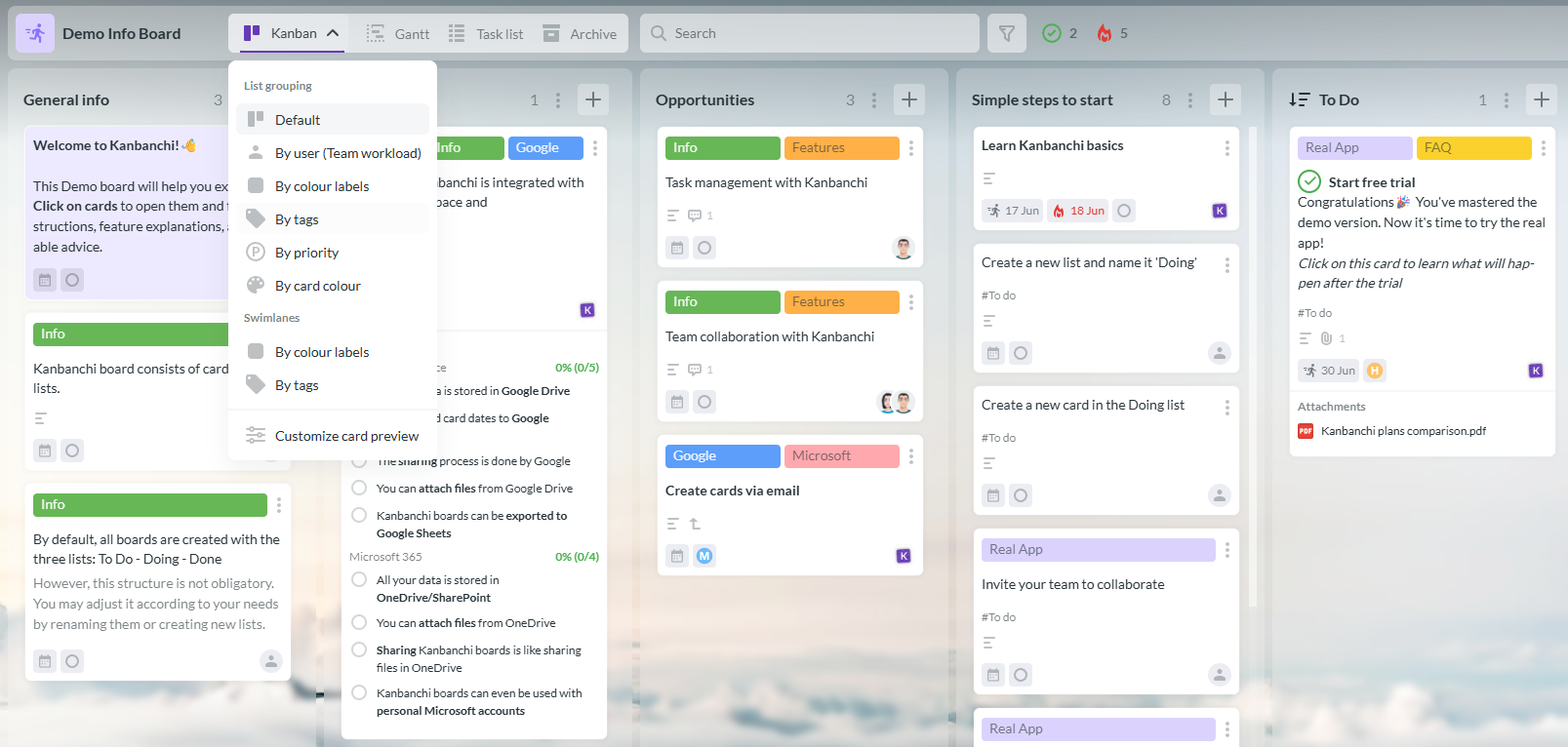
Kanbanchi demo board with tasks organized in a visual workflow
Dropbox itself takes only minutes to set up. You start by creating an account and installing the desktop app, before dragging files in. But if your goal is task tracking, setup isn’t finished at that point. You still need to build a Paper doc and structure a checklist, not to mention train the team to check documents instead of a dashboard, since there’s no template built for board-style planning.
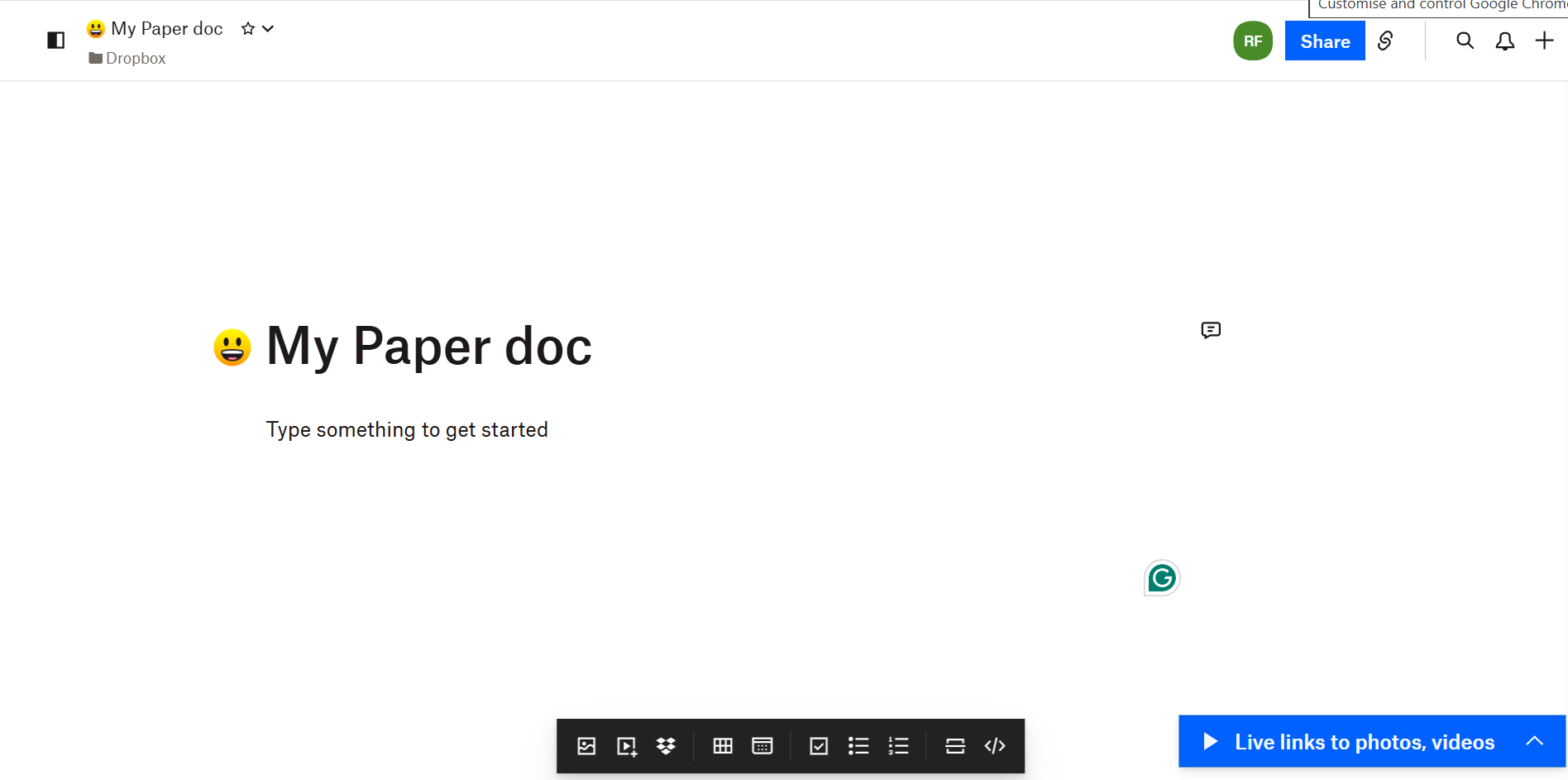
Dropbox Paper document for collaborative project planning and documentation
Kanbanchi’s setup looks more like creating a shared spreadsheet. You’ll first add a new board and lists for each stage of work, inviting the team. You can then start adding cards, optionally from a board template rather than a blank canvas.
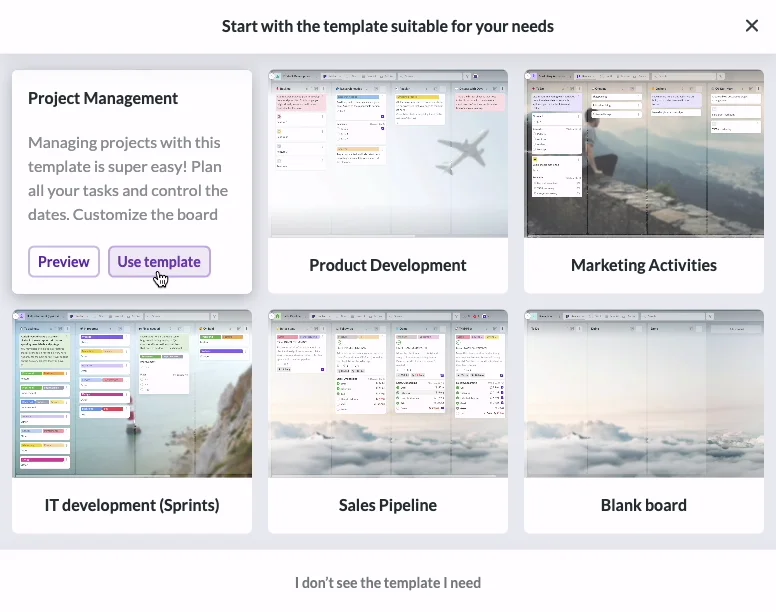
Kanbanchi board templates make it easy to get started with project and task management
The account creation process is pretty fast for both tools, but Kanbanchi is quicker in terms of getting an actual project running.
Every task you create in Kanbanchi’s task management software moves through defined stages, with each one visible on a structured card, which features:
They’re also filterable and sortable, in either List View or on a timeline in Gantt. This layout means you can view the whole board’s status in one glance.
Dropbox Paper’s to-do list is a formatting feature inside a document, essentially a checkbox with an @mention and a due date attached. There isn’t a board to drag a task across, and there’s also no Gantt chart or dedicated view of each person’s workload across multiple docs.
This isn’t much of an issue for small teams. But it can be a problem if you’re running several projects at once, since nothing connects one doc’s to-do list to another’s.
Dropbox’s biggest strength is its storage, which supports up to 15,000 GB on Advanced. Its higher tiers also offer a year of version history, ideal if you need to recover accidentally overwritten files. There are also useful features like file locking and 256-bit encryption, along with a fast sync engine.
Kanbanchi doesn’t sell storage at all. Instead, it attaches files directly from Google Drive or Shared Drives to cards without creating duplicate copies. This means there’s no additional storage expense if you already pay for Google Workspace, unlike costs we’ll discuss later in the Dropbox pricing breakdown.
Dropbox’s biggest recent investment is Dash. It’s an AI search and organization tool that indexes content across connected apps and answers natural-language questions about your files. Dropbox has removed some of its other secondary apps, but Dash has become central to its 2026 product strategy as it’s genuinely useful for scattered content.
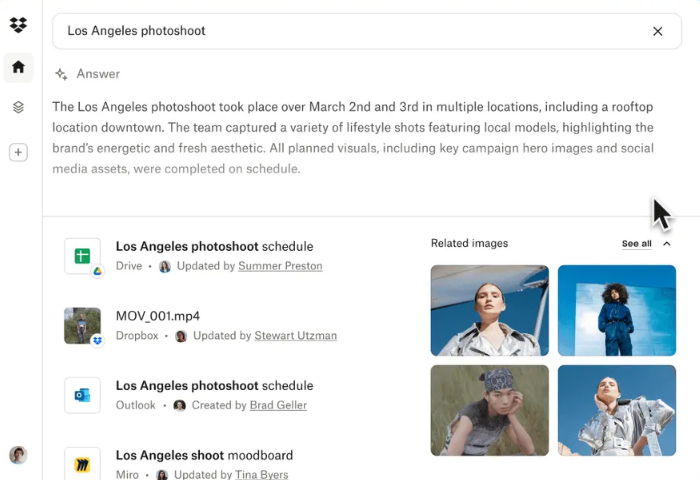
Dropbox Dash search helps users quickly find files and information across connected content
Kanbanchi has native search and filtering that fits with its boards and cards, rather than AI search. There’s also Google’s own indexing, since boards live as files inside Drive.
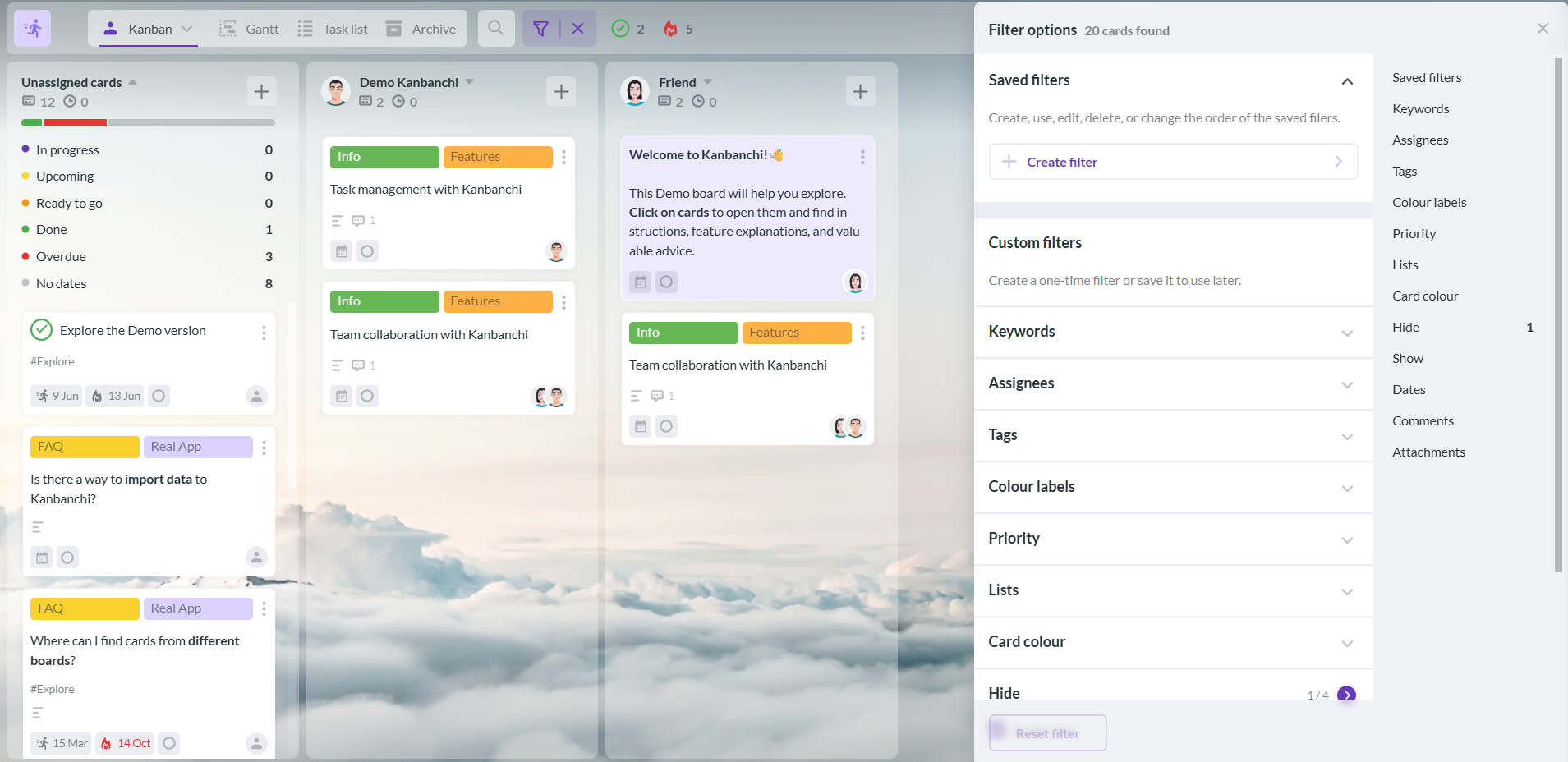
Kanbanchi filter panel helps users quickly find and focus on specific tasks
Dash is a stronger tool if you’re mainly looking for documents, but if you need to clearly see deadlines and who owns each task, Kanbanchi is better.
Dropbox handles sensitive files for large enterprises, so its security credentials are broad compared to Kanbanchi: SOC 2 Type II, SOC 3, ISO 27001, 27017, and 27018 certifications, GDPR and CCPA compliance, and support for HIPAA-conscious workflows on higher tiers. Advanced and Enterprise plans add tiered admin roles, granular sharing controls, audit logs, and single sign-on.
Kanbanchi holds SOC 2 Type II, ISO/IEC 27001:2022, CASA Tier 2, and CSA STAR Level 1. Its data protection practices are consistent with GDPR, and the platform can support HIPAA-conscious use with the right configuration, though compliance obligations remain the customer’s either way.
In terms of permissions, Kanbanchi’s sharing model is simpler, mirroring whichever Google or Microsoft ecosystem you currently work in. With Google, you get the same Owner, Editor, Commenter, and Viewer permissions, so there’s no second permission system for you to learn. Sharing with Google Groups is also available on Enterprise.
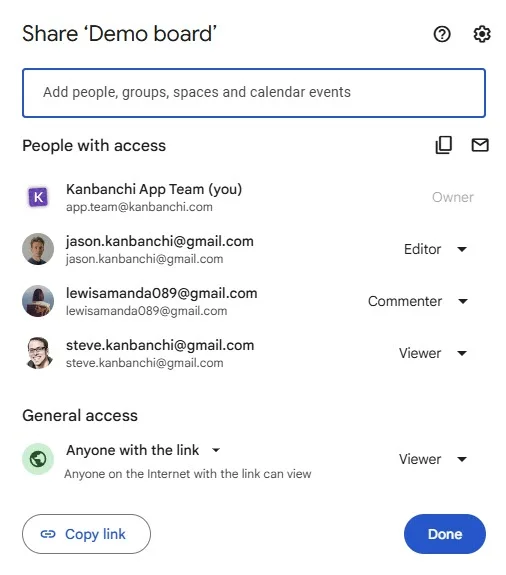
Kanbanchi sharing permissions let teams control who can access and collaborate on project boards
Dropbox has a wide integration catalog, including native connections with:
You can also connect to thousands more apps through Zapier, and there are dedicated collections for creative work, marketing, sales, and project tools. There’s a Google Workspace connector for creating Docs, Sheets, and Slides from Dropbox, too, though those files live in Google Drive rather than syncing with Dropbox’s own storage.
Kanbanchi may not have so many integrations, but those it does offer are much deeper for Google Workspace project management:
Dropbox’s catalog is clearly bigger, but the integration points above cover everything you need for daily task tracking that fits neatly into Google Workspace.
Dropbox’s iOS and Android mobile apps are built around file access, allowing you to browse folders, preview documents, upload photos, and sign PDFs on the go. It’s a mature app, rated 4.3/5 on Google Play, with reviewers noting that document scanning and offline access work well.
However, Dropbox Paper no longer has a dedicated mobile app. Instead, your task checklists can only be reached through a mobile browser.

Dropbox mobile web version provides browser-based access to files and project content on smaller screens
Kanbanchi’s mobile app, available for Android, mirrors the desktop board experience. It doesn’t offer a separate file-focused view, but you can browse boards, update cards, add comments, and check due dates without losing the board’s structure.
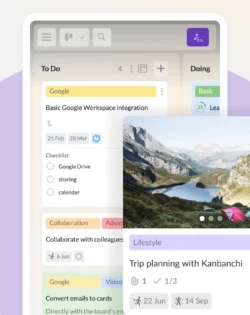
Kanbanchi Android app lets users manage tasks and project boards from a mobile device
Overall, Dropbox’s app is purpose-built for file access on the go. Kanbanchi is best for checking or updating task lists away from your desk.
The level of support you’ll receive through Dropbox depends on your plan.
Plus, Standard, and Advanced customers get live chat during business hours, 9am to 5pm Monday through Friday, plus email responses within one business day. Enterprise customers have access to 24/7 live chat on weekdays and 24/7 phone support seven days a week. There’s also a one-hour email response commitment
There’s less of a limit to the support Kanbanchi offers, even if you’re on the free plan.
Every tier has access to support and the knowledge base, with Professional and Enterprise adding priority handling. You also won’t get a scripted response from customer service teams. Instead, team members are trained to resolve the issues specific to your organization’s workflows, and will stay with you until the problem is resolved.
Dropbox pricing scales mainly with storage rather than task management capability. Paper’s checklist tools are available at every tier, and all paid plans include a 30-day free trial.
Kanbanchi charges per seat, with costs falling as the team size grows. The free plan is permanent, not a trial, with unlimited users and projects, and capped at 36 active cards per project. Nonprofits and educators also get a 25% discount on annual Premium, Professional, and Enterprise plans.
| Tier | Kanbanchi (annual billing) | Dropbox (monthly rate) |
|---|---|---|
| Free | Unlimited users, unlimited projects, 36 active cards per project | 2 GB storage, 1 person |
| Entry paid | Essential: $3.97/user/month | Plus: $9.99/month, 1 person, 2,000 GB |
| Team | Premium: from $11.97/month | Standard: $15/user/month, 3,000 GB for the team |
| Advanced | Professional: from $24.47/month | Advanced: $24/user/month, 15,000 GB for the team |
| Enterprise | From $9.95/month | Custom quote |
Let’s consider what these costs look like for a 10-person Google Workspace team over a year:
On Dropbox Standard, you’ll pay $15 per user per month, or $1,800 a year. This covers 3,000 GB of shared storage that a task-tracking-focused team may never come close to using if its files are already stored in Google Drive.
On Kanbanchi Pr at $26.97 per user per month, the same team pays roughly $3,236 a year, but gets Gantt scheduling, time tracking, and Team Workload views included. File attachments are also pulled from Drive storage, which the team is already paying for.
The planning tools you get with Kanbanchi are important if your priority is task tracking, something Dropbox doesn’t offer at any tier. But if your real need is storage, Dropbox pricing allows you access to capacity Kanbanchi was never built to sell.
Whether you’re vetting Kanbanchi as a Dropbox alternative or considering Dropbox for the first time, here’s a closer look at both tools side by side:
| Choose Kanbanchi if… | Choose Dropbox if… |
|---|---|
| Your team’s main bottleneck is knowing who owns what and by when | Your team’s main bottleneck is moving and storing large files |
| You need boards, Gantt charts, or workload views for planning | You need e-signature or video review built into the same tool |
| You’re already running on Google Workspace or Microsoft 365 | You’re already deep in Dropbox’s ecosystem for file sharing |
| You want support that solves problems instead of following a script | You want AI-powered search across scattered content |
Our final verdict in this Kanbanchi vs Dropbox review comes down to use case, as each tool was designed to solve a different pain point.
Dropbox is best if you need to store and share large files, or if you’re looking for e-signatures and video reviews in your daily work. Dash AI search is a huge benefit if you’re struggling with scattered content, even if it has nothing to do with tracking a task through to completion.
Choose Kanbanchi if you’ve outgrown checklists inside a shared document and need an actual board, Gantt chart, or workload view for task tracking and Google Workspace project management. We’d recommend it especially as a Dropbox alternative if you’re already running on Google Workspace or Microsoft 365.
Ready to discover a real project management system? Start your free Kanbanchi board today.
Kanbanchi is a strong Dropbox alternative for teams that need real task and project tracking. Dropbox’s only planning tool, Dropbox Paper, offers checklists inside documents rather than boards or Gantt charts. It isn’t a file storage replacement, so most teams keep Dropbox or Google Drive for storage and add Kanbanchi for planning.
Dropbox pricing starts at $15 per user per month for the Standard team plan, covering 3,000 GB of shared storage. Kanbanchi charges from $3.97 per user per month on Essential, with a permanent free plan available. The main difference is what you’re paying for: Dropbox sells storage capacity, while Kanbanchi sells structured task tracking.
You can use Dropbox Paper as basic task management software, adding checklists, due dates, and @mentions inside a document. It lacks a board view, Gantt chart, or dedicated workload view, so teams managing more than a handful of tasks across multiple projects typically outgrow it quickly.
Yes, Kanbanchi was built for Google Workspace project management, with single sign-on, Google Calendar sync, a Gmail add-on for creating cards from email, and direct Google Drive integration. A Microsoft 365 version is also available for teams that prefer Microsoft sign-in.
Dropbox retired Paper’s dedicated mobile and desktop apps in October 2025, moving access to paper.dropbox.com only. The change came as Dropbox shifted investment toward Dash, its AI search product, a signal that task management inside Paper isn’t where the company’s roadmap is heading next.
Read more articles related to Project Management


In this Article:
Start using Kanbanchi now
Start your free trial