-  views

Project Management Platforms That Scale With Your Team

Try Kanbanchi now

Start your free trial

 

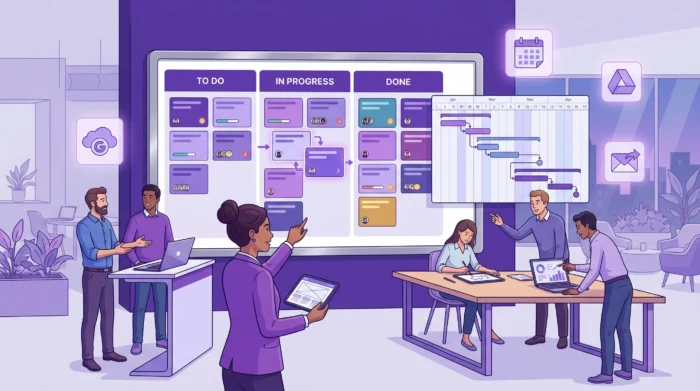
Project Management Platforms That Scale With Your Team - Main Image

Growth is exciting until your project tool becomes the bottleneck.

Most teams start with something lightweight (a shared spreadsheet, a basic task list, a chat channel). It works, right up until headcount, stakeholders, and parallel projects multiply. Then you get familiar symptoms: duplicated updates, unclear ownership, missed deadlines, “Where is the latest version?”, and managers building shadow reports.

Choosing a platform that can scale with your team is less about buying the “most powerful” software and more about picking a system that can grow in three directions at once: more people, more work, and more complexity, without making work harder.

What “scaling” really means for project management platforms

When people say they need a platform that scales, they usually mean one (or more) of these realities:

1) Scaling users and teams

Your tool should still feel fast and understandable when you add new departments, contractors, and leadership stakeholders.

2) Scaling the number of projects

A platform should support many concurrent initiatives without forcing you to rebuild your structure every quarter.

3) Scaling process maturity

As you grow, you tend to introduce:

  • More defined workflows (intake, prioritization, approvals)
  • More planning needs (timelines, dependencies, milestones)
  • More governance (standard templates, permissions, reporting)

4) Scaling security and compliance expectations

Even if you are not an “enterprise,” customer and internal requirements rise quickly: access control, data handling, and security reviews become normal.

Read more articles about Project Management here

Common scaling pain points (and what they cost you)

These are the predictable failure points when a team outgrows its current approach.

Work gets lost between “systems of record”

If your project plan lives in one tool, files in another, and decisions in email or chat, execution becomes a scavenger hunt. The cost is not just time, it’s missed context.

Leadership wants reporting, teams want flow

Teams need a simple way to execute day-to-day. Leaders need progress visibility across projects. If your platform can’t provide both, you end up with manual status work.

Dependencies become invisible

As projects expand, your “tasks” stop being independent. Without timeline planning (and a clear view of who is doing what when), dates slip silently.

New hires can’t ramp

A scalable platform helps new people see the workflow, understand priorities, and find the relevant documents quickly.

Admin overhead explodes

More users means more boards, more permissions questions, more requests like “Can we standardize this?” or “How do we prevent people from changing the wrong thing?”

The capabilities that matter in project management platforms that scale

There’s no universal checklist, but scalable platforms tend to share the same core strengths.

A visual execution layer (so work stays understandable)

At scale, clarity beats complexity. Many teams use visual workflows to reduce ambiguity about status, ownership, and next steps.

A Kanban board is often the anchor view because it communicates:

  • What is in progress right now
  • What is blocked
  • What is done

If you use Kanban-style work management today, a scalable platform should support richer organization techniques over time (for example, separating work by projects, teams, or phases).

Kanbanchi, for instance, is built around Kanban boards and includes features like Swimlanes for visual separation and Card Aging to highlight work that is stuck.
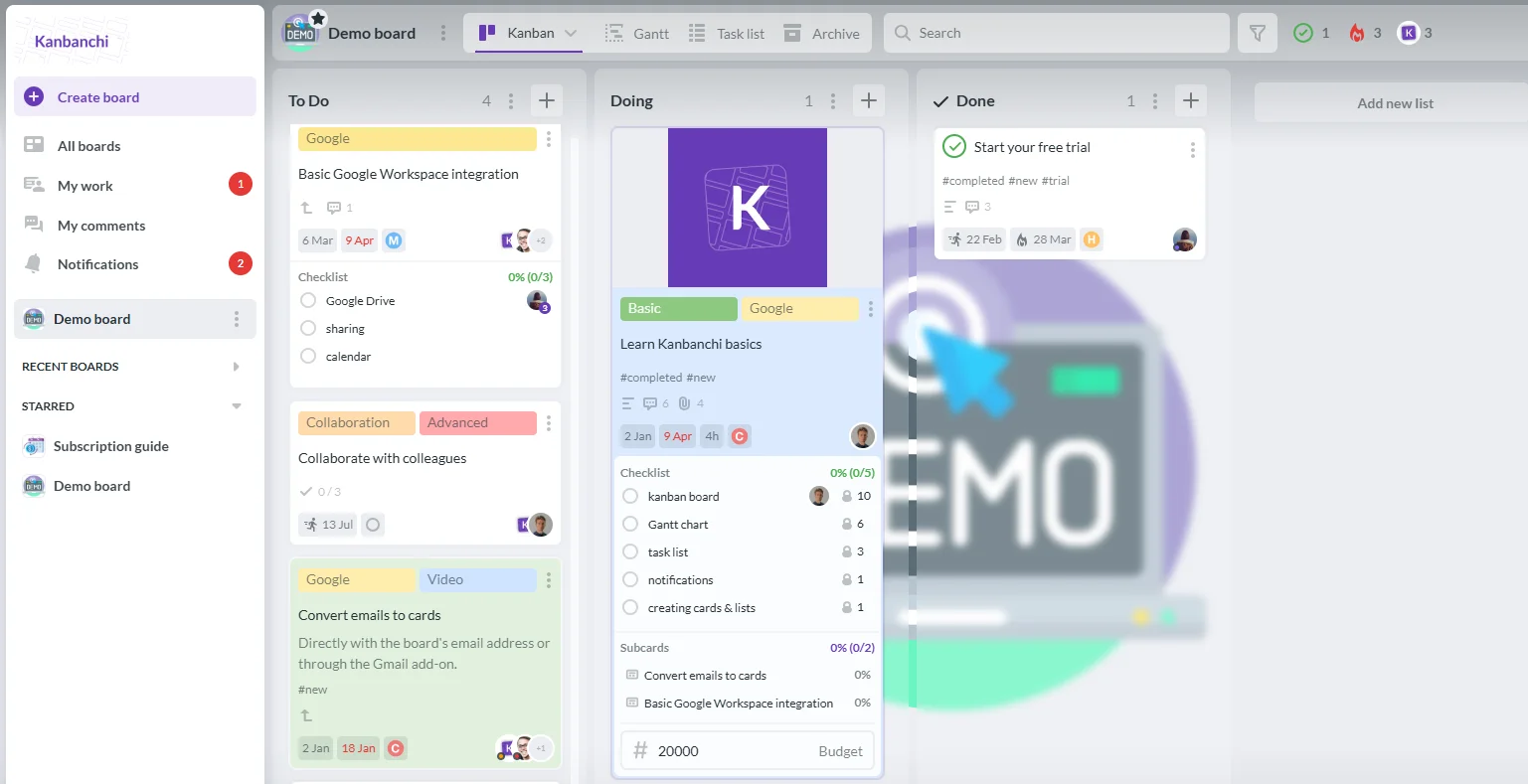
Kanbanchi kanban board for task management
Kanban view in Kanbanchi organizes tasks across project management platforms

Multiple views for planning (especially timelines)

Execution views alone rarely scale. When more stakeholders care about dates and coordination, you need timeline planning.

A scalable platform typically offers:

  • A board view for flow and day-to-day work
  • A timeline view (often a Gantt chart) for planning, milestones, and coordination

Kanbanchi includes both a Kanban board and a Gantt chart view, which is especially useful when your team grows beyond a single stream of work.

Built-in collaboration where your team already works

Scaling often fails because teams spend too much time switching tools.

If your company runs on Google Workspace or Microsoft 365, consider platforms that work naturally with that environment.

Kanbanchi is designed for Google Workspace and is also compatible with Microsoft 365, with integrations that help reduce context switching (for example, Google Drive file storage, Gmail task creation, and Google Calendar sync).

If you want a quick product-level overview, see What Is Kanbanchi?.

Standardization tools (templates and repeatable structures)

When you have one team, you can rely on tribal knowledge. When you have many teams, you need repeatable starting points.

Templates help scale:

  • Project setup
  • Naming conventions
  • Common workflows (marketing campaigns, onboarding, product launches)

Kanbanchi supports templates via Board Templates, which can reduce the “blank board problem” as you onboard new teams.

Progress tracking and reporting you can trust

At a certain size, “status meetings” become a symptom. You want fewer meetings because your platform makes progress visible.

Look for:

  • Clear ownership and due dates
  • A way to see work across boards
  • Progress tracking and reporting

Kanbanchi includes progress tracking and features like My Work, which help individuals and managers track assigned work across boards.

Time tracking (so you can scale delivery predictably)

As teams grow, the most common planning failure is not “we did not work hard enough,” it’s “we did not understand capacity.”

A scalable platform often includes time tracking so you can:

  • Understand where time goes
  • Compare estimates and actuals (process improvement)
  • Improve forecasting

Kanbanchi includes a Time Tracker, which is particularly useful for agencies, professional services, and internal teams that want better capacity signals.
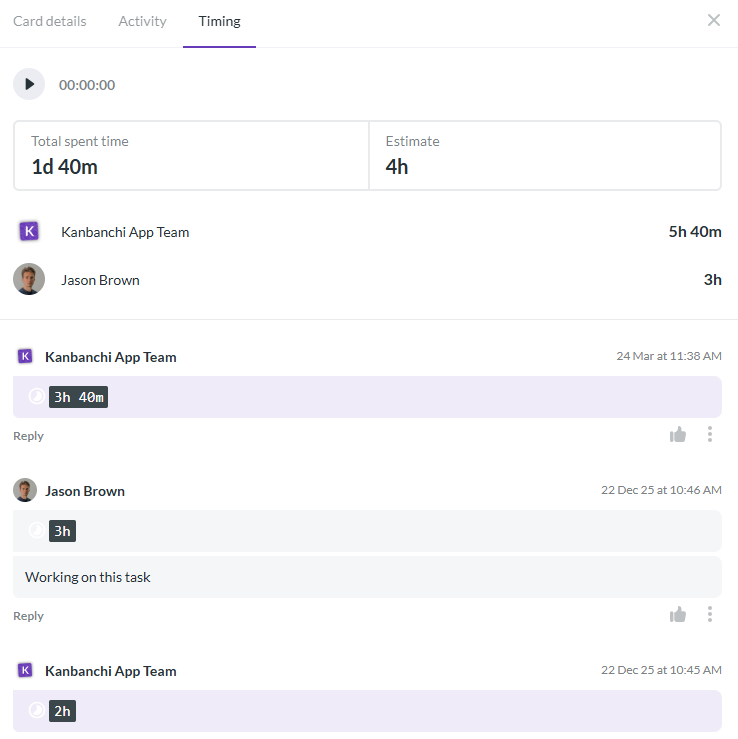
Kanbanchi time tracker in project management platform
Time tracking feature in Kanbanchi improves task monitoring within project management platforms

Practical admin control, security, and compliance

Scaling introduces more sensitive work and more risk.

At minimum, you should be able to answer:

  • Who can access which boards?
  • How is data handled?
  • Does the vendor support enterprise-grade security expectations?

Kanbanchi is positioned as an all-in-one tool with enterprise-level security and compliance, which matters as procurement and IT reviews become part of your buying process.

A quick “scaling map”: what to prioritize at each growth stage

Different features matter at different stages. Use this table to prioritize based on where you are now.

Team stageWhat breaks firstWhat to prioritize in a platform
5 to 15 peopleVisibility and ownershipClear task assignment, simple workflow visualization, shared files and comments
15 to 50 peopleCoordination across projectsMultiple views (board + timeline), templates, cross-board task visibility
50 to 200 peopleGovernance and reportingStandardized workflows, permissions patterns, reliable reporting and progress tracking
200+ peopleRisk, compliance, and scale operationsEnterprise security posture, admin controls, integrations with your core suite, consistent rollout model

How to evaluate project management platforms (without overbuying)

The best selection process is not a feature bake-off. It’s a fit check against your workflows and constraints.

Start with your “work system,” not a tool wishlist

Write down:

  • The types of work you run (projects, requests, recurring processes)
  • The teams involved
  • Where work starts (email, meetings, forms, support tickets)
  • What success looks like (speed, quality, predictability)

This keeps you from buying an advanced platform that solves problems you don’t have yet.

Define your non-negotiables

Typical non-negotiables when scaling include:

  • A board view that teams actually like using
  • A timeline view for planning (if you manage deadlines across teams)
  • Time tracking (if capacity and utilization matter)
  • Integration with Google Workspace or Microsoft 365 (if those are your primary environments)
  • Security and compliance alignment (if IT will review)

Kanbanchi’s core combination (Kanban board, Gantt chart, Time Tracker, plus Google Workspace integration) is designed around exactly these “growth-stage” needs.

Pilot with a real project (and measure friction)

Pick one project that represents your reality:

  • Multiple stakeholders
  • Real deadlines
  • A mix of task types

During the pilot, pay attention to:

  • How quickly people adopt the workflow
  • Whether leadership can self-serve progress visibility
  • How often people fall back to spreadsheets

If you want a structured approach, Kanbanchi has a broader guide on selection in How to Choose the Best Project Platform for My Team?. This article focuses specifically on scaling considerations.

Check “scale behaviors” early

Before you commit, ask:

  • Can we standardize project setup with templates?
  • Can we view work by person and not just by board?
  • Can we plan in a timeline when dependencies appear?
  • Can we keep files attached to the work without creating duplicates?

If your platform cannot support those behaviors, scaling will be painful.
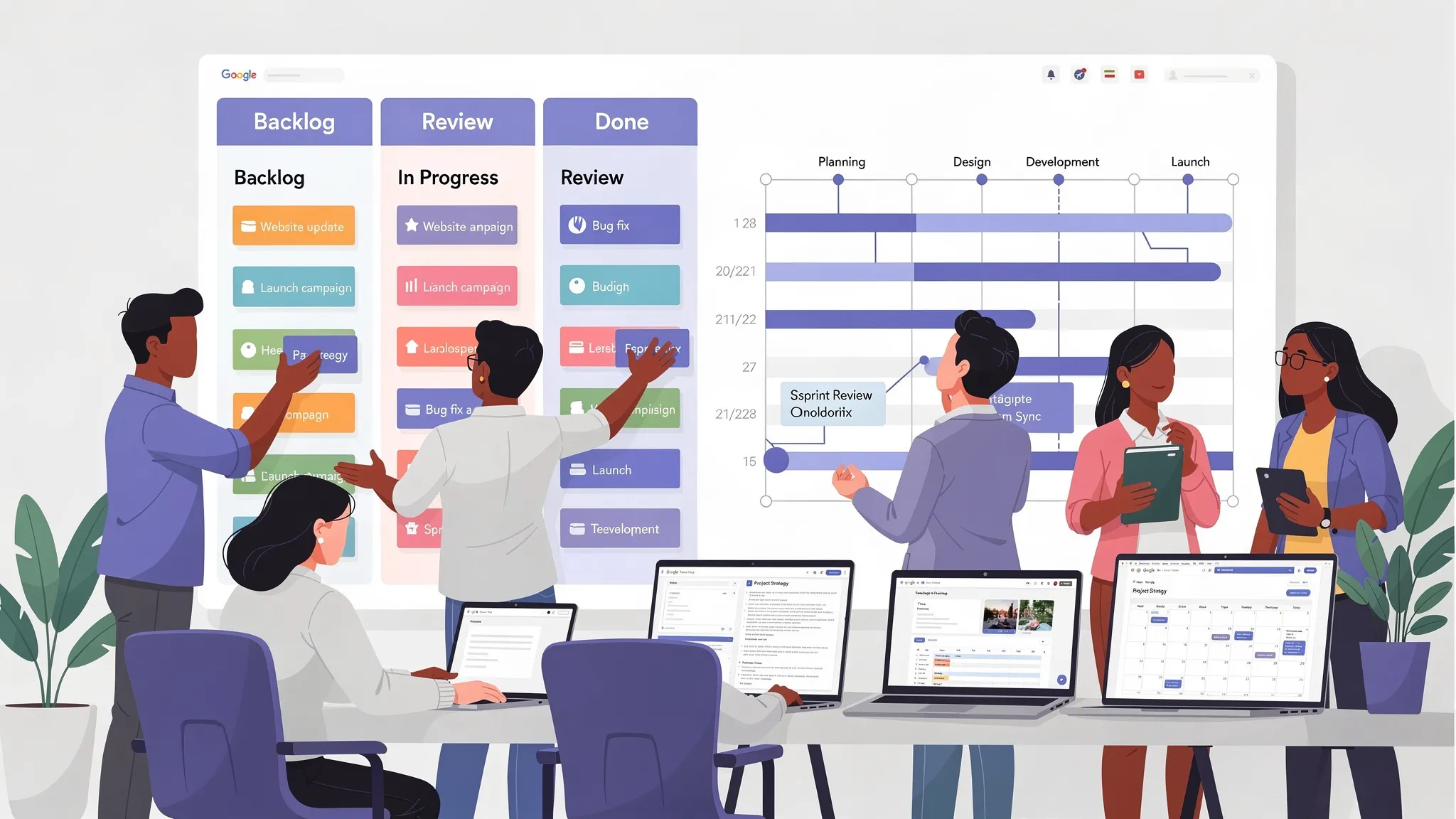
A growing team collaborating around a wall-sized project board with a kanban workflow and a timeline plan side by side, using Google Workspace files and calendar dates to coordinate tasks.
Modern workflows and interconnected tools highlight how project management platforms enhance productivity, organization, and seamless team coordination across complex tasks

Why Google Workspace (and Microsoft 365) integration becomes more important as you scale

Integration is not a nice-to-have when your organization grows. It is how you:

  • Reduce app switching
  • Keep context attached to work
  • Make adoption easier for new hires

Kanbanchi is built for teams that live in Google Workspace, with capabilities such as:

  • Google Drive file storage to keep project files connected to tasks
  • Gmail task creation to convert actionable emails into work items
  • Google Calendar sync to connect dates and schedules

It also supports Microsoft 365 compatibility, which can matter in hybrid environments or during transitions.

Where Kanbanchi fits among project management platforms that scale

Kanbanchi is a strong fit when you want a scalable platform without forcing your team into an overly complex system.

It’s particularly relevant if:

  • Your organization runs on Google Workspace and wants project management that fits that ecosystem
  • You need both visual execution (Kanban) and planning (Gantt)
  • You want built-in time tracking without adding another app
  • You care about adoption and need teams productive quickly

As your usage grows, features like Swimlanes, Card Aging, and cross-board task visibility via My Work help maintain clarity even when the number of cards, boards, and stakeholders increases.

If you are migrating from another tool, Kanbanchi also supports imports (for example, see importing from Trello), which can reduce friction during rollout.
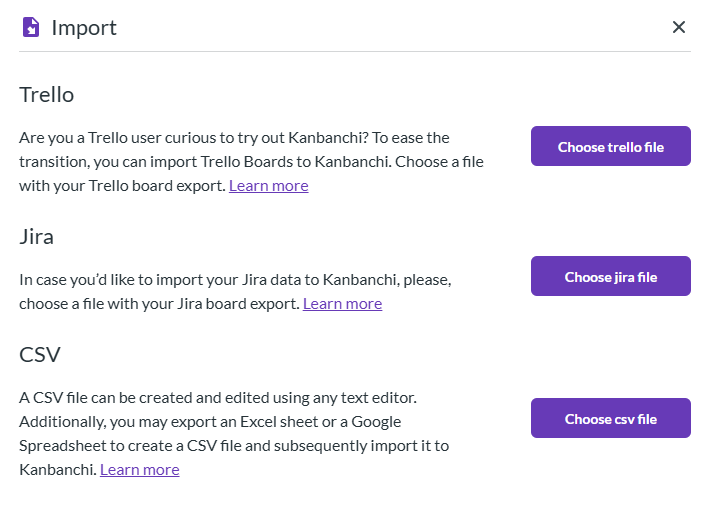
Kanbanchi project management platform import options menu
Import tools in Kanbanchi streamline data migration across project management platforms

A practical rollout approach for scaling teams

Most “tool failures” are rollout failures. A simple, scalable approach is:

  • Start with one workflow that everyone understands (for example, To do, In progress, Done)
  • Add templates once the workflow works
  • Introduce the Gantt chart for projects that truly need timeline planning
  • Add time tracking where it improves forecasting or profitability (not as surveillance)
  • Build lightweight governance (naming conventions, ownership rules, and review cadence)

For teams that want a repeatable planning structure, you may also find it useful to pair your platform with an action plan approach. Kanbanchi has a detailed guide here: Action Plan Guide for Teams.

Frequently Asked Questions

What are the signs we’ve outgrown our current project management tool? Common signs include duplicate status updates, unclear ownership, manual reporting, missed dependencies, and constant context switching between tasks, files, and calendars.

Which features matter most when choosing scalable project management platforms? Prioritize workflow visibility (Kanban), timeline planning (Gantt or similar), cross-team reporting, time tracking (if capacity matters), integrations with your core suite, and security/compliance fit.

Do we need a Gantt chart as we scale? Not always, but it becomes valuable when multiple teams share deadlines, work has dependencies, or leadership needs a clear timeline view for planning and coordination.

How can we reduce tool fatigue during rollout? Choose a platform that fits where people already work (for example, Google Workspace), start with one simple workflow, and standardize using templates after the team is comfortable.

Is Kanbanchi a good fit for growing teams in Google Workspace? Yes, Kanbanchi is designed for Google Workspace teams and combines Kanban boards, a Gantt chart, and a Time Tracker with Google integrations like Drive, Gmail task creation, and Calendar sync.

Scale your workflow without scaling chaos

If you want a project management platform that grows with your team (without adding unnecessary complexity), Kanbanchi is worth a look.

Explore how Kanbanchi supports scalable collaboration with Kanban boards, Gantt chart planning, time tracking, progress reporting, and Google Workspace integration at Kanbanchi.


Try Kanbanchi today

    MultipleAuthors\Classes\Objects\Author Object
    (
        [term_id] => 918
        [term:MultipleAuthors\Classes\Objects\Author:private] => 
        [metaCache:MultipleAuthors\Classes\Objects\Author:private] => Array
            (
                [user_email] => lyubov.kozlova@kanbanchi.com
                [user_id] => 7
                [first_name] => Lyubov Kozlova
                [last_name] => 
                [job_title] => Blog editor and PM expert at Kanbanchi
                [description] => Helping Project Managers Use Kanbanchi for Effective Team Collaboration
                [user_url] => https://uk.linkedin.com/in/lyubov-kozlova-167906181
            )
    
        [userObject:MultipleAuthors\Classes\Objects\Author:private] => WP_User Object
            (
                [data] => stdClass Object
                    (
                        [ID] => 7
                        [user_login] => lyubov.kozlova
                        [user_pass] => $wp$2y$10$GPJi4BJo10p1GiS9f9aHZOJSmPdgPi1hpFiwLGdEULUf5r0oHbJ06
                        [user_nicename] => lyubov-kozlova
                        [user_email] => lyubov.kozlova@kanbanchi.com
                        [user_url] => https://uk.linkedin.com/in/lyubov-kozlova-167906181
                        [user_registered] => 2019-03-21 13:04:32
                        [user_activation_key] => 
                        [user_status] => 0
                        [display_name] => Lyubov Kozlova
                    )
    
                [ID] => 7
                [caps] => Array
                    (
                        [editor] => 1
                        [author] => 1
                        [contributor] => 1
                    )
    
                [cap_key] => wp_capabilities
                [roles] => Array
                    (
                        [0] => editor
                        [1] => author
                        [2] => contributor
                    )
    
                [allcaps] => Array
                    (
                        [moderate_comments] => 1
                        [manage_categories] => 1
                        [manage_links] => 1
                        [upload_files] => 1
                        [unfiltered_html] => 1
                        [edit_posts] => 1
                        [edit_others_posts] => 1
                        [edit_published_posts] => 1
                        [publish_posts] => 1
                        [edit_pages] => 1
                        [read] => 1
                        [level_7] => 1
                        [level_6] => 1
                        [level_5] => 1
                        [level_4] => 1
                        [level_3] => 1
                        [level_2] => 1
                        [level_1] => 1
                        [level_0] => 1
                        [edit_others_pages] => 1
                        [edit_published_pages] => 1
                        [publish_pages] => 1
                        [delete_pages] => 1
                        [delete_others_pages] => 1
                        [delete_published_pages] => 1
                        [delete_posts] => 1
                        [delete_others_posts] => 1
                        [delete_published_posts] => 1
                        [delete_private_posts] => 1
                        [edit_private_posts] => 1
                        [read_private_posts] => 1
                        [delete_private_pages] => 1
                        [edit_private_pages] => 1
                        [read_private_pages] => 1
                        [wpseo_bulk_edit] => 1
                        [copy_posts] => 1
                        [ppma_edit_post_authors] => 1
                        [ppma_edit_own_profile] => 1
                        [editor] => 1
                        [author] => 1
                        [contributor] => 1
                    )
    
                [filter] => 
                [site_id:WP_User:private] => 1
            )
    
        [hasCustomAvatar:MultipleAuthors\Classes\Objects\Author:private] => 1
        [customAvatarUrl:MultipleAuthors\Classes\Objects\Author:private] => Array
            (
                [url] => https://www.kanbanchi.com/wp-content/uploads/2025/08/photo_2019-01-17_12-45-57-1.jpg
                [url2x] => https://www.kanbanchi.com/wp-content/uploads/2025/08/photo_2019-01-17_12-45-57-1.jpg
            )
    
        [avatarUrl:MultipleAuthors\Classes\Objects\Author:private] => 
        [avatarBySize:MultipleAuthors\Classes\Objects\Author:private] => Array
            (
                [96] => 
                [80] => 
                [50] => 
            )
    
    )
    
  • Blog editor and PM expert at Kanbanchi

    Helping Project Managers Use Kanbanchi for Effective Team Collaboration

    All articles
Share

Try Kanbanchi now

  • Collaborate seamlessly
    with your team
  • Integrate Kanbanchi
    with Google or Microsoft
  • Manage all your work in one place
Start for free

Start using Kanbanchi now

Start your free trial