
In this Article:
Try Kanbanchi now
Start your free trial


Search Engine Optimization (SEO) is a high-stakes and fast-moving industry with no margin for error. If you miss an algorithm change or a broken backlink, it can have huge consequences. You can lose months of hard work due to a simple oversight like this. We’ll be looking at a detailed, objective comparison covering the top tools. This will help you make an informed choice regarding the SEO project management tools you can choose from.
We also need to take into account that it’s the type of industry where changes are regularly introduced. If you want to continue being successful, you need a plan that takes into account what’s worked in the past and whether any changes will be needed in the future.
Managing a successful SEO campaign also involves pulling together efforts from various areas. You might have a large team split over several locations, taking care of different aspects. It also takes a range of skills to make these campaigns a success. This is where dedicated project management tools are vital for keeping complex campaigns under control and on track.
For example, Kanbanchi is a strong Google Workspace-native option that provides a gentle learning curve to help teams get started easily without any unwanted surprises.
The first point we need to consider is that SEO workflows represent a unique challenge. They need to pull together such a wide range of details that standard project management (PM) tools are often found to be lacking. To fully assess why a dedicated option is necessary, we need to look more closely at the various areas where SEO workflows present challenges that only specialist project management software for SEO can fix.
The content written for SEO campaigns isn’t something that just appears out of nowhere. It needs to pass through a long and often complex pipeline that involves tasks such as keyword research, the creation of a brief, the writing of the first draft, and so on. To get published, it needs to pass all these stages at the right time and in the right way.
When we look at the technical side of SEO, it’s easy to see why it’s commonly classed as a task that is never fully completed. Fresh updates and other changes can lead to major issues if they’re not handled correctly. This is why ongoing technical audits need to be scheduled to look for broken links, any duplicate content, and other potential problems.
This crucial link-building element of SEO project management is the part that can greatly increase your reach. It involves tasks such as tracking prospects, staying in control of the email threads, and making sure that the agreed-upon links go live as planned. Handling this part of the workflow incorrectly can lead to poor use of the budget and a poor reputation being gained among publishers.
A large group of team members needs to play their part in your SEO campaigns. This means that you need a high level of collaboration that allows everyone to stay up to date with other people’s tasks and how everything fits together to bring success. SEO campaign management software needs to provide the right tools for this.
PM Tools That Help Teams Plan and Deliver Better
General PM tools often fall short because they don’t fit all of the categories above. These software solutions aren’t designed with the SEO workflow and task management in mind, which means that they don’t offer all of the processes and tools that are needed to support this type of workflow. That’s why it’s crucial to look out for tools that address your team’s needs. Here at Kanbanchi, we are constantly monitoring the market to review tools that are helpful for marketing teams and to improve our own software.
The volatile nature of keywords makes it difficult to research and track them, since they can shift from one month to the next. That’s why a system that tracks live data and can be integrated smoothly with task lists is essential, but this isn’t included in standard PM software.
When choosing SEO project management tools, you need to consider the reasons you need this type of solution. By considering why you need the right software, it’s possible to work out the main criteria to take into account when assessing the options.
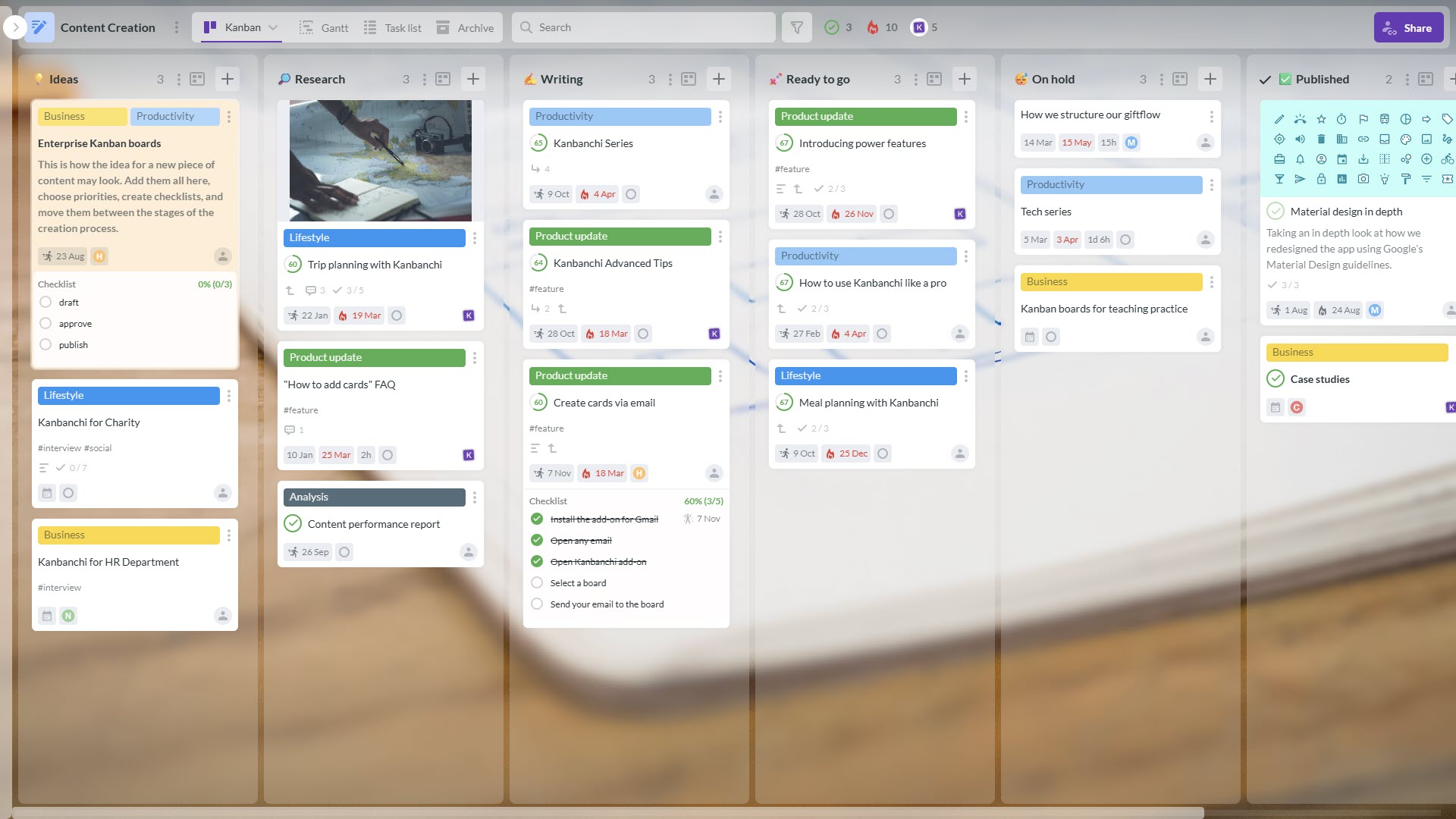
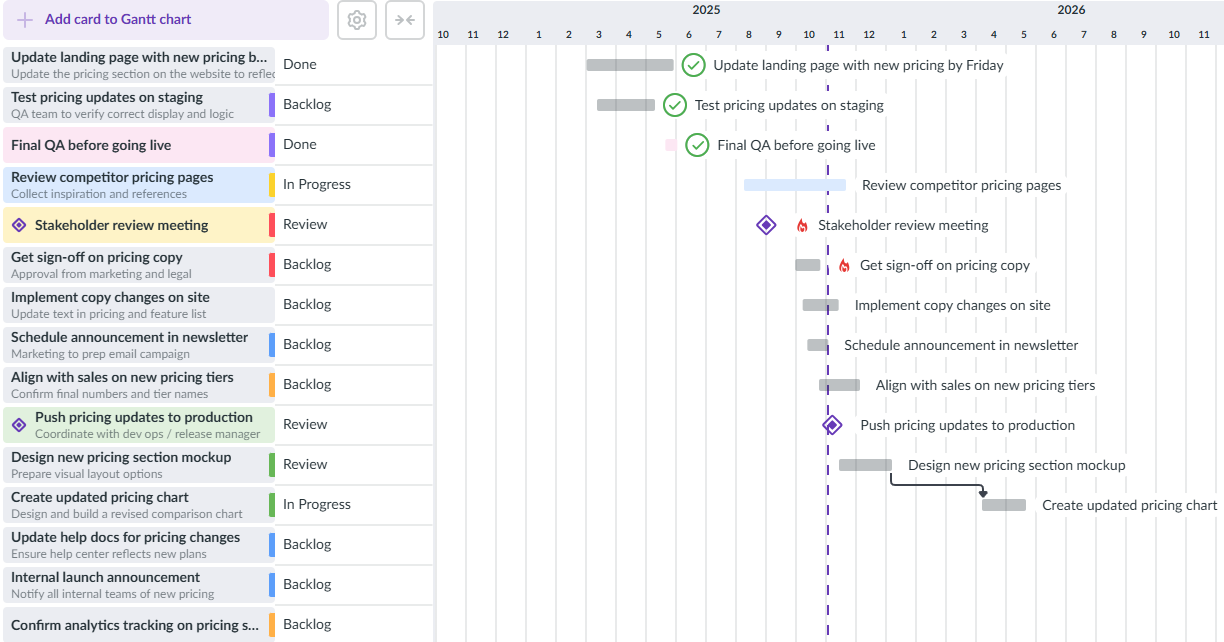
Kanban and Gantt are among the different views that can be used to make the SEO workflow easier to see. They allow stakeholders and team members to see the information they need to know about in different ways. These formats provide a lot of flexibility in letting people see the information in the right way. For example, Kanban is ideal for content pipelines, while Gantt charts are used to keep track of large projects like site launches.
The volume of content needed in the SEO workflow can be a problem. This is why you need the features that allow you to carry out collaborative writing. This includes in-document editing in real time and approval loops for easier sign-off.
This crucial area of SEO client management software makes the full process transparent. Clients can see the current status of their projects in real time, with integration to Google Sheets making it easier for everyone to see exactly what is happening at any time.
This shouldn’t be a huge expense. For smaller teams, it needs to be a cost-effective solution that provides the option of upgrades to cover future growth, when needed.
The range of tools offered by these cloud collaboration tools makes them an easy choice for SEO teams. Being able to use the likes of Google Sheets, Docs, and Drive helps make the details accessible to everyone. Advanced features such as calendar synchronization are used to keep the team fully connected.

Here are some of the top tools that you might want to look into when deciding on the SEO PM software to use.
With solid and seamless Google Workspace integration, this tool lets users enjoy the ease of communicating and collaborating with the rest of the team. You can manage all of your project management tasks without leaving the familiar Google environment. Emails can be instantly turned into tasks, keyword spreadsheets in Drive can be attached, and deadlines can be easily synchronized with the Google Calendar.
| Pros | Cons |
|---|---|
| Native Google integration | No SEO data is contained in the tool itself |
| Shallow learning curve | Non-Google teams may not have the same level of benefits |
| Real-time visibility of tasks and milestones |
The visual approach taken gives both Kanban boards and Gantt charts as options for tracking both tasks and milestones. It can be used as a hub for SEO tasks, allowing teams to work together on their projects without any worries.
ClickUp is a tool that combines task management with whiteboards and document storage. In terms of SEO project teams, this means that it can hold items like content briefs inside its tasks. Teams can also use custom fields to track the rankings of the keywords that they’re working on.
| Pros | Cons |
|---|---|
| Options for customizing the tool | It may be difficult for new users |
| AI is included | The mobile app isn’t as useful |
| Document nesting ability | It could be overly complex for simple projects |
The AI element is added in a way that the tool can be used to generate meta descriptions and content outlines directly. There is also a view that lets you see the way that all your SEO projects are progressing, which is useful for agencies that have several clients that they need to work on at the same time.
With Asana, you can visualize the workflow easily. This makes it a solid choice for teams that need to handle large or complex content pipelines. It also works well in cases where dependencies need to be created and tracked.
| Pros | Cons |
|---|---|
| Relatively simple interface | No time tracking tool included |
| Good for creating and tracking dependencies | There is no built-in editor for documents |
| Works for teams that need to track multiple projects at the same time | This is likely to be an expensive option, particularly for larger teams |
It offers a Gantt view with a timeline approach. This means that it is suitable for longer-term projects. One of the key aspects of this tool is the way it makes it easy to show who is responsible for each of the tasks that are listed.
The Trello platform offers a Kanban board method that is highly suitable for PM project tools. It could be a useful option for those companies that move content through a variety of stages, from research to writing and going live.
| Pros | Cons |
|---|---|
| Kanban board view | It may not be ideal for larger complex projects |
| Suitable for a fast start | No native option for creating documents |
| Very simple | Reporting and data visualization are lacking |
Teams can use the power-ups to extend the software’s functionality. This means the possibility of adding SEO checklists or increasing the integrations to give access to keyword spreadsheets. This tool is designed for speed and ease of use, rather than allowing a deep dive into the numbers and process.
A visual approach and a high degree of customization make this an interesting way to see the team’s workflow and improve their communication. The fact that it includes so many options means that it can be used in different situations, but it also comes with a steep learning curve.
| Pros | Cons |
|---|---|
| Visual approach | Lack of different views in basic plans |
| Good integrations | The free plan only covers one or two seats |
| Automated process for speed | Too expensive for bigger teams or more advanced features |
You may prefer to consider it as a type of automated database with a visual display, rather than as a straightforward piece of list-making software. For example, you could set up an automated process that automatically informs the right team member when a task needs their attention. It has strong integration with a variety of project tools, too.
This tool is designed with enterprise marketing teams in mind. In terms of using it for SEO, the proofing element is useful. This feature lets team leaders leave messages and feedback directly on webpages or images, which is good news for accurate on-page SEO reviews.
| Pros | Cons |
|---|---|
| Solid approach to security | It can be difficult for new users |
| Good for tracking time | Advanced features need to be unlocked via an extra payment |
| Resource planning | Not the most welcoming interface |
Wrike has a resource management feature too, which could be particularly useful for SEO agencies that need to work out whether their specialists have been booked for various projects at the same time.
This tool started life in a software development context, but has become widely used in project work too. It has a process that allows any new issues to be submitted directly to the development team’s sprint.
| Pros | Cons |
|---|---|
| Good for collaboration | It may seem intimidating for some people |
| Agile reporting | Time-consuming to set up at first |
| Workflows can be customized | An expensive option in some cases |
It is perhaps best suited to those SEO teams that work closely with developers. There is also the way that it can be used to effectively manage a technological SEO backlog and workflow. The Sprints and Story Points elements can be used to calculate the amount of effort needed to fix a technical issue, compared to the possible SEO impact.
This tool provides a varied collection of tools that make it something of a mixture of a document editor, database, and wiki. In this way, it can be used as an SEO documentation and strategy hub.
| Pros | Cons |
|---|---|
| Suitable for documentation and strategy | No way to add task dependencies |
| Varied database views available | Larger databases can lead to slower performance |
| AI for content drafts | It takes a lot of time to set up a customized workflow |
The different pages can be nested and interlinked to create a smooth flow going from the high-level SEO strategy all the way down to a granular level on the content calendar. Relational databases are used to link elements together, with AI summary generation as an option.
Kanbanchi provides a powerful SEO project manager tool by adding a visual layer that goes directly on top of Google Workspace. In this way, it helps the team to avoid the need to constantly switch between tabs and tools to get hold of all the data. The step-by-step guide below shows how it can be used to manage your SEO content creation pipeline.
Keyword research can be easily accessible for everyone. You just need to gather them on Google Sheets and then attach them to a new Kanban board on Kanbanchi. If you want each keyword to become a separate card (task) on the board, you can use the importing feature.
The quality of your content will benefit from giving writers access to all of the data that they need. To do this well, you can open the relevant keyword card and attach a Google Doc directly, thanks to the tool’s Google Drive integration.
The doc can contain all of the most important information, such as the secondary keywords, internal linking requirements, and heading structure.
The review cycle is where SEO teams often encounter a backlog or bottleneck building up. You can avoid it by setting up a series of columns such as Backlog, Research, Drafting, SEO Review, and Published. Then use task dependencies to ensure the Published card isn’t moved until the SEO Review is marked complete. That’s how you will avoid common errors like launching content without completing the meta details and ensuring proper optimization.
The right timing is crucial for SEO tasks. You can easily make the process more reliable by setting a due date on each content card on this SEO task management tool. The next step is to send it to the Google Calendar. You can now be sure that you’ve added it to the content schedule on the team’s main calendar, giving you an easy way to track it alongside meetings and other events.
The Kanban board approach might not be enough for task management for SEO on more complex projects. In this case, you can switch the view from Kanban to a Gantt chart. This means that you get a high-level oversight that lets you see how a delay in any area would affect the rest of the tasks.
SEO project management is the process of planning, organizing, and executing search engine optimization tasks to improve a website’s organic visibility. This includes a list of diverse tasks and workflows, including technical audits, keyword research, and content creation. This is a way to ensure that complex, long-term campaigns stay on schedule and meet specific ROI goals.
Kanbanchi streamlines SEO campaigns and provides a visual, Kanban-style interface that integrates with Google Workspace or Microsoft environments. By using this software, teams can track their content as it moves through stages, such as drafting and review. You can also use Gantt charts to manage timelines, while a Gmail add-on turns client emails directly into actionable tasks.
For teams that need a dedicated management platform without cost, Kanbanchi offers a limited free version. You can also use other free tools, such as Google Search Console and Google Analytics, to monitor the performance and results of your SEO project tasks. Free options are available on the likes of Trello and Asana, usually with limited functions or for relatively few team members.
SEO is a process that involves many moving parts and multiple stakeholders. It is easy to overlook tasks and lose focus in the communication between developers, stakeholders, and copywriters. Using specialized software to make communication more efficient and automate recurring tasks, like monthly reporting, while maintaining a high level of transparency.
More articles for marketing teams



In this Article:
Start using Kanbanchi now
Start your free trial