
In this Article:
Try Kanbanchi now
Start your free trial

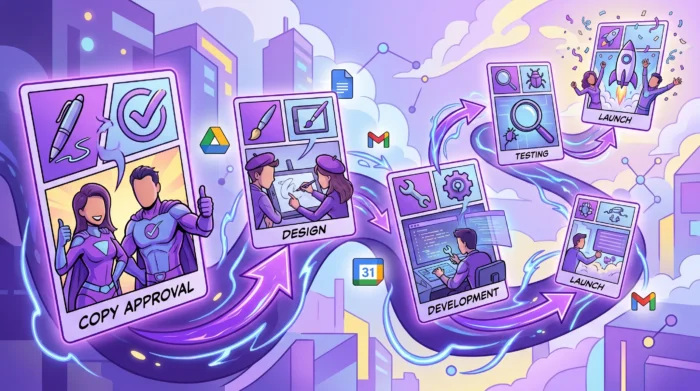
A project rarely slips because one task was difficult. More often, it slips because one task was waiting for another task, and no one saw the wait until it was too late.
That is the value of understanding task dependencies. For Google Workspace teams, dependencies connect the planning that happens in Docs, files stored in Drive, deadlines in Calendar, requests in Gmail, and execution inside a project management tool. When those connections are visible, team leads can make better decisions before small delays become missed launches, blocked clients, or overloaded employees.
This guide explains what task dependencies are, the main dependency types, how they appear in everyday Google Workspace workflows, and how to manage them with visual boards and Gantt planning.
Task dependencies are relationships between tasks where one task affects when another task can start, continue, or finish. They define the order of work.
A dependency is not the same as a task assignment. Assigning a task answers the question, “Who owns this?” A dependency answers, “What has to happen before, during, or after this?”
For example, a marketing manager may assign a landing page copy task to a copywriter and a design task to a designer. The important dependency is that the designer may need the approved copy before finalizing the page layout. If copy approval is late, design is late. If design is late, development is late. If development is late, launch is late.
Most teams use one primary dependency type most of the time, but it helps to understand all four. They come from classic project scheduling and are still useful in modern collaborative project management software.
| Dependency type | Meaning | Google Workspace team example | How common it is |
|---|---|---|---|
| Finish-to-start | Task B cannot start until Task A is finished | A sales proposal cannot be sent until legal review is complete | Very common |
| Start-to-start | Task B cannot start until Task A has started | QA testing starts once development begins on a feature branch | Common |
| Finish-to-finish | Task B cannot finish until Task A is finished | A campaign report cannot be finalized until ad spend data is complete | Occasional |
| Start-to-finish | Task B cannot finish until Task A has started | An old support rotation cannot end until the new rotation has started | Rare |
For most business teams, finish-to-start dependencies are enough to begin improving project visibility. As your workflow matures, start-to-start and finish-to-finish dependencies can help model parallel work more accurately.
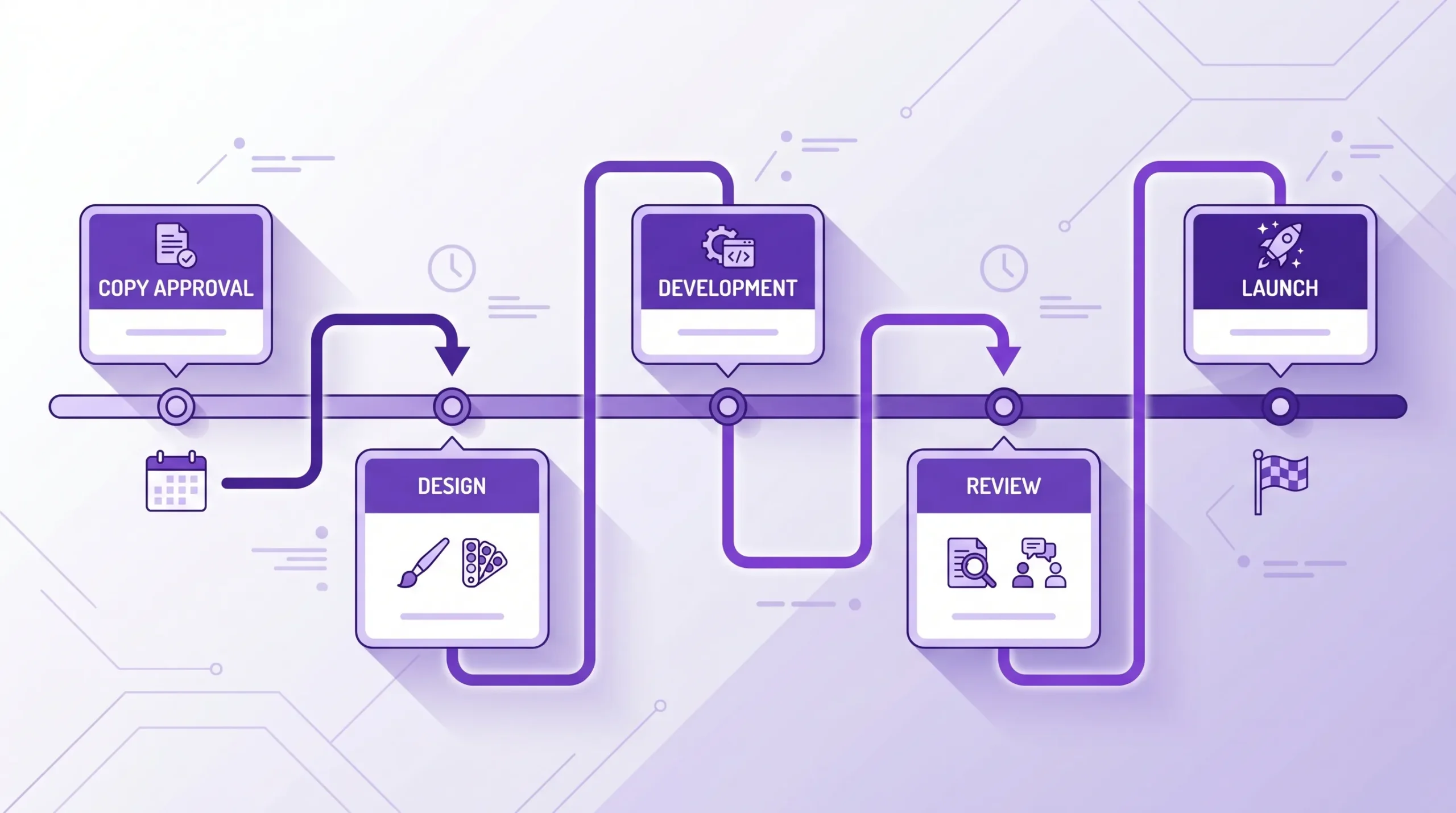
Google Workspace gives teams excellent tools for communication and content creation. Docs, Sheets, Slides, Drive, Gmail, Calendar, Meet, and Chat help people collaborate in real time. But project sequencing can become unclear when work is spread across separate files, emails, meetings, and calendars.
A Google Doc may contain the project brief. A Sheet may list tasks. Calendar may hold key dates. Gmail may contain approvals. Drive may store the final assets. Unless those pieces are connected to a live project plan, dependencies stay hidden.
That creates several risks for managers and team leads:
Dependencies turn scattered activity into a clear sequence. They show not only what everyone is doing, but also how each person’s work affects the rest of the team.
Dependencies exist in almost every department. They are not limited to software development or technical projects. Any workflow with handoffs, approvals, files, or deadlines has dependencies.
| Team or project | Dependency example | What can go wrong if it is not tracked |
|---|---|---|
| Marketing launch | Ad creative depends on approved messaging | Design rework increases and launch dates move |
| HR onboarding | Account setup depends on signed employment documents | New hires start without access to required systems |
| Finance reporting | Final report depends on department budget submissions | Leadership receives late or incomplete numbers |
| IT rollout | User training depends on completed system configuration | Employees are trained on an unfinished process |
| Sales proposal | Pricing approval depends on finance review | The sales cycle slows down near the closing stage |
| Operations | Vendor delivery depends on purchase order approval | Production or service delivery is delayed |
The pattern is always the same: one team needs another team’s output before it can complete its own work. When that relationship is visible, managers can plan capacity, adjust deadlines, or escalate issues early.
These terms are related, but they are not interchangeable.
A dependency is a planned relationship between two tasks. It is expected and should be built into the schedule.
A blocker is an unplanned obstacle that prevents progress. A missing approval may become a blocker if it was not handled on time, but the approval itself may have been a known dependency from the beginning.
A milestone is a significant point in the project, such as “Website ready for launch” or “Quarterly report submitted.” Milestones often depend on several tasks being completed.
A subtask is a smaller piece of a larger task. For example, “Write blog draft,” “Review SEO brief,” and “Add screenshots” may all be subtasks under “Publish product article.” Subtasks help break work down, while dependencies show sequence between pieces of work.
Understanding these differences helps teams build cleaner boards. If everything is treated as a blocker, people panic. If everything is treated as a subtask, the timeline becomes unclear. A good project management tool should help you represent each type of work in the right way.
The best time to identify dependencies is during planning, not during a status meeting after the project is already late.
Begin with the outcome. What must be delivered, approved, published, shipped, or implemented? Then work backward. Ask what must be true before that outcome can happen.
For example, before a webinar can go live, the team may need a topic, speaker confirmation, landing page, email sequence, slide deck, registration tracking, rehearsal, and follow-up plan. Some of these tasks can happen in parallel. Others must happen in order.
This approach is especially useful for launch dates, compliance deadlines, executive presentations, product releases, procurement cycles, and client deliverables.
During planning, bring the team together and ask questions that reveal hidden handoffs:
These questions are simple, but they prevent many common project issues. They also help less experienced team members understand how their work fits into the larger plan.
Not every preferred sequence is a true dependency. A team may prefer to finish all copy before starting design, but in some cases the designer can begin wireframes with a rough outline. A manager may prefer weekly reporting after every department update, but the report might only truly depend on three critical inputs.
This distinction matters because too many artificial dependencies slow the project down. A strong team lead looks for opportunities to run work in parallel without creating unnecessary rework.
Google Workspace teams usually need two layers: the collaboration layer and the project execution layer.
The collaboration layer includes Docs for briefs, Drive for files, Gmail for requests, Calendar for dates, and Meet or Chat for conversations. The execution layer is where tasks, owners, statuses, priorities, timelines, and dependencies are managed.
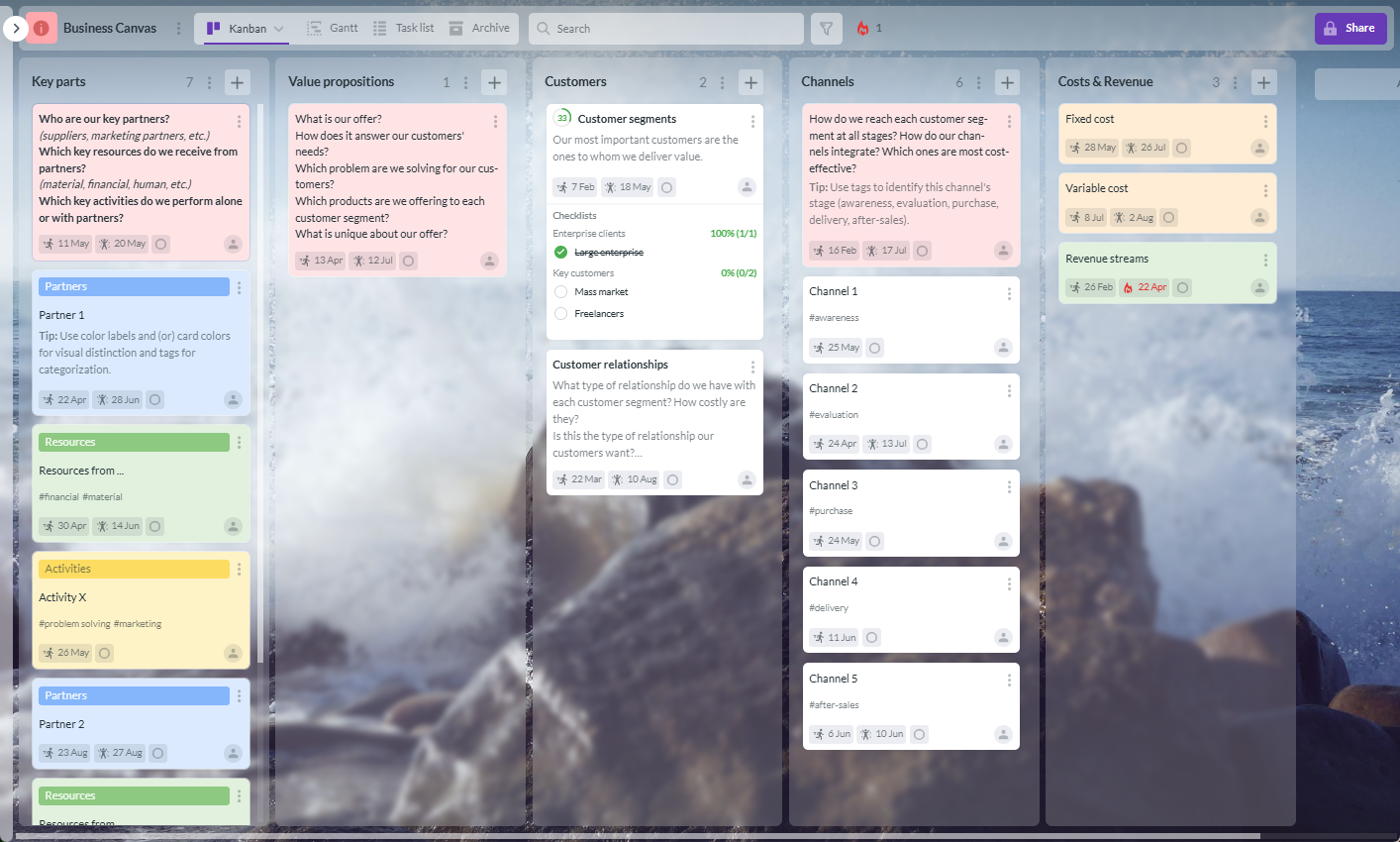
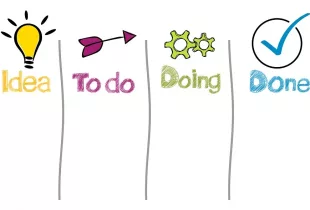
A Kanban board makes work visible. Lists such as Backlog, To Do, In Progress, Review, Waiting, and Done help everyone see where tasks stand. For dependency management, the most useful lists are often “Waiting” or “Blocked,” because they make stalled work impossible to ignore.
Cards should include enough information for a teammate to understand the task without searching through email threads. At minimum, a task card should include an owner, due date, priority, status, related files, and the next action.
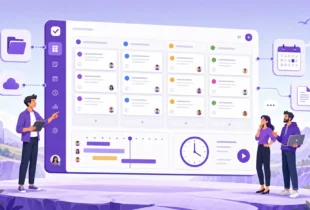
Kanbanchi supports this kind of visual task management inside Google Workspace. Teams can create project boards, organize tasks as cards, attach files from Google Drive and Shared Drives, add comments, use tags, set priorities, and keep work visible for internal or external collaborators according to company Google policies.
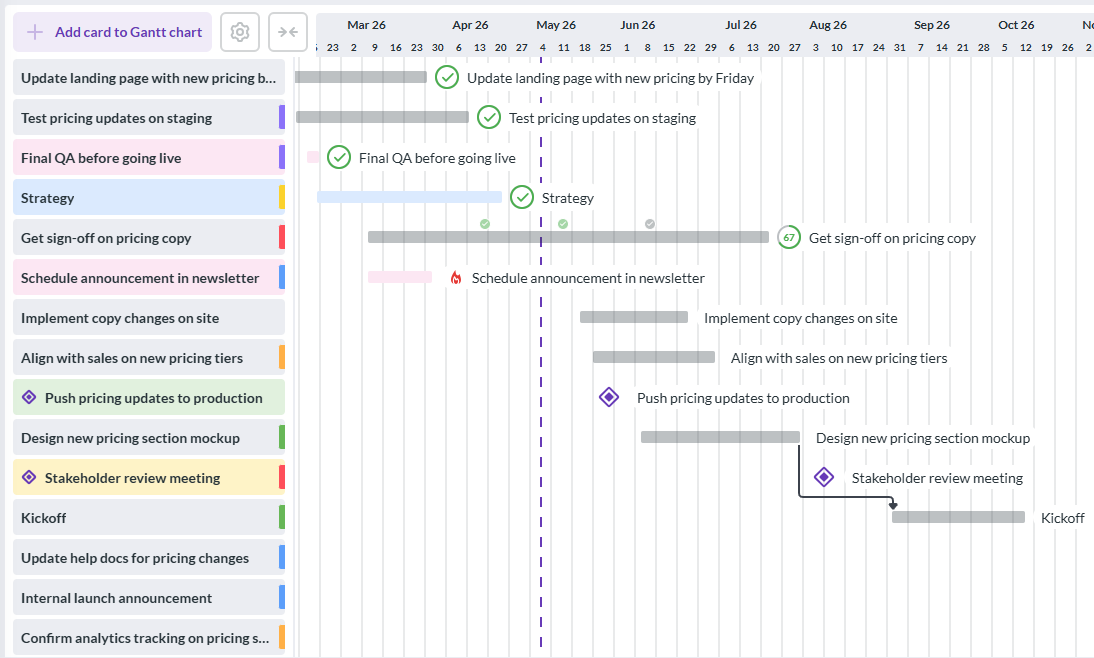
A Kanban board is excellent for workflow visibility, but a Gantt chart is better for seeing timing and dependencies. The Gantt view shows tasks across a timeline, which helps managers answer questions such as:
For Google Workspace project management, this is where Kanbanchi’s Gantt Chart becomes useful. Teams can convert a board into a Gantt Chart and see how cards relate in time. If you want a deeper overview of timeline planning in Google Workspace, Kanbanchi also has a dedicated guide to the Gantt Chart for Google Workspace.
Dependencies often fail because people cannot find the latest version of the file they need. A designer waits for approved copy. A finance manager waits for a spreadsheet. A project lead waits for a signed PDF. If the file is buried in email, the task stalls.
For Google Workspace teams, Drive integration is not a convenience. It is a dependency control mechanism. When the relevant Docs, Sheets, Slides, PDFs, and assets are attached to the task card, the next person in the chain has the context they need.
This also reduces unnecessary meetings. Instead of asking “Where is the file?” or “Which version is final?” the team can go to the card and open the attached Drive item.
A dependency plan should not live only inside the project board. Key dates need to be visible where people plan their workday. Google Calendar sync helps teams connect project deadlines with daily schedules.
This is particularly helpful for review cycles, launch milestones, client meetings, and time-sensitive approvals. Calendar visibility will not replace a project plan, but it reinforces the dates that matter.
If your team already works in Google Workspace, you can build a dependency-aware workflow without forcing everyone into a completely separate environment.
For larger teams, swimlanes can help separate departments, clients, workstreams, or projects on the same board. Subcards can break complex tasks into trackable pieces. Templates can make recurring project types easier to launch with the same dependency structure each time.
Start free trial of Kanbanchi now
Dependency management should create clarity, not bureaucracy. The goal is not to document every possible relationship. The goal is to expose the relationships that affect delivery.
Start with handoffs between people, teams, departments, vendors, and stakeholders. These are the places where delays are most likely because ownership changes.
A task that stays with one person from start to finish may not need a formal dependency. A task that moves from marketing to legal to design to web development probably does.
A task that is waiting should not sit quietly in “In Progress.” Move it to a waiting or blocked list, tag the reason, and assign the next owner if appropriate. This makes review meetings more productive because the team discusses real constraints instead of general status updates.
The critical path is the chain of dependent tasks that determines the earliest possible project completion date. If a task on the critical path slips, the whole project may slip unless the team changes scope, adds capacity, or runs other work in parallel.
Managers do not need to overcomplicate this. In many projects, the critical path can be found by asking, “Which sequence of tasks has no extra room?” A Gantt chart makes this much easier to see than a spreadsheet.
External dependencies are harder to control. Clients, vendors, legal teams, procurement teams, and executives may not work on your preferred timeline. Add reasonable buffers before and after high-risk external approvals.
Buffers should be visible, not hidden. If the team knows that vendor approval may take five business days, the plan should show that reality.
Some managers overuse dependencies because they want every task to follow a strict sequence. This can reduce agility. If two tasks can safely happen at the same time, let them run in parallel.
A healthy dependency plan protects the team from chaos while still allowing flexibility.
How to use Google Workspace for Project Management
| Mistake | Why it hurts delivery | Better approach |
|---|---|---|
| Tracking dependencies only in meetings | The information disappears after the call | Put dependency relationships directly on the project board or timeline |
| Using a spreadsheet without updating dates | The plan becomes outdated quickly | Use a live board and Gantt view that the team reviews regularly |
| Treating every task as dependent | Work slows down unnecessarily | Document only dependencies that affect start, finish, approval, or delivery |
| Not assigning owners to handoffs | Everyone assumes someone else is responsible | Assign a clear owner to each task and approval point |
| Hiding blocked tasks inside “In Progress” | Managers cannot see risk early | Use a Waiting or Blocked list, tag, or status |
| Ignoring external dependencies | Vendor or stakeholder delays surprise the team | Add buffers and review external items more frequently |
Dependency management is not just a planning technique. It is also a communication habit.
Instead of asking, “Are you done yet?” ask, “Is anything waiting on your task?” Instead of asking, “Why is this late?” ask, “Which dependency changed, and what should we adjust?”
This language encourages accountability without blame. It helps people speak up earlier when they are blocked. It also gives managers better information for decisions about priorities, capacity, and scope.
For remote and hybrid teams, this is especially important. People may be working across time zones and calendars. A visible dependency plan gives everyone shared context even when they are not online at the same time.
Task dependencies are relationships between tasks where one task affects the timing of another. For example, a design task may depend on approved copy, or a report may depend on final data from another department.
The most common type is finish-to-start. This means one task must be finished before the next task can start. It is common in approval workflows, content production, development, procurement, and client delivery.
Google Workspace can support project collaboration through Docs, Sheets, Drive, Calendar, Gmail, and Meet, but it does not provide a full native system for visual task dependencies. Teams usually need a dedicated project management tool that integrates with Workspace.
A Gantt chart shows tasks across a timeline and makes dependencies easier to understand. It helps managers see which tasks are connected, where delays may spread, and whether deadlines are realistic.
Kanbanchi combines Kanban boards, Gantt Chart planning, Google Drive attachments, Google Calendar sync, Gmail task creation, priorities, comments, and time tracking. This helps teams manage tasks and dependencies while staying connected to their Google Workspace files and workflows.
Task dependencies are easier to manage when they are visible, connected to real files, and reviewed in the same place where your team tracks work. Kanbanchi gives Google Workspace teams a practical way to combine Kanban boards, Gantt timelines, Drive attachments, Calendar dates, and team collaboration in one workflow.
If your team is growing, managing more projects, or struggling with hidden blockers, try Kanbanchi and build a clearer dependency plan for your next project.
Start free trial of Kanbanchi now

In this Article:
Start using Kanbanchi now
Start your free trial