
In this Article:
Try Kanbanchi now
Start your free trial

TeamGantt is still a very popular option among teams that need a clear visual approach to their project, although there are now alternatives to take into account and compare it with. The use of a Gantt-first strategy is ideal for many teams, but there are now other options that may be more suitable in some cases.
The need for a more cost-effective tool is among the reasons that teams look elsewhere. Others include the lack of specific integrations with other software. In some cases, the pricing model on TeamGantt might not be right for the company’s short-term and long-term plans.
With many companies now using the likes of Google Workspace or Microsoft 365, they are increasingly looking for a Gantt-based option that works seamlessly with their main software choice. This helps to avoid the risk of an information gap where data is lost or data security is compromised.
As the market expands, we can now choose from alternatives that better fit individual cases. TeamGantt remains a useful option to bear in mind, but if you’re looking for a more effective approach that fits the tools you already use, there are alternatives that you might want to look at.
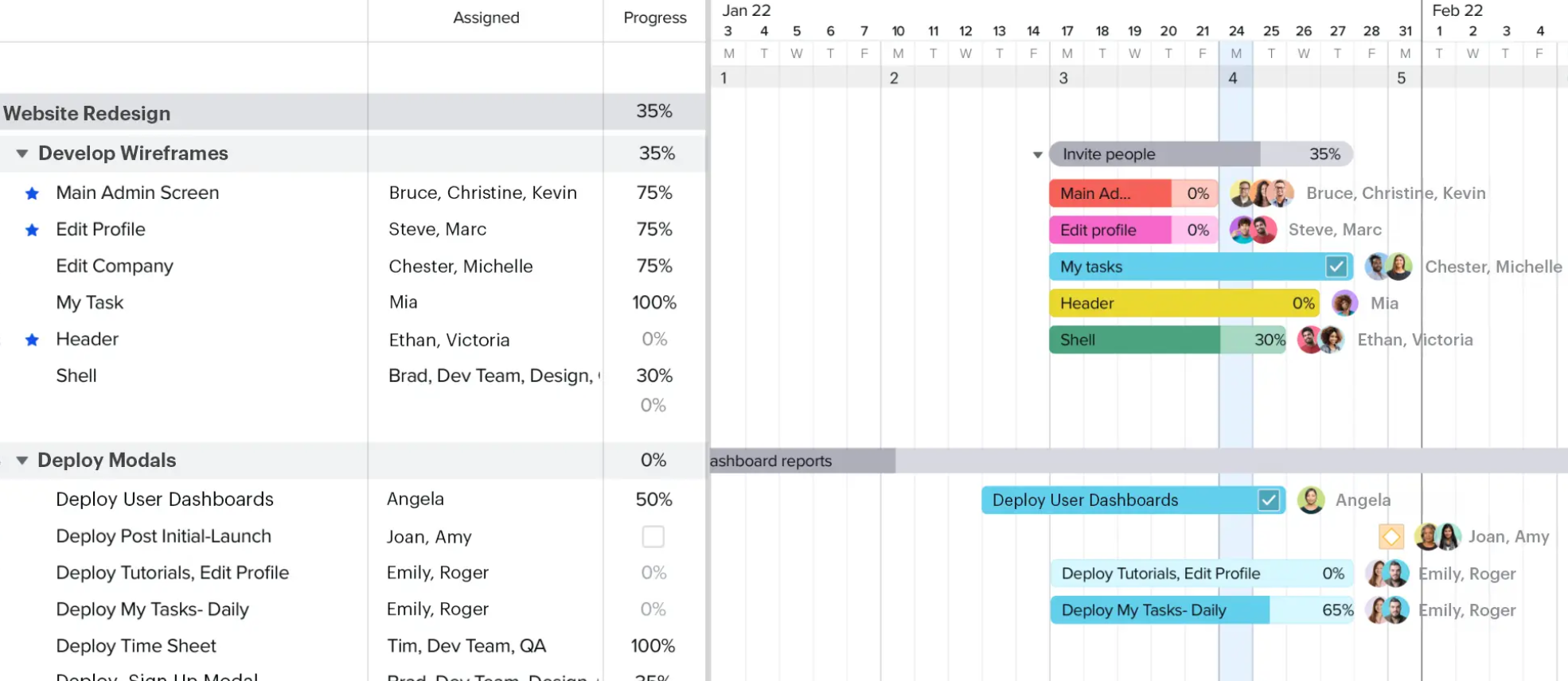
Explore TeamGantt alternatives to find the best fit for your team
The clean interface and Gantt-first approach make TeamGantt an easy choice for many businesses. It has been widely used over time and proven to be safe. But there are potential issues that may crop up once this decision has been made.
Different pricing tiers are liable to cause confusion and can lead to the cost starting to escalate. As a business grows and new employees are recruited, this pricing model might not prove to be ideal.
This is because the pricing model is on a per-manager basis, which may lead to bottlenecks since a limited number of people are authorized to create or update project plans. The per-seat plans offered on alternative tools tend to provide more flexibility.
The learning curve for non-visual users can also have a negative impact on the team’s performance. Anyone who is familiar with Gantt charts should have few problems getting to grips with the tool. However, team members who don’t have this level of experience might find this to be a difficult way of managing projects at the start.
In addition, when using a standalone tool like this, it raises the risk of the silo effect. Important information can remain trapped in a certain tool rather than flowing freely. This could lead to team members lacking access to vital details exactly when they need them.
These are among the key reasons that teams look for alternatives to TeamGantt.
The market for TeamGantt competitors is large and varied. Each of these alternatives focuses on one or more aspects that can be improved upon from this tool’s approach. This means that we see artificial intelligence (AI) used, deep integrations with other tools, and flexible pricing models that offer a variety of benefits.
We’ll be looking at the top 11 Team Gantt competitors to see how they compare and what extra benefits they each bring.
| Tool | Best For | Gantt / Timeline Strength | Key Advantages |
|---|---|---|---|
| Kanbanchi | Google Workspace–centric teams | Fully synced Kanban + Gantt views | Deep Google integration, seamless view switching, clear dependency tracking |
| Microsoft Project | Large or complex enterprise projects | Advanced, highly configurable Gantt charts | Microsoft 365 + Copilot AI integration, powerful scheduling from prompts |
| Asana | Teams managing shifting timelines | Timeline view focused on workload | Strong task ownership visibility, ideal for changing deadlines |
| ProjectManager | Budget- and cost-driven projects | Robust, spreadsheet-style Gantt | Financial tracking, four dependency types, locked baselines, real-time updates |
| ClickUp | Budget-conscious, flexible teams | Gantt with critical path & slack time | Docs, Whiteboards, Chat included, advanced features on lower tiers |
| Bitrix24 | Teams linking projects to sales workflows | Functional but less polished Gantt | CRM + project management suite, easy data migration, unlimited free users |
| Monday.com | Cross-department workflows | Gantt as one of many workflow views | Automation, flexible boards, enterprise scalability |
| GanttPRO | Experienced project managers | Traditional, feature-rich Gantt | Critical path standard, auto-scheduling, simplified cost management |
| Wrike | Large teams with complex workflows | Core element of workflow management | High control, strong reporting, scalable structure |
| ProofHub | Teams wanting an all-in-one workspace | Basic but reliable Gantt charts | Built-in chat and collaboration tools, relatively low learning curve |
| Teamwork | Client services & resource-heavy teams | Solid but not the primary focus | Strong billing, resource management, multiple views and communication options |
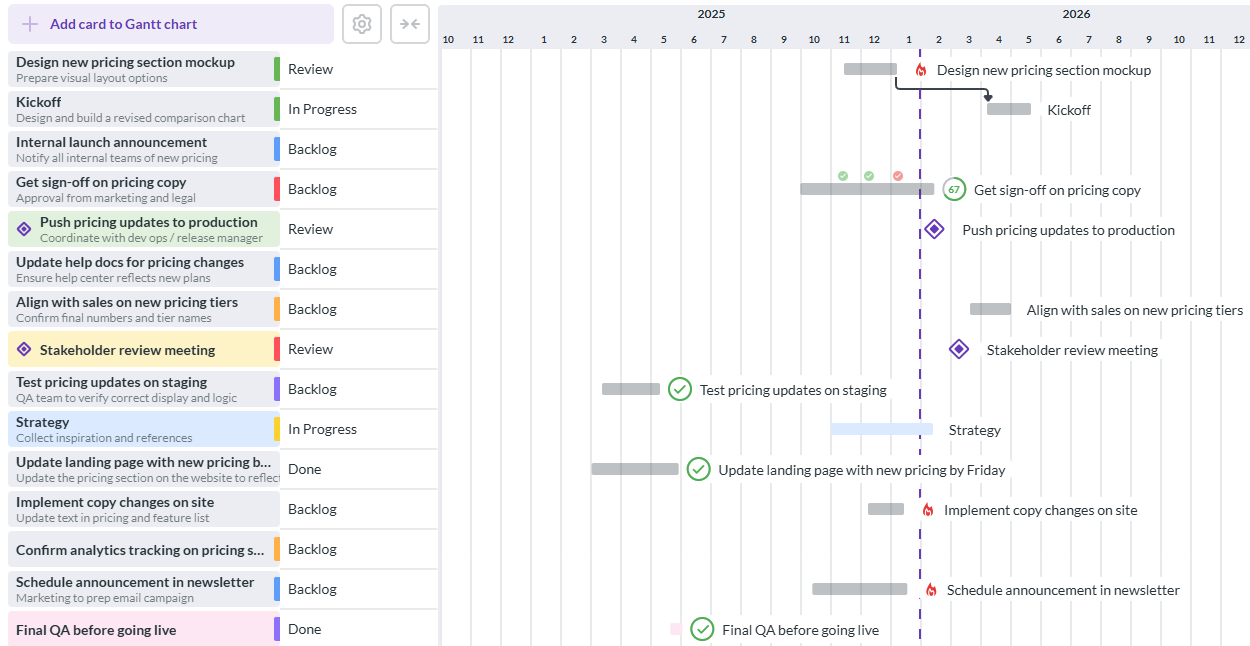
Kanbanchi combines Gantt charts and Kanban boards with seamless Google Workspace integration, making it a leading alternative to TeamGantt for teams that want flexibility, visibility, and easy collaboration
The deep integration with the Google Workspace ecosystem that Kanbanchi offers makes it easy for teams to move effortlessly between tasks in Gmail, Drive, Calendar and more. This is a way of moving between Kanban boards and Gantt charts with a seamless one-click process, giving different ways of viewing the data.
The tiered pricing method used makes sense for a lot of teams, adding versatility to the ways that they already use Google Workspace at a reasonable cost. The Gantt capability makes it an excellent project management tool where tasks and milestones can be tracked at all times.
Since the Kanban and Gantt views are perfectly synchronized, it’s easy to switch between them and see the information presented in different ways that fit together smoothly. In this way, the Gantt view lets users find dependencies before going to the Kanban board to see what tasks are allocated and to whom.
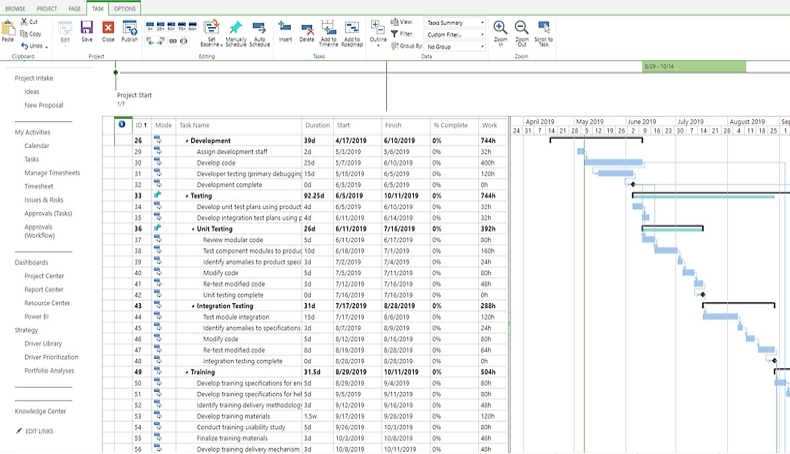
Microsoft Project offers advanced Gantt chart functionality, resource management, and AI-assisted scheduling, making it a strong alternative to TeamGantt for large or complex projects.
This tool is integrated with Microsoft 365 and is priced into its plans. It’s also fully integrated with Copilot AI, which gives the advantage of being able to create the project’s schedules from just one prompt.
It’s more powerful and complex than TeamGantt, meaning that Microsoft Project can add something extra to the running of your bigger or more challenging projects. It tends to cost $10 per user per month.
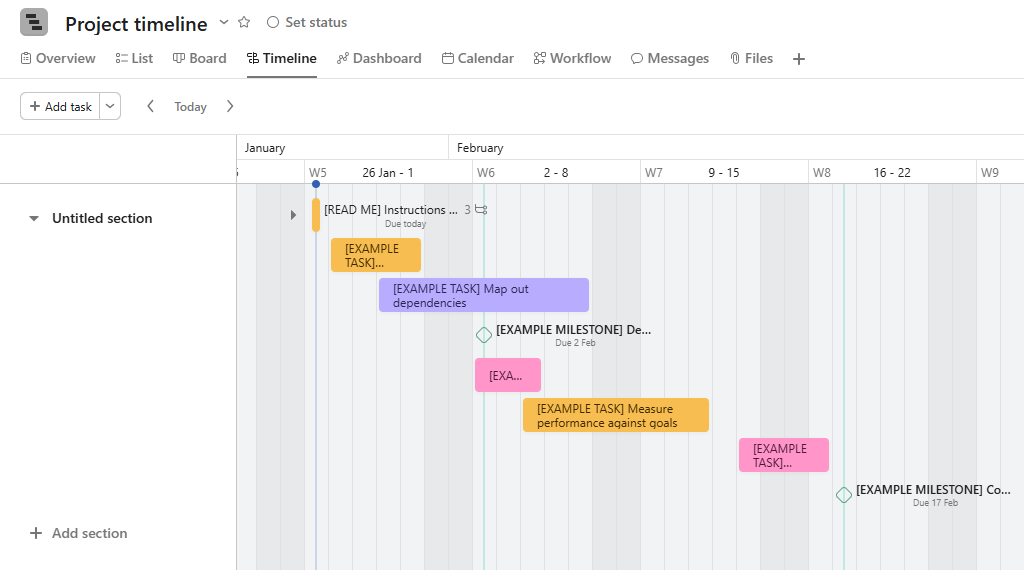
Asana’s timeline view provides a visual Gantt-style chart to track tasks, deadlines, and team workloads, making it a versatile alternative to TeamGantt for dynamic projects.
The timeline view on this tool is their version of the classic Gantt chart view. In this case, it has a stronger focus on the team’s overall workload and who the tasks have been allocated to, rather than just the basic schedule.
It’s particularly useful for those projects where dates may change regularly. The pricing starts at $10.00 per user per month, when billed annually. Like other Team Gantt competitors, you might need to add more users or features as your team grows.
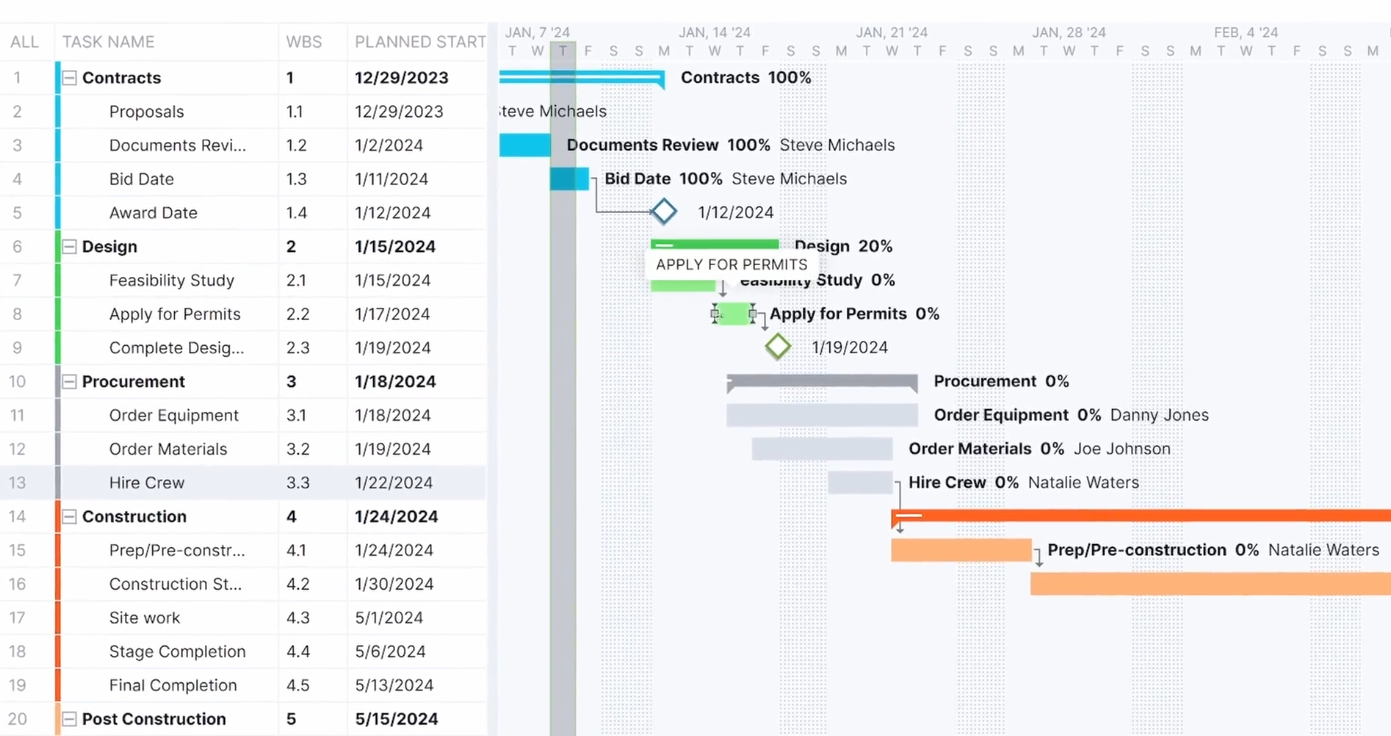
ProjectManager combines Gantt charts with financial tracking, making it ideal for teams that need to manage budgets and project timelines simultaneously. A strong alternative to TeamGantt for cost-conscious project teams.
This option of a TeamGantt alternative can work well for those teams that need to combine a visual Gantt type of timeline with the detail of a financial spreadsheet. It has been designed specifically for use in those industries where sticking to the budget is a key concern.
Among the more complex features, there are four types of dependencies and baselines can be locked to compare them against the original plan in real time. In addition, moving a task bar leads to the entire schedule being updated right away, with lead and lag times reflecting the change immediately.
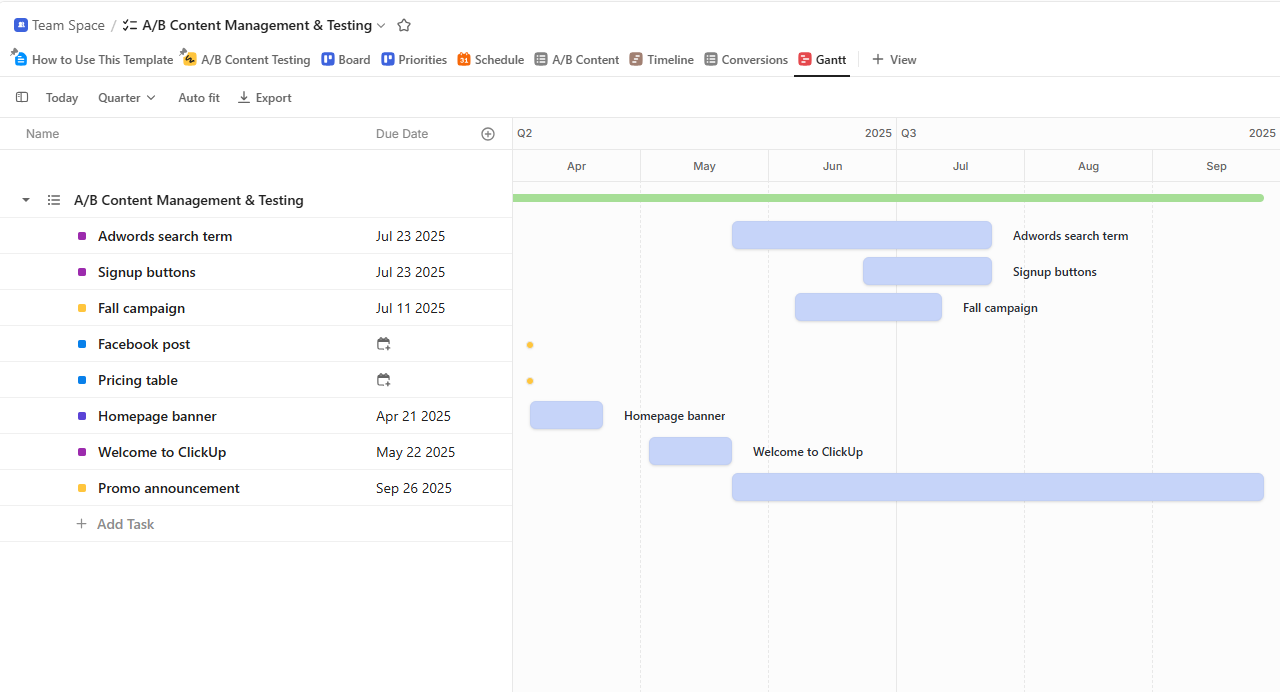
ClickUp is a flexible project management tool suited for small to mid-sized teams, offering a clear overview of tasks and timelines as an alternative to TeamGantt.
This is generally regarded as a solid option for a team that wants to find a TeamGantt competitor on a relatively modest budget. The price starts at $7 per month per user, making it a low-cost alternative that still packs plenty of punch.
The software includes Docs, Whiteboards, and Chat options. It’s also worth bearing in mind that critical path and slack time calculations are included as standard, which compares well to TeaGantt, as these features are typically only unlocked in the higher-level tiers that come with a higher cost.
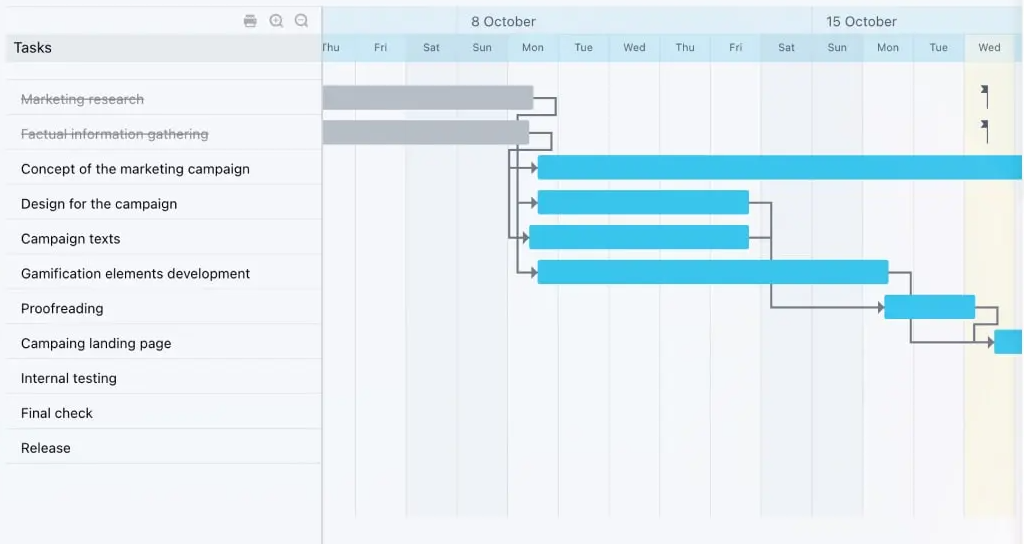
Bitrix24 is suited for large teams that need an all-in-one platform to manage projects and collaborate, making it a practical alternative to TeamGantt.
In this case, it’s a large-scale software suite that covers a lot of ground. It comes with a CRM, project management tools, and a website builder. While it may appear to be less polished visually than TeamGantt and some other alternatives, it’s a functional tool that works well for teams that want to link their project timelines to a sales funnel.
The free version can be used by an unlimited number of users forever. Migrating data from other systems is simple, although this is less convenient than the approach of integrating other tools that are taken by some other products.
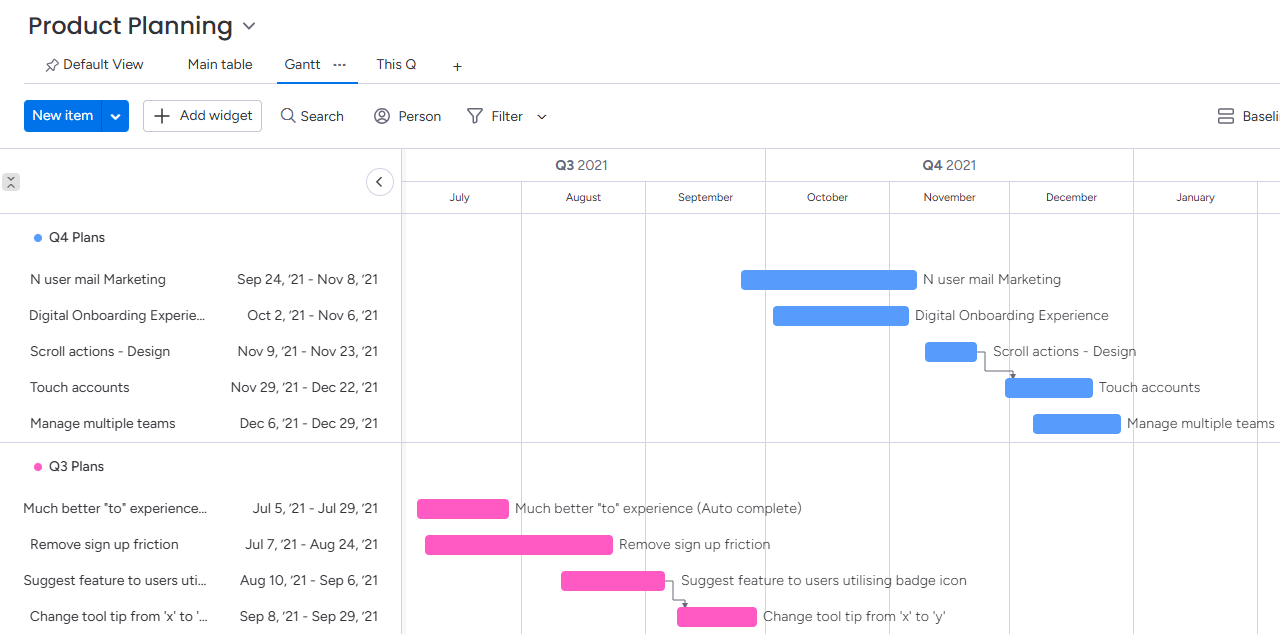
Monday.com is ideal for cross-functional teams that need a flexible way to organize projects and workflows, offering a strong alternative to TeamGantt
With this tool, the Gantt view is just one of the different workflow views available. This leads to a flexible way of seeing the workflow that also offers automation possibilities. In addition, Monday is suitable for those companies that are looking for a high level of cross-departmental flexibility in the way that they work.
The cost starts at $9 per month for each user, with a three-seat minimum listed. It’s got a medium learning curve for new users and could be best for enterprise-level use, or for sales and marketing teams.
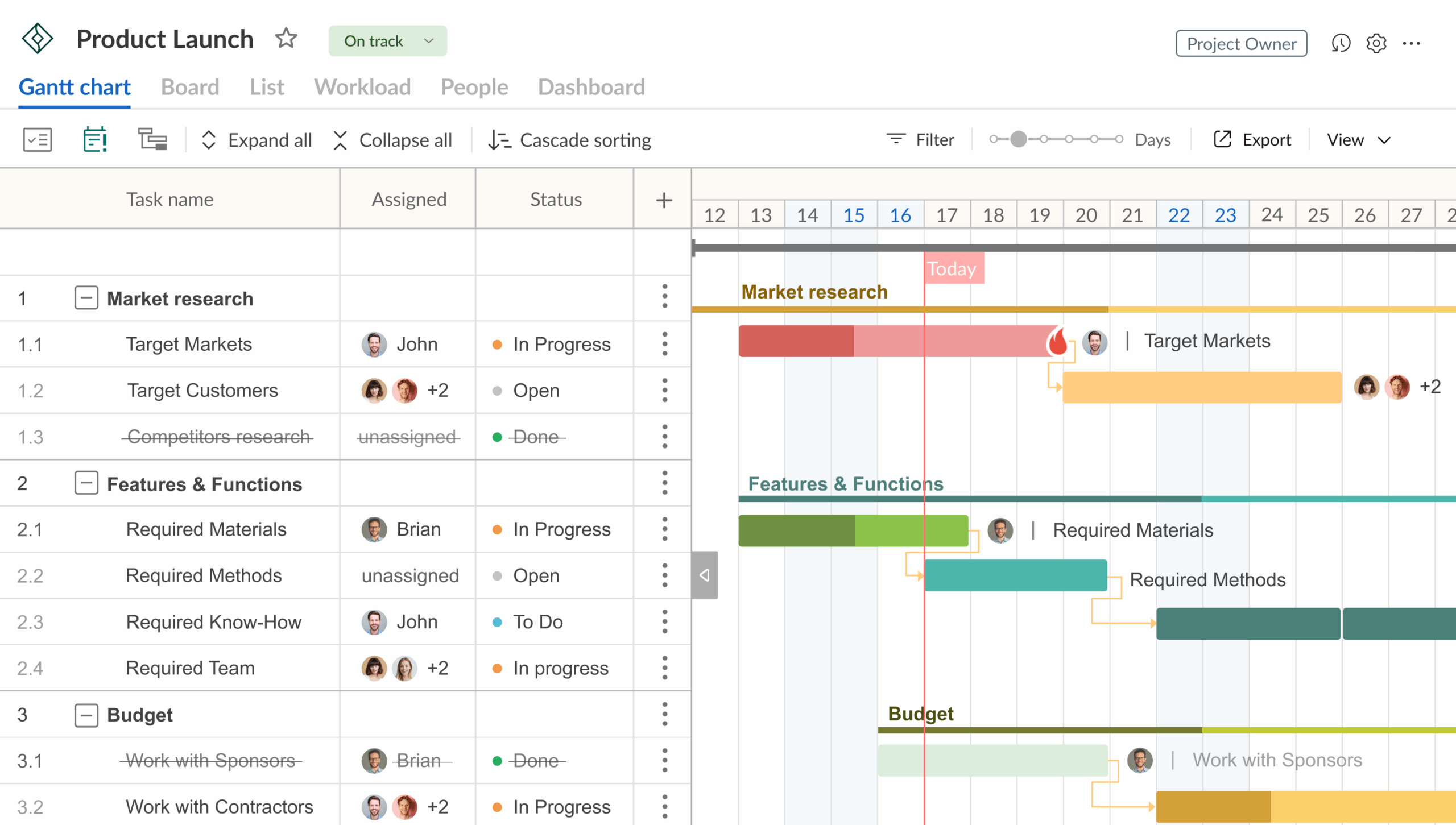
GanttPRO offers a visual Gantt chart interface with task dependencies, timelines, and progress tracking, making it a strong alternative to TeamGantt.
This is a solution that could appeal to teams looking for a straightforward Gantt presentation, but with advanced features such as critical path included as standard. It could be classed as the closest alternative to TeamGantt, with many similar features. However, GanttPRO offers a simpler approach to using the likes of cost management and auto-scheduling.
The lowest-cost approach gives a price of $8 each month for each user. Although both products have similarities in their approaches, we could say that TeamGantt is designed with everyday users and non-technical staff in mind, making Gantt charts easier to use. On the other hand, GanttPRO is aimed at experienced project managers who are already comfortable using these charts.
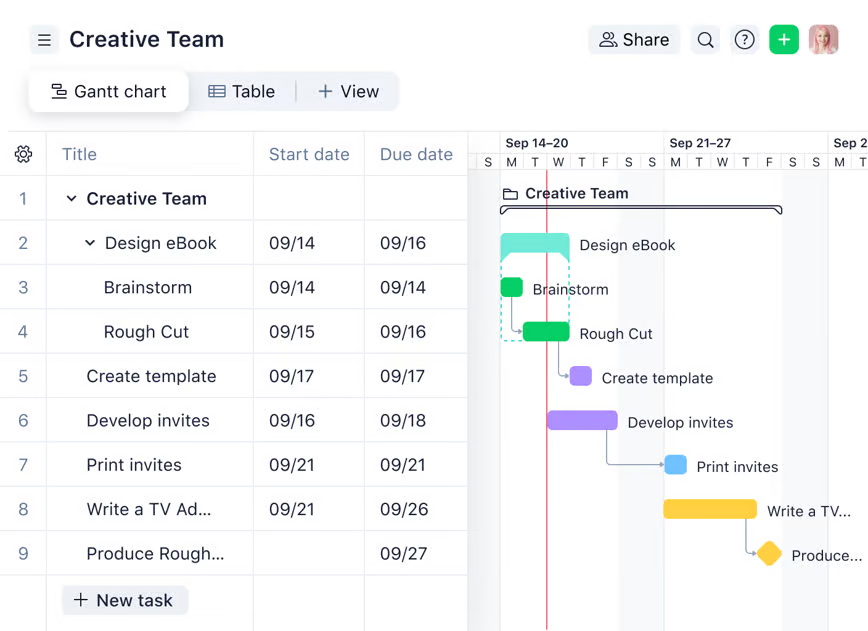
Wrike is suited for large or complex teams that need a structured way to manage projects and workflows, making it a viable alternative to TeamGantt
Rather than simply offering a Gantt chart add-on, Gantt is designed to be a key element in a company’s overall approach to managing their workflow. Large teams and those who have complex workflow requirements might consider that Wrike gives them a better level of control.
On the other hand, this added complexity means that a more complete onboarding process is needed when Wrike is implemented. Wrike is free for small teams looking for basic task management, while the plans begin at $10 per month per user.
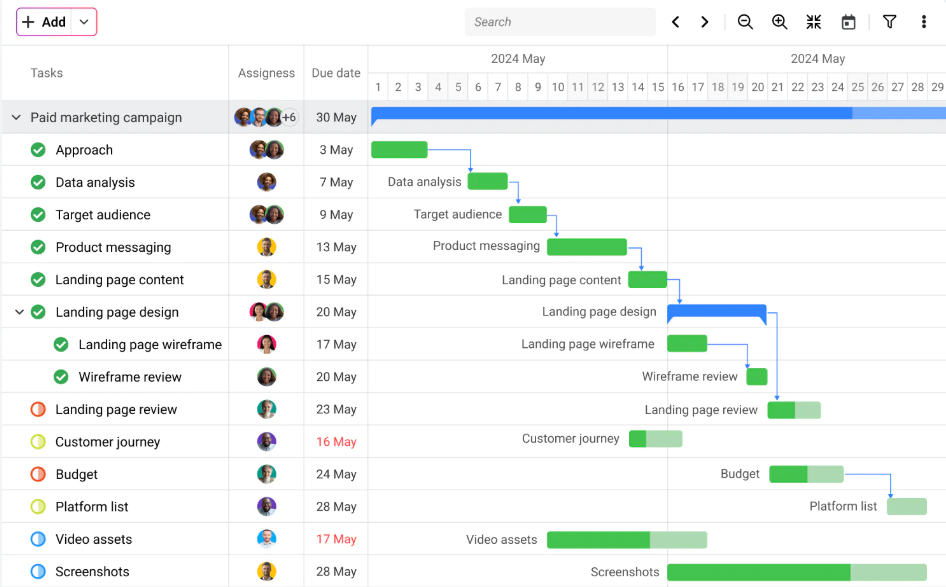
ProofHub is well-suited for growing teams that need a simple, all-in-one platform to manage projects and collaborate, making it a practical alternative to TeamGantt
This software is set up to be an option for teams that need more than just Gantt charts. Instead, Proofhub forms a general working platform where project charts are part of the overall approach. The Gantt chart functionality included is best described as basic and solid.
Built-in chat and collaboration tools are part of this software, helping teams to work together seamlessly. The learning curve is relatively low, although it is still slightly steeper than with TeamGantt. In terms of cost, the major difference is that ProofHub has a flat cost rather than charging per user, which could prove to be an advantage when the team grows over time.
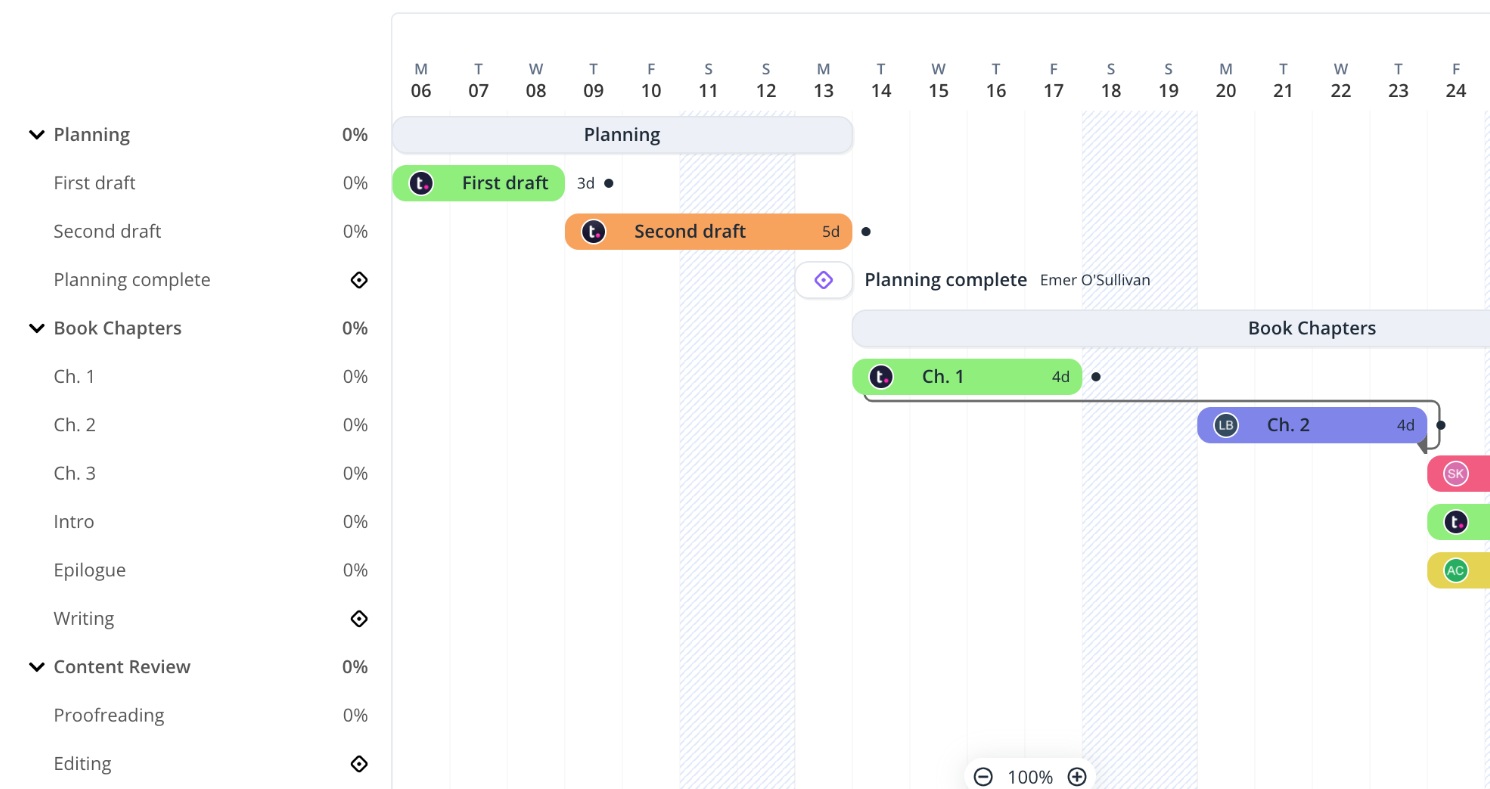
Teamwork is ideal for client-focused teams that need an all-in-one platform to manage projects, communication, and resources, making it a strong alternative to TeamGantt.
Here is another TeamGantt alternative that may suit some teams. Teamwork is described as providing more of an all-in-one solution, which might be a good match for certain types of businesses.
Rather than focusing on elements such as the visual approach to tasks and milestones, Teamwork is strong in areas like billing and resource management. It allows different types of communication and views, adding to the flexibility it gives.
Smaller teams have unique challenges when looking for free TeamGantt alternatives. They might be working with a smaller budget or need several team members to cover a wide range of processes.
However, that doesn’t mean that it’s impossible. The best starting point is to look at the tools that offer free forever plans that you can start using without any financial cost. Others don’t have a free option, but give you a highly affordable plan with entry tiers that are suitable for smaller startups.
Of course, this might mean that you need to settle for some sort of trade-off. For example, there might be a lower limit on the number of cards you can set up for tasks or the number of projects you can run at the same time.
Looking at the different platforms covered earlier, we can see that free plans are offered by the likes of Bitrix24. These starting plans give a solid way to get started while you’re assessing the options and looking for the right software. In most cases, it’s easy to upgrade to a more complete plan whenever needed.
The free and tiered pricing solutions from Kanbanchi are suitable for many smaller teams, while giving the possibility of growing with the business as new team members are added
With many teams now carrying out the bulk of their tasks on Google Workspace, it makes sense to look for a Gantt chart type of software that is heavily integrated into this ecosystem. This means that there is far less risk of information being lost or time being spent moving between platforms.
Being native to Google Workspace is Kanbanchi’s main strength. We can see how this works in real terms by looking at how team members can use it to synchronize their Gantt charts with elements like Google Calendar and Drive.
This means that there is no risk of the integration gap that can occur with other tools, which leave data behind. Rather than visualizing your project timelines and milestones in a standalone piece of software, you do it in a way that’s fully integrated with the rest of the tools that you use.
What this means for new users is that there is a very shallow learning curve for them to overcome. No new login is needed, either, since users log in using their existing Google account. In this way, there is no need to remember or manage separate passwords.
Once your team is set up, the project boards and related documents are all linked in your Google Drive. You can easily organize them into your Drive folders and make sure that everyone has the right level of permission. It’s just like managing your Google Docs.
This also means that security and compliance matters are easier to deal with. There’s no need to store the most sensitive data in your own servers. Instead, everything is securely stored in Google Workspace, which means that you get the highest level of security for all of your information.
Many teams that outgrow TeamGantt look for free alternatives that give them more features at no cost. Several of the options we’ve looked at here have free tiers that can be used to provide a smooth starting point, with paid plans available depending on your future needs.
The key difference is in how the plans are scaled. The TeamGantt pricing model is typically set up with a per-manager approach. On the other hand, Kanbanchi has a per-user model that is generally more suitable for teams of collaborators.
This is a way to control your projects without any security worries and with no significant learning curve. Google Docs and Calendar are among the apps that are seamlessly linked to Kanbanchi, meaning that your information is always available and up to date.



In this Article:
Start using Kanbanchi now
Start your free trial