
In this Article:
Try Kanbanchi now
Start your free trial

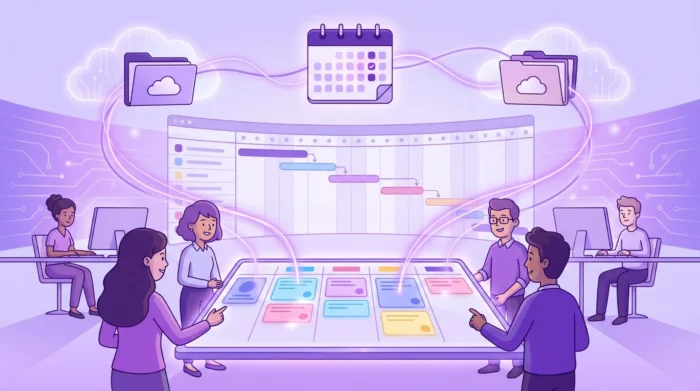
Trello made visual work management feel approachable. A team could open a board, create lists, drag cards from “To do” to “Done,” and see progress immediately. For many teams, that simplicity is still valuable.
But Trello project management is not always the best fit once projects become cross-functional, time-sensitive, or tied to a company’s Google Workspace or Microsoft 365 environment. Team leads often start asking questions like:
The right answer is not “Trello is good” or “Trello is bad.” The better question is whether Trello matches your team.
Trello’s core strength is visual task tracking. Boards, lists, and cards are easy to understand, even for people who have never used project management software before. That makes it useful for lightweight workflows such as:
For a team of two or three people, management can be straightforward. Trello can reduce confusion quickly. Everyone sees what needs to be done, what is in progress, and what is complete.
Another major advantage is familiarity. Many people have used Trello at some point, so introducing it rarely requires a long training cycle. Cards feel like digital sticky notes, and teams can customize boards without involving an administrator.
That low barrier to entry matters. A tool that no one adopts is worse than a simple tool that everyone actually uses. If your team’s work is mostly status-based, with few dependencies and limited reporting needs, Trello may remain sufficient.
Trello offers a flexible ecosystem through add-ons and integrations. Teams can extend the base experience with calendars, automation, reporting, and other capabilities depending on their plan and configuration.
This flexibility can be helpful, but it also introduces a common scaling issue. As teams add more extensions, they may end up managing the tool stack as much as the work itself. When project visibility depends on several add-ons, separate settings, and external data sources, managers may start looking for a better-fit tool that includes the essentials in one place.
A board shows workflow status. It does not always show whether the overall project timeline is realistic. As soon as a team needs to plan phases, dependencies, deadlines, milestones, and resource availability, a Kanban board alone may not be enough.
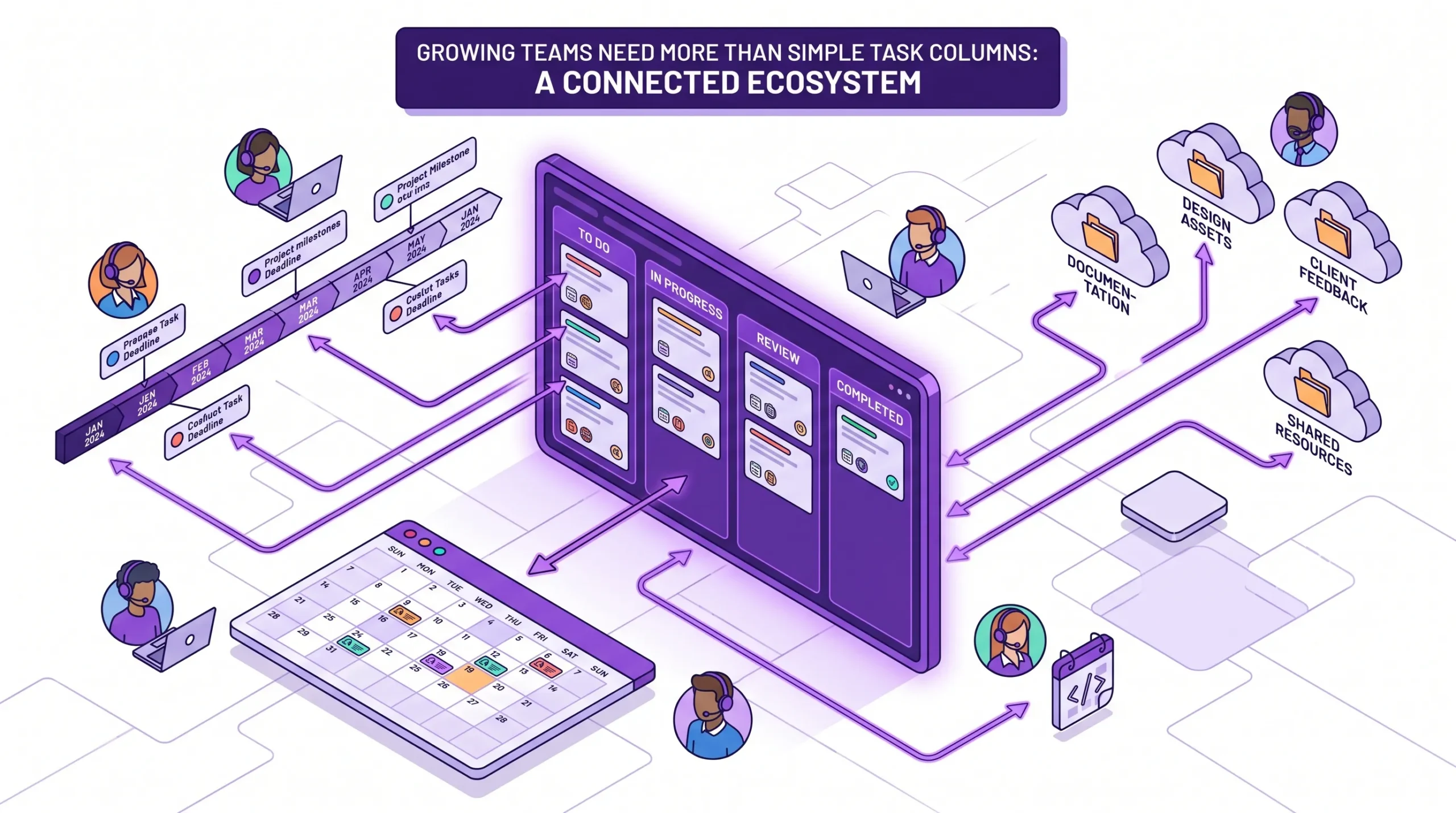
A project manager may need a Gantt chart or timeline view to answer questions like:
For recurring operational work, a board may be enough. For delivery commitments, implementation projects, procurement, product launches, or client work, visibility on timelines is required.
A common pattern is simple at first: one board, a few lists, and a handful of labels. Then the team adds a calendar add-on, a reporting tool, a time-tracking extension, a file workflow, and custom automation.
The result may still work, but it becomes harder to govern. New team members need to learn not only the board but also the connected tools. Managers need to check which add-ons are active, which permissions apply, and whether data is consistent.
At that point, the cost of the tool is not only the subscription. It is also the time spent maintaining the workflow.
Most business work does not happen only inside a project board. Teams discuss tasks in email, store files in Drive or SharePoint, review dates in calendars, and update reports in spreadsheets or dashboards.
If your company runs on Google Workspace or Microsoft 365, a better-fit project management tool should respect that ecosystem. It should reduce context switching, not create another separate place where work has to be copied manually.
For Google Workspace teams in particular, tight integration can matter for practical reasons: Drive file storage, task creation from Gmail, Google Calendar sync, and familiar sharing policies. The more project work connects to your existing workspace, the easier it is for teams to stay aligned.
A small team can discuss every task in a weekly meeting. Larger teams cannot.
Business owners and department heads often need consolidated answers: what is on track, what is late, what is blocked, where effort is going, and which projects need attention. If managers must manually inspect each board, visibility becomes reactive.
This is where teams often move from a lightweight board to a fuller project management system. The goal is not to create more administration. It is to make project data usable for decisions.
As organizations grow, project management tools must fit security and compliance expectations. Sharing settings, file access, user roles, backups, and data storage are important for the buying decision.
This is especially important for companies managing client data, HR processes, procurement, internal operations, or enterprise projects. A simple board may be convenient, but leaders need confidence that project information is handled in accordance with company policy.
A better-fit tool is not necessarily the most complex tool. It is the tool that matches your team’s operating model with the least friction.
For some teams, that means staying with Trello. For others, it means moving to a solution that combines boards, timelines, time tracking, file integration, and administrative controls.
| Team need | Why it matters | Better-fit signal |
|---|---|---|
| Visual task tracking | Teams need shared clarity on status and ownership | Kanban boards are easy to use and flexible |
| Timeline planning | Managers need to plan deadlines, dependencies, and milestones | Gantt or timeline view is built in, not patched together |
| Time tracking | Leaders need to understand effort and workload | Time can be tracked directly on tasks |
| Workspace integration | Work already happens in Google Workspace or Microsoft 365 | Files, email, calendar, and permissions connect naturally |
| Reporting | Leadership needs reliable project visibility | Data can be exported and connected to dashboards; an overview of all tasks is present |
| Governance | Admins need security, sharing, and recovery controls | Enterprise-level permissions, compliance, and backup options are available |
| Migration from Trello | Existing boards should not be rebuilt manually | Trello or CSV import is supported |
The most important factor is fit. A creative team, an IT operations team, and an HR department may all use Kanban boards, but they often need different levels of scheduling or file control.
Kanbanchi is designed for teams that like visual boards but need more project management structure around them. It combines Kanban boards, a Gantt chart, time tracking, and workspace integrations into one project and task management tool.
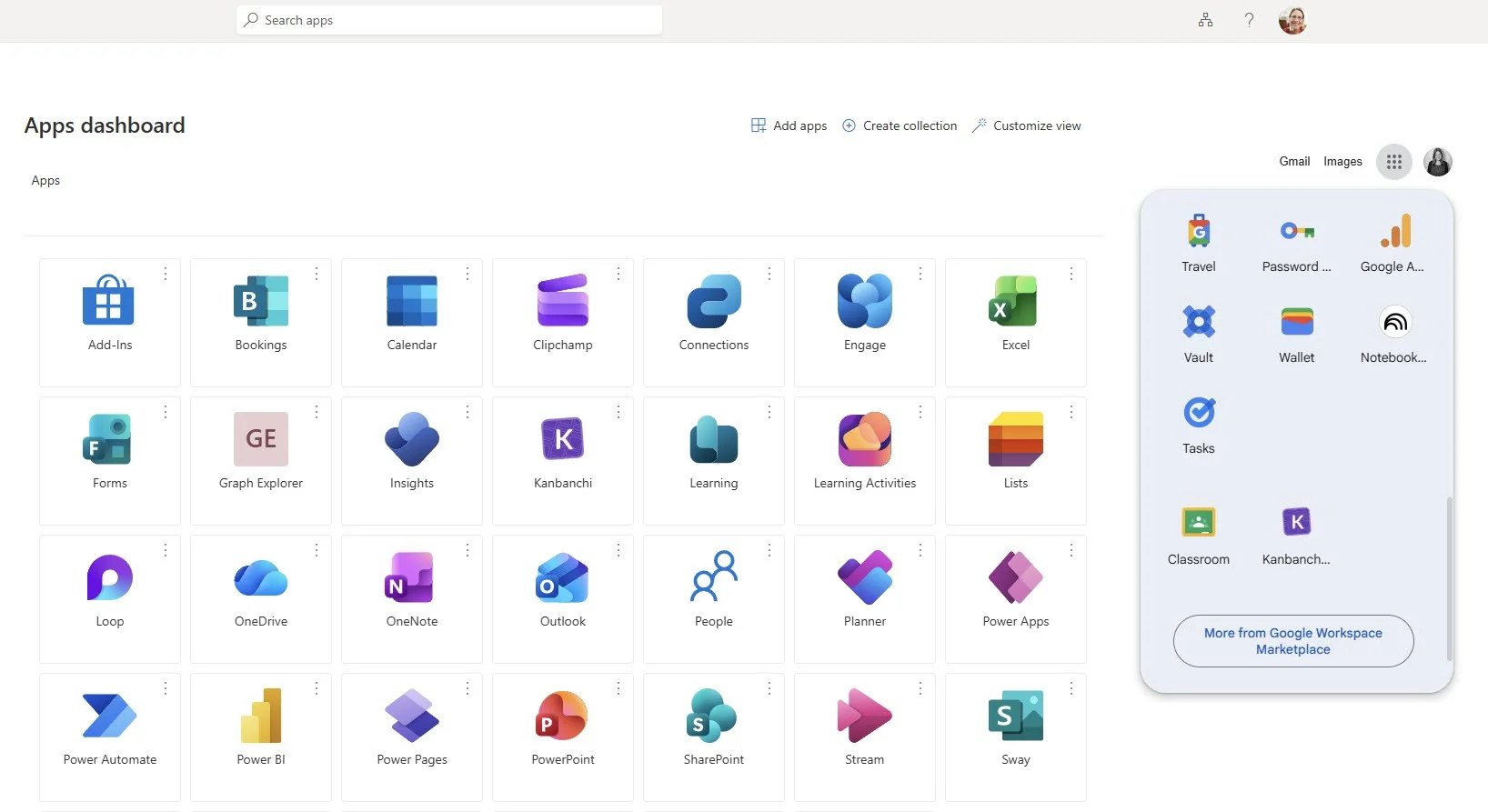
For Google Workspace teams, Kanbanchi is especially relevant because it works closely with the tools many companies already use every day. Teams can attach files from Google Drive and Shared Drives, create cards from Gmail, sync events with Google Calendar, and export board data to Google Sheets. Enterprise users can create boards in Shared Drives, which helps align project work with existing company storage and access policies.
Kanbanchi also supports Microsoft 365 compatibility, including work with OneDrive and SharePoint, which makes it useful for organizations that use Microsoft environments or a mixed technology stack.
A frequent problem with lightweight boards is that they show task status but not the bigger schedule. Kanbanchi lets teams manage tasks visually on a board and convert the same work into a Gantt chart for timeline planning.
That matters when a manager needs to move between two levels of detail. The board helps the team execute daily work. The Gantt chart helps leaders understand timing, dependencies, and delivery risk.

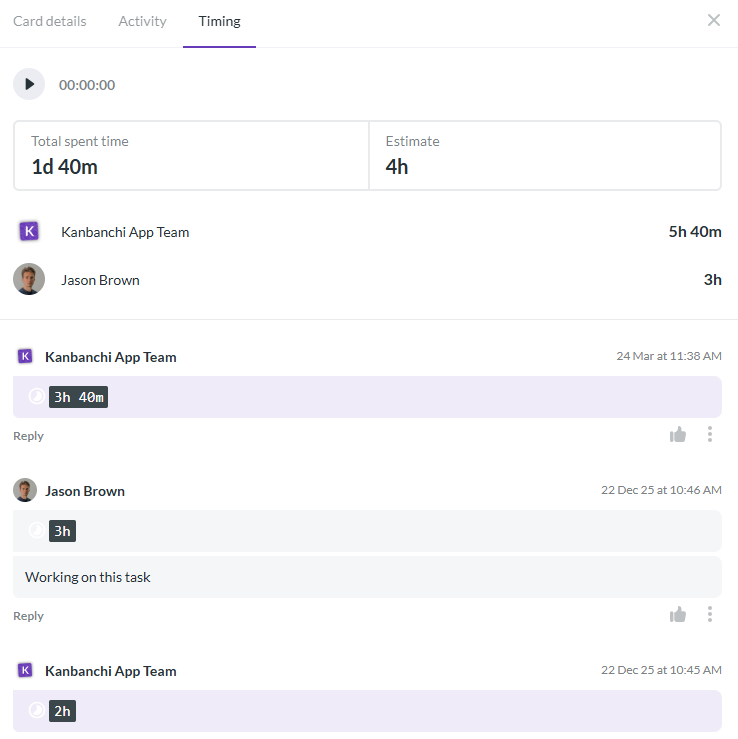
Time tracking is often treated as a separate process, which makes it easy to forget or misreport. Kanbanchi includes time tracking directly on cards, so teams can start tracking time from the task they are working on.
For managers, this can improve estimates over time. Instead of guessing how long similar work takes, the team can review recorded effort and plan future projects more realistically.
Many tasks begin as emails. A client requests a change, a manager forwards a priority, or a colleague shares details that need action. Kanbanchi supports card creation from Gmail, helping teams turn messages into trackable work instead of letting them disappear in inboxes.
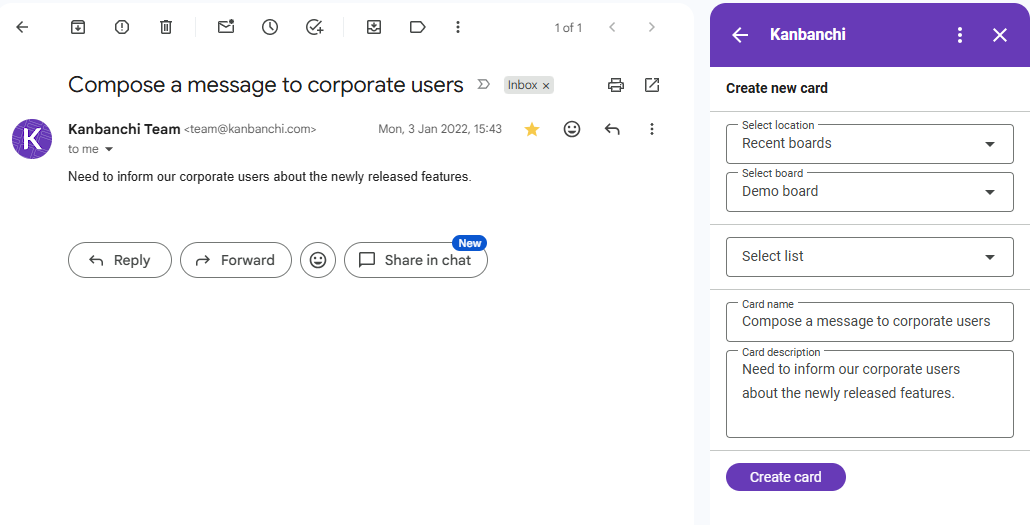
The same principle applies to files. When tasks depend on briefs, contracts, designs, spreadsheets, or reports, attaching files from Drive or Shared Drives keeps context close to the work.
For specialized technical workflows, teams may still use purpose-built tools alongside project management software.
A major reason teams postpone switching tools is the migration effort. If your team already has active boards, rebuilding everything manually is disruptive.
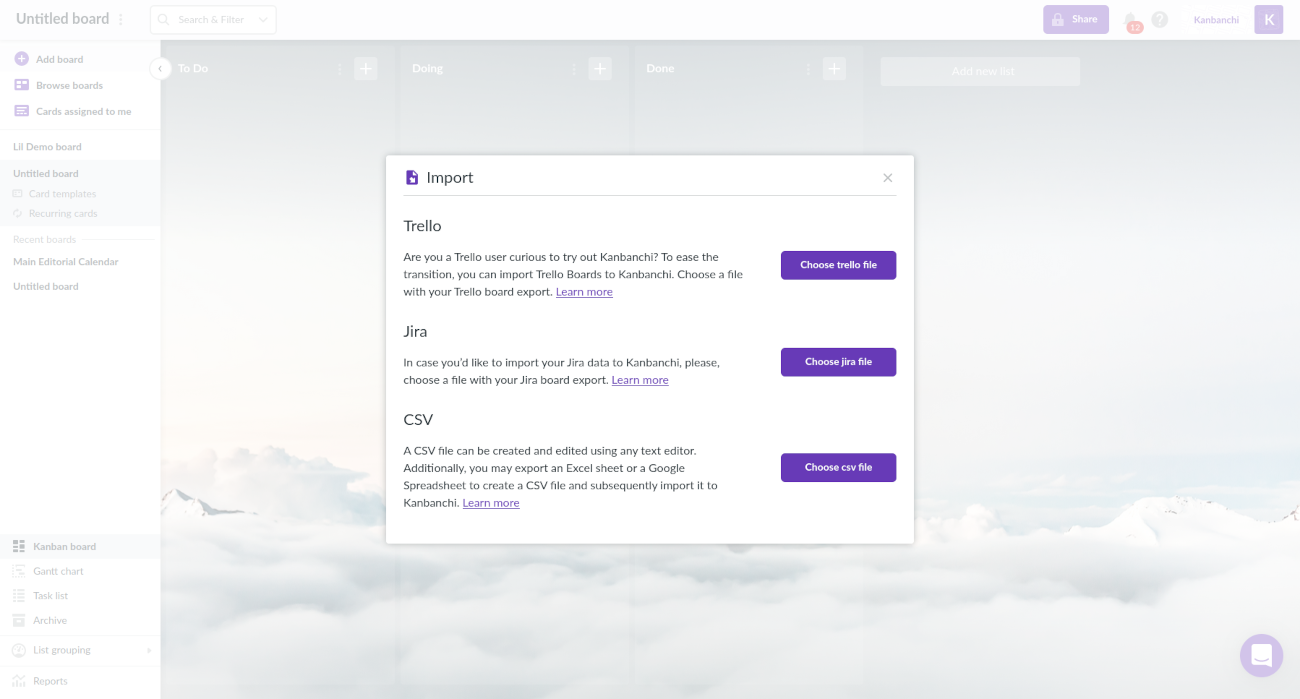
Kanbanchi supports importing Trello boards, which can make the transition easier for teams that want to keep visual workflows while adding stronger Google Workspace integration, Gantt planning, time tracking, and reporting options. If your data is already in spreadsheets, CSV import is another practical path.
Compare Kanbanchi to other project management tools with our detailed comparisons.
Sign up for a free Kanbanchi trial now
Before choosing or replacing a project management tool, evaluate how your team works today and how it will need to work in 12 to 24 months. A tool that fits a five-person team may not fit a 50-person department or a multi-team enterprise program.
| Question | Trello may fit if… | A better-fit tool may be needed if… |
|---|---|---|
| How complex are your projects? | Tasks move through a simple workflow | Projects have phases, dependencies, milestones, or delivery commitments |
| How do you report progress? | Status is discussed in small meetings | Managers need exports, dashboards, or leadership-ready visibility |
| Where are files stored? | File storage is informal or low-risk | Files must stay in Drive, Shared Drives, OneDrive, or SharePoint workflows |
| Do you track time? | Time is not required or is tracked separately | Effort data matters for billing, estimates, workload, or performance review |
| How many teams use the tool? | One team owns the workflow | Multiple teams, departments, or external collaborators need consistent access |
| What does IT care about? | Informal sharing is acceptable | Security, compliance, permissions, and backups are part of the decision |
A tool can appear inexpensive while creating operational costs elsewhere. If your team spends hours each week updating spreadsheets, chasing status in chat, copying dates into calendars, or finding the correct file version, the subscription price is only part of the story.
When evaluating whether Trello is still enough, look at the recurring friction:
If those problems are rare, a lightweight Trello board may be fine. If they are becoming routine, it is time to consider a tool that centralizes more of the project workflow.
Marketing teams often start with simple editorial boards. Over time, campaigns begin to involve designers, writers, reviewers, agencies, paid media specialists, and leadership approvals. A board still helps, but the team may also need deadlines, dependencies, file attachments, recurring templates, and calendar visibility.
For these teams, a better-fit tool connects content tasks with documents, creative files, review dates, and campaign timelines.
Agencies need visibility across multiple client projects. A single Trello board may work for one client, but leadership often needs to see capacity, deadlines, and project status across the portfolio.
Features such as swimlanes, templates, time tracking, and Gantt planning can help agency teams standardize delivery without making every project manager invent their own system.
Operations and IT teams often manage requests, recurring maintenance, implementation projects, incidents, documentation, and vendor work. A basic board may show what is in progress, but it may not capture dependencies, effort, or escalation paths well enough.
A stronger project management tool helps separate routine work from project work, track ownership, attach technical documentation, and report on completion trends.
HR projects such as onboarding, policy updates, training programs, recruitment pipelines, and internal rollouts involve many small tasks with deadlines and sensitive information. These teams benefit from templates, clear permissions, file organization, and calendar integration.
The best-fit tool should make recurring processes easier while keeping managers aware of blockers before they affect employees or candidates.
Before migrating, review what your team currently has in Trello. Identify active boards, outdated cards, duplicate lists, missing owners, and unclear labels. Moving messy data into a new tool only moves the confusion. A short cleanup phase improves adoption because the new system starts with clearer workflows.
Do not begin by recreating every old board exactly as it was. Instead, define the workflow your team actually needs. Decide which lists represent real stages, which labels should be standardized, which fields matter, and which reports managers need. This is also the right time to decide where timelines, time tracking, file storage, and calendar sync belong in the process.
A pilot reduces risk. Choose a team with a real project, supportive users, and enough complexity to test the new workflow properly. Give the pilot a clear success measure, such as fewer status meetings, better deadline visibility, or faster task handoffs. After the pilot, refine templates and settings before rolling the tool out more broadly.
Most software rollouts fail because teams do not change habits. Training should focus on the working agreement: where new tasks are created, how due dates are set, when cards move, how files are attached, and how managers review progress. The tool supports the process, but the process must be clear.
Trello is good for simple visual project management, especially when teams need an easy Kanban-style board for tracking tasks. It may become less suitable when teams need built-in Gantt planning, time tracking, advanced reporting, stronger workspace integration, or enterprise governance.
A team should consider moving when work becomes difficult to manage with boards alone. Common signs include manual reporting, too many add-ons, unclear deadlines, scattered files, duplicate task lists, and managers spending too much time chasing updates.
For Google Workspace teams, a better-fit tool should integrate with Drive, Gmail, Calendar, and company sharing policies. Kanbanchi is built for this environment and adds Kanban boards, Gantt charts, time tracking, file attachments, templates, and reporting options.
Yes. Kanbanchi supports importing Trello boards, which helps teams move existing work instead of rebuilding boards manually. Teams can also import data from CSV when their workflow starts in spreadsheets.
Many growing teams benefit from both. Kanban boards are useful for daily execution and workflow visibility. Gantt charts are useful for timeline planning, dependencies, milestones, and schedule risk. Using both views helps teams manage tasks and project delivery together.
Managers should compare more than the subscription price. Consider time spent on manual reporting, add-on administration, duplicated data, missed deadlines, onboarding, and security reviews. A tool that centralizes planning, tracking, files, and reporting may reduce operational costs even if it is more structured than a basic board.
Trello can be a strong starting point for visual task management. But as your team grows, the best tool is the one that fits your real workflow, workspace, and management needs.
If your company uses Google Workspace or Microsoft 365 and needs more than a simple board, Kanbanchi combines Kanban boards, Gantt charts, time tracking, file integration, calendar sync, and migration options into a single collaborative project management tool.
Start with the work your team needs to manage, then choose the tool that supports it without unnecessary friction. If that means moving beyond Trello, explore Kanbanchi and see how a workspace-connected project management system can help your team plan, track, and deliver with more confidence.
Read more detailed Kanbanchi-Trello comparison


In this Article:
Start using Kanbanchi now
Start your free trial