
Does Google have a daily planner?
Nowadays, people are overwhelmed and often have to perform many different tasks both at work and in their personal lives. A long time ago, in order not to forget anything, people began to use a daily planner. However, in today’s world with frequent changes in tasks and deadlines, paper daily planners no longer cope with their tasks or require too much time to keep up to date. They also cannot remind you of a task if you do not open them yourself. Obviously, the digital age requires digital solutions to this problem.
Google Workspace is one of the very popular tools that individuals and companies use; it has a lot of features, but does Google have a daily planner?

What Should a Digital Daily Planner Actually Do?
At minimum, it should let you create tasks quickly, set priorities and deadlines, organize work by category or project, send reminders, and give you a clear view of what needs attention today versus what can wait. The best tools also allow collaboration, because today, few of us plan in isolation. Work tasks involve teammates, clients, and deadlines that affect other people’s schedules. A planner that works only for you personally quickly hits a ceiling.
Nowadays, Google services are very popular. So especially now, after the pandemic, work tasks and documents come through Gmail more and more often. The number of Gmail users has increased significantly. People also use Google Calendar and other Google services more often, which can partially cover the need for a daily planner. However, a full-fledged Google daily planner still does not exist. Therefore, Google users apply third-party tools that can cope with the functions that a Google daily planner should have. You may have even tried some of them. Google does offer some tools that come close.
- Google Tasks lets you create simple to-do lists connected to Gmail and Calendar.
- Google Calendar helps you schedule time blocks and set reminders.
For basic personal planning, combining these two can work reasonably well. But they do not integrate into a unified planning view; they are not designed for project-level planning with multiple people, and they lack features like Kanban boards, Gantt timelines, time tracking, and workload management. Individual reminders are fine. For managing actual work with projects, priorities, and team dependencies, they quickly reach their limit.
Why Kanbanchi is Perfect for Planning?
The advantage of Kanbanchi is that the application was developed with maximum integration into the Google Workspace ecosystem. A familiar Google-like interface makes it much easier for Google users to start working with the application. In addition, Kanbanchi is not just a daily planner, but a great project management tool with an impressive set of features.
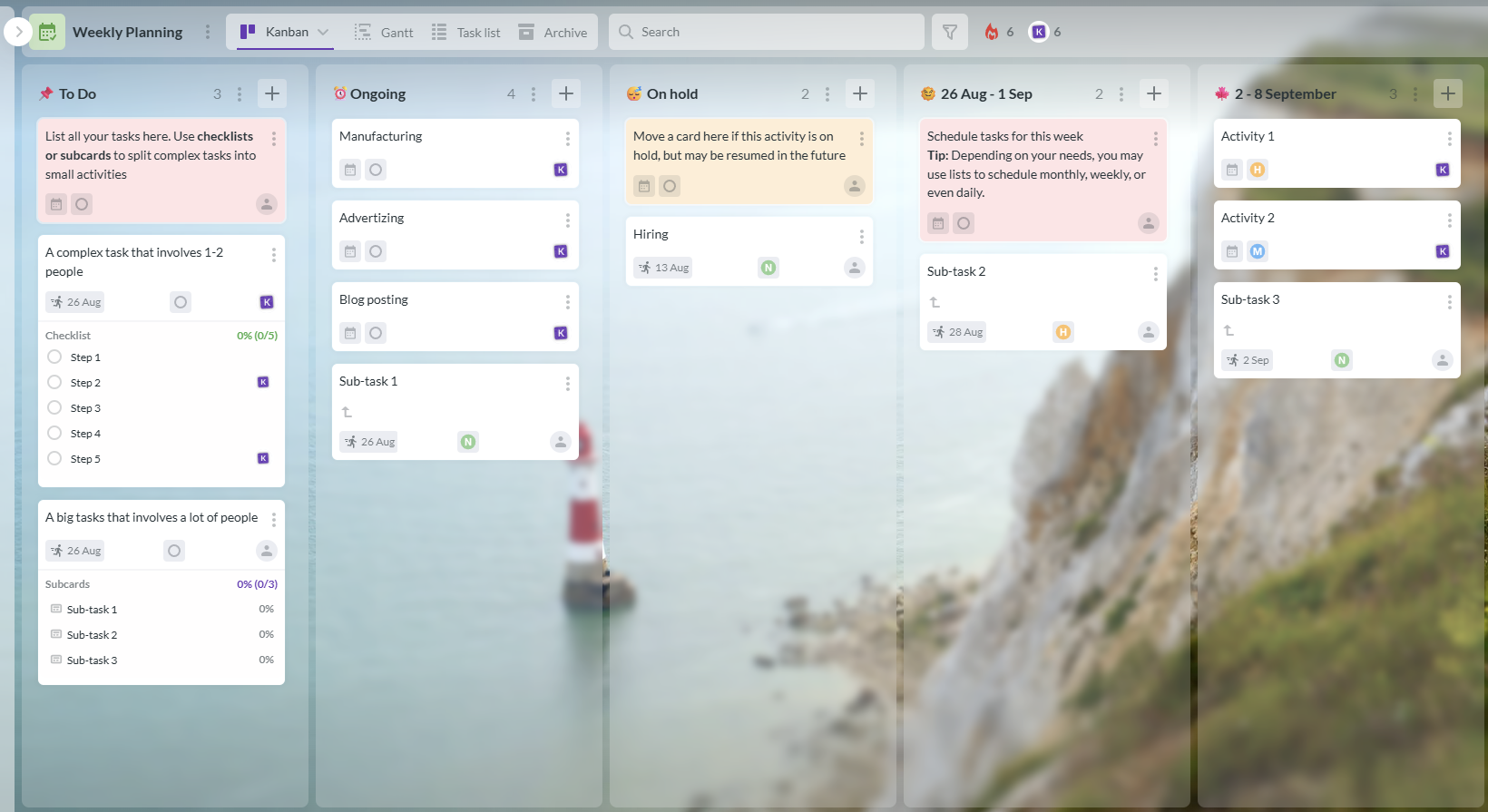
It has several views, including Kanban view, List view, Team Workload view, and of course, a Gantt chart. You can also use a Time tracker, various Reports, an Archive, and other useful features for everyday workflow. With the Kanbanchi for Gmail add-on, you can even create cards directly from your Gmail. Kanbanchi is sure to make your everyday life and work easier.
How to Use Kanbanchi as Your Daily Planner
Starting is simple. Open your Kanbanchi board at the beginning of each day and review the cards assigned to you. Cards due today are easy to filter, so you always know what requires immediate attention without scrolling through everything on the board.
As tasks come in through Gmail, the Gmail add-on lets you turn them into cards instantly: no copying, no switching between apps. A client email becomes a task with an owner, a due date, and an attached file in seconds.
For planning further ahead, the Gantt chart gives you a timeline view of everything on your plate across days, weeks, or months. Grouping by user (Team Workload view) shows whether your schedule is already full before you commit to more. And when priorities shift (as they always do), you simply move or update the card. No rewriting, no new page, no starting fresh.
We advise you not to waste time looking through different applications and try Kanbanchi right away.