Freelance copywriter working with Kanbanchi for more than 6 years
Busy teams in 2026 are dealing with a familiar mix of problems: more work than headcount, more stakeholders than meetings can handle, and more apps than anyone wants to babysit. The “best” task manager is rarely the one with the longest feature list; it’s the one your team will actually keep up to date while still giving leaders visibility.
This guide compares 10 task management tools that real teams rely on in 2026, plus a quick selection checklist to narrow your shortlist in minutes.
What Busy Teams Should Look for in Task Management Tools (2026 checklist)
Before you compare brands, get clear on what “busy” means for your team. Is it too many requests coming in, too many projects in parallel, or too much time lost to status updates?
Here are the capabilities that tend to matter most in 2026:
Fast capture: Turn ideas, emails, and meeting notes into tasks quickly.
Clear ownership: Every task has a single accountable owner (and watchers if needed).
Flexible views: At least one visual workflow view (Kanban) and one planning view (timeline or calendar).
Prioritization signals: Priority, due dates, and what’s blocked should be obvious.
Dependencies (when needed): Critical for launch plans, migrations, and multi-team delivery.
Lightweight reporting: Progress, overdue work, and throughput without spreadsheet exports.
Integrations where you already work: Google Workspace or Microsoft 365 for many teams.
Security and compliance: Especially for regulated industries and enterprise rollouts.
If you only pick three criteria: adoption (ease), integration (where work happens), and visibility (so you stop chasing updates).
Quick Comparison Table (best fit and trade-offs)
Tool
Best for
Standout strength
Watch out for
Kanbanchi
Google Workspace and Microsoft 365 teams that want visual planning
Kanban + Gantt + time tracking with deep Workspace integration
Best value when your work is already in Google/Microsoft
Asana
Cross-functional work with structured processes
Strong task hierarchy and coordination patterns
Can feel like “process overhead” for very small teams
ClickUp
Teams that want heavy customization in one place
Highly configurable workspace
Complexity can slow adoption if you do not standardize
monday.com
Operations teams running repeatable workflows
Flexible boards for many departments
Governance matters as workspaces grow
Jira Software
Software, engineering, and Agile delivery
Purpose-built issue tracking and sprint workflows
Often overkill for non-technical teams
Trello
Simple workflows and lightweight coordination
Low-friction Kanban boards
Reporting and scaling can require add-ons
Notion
Docs-first teams that want tasks embedded in knowledge
Notes, databases, and tasks in one workspace
Needs structure to avoid becoming messy
Microsoft Planner
Microsoft 365 organizations that need a basic team task hub
Native Microsoft ecosystem fit
Limited advanced planning for complex projects
Smartsheet
Spreadsheet-oriented planning and PMO-style visibility
Familiar grid-based control
Can push teams back into “spreadsheet project management”
Wrike
Larger teams needing governance and request flows
Workflow control and visibility at scale
Low-friction Kanban boards
1) Kanbanchi
Kanbanchi is a task and project management tool designed for teams that live in Google Workspace or Microsoft 365 and want a visual system that stays simple under pressure.
Where it fits best:
Teams coordinating work across multiple projects that need Kanban boards for execution and a Gantt chart for planning.
Organizations that want tasks connected to existing files and communication, without duplicating everything into a separate silo.
Why busy teams choose it:
Kanban boards to make work-in-progress visible.
Gantt chart to plan and adjust timelines.
Time tracking for capacity, forecasting, and retros.
Google Workspace integration (including Drive storage, Gmail task creation, and Google Calendar sync).
Microsoft 365 compatibility for mixed environments.
Enterprise-level security and compliance (important when you are rolling out across departments).
If your team already runs on Google Drive, Gmail, and Calendar, try Kanbanchi for free and check this native solution.
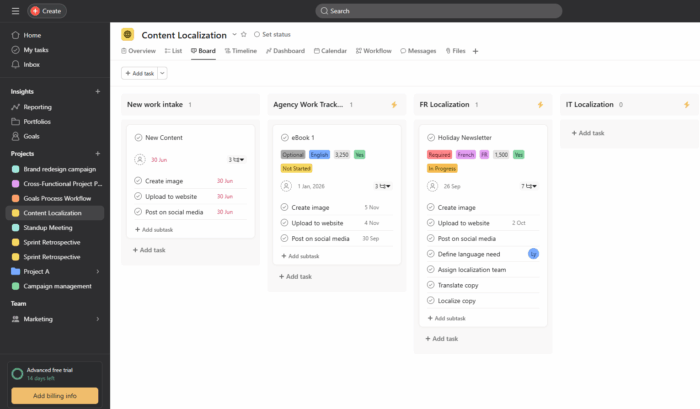
Asana is a strong choice for cross-functional teams that need consistent structure: projects, tasks, owners, due dates, and a predictable rhythm for delivery.
Where it fits best:
Marketing, product, and operations teams coordinating multi-step initiatives.
Organizations that want clear accountability and standardized workflows.
What to like:
Good support for organizing work across projects and teams.
Strong coordination patterns for handoffs and approvals.
What to consider:
If your team is already overwhelmed, choose a setup that is intentionally simple, the system can feel like more admin than help.
3) ClickUp
ClickUp is popular with teams that want one platform they can configure heavily (custom fields, multiple views, and detailed workspace structure).
Where it fits best:
Teams with a dedicated owner (ops lead, PMO, or power user) who can define templates and standards.
Agencies and multi-client environments where every client needs a slightly different workflow.
What to like:
Flexible configuration options.
Useful when you need many different work styles under one roof.
What to consider:
Busy teams should decide “how we work” first, then configure the tool. If you configure endlessly, adoption drops.
4) Monday.com
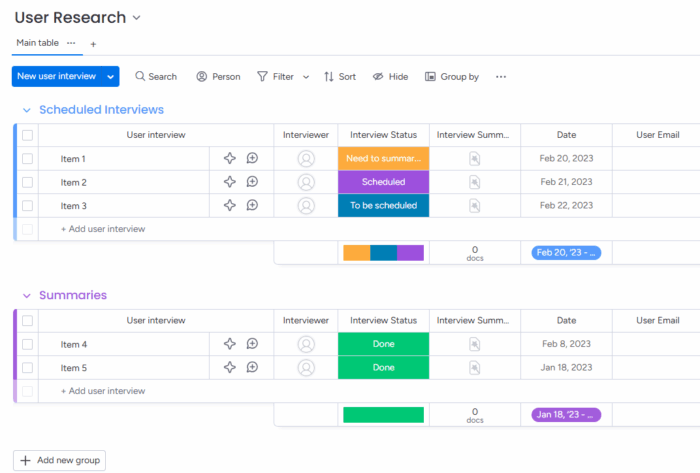
Monday.com is often chosen by operations and business teams that want boards that can represent almost any workflow, from requests to fulfillment.
Where it fits best:
Departments like marketing ops, revenue ops, and service delivery.
Teams standardizing intake processes and recurring work.
What to like:
Flexible board model that can match many business processes.
Works well when you need consistent status visibility across stakeholders.
What to consider:
As usage grows, you will want governance (naming conventions, templates, permissions) so work does not fragment.
5) Jira Software
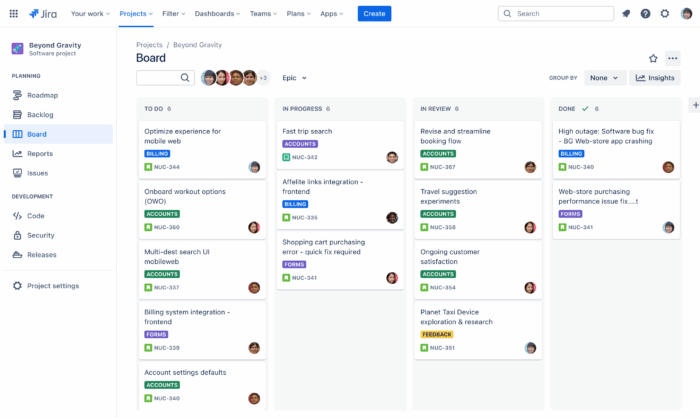
Jira is the default for many engineering organizations because it is designed around issues, backlogs, and sprint execution.
Where it fits best:
Software development teams running Scrum or Kanban.
Teams that need tight control over issue types, workflows, and release tracking.
What to like:
Purpose-built Agile delivery features.
Strong ecosystem for engineering planning.
What to consider:
For non-technical departments, Jira can feel too complex. Many companies pair Jira (engineering) with a simpler tool for business teams.
6) Trello
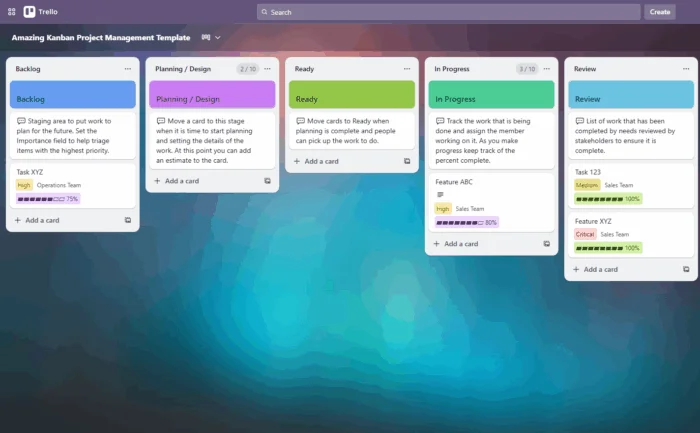
Trello remains a great option when speed and simplicity matter more than deep reporting or advanced planning.
Where it fits best:
Small teams that need a clear “To do, Doing, Done” workflow.
Lightweight project coordination with minimal overhead.
What to like:
Extremely easy to adopt.
Kanban-first approach that helps teams visualize flow fast.
What to consider:
As work scales, you may need additional features (reporting, dependencies, portfolio views) that require add-ons or a move to a more full-featured platform.
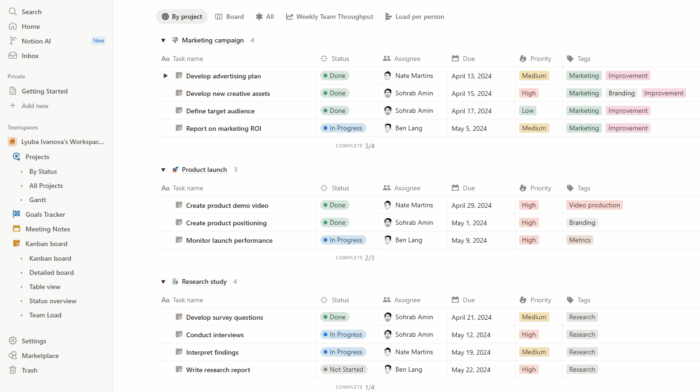
7) Notion
Notion is a strong fit for teams that want tasks to live next to documentation: specs, meeting notes, wikis, and project pages.
Where it fits best:
Product, design, and research teams that produce lots of written artifacts.
Knowledge-heavy organizations that want one “source of truth.”
What to like:
Tasks can be embedded in docs and structured databases.
Great for linking context to execution.
What to consider:
Notion works best when you standardize templates. Without structure, it is easy to end up with inconsistent task data.
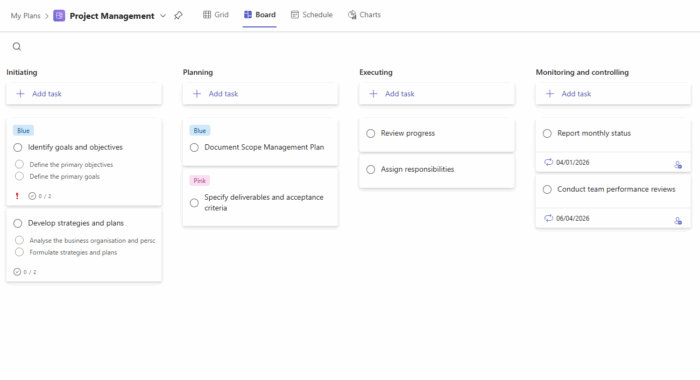
8) Microsoft Planner
Microsoft Planner is a practical choice if your organization is already standardized on Microsoft 365 and you need a straightforward team task hub.
Where it fits best:
Teams that want simple boards and task assignment inside the Microsoft ecosystem.
Organizations where IT prefers first-party tools for governance.
What to like:
Familiar experience for Microsoft-centric teams.
Good for basic collaboration and visibility.
What to consider:
For complex projects (dependencies, advanced timelines, deeper reporting), many teams supplement Planner with more advanced project planning tools.
9) Smartsheet
Smartsheet is often selected by teams that think in spreadsheets but need more workflow control and collaboration than a traditional sheet can offer.
Where it fits best:
PMOs and project coordinators who want grid-based planning and roll-up visibility.
Teams migrating away from Excel-based project tracking.
What to like:
Familiar spreadsheet-like paradigm.
Useful for portfolio-style oversight when set up well.
What to consider:
If you are trying to reduce admin work, be careful not to recreate the same manual spreadsheet habits inside a new tool.
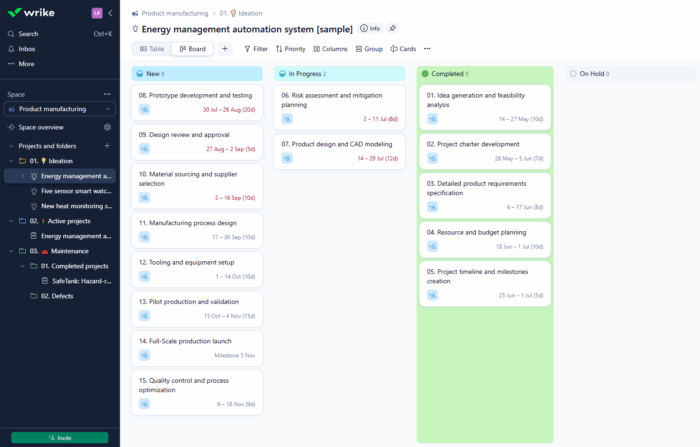
10) Wrike
Wrike is commonly used in larger organizations that need more formal workflow governance, structured request intake, and cross-team visibility.
Where it fits best:
Teams managing high volumes of requests and approvals.
Organizations that need robust workflow control across departments.
What to like:
Strong for standardizing processes at scale.
Supports oversight across many projects.
What to consider:
Implementation can be heavier. Adoption improves when you roll out by team, with templates and clear rules.
How to Make Any Tool Work Better Without Adding Meetings
A tool switch will not fix a broken operating rhythm. If you want immediate relief, implement these habits alongside whichever platform you choose:
One inbox for new work: A single intake list or form so nothing lands in DMs.
A weekly “priority reset”: Confirm top outcomes, then adjust tasks and due dates.
WIP limits: Fewer items in progress usually mean faster completion.
Definition of done: Agree on what “done” means per task type (especially for reviews and approvals).
Also consider pairing your task manager with specialized AI, which meaningfully reduces cycle time. For example, legal teams may use a litigation-specific assistant like TrialBase AI to quickly draft cited work products, then track the resulting tasks and deadlines in their project system.
Which Tool Should You Choose? A Fast Decision Guide
If you want to decide quickly, match the tool to your “center of gravity”:
If your work lives in Google Workspace (Drive, Gmail, Calendar) and you want Kanban plus timeline planning, Kanbanchi is a natural fit.
If you need structured cross-functional coordination with strong conventions, consider Kanbanchi or Asana.
If you want maximum customization and can enforce standards, consider ClickUp.
If operations workflows and repeatable processes drive your day, consider Monday.com.
If you are an engineering org or have very strict processes, choose Jira.
If you want the simplest possible start, you are a freelancer or want a personal task management app, choose Trello.
If docs and knowledge management are core, and you don’t store files on Google Drive or OneDrive, choose Notion. For Google Drive or OneDrive, choose Kanbanchi.
If you are fully Microsoft-centric and need basics, choose Microsoft Planner. For more advanced functionality, look at Kanbanchi.
If your organization runs on grids and PMO oversight, consider Smartsheet.
If you need enterprise workflow governance across teams, consider Kanbanchi or Wrike.
What are the best task management tools for busy teams in 2026?
The best task management tools in 2026 are the ones that fit your team’s ecosystem and work style. Many busy teams choose Kanbanchi (Google Workspace and Microsoft 365), Asana, ClickUp, Monday.com, Jira, Trello, Notion, Microsoft Planner, Smartsheet, or Wrike.
How do I pick between a Kanban tool and a timeline tool?
Busy teams often need both. Kanban helps day-to-day execution (what’s in progress, what’s blocked), while timelines help planning (dates, sequencing, dependencies). Tools that offer both views reduce context switching.
Do we need time tracking in a task management tool?
Not always, but it helps when you need capacity planning, forecasting, or proof of effort (for agencies, professional services, or teams under tight resourcing). If time is a constant bottleneck, built-in tracking can reduce tool sprawl.
What’s the biggest reason task management tools fail in teams?
Adoption. If tasks are not updated, dashboards lie, and leaders revert to meetings, spreadsheets, or DMs. Choose a tool your team finds fast and intuitive, then standardize a few rules (ownership, due dates, weekly review).
Try a task manager that fits your Google Workspace (and scales)
If your team already works in Gmail, Google Drive, and Google Calendar, you will get the fastest wins from a tool that feels native to that environment.
Explore Kanbanchi to manage tasks on Kanban boards, plan timelines with a Gantt chart, track time, and keep collaboration anchored in the tools your team uses every day.
Freelance copywriter working with Kanbanchi for more than 6 years
Over the past six years, Robert has evolved from a freelance contributor to a trusted Kanbanchi partner, possessing a deep, hands-on understanding of the platform. He translates complex features and workflows into explicit, practical content, delivering in‑depth overviews and step‑by‑step guides that help teams get started quickly and work smarter. Drawing on an insider’s perspective of Kanbanchi’s evolution and real-world use cases, Robert’s articles consistently equip readers with best practices and actionable tips. He collaborates closely with our product team to ensure every guide is accurate, up‑to‑date, and immediately useful
Buy and manage subscriptions, distribute seats for your team members, control subscription status (current number of seats and expiration date) right in the app.
Explore how Kanbanchi and Microsoft task management software stack up for Microsoft 365 users. Compare features, integrations, and real-world use cases to choose the right tool for your team.
Buy and manage subscriptions, distribute seats for your team members, control subscription status (current number of seats and expiration date) right in the app.