
In this Article:
Try Kanbanchi now
Start your free trial

Most agile project management tools say they support Google Drive. That sounds simple until you ask where the project actually lives.
In practice, “Google Drive integration” usually means one of two architectures. The first is Drive-connected: the tool stores project data in the vendor’s cloud and uses the Google Drive API to attach, preview, or link files. The second is Drive-native: the board or project file is created in Google Drive, and Drive’s sharing model governs access to that file.
That distinction decides who owns your boards, which permission system controls access, what happens when a project owner leaves, and what you keep if you cancel the subscription.
When a vendor says its agile tool “integrates with Google Drive,” it may only mean that you can attach a Drive file to a task. That can be useful. It does not necessarily mean the project itself is stored in Drive, shared through Drive or governed by your Google Workspace policies.
A Drive-connected tool keeps the project board, task data, comments, history and settings on the vendor’s servers. Google Drive remains the place where files are stored, but the work management layer sits elsewhere. Tools such as Asana, Trello, ClickUp, Jira and Smartsheet commonly work this way when used with Drive.
A Drive-native tool treats the board itself as a Drive file. You still use an application to open and work with the board, but the file sits in your Drive or Shared Drive, and the sharing model is tied to Google permissions.
The practical question is not which label sounds better. The question is which system your team wants to rely on for ownership, permissions, retention, offboarding, and continuity.
Drive-connected tools are the most common. They connect to Google Drive so users can attach files to tasks, link documents, preview assets, or pick files from a Drive file picker. Your file remains in Google Drive. Your project data does not.
That architecture is not automatically a problem. Many large organizations run successfully with Drive-connected project management tools, especially when they need one platform across Microsoft 365, Slack, GitHub, Salesforce, Google Workspace, and other systems. For them, Google Drive is one repository among several.
First, you now have two permission systems. A user may have access to the board but not the attached Drive file. Another user may have access to the Drive file but not the project card where decisions were recorded. Over time, those systems can drift apart unless someone checks them.
Second, permission drift can make the evidence behind a task unreachable even though the link still works. Ownership may change, the file may move to a different Shared Drive, or an admin may restrict access. The task looks complete, but the person reviewing it cannot open the file.
Third, offboarding has two steps. Removing someone from the project tool does not necessarily remove their Drive access. Removing someone from Drive does not necessarily remove their access to the vendor’s project history, comments, or task data. Your admin process needs to cover both.
Fourth, project data falls under the vendor’s retention and deletion terms, not only your Google Workspace policies. Drive files may be covered by your Workspace retention rules, but task metadata, board history, activity logs, and comments live elsewhere. If you have legal, compliance, or audit requirements, that matters.
None of this disqualifies Drive-connected tools. It means you should treat them as separate systems that exchange file references, not as extensions of Drive.
A Drive-native approach starts from a different assumption. The board is stored in Google Drive as a Drive file. Sharing, ownership, and access are therefore tied to Drive rather than being recreated inside a separate project management system.
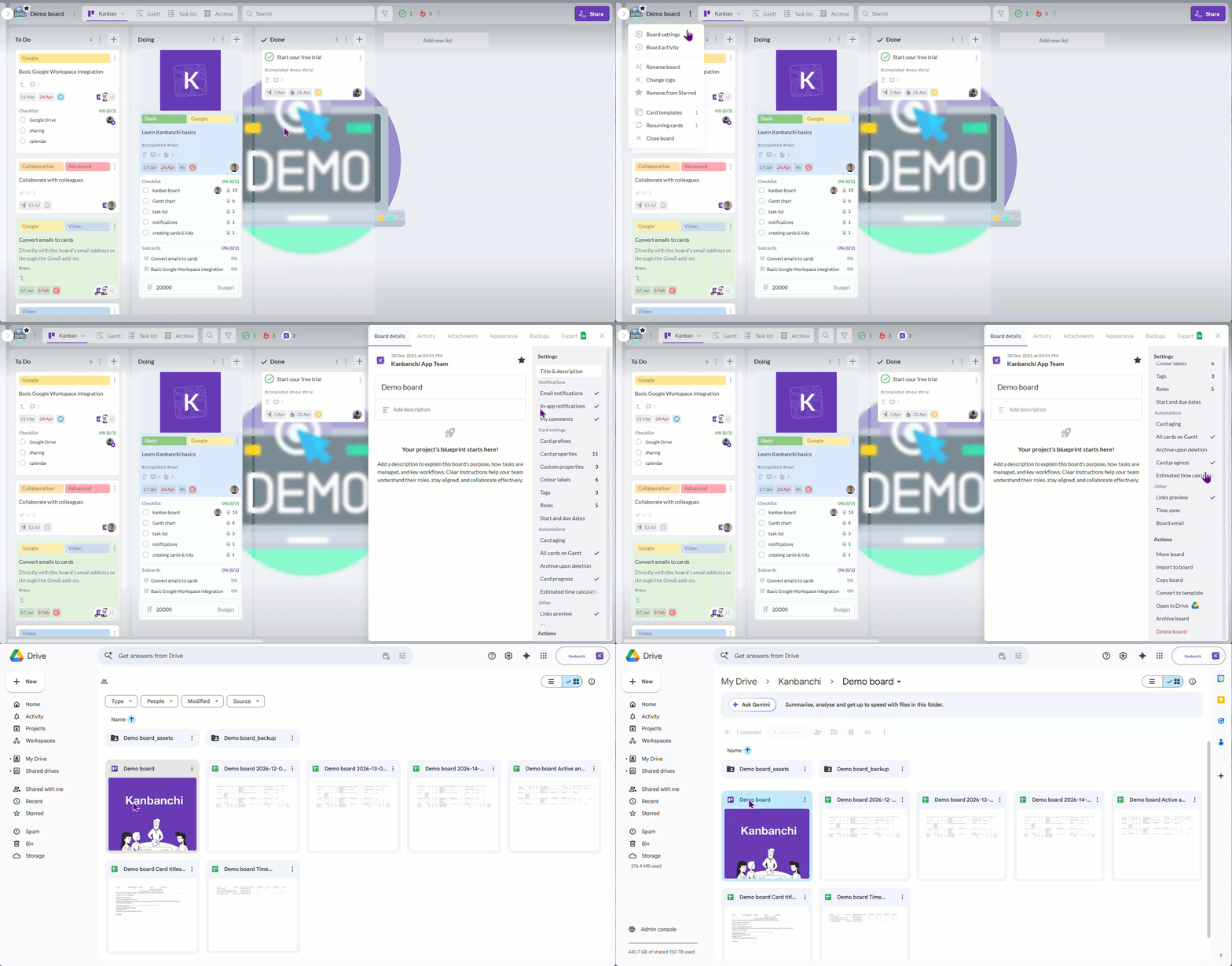
Example of Kanbanchi: each board is a file inside the Google Drive, can be easily located, and each board falls under the governance of Google Drive
One permission system becomes the main source of truth. If someone has access to the board file in Drive, they can open the board according to those permissions. If access is removed in Drive, the board access follows. For organizations that already manage Drive permissions carefully, this reduces duplication.
However, no agile project management tool is purely “just a Drive file.” The board file, attachments and sharing can live in Drive, but comments, activity records, notifications and application machinery may still be processed or stored by the vendor. In this case, that should be Google Cloud Platform. You should ask exactly what data sits where.
The architecture matters most when ownership and governance are under pressure.
High turnover or contractor-heavy teams feel it quickly. If boards, files and permissions are split across systems, every departure creates cleanup work across the project tool, Drive folders, Shared Drives, file ownership and external access.
Regulated industries face a different problem. If you have retention, eDiscovery or audit duties, you need to know where project records live. A Drive file may be retained under Workspace rules, while task history in a connected tool may be governed by separate terms.
Long-running boards also expose the issue. A roadmap, operating plan, or client delivery board may outlive its creator. If the board is tied to a personal account in a third-party system or a personal Drive folder, continuity depends on how well ownership transfer is handled.
Teams with governed Drive permissions should pay attention too. If your organization has invested in Google Groups, Shared Drives and admin controls, a separate tool-level sharing model may duplicate controls you already have.
Cancellation is the final test. If you cancel, do you keep board files in Drive or do you export data before the vendor deletes it under its retention policy? Both models can work, but they create different exit plans.
For a small, stable team with no retention duties, the distinction may not matter much. If everyone knows where files are, the team rarely changes, and the project tool is used mainly for daily coordination, a Drive-connected tool can work well.
Drive-connected tools also have real advantages.
They are not tied to one ecosystem. If your company may move from Google Workspace to Microsoft 365 later, or if you already work across both environments, a platform that treats Drive as one integration among many may reduce future switching pain.
They often have deeper specialized features. A software engineering team may care more about backlog management, releases, issue workflows, or development integrations than about whether the board itself lives in Drive. A portfolio office may prioritize advanced reporting and cross-program views.
Larger vendors may also have broader integration catalogs, mature admin tooling and support processes that matter for global organizations with complex procurement and security review.
Neither architecture wins outright. The point is to know which one you are buying before you build process, permissions, and compliance habits around it.
Documentation rarely says this clearly. Sales pages tend to say “Google Drive integration” and move on. Support teams can usually answer if you ask specific questions.
Where is the board stored? If the answer is “in our cloud,” the tool is Drive-connected. If the answer is “in your Google Drive” or “as a file in your Drive,” it is Drive-native in the sense that matters for ownership and sharing.
Where does a sharing permission live? If access is controlled mainly through the tool’s user list, workspace members or project roles, Drive is connected but not governing the board. If board sharing is managed through Drive settings, Google Groups, or Shared Drive permissions, the board is closer to Drive-native.
What happens if we cancel? If the answer is export-then-delete, the project data lives primarily with the vendor. If the answer is that board files remain in your Drive, you have a different exit path. You should still ask what happens to comments, activity data, and other app-level records.
These questions are simple, but they reveal more than most feature lists.
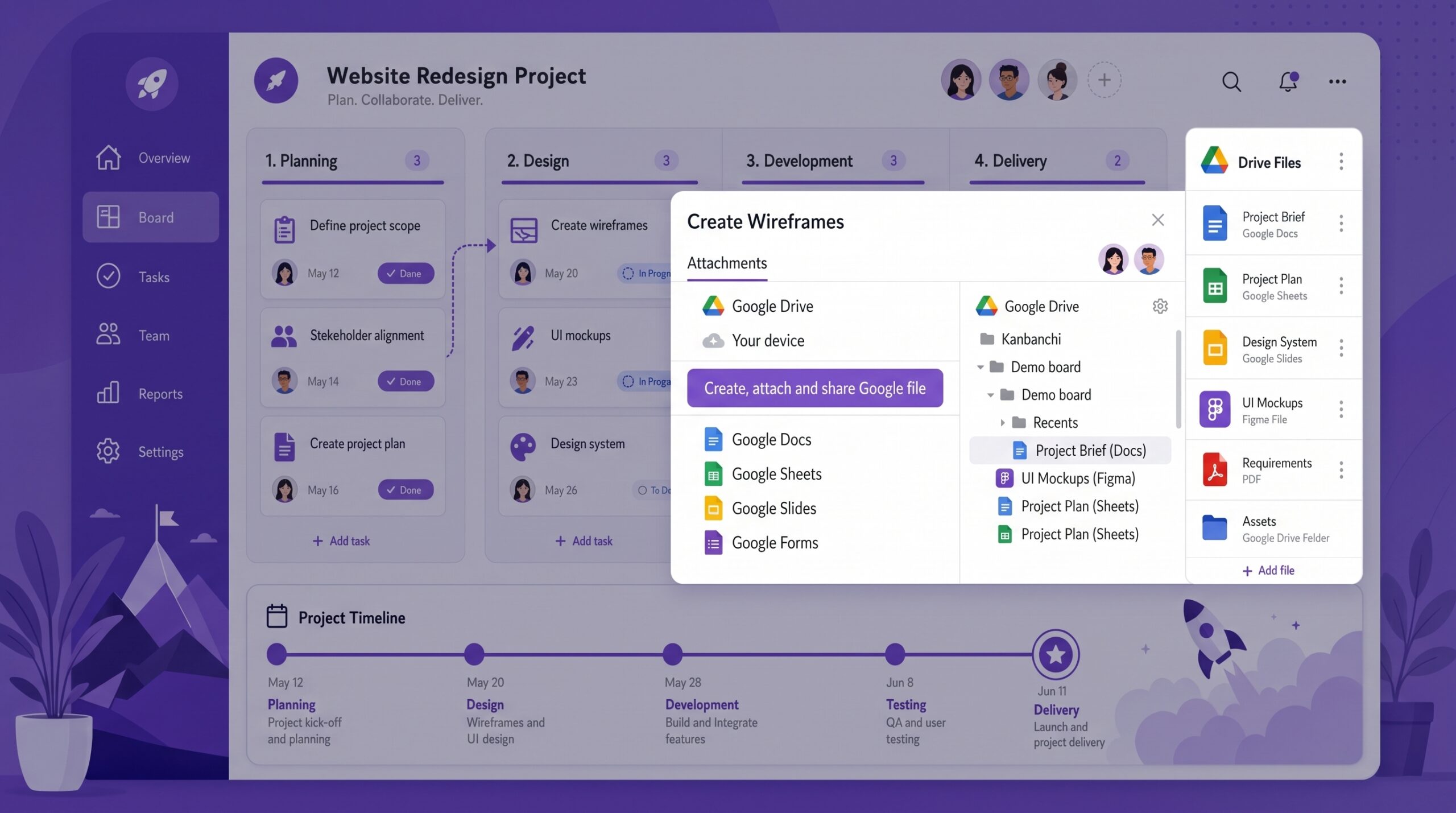
The key question is not whether a board can show Drive files, but where the board itself is stored and how it is governed
Google Drive can store briefs, estimates, creative files, specifications, contracts, retrospectives, and final deliverables. It does not, by itself, create project visibility.
Teams still need to see status, ownership, blockers, and changing priorities. A file may be perfectly organized in Drive, but it will not tell you whether the work is waiting for review, blocked by a dependency, or ready for a client. A document can contain decisions, but someone still needs a shared place to track the work those decisions created.
That is why agile project management software still matters even when Drive is your source of truth for files. The board turns documents into visible work. It shows what is active, who owns it, what needs attention, and what changed since the last review.
If you are comparing broader options, this agile project management software roundup is useful background, but the Drive architecture question should be asked separately.
Whether you choose a Drive-connected or Drive-native tool, file discipline matters.
A card should not reach Review without the required file attached or linked. A card should not move to Done without the final deliverable, approval document, or output connected to it. These rules keep the board from becoming a decorative status view that points to incomplete evidence.
You should also align board sharing and Drive permissions before the project starts. If the board includes external partners, confirm whether they can open the attached files. If the files are restricted to an internal group, confirm that the board does not imply access people do not actually have.
Use Shared Drives for work that needs to outlive its creator. That applies to department processes, recurring client work, operational boards, and any project where ownership belongs to the organization rather than one employee.
For a deeper look at how Drive fits into project workflows, Kanbanchi’s guide to Google Drive project management covers the storage and collaboration side in more detail.
Kanbanchi sits on the Drive-native side of this distinction. Its boards are Google Drive files; attachments reference Drive and Shared Drive files rather than copying them, and sharing follows the permissions teams already manage in Google Workspace. Enterprise users can create boards in Shared Drives, which is useful when boards should belong to a team rather than an individual.
Kanbanchi also connects with other Google Workspace workflows, including card creation from Gmail, Google Calendar sync, and export to Google Sheets. The article on Kanbanchi Google Workspace integration explains that relationship in more detail.
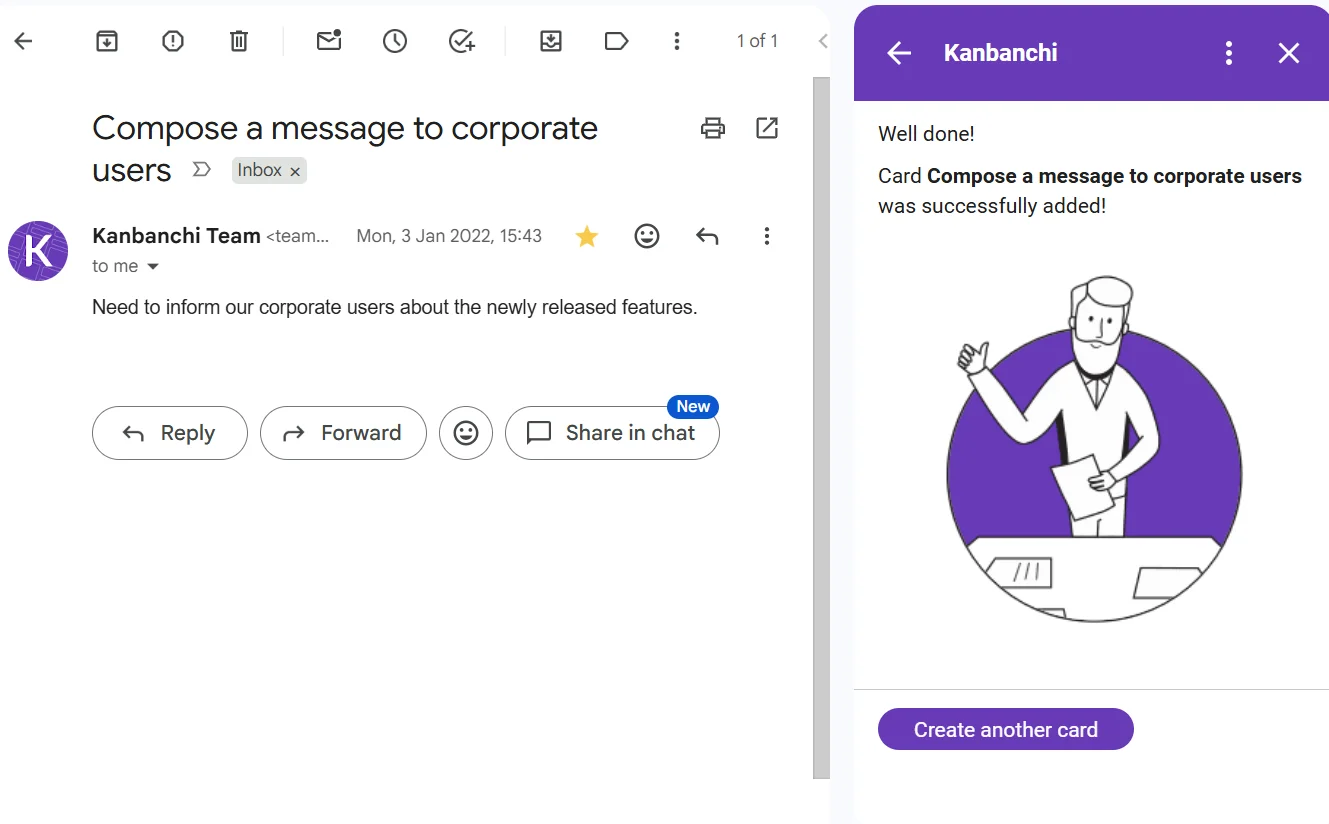
Example of Kanbanchi: the Gmail add-on lets users turn emails into tasks
Start a free trial of Kanbanchi today
A tool that integrates with Drive usually stores project data in the vendor’s cloud and links to Drive files through an API. A tool built on Drive stores the board as a Drive file, so Drive ownership and sharing play a central role.
Ask where the board is stored, where sharing permissions live, and what happens if you cancel. “Our cloud,” tool-level permissions and export-then-delete usually indicate Drive-connected. “Your Drive,” Drive permissions and files remaining in Drive indicate Drive-native.
Google Drive can store project files, but it does not provide the workflow layer teams usually need for agile work. You still need a way to manage status, ownership, priorities, blockers, due dates, and changes.
Kanban can be enough for teams that need visual workflow management and continuous prioritization. Other teams may need timelines, dependencies, time tracking, reporting or sprint-specific planning depending on how they deliver work.
Keep files in approved Drive locations, use Shared Drives for team-owned work, align board access with Drive permissions, and review external sharing before the project begins. Also ask the vendor what project data it stores outside Drive.
Want to read more articles related to Project Management? – Click here


In this Article:
Start using Kanbanchi now
Start your free trial