
In this Article:
Try Kanbanchi now
Start your free trial

Spreadsheets are not the enemy. They are often the reason work got organized in the first place. A team needed a fast way to list tasks, add owners, add dates, and tell everyone where to look. A spreadsheet did that job with almost no training.
The trouble starts when the spreadsheet becomes the operating system for live work. At that point, you are no longer just recording tasks. You are trying to manage handoffs, blockers, dependencies, decisions, files, and reporting through cells that only know what someone typed into them.
That is why leaving spreadsheets is less about choosing a new app and more about changing the model your team uses to manage work. If you do not change that model, you will rebuild the same sheet inside a new tool, with the same manual updates and the same untrusted status column.
The common migration story is familiar. A team buys a task tool, imports the spreadsheet, names the columns carefully, and tells everyone the new system is live. For a few days, the board looks cleaner. Six weeks later, managers still ask for updates in meetings because nobody trusts what the tool says.
The tool changed. The operating model did not.
A spreadsheet records what someone typed. A task system should respond when the state of work changes. That difference sounds small, but it changes ownership, habits and expectations. If your team still waits for one person to tidy the tracker every Friday, you have not moved to a new way of working. You have moved the spreadsheet into a paid interface.
A team with unclear ownership will have unclear ownership in any tool. A team that avoids documenting decisions will still lose decisions. Software can support a clear process, but it cannot invent one for you.
Spreadsheets are still the right choice in many situations. If you are managing a small static list, a one-off checklist, or individual work that does not need handoffs, a spreadsheet may be faster than any task system. You can open it, type what you need, and move on.
If you’ve decided Excel is the right tool and you want to get more out of it, our complete guide to Excel project management covers templates, formulas, and building a Gantt chart in a spreadsheet.
They are also excellent for numerical analysis. Budgets, forecasts, reconciliations, calculations, and comparisons belong in a spreadsheet. Many teams still export project data to Google Sheets or Excel after delivery because they want to analyze time spent, compare estimates with actuals, or prepare a report outside the live workflow.
That is not a failure. It is a good use of the format.
The problem is the spreadsheet as the main operating system for active work. Live work changes. People make decisions, miss dates, raise blockers, attach files, and depend on one another. A sheet can describe that activity, but it does not manage it well unless someone constantly maintains it.
You do not need a new system just because your sheet looks busy. You need a new model when the spreadsheet stops being trusted.
These are not signs that people are lazy. They are often signs that the tracker asks people to do too much manual coordination around work that is already changing.
Read more Task Management articles here
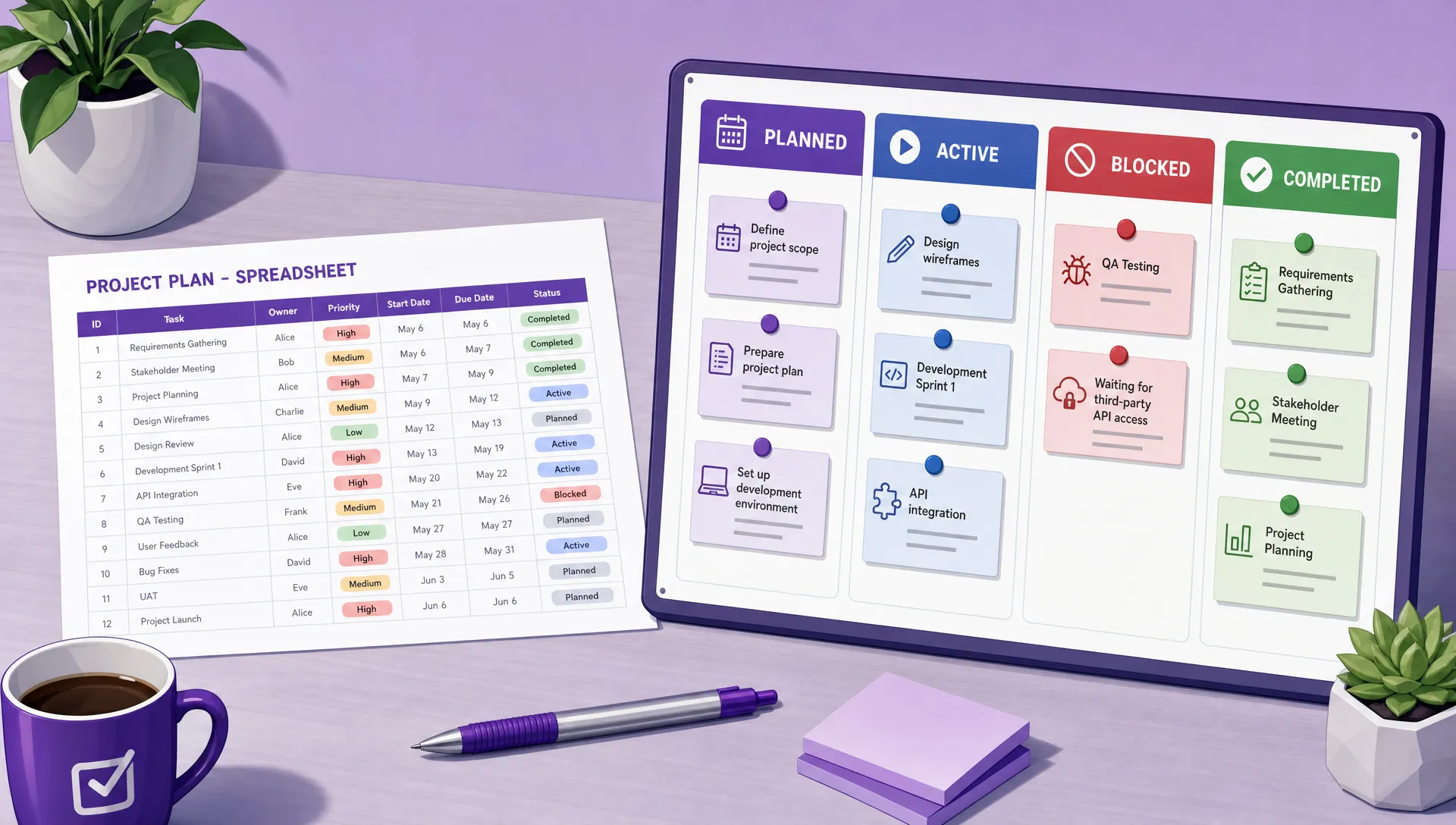
The useful shift is not from spreadsheet to app. It is from a static record to a shared system for live work.
A spreadsheet is a record. It stores the task name, the owner, the due date, and the current status because someone typed those things into cells. That can be enough when work is simple.
A task tool should behave more like a system. When work moves, something should happen. The right person is notified. A blocker is visible. A delayed dependency changes the view of the schedule. A completed step opens the next step for someone else.
If nothing happens when state changes, the new tool is just a prettier spreadsheet. The team still has to remember to update everything manually, tell people what changed, and explain the real status in a separate meeting. Before you migrate, decide what should happen automatically when work moves from one state to another. That decision matters more than the interface.
Rows are good for lists. They tell you that ten things exist. They are weak at showing how work should move.
Most spreadsheet trackers depend on a free-text status column. Someone writes “in progress,” someone else writes “working,” another person writes “almost done”, and the manager later has to interpret all three. The ambiguity survives the migration if you carry that field across unchanged.
A better model starts with states. Each stage means something specific, and the team agrees what must be true before work can enter or leave it. For example, “ready” might require a clear owner, brief, and due date. “done” might require delivery, review, and the final file attached. If you need help thinking through entry and exit rules, this Kanban task management guide is a useful starting point.
Most spreadsheets have a hidden operating rule: one person owns the truth. Everyone else sends updates, leaves comments, or waits for the sheet owner to clean the tracker. That can work for a while, but it turns the owner into a bottleneck.
A task system assumes a different behavior. The person doing the work updates the work. The designer marks the design blocked. The reviewer records the decision. The project lead does not have to translate every conversation into a row update.
This is where many migrations fail. The team adopts a shared tool but keeps single-editor behavior. People still report status to the old spreadsheet owner, who then updates the new system. That feels safer at first because it protects the old habit, but it prevents the new system from becoming reliable. Ownership has to move closer to the work.
A spreadsheet can point at context. It can hold a link to a brief, a folder, a file, an email thread, or a meeting note. But the work itself remains separate from the discussion around it.
A task should carry its context. The discussion, decisions, attachments, history, and current blocker should live on the item or close enough that people know where to look. Otherwise, every status check becomes detective work. Someone opens the sheet, follows a link, searches chat, checks a folder, and asks whether the latest version is really final.
The shift from cells to context reduces the need for memory. A new team member can open the task and understand what happened. A manager can see not only the current state, but why the task is there. That is the point of leaving a spreadsheet, not a nicer column layout.
Not every spreadsheet-based tracker needs the same replacement. Before you evaluate alternatives to spreadsheet-based task tracking, name the job your sheet is doing.
A status tracker needs a board with defined stages. The main question is “where is this work now?” Your replacement should make movement visible and reduce the need for update meetings.
A schedule needs a timeline with dependencies. The main question is “what happens if this date slips?” A board alone may not be enough if tasks are sequenced and delays affect later work.
A request log needs intake plus a queue. The main question is “what came in, who triaged it, and what happens next?” In that case, the intake process matters as much as the task view.
A data table may need a relational database tool, not a task tool. If your sheet tracks clients, assets, budgets, locations, or structured records, the work may be more about connected data than task execution.
A general project management app roundup can help you see the categories, but your decision should start with the shape of the work, not a product list.
A messy tracker often contains old priority fields, duplicate notes, unused categories, and columns that exist because one person asked for them years ago. If you import every column, you preserve the clutter. Decide which fields earn a place in the new system.
This is the fastest way to keep the old ambiguity. “Almost done” may mean ready for review to one person and still blocked to another. Replace vague status text with defined states that people use consistently.
If the same person remains responsible for updating everyone’s work, the team has not changed behavior. The new system becomes another administrative burden. The people closest to the work need to update their own tasks.
Parallel running sounds safe, but the familiar sheet usually wins. People update the place they know managers will check. If you must keep a spreadsheet for reference, freeze it or make clear that it is no longer the live source of truth.
Duplicates, bad statuses, missing owners, and unclear dates import perfectly. The new tool will not recognize that the data is broken. Clean the sheet first, or you will spend the first month distrusting the new system for problems the old sheet created.
If you need a broader planning framework, this guide to project tracking applications covers how teams scale tracking beyond a single sheet.
Kanbanchi fits teams that want boards and Gantt views on the same tasks rather than separate trackers for daily work and scheduling. Time tracking is handled on cards, so time records stay connected to the work item instead of living in another file.
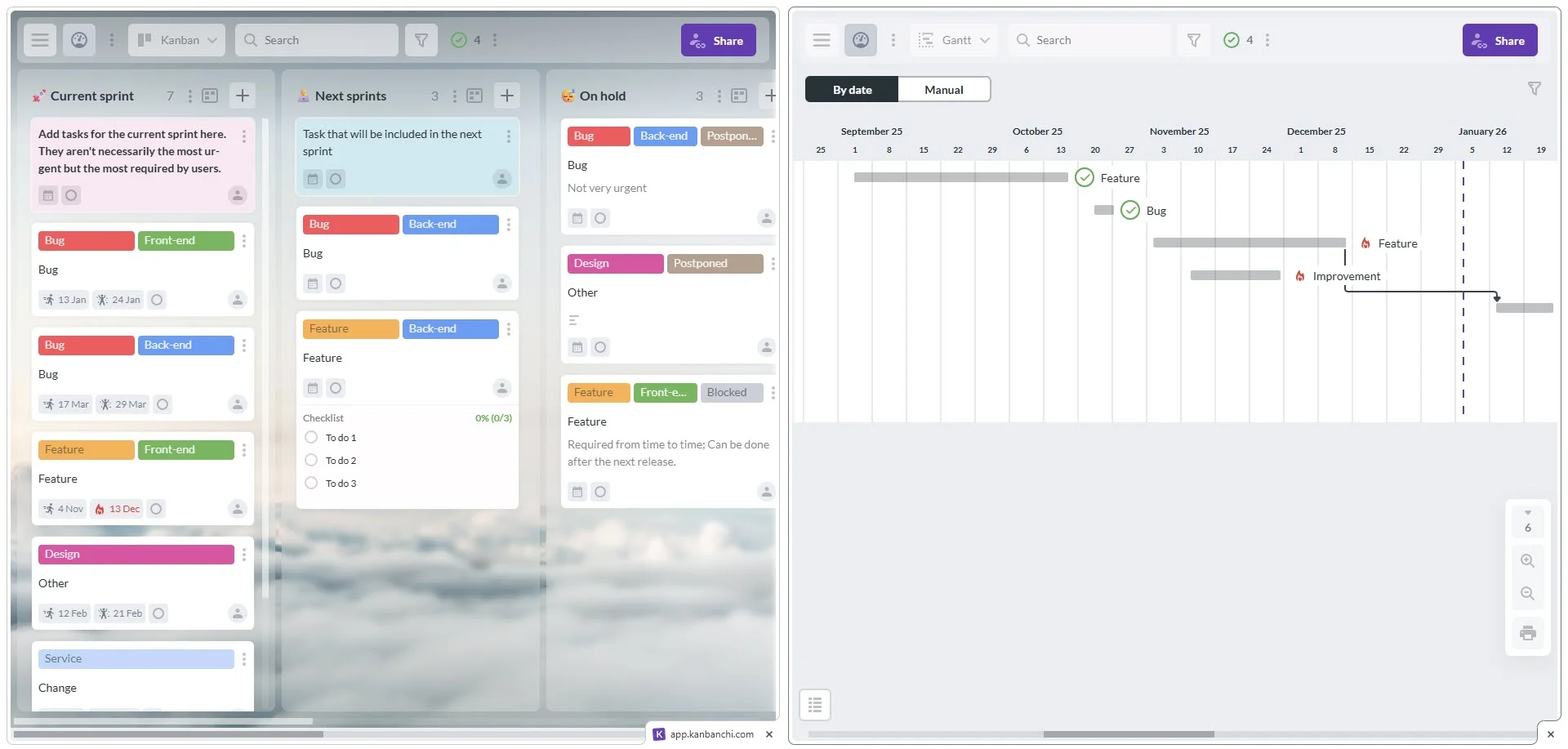
Kanbanchi’s dual-view capability: switch between Kanban board and Gantt chart within the same project
For Google Workspace teams, cards can stay close to Drive attachments, Gmail-created tasks, Calendar scheduling, and Sheets export for analysis after delivery. For Microsoft 365 environments, Kanbanchi works with OneDrive and SharePoint. That is the practical fit: it helps teams move live work out of spreadsheets while still allowing spreadsheet analysis when the work is done.
Start a free trial of Kanbanchi today
Yes. Spreadsheets are often better for small static lists, personal tracking, one-off work, and numerical analysis. They are also useful as export formats after delivery, when you want to review or analyze project data.
Most fail because the team changes tools without changing behavior. They import the sheet, keep vague statuses, rely on one person to update everything, and continue using meetings to find the truth.
It depends on the job the spreadsheet performs. A status tracker usually needs a board, a schedule needs a timeline with dependencies, a request log needs intake plus a queue, and a data table may need a relational database tool.
A single workflow can often move in days if the sheet is clean and the rules are clear. Larger migrations take longer because teams must resolve ownership, status definitions, and reporting expectations before launch.
Yes. Many teams keep spreadsheets for analysis and reporting after work is complete. The key is not using the spreadsheet as the live source of truth while the work is still changing.



In this Article:
Start using Kanbanchi now
Start your free trial