
In this Article:
Try Kanbanchi now
Start your free trial

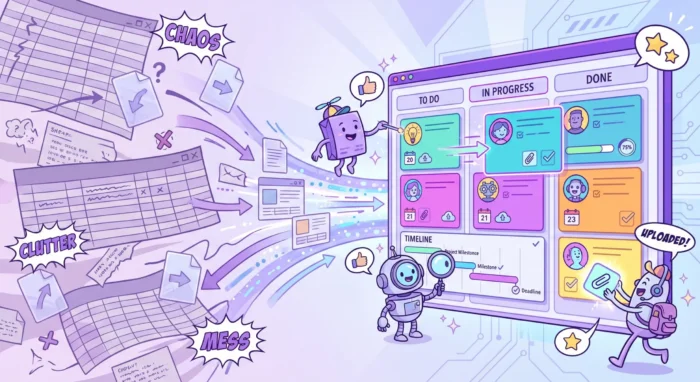
Spreadsheets rarely fail all at once. They usually fail quietly, with one duplicated row, stale status update, missing attachment, and unclear owner at a time.
For a small team, a shared spreadsheet can be a quick way to list tasks and deadlines. But when work becomes cross-functional, deadline-driven, or security-sensitive, a spreadsheet starts to act less like a control center and more like a manual reporting chore. That is where project tracking applications become essential.
The goal is not to abandon spreadsheets completely. They are still useful for analysis, exports, and lightweight calculations. The goal is to move active project execution into a system that can handle ownership, collaboration, timelines, updates, files, and reporting without forcing managers to rebuild the same tracker every week.
A spreadsheet is excellent when information is mostly static. It works well for budgets, simple checklists, calculations, data cleanup, and one-off planning. Spreadsheets are also helpful for personal finance models, simple forecasts, and learning structured thinking.
Project execution is different. Tasks move. Priorities change. People comment, attach files, ask questions, depend on each other, miss dates, and need reminders. A project tracker must support the flow of work, not just record a snapshot of it.
A spreadsheet can store task data, but it usually cannot manage work without significant manual effort. Someone has to update statuses, chase owners, color-code late rows, copy information into reports, and reconcile different versions. As the team grows, the hidden management cost grows with it.
If your team is growing from 3 to 5 people into multiple departments, clients, or project streams, the first cracks are easy to spot.
At that stage, the problem is not team discipline. The problem is that the system does not match the complexity of the work.
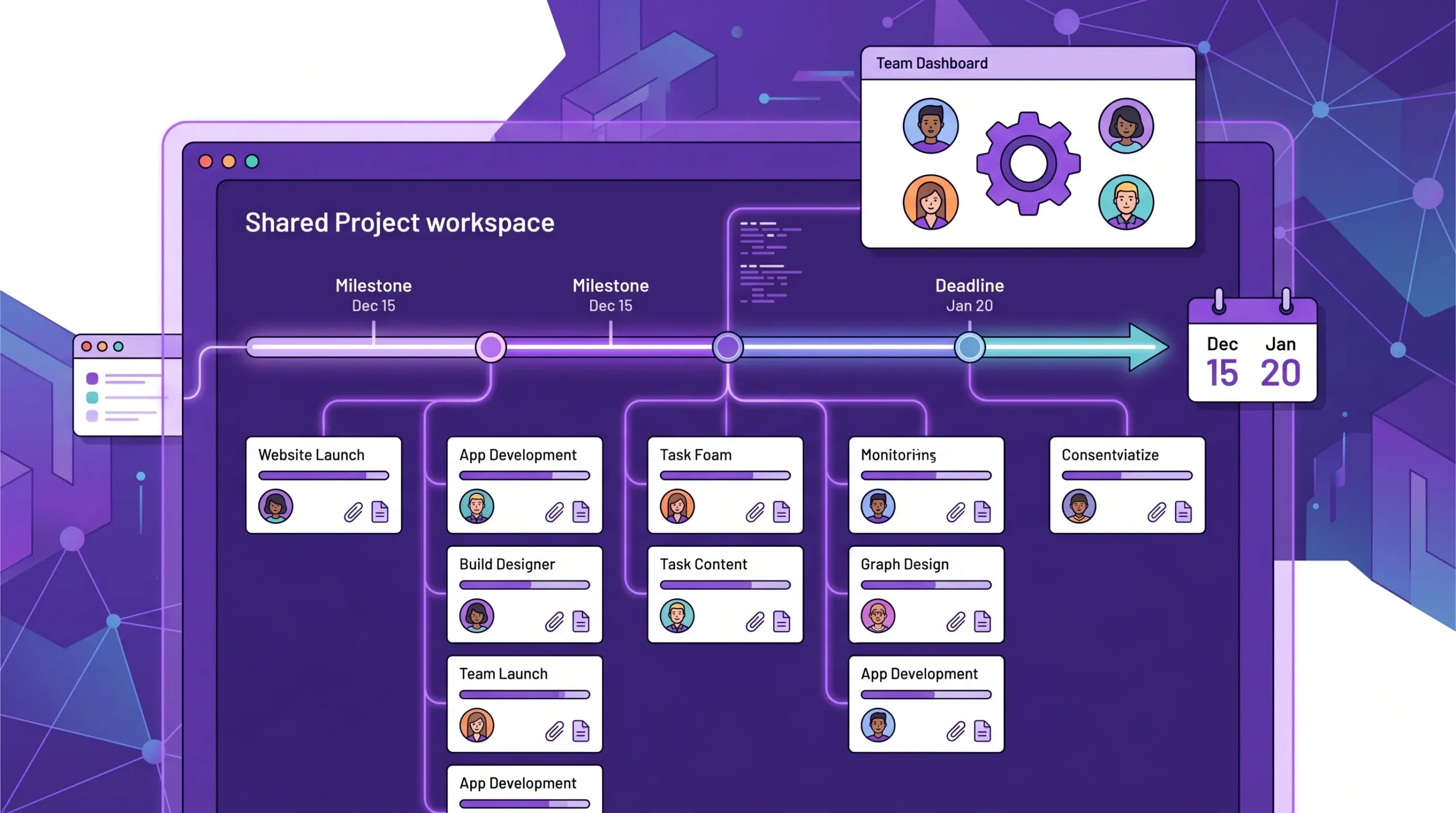
Scalable project tracking connects tasks, deadlines, owners, files, and reporting into one workspace instead of scattering updates across spreadsheets and messages.
A scalable tracking tool should give every stakeholder the same up-to-date view of the project. That means task owners, managers, contributors, and executives should not need separate trackers to understand what is happening.
The source of truth should include the basics, such as task name, owner, status, priority, due date, and comments. It should also connect the surrounding work, including attachments, dependencies, checklists, subtasks, time records, and reporting data.
When this information is centralized, project managers spend less time collecting updates and more time managing constraints, risks, and decisions.
Spreadsheets arrange work in rows. Project tracking applications usually arrange work as a workflow. This matters because teams do not just need to know what exists. They need to know where each item stands.
A visual board can show tasks moving from intake to planning, in progress, review, approved, and done. This makes bottlenecks visible. If too many cards are stuck in review, the issue is obvious. If one person owns the most urgent work, the imbalance is visible before deadlines slip.
Kanban-style boards are especially useful for operational teams, marketing teams, HR teams, IT teams, service teams, and any group with continuous work. They make work understandable at a glance without forcing everyone to read a dense tracker.
Task visibility is only one part of project tracking. When deadlines matter, teams also need timeline planning. A project tracking application should help managers see start dates, due dates, phases, milestones, and dependencies.
This is where spreadsheet trackers often become fragile. A change to one date can require manual updates across many rows. A proper timeline or Gantt chart view can make scheduling more practical, especially when one task cannot start until another is complete.
For teams managing launches, implementations, procurement, onboarding, client work, or product releases, timelines are not optional. They are how managers protect commitments.
A spreadsheet row is not a great place to discuss a task. Comments can become hard to follow, notifications are inconsistent, and file context is often missing.
A scalable project tracking application should keep task conversations close to the task itself. Comments, mentions, updates, attachments, and decisions should be connected to the work item. This reduces the chance that critical context gets buried in email or chat.
For Google Workspace and Microsoft 365 teams, integration is especially important. If files already live in Google Drive, OneDrive, or SharePoint, the tracking application should work with that reality rather than forcing a separate file system.
A good project tracking system should make reporting easier, not harder. Managers need quick answers to questions such as:
Spreadsheets can answer these questions, but usually only if someone builds and maintains formulas, filters, charts, and pivot tables. Project tracking applications should provide structured data that can be filtered, exported, or connected to reporting tools.
The difference is not just the interface. It is the difference between manually recording work and actively managing work.
| Capability | Spreadsheet tracker | Scalable project tracking application |
|---|---|---|
| Task ownership | Manual owner column | Assignments, notifications, and personal task views |
| Workflow visibility | Status text or color coding | Visual boards and filtered views |
| Timeline planning | Date columns and manual charts | Timeline or Gantt views with dependencies |
| Collaboration | Comments, email, or chat outside the sheet | Task‑level discussions and updates |
| File context | Links pasted into cells | Attachments connected to tasks and cloud storage |
| Reporting | Manual formulas, filters, and charts | Built‑in filters, exports, and reporting data |
| Scalability | Becomes harder as rows and users grow | Designed for multiple teams, projects, and views |
Lightweight task apps are good for personal work, simple lists, and small teams with minimal dependencies. They are easy to adopt and can be enough when the work is straightforward.
The limitation appears when projects need multiple views, file integrations, timeline planning, or reporting. A simple checklist app may be better than a spreadsheet, but it may not scale much further.
Visual boards are a strong next step for teams that need workflow clarity. They help managers and contributors see what is planned, active, blocked, and completed.
The best visual board tools allow teams to customize lists, labels, priorities, filters, and assignments. For growing teams, they should also support more complex structures such as swimlanes, subcards, and templates.
Some teams care most about scheduling. Construction, implementation, event planning, operations, product launches, and client delivery often require timeline-first tracking.
These tools are useful when dependencies and milestones drive the project. However, timeline-only tools can feel heavy for day-to-day task execution. Ideally, a team should not have to choose between a visual task board and a timeline view.
For many business teams, the best option is an application that combines task boards, timelines, collaboration, time tracking, file integration, and reporting inside the ecosystem they already use.
If your company runs on Google Workspace, the application should integrate with Google Drive, Gmail, and Google Calendar. If your company uses Microsoft 365, compatibility with OneDrive and SharePoint becomes important. This reduces tool switching and helps teams adopt the system faster.
A long feature checklist can make every tool look attractive. A better starting point is to identify what is actually slowing the team down.
If the biggest issue is unclear ownership, prioritize assignment and personal task views. When missed deadlines are the problem, prioritize timelines, dependencies, and calendar sync. If leadership lacks visibility, prioritize reporting and filtering. If files are scattered, prioritize cloud storage integration.
A tool should solve the bottleneck your team already has, then support the next stage of growth.
The best project tracking application is not always the one with the most features. It is the one your team will actually use consistently.
Look for an interface that feels understandable to non-technical users. Consider how many clicks it takes to create a task, assign an owner, attach a file, add a due date, and update status. If basic actions feel complicated during a trial, adoption will likely suffer after rollout.
For Google Workspace teams, ecosystem fit is often the deciding factor. If employees already work in Gmail, Drive, Calendar, Docs, and Sheets, project tracking should connect to that environment. The same principle applies to Microsoft 365 teams using Outlook, OneDrive, SharePoint, and Teams-related workflows.
Ecosystem fit matters for security, permissions, file access, and everyday convenience. A disconnected tool may look powerful during evaluation, but it creates friction once real work begins.
A scorecard keeps the selection process objective. Rate each tool from 1 to 5 for the criteria that matter most to your organization.
| Evaluation area | Why it matters | What to look for |
|---|---|---|
| Ease of adoption | Determines whether the team will use it daily | Clear interface, fast task creation, low training burden |
| Workflow visibility | Helps managers spot bottlenecks | Kanban boards, filters, list views, and swimlanes |
| Timeline planning | Protects deadlines and dependencies | Gantt chart, start and due dates, milestones |
| Collaboration | Reduces scattered communication | Comments, notifications, mentions, task context |
| File integration | Keeps deliverables connected to work | Google Drive, Shared Drives, OneDrive, or SharePoint support |
| Reporting | Supports management decisions | Export, dashboards, time data, custom views |
| Security | Protects company data | Workspace‑aligned sharing, compliance posture, and admin controls |
| Scalability | Supports future growth | Templates, multi‑board management, enterprise readiness |
You may be interested in my colleague’s guides on the topic as well:
How to Choose a Project Tracking Platform That Fits Your Team
Project Tracking Tools That Give Leaders Better Visibility
Kanbanchi is an all-in-one project and task management tool for teams using Google Workspace and Microsoft 365. It gives teams a visual way to manage work with Kanban boards while also supporting timeline planning through a Gantt chart and effort visibility through time tracking.
For teams leaving spreadsheets, this combination matters. A board gives contributors a simple daily workflow. A Gantt chart gives managers timeline control. A time tracker helps teams understand effort, progress, and future estimates.
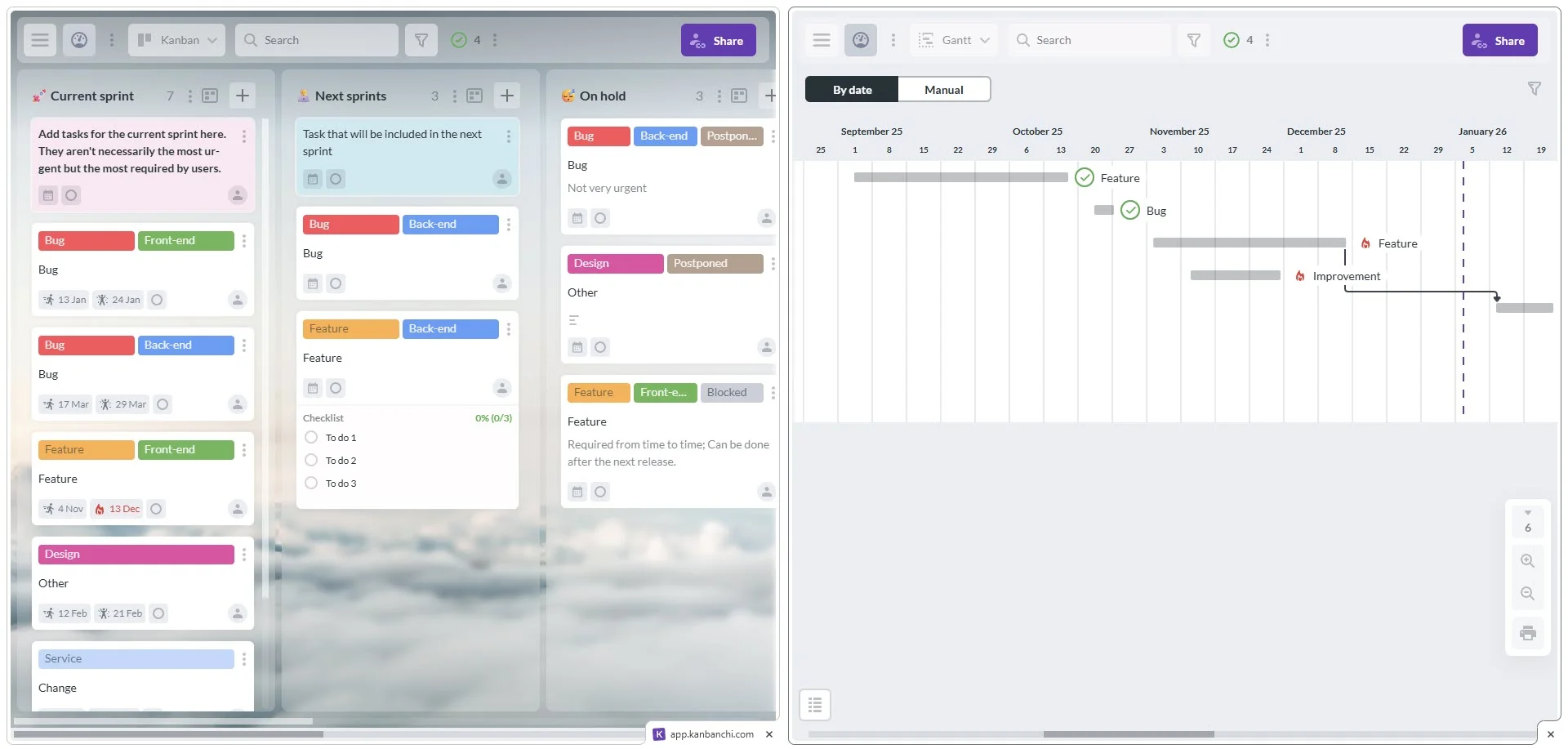
Kanbanchi is especially useful for organizations that rely on Google Workspace. Teams can attach files from Google Drive and Shared Drives, create cards from Gmail, sync with Google Calendar, and export board data to Google Sheets.
This helps reduce the common problem of having tasks in one tool, documents in another, deadlines in another, and conversations somewhere else. Instead of using a spreadsheet as a fragile index of everything, teams can connect project work directly to the files and communication channels they already use.
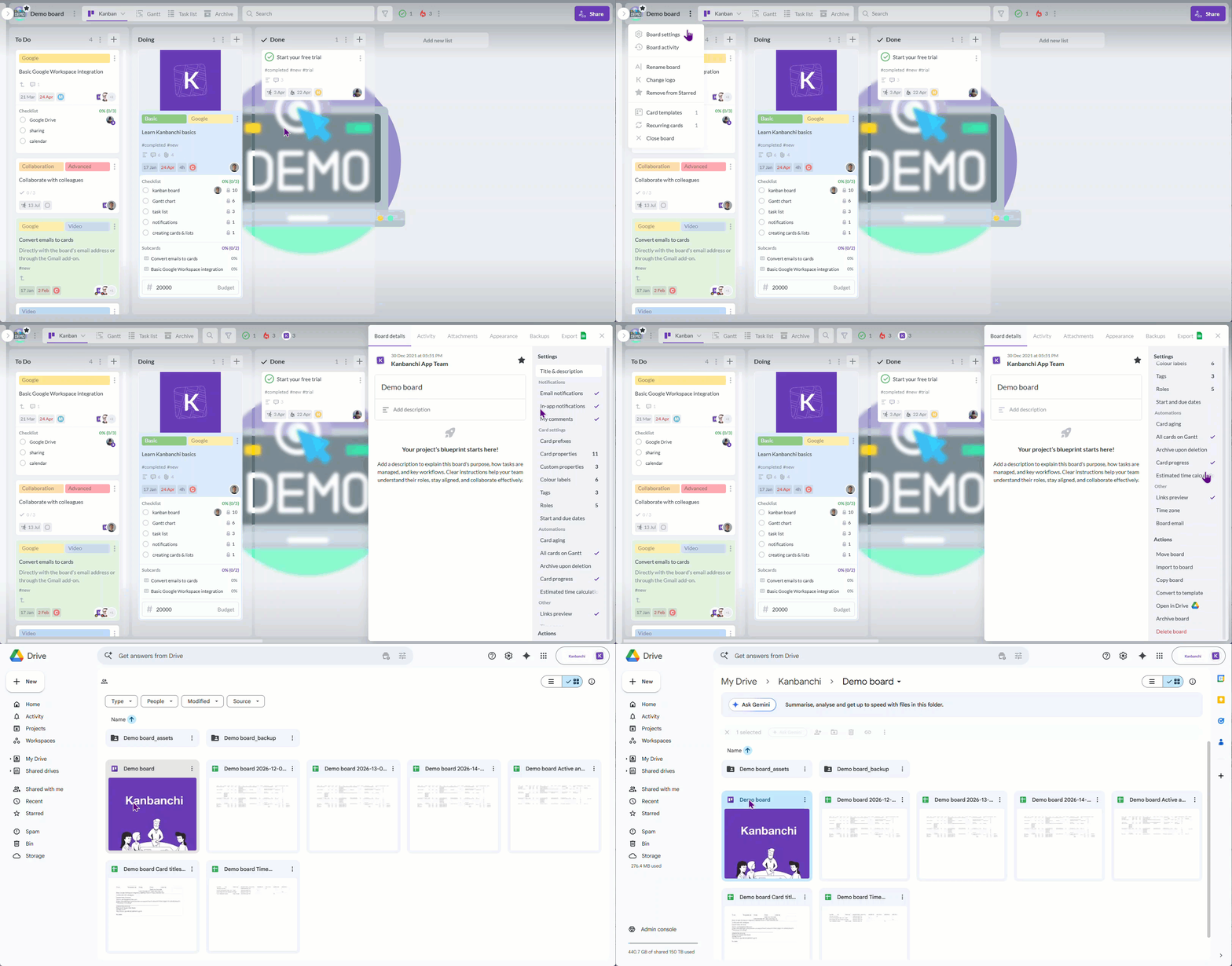
As teams scale, project tracking needs more structure. Kanbanchi supports features that help managers organize increasingly complex work without forcing every project into the same format.
Teams can use swimlanes to separate workstreams on one board, subcards to break complex tasks into trackable parts, priorities to sort important work, templates to standardize repeatable processes, and backups to support project data recovery. Teams can also import Trello boards or CSV data, which is useful when moving from older systems or spreadsheet-based trackers.
For reporting, Kanbanchi can export board data to Google Sheets, and then you can connect data to reporting dashboards such as Google Looker Studio or Power BI. This gives teams a path from day-to-day task tracking to management-level visibility.
Start by reviewing the columns your team already uses. Common fields include task name, owner, status, priority, start date, due date, notes, files, and project phase. Decide which fields are still useful and which exist only because the spreadsheet required a workaround.
Each active task should become a card in your project tracking application. Avoid importing every historical row unless it is still relevant. A clean migration is easier for the team to understand than a perfect archive of outdated work.
If your spreadsheet has statuses such as Not Started, In Progress, Waiting, Review, and Done, turn those into board lists. This makes the workflow visible and allows team members to move work naturally as progress happens.
A board without owners becomes another passive list. Before inviting the full team, make sure current tasks have responsible people and realistic dates. This gives everyone immediate clarity on what belongs to them.
Move important file references out of spreadsheet cells and into the relevant task cards. For Google Workspace teams, that usually means attaching Google Drive or Shared Drive files directly to cards. For Microsoft 365 teams, it may mean connecting OneDrive or SharePoint files.
Do not migrate every team and every tracker at once. Choose one active project with clear stakeholders, visible deadlines, and enough complexity to test the system properly. Use what you learn to refine templates, naming conventions, and reporting expectations.
The final step is cultural, not technical. If the spreadsheet remains the unofficial source of truth, the new system will not deliver full value. Keep spreadsheets for exports and analysis, but make the project tracking application the place where active work is managed.
Leadership needs dashboards and reports, but contributors need a daily workspace that feels simple. If the system only serves management, the data will quickly become stale because team members will avoid updating it.
The best implementation balances both sides. Contributors should find it easy to update work, while managers should have enough structure to track progress and risks.
A common mistake is to rebuild the old spreadsheet inside a new tool. This misses the point of switching.
Instead of copying every column, rethink the workflow. Use boards for movement, cards for task detail, timelines for schedules, filters for focus, and reports for oversight. The new system should reduce manual coordination, not preserve it in a prettier format.
Project tracking applications often contain sensitive information, including client details, internal deadlines, financial context, HR tasks, and strategic plans. Before rollout, confirm how sharing, file access, and external collaboration work.
This is especially important for larger organizations with established Google Workspace or Microsoft 365 policies. Your project tracking setup should support company governance rather than bypass it.
When every team creates boards differently, reporting becomes inconsistent. Templates help standardize repeatable workflows such as onboarding, procurement, campaign planning, product launches, IT requests, and client delivery.
Standardization does not mean every project must look identical. It means teams share enough structure that managers can understand progress across multiple workstreams.
You do not need a complex enterprise rollout to justify a project tracking application. The right time to move is when the spreadsheet starts creating work instead of reducing it.
If your team spends too much time asking for updates, cleaning data, chasing files, rebuilding reports, or resolving version confusion, a spreadsheet is no longer saving time. It is hiding the real cost of coordination.
Project tracking applications help teams scale because they make work visible, accountable, and connected. For companies already using Google Workspace or Microsoft 365, the strongest options are the ones that fit naturally into the tools employees already open every day.
More articles on Team management here
Project tracking applications are software tools that help teams plan, assign, monitor, and report on work. Unlike spreadsheets, they usually include features such as task ownership, workflow boards, timelines, notifications, file attachments, collaboration, and reporting.
A team should consider moving beyond spreadsheets when task updates become unreliable, deadlines are hard to monitor, files are scattered, reporting takes too much manual effort, or multiple people maintain different versions of the same tracker.
Yes. Spreadsheets remain useful for exports, analysis, financial modeling, and custom reporting. The key difference is that active project execution should happen in the tracking application, while spreadsheets support analysis when needed.
The most important features are task ownership, visual workflow tracking, due dates, timeline planning, collaboration, file integration, notifications, reporting, and security. For growing teams, templates, subcards, time tracking, and multiple project views also become valuable.
Google Workspace integration helps teams connect project work to Gmail, Google Drive, Google Calendar, Google Sheets, and shared files. This reduces duplicate work, keeps context close to tasks, and supports adoption because employees can work within familiar systems.
Does Google have a project tracker inside Google Workspace?
If your team has outgrown spreadsheet-based project tracking, Kanbanchi gives you a practical way to manage work inside the ecosystem your organization already uses. Visual boards help teams see progress, Gantt charts support timeline planning, time tracking adds effort visibility, and integrations with Google Workspace and Microsoft 365 keep files and communication connected.
Explore Kanbanchi to see how your team can move beyond manual trackers and build a scalable project management workflow.


In this Article:
Start using Kanbanchi now
Start your free trial