
In this Article:
Try Kanbanchi now
Start your free trial


The educational landscape has transformed dramatically since 2020, with teachers adapting to digital workflows that were once unimaginable. As we navigate 2025, 90% of teachers considering leaving the profession cite high workload as a significant factor, making effective classroom organization more critical than ever. Research shows that teachers now work an average of 51.2 hours per week, with administrative tasks and lesson planning consuming precious time that could be spent with students. Modern educators need digital classroom management solutions that streamline workflows, reduce administrative burden, and enhance student engagement. Well-chosen classroom organization tools can transform chaotic teaching schedules into structured, manageable systems that support both educator well-being and student success.
The teaching profession has evolved beyond traditional classroom instruction into a complex role requiring project coordination, parent communication, student progress tracking, and administrative compliance. Recent studies reveal that 62% of teachers feel stressed at work the majority of the time, with younger educators particularly affected by overwhelming workloads.
Post-pandemic challenges have intensified organizational demands. Teachers must seamlessly integrate digital and physical learning environments, maintain consistent parent communication, and provide individualized student support across multiple platforms. The traditional paper-based systems that once sufficed are no longer adequate for today’s multifaceted educational requirements.
Digital transformation benefits include automated progress tracking, centralized communication systems, and real-time collaboration capabilities. These tools eliminate redundant tasks, reduce human error, and provide instant access to critical information. Research indicates that teachers using ChatGPT for lesson planning spend 30% less time on preparation, demonstrating how the right technology can significantly impact educator efficiency.
The shift toward educational project management tools reflects a broader recognition that teaching requires sophisticated organizational frameworks similar to those used in corporate environments. Modern classroom management extends beyond behavior supervision to encompass comprehensive workflow optimization.
Effective teaching organization software must address the unique challenges of educational environments while remaining intuitive enough for daily use. The most successful platforms combine several essential features that distinguish them from generic productivity tools.
Assignment Management Capabilities form the foundation of any robust classroom organization system. Teachers need tools that can create, distribute, track, and grade assignments across multiple classes and subjects. The best solutions offer automatic deadline reminders, progress visualization, and seamless integration with existing grading systems.
Communication Integration ensures that all stakeholders remain informed and engaged. This includes parent messaging, student announcements, administrative updates, and colleague collaboration. Multi-language support and automated translation features are increasingly important in diverse educational environments.
Progress Tracking and Analytics provide data-driven insights into student performance and classroom effectiveness. Teachers benefit from visual dashboards that highlight at-risk students, identify learning gaps, and track improvement over time. These features support differentiated instruction and evidence-based teaching decisions.
Mobile Accessibility enables teachers to manage classroom activities from any location. With educators frequently moving between classrooms, attending meetings, and working from home, mobile-responsive platforms are essential for maintaining organizational continuity.
Calendar and Schedule Management helps coordinate the complex timing requirements of modern education. Integration with existing school calendars, automatic meeting scheduling, and deadline tracking prevents important dates from being overlooked.
File Organization and Sharing capabilities eliminate the chaos of scattered documents and resources. Cloud-based storage with intelligent categorization ensures that lesson plans, worksheets, and administrative forms are easily accessible when needed.
Based on extensive research and educator feedback, these platforms represent the most effective classroom organization tools available in 2025, each offering unique strengths for different educational contexts.
Target Audience: K-12 educators in Google Workspace environments, particularly those managing complex projects and collaborative assignments.
Kanbanchi transforms traditional task management through visual Kanban boards specifically designed for educational workflows. The platform integrates natively with Google Workspace, allowing teachers to create boards directly in Google Drive and share them using familiar Google permissions.
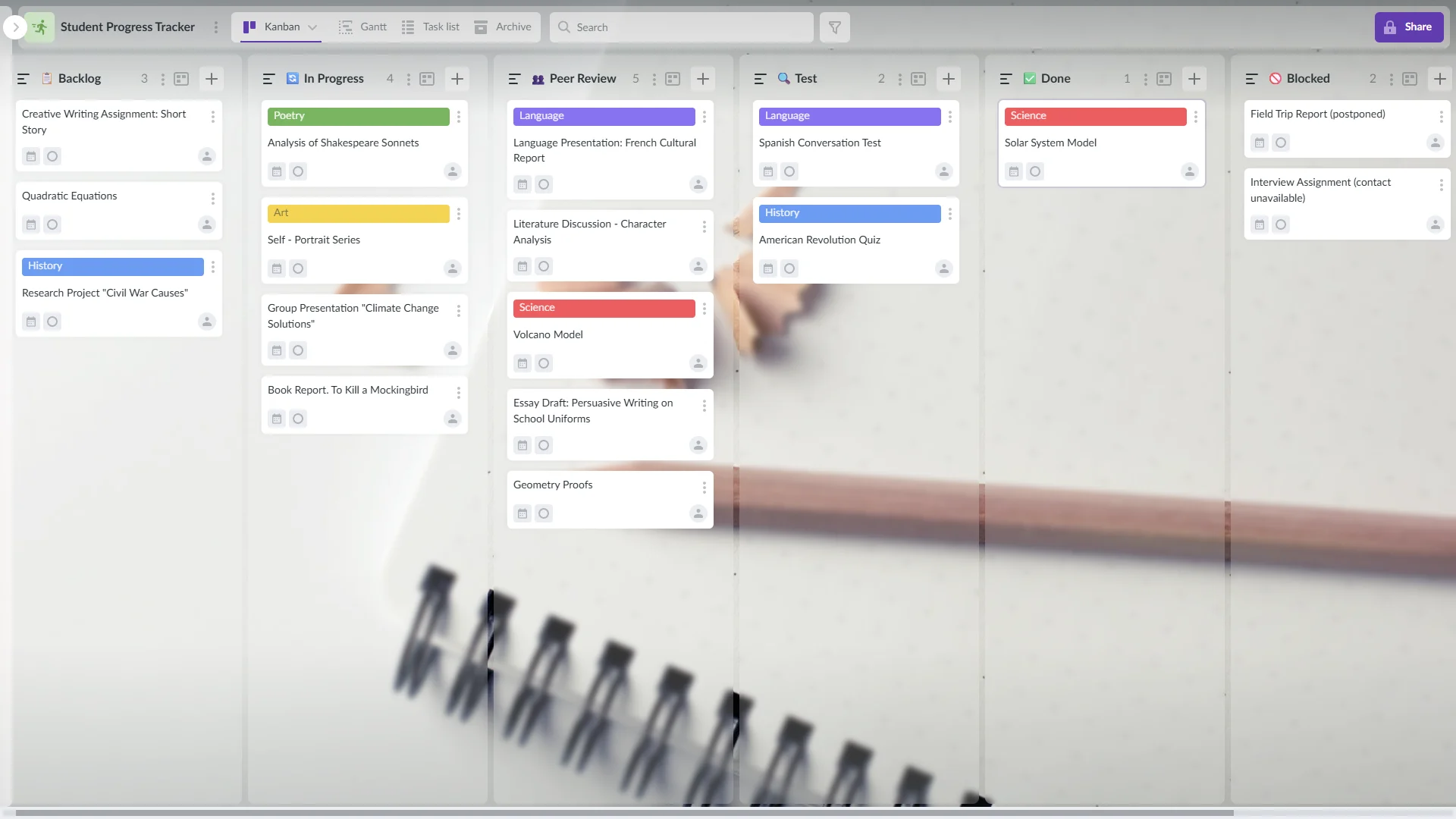
Example of a Kanban board in Kanbanchi showing task stages with cards representing student progress tracking
Visual Assignment Tracking: Move student projects through customizable columns like “To Do,” “In Progress,” and “Completed”
Google Integration: Seamless connection with Gmail, Calendar, Drive, and Forms
Collaborative Lesson Planning: Share boards with colleagues for team-taught courses
Student Progress Visualization: Real-time view of individual and class-wide progress
Parent Communication Dashboard: Allow parents to view student progress without accessing sensitive information
Zero learning curve for Google Workspace users
SOC2 Type II and ISO-27001 certified security
Automatic data synchronization with Google Drive
Advanced features require a premium subscription
Plans start at $3.97 per user/month, with educational discounts available. Free trial includes full Enterprise features.
Research shows that Kanban boards in education help students visualize task delegation and workflows while saving teachers significant communication time. Teachers report using Kanbanchi for managing group projects, tracking individual student progress, and organizing lesson planning across multiple subjects.
Target Audience: All grade levels, particularly schools already using Google Workspace for Education.
Google Classroom remains the foundational platform for many educational institutions, offering integrated assignment distribution, grading, and communication tools. Recent 2025 updates include enhanced AI features and improved student grouping capabilities.
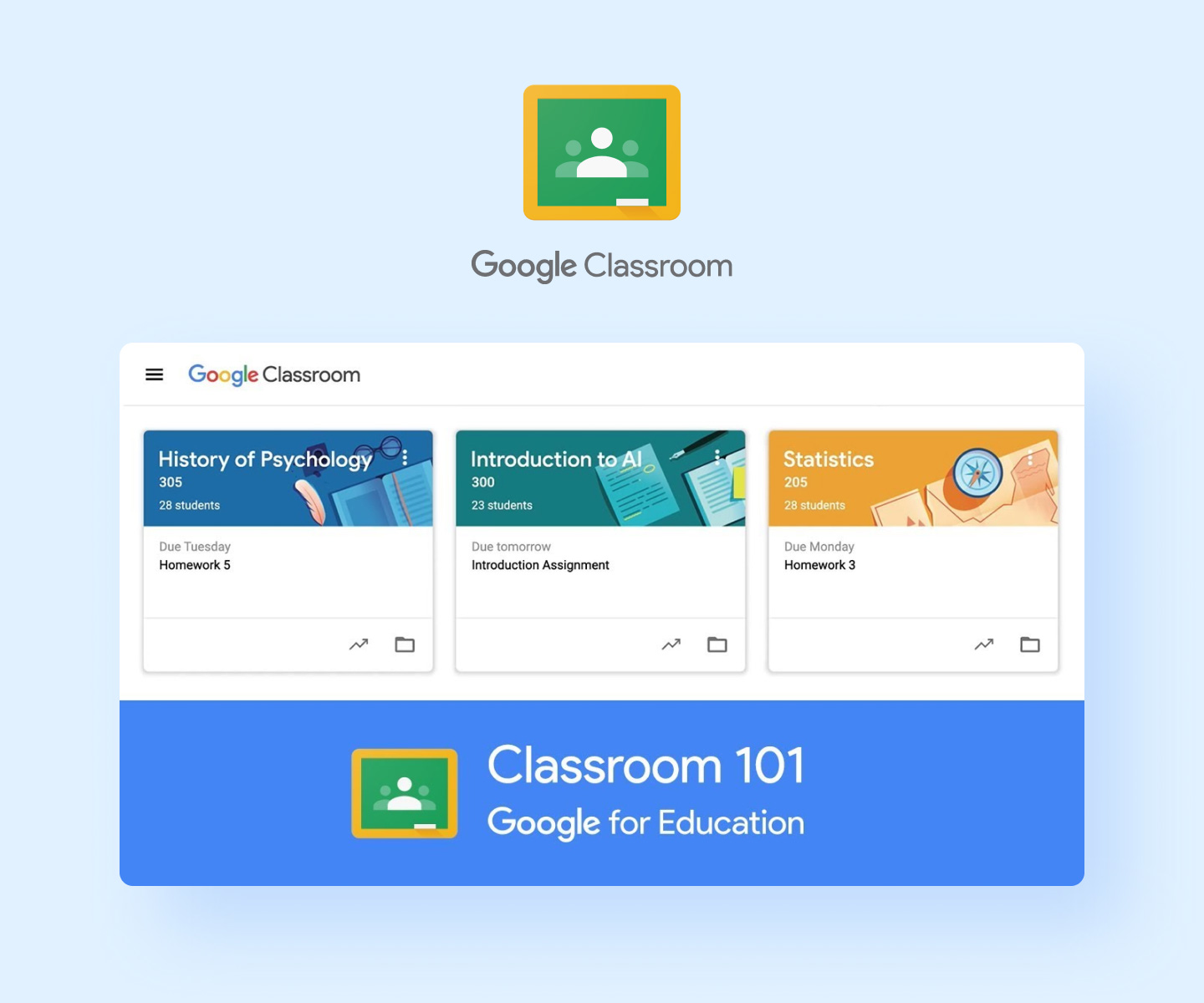
Google Classroom assignment dashboard featuring illustrated course cards for History of Psychology, Introduction to AI, and Statistics
Assignment Distribution: Create and distribute assignments across multiple classes
Integrated Grading: Built-in rubrics and feedback systems
Parent Communication: Automated progress reports and guardian summaries
AI-Powered Tools: Gemini integration for lesson planning and content creation
Mobile Applications: Full functionality across devices
Free for educational institutions
Seamless Google Workspace integration
Extensive third-party app compatibility
Limited customization options
Basic project management capabilities
Free for schools with Google Workspace for Education accounts.
Target Audience: Elementary through high school teachers seeking simple, visual task management.
Trello’s education-focused features make it an excellent choice for classroom organization, offering intuitive boards that students and teachers can use collaboratively.
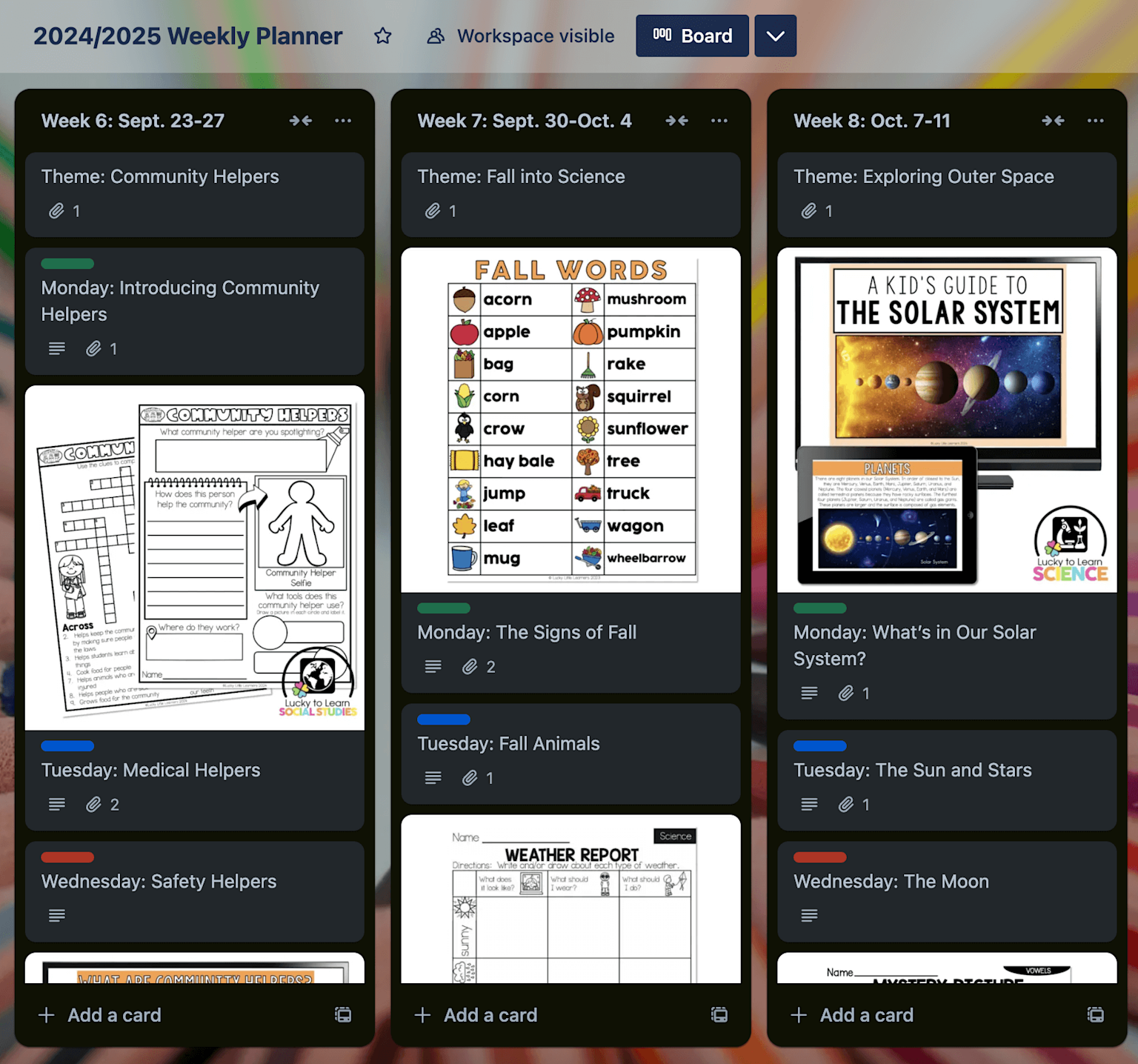
A Trello board for organizing weekly lesson plans with themes, text cards, and illustrative lesson images for visual engagement
Visual Project Boards: Drag-and-drop task management
Template Library: Pre-built educational templates
Calendar Integration: Due date visualization
Team Collaboration: Student group project management
Power-Ups: Enhanced functionality through integrations
Intuitive interface requiring minimal training
Free tier with robust features
Excellent for student collaboration
Limited reporting capabilities
Basic communication features
Free version available; paid plans start at $5 per user/month.
Target Audience: Secondary educators and administrators managing complex, multi-step projects.
Asana provides sophisticated project management capabilities adapted for educational environments, with features supporting both individual teacher organization and department-wide collaboration.
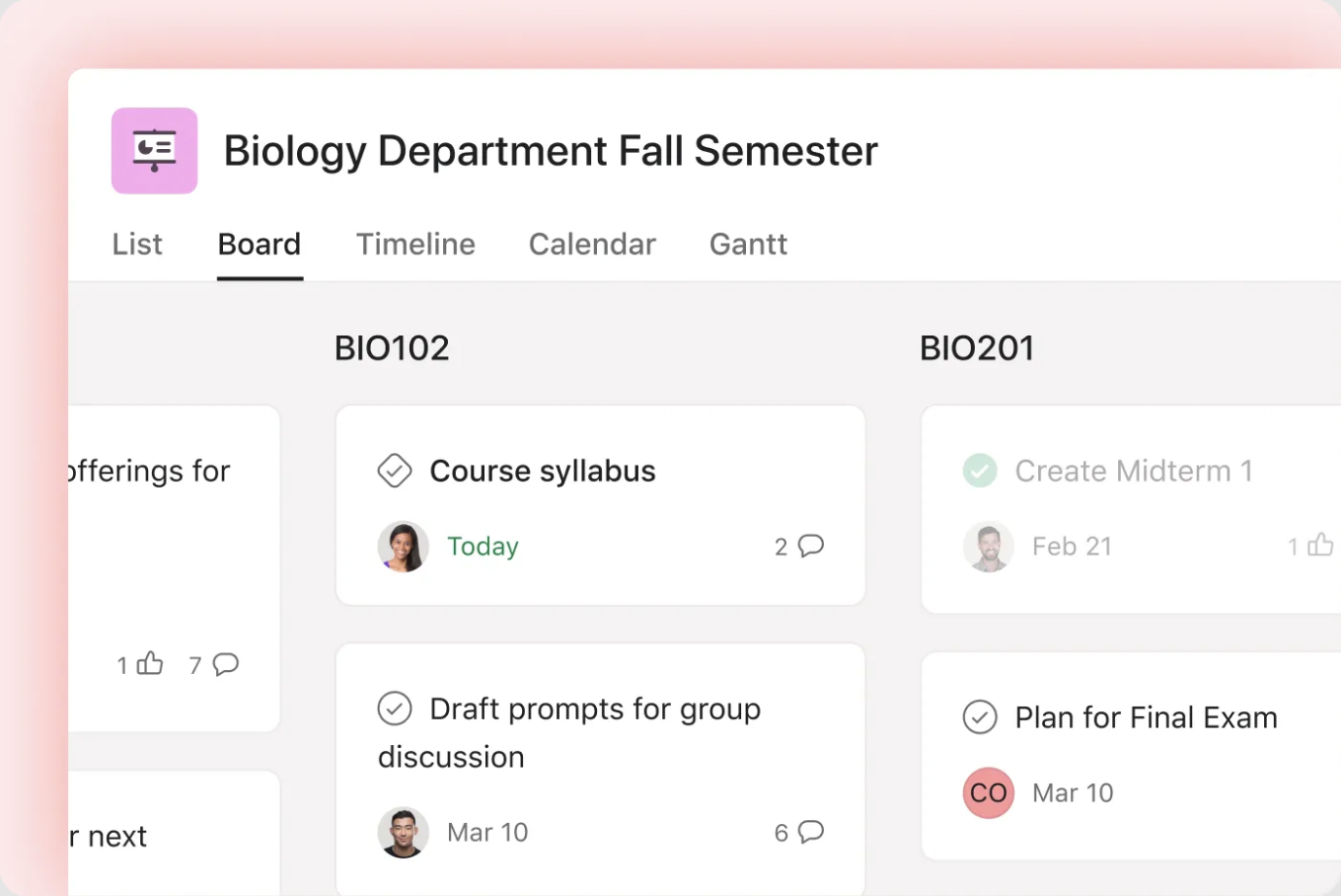
Example of school-wide project management in Asana
Multiple Project Views: List, board, timeline, and calendar perspectives
Advanced Task Dependencies: Link related assignments and projects
Team Workload Management: Balance teacher responsibilities across projects
Custom Fields: Track educational-specific data points
Automated Workflows: Reduce repetitive administrative tasks
Powerful project tracking capabilities
Excellent for cross-curricular initiatives
Strong reporting and analytics
Steep learning curve for new users
Too overwhelming for simple task management
Free for teams up to 15 members; paid plans start at $10.99 per user/month.
Target Audience: Elementary and middle school teachers focused on behavior management and family engagement.
ClassDojo’s 2025 updates include AI-powered features and enhanced district-level communication tools, making it a comprehensive platform for classroom community building.
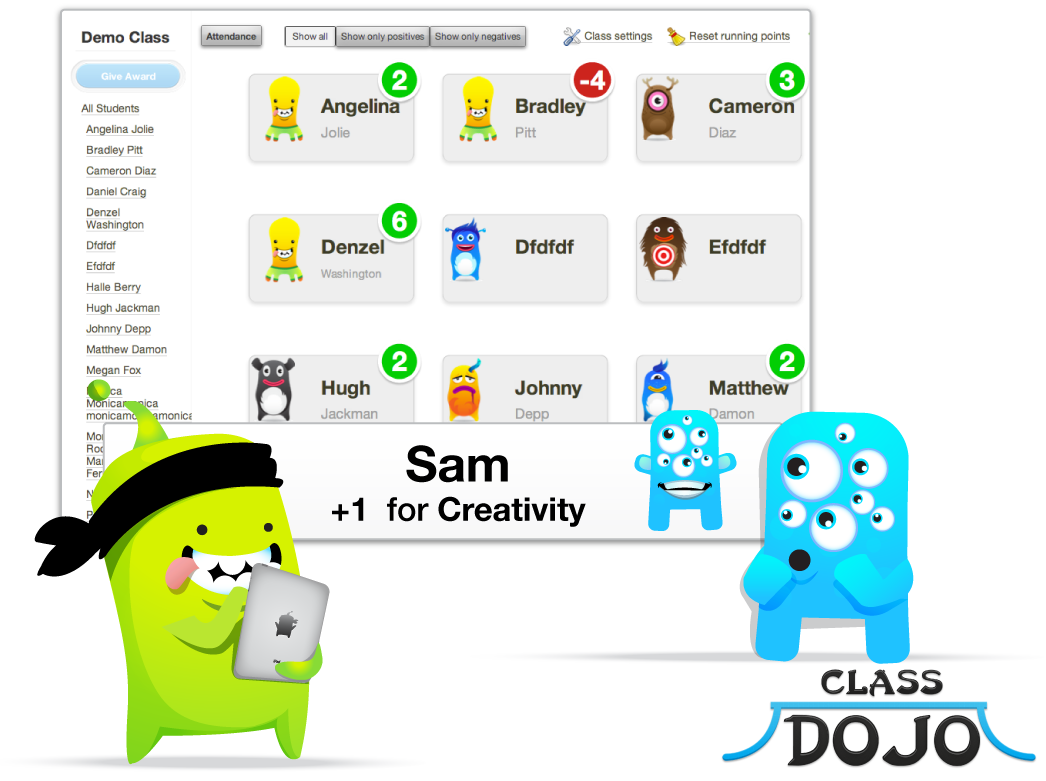
ClassDojo interface showing student behavior points alongside engaging monster illustrations used to represent students and rewards
Digital Portfolios: Student work showcasing and progress tracking
Behavior Management: Positive reinforcement point systems
Real-Time Parent Communication: Instant messaging with automatic translation into 130+ languages
Class Stories: Share classroom activities and achievements
AI Assistant: Sidekick feature helps with lesson planning and administrative tasks
Strong parent engagement features
Free for teachers and schools
Gamification elements increase student motivation
Limited academic assignment management
Focus primarily on elementary levels
Free for teachers, schools, and districts.
Target Audience: All grade levels, particularly teachers prioritizing parent and student communication.
Simple yet effective communication tools that keep educational communities connected.
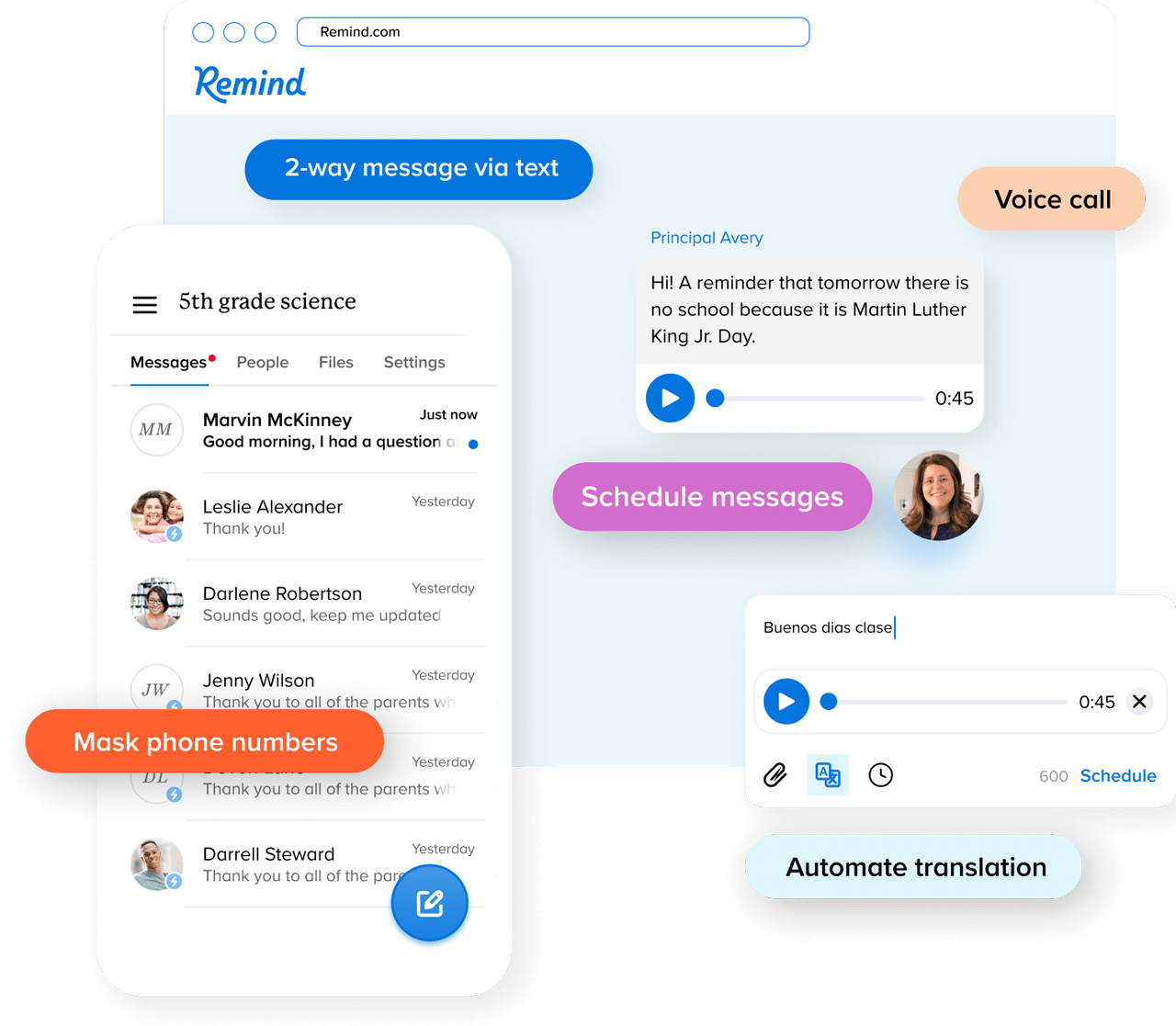
Remind app interface showcasing messaging, voice calls, scheduled messages, masked phone numbers, and automated translation for parent-teacher communication
Multi-Platform Messaging: Text, email, and app-based communication
Automatic Translation: Messages in 90+ languages
Scheduled Messages: Plan communications in advance
File Sharing: Distribute resources and assignments
Privacy Protection: Teachers’ personal information remains private
Simple setup and usage
Excellent reach and reliability
Strong privacy safeguards
Limited assignment management features
Basic collaboration tools
Free for individual teachers; paid plans for advanced features.
Target Audience: Elementary teachers seeking comprehensive student portfolio and family engagement tools.
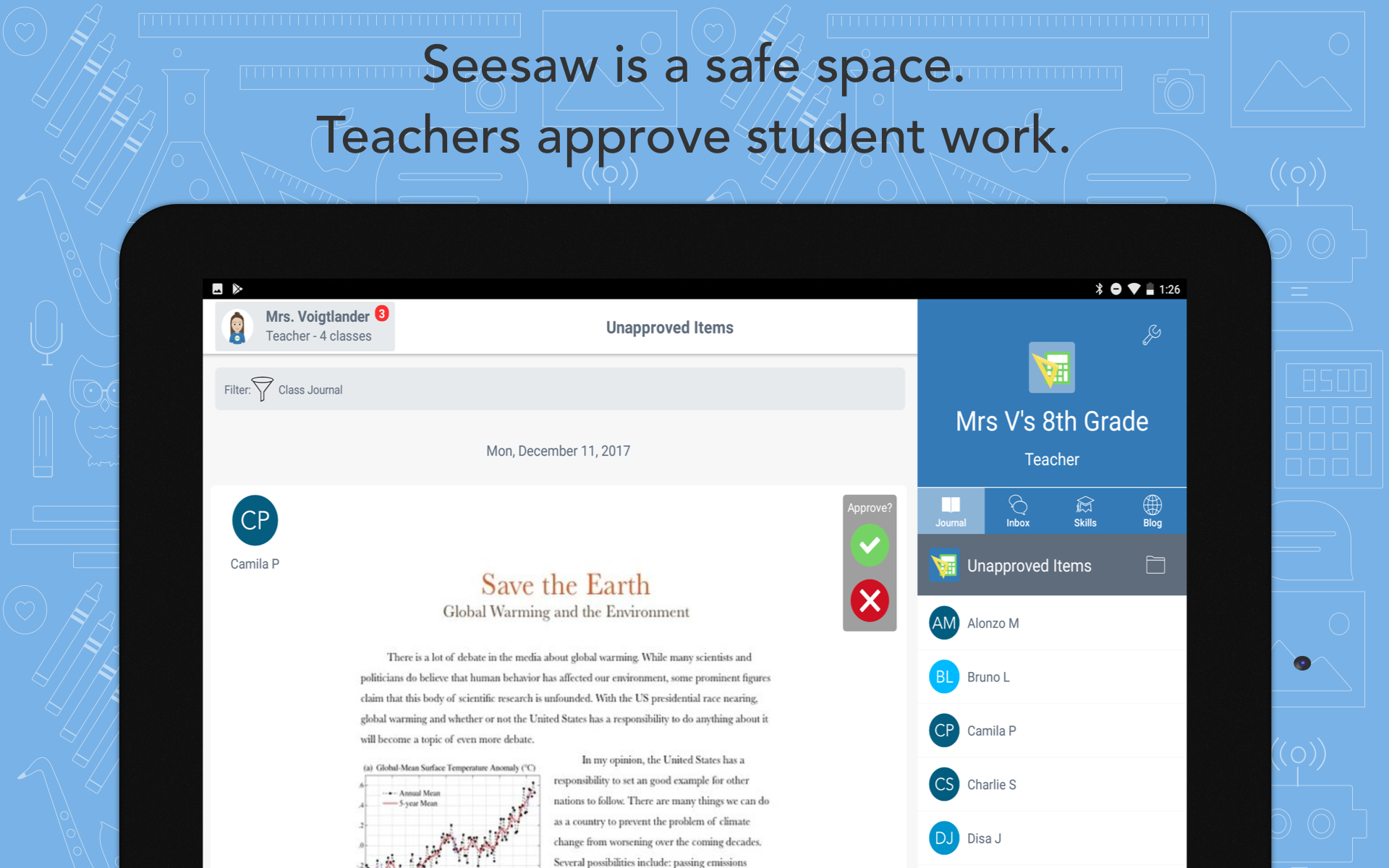
Project in Seesaw waiting for teacher’s approval
Digital Portfolios: Student work collection and presentation
Multimodal Creation Tools: Video, voice, drawing, and photo assignments
Parent Engagement: Real-time sharing of student progress
Assessment Tools: Built-in rubrics and feedback systems
Activity Library: Over 1,600 research-based lessons
Designed specifically for elementary education
Strong family engagement features
Evidence-based curriculum integration
Limited utility for older students
Basic project management capabilities
Free version available; paid plans for advanced features.
Target Audience: Teachers requiring sophisticated lesson planning and curriculum alignment tools.
Planbook focuses specifically on the lesson planning process, offering features designed to streamline curriculum development and standards alignment.
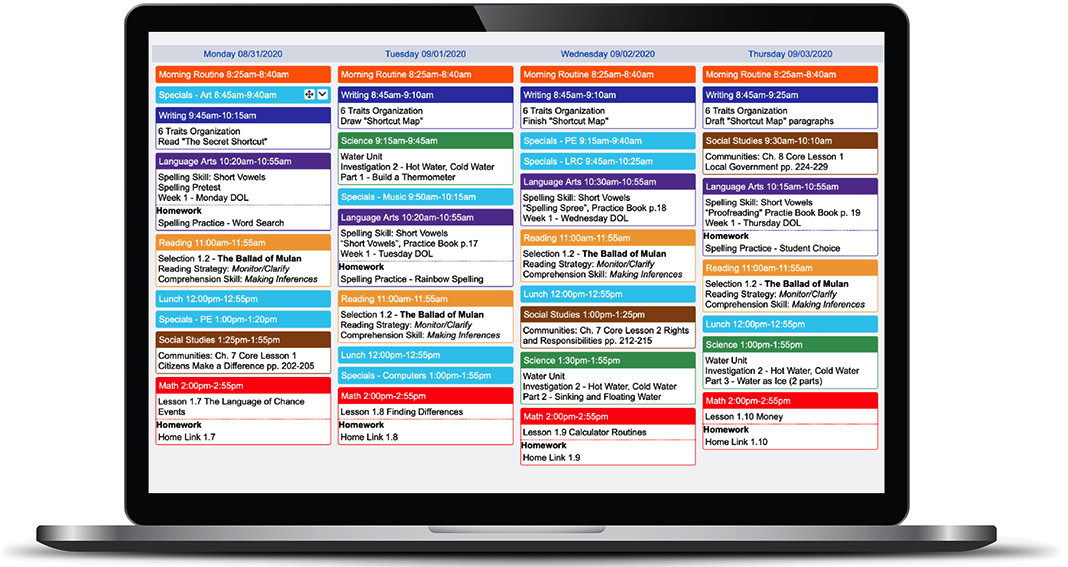
Planbook interface example
Standards Alignment: Link lessons to educational standards
Curriculum Pacing: Long-term planning and pacing guides
Resource Integration: Attach files and links to lesson plans
Collaboration Tools: Share plans with colleagues
Assessment Integration: Connect lessons to evaluation metrics
Specialized lesson planning focus
Strong standards alignment features
Collaborative planning capabilities
Limited classroom management features
Subscription required for full functionality
Subscription-based with a free trial available.
Target Audience: Teachers seeking AI assistance for curriculum development and administrative tasks.
TeacherMatic provides AI-powered tools designed by educators to reduce workload and boost productivity across teaching, leadership, and administrative functions.
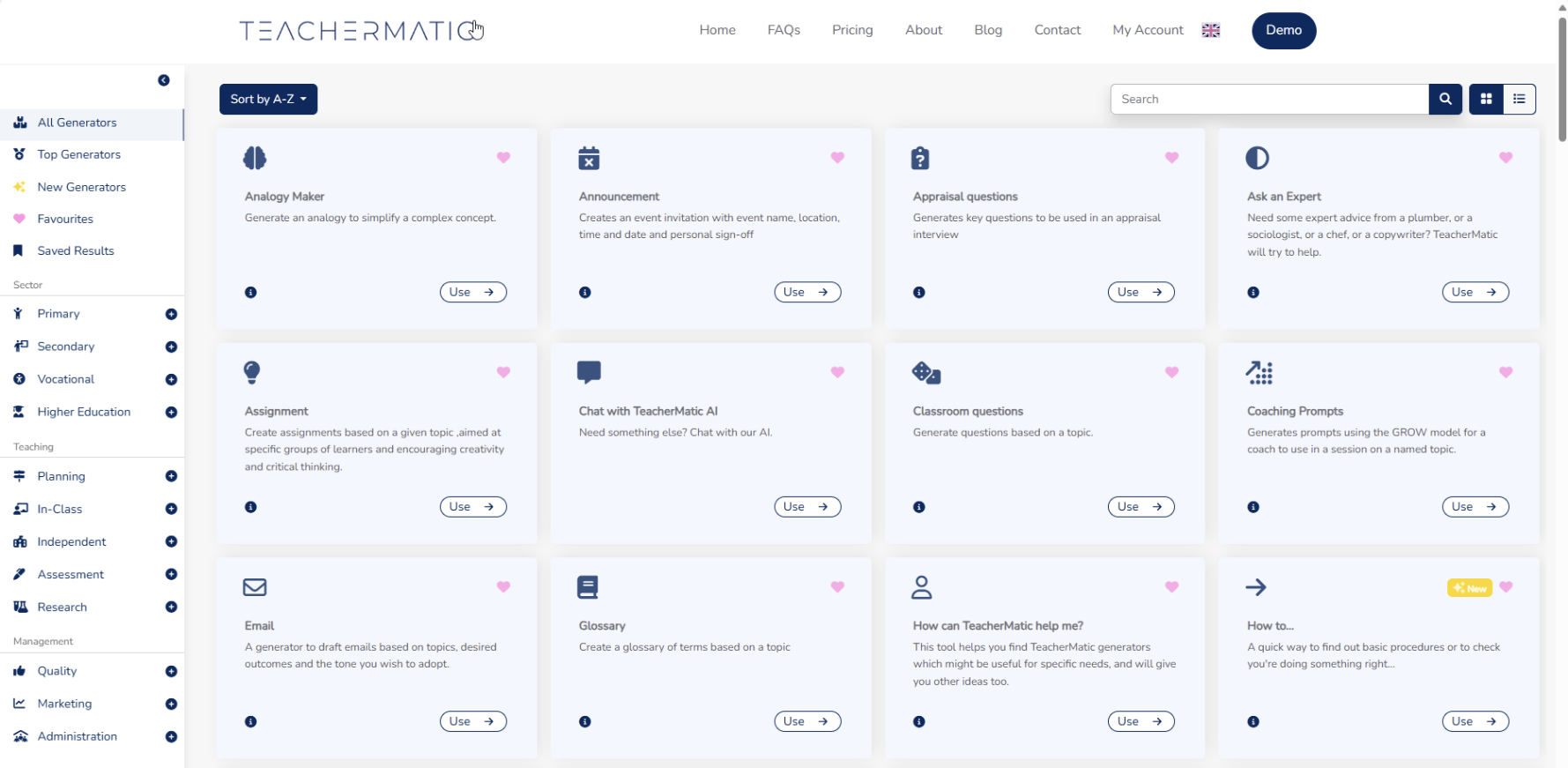
TeacherMatic’s AI generators act like personal assistants for educators
AI Lesson Planning: Automated curriculum development assistance
Content Generation: AI-created worksheets and assessments
Administrative Support: Streamlined paperwork and reporting
Multi-Role Tools: Support for teachers, leaders, and support staff
Workflow Optimization: Reduced time on routine tasks
Cutting-edge AI integration
Designed specifically for education
Comprehensive role support
Newer platform with evolving features
Requires adaptation to AI-assisted workflows
Subscription-based with various tiers for different roles.
Among the available classroom organization tools, Kanbanchi stands out as the most comprehensive solution for Google Workspace schools. Its native integration with Google’s ecosystem eliminates the learning curve that often hinders educational technology adoption.
Visual Project Management transforms abstract assignments into tangible progress indicators. Teachers can create boards for each class, subject, or project, with cards representing individual assignments or student work. The Kanban methodology has proven particularly effective in educational settings, helping both teachers and students visualize workflows and identify bottlenecks.
Educational Use Cases include managing group projects across multiple classes, tracking individual student progress through complex assignments, coordinating with colleagues on interdisciplinary units, and maintaining parent communication through shared boards with appropriate privacy settings.
Implementation Success depends on starting with simple boards and gradually incorporating advanced features. Teachers report that Kanbanchi saves hours each week by centralizing task management and eliminating redundant communication.
Selecting appropriate classroom organization tools requires careful consideration of multiple factors specific to educational environments. The decision framework should prioritize both immediate usability and long-term scalability.
Class Size and Grade Level significantly impact tool selection. Elementary teachers managing 25 students need different features than high school teachers coordinating 150+ students across multiple subjects. Consider whether the platform scales effectively with your student population and supports age-appropriate interfaces.
Technical Comfort Level varies dramatically among educators. Choose tools that match your current technology skills while offering growth potential. Platforms with extensive training resources and intuitive interfaces reduce implementation barriers.
School Technology Infrastructure determines compatibility and integration possibilities. Schools using Google Workspace benefit from tools like Kanbanchi, while Microsoft-focused institutions may prefer Teams-integrated solutions.
Budget Constraints require balancing features with cost. Many excellent free options exist, but premium features often justify subscription costs through time savings and enhanced functionality.
Implementation Timeline should allow for gradual adoption rather than complete system replacement. Start with one class or subject, master the basic features, then expand usage based on success and comfort level.
Transition Strategy begins with selecting one organizational challenge to address digitally. Whether assignment tracking, parent communication, or lesson planning, focus on solving a specific problem before expanding tool usage.
Student Onboarding requires age-appropriate training and clear expectations. Create simple tutorials, establish digital citizenship guidelines, and provide multiple practice opportunities. Consider parent involvement for younger students who may need home support.

An elementary student showing a digitally illustrated math problem solution on a laptop using colorful annotations and visual highlights
Data Security must remain paramount throughout implementation. Understand platform privacy policies, configure appropriate sharing settings, and educate students about responsible digital behavior. Educational platforms like Kanbanchi maintain SOC2 Type II certification and store data securely in Google Drive.
Time-Saving Tips include using templates for recurring activities, setting up automated workflows for routine tasks, and integrating tools with existing systems rather than replacing them entirely. Research shows that teachers using AI-assisted planning tools save up to 30% of their preparation time.
Workflow Optimization develops through consistent use and regular evaluation. Track which features provide the most value, eliminate redundant processes, and continuously refine organizational systems based on actual classroom needs.
Emerging Trends indicate that AI-powered educational tools will become increasingly sophisticated, with platforms offering predictive analytics for student success, automated differentiation based on learning patterns, and intelligent resource recommendations aligned with curriculum standards.
Integration Evolution points toward unified platforms that seamlessly connect all aspects of educational technology. Rather than managing multiple separate tools, teachers will work within integrated ecosystems that share data and workflows across functions.
Personalization Advances will enable classroom organization tools to adapt automatically to individual teaching styles, student needs, and institutional requirements. Machine learning algorithms will optimize workflows based on usage patterns and success metrics.
Accessibility Improvements continue expanding access to digital organization tools for diverse learners and educators. Universal design principles and assistive technology integration ensure that all classroom participants can benefit from organizational improvements.
Kanbanchi exemplifies these trends through its continuous development of educational features, including enhanced parent communication tools, improved student progress visualization, and deeper integration with Google’s expanding educational suite.
What are the best free classroom organization tools?
Kanbanchi’s free plan, Google Classroom, ClassDojo, Trello (basic version), and Remind offer robust free tiers suitable for most classroom needs. These platforms provide essential features without subscription costs, making them ideal starting points for digital organization.
How do classroom organization tools help with assignment management?
Modern assignment management software automates distribution, tracks submission status, facilitates feedback delivery, and maintains grade books. These tools eliminate manual record-keeping while providing real-time visibility into student progress and class performance.
Can classroom organization tools integrate with existing school systems?
Most major platforms offer integration capabilities with student information systems, learning management systems, and communication tools. Kanbanchi’s Google Workspace integration exemplifies seamless connectivity that eliminates data silos and reduces duplicate entry.
What’s the difference between classroom management and organization tools?
Classroom management tools focus on student behavior, discipline, and real-time classroom control. Organization tools address workflow management, task coordination, and long-term planning. Many modern platforms combine both functions for comprehensive educational support.
Find more articles for educators here
The evolution of classroom organization tools reflects broader changes in educational expectations and technology capabilities. By selecting appropriate platforms and implementing them strategically, teachers can reduce workload stress while improving student outcomes and family engagement. The key lies in matching tool capabilities to specific classroom needs and allowing time for gradual adoption and optimization.
As education continues evolving, the most successful educators will be those who leverage technology to enhance rather than complicate their teaching practice. The tools discussed in this guide represent current best practices while pointing toward an increasingly organized and efficient educational future.

In this Article:
Start using Kanbanchi now
Start your free trial