
In this Article:
Try Kanbanchi now
Start your free trial

Choosing the best program for project management in 2026 is not about finding the tool with the longest feature list. It is about choosing the program your team will actually use every day, with the right balance of task visibility, planning depth, collaboration, reporting, and security.
For business owners and team leads, the buying decision usually comes down to a few practical questions. Will the software fit the way your team already works? Can managers see what is happening without chasing updates? Can the tool scale from a small team to multiple departments? And if your organization already relies on Google Workspace or Microsoft 365, does the program work inside that ecosystem instead of becoming another disconnected app?
Below is a practical comparison of leading project management programs for 2026, with a clear focus on use cases, strengths, limitations, and buyer fit.
There is no single best choice for every company. A construction PMO, a marketing agency, an IT team, and a five-person operations team all need different levels of structure. That said, some patterns are clear.
| If your team needs… | Start by evaluating… | Why it fits |
|---|---|---|
| Project management inside Google Workspace | Kanbanchi | Kanban boards, Gantt chart, time tracking, Gmail task creation, Google Calendar sync, and Google Drive file storage |
| Visual boards plus timeline planning in one workspace | Kanbanchi, Asana, Monday.com | These tools combine task execution with broader project planning views |
| A highly configurable work operating system | Monday.com | Strong for teams that want custom workflows across departments |
| Complex task management with many views | Kanbanchi, ClickUp | Broad feature set for teams willing to invest time in configuration |
| Very simple Kanban boards | Trello | Easy to adopt for lightweight workflows |
| Software development and issue tracking | Jira, Kanbanchi | Built around Agile development, backlogs, sprints, and engineering workflows |
| Spreadsheet‑like portfolio tracking | Smartsheet | Familiar grid‑based structure with project and program management features |
| Enterprise work management | Wrike, Kanbanchi | Strong for mature teams that need structured collaboration and reporting |
| Microsoft‑native planning | Microsoft Planner and Project | Best when Microsoft 365 is the center of work |
| Documentation plus light project tracking | Notion | Useful for teams that want tasks close to wikis, docs, and databases |
For teams already using Google Workspace, Kanbanchi deserves special attention because it works as a project management layer around the apps many teams already rely on: Google Drive, Gmail, Google Calendar, and Google Sheets.
A good comparison needs to go beyond feature checklists. In real companies, project management software succeeds when it improves visibility without adding unnecessary administration.
The programs below were compared across the factors that usually matter most to business buyers:
In 2026, project management buyers are less impressed by isolated productivity tools. Teams already have email, chat, file storage, calendars, documents, and meetings. The real problem is fragmentation.
A strong project management program should reduce tool switching, not increase it. It should help leaders answer questions like:
That is why ecosystem-native tools, especially for Google Workspace and Microsoft 365, have become more important for many organizations.
The table below gives a high-level view before we look at each program in more detail.
| Program | Best for | Main strengths | Main limitations |
|---|---|---|---|
| Kanbanchi | Google Workspace teams and Microsoft 365 teams that want visual project management | Kanban, Gantt, time tracking, Drive or OneDrive/SharePoint integration, Gmail task creation, Calendar sync | Best fit for teams that want project work connected to their cloud productivity suite |
| Asana | Cross‑functional teams managing structured projects | Clean interface, task dependencies, multiple views, strong collaboration | Can become complex as workflows and permissions scale |
| monday.com | Teams that want a customizable work platform | Flexible boards, automations, dashboards, and many workflow templates | Requires setup discipline to avoid over‑customization |
| ClickUp | Teams want many features in one tool | Tasks, docs, goals, dashboards, multiple views | Feature depth can create a learning curve |
| Trello | Lightweight Kanban and simple workflows | Very easy to start, visual cards, simple collaboration | Limited for complex timelines, reporting, and governance without add‑ons |
| Jira | Software and product development teams | Backlogs, sprints, issue tracking, Agile reporting | Often too technical for general business teams |
| Smartsheet | PMOs and spreadsheet‑oriented teams | Grid familiarity, project tracking, portfolio visibility | Less visually intuitive for teams that prefer boards |
| Wrike | Enterprise work management | Structured workflows, approvals, reporting, and resource visibility | More setup effort than lightweight tools |
| Microsoft Planner and Project | Microsoft 365 organizations | Native Microsoft environment, planning options from simple to advanced | Capabilities are split across Microsoft products |
| Notion | Documentation‑centered teams | Flexible docs, databases, wikis, and lightweight task tracking | Not a full project scheduling tool for complex delivery |
Kanbanchi is an all-in-one project and task management tool designed for teams that want their work management software to connect tightly with the productivity suite they already use. It is especially strong for Google Workspace organizations, and it also supports Microsoft 365 environments through OneDrive and SharePoint compatibility.
The core experience is visual and practical. Teams manage work on Kanban boards, plan schedules with a Gantt chart, and track effort with a built-in time tracking tool. This makes Kanbanchi useful for teams that need both execution visibility and timeline planning, without forcing managers to maintain separate systems.
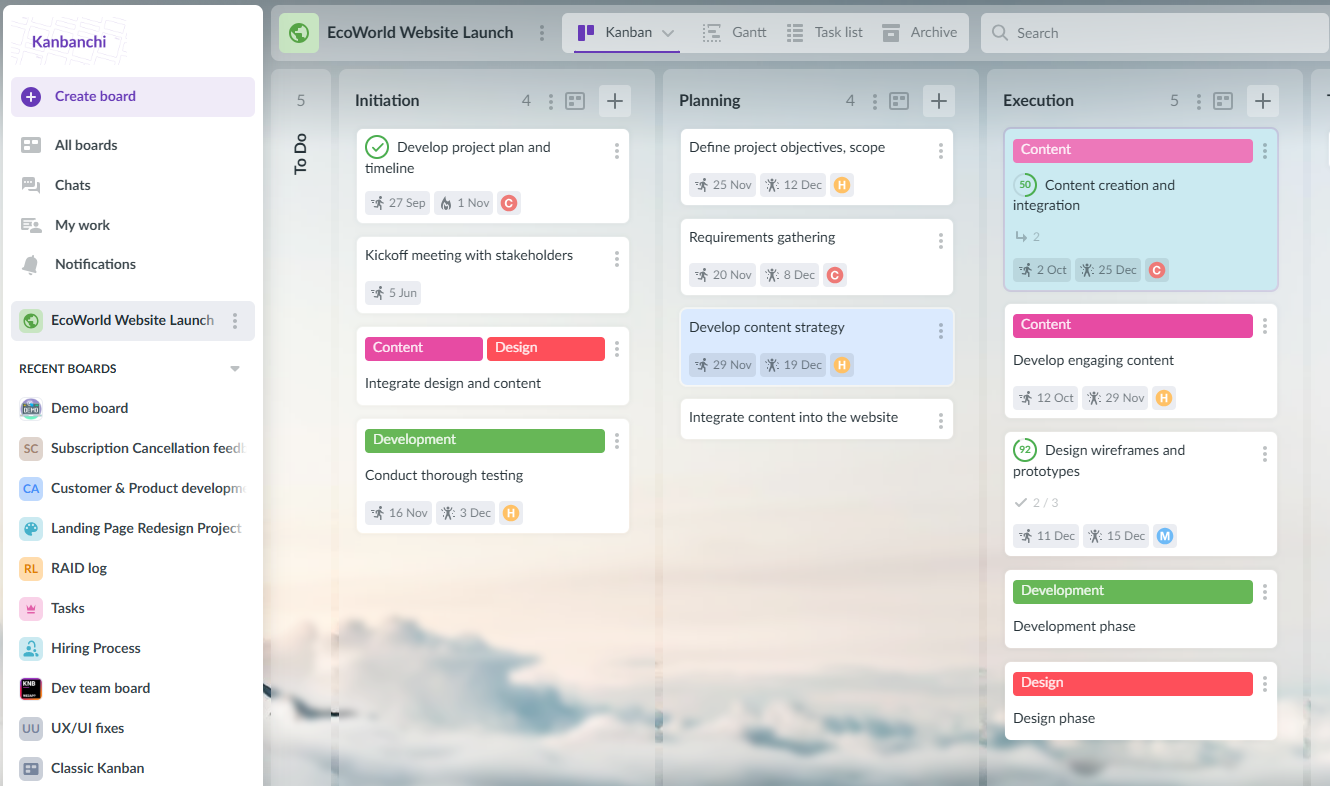
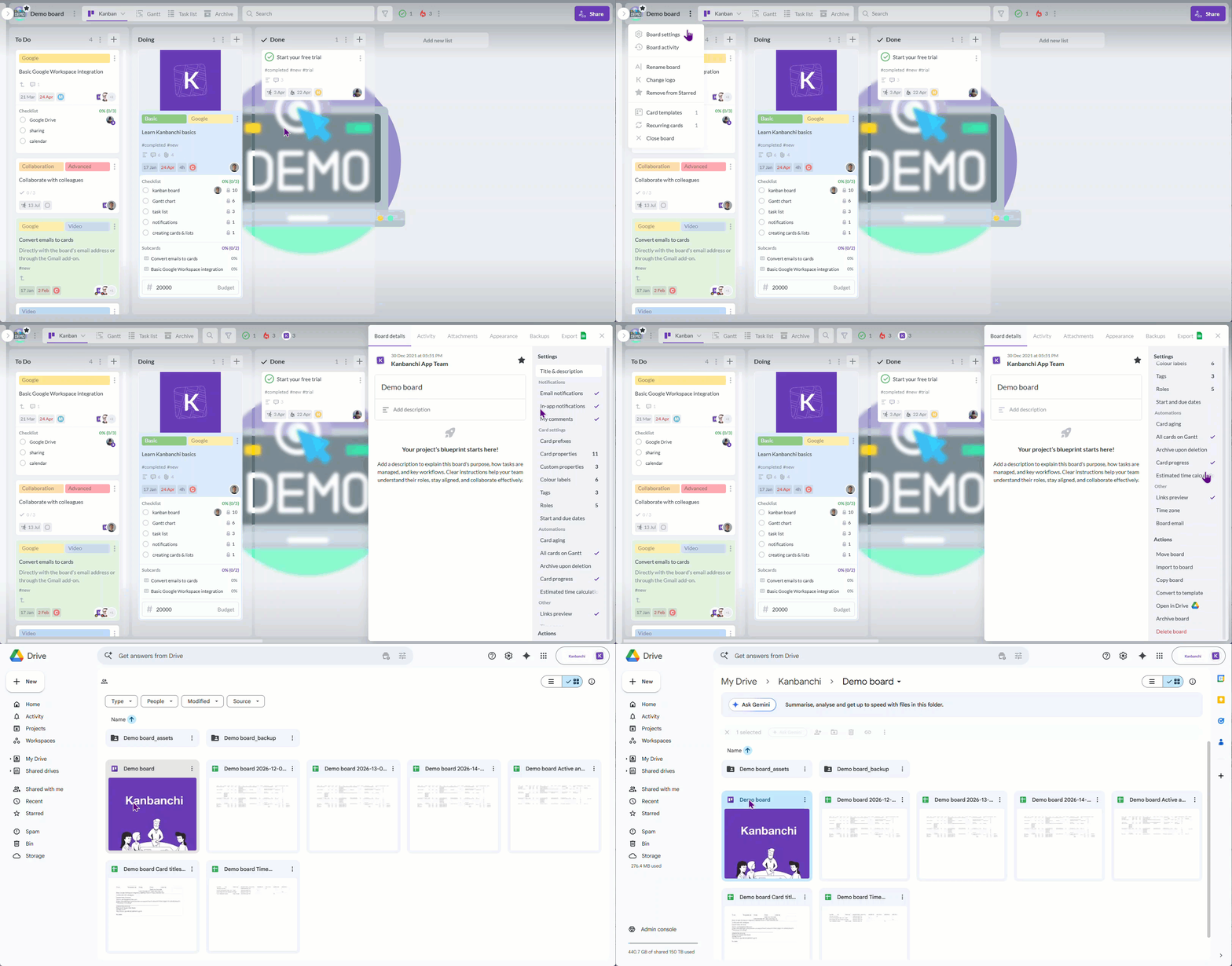
Kanbanchi is particularly effective when task management, files, email, and calendars need to stay connected. Google Workspace teams can attach files from Google Drive and Shared Drives, create tasks from Gmail, sync dates with Google Calendar, export board data to Google Sheets, and create boards as files in Google Drive. Enterprise users can also work with Shared Drives for board storage.
For managers, the combination of Kanban boards and Gantt charts is valuable. A Kanban board shows the team what is happening now, while the Gantt chart shows how tasks relate across time. When teams also track time directly on cards, leaders get a clearer picture of effort, estimates, and delivery performance.
Kanbanchi also supports practical workflow features such as templates, swimlanes, subcards, tags, sorting, filtering, comments, notifications, backups, CSV import, and Trello board import. For companies standardizing project work across departments, those features help reduce repetitive setup and make processes easier to replicate.
Kanbanchi is a strong choice for teams that:
Kanbanchi is most compelling when your team values Google Workspace or Microsoft 365 integration. If your company wants a completely ecosystem-neutral tool with a large marketplace of unrelated third-party integrations, you may also compare it with Asana, ClickUp, or Monday.com.
For Google-first teams, however, Kanbanchi is one of the most natural choices because it reduces the distance between work, files, email, and schedules.
Asana is one of the most recognized project management programs for business teams. It is often used by marketing, operations, HR, product, and cross-functional departments that need clear task ownership and project visibility.
Its strength is structured collaboration. Teams can create projects, assign tasks, set due dates, add dependencies, use multiple views, and track work across departments. Asana is generally approachable for non-technical users, which helps with adoption.
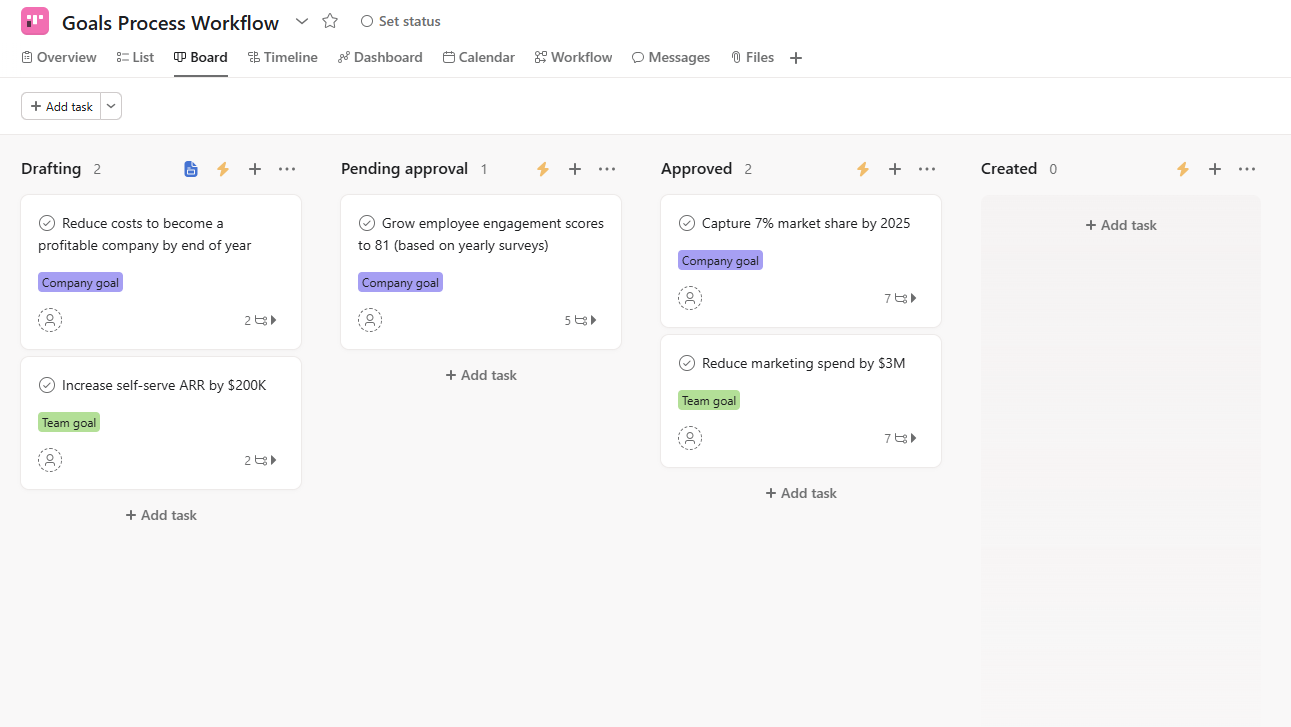
Asana works well when managers need a clean, flexible task management system for recurring projects, campaign plans, product launches, onboarding processes, or internal operations. It is stronger than basic Kanban tools when a project needs dependencies, approvals, forms, portfolios, or cross-project visibility.
Asana is a good fit for medium-sized and larger teams that need standardized work tracking across many departments, especially when the organization is not tied strongly to Google Workspace or Microsoft 365 for project structure.
Asana can become more complex as workflows expand. Teams should invest time in naming conventions, project templates, permission rules, and reporting structure. Without governance, large workspaces can become cluttered.
Monday.com positions itself as a flexible work operating system rather than a traditional project management app. It is popular with teams that want to design workflows for different departments, including sales, marketing, operations, product, creative production, and client delivery.
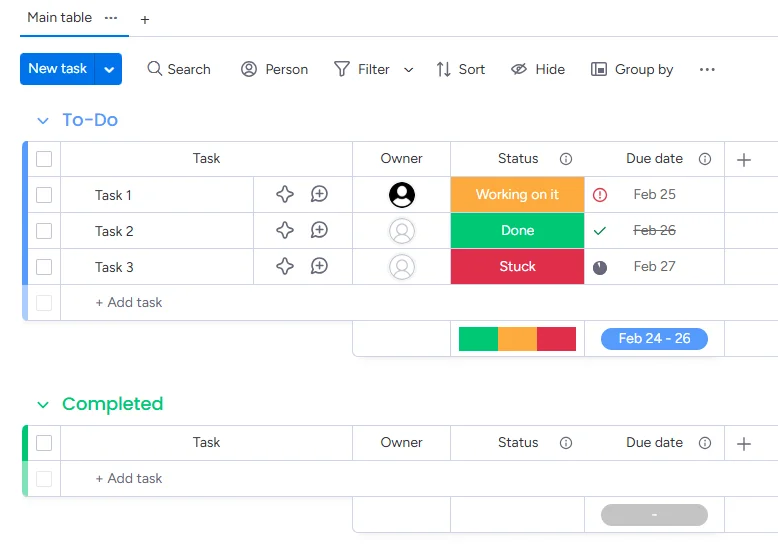
The platform is highly configurable. Teams can build boards around custom fields, status columns, automations, dashboards, and templates. This makes monday.com useful for organizations that want one platform to manage many types of work.
It is especially helpful when projects are part of broader operational processes. For example, a company might use monday.com to manage client onboarding, campaign production, procurement requests, and internal approvals.
Monday.com is a strong option for teams that want flexibility and are willing to spend time designing the right workspace. It works well for companies that want to centralize multiple workflows in one platform.
Customization is both a strength and a risk. Without clear admin ownership, teams may create too many board variations, fields, and automations. Before buying, make sure you know who will own the setup, governance, and ongoing optimization.
ClickUp is known for offering a wide range of work management features in one platform. It can support task management, docs, goals, dashboards, views, automation, and reporting.
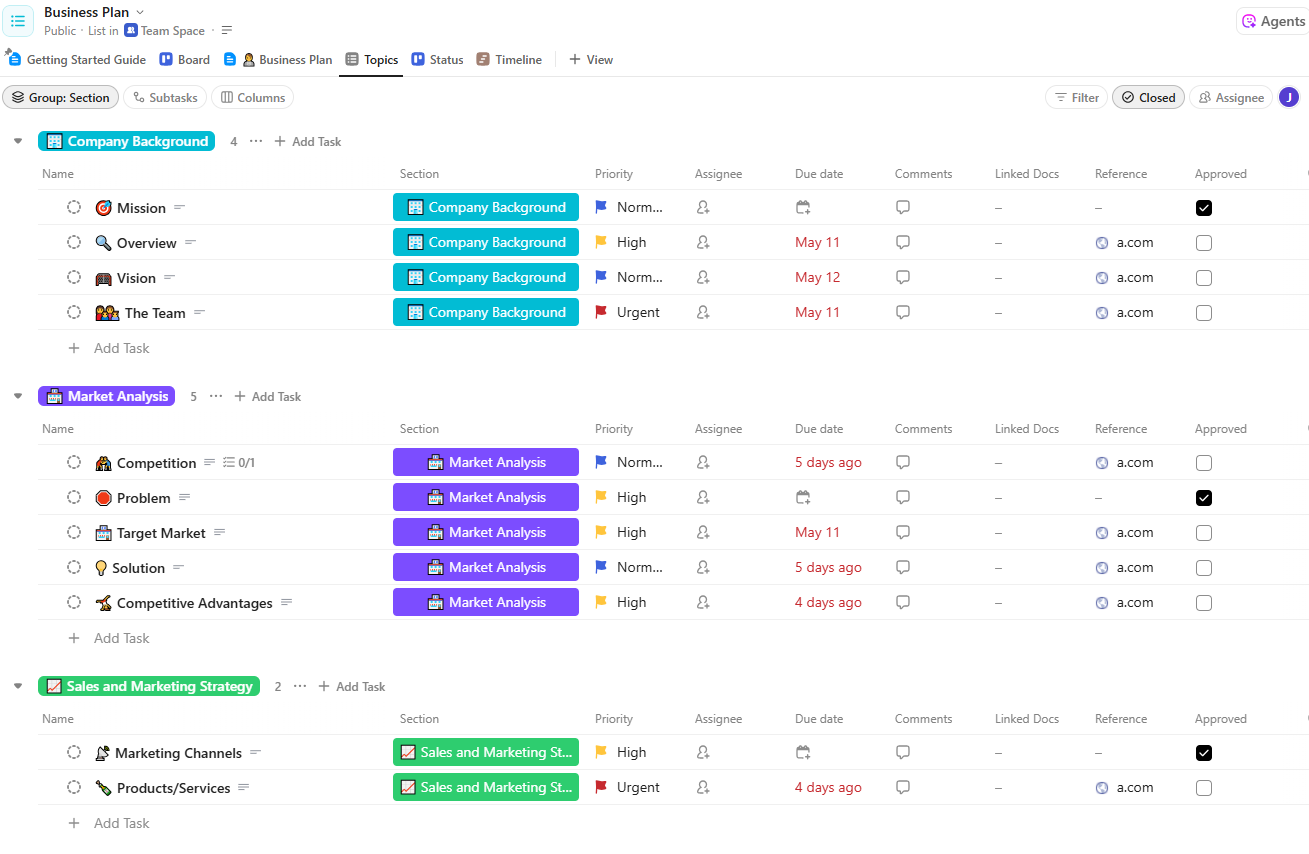
ClickUp is attractive to teams that want one highly capable tool instead of separate apps for tasks, docs, goals, and dashboards. It offers many ways to view work, which is useful for teams with different preferences.
A marketing manager may prefer a calendar view, a project manager may prefer a Gantt chart, and an individual contributor may prefer a simple task list. ClickUp can often support all of those preferences.
ClickUp is a good fit for teams that want depth and flexibility, especially if they have someone responsible for configuring the workspace and training users.
Because ClickUp has many features, new users can feel overwhelmed. Teams that only need simple boards and timelines may prefer a more focused project management program.
Trello remains one of the easiest ways to introduce visual task management. Its board, list, and card structure is simple enough for almost any team to understand quickly.
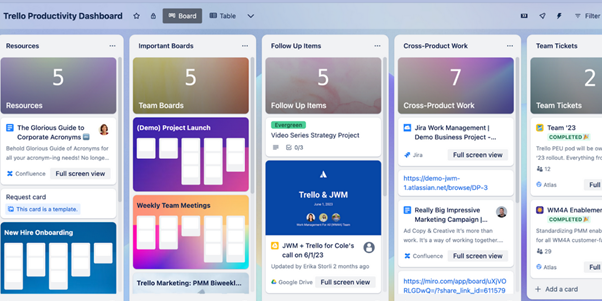
Trello works well for lightweight workflows, small teams, editorial calendars, simple pipelines, and personal task boards. The visual drag-and-drop experience is intuitive, and teams can start organizing work with minimal training.
Trello is a good fit for small teams that mainly need a shared task board and do not require advanced project planning, complex reporting, or enterprise governance.
As projects become more complex, teams often need more than basic boards. Gantt charts, time tracking, detailed reporting, workload management, and structured governance may require add-ons or a move to a more complete platform. If your team has outgrown Trello but still likes visual boards, Kanbanchi is worth comparing, especially if you use Google Workspace and want to import Trello boards.
Jira is a leading project management and issue tracking tool for software development. It is built around Agile delivery, engineering workflows, product backlogs, sprints, releases, bugs, and development reporting.

Jira is strong for teams that need Scrum or Kanban boards tied to software development processes. Product managers, engineering leads, QA teams, and DevOps teams often use it to track features, bugs, epics, and releases.
It also works well when technical teams need detailed issue types, workflows, permissions, and reporting around development velocity or delivery progress.
Jira is the best fit for software organizations and technical teams that need engineering-grade workflow control.
For general business teams, Jira can feel too technical. Marketing, HR, operations, and executive teams may prefer tools with simpler task language and less engineering-specific configuration.
It is a strong option for teams that like spreadsheet-style planning but need more project management functionality than a standard spreadsheet can provide.
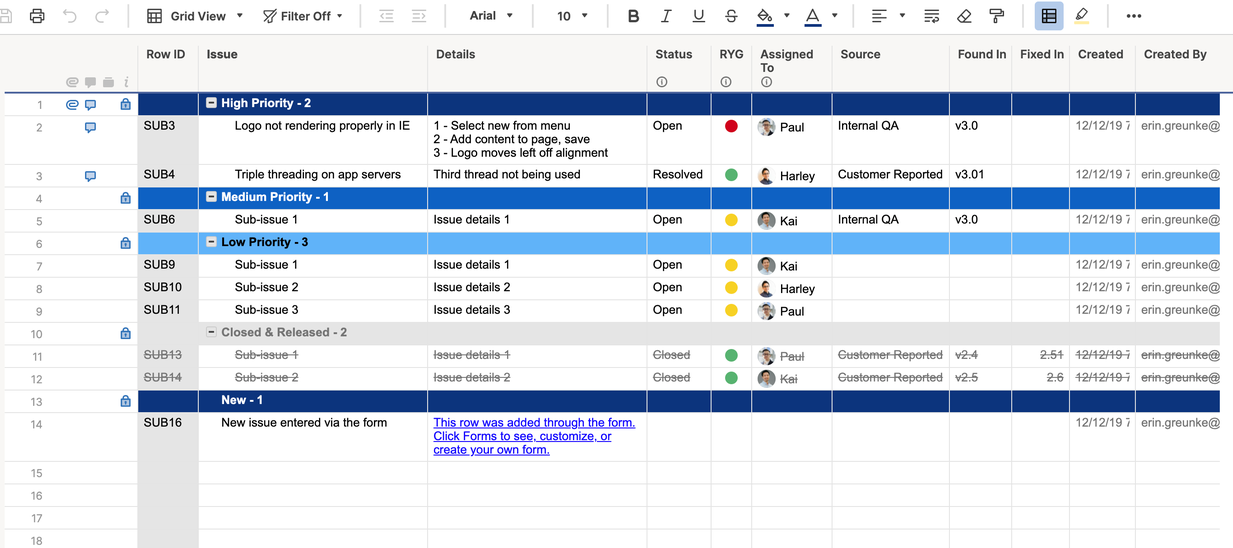
Smartsheet is useful for project managers and PMOs that need grids, schedules, forms, automation, dashboards, and portfolio visibility. It feels familiar to spreadsheet users but offers more structure for project tracking.
Smartsheet is well-suited to operations, construction, professional services, finance, and PMO teams that manage structured project data and prefer grid-based planning.
Teams that prefer visual boards may find Smartsheet less intuitive for daily execution. It can be powerful for managers, but individual contributors may need guidance to keep updates consistent.
This program is a mature project and work management platform often used by enterprise teams that need structured workflows, approvals, visibility, and reporting.
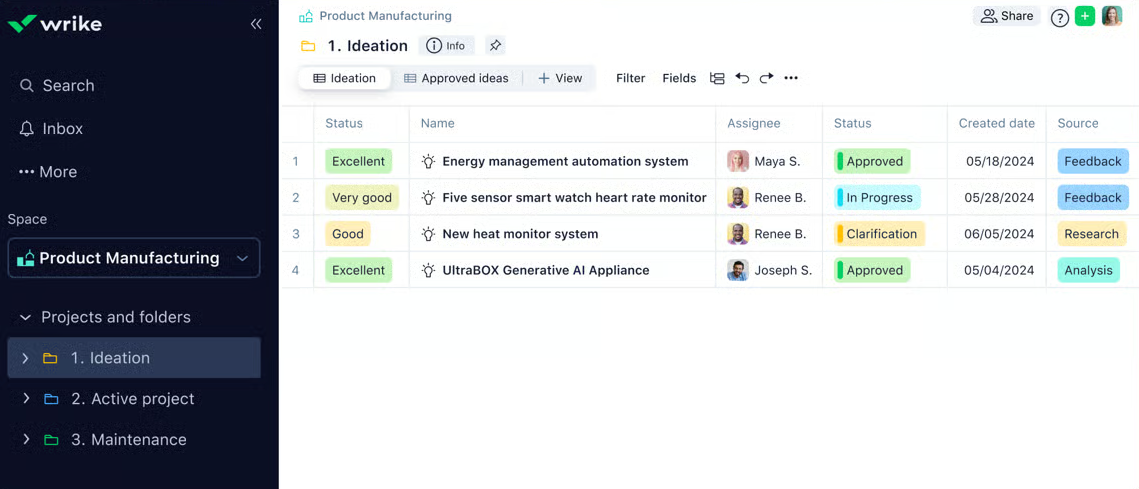
Wrike is strong when projects involve multiple departments, formal review cycles, client work, or complex reporting needs. It can support marketing operations, creative production, enterprise PMOs, and professional services teams.
Wrike is a good fit for larger teams that need governance, reporting, and structured collaboration across functions.
Smaller teams may find Wrike more involved than necessary. Like many enterprise-grade systems, it works best when rollout, templates, permissions, and reporting are carefully planned.
For companies committed to Microsoft 365, Microsoft Planner and Microsoft Project are natural options to consider. Planner is generally used for simpler task boards, while Project supports more advanced planning needs.
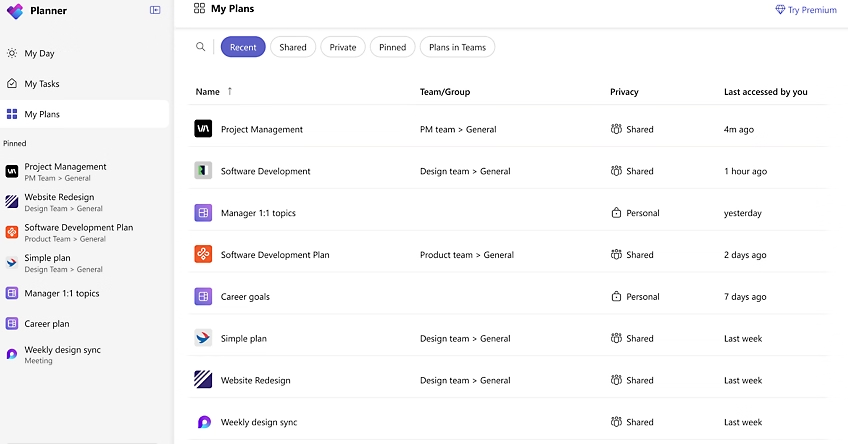
The main advantage is ecosystem fit. Microsoft-native teams can keep planning close to Teams, Outlook, SharePoint, and other Microsoft tools. This can simplify adoption for organizations already standardized on Microsoft 365.
Microsoft Planner and Project are good choices for companies that want project work inside the Microsoft environment and have clear requirements for either lightweight task planning or more formal project scheduling.
Project management capabilities can feel split across different Microsoft products. Buyers should evaluate whether the combination of Planner, Project, Teams, and SharePoint creates a clear workflow for their users or adds complexity.
Notion is not a traditional project management program in the same sense as Kanbanchi, Asana, Jira, or Smartsheet. Its strength is flexible documentation, databases, wikis, and collaborative knowledge management.
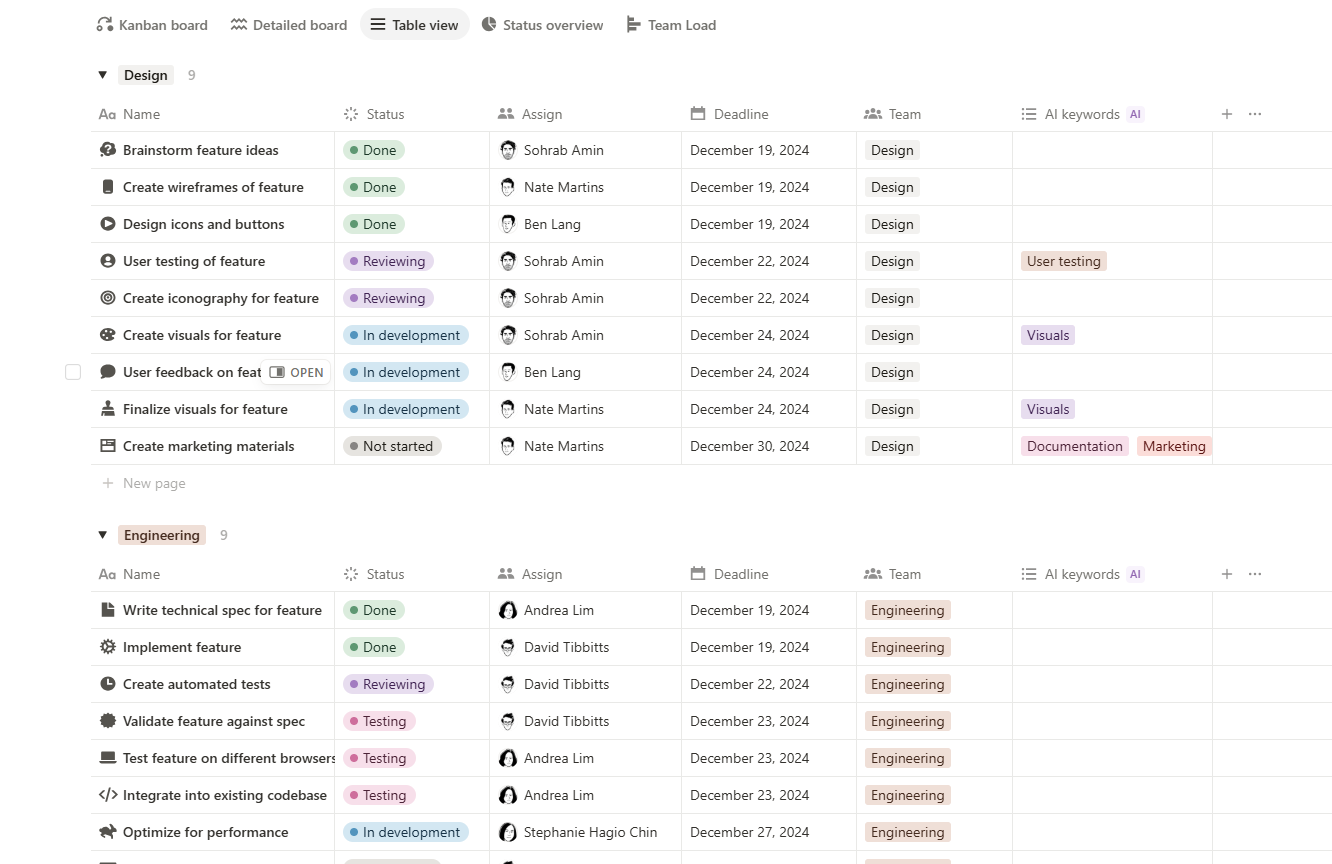
Notion is useful when tasks need to live close to meeting notes, product specs, research, strategy pages, or internal documentation. Teams can create custom databases, status fields, calendars, and project pages.
Notion is a good fit for startups, knowledge teams, content teams, and product groups that value documentation and flexible information design.
For complex project scheduling, dependency management, time tracking, and formal reporting, Notion may need support from another project management system.
A practical buying decision often starts with your team type rather than the software category.
| Team type | Recommended starting point | Reason |
|---|---|---|
| Google Workspace business team | Kanbanchi | Native‑feeling Google Drive, Gmail, Calendar, Sheets, Kanban, Gantt, and time tracking workflows |
| Microsoft 365 business team | Kanbanchi or Microsoft Planner and Project | Kanbanchi supports Microsoft 365 compatibility, while Microsoft tools stay fully inside the Microsoft ecosystem |
| Marketing team | Kanbanchi, Asana, monday.com | Strong visual planning, deadlines, campaign tasks, and collaboration |
| SEO or client services team | Kanbanchi, Asana, Wrike | Useful for repeatable workflows, approvals, reporting, and client deliverables |
| Software development team | Jira, ClickUp, Kanbanchi | Jira is strongest for engineering issue tracking, while ClickUp and Kanbanchi can support broader team workflows |
| Small operations team | Kanbanchi, Trello, monday.com | Visual boards and simple ownership help small teams move quickly |
| Enterprise PMO | Smartsheet, Wrike, Asana | Stronger options for portfolio tracking, governance, and reporting |
| Documentation‑heavy startup | Notion, ClickUp, Kanbanchi | Good when knowledge, planning, and execution need to stay connected |
Client-service teams should pay particular attention to repeatable workflows. For example, an SEO agency may need to coordinate audits, content briefs, technical fixes, approvals, and monthly reporting. In that situation, the best project management program is the one that makes every handoff visible.
A program can look impressive in a demo but still fail in daily use. Before you commit, check whether the software supports the following areas.
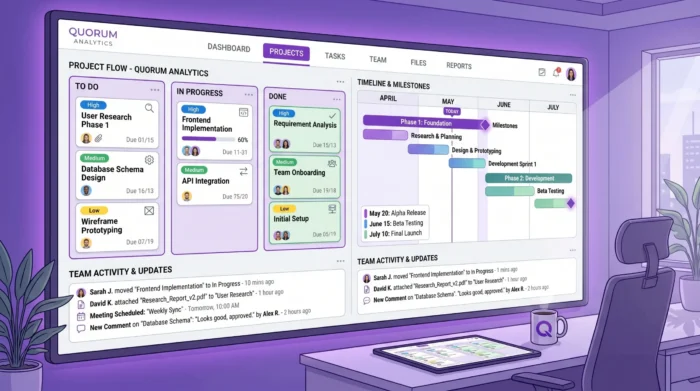
The strongest project management programs combine day-to-day task execution with timeline visibility, file context, and team collaboration.
Every team needs a shared view of work. Kanban boards are especially useful because they show status at a glance. A simple workflow, such as Backlog, Ready, In Progress, Review, and Done, can reduce status meetings and make blockers easier to spot.
For many teams, the ability to sort, filter, tag, and prioritize tasks is just as important as the board itself. Managers need to find urgent work quickly, while team members need a clear personal task list.
A board tells you what is happening. A timeline tells you whether the project can finish on time.
If your team manages launches, campaigns, procurement, implementation, construction, hiring, or product releases, choose a program with timeline planning. A Gantt chart is especially useful when tasks overlap, depend on each other, or need to be rescheduled.
Kanbanchi is strong here because a board can be converted into a Gantt chart, giving teams both workflow and schedule visibility.
Time tracking is not only about billing. It helps teams understand how long work actually takes, where estimates are wrong, and whether people are overloaded.
A built-in time tracker can be simpler than a separate tracking app because time is recorded directly against the task. In Kanbanchi, users can start tracking time from a card, and timing data is recorded for review.
Disconnected files are among the most hidden costs in project management. If a task says Review proposal, but the proposal is buried in an email or a shared folder, the team still wastes time.
For Google Workspace teams, look for Google Drive attachments, Gmail task creation, Calendar sync, and Google Sheets export. For Microsoft 365 teams, look for OneDrive and SharePoint compatibility.
Executives and team leads need more than task cards. They need trends, workload insights, status reports, and project data they can use in dashboards.
If your organization uses reporting tools such as Looker Studio, check whether your project management program can export or connect the right data. Kanbanchi supports extracting board data and connecting it to preferred reporting dashboards, as well as exporting board data to Google Sheets.
For small teams, sharing is simple. For larger organizations, governance matters. Buyers should ask how the tool handles permissions, external collaboration, file storage, backups, and compliance requirements.
Kanbanchi is designed with enterprise-grade security and compliance in mind, and it allows sharing internally and externally according to the company’s Google policies. This is especially relevant for organizations that already manage access through Google Workspace.
The best buying process is not to compare every feature equally. Instead, start with your operating model.
Choose a program that feels like an extension of Google Workspace. Your team should be able to work with Drive files, Gmail, Calendar, and Sheets without copying information manually between tools.
Kanbanchi is the strongest fit in this category because it was built around Google Workspace project management. It gives teams boards, cards, Gantt timelines, time tracking, calendar sync, Gmail-based task creation, Drive attachments, Shared Drive support for enterprise users, and Google Sheets export.
Evaluate Asana, Wrike, Smartsheet, and Kanbanchi depending on your ecosystem. Focus on templates, permissions, reporting, onboarding, and governance. The right tool should help standardize project execution without forcing every department into the exact same workflow.
Jira should be on the shortlist for engineering teams. If your software team works closely with non-technical departments, also compare ClickUp or Kanbanchi, especially if business stakeholders need simpler visual boards or Google Workspace integration.
Trello may be enough for small, lightweight workflows. However, if you expect to need timelines, time tracking, detailed reporting, task prioritization, or stronger file integration, start with a more complete tool to avoid migrating later.
Notion can be a strong workspace for knowledge and light projects. For more formal delivery, combine it with or compare it against a dedicated project management program.
In this guide, we didn’t include one very important criterion for some teams: supporting a hybrid workflow. This one is quite specific and may not be crucial for the majority of teams. If this is something important in your case, please check our guide on tools for hybrid project management.
Software selection is only half the decision. Adoption determines whether the investment pays off.
Do not roll out a new project management program across every department on day one. Start with a workflow that has visible pain, such as marketing campaigns, client onboarding, procurement requests, product launches, or weekly operations.
Create a board or project template, define statuses, assign owners, and agree on update rules. Once the workflow is stable, expand to other teams.
Teams struggle when some tasks live in email, some in chat, some in spreadsheets, and some in the project management program. Set a clear rule: if work requires ownership, a due date, or collaboration, it should be tracked in the project tool.
For Google Workspace users, Kanbanchi makes this easier because tasks can be created from Gmail and connected to Drive files and Calendar events.
Avoid building a complicated system before people understand the basics. Start with a few lists, clear tags, simple priorities, and consistent due dates. Add Gantt planning, time tracking, reports, swimlanes, subcards, or automations as the team matures.
After the first month, ask practical questions. Are tasks updated? Do managers get better visibility? Have meetings become shorter? Deadlines clearer? Is it easier to find files?
If the answer is yes, expand. If not, simplify the workflow before blaming the software.
If you are choosing the best program for project management in 2026, start with fit, not hype.
For Google Workspace teams, Kanbanchi is one of the strongest options because it brings Kanban boards, Gantt charts, time tracking, Gmail task creation, Google Calendar sync, Google Drive attachments, Google Sheets export, templates, swimlanes, subcards, and enterprise-oriented security into one connected environment.
Engineering-heavy teams may find Jira to be the better starting point. Monday.com or ClickUp may be worth testing for highly customized multi-department workflows. For PMO-style spreadsheet planning, Smartsheet remains a strong contender. For simple boards, Trello is still easy to adopt.
The best next step is to shortlist two or three tools and test them with a real project, not a generic demo. If your team already works in Google Workspace or Microsoft 365 and wants a visual, integrated way to manage tasks, timelines, files, and time, try Kanbanchi as part of that evaluation.
The best program depends on your team’s workflow and ecosystem. Kanbanchi is a strong choice for Google Workspace teams, Jira is best for many software development teams, Smartsheet suits spreadsheet-oriented PMOs, and monday.com or ClickUp fit teams that want high customization.
Most teams should look for task assignment, due dates, priorities, comments, file attachments, notifications, multiple views, timeline planning, reporting, and integrations with email, calendars, and file storage. Teams managing billable or capacity-sensitive work should also consider time tracking.
Google Workspace is excellent for communication, documents, meetings, storage, and calendars, but it does not provide a full native project management system with Kanban boards, Gantt planning, time tracking, and workflow reporting. A tool like Kanbanchi adds that project management layer while staying connected to Google Workspace.
Kanban is better for visualizing work status and daily execution. Gantt charts are better for planning schedules, dependencies, and milestones. Many teams need both, which is why a program that combines Kanban boards and Gantt charts can be more practical than choosing one view only.
Small teams often need fast adoption, clear ownership, and minimal administration. Trello can work for very simple boards, while Kanbanchi is a better fit when a small team also needs timelines, time tracking, Google Drive files, Gmail task creation, and room to scale.
Enterprises should prioritize security, permissions, reporting, templates, data governance, integrations, and adoption support. Kanbanchi, Asana, Wrike, Smartsheet, monday.com, and Microsoft Project are all worth evaluating depending on your existing ecosystem and governance needs.
Yes. Many tools support imports from CSV or other systems. Kanbanchi supports Trello board import and CSV import, which can help teams move existing work into a more structured project management environment.
Sign up for a free Kanbanchi trial today


In this Article:
Start using Kanbanchi now
Start your free trial