
In this Article:
Try Kanbanchi now
Start your free trial


Choosing enterprise project management software is not just a tools decision. It affects how work is planned, how leaders see progress, how teams collaborate, and how confidently the organization can scale delivery.
For a small team, a simple task list may be enough. For an enterprise, the tool has to support multiple departments, permissions, timelines, reporting, integrations, security reviews, and adoption across people with very different working styles. The best choice is rarely the platform with the longest feature list. It is the one your teams will actually use, and the one your administrators can confidently govern.
This buyer’s guide will help you evaluate options with a practical, business-first approach.
Enterprise project management software has to solve problems at three levels at once: day-to-day execution, management visibility, and organizational control.
A team member needs a clear view of what to do next. A project manager needs deadlines, dependencies, blockers, and workload signals. A leader needs portfolio-level confidence that work is moving, risks are visible, and data is trustworthy. IT and security teams need to know where data lives, how access is controlled, and whether the software fits existing policies.
That is why enterprise buyers should avoid choosing software based only on screenshots, a single department’s preference, or a generic top-10 list. The buying process should start with how your organization already works, then test whether the software can improve that system without adding unnecessary complexity.
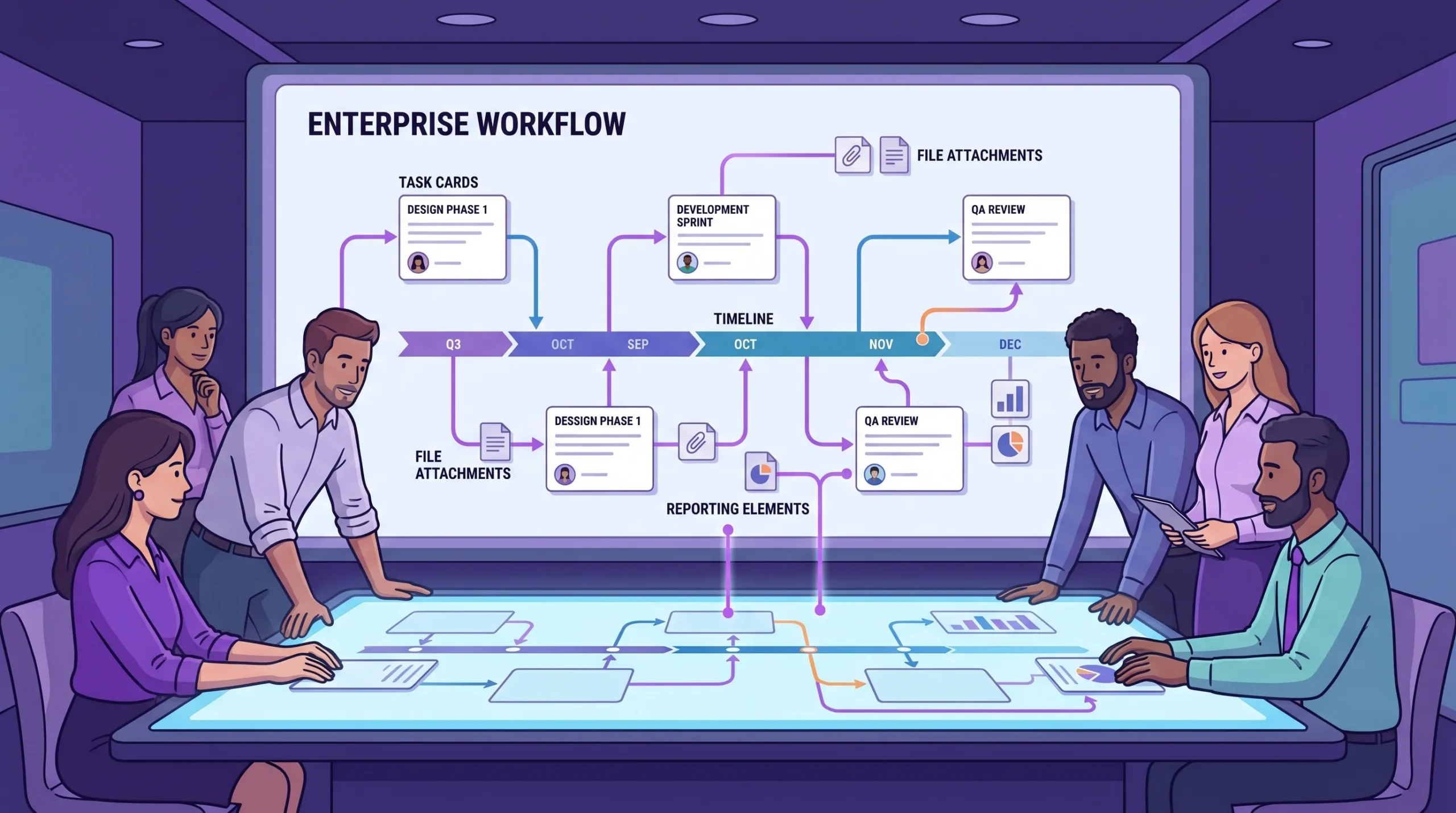
Enterprise software evaluation should connect daily task execution, timeline planning, file collaboration, security, and leadership reporting.
Before comparing vendors, define what success should look like after implementation. This sounds obvious, but it is where many buying processes go wrong. Teams often buy project management software because current workflows feel chaotic, then discover that each department defines chaos differently.
Common enterprise pain points include scattered task ownership, duplicated updates across email and spreadsheets, unclear priorities, inconsistent project templates, lack of timeline visibility, and weak reporting. Some organizations also need stronger governance for approvals, procurement, HR initiatives, product launches, client projects, or operational work.
Write the problems in plain business language. For example, a useful requirement is not simply need Gantt charts. A stronger version is: project managers need to see dependencies and schedule changes early enough to adjust resources before deadlines slip.
Different teams need different levels of structure. Marketing may need campaign boards, content approvals, and deadline tracking. IT may need incident queues, implementation timelines, and dependencies. HR may need onboarding checklists and policy rollout plans. Operations may need recurring workflows, procurement tracking, and cross-functional coordination.
In industries where work moves from concept to production, like apparel, manufacturing, or product development, the need for visibility is even stronger. For example, an organization coordinating sourcing, sample development, production, and delivery with partners such as an end-to-end apparel development and manufacturing provider needs a system that can track tasks, files, approvals, and deadlines across internal and external stakeholders.
If one tool cannot support your major work types without heavy customization, adoption will suffer.
Enterprise software should be evaluated by the people who will live in it, not only by executives or IT. Include team leads, project managers, everyday contributors, finance or operations stakeholders, and administrators.
A practical evaluation group should answer three questions:
The best enterprise project management software should balance structure and flexibility. Too little structure creates chaos. Too much structure makes teams avoid the tool and return to spreadsheets.
Visual boards are valuable because they make work status obvious. A Kanban board, for example, lets teams see tasks moving through stages such as Backlog, Ready, In Progress, Review, and Done. This is especially helpful for distributed teams because the board becomes a shared operating view.
Look for capabilities such as task ownership, due dates, priorities, tags, comments, file attachments, notifications, filtering, sorting, and reusable templates. If your teams manage many related projects, features like swimlanes or grouped views can help separate work while keeping it visible in one place.
Enterprise teams often need more than a task board. They need to understand when work starts, when it ends, how tasks depend on each other, and what happens if dates change. Gantt charts are useful for this because they turn task data into a timeline.
A strong timeline feature should allow teams to plan milestones, adjust dates, view overlaps, and understand dependencies. The most useful tools keep board and timeline views connected, so a task update in one view is reflected in the other.
Time tracking is not only for billing. It helps teams improve estimation, understand capacity, and compare planned effort with actual effort. For enterprise leaders, this is especially important when the same people contribute to multiple projects.
Look for time tracking that fits naturally into the task workflow. If users have to open a separate system just to record time, data quality usually drops. Reporting should help managers identify overloaded teams, under-estimated work, and recurring bottlenecks.
Enterprise reporting should turn project activity into decision-ready information. The goal is not to create more dashboards for their own sake. The goal is to help leaders answer questions quickly: Which projects are at risk? Which tasks are overdue? Where is work blocked? Which teams are at capacity? What changed since the last review?
The Project Management Institute regularly emphasizes the connection between project capabilities and business outcomes. Good reporting supports that connection by making project data reliable, timely, and actionable.
A task is rarely just a task. It often includes briefs, contracts, designs, spreadsheets, customer messages, meeting notes, and approvals. Enterprise software should make it easy to connect project work to the files and conversations that explain it.
For Google Workspace or Microsoft 365 organizations, this is a critical evaluation point. If files already live in Google Drive, Shared Drives, OneDrive, or SharePoint, the project management tool should work with those systems instead of forcing teams to duplicate files elsewhere.
Security review is a normal part of enterprise buying. At minimum, your team should evaluate data storage, access control, permission alignment, backup options, admin controls, and vendor security documentation.
Use recognized frameworks such as the NIST Cybersecurity Framework as a reference point for internal conversations. You do not need every project manager to become a security expert, but your buying process should involve IT and security early enough to avoid late-stage blockers.
Use the table below to create a shortlist. Add your own weighting based on what matters most to your organization.
| Evaluation area | What to check | Why it matters |
|---|---|---|
| Ease of adoption | Simple navigation, low training burden, clear task updates | Adoption determines whether the system becomes the source of truth |
| Task management | Boards, assignments, priorities, tags, filters, notifications | Teams need daily clarity on ownership and status |
| Timeline planning | Gantt charts, milestones, dependencies, date changes | Managers need to plan schedules and spot risks early |
| Collaboration | Comments, mentions, file attachments, shared views | Work should happen in context, not across disconnected threads |
| Ecosystem integration | Google Workspace, Microsoft 365, Drive, Calendar, Gmail, OneDrive, SharePoint | The tool should fit where your team already works |
| Reporting | Progress reports, time data, exports, dashboards | Leaders need reliable visibility without manual status collection |
| Administration | Permissions, sharing controls, templates, data governance | Enterprises need consistency and control at scale |
| Migration | CSV import, Trello import, existing data support | A smoother migration reduces implementation friction |
| Scalability | Works for small teams and large departments | The tool should support growth without forcing another switch |
| Vendor fit | Support quality, documentation, security posture, roadmap clarity | Enterprise buying is also a long-term vendor relationship |
Feature comparison can quickly become overwhelming. A structured process keeps the buying team focused on business value rather than shiny functionality.
Not every requirement has the same importance. For a Google Workspace organization, deep Drive, Gmail, and Calendar integration may be more important than a large marketplace of generic integrations. For a Microsoft 365 organization, OneDrive and SharePoint compatibility may be central. For a regulated enterprise, security and access control may carry the most weight.
Here is a simple scoring model you can adapt:
| Criterion | Suggested weight | Scoring question |
|---|---|---|
| User adoption | 20% | Will everyday users update tasks consistently? |
| Core project features | 20% | Does it support boards, timelines, ownership, priorities, and collaboration? |
| Integration fit | 20% | Does it work naturally with our existing productivity suite? |
| Reporting and visibility | 15% | Can managers and leaders get useful insights without manual reporting? |
| Security and admin control | 15% | Does it satisfy IT, data, and governance requirements? |
| Implementation effort | 10% | Can we migrate, configure, and train teams without excessive overhead? |
The point is not to make the scorecard perfect. The point is to make trade-offs explicit.
A polished vendor demo can make almost any platform look good. A pilot reveals whether the software fits real work.
Choose one or two teams with meaningful projects. Give them a specific use case, a time limit, and evaluation criteria. For example, ask a marketing team to run a campaign planning board, or ask an operations team to manage a procurement workflow from request to approval.
At the end of the pilot, evaluate whether the tool reduced status meetings, clarified priorities, improved deadline visibility, and helped managers identify blockers faster. Also ask contributors whether updating the tool felt natural or like extra administrative work.
Many tools look good at the task level but disappoint when leaders ask for reports. During the pilot, test how quickly managers can answer common questions:
If answering these questions requires manual spreadsheet work, the tool may not solve your enterprise visibility problem.
For organizations already using Google Workspace or Microsoft 365, integration depth is one of the most important buying criteria. A project management tool should not become another silo.
Google Workspace teams should look for project boards that connect naturally with Google Drive, Shared Drives, Gmail, Google Calendar, and Google Sheets. This allows users to keep documents in the environment they already trust while managing work visually.
Kanbanchi is designed for this use case. It lets teams create and share project boards and cards in Google Workspace, attach files from Google Drive and Shared Drives, create cards from Gmail, add events to Google Calendar, and export board data to Google Sheets. Enterprise users can create boards directly in Shared Drives, aligning project work with existing company file policies.
This matters because adoption improves when users do not have to choose between their project tool and their daily workspace.
Microsoft 365 teams should ask how the tool works with OneDrive and SharePoint file storage, and whether task collaboration can fit existing document management habits. Kanbanchi supports Microsoft 365 compatibility and integration with OneDrive and SharePoint, which can be useful for organizations standardizing around Microsoft while still needing visual project execution.
Enterprises often accumulate too many work management tools: one for tasks, one for timelines, one for time tracking, one for documents, one for reports, and several spreadsheets that try to connect them all. This creates hidden costs in training, administration, data cleanup, and context switching.
When possible, prioritize software that brings core project execution into one place while integrating with your existing file and calendar systems.
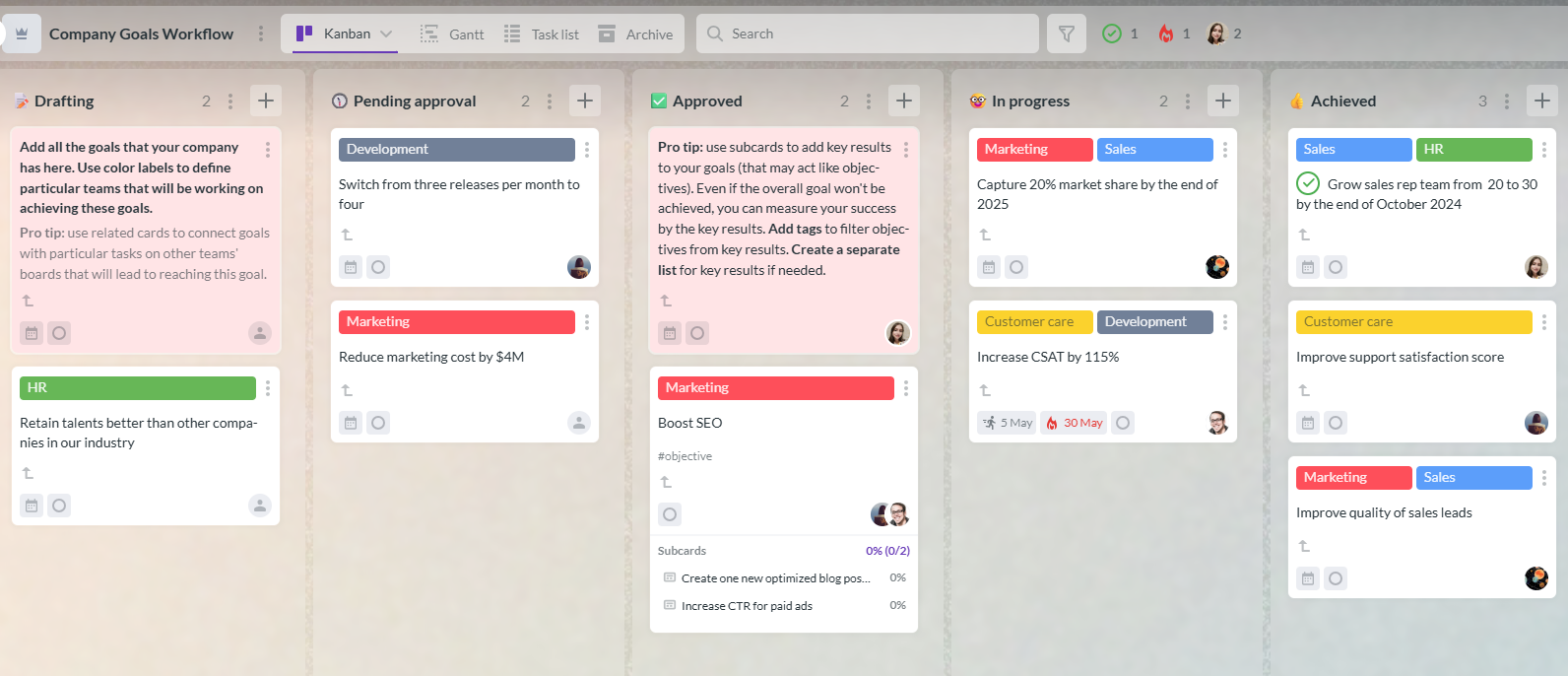
Kanbanchi is a strong fit for organizations that want visual project management inside the productivity suites they already use, especially Google Workspace and Microsoft 365.
Its core capabilities include Kanban boards for tasks, Gantt charts for timeline planning, time tracking, Task List View, templates, subcards, task prioritization, swimlanes, Google Drive and Shared Drives attachments, Gmail card creation, Google Calendar sync, Microsoft 365 compatibility, and board data export to Google Sheets.
For enterprise buyers, the main value is not a single feature. It is the combination of visual execution, timeline planning, time data, reporting, and file integration in one workflow. Teams can manage everyday tasks on boards, switch to Gantt view for scheduling, track time on cards, and keep project files connected through Drive or OneDrive/SharePoint.
Kanbanchi may be especially relevant if your organization wants to:
If your buying committee is evaluating tools, include Kanbanchi in the pilot when ecosystem integration, usability, and visual project tracking are high priorities.
Start free trial of Kanbanchi now
The purchase decision is only the beginning. Implementation determines whether the software becomes a source of truth or just another unused system.
Decide how boards, projects, departments, templates, labels, and reporting views should be organized. Without standards, every team will create its own structure, and leadership reporting will become inconsistent.
A good starting point is to define a small set of approved templates for common work types: project launch, marketing campaign, onboarding, procurement, IT implementation, product roadmap, or client delivery. Teams can adapt templates, but the shared structure keeps data easier to compare.
Enterprise rollouts often fail when training becomes a feature tour. People do not need to memorize every capability on day one. They need to know how to do their job in the new system.
Contributors should learn how to find assigned tasks, update status, comment, attach files, and record time if required. Project managers should learn how to build boards, set dates, manage dependencies, filter work, and review reports. Leaders should learn how to read dashboards and ask better questions using live project data.
Software works best when paired with clear management habits. Decide how teams will use the tool in weekly planning, daily check-ins, project reviews, and retrospectives.
For example, a weekly project review might focus on overdue tasks, upcoming deadlines, blocked cards, schedule changes, and workload concerns. A monthly leadership review might focus on project health, resource risks, and delivery trends.
Track whether the tool is improving work, not just whether people have accounts. Useful indicators include fewer manual status reports, faster issue escalation, better deadline predictability, fewer duplicated files, improved time estimation, and higher visibility across teams.
| Implementation metric | What it indicates |
|---|---|
| Active weekly users | Whether teams are actually working in the system |
| Tasks with owners and dates | Whether work is clear enough to manage |
| Overdue task trend | Whether planning and execution are improving |
| Time estimate vs actual | Whether forecasting is becoming more accurate |
| Number of manual status reports | Whether reporting is becoming easier |
| Template usage | Whether standards are taking hold |
The biggest mistake is buying for executives but not for users. If the tool creates beautiful dashboards but contributors avoid updating it, the data will become unreliable.
Another mistake is overbuying complexity. Some enterprise platforms are powerful but require heavy administration and long rollouts. If your teams primarily need visual task management, timelines, file integration, and practical reporting, a simpler all-in-one platform may deliver value faster.
A third mistake is ignoring integration fit. If your company lives in Google Workspace or Microsoft 365, project management software should complement that environment. Otherwise, teams will waste time copying links, moving files, and reconciling data between systems.
Finally, do not treat migration as an afterthought. Ask how existing boards, spreadsheets, or legacy tool data can be imported. Even a good tool can face resistance if teams have to rebuild everything manually.
What is Enterprise Project Management?
Enterprise project management software helps organizations plan, assign, track, and report on work across teams, departments, and complex initiatives. It usually includes task management, timelines, collaboration, reporting, permissions, and integrations with core business systems.
A task app usually helps individuals or small teams manage to-do lists. Enterprise software supports broader needs such as cross-team visibility, project timelines, file integration, reporting, governance, templates, migration, and administration.
The most important features are clear task ownership, visual boards, timeline planning, reporting, collaboration, integration with existing productivity suites, security controls, permission management, and ease of adoption.
In most cases, yes. If your documents, calendars, email, and permissions already live in Google Workspace, a Google-integrated project management tool can reduce duplication and make adoption easier. Kanbanchi is built to work closely with Google Drive, Shared Drives, Gmail, Google Calendar, and Google Sheets.
A practical pilot often takes two to six weeks, depending on project complexity. The pilot should test real work, not sample tasks, and should evaluate adoption, reporting, integrations, manager visibility, and administrative effort.
Connect the software to business outcomes. Show how it can reduce manual reporting, improve deadline visibility, clarify ownership, expose risks earlier, and help teams spend less time searching for project information.
The right enterprise project management software should make work clearer, not heavier. It should help contributors know what to do, managers see what is happening, and leaders make decisions with confidence.
If your organization uses Google Workspace or Microsoft 365 and needs visual boards, Gantt timelines, time tracking, reporting, and file-connected collaboration, explore Kanbanchi. Start with a focused pilot, test it against real projects, and see whether your teams can move from scattered updates to one shared workflow.
Start free trial of Kanbanchi now



In this Article:
Start using Kanbanchi now
Start your free trial