
In this Article:
Try Kanbanchi now
Start your free trial

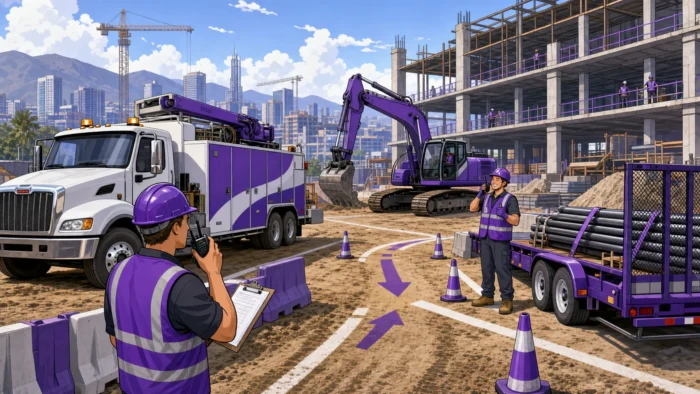
Construction projects rarely miss deadlines because of one isolated task. More often, delays come from a chain reaction: a loader is unavailable, a dump truck arrives late, a crane needs unscheduled maintenance, or a crew waits because the right equipment is on another jobsite.
That is why fleet management is no longer just an operations concern. For construction leaders, it is a project success factor. Trucks, heavy equipment, trailers, service vehicles, and specialized machinery all shape whether teams can start work on time, stay productive, control costs, and protect margins.
Effective fleet management connects asset availability, maintenance, operators, site schedules, documentation, and communication. When it works well, field teams spend less time waiting and managers gain clearer visibility into what is happening across projects.
Fleet management in construction is the process of planning, assigning, maintaining, tracking, and optimizing the vehicles and equipment needed to deliver work. It can include owned assets, leased equipment, subcontractor vehicles, rentals, and jobsite support assets.
In many industries, the word “fleet” primarily means cars, vans, or delivery vehicles. In construction, the fleet is broader. It may include excavators, loaders, bulldozers, dump trucks, cranes, compactors, generators, trailers, lifts, and service vehicles.
Each asset has a role in the project schedule. If a pickup truck is unavailable, a supervisor may still adapt. If an excavator, concrete pump, or crane is unavailable, the entire sequence of work may stop. This makes fleet planning closely tied to project planning.
Fleet management answers questions such as: Where is the equipment? Is it available? Is it safe to use? Is maintenance due? Who is responsible for it? What is the cost of keeping it active?
Project management answers related questions: Which task depends on that equipment? Which crew needs it first? What happens to the timeline if it is delayed? Who needs to be notified?
The most successful construction teams connect both layers. Dedicated fleet systems may handle GPS, telematics, inspections, fuel, and maintenance. Project management tools help teams turn that information into coordinated tasks, timelines, responsibilities, and decisions.
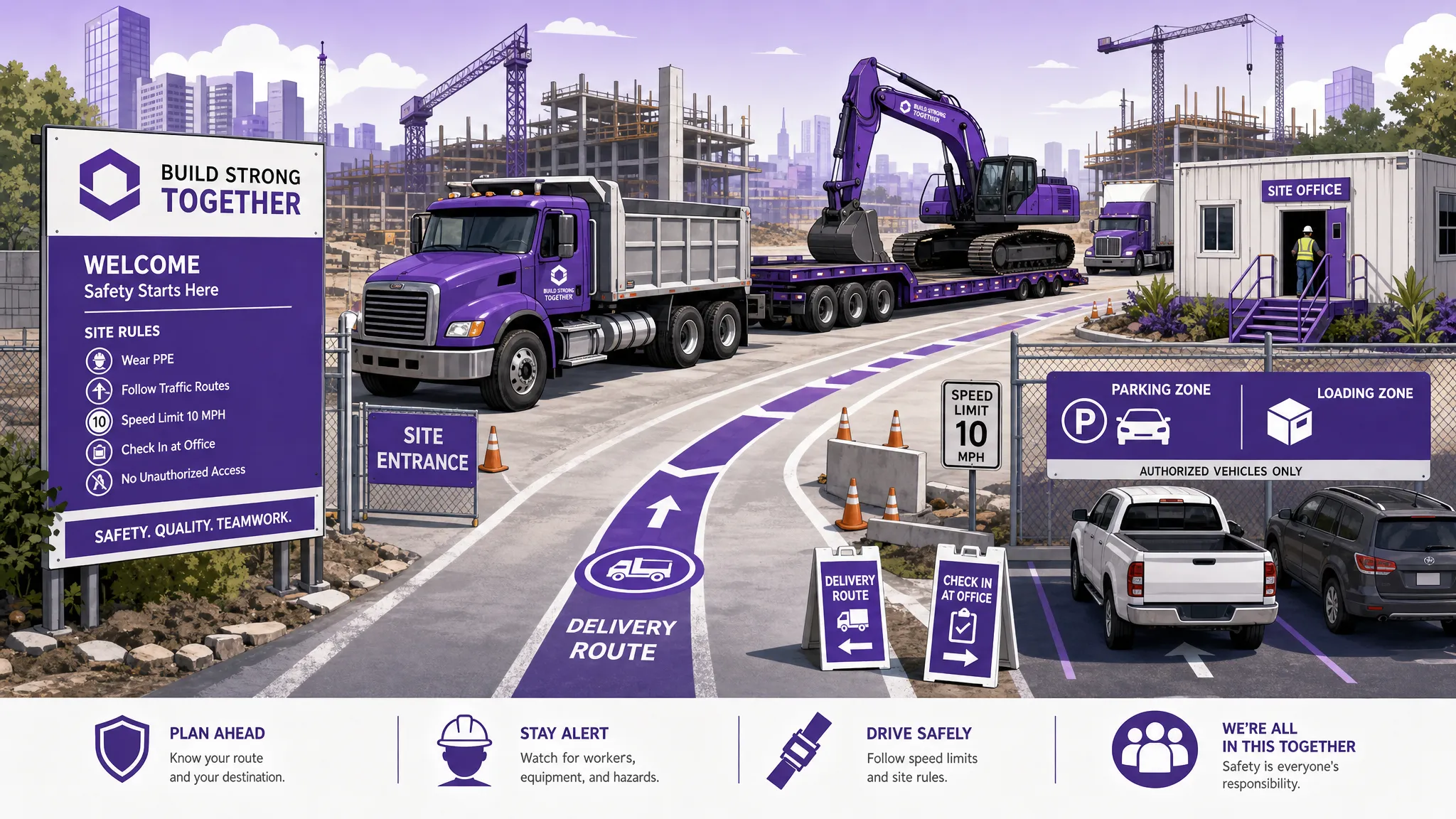
Construction schedules depend on sequences. Site preparation happens before foundations. Foundations come before framing. Heavy equipment, trucks, and operators must be available at the right time for each step.
When fleet planning is reactive, managers discover conflicts too late. One machine may be double-booked across sites. A vehicle may be out for repair on the day it is needed. A delivery may be scheduled without confirming access routes or unloading equipment.
Effective fleet management gives project managers early visibility into asset conflicts. It helps teams reserve critical equipment, plan transport windows, coordinate operators, and adjust timelines before field crews lose productive time.
Unexpected breakdowns are expensive because they create two costs at once: the direct cost of repair and the indirect cost of stalled work. A delayed machine can idle an entire crew, push subcontractors out of sequence, and create overtime later in the project.
Preventive maintenance reduces this risk. A strong fleet process tracks inspection status, service intervals, known issues, and repair priorities. Instead of waiting for equipment to fail, teams schedule maintenance around project demand.
This is especially important when multiple jobsites compete for the same assets. Leaders need to know which equipment is mission-critical this week, which can be serviced without affecting the schedule, and which rental may be needed as a backup.
Fleet costs can quietly erode project margins. Fuel, idle time, rentals, emergency repairs, overtime, operator delays, transport costs, and underused equipment all add up.
Good fleet management makes these costs visible. Managers can compare planned use with actual use, identify assets sitting idle, reduce unnecessary rentals, and decide whether to repair, replace, or reassign equipment.
For business owners, this visibility supports better bidding and forecasting. If a project estimate assumes efficient equipment use but the fleet is poorly coordinated, the difference can appear later as margin loss.
Construction fleets introduce safety risks related to vehicle movement, equipment operation, maintenance condition, operator readiness, and site logistics. Safety requirements vary by location, asset type, and operating conditions, but the principle is consistent: equipment should be fit for use, operators should be prepared, and work should be coordinated.
A reliable fleet process supports safer decisions by keeping inspections, maintenance tasks, operator assignments, and site restrictions visible to the people who need them.
The table below shows how common fleet management areas connect directly to construction project performance.
| Fleet management area | What it controls | Project impact |
|---|---|---|
| Asset availability | Which vehicles and equipment are ready for use | Reduces schedule conflicts and crew waiting time |
| Dispatch and assignment | Which asset goes to which jobsite and when | Improves coordination across multiple active projects |
| Preventive maintenance | Service intervals, inspections, and repair planning | Reduces unplanned downtime and emergency costs |
| Utilization tracking | How often each asset is used productively | Helps reduce idle assets, rentals, and unnecessary purchases |
| Fuel and operating costs | Fuel use, idle time, and operating expense | Supports better cost control and estimating |
| Safety documentation | Inspections, certificates, and issue reports | Helps teams maintain safer operating conditions |
| Operator coordination | Availability and assignment of qualified people | Prevents delays caused by missing operators or unclear responsibility |
| Timeline integration | Equipment needs linked to project tasks | Makes fleet constraints visible in the project schedule |
No single metric tells the whole story. A machine with high utilization may look efficient, but if it is overused and poorly maintained, it can become a future bottleneck. A truck with low utilization may seem wasteful, but it may be essential for urgent service calls. Leaders need context, not just numbers.
Fleet management software for construction should help teams move from guesswork to visibility. The best fit depends on your fleet size, asset mix, compliance needs, number of jobsites, and the systems your team already uses.
Dedicated fleet platforms typically focus on asset-level data. For construction firms, this may include GPS location, telematics, engine hours, inspection records, maintenance alerts, fuel tracking, driver or operator records, and equipment utilization.
These capabilities are valuable when you need detailed operational data about vehicles and machinery. They help fleet managers understand condition, location, usage, and cost.
However, asset data alone does not automatically keep the project on track. A project manager still needs to translate fleet information into decisions: reschedule a task, assign a backup asset, notify a subcontractor, update a deadline, or adjust dependencies.
The project layer should connect fleet realities to daily execution. It should show which tasks require which equipment, who owns each action, what deadlines are affected, and what files or approvals are needed.
For construction teams already working in Google Workspace or Microsoft 365, this layer should ideally fit into existing tools instead of creating another disconnected workspace. That means file attachments, calendar visibility, email-to-task workflows, and shared project boards matter.

Kanbanchi is not a GPS telematics platform, and it should not be positioned as a replacement for specialized vehicle tracking systems. Its value is different: it helps teams coordinate the work around fleet operations inside the project management process.
For teams using Google Workspace or Microsoft 365, Kanbanchi provides visual boards, Gantt charts, time tracking, file attachments, calendar sync, and task collaboration. This makes it useful for connecting fleet-related work to construction project schedules and responsibilities.
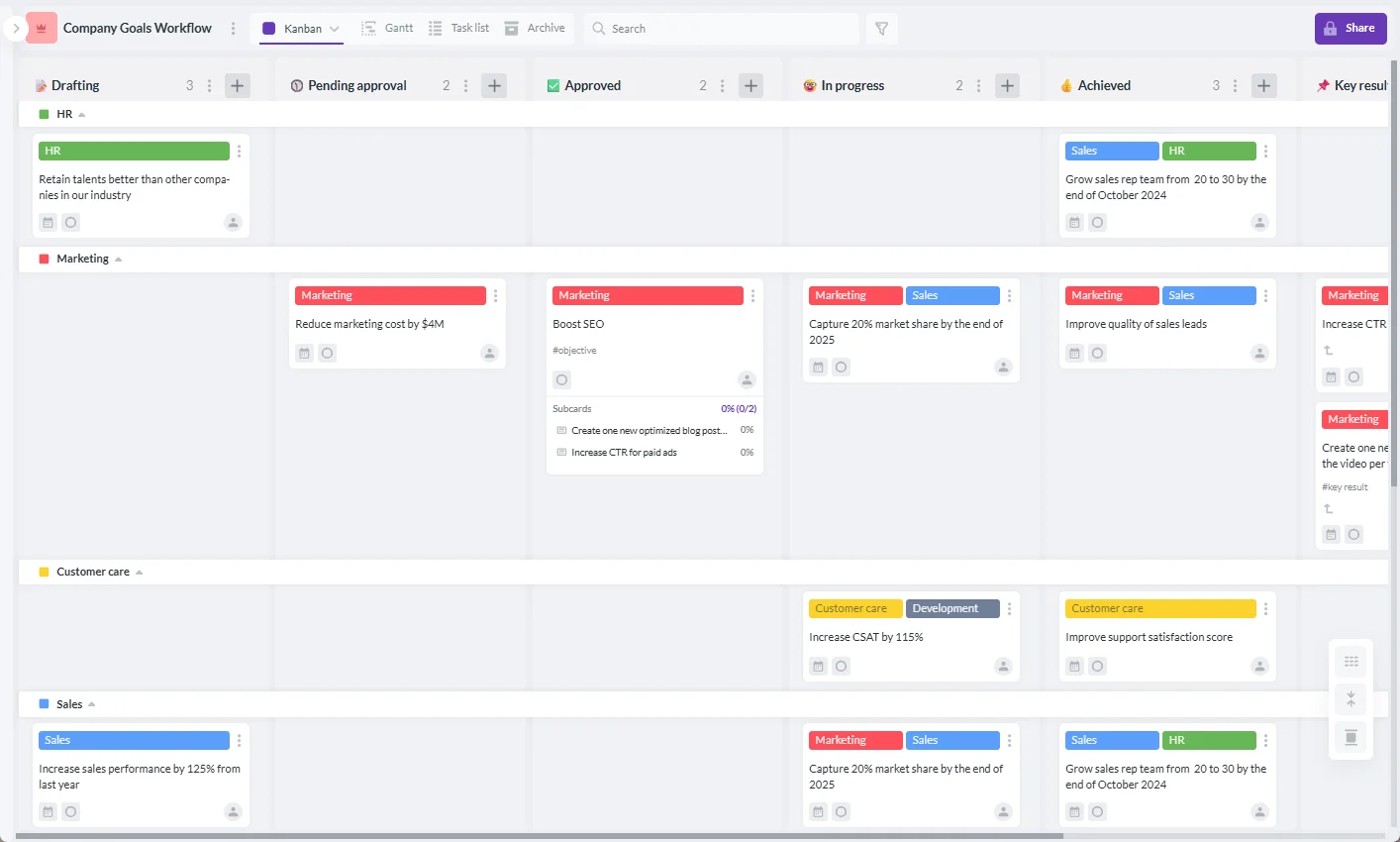
A construction team can create a board for fleet readiness, equipment requests, maintenance coordination, or a specific project. Cards can represent assets, transport tasks, maintenance jobs, equipment requests, permits, or site logistics actions.
For example, a board might include lists such as Requested, Approved, Scheduled, In Transit, On Site, Maintenance, and Released. As work moves forward, the card moves across the board, giving office and field stakeholders a shared view of status.
Swimlanes can help separate work by jobsite, equipment category, project phase, or priority. Tags and colors can make urgent repairs, safety issues, or critical-path equipment easier to spot.

A Kanban board is excellent for workflow visibility, but construction leaders also need timeline visibility. Kanbanchi’s Gantt chart helps teams see project tasks chronologically and understand how work relates over time.
If a crane is needed before steel installation, or a loader must complete site prep before a concrete crew arrives, those dependencies should be visible. A timeline view helps managers see whether equipment availability supports the actual project sequence.
You can learn more about this planning approach in Kanbanchi’s guide to the Gantt chart tool.
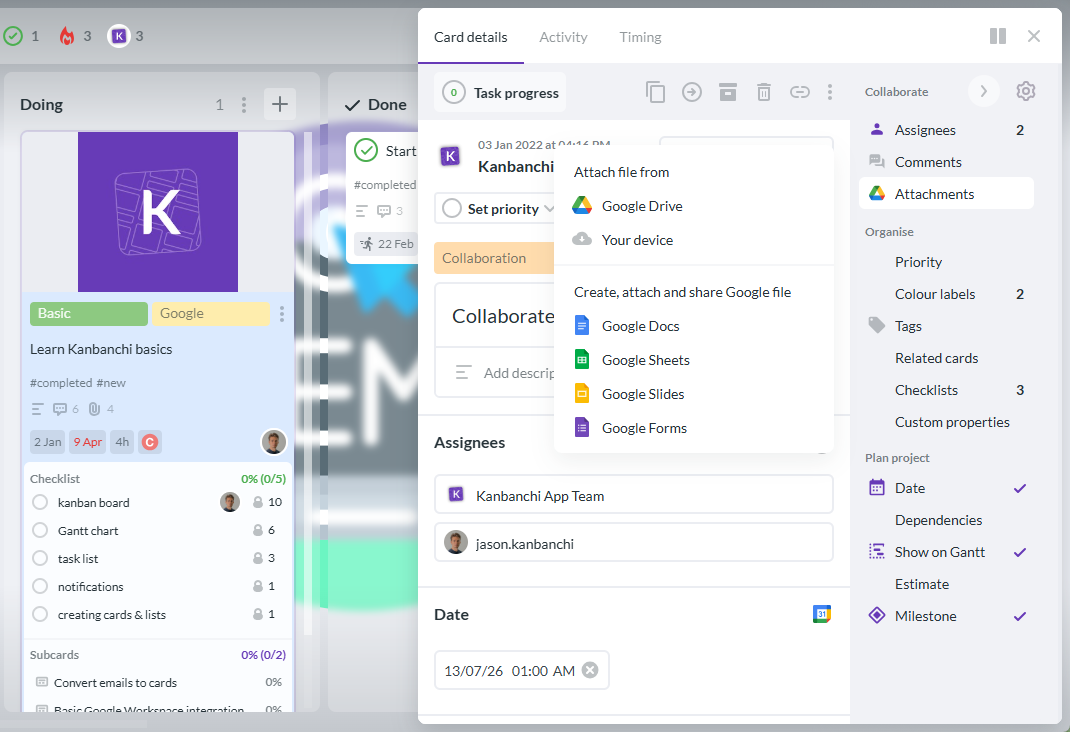
Fleet work often involves documents: inspection forms, rental agreements, insurance certificates, maintenance records, delivery instructions, photos, site access notes, and vendor quotes.
Kanbanchi integrates with Google Drive and supports attachments from Google Drive and Shared Drives. It is also compatible with Microsoft 365, including OneDrive and SharePoint storage. This helps teams keep task context and related files together instead of searching across email threads and folders.
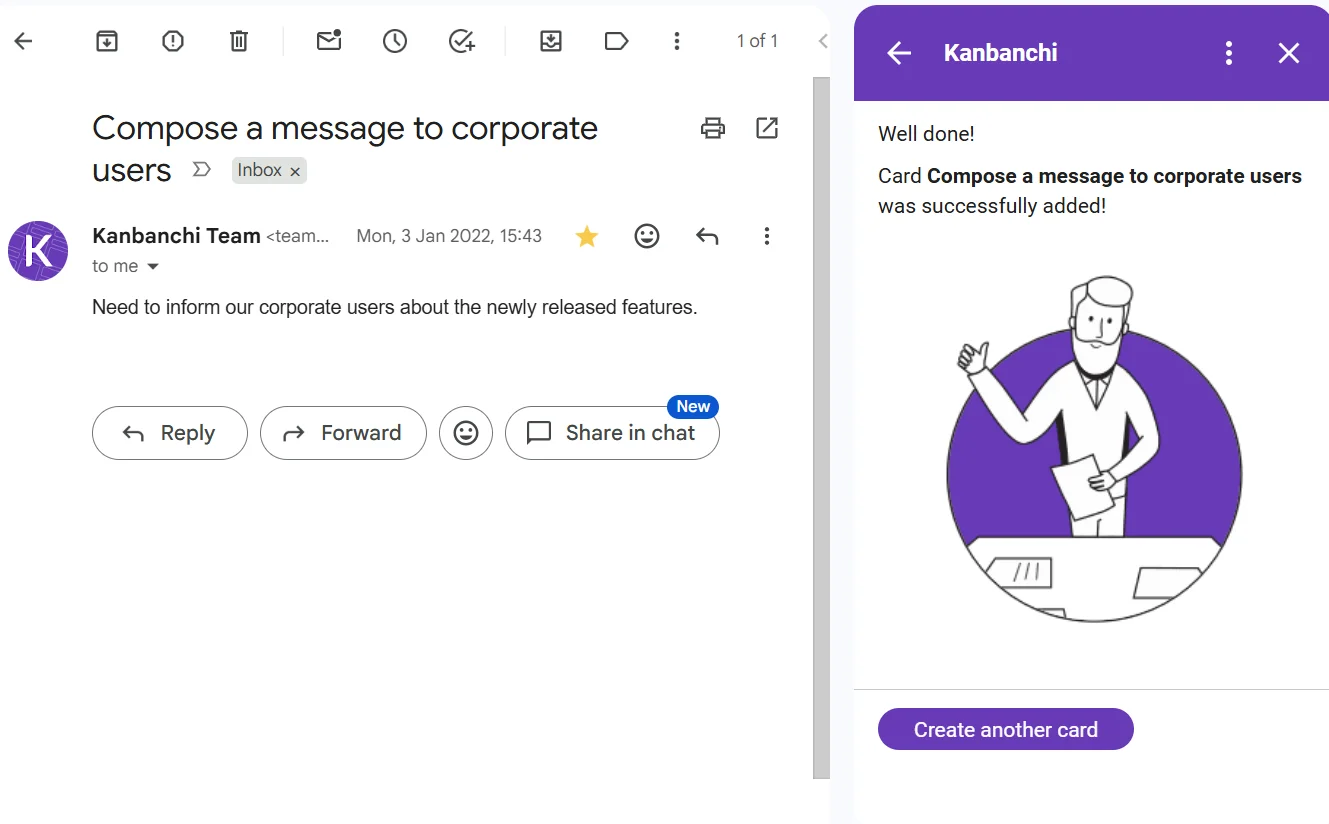
Construction coordination often starts in email. A site supervisor requests a lift. A subcontractor reports access restrictions. A supplier confirms delivery timing. A mechanic sends a maintenance update.
With Kanbanchi, teams can create cards from Gmail, helping convert important messages into visible tasks. Instead of leaving a fleet-related request buried in an inbox, the team can assign it, date it, discuss it, and track it on the board.
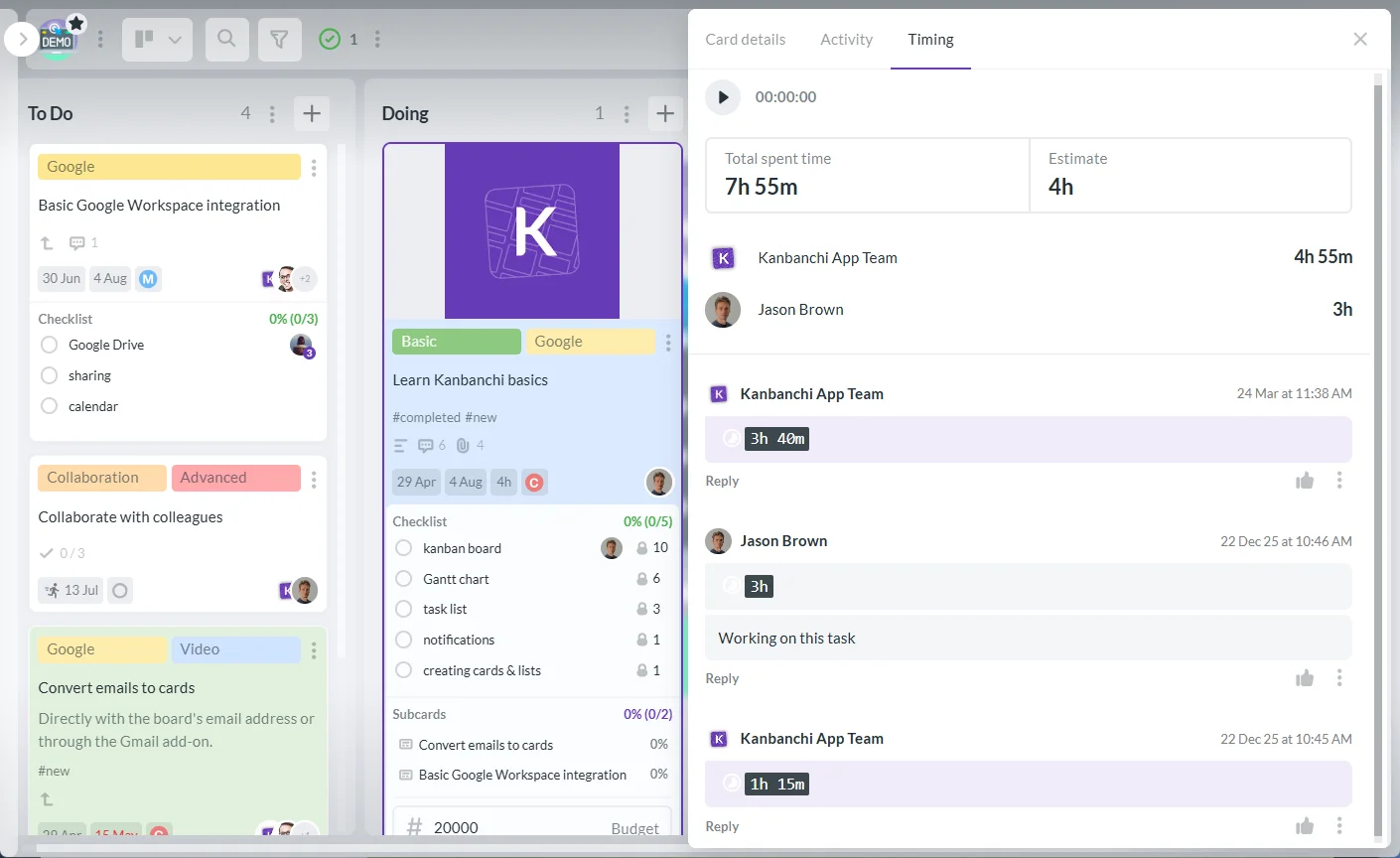
Time tracking helps leaders understand the effort required to coordinate fleet operations. This can include maintenance coordination, dispatch planning, project logistics, equipment setup, or administrative work around rentals and inspections.
Kanbanchi’s time tracker lets teams record time on cards. Over time, this can help managers see which types of fleet-related work consume the most coordination effort and where processes may need improvement.
A simple process is often better than a complex one that nobody follows. The goal is to make equipment needs visible early, keep responsibilities clear, and update the project schedule before issues become delays.
Create a standard way for project teams to request vehicles and equipment. Each request should include the project, jobsite, dates needed, asset type, operator needs, transport requirements, and any site constraints.
In Kanbanchi, this can be represented as a card template. A consistent card structure helps everyone provide the right information from the start, reducing back-and-forth clarification.
Construction teams often review upcoming work in weekly planning meetings. Fleet availability should be part of that review. Which assets are needed? Which are already committed? Which are under maintenance? Which rentals must be confirmed?
A board view helps teams see workflow status, while a Gantt chart helps show whether equipment needs align with project timing. This is where project managers, fleet managers, superintendents, and operations leads can resolve conflicts before crews arrive on site.
Maintenance teams need to know not only what is broken, but what matters most to the schedule. A non-critical repair can wait. A critical machine required for tomorrow’s concrete pour cannot.
By linking maintenance cards to project timelines, leaders can prioritize repairs based on business impact. This supports smarter decisions when resources are limited.
Fleet coordination does not end when equipment arrives. Teams should also track when equipment is released, whether it needs cleaning or inspection, whether damage was reported, and whether the next assignment is confirmed.
This final step prevents equipment from disappearing into an informal status, where one team assumes it is available while another still has it on site.
More articles about business operations
The biggest fleet problems are rarely caused by a lack of effort. They usually come from fragmented information and unclear ownership.
One common mistake is treating equipment planning as a late-stage detail. If fleet needs are not discussed until the week work starts, managers have fewer options and more expensive fixes.
Another mistake is tracking fleet information separately from project schedules. A spreadsheet may show equipment availability, but if the project plan lives elsewhere, conflicts can still be missed.
Teams also struggle when responsibility is unclear. If nobody owns a request, confirms transport, checks maintenance status, or updates the schedule, the issue may remain invisible until it affects the jobsite.
Finally, some firms adopt software without standardizing the process. Tools help most when the team agrees on request formats, status definitions, update frequency, and escalation rules.
Also read: Top 10 Project Management Software for Construction
Construction leaders do not need to inspect every detail every day, but they do need a reliable cadence. A weekly fleet and project review can prevent many avoidable delays.
Useful questions include: Which critical assets are needed in the next two weeks? Are any assets double-booked? Which equipment is due for maintenance? Which rentals must be confirmed? Which tasks depend on assets that are not yet ready? Which jobsite has the highest risk of delay due to equipment constraints?
This is where project visibility matters. When work is scattered across emails, spreadsheets, chat messages, and verbal updates, leaders spend the meeting reconstructing reality. When work is visible on shared boards and timelines, the meeting can focus on decisions.
Fleet management in construction is the planning, tracking, maintenance, and coordination of vehicles and equipment used to complete project work. It includes asset availability, dispatching, maintenance, operator coordination, safety documentation, and cost control.
It helps project managers understand whether the right assets are available at the right time, whether maintenance could affect the schedule, and where equipment-related risks may delay work. When connected to project planning, it improves scheduling, cost control, and accountability.
Many do. Fleet software can manage asset-specific data such as GPS, engine hours, inspections, fuel, and maintenance. Project management software helps coordinate the tasks, deadlines, dependencies, documents, and people affected by fleet decisions.
Kanbanchi should not be treated as a GPS or telematics replacement. It is a project and task management tool that helps teams coordinate fleet-related work, timelines, responsibilities, documents, and communication inside Google Workspace or Microsoft 365.
Useful metrics include asset utilization, downtime, maintenance compliance, repair turnaround time, fuel or operating cost, rental usage, on-time equipment delivery, and delays caused by fleet constraints. The right metrics depend on fleet size and project complexity.
Effective fleet management keeps construction work moving by making equipment needs, maintenance risks, and schedule dependencies visible before they become jobsite delays.
If your team already works in Google Workspace or Microsoft 365, Kanbanchi can help you connect fleet-related tasks to the broader project plan. Use visual boards to coordinate requests, Gantt charts to manage timing, time tracking to understand effort, and Drive or OneDrive attachments to keep documents close to the work.
Try Kanbanchi to give your team a clearer way to plan, track, and coordinate construction project work from one shared workspace.
Sign up for Kanbanchi trial today



In this Article:
Start using Kanbanchi now
Start your free trial