
In this Article:
Try Kanbanchi now
Start your free trial


Searching for PM tools software can quickly become a 40-tab problem. Every platform promises better collaboration, cleaner planning, faster delivery, smarter reporting, and fewer meetings. After an hour, the tools start to look similar. After a week, the decision feels bigger than the project you wanted to manage in the first place.
The best way to compare project management software is not to compare everything. It is to compare the parts that affect how your team actually plans, assigns, tracks, discusses, and completes work.
This guide gives you a practical framework for narrowing the field, building a comparison matrix, running a focused pilot, and choosing a tool your team will use long after the onboarding call is over.
Before you open another vendor comparison page, define what decision you are making. Are you replacing spreadsheets? Moving away from Trello? Standardizing tools across departments? Adding timeline planning to an existing Kanban process? Solving a visibility problem for managers?
A team of five does not compare PM tools the same way an enterprise with multiple business units does. A marketing team planning campaigns does not have the same needs as an operations team managing procurement, approvals, and service requests.
Most failed software selections start with a vague goal like “we need better project management.” Make it specific. For example:
Once the pain is clear, the comparison becomes easier. You are not looking for the tool with the longest feature list. You are looking for the tool that removes the most expensive friction.
A must-have is something your team cannot operate without. A preference is something that would be nice, but should not decide the purchase.
For example, if your company runs on Google Workspace, deep integration with Google Drive, Gmail, and Google Calendar may be a must-have. If your team plans fixed-date initiatives, a Gantt chart may be a must-have. If your work is continuous and flow-based, a visual Kanban board may matter more than complex portfolio features.
A simple way to separate the two is to ask: “Would we reject a tool if it did not have this?” If the answer is no, it belongs in the preference column.
A comparison matrix prevents the loudest opinion in the room from becoming the final decision. It also helps leadership understand why one tool is a better operational fit than another.
The matrix should be short enough to use and specific enough to expose real differences.
Use criteria that connect directly to daily work, adoption, and governance. Here is a practical starting point:
| Criterion | Why it matters | What to verify during comparison |
|---|---|---|
| Workflow visualization | Teams need a shared view of work status | Kanban boards, lists, swimlanes, filters, status clarity |
| Timeline planning | Managers need to see dates, dependencies, and milestones | Gantt charts, date changes, dependency handling, calendar sync |
| Task ownership | Accountability depends on clear assignments | Assignees, priorities, due dates, subtasks, comments, notifications |
| Ecosystem fit | Less app-switching improves adoption | Google Workspace, Microsoft 365, Drive, OneDrive, Gmail, Calendar |
| Reporting | Leaders need visibility without manual updates | Progress reports, time data, exports |
| Security and admin control | Business tools must match company policies | Access control, file storage model, compliance posture, backups |
| Ease of use | A tool only works if people actually use it | Time to onboard, interface clarity, training needs |
| Migration | Switching costs can slow adoption | Trello import, CSV import, data export, template support |
| Cost of ownership | License price is only part of the cost | Subscription, add-ons, admin time, training, support |
This is enough for most teams. If your organization has formal procurement, legal, or IT security requirements, add those as separate rows instead of burying them under “other.”
Not all criteria deserve the same weight. For a Google Workspace company, native file and calendar integration may matter more than advanced automation. For a consulting firm, time tracking might matter more than visual customization. For a regulated enterprise, security review may carry the highest weight.
A simple scoring system works well:
| Score | Meaning |
|---|---|
| 1 | Does not meet the requirement |
| 2 | Meets it only with workarounds |
| 3 | Meets the basic requirement |
| 4 | Meets it well and fits team habits |
| 5 | Strong fit with minimal friction |
Add a weight from 1 to 3 for each criterion. A low-priority preference gets a 1. A business-critical need gets a 3. This keeps attractive but nonessential features from distorting the decision.
Feature pages are useful, but they rarely show how the tool behaves under real team pressure. A box that says “task management” can mean anything from a basic checklist to a structured system with assignments, dates, priorities, dependencies, comments, files, and time tracking.
To compare tools properly, test the workflow from intake to completion.
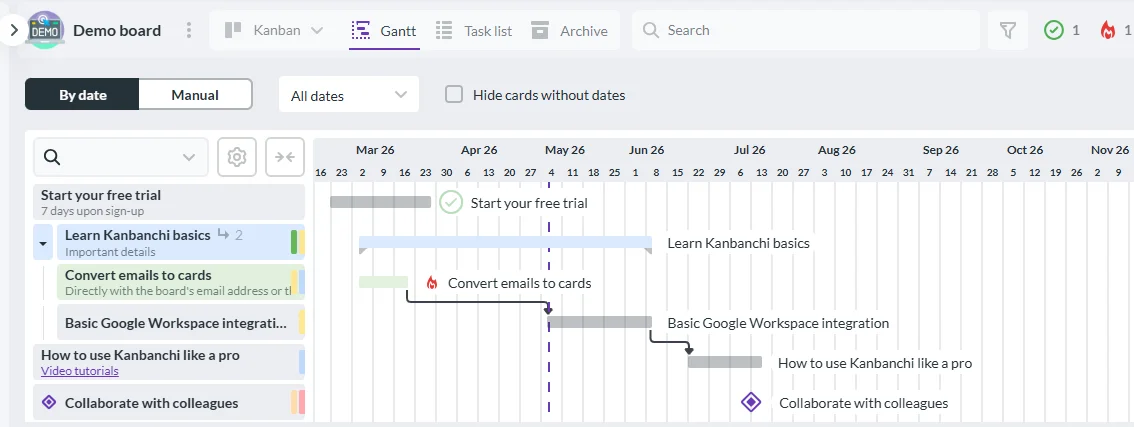
Most teams need more than one view of the same work. A Kanban board is excellent for seeing status and flow. A Gantt chart is useful for schedules, deadlines, and dependencies. A list view helps when people need to scan, sort, and filter many tasks quickly.
The important question is whether these views are connected. If updating a task in one view requires manual updates elsewhere, the tool may create hidden admin work. If one task can move through a Kanban workflow and also appear on a timeline, the team can manage execution and planning from the same source of truth.
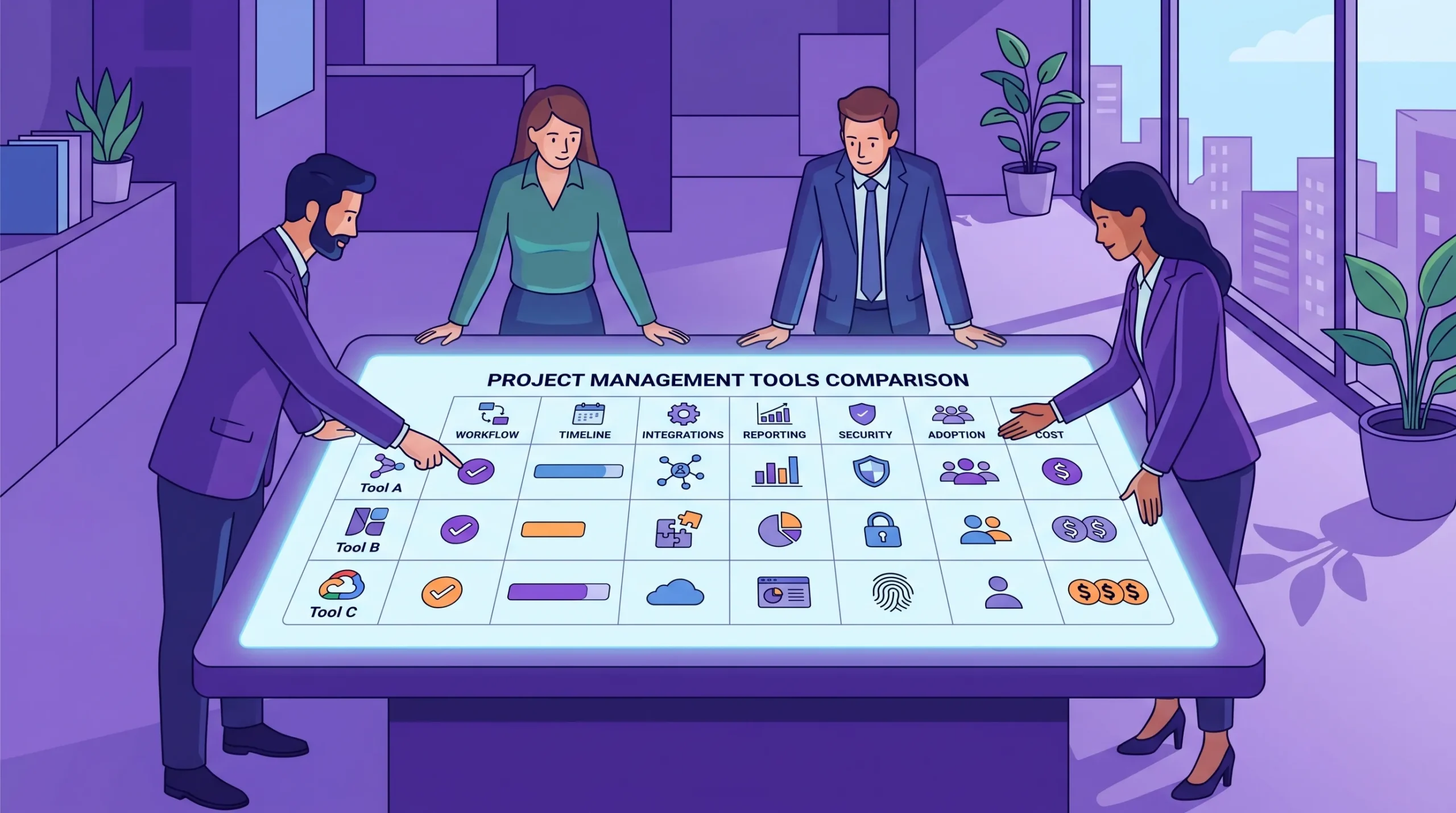
A comparison matrix helps teams focus on the criteria that affect daily work instead of getting distracted by every available feature.
Projects often fail at the edges: a customer request stays in email, a file is attached in the wrong place, or a decision is buried in a chat thread. When comparing tools, check how easily work enters the system.
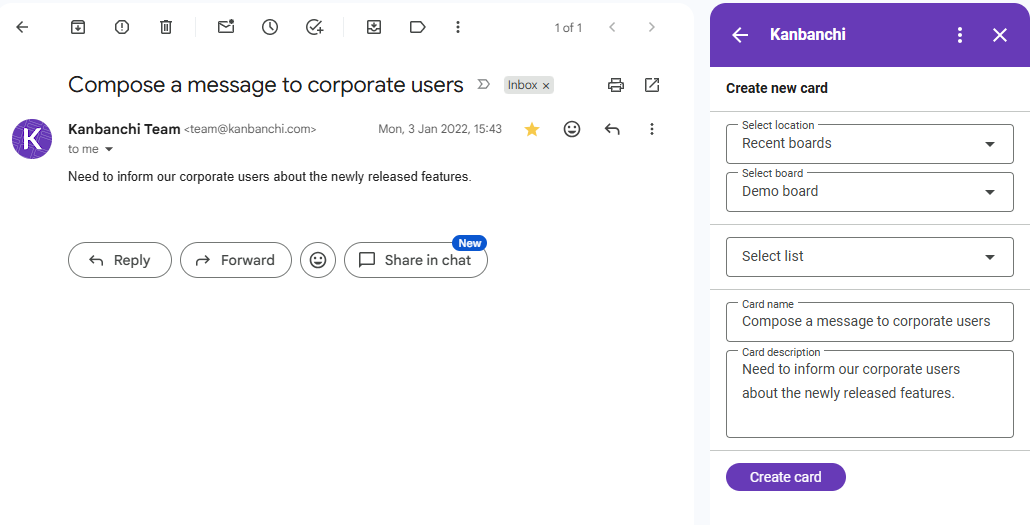
Ask whether your team can create tasks from email, attach relevant files, mention colleagues, comment in context, and receive notifications when something changes. These details determine whether the tool becomes the team’s operating system or another place people forget to update.
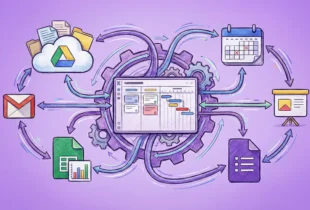
For example, Kanbanchi allows teams to create cards from Gmail, attach files from Google Drive and Shared Drives, add events to Google Calendar, and communicate about tasks inside cards. For Google Workspace teams, that can reduce the gap between where work is discussed and where work is tracked.
Do not pilot a tool with fake tasks like “Task 1” and “Task 2.” Use a real workflow with real handoffs. A retailer with online sales and seasonal operations, such as Fabbrica Ski Sises, might need to coordinate product updates, promotions, equipment services, and store operations. A generic demo would not reveal whether the PM tool supports that level of cross-functional coordination.
Your own test should include the messy parts of work: approvals, overdue tasks, changed dates, missing files, dependencies, and people working across multiple boards or projects.
Find more articles about Project Management here
The right tool is not only the one with the best features. It is the one that your team can adopt, your IT team can approve, and your finance team can justify.
A powerful tool with a steep learning curve may be appropriate for a dedicated project management office. It may be a poor fit for a busy department that needs a clear visual board by Monday.
When comparing tools, ask:
The best project management software supports maturity over time. It should not force a small team into enterprise complexity before they need it.
For business owners and team leads, security may initially feel like an IT question. In practice, it affects everyday collaboration. If the PM tool handles files, comments, project schedules, customer information, or internal decisions, it becomes part of your operational data environment.
Check whether the tool fits your company’s existing access policies. For Google Workspace teams, it is useful to know how files are stored and shared through Google Drive or Shared Drives. For Microsoft 365 teams, review OneDrive and SharePoint compatibility. Also ask about backups, account management, and enterprise-level compliance if your organization requires it.
Kanbanchi is designed to work with Google Workspace and Microsoft 365 environments, with integrations for Google Drive, Shared Drives, OneDrive, and SharePoint. For teams that already manage identity, files, and permissions inside those ecosystems, this can simplify governance.
Start free trial of Kanbanchi now
Do not compare subscription prices in isolation. A cheaper tool may become expensive if you need separate products for timelines, time tracking, file management, and task intake.
Total cost of ownership includes:
If a platform combines Kanban boards, Gantt charts, time tracking, and Workspace integration in one place, it may reduce the need for extra tools. The comparison should capture that operational value, not just the monthly price.
A pilot is not a casual trial where everyone clicks around for a few days. It is a controlled test with a defined workflow, success criteria, and a decision date.
Use a pilot that is small enough to manage but realistic enough to expose problems.
The goal is not to find a perfect tool. The goal is to discover whether the tool can become the team’s trusted place for work.
Use a mix of qualitative and quantitative feedback. Ask team members how easy it was to find their tasks, update progress, attach files, and understand priorities. Ask managers whether they could see risk earlier than before.
You can also track practical indicators such as how many tasks were updated without reminders, how many status questions were answered from the board, and whether due dates or blockers were visible before meetings.
This approach aligns with a broader principle in project management maturity: tools should improve visibility, decision-making, and delivery outcomes. Research from the Project Management Institute has consistently emphasized the link between strong project practices and better organizational performance.
If your team already works in Google Workspace or Microsoft 365, ecosystem fit should be one of your highest-weighted criteria. The project management tool should reduce app-switching, not add another disconnected layer.
Google Workspace is excellent for collaboration, email, files, calendars, and meetings. However, it does not include a full project management system with visual boards, Gantt planning, time tracking, and structured project reporting.
When comparing PM tools for a Google Workspace team, check whether the tool can:
Kanbanchi was built for this type of workflow. Teams can create and share project boards and cards, organize work with tags and filters, convert boards to Gantt charts, track time on cards, use templates, import Trello boards or CSV data, and export board data to Google Sheets.
Start free trial of Kanbanchi now
Microsoft 365 teams should evaluate how project data connects with OneDrive and SharePoint. The same logic applies: the tool should support the environment where your files, permissions, and collaboration already live.
Kanbanchi also supports Microsoft 365 compatibility, including integration with OneDrive and SharePoint for file storage and collaboration. If your company uses both Google Workspace and Microsoft 365 across departments, include cross-environment compatibility in your scorecard.
Use the table below as a starting point. Replace the sample criteria with your own requirements and score each tool after a real pilot.
| Criterion | Weight | Tool A score | Tool B score | Tool C score | Notes |
|---|---|---|---|---|---|
| Easy visual task tracking | 3 | Can the team understand status at a glance? | |||
| Gantt and timeline planning | 2 | Are dates and dependencies easy to manage? | |||
| Google Workspace or Microsoft 365 fit | 3 | Does it work with existing files, email, and calendar habits? | |||
| Time tracking and reporting | 2 | Can managers see effort and progress without manual reports? | |||
| User adoption | 3 | Did users update tasks during the pilot without chasing? | |||
| Security and admin fit | 3 | Does it meet IT and company policy requirements? | |||
| Migration and setup effort | 2 | Can you import existing boards, spreadsheets, or templates? | |||
| Total cost of ownership | 2 | Does it replace other tools or add another layer? |
After scoring, multiply each score by the weight. The tool with the highest score is not automatically the winner, but the results will make trade-offs visible. If one tool wins on features but loses badly on adoption, that is a serious warning sign.
A good comparison process should protect you from common mistakes.
Do not choose software only because it is popular. Popular tools often serve broad markets, but your team may need a better fit for Google Workspace, Microsoft 365, visual workflow, or timeline planning.
Do not compare every feature equally. A rarely used automation should not outweigh the ability to see overdue work, attach the right files, or create tasks from email.
Do not let the pilot happen in isolation. If only one manager tests the tool, you will miss whether team members can use it comfortably. If only team members test it, you may miss reporting and governance needs.
Do not ignore migration. Even a great tool can fail if existing work cannot be moved in cleanly. Look for import options, CSV support, templates, and a clear setup path.
Do not postpone security questions until the final step. If IT cannot approve the tool, the comparison restarts from zero.
Three to five tools is usually enough. More than that creates comparison fatigue and makes pilots harder to run properly. Start with a broad scan, eliminate tools that miss obvious must-haves, then pilot only the strongest candidates.
The most important feature is the one that solves your main operational problem. For many teams, that means clear task visibility through boards. For deadline-driven teams, it may be Gantt planning. For service or consulting teams, it may be time tracking.
Yes, but with a lighter version. Small teams should still define must-haves, run a real workflow test, and consider adoption. Enterprises should add deeper security, compliance, admin, and procurement.
One to three weeks is often enough for a focused team-level pilot. The pilot should include real tasks, real due dates, and at least one status meeting where the tool is used as the source of truth.
Kanbanchi is a strong candidate for teams that work in Google Workspace or Microsoft 365 and want visual task management, Gantt charts, time tracking, file integration, Gmail task creation, Google Calendar sync, templates, and secure collaboration in one tool.
Comparing PM tools software does not have to be overwhelming. Start with the work your team actually does, define the problems you need to solve, score tools against weighted criteria, and validate the strongest options with a real pilot.
If your team works in Google Workspace or Microsoft 365 and needs a practical way to connect tasks, timelines, and files, include Kanbanchi in your comparison. It gives teams a visual, integrated workspace for planning and tracking work without forcing them to abandon the tools they already use every day.
Start free trial of Kanbanchi now

In this Article:
Start using Kanbanchi now
Start your free trial